2021 KIA SPORTAGE charging
[x] Cancel search: chargingPage 272 of 631
Features of your vehicle
1824
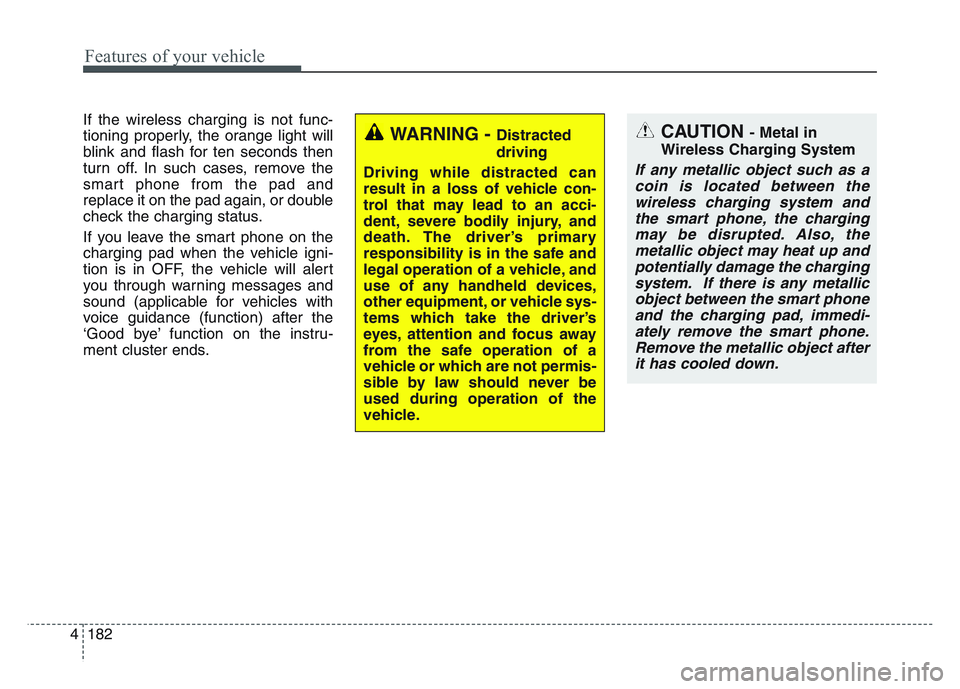
If the wireless charging is not func-
tioning properly, the orange light will
blink and flash for ten seconds then
turn off. In such cases, remove the
smart phone from the pad and
replace it on the pad again, or double
check the charging status.
If you leave the smart phone on the
charging pad when the vehicle igni-
tion is in OFF, the vehicle will alert
you through warning messages and
sound (applicable for vehicles with
voice guidance (function) after the
‘Good bye’ function on the instru-
ment cluster ends.
WARNING - Distracted
driving
Driving while distracted can
result in a loss of vehicle con-
trol that may lead to an acci-
dent, severe bodily injury, and
death. The driver’s primary
responsibility is in the safe and
legal operation of a vehicle, and
use of any handheld devices,
other equipment, or vehicle sys-
tems which take the driver’s
eyes, attention and focus away
from the safe operation of a
vehicle or which are not permis-
sible by law should never be
used during operation of the
vehicle.CAUTION - Metal in
Wireless Charging System
If any metallic object such as a coin is located between thewireless charging system andthe smart phone, the chargingmay be disrupted. Also, themetallic object may heat up andpotentially damage the chargingsystem. If there is any metallicobject between the smart phoneand the charging pad, immedi-ately remove the smart phone.Remove the metallic object afterit has cooled down.
Page 273 of 631
4 183
Features of your vehicle
✽NOTICE
• When the interior temperature ofthe wireless charging system rises
above a set temperature, the wire-
less charging will cease to func-
tion. After the interior tempera-
ture drops below the threshold,
the wireless charging function will
resume.
• The wireless charging may not function properly when there is a
heavy accessory cover on the
smart phone.
• The wireless charging will stop when using the wireless smart key
search function to prevent radio
wave disruption.
• The wireless charging will stop when the smart key is moved out
of the vehicle with the ignition in
ON.
• The wireless charging will stop when any of the doors is opened
(applicable for vehicles equipped
with smart keys).
• The wireless charging will stop when the vehicle is turned OFF.
(Continued)(Continued)
• The wireless charging will stop
when the smart phone is not in
complete contact with the wireless
charging pad.
• Items equipped with magnetic components such as credit cards,
telephone cards, bankbooks or a
transportation ticket may become
damaged during wireless charg-
ing.
• Place the smart phone on the cen- ter of the charge pad for best
results. The smart phone may not
charge when placed near the rim
of the charging pad. When the
smart phone does get charged, it
may heat up excessively.
• For smart phones without built-in wireless charging system, an
appropriate accessory has to be
equipped.
• Smart phones of some manufac- turers may display messages on
weak current. This is due to the
particular characteristic of the
smart phone and does not imply a
malfunction on wireless charging
function. (Continued)(Continued)
• The indicator light of some manu-
facturers’ smart phones may still
be orange after the smart phone is
fully charged. This is due to the
particular characteristic of the
smart phone and not a malfunc-
tion of the wireless charging.
• When any smart phone without a wireless charging function or a
metallic object is placed on the
charging pad, a small noise may
sound. This small sound is due to
the vehicle discerning compatibili-
ty of the object placed on the
charging pad. It does not affect
your vehicle or the smart phone in
any way.
Page 282 of 631
Features of your vehicle
1924
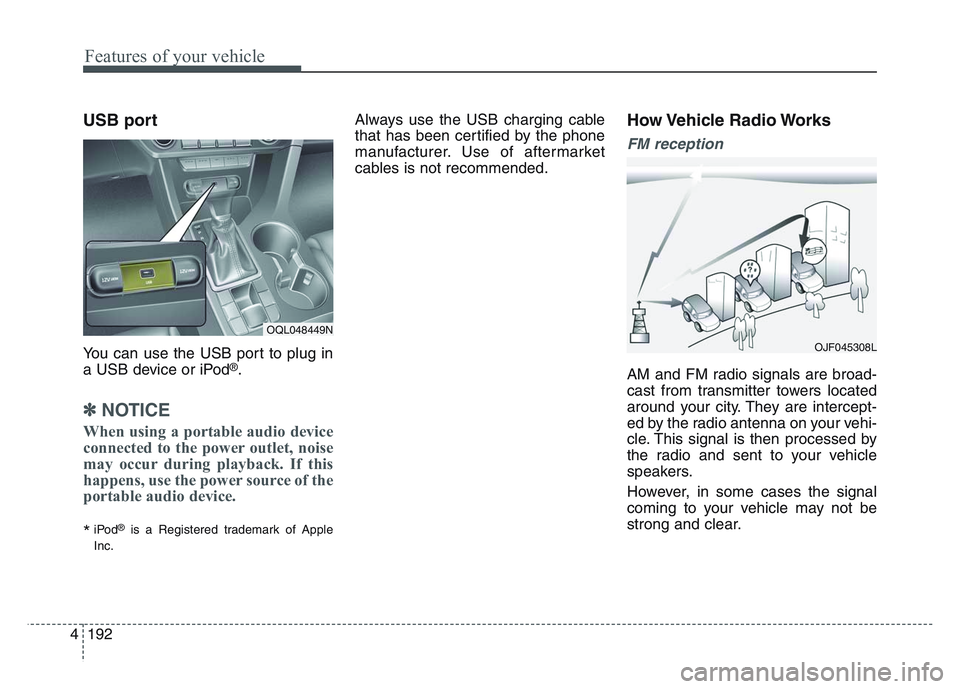
USB port
You can use the USB port to plug in
a USB device or iPod®.
✽NOTICE
When using a portable audio device
connected to the power outlet, noise
may occur during playback. If this
happens, use the power source of the
portable audio device.
*iPod®is a Registered trademark of Apple
Inc.
Always use the USB charging cable
that has been certified by the phone
manufacturer. Use of aftermarket
cables is not recommended.How Vehicle Radio Works
FM reception
AM and FM radio signals are broad-
cast from transmitter towers located
around your city. They are intercept-
ed by the radio antenna on your vehi-
cle. This signal is then processed by
the radio and sent to your vehicle
speakers.
However, in some cases the signal
coming to your vehicle may not be
strong and clear.
OQL048449N
OJF045308L
Page 498 of 631
Maintenance
Engine compartment . . . . . . . . . . . . . . . . . . . . . . . . 7-3
Maintenance services . . . . . . . . . . . . . . . . . . . . . . . . 7-4
• Owner’s responsibility . . . . . . . . . . . . . . . . . . . . . . . . . 7-4
• Owner maintenance precautions . . . . . . . . . . . . . . . . . 7-5
Owner maintenance . . . . . . . . . . . . . . . . . . . . . . . . . 7-7
• Owner maintenance schedule. . . . . . . . . . . . . . . . . . . . 7-7
Scheduled maintenance service. . . . . . . . . . . . . . . . 7-9
Explanation of scheduled maintenance items . . . 7-21
Checking fluid levels . . . . . . . . . . . . . . . . . . . . . . . 7-26
Engine oil. . . . . . . . . . . . . . . . . . . . . . . . . . . . . . . . . 7-27
• Checking the engine oil level . . . . . . . . . . . . . . . . . . . 7-27
• Changing the engine oil and filter . . . . . . . . . . . . . . . 7-28
Engine coolant . . . . . . . . . . . . . . . . . . . . . . . . . . . . 7-29
• Checking the coolant level . . . . . . . . . . . . . . . . . . . . . 7-29
• Changing the coolant . . . . . . . . . . . . . . . . . . . . . . . . . 7-32
Brake fluid . . . . . . . . . . . . . . . . . . . . . . . . . . . . . . . 7-33
• Checking the brake fluid level . . . . . . . . . . . . . . . . . . 7-33
Washer fluid . . . . . . . . . . . . . . . . . . . . . . . . . . . . . . 7-34
• Checking the washer fluid level . . . . . . . . . . . . . . . . . 7-34
Parking brake . . . . . . . . . . . . . . . . . . . . . . . . . . . . . 7-35
• Checking the parking brake. . . . . . . . . . . . . . . . . . . . 7-35
Air cleaner. . . . . . . . . . . . . . . . . . . . . . . . . . . . . . . . 7-36
• Filter replacement . . . . . . . . . . . . . . . . . . . . . . . . . . . . 7-36
Climate control air filter . . . . . . . . . . . . . . . . . . . . 7-38
• Filter inspection . . . . . . . . . . . . . . . . . . . . . . . . . . . . . . 7-38
Wiper blades . . . . . . . . . . . . . . . . . . . . . . . . . . . . . . 7-40
• Blade inspection . . . . . . . . . . . . . . . . . . . . . . . . . . . . . . 7-40
• Blade replacement . . . . . . . . . . . . . . . . . . . . . . . . . . . . 7-40
Battery . . . . . . . . . . . . . . . . . . . . . . . . . . . . . . . . . . . 7-\
43
• For best battery service . . . . . . . . . . . . . . . . . . . . . . . 7-43
• Recharging the battery . . . . . . . . . . . . . . . . . . . . . . . . 7-44
• Reset items . . . . . . . . . . . . . . . . . . . . . . . . . . . . . . . . . . 7-45\
Tires and wheels . . . . . . . . . . . . . . . . . . . . . . . . . . . 7-46
• Tire care . . . . . . . . . . . . . . . . . . . . . . . . . . . . . . . . . . . . \
7-46
• Recommended cold tire inflation pressures . . . . . . . 7-46
• Tire pressure . . . . . . . . . . . . . . . . . . . . . . . . . . . . . . . . 7-47
• Checking tire inflation pressure. . . . . . . . . . . . . . . . . 7-47
• Tire rotation . . . . . . . . . . . . . . . . . . . . . . . . . . . . . . . . 7-48
• Wheel alignment and tire balance . . . . . . . . . . . . . . . 7-49
• Tire replacement . . . . . . . . . . . . . . . . . . . . . . . . . . . . . 7-50
• Wheel replacement . . . . . . . . . . . . . . . . . . . . . . . . . . . 7-51
• Tire traction . . . . . . . . . . . . . . . . . . . . . . . . . . . . . . . . . 7-51
• Tire maintenance . . . . . . . . . . . . . . . . . . . . . . . . . . . . 7-51
• Tire sidewall labeling . . . . . . . . . . . . . . . . . . . . . . . . . 7-51
• All season tires . . . . . . . . . . . . . . . . . . . . . . . . . . . . . . . 7-58
• Summer tires . . . . . . . . . . . . . . . . . . . . . . . . . . . . . . . . 7-58
• Snow tires . . . . . . . . . . . . . . . . . . . . . . . . . . . . . . . . . . . 7-\
58
• Tire chains . . . . . . . . . . . . . . . . . . . . . . . . . . . . . . . . . . 7-58\
7
Page 540 of 631
7 43
Maintenance
BATTERY
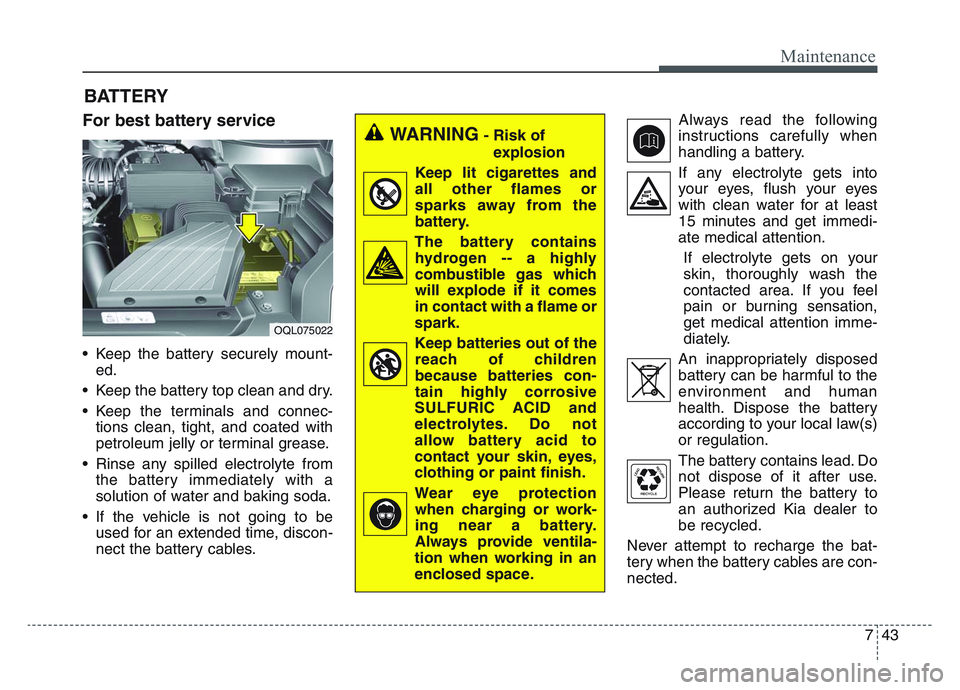
For best battery service
• Keep the battery securely mount-ed.
• Keep the battery top clean and dry.
• Keep the terminals and connec- tions clean, tight, and coated with
petroleum jelly or terminal grease.
• Rinse any spilled electrolyte from the battery immediately with a
solution of water and baking soda.
• If the vehicle is not going to be used for an extended time, discon-
nect the battery cables. Always read the following
instructions carefully when
handling a battery.
If any electrolyte gets into your eyes, flush your eyes
with clean water for at least
15 minutes and get immedi-
ate medical attention.
If electrolyte gets on your
skin, thoroughly wash the
contacted area. If you feel
pain or burning sensation,
get medical attention imme-
diately.
An inappropriately disposed battery can be harmful to the
environment and human
health. Dispose the battery
according to your local law(s)
or regulation.
The battery contains lead. Do
not dispose of it after use.
Please return the battery to
an authorized Kia dealer to
be recycled.
Never attempt to recharge the bat-
tery when the battery cables are con-
nected.
WARNING- Risk of explosion
Keep lit cigarettes and
all other flames or
sparks away from the
battery.
The battery contains hydrogen -- a highly
combustible gas which
will explode if it comes
in contact with a flame or
spark.
Keep batteries out of the reach of children
because batteries con-
tain highly corrosive
SULFURIC ACID and
electrolytes. Do not
allow battery acid to
contact your skin, eyes,
clothing or paint finish.
Wear eye protection when charging or work-
ing near a battery.
Always provide ventila-
tion when working in an
enclosed space.
OQL075022
Page 541 of 631
Maintenance
447
✽NOTICE
If you connect unauthorized elec-
tronic devices to the battery, the bat-
tery may be discharged. Never use
unauthorized devices.
Recharging the battery
Your vehicle has a maintenance-free,
calcium-based battery.
• If the battery becomes dischargedin a short time (because, for exam-
ple, the headlamps or interior
lamps were left on while the vehi-
cle was not in use), recharge it by
slow charging (trickle) for 10 hours.
• If the battery gradually discharges because of high electric load while
the vehicle is being used, recharge
it at 20-30A for two hours.WARNING- Risk of elec-
trocution
Never touch the electrical igni-
tion system while the vehicle is
running. This system works
with high voltage which can
shock you.
WARNING- Recharging Battery
Never attempt to recharge the
battery when the battery cables
are connected.
WARNING- Battery lead compound
Battery posts, terminals, and
related accessories contain
lead and lead compounds.
Wash hands after handling.
Page 542 of 631
7 45
Maintenance
When recharging the battery,
observe the following precautions:
• The battery must be removed fromthe vehicle and placed in an area
with good ventilation.
• Do not allow cigarettes, sparks, or flame near the battery.
• Watch the battery during charging, and stop or reduce the charging
rate if the battery cells begin
gassing (boiling) violently or if the
temperature of the electrolyte of
any cell exceeds 120°F (49°C).
• Wear eye protection when check- ing the battery during charging.
• Disconnect the battery charger in the following order.
1. Turn off the battery charger main switch.
2. Unhook the negative clamp from the negative battery terminal.
3. Unhook the positive clamp from the positive battery terminal. • Before performing maintenance or
recharging the battery, turn off all
accessories and stop the engine.
• The negative battery cable must be removed first and installed last
when the battery is disconnected.Reset items
Items should be reset after the bat-
tery has been discharged or the bat-
tery has been disconnected.
• Auto up/down window
• Sunroof
• Trip computer
• Climate control system
• Driver position memory system
Page 618 of 631
Specifications, Consumer information, Reporting safety defects
168
The electrical system of your vehicle is designed to per-
form under all reasonably expected operating conditions.
However, before any additional electrical equipment is
installed in your vehicle, consult an Authorized Kia
Dealer, in order to ensure that you do not void your war-
ranty.
Certain electrical equipment, or the way in which it is
installed, may adversely affect the operation of your vehi-
cle, including such systems as the engine control system,
the audio system and the electrical charging system and
thus potentially void all or part of your warranty.
We assume no responsibility for any expense you may
incur or for any malfunction of your vehicle or any of its
components or systems that may result from the installa-
tion of additional electrical equipment that is not supplied,
or recommended for installation by, Kia.Installation of a mobile two-way radio system
If a mobile two-way radio system is installed improperly,
or if an excessively powerful type of system is used, other
electronic systems may be adversely affected. To avoid
damage to your vehicle, consult an Authorized Kia Dealer
concerning the proper equipment and installation.
Kia motor vehicles are designed and manufactured to
meet or exceed all applicable safety standards.
For your safety, however, we strongly urge you to read
and follow all directions in this Owner's Manual, particu-
larly the information under the headings "NOTICE",
"CAUTION" and "WARNING".
If, after reading this manual, you have any questions
regarding the operation of your vehicle, safety issues and
defects please contact your Kia's toll-free Consumer
Assistance hot line as below:
National Consumer Affairs Manager
Kia Motors America, Inc.
P.O. Box 52410
Irvine, CA 92619-2410
1-800-333-4Kia (4542)
ELECTRICAL EQUIPMENT (U.S. ONLY)