Page 301 of 534

Driving your vehicle
64
5
To warn the driver that the vehicle
is departing from the projected
lane in front, the green ( ) indi-
cator light will blink on the cluster,
the lane line will blink on the clus-
ter depending on which direction
the vehicle is veering, and an audi-
ble warning will sound.
The function will operate when your vehicle speed is between
approximately 40~120 mph
(60~200 km/h).Lane Keeping Assist
To warn the driver that the vehicleis departing from the projected
lane in front, the green ( ) indi-
cator light will blink on the cluster,
and the steering wheel will make
adjustments to keep vehicle inside
the lane.
The function will operate when your vehicle speed is between
approximately 40~120 mph
(60~200 km/h).
Hands-off warning
If the driver takes their hands off the
steering wheel for several seconds,
the 'Keep hands on steering wheel'
warning message will appear on the
cluster, and an audible warning will
sound in stages.
ODL3059136L
SC PE USA 5.QXP 10/23/2020 5:51 PM Page 64
Page 302 of 534
565
Driving your vehicle
✽ ✽NOTICE
• For more details on setting the
functions, refer to "LCD Display
Mode" in chapter 4.
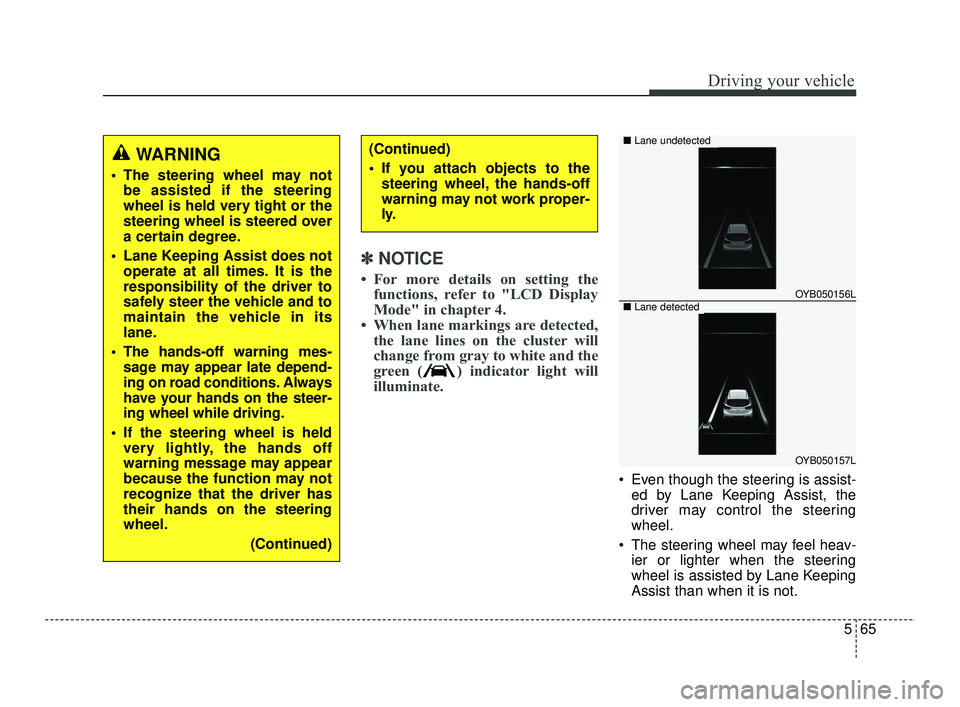
• When lane markings are detected, the lane lines on the cluster will
change from gray to white and the
green ( ) indicator light will
illuminate.
Even though the steering is assist-
ed by Lane Keeping Assist, the
driver may control the steering
wheel.
The steering wheel may feel heav- ier or lighter when the steering
wheel is assisted by Lane Keeping
Assist than when it is not.
WARNING
The steering wheel may notbe assisted if the steering
wheel is held very tight or the
steering wheel is steered over
a certain degree.
Lane Keeping Assist does not operate at all times. It is the
responsibility of the driver to
safely steer the vehicle and to
maintain the vehicle in its
lane.
The hands-off warning mes- sage may appear late depend-
ing on road conditions. Always
have your hands on the steer-
ing wheel while driving.
If the steering wheel is held very lightly, the hands off
warning message may appear
because the function may not
recognize that the driver has
their hands on the steering
wheel.
(Continued)
(Continued)
If you attach objects to thesteering wheel, the hands-off
warning may not work proper-
ly.
OYB050156L
OYB050157L
■ Lane undetected
■Lane detected
SC PE USA 5.QXP 10/23/2020 5:51 PM Page 65
Page 304 of 534

567
Driving your vehicle
WARNING
Take the following precautions
when using Lane Keeping
Assist:
The driver should hold theresponsibility to safely drive
and control the vehicle. Do
not solely rely on the function
and drive dangerously.
The operation of Lane Keeping Assist can be can-
celled or not work properly
depending on road conditions
and surroundings. Always be
cautious while driving.
Refer to "Limitations of the function" in chapter 5, if the
lane is not detected properly.
When you are towing a trailer or another vehicle, we recom-
mend that Lane Keeping
Assist is turned off due to
safety reasons.
(Continued)
(Continued)
If the vehicle is driven at highspeed, the steering wheel will
not be controlled. The driver
must always follow the speed
limit when using the function.
If any other function's warn- ing message is displayed or
audible warning is generated,
Lane Keeping Assist warning
message may not be dis-
played and audible warning
may not be generated.
You may not hear the warning sound of Lane Keeping Assist
if the surrounding is noisy.
If you attach objects to the steering wheel, steering may
not be assisted properly.
Lane Keeping Assist may not operate for 15 seconds after
the vehicle is started, or the
front view camera is initial-
ized.
Lane Keeping Assist will not operate when:
(Continued)(Continued)- The turn signal or hazardwarning flasher is turned on
- The vehicle is not driven in the center of the lane when
the function is turned on or
right after changing a lane
- ESC (Electronic Stability Control) or VSM (Vehicle
Stability Management) is
activated
- The vehicle is driven on a sharp curve
- Vehicle speed is below 35 mph (55 km/h) or above 130
mph (210 km/h)
- The vehicle makes sharp lane changes
- The vehicle is suddenly stopped
SC PE USA 5.QXP 10/23/2020 5:51 PM Page 67
Page 305 of 534
Driving your vehicle
68
5
Blind-Spot Collision Warning is
designed to help detect and monitor
approaching vehicles in the driver's
blind spot area and warn the driver of
a possible collision with a warning
message and audible warning.
Blind-Spot Collision Warning help
detects and informs the driver that a
vehicle is in the blind spot.Blind-Spot Collision Warning help
detects and informs the driver that a
vehicle is approaching at high speed
from the blind spot area.
BLIND-SPOT COLLISION WARNING (BCW) (IF EQUIPPED)
OSK3058089LOSK3058090L
CAUTION
The detecting range may vary
depending on the speed of yourvehicle. However, even if there isa vehicle in the blind spot, thefunction may not warn you whenyou pass by at high speed.
SC PE USA 5.QXP 10/23/2020 5:51 PM Page 68
Page 306 of 534

569
Driving your vehicle
✽ ✽NOTICE
• BCW stands for Blind-Spot
Collision Warning.
• In the following text, Blind-Spot Collision Warning will be re-
ferred as Blind-Spot Safety sys-
tem.
Detecting sensor
Refer to the picture above for the
detailed location of the detecting
sensor.
CAUTION
Warning timing may vary
depending on the speed of thevehicle approaching at highspeed.
CAUTION
Never disassemble the rear corner radar or radar assem-bly, or apply any impact on it.
If the rear corner radar have been replaced or repaired,have your vehicle inspectedby an authorized Kia dealer.
If there is impact on the rear corner radar or near the radar,even though the warning mes-sage does not appear on thecluster, Blind-Spot Safety sys-tem may not operate properly.In this case, have your vehicleinspected by an authorizedKia dealer.
Use only genuine parts to repair the rear bumper wherethe rear corner radar is located.
Do not apply license plate frame or object, such as abumper sticker, film or abumper guard near the rearcorner radar.
(Continued)
OSC050091
■Rear corner radar
SC PE USA 5.QXP 10/23/2020 5:52 PM Page 69
Page 307 of 534

Driving your vehicle
70
5
Function settings
Setting
Blind-Spot Safety
With the ignition switch or ENGINE
START/STOP button in the ON posi-
tion, select or deselect "User
Settings →Driver Assistance →
Blind-Spot Safety" to set whether or
not to use each function.
•If 'Warning Only' is selected, the
function will warn the driver with a
warning message, an audible
warning depending on the collision
risk levels.
If 'Off' is selected, the function will turn off. When the engine is restarted with
the function off, the 'Blind-Spot
Safety System is Off' message will
appear on the cluster.
If you change the setting from 'Off' to
'Warning Only', the warning light on
the outside rearview mirror will blink
for three seconds.
In addition, if the engine is turned on,
when the function is set to 'Warning
Only', the warning light on the out-
side rearview mirror will blink for
three seconds.
(Continued)
The function may not work properly if the bumper hasbeen replaced, or the sur-roundings of the rear cornerradar has been damaged orpaint has been applied.
If a trailer, carrier, etc. is installed, it may adverselyaffect the performance of therear corner radar or the func-tion may not operate.
OSC050106
ODL3A050288
SC PE USA 5.QXP 10/23/2020 5:52 PM Page 70
Page 308 of 534

571
Driving your vehicle
✽ ✽NOTICE
If the engine is restarted, Blind-Spot
Safety system will maintain the last
setting.
Warning Timing
With the ignition switch or ENGINE
START/STOP button in the ON posi-
tion, select 'Driver Assistance →
Warning Timing' from the User
Settings to change the initial warning
activation time for Blind-Spot Safety
system.
When the vehicle is first delivered,
Warning Timing is set to 'Normal'. If
you change the Warning Timing, the
warning time of other Driver
Assistance systems may change.
WARNING
If 'Warning Only' is selected,
steering is not assisted.
If 'Off' is selected, the driver should always be aware of the
surroundings and drive safely.
OJA050141L
CAUTION
The setting of the Warning Timing applies to all functionsof the Blind-Spot Safety sys-tem.
Even though 'Normal' is selected for Warning Timing, ifthe vehicles approaches athigh speed, the initial warningactivation time may seem late.
Select 'Late' for Warning Timing when traffic is light andwhen driving speed is slow.
SC PE USA 5.QXP 10/23/2020 5:52 PM Page 71
Page 309 of 534

Driving your vehicle
72
5
Function operation
Function warning
To warn the driver a vehicle is
detected, the warning light on the
outside rearview mirror and head-
up display (if equipped) will illumi-
nate
The function will operate when your vehicle speed is above 12
mph (20 km/h) and the speed of
the vehicle in the blind spot area is
above 7 mph (10 km/h).
Collision warning
Collision warning will operate whenthe turn signal is turned on in the
direction of the detected vehicle.
To warn the driver of a collision, the warning light on the outside
rearview mirror and head-up dis-
play (if equipped) will blink.
When the turn signal is turned off or you move away from the lane,
the collision warning will be can-
celed and the function will return to
vehicle detection state.
ORJ058127
■ Vehicle detection
WARNING
The detecting range of the
rear corner radar is deter-
mined by the standard road
width, therefore, on a narrow
road, the function may detect
other vehicles in the next lane
and warn you. In contrast, on
a wide road, the function may
not be able to detect a vehicle
driving in the next lane and
may not warn you.
When the hazard warning light is on, the collision warn-
ing by the turn signal will not
operate.
For your safety, change the Settings after parking the
vehicle at a safe location.
If any other function's warn- ing message is displayed or
audible warning is generated,
Blind-Spot Safety system's
warning message may not be
displayed and audible warn-
ing may not be generated.
(Continued)
SC PE USA 5.QXP 10/23/2020 5:52 PM Page 72
