2021 HYUNDAI SONATA steering wheel
[x] Cancel search: steering wheelPage 348 of 546
6-64
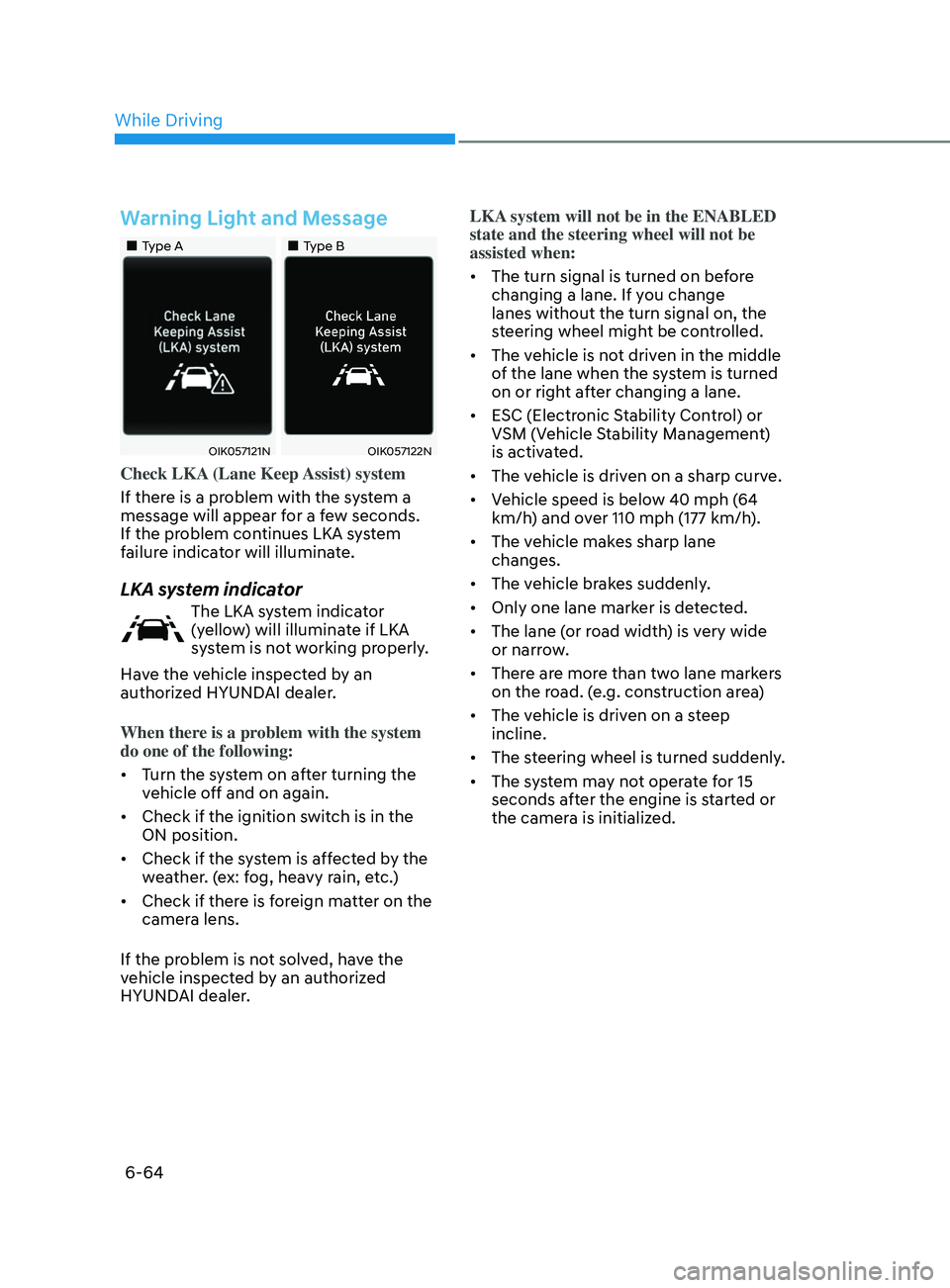
Warning Light and Message
•„Type A•„Type B
OIK057121NOIK057122N
Check LKA (Lane Keep Assist) system
If there is a problem with the system a
message will appear for a few seconds.
If the problem continues LKA system
failure indicator will illuminate.
LKA system indicator
The LKA system indicator
(yellow) will illuminate if LKA
system is not working properly.
Have the vehicle inspected by an
authorized HYUNDAI dealer.
When there is a problem with the system
do one of the following:
• Turn the system on after turning the
vehicle off and on again.
• Check if the ignition switch is in the
ON position.
• Check if the system is affected by the
weather. (ex: fog, heavy rain, etc.)
• Check if there is foreign matter on the
camera lens.
If the problem is not solved, have the
vehicle inspected by an authorized
HYUNDAI dealer. LKA system will not be in the ENABLED
state and the steering wheel will not be
assisted when:
•
The turn signal is turned on before
changing a lane. If you change
lanes without the turn signal on, the
steering wheel might be controlled.
• The vehicle is not driven in the middle
of the lane when the system is turned
on or right after changing a lane.
• ESC (Electronic Stability Control) or
VSM (Vehicle Stability Management)
is activated.
• The vehicle is driven on a sharp curve.
• Vehicle speed is below 40 mph (64
km/h) and over 110 mph (177 km/h).
• The vehicle makes sharp lane
changes.
• The vehicle brakes suddenly.
• Only one lane marker is detected.
• The lane (or road width) is very wide
or narrow.
• There are more than two lane markers
on the road. (e.g. construction area)
• The vehicle is driven on a steep
incline.
• The steering wheel is turned suddenly.
• The system may not operate for 15
seconds after the engine is started or
the camera is initialized.
While Driving
Page 356 of 546
6-72
WARNING
• The driver is responsible for accurate
steering.
• Do not unnecessarily operate the
steering wheel, when Blind-Spot
Collision-Avoidance Assist system is
in operation.
• Always pay extreme caution while
driving. The Blind-Spot Collision-
Avoidance Assist system may not
operate or unnecessarily operate
in accordance with your driving
situations.
• Blind-Spot Collision-Avoidance
Assist system is not a substitute
for safe driving practices, but a
convenience function only. It is
the responsibility of the driver to
always drive cautiously to prevent
unexpected and sudden situations
from occurring. Pay attention to the
road conditions at all times.
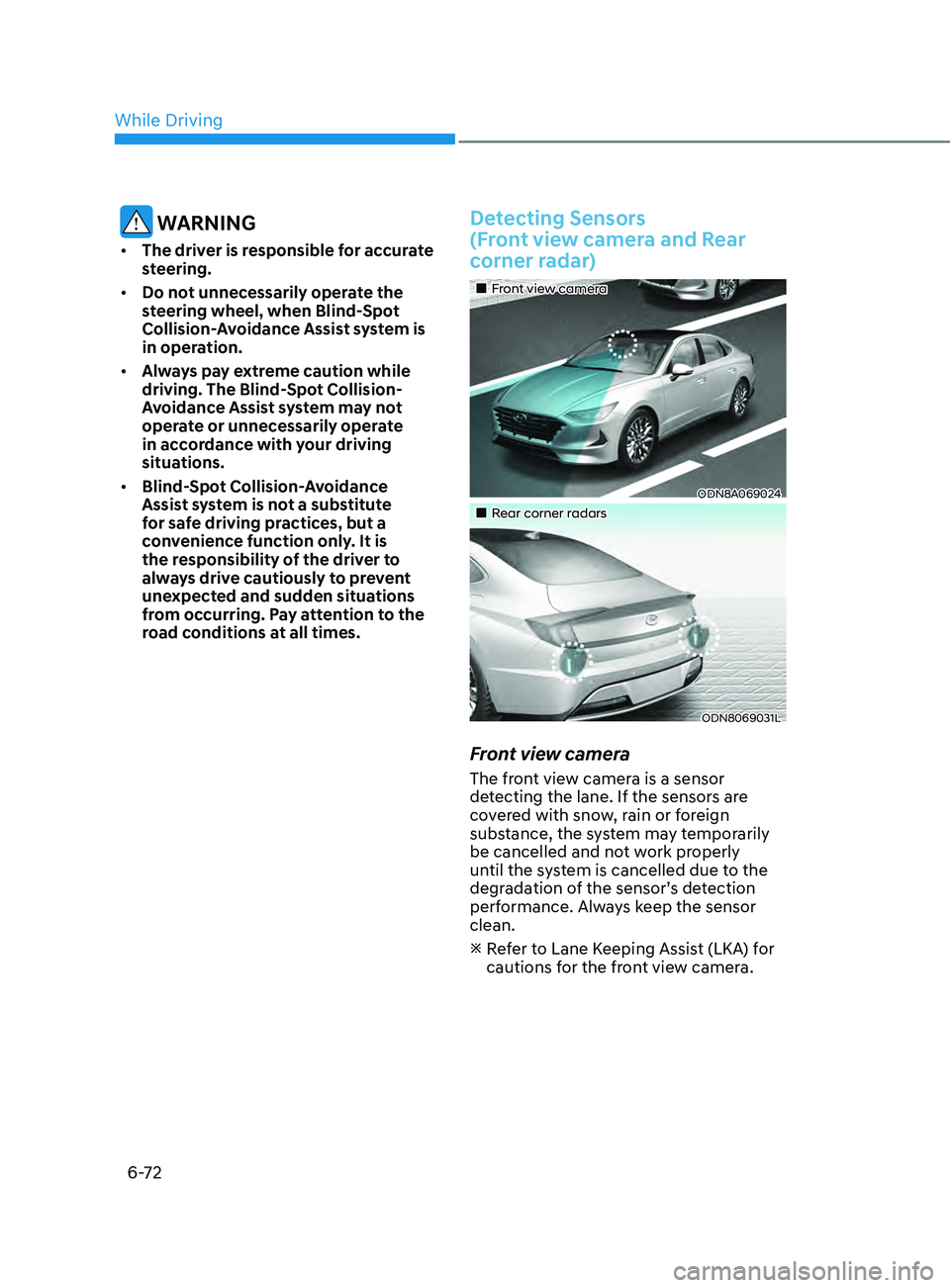
Detecting Sensors
(Front view camera and Rear
corner radar)
•„Front view camera
ODN8A069024
•„Rear corner radars
ODN8069031L
Front view camera
The front view camera is a sensor
detecting the lane. If the sensors are
covered with snow, rain or foreign
substance, the system may temporarily
be cancelled and not work properly
until the system is cancelled due to the
degradation of the sensor’s detection
performance. Always keep the sensor
clean.
R
efer to Lane Keeping Assist (LKA) for
cautions for the front view camera.
While Driving
Page 376 of 546
![HYUNDAI SONATA 2021 Owners Manual 6-92
Limitations
The leading Vehicle Departure Alert
function may not properly operate
with limited alerting in the following
situations:
OADAS021SD
[A] : Your vehicle
• When a vehicle cuts in fr](/manual-img/35/41164/w960_41164-375.png "HYUNDAI SONATA 2021 Owners Manual 6-92
Limitations
The leading Vehicle Departure Alert
function may not properly operate
with limited alerting in the following
situations:
OADAS021SD
[A] : Your vehicle
• When a vehicle cuts in fr")
6-92
Limitations
The leading Vehicle Departure Alert
function may not properly operate
with limited alerting in the following
situations:
OADAS021SD
[A] : Your vehicle
• When a vehicle cuts in front of your
vehicle (No vehicle ahead)
If a v
ehicle cuts in front of your vehicle
within the sensor to detect distance to
the vehicle ahead, it may not operate
to alert.
OADAS022SD
[A] : Your vehicle, [B] : Vehicle in front
• When a vehicle cuts in front of your
vehicle (vehicle ahead)
A
ccording to the cut-in position, the
function may operate to alert the
driver or it may not alert the driver of
the departure of the vehicle in front or
the vehicle cut in.
OADAS023SD
[A] : Your vehicle, [B] : Vehicle in front
• When a vehicle in front turns right or
left or makes a U-turn
If a v
ehicle in front turns the steering
wheel rapidly and drives away from a
closer distance, it may not operate to
alert the driver.
OADAS024SD
• When a vehicle in front makes a
quick start
If a v
ehicle in front makes a quick
start, the function may alert earlier or
it may not alert to the driver.
While Driving
Page 381 of 546
06
6-97
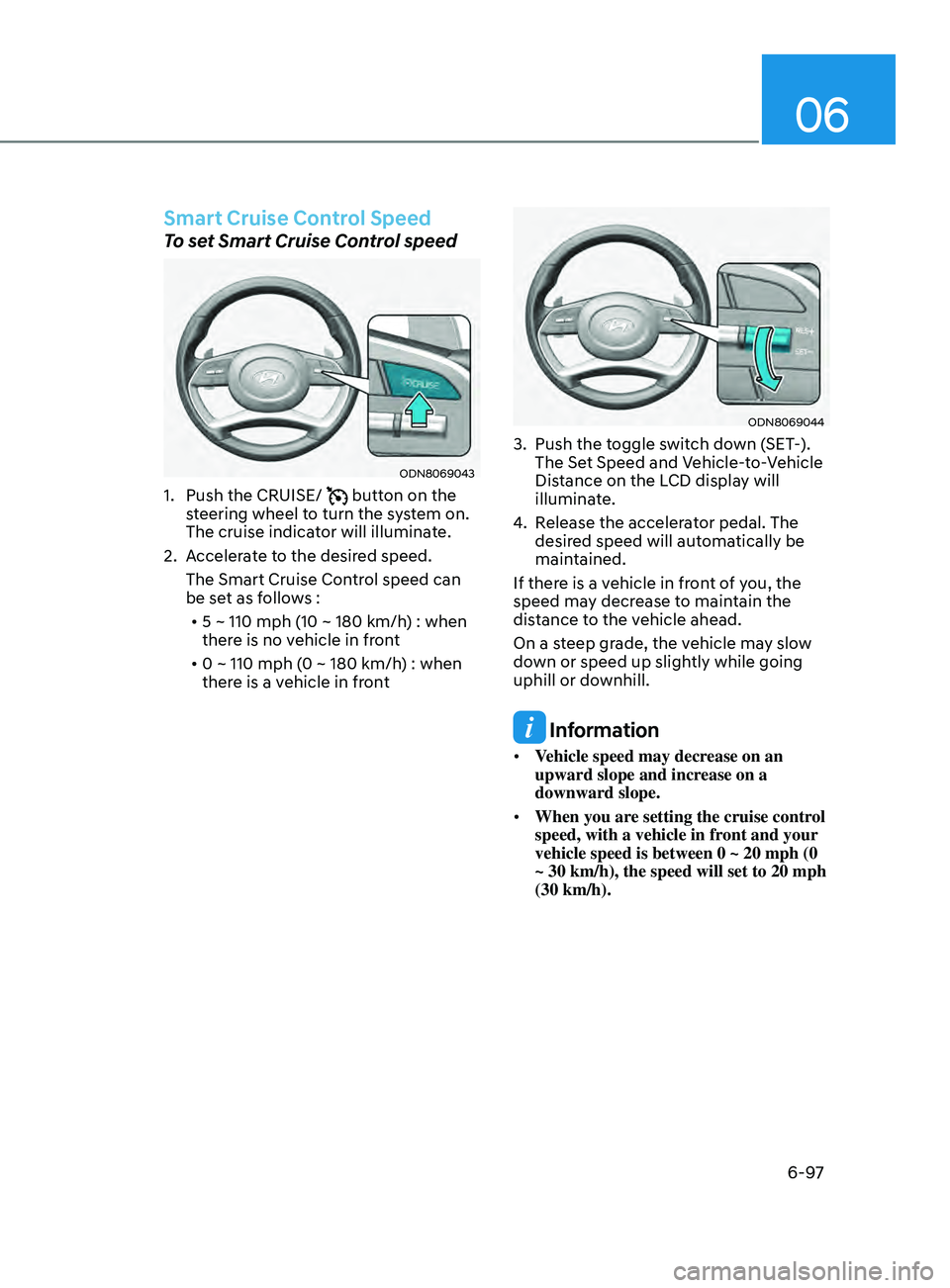
Smart Cruise Control Speed
To set Smart Cruise Control speed
ODN8069043
1. Push the CRUISE/ button on the
steering wheel to turn the system on.
The cruise indicator will illuminate.
2.
A
ccelerate to the desired speed.
The Smart Cruise Control speed can
be set as follows : • 5 ~ 110 mph (10 ~ 180 km/h) : when
there is no vehicle in front
• 0 ~ 110 mph (0 ~ 180 km/h) : when
there is a vehicle in front
ODN8069044
3. Push the t oggle switch down (SET-).
The Set Speed and Vehicle-to-Vehicle
Distance on the LCD display will
illuminate.
4.
R
elease the accelerator pedal. The
desired speed will automatically be
maintained.
If there is a vehicle in front of you, the
speed may decrease to maintain the
distance to the vehicle ahead.
On a steep grade, the vehicle may slow
down or speed up slightly while going
uphill or downhill.
Information
• Vehicle speed may decrease on an
upward slope and increase on a
downward slope.
• When you are setting the cruise control
speed, with a vehicle in front and your
vehicle speed is between 0 ~ 20 mph (0
~ 30 km/h), the speed will set to 20 mph
(30 km/h).
Page 383 of 546
06
6-99
To temporarily accelerate with
Smart Cruise Control on
If you want to speed up temporarily
when Smart Cruise Control is on, depress
the accelerator pedal. Increased speed
will not interfere with Smart Cruise
Control operation or change the set
speed.
To return to the set speed, take your foot
off the accelerator pedal.
If you push the toggle switch down
(SET-) at increased speed, the set speed
is updated.
Information
Be careful when accelerating temporarily,
because the speed is not controlled
automatically at this time even if there is a
vehicle in front of you.
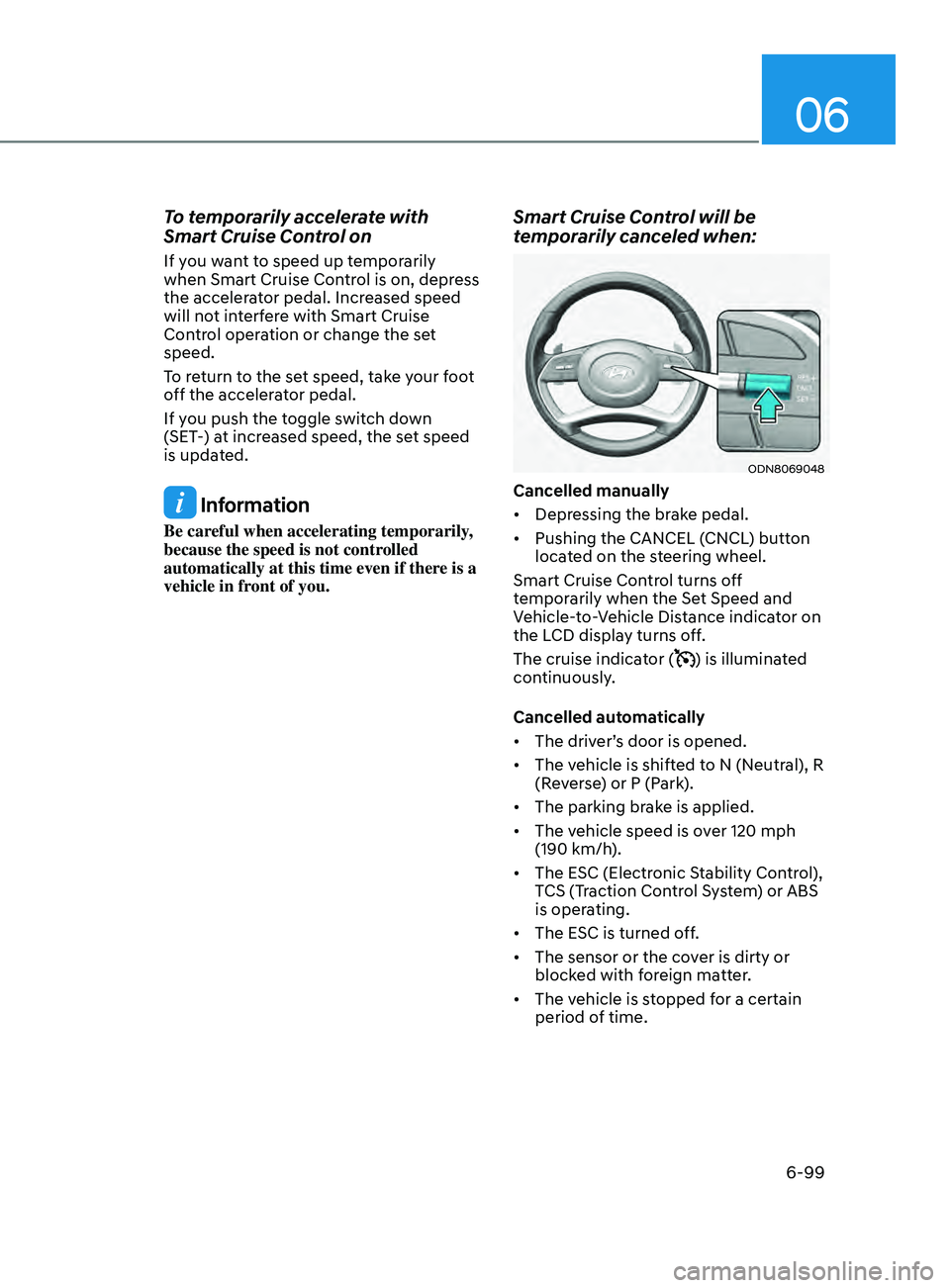
Smart Cruise Control will be
temporarily canceled when:
ODN8069048
Cancelled manually
• Depressing the brake pedal.
• Pushing the CANCEL (CNCL) button
located on the steering wheel.
Smart Cruise Control turns off
temporarily when the Set Speed and
Vehicle-to-Vehicle Distance indicator on
the LCD display turns off.
The cruise indicator (
) is illuminated
continuously.
Cancelled automatically
• The driver’s door is opened.
• The vehicle is shifted to N (Neutral), R
(Reverse) or P (Park).
• The parking brake is applied.
• The vehicle speed is over 120 mph
(190 km/h).
• The ESC (Electronic Stability Control),
TCS (Traction Control System) or ABS
is operating.
• The ESC is turned off.
• The sensor or the cover is dirty or
blocked with foreign matter.
• The vehicle is stopped for a certain
period of time.
Page 400 of 546
6-116
ODN8A069024
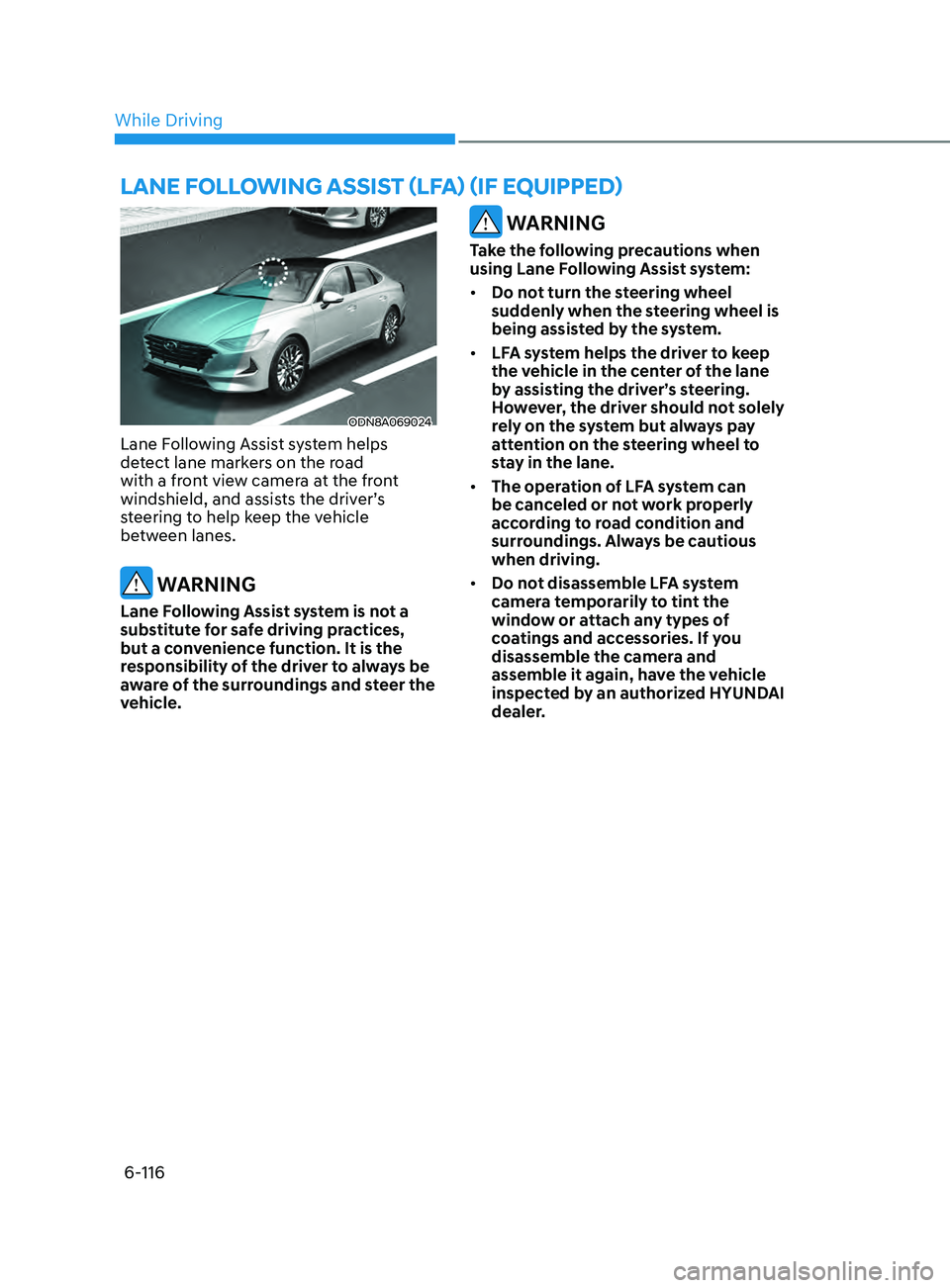
Lane Following Assist system helps
detect lane markers on the road
with a front view camera at the front
windshield, and assists the driver’s
steering to help keep the vehicle
between lanes.
WARNING
Lane Following Assist system is not a
substitute for safe driving practices,
but a convenience function. It is the
responsibility of the driver to always be
aware of the surroundings and steer the
vehicle.
WARNING
Take the following precautions when
using Lane Following Assist system:
• Do not turn the steering wheel
suddenly when the steering wheel is
being assisted by the system.
• LFA system helps the driver to keep
the vehicle in the center of the lane
by assisting the driver’s steering.
However, the driver should not solely
rely on the system but always pay
attention on the steering wheel to
stay in the lane.
• The operation of LFA system can
be canceled or not work properly
according to road condition and
surroundings. Always be cautious
when driving.
• Do not disassemble LFA system
camera temporarily to tint the
window or attach any types of
coatings and accessories. If you
disassemble the camera and
assemble it again, have the vehicle
inspected by an authorized HYUNDAI
dealer.
lane foll ow I n G aSSISt ( lfa ) ( I f equ I pped)
While Driving
Page 401 of 546
06
6-117
• When you replace the windshield
glass, LFA system camera or related
parts of the steering wheel, have the
vehicle inspected by an authorized
HYUNDAI dealer.
• The system helps detect lane
markers and controls the steering
wheel by a camera, therefore, if the
lane markers are hard to detect, the
system may not work properly.
• Please refer to “Limitations of the
S y s t e m ”.
• Do not remove or damage the related
parts of LFA system.
• You may not hear a warning sound
of LFA system if the audio volume is
high.
• Do not place objects on the
dashboard that reflects light such as
mirrors, white paper, etc. This may
prevent LFA system from functioning
properly. •
Always have your hands on the
steering wheel while LFA system is
activated. If you continue to drive
with your hands off the steering
wheel after the “Keep hands on
steering wheel” warning message
appears, the system will turn off
automatically.
However, if the driver has their
hands on the steering wheel again,
the system will start controlling the
steering wheel.
• The steering wheel is not
continuously controlled so if the
vehicle speed is at a higher rate
when leaving a lane the vehicle may
not be controlled by the system. The
driver must always follow the speed
limit when using the system.
• If you attach objects to the steering
wheel, the system may not assist
steering or the hands off alarm may
not work properly.
Page 402 of 546
6-118
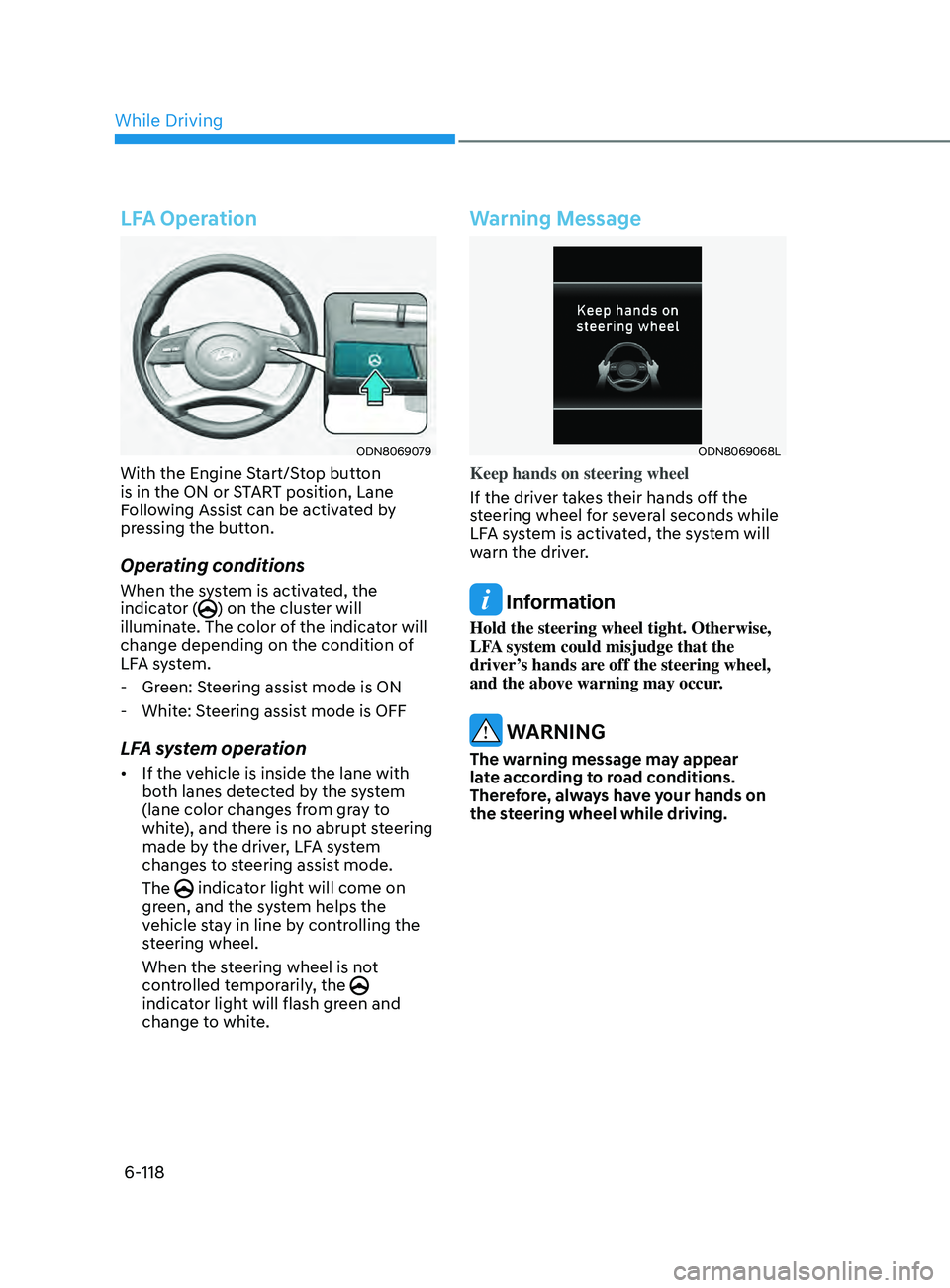
LFA Operation
ODN8069079
With the Engine Start/Stop button
is in the ON or START position, Lane
Following Assist can be activated by
pressing the button.
Operating conditions
When the system is activated, the
indicator () on the cluster will
illuminate. The color of the indicator will
change depending on the condition of
LFA system.
- Gr
een: Steering assist mode is ON
- Whit
e: Steering assist mode is OFF
LFA system operation
• If the vehicle is inside the lane with
both lanes detected by the system
(lane color changes from gray to
white), and there is no abrupt steering
made by the driver, LFA system
changes to steering assist mode.
The
indicator light will come on
green, and the system helps the
vehicle stay in line by controlling the
steering wheel.
When the steering wheel is not
controlled temporarily, the
indicator light will flash green and
change to white.
Warning Message
ODN8069068L
Keep hands on steering wheel
If the driver takes their hands off the
steering wheel for several seconds while
LFA system is activated, the system will
warn the driver.
Information
Hold the steering wheel tight. Otherwise,
LFA system could misjudge that the
driver’s hands are off the steering wheel,
and the above warning may occur.
WARNING
The warning message may appear
late according to road conditions.
Therefore, always have your hands on
the steering wheel while driving.
While Driving