2021 HYUNDAI SONATA key
[x] Cancel search: keyPage 209 of 546
05
5-79
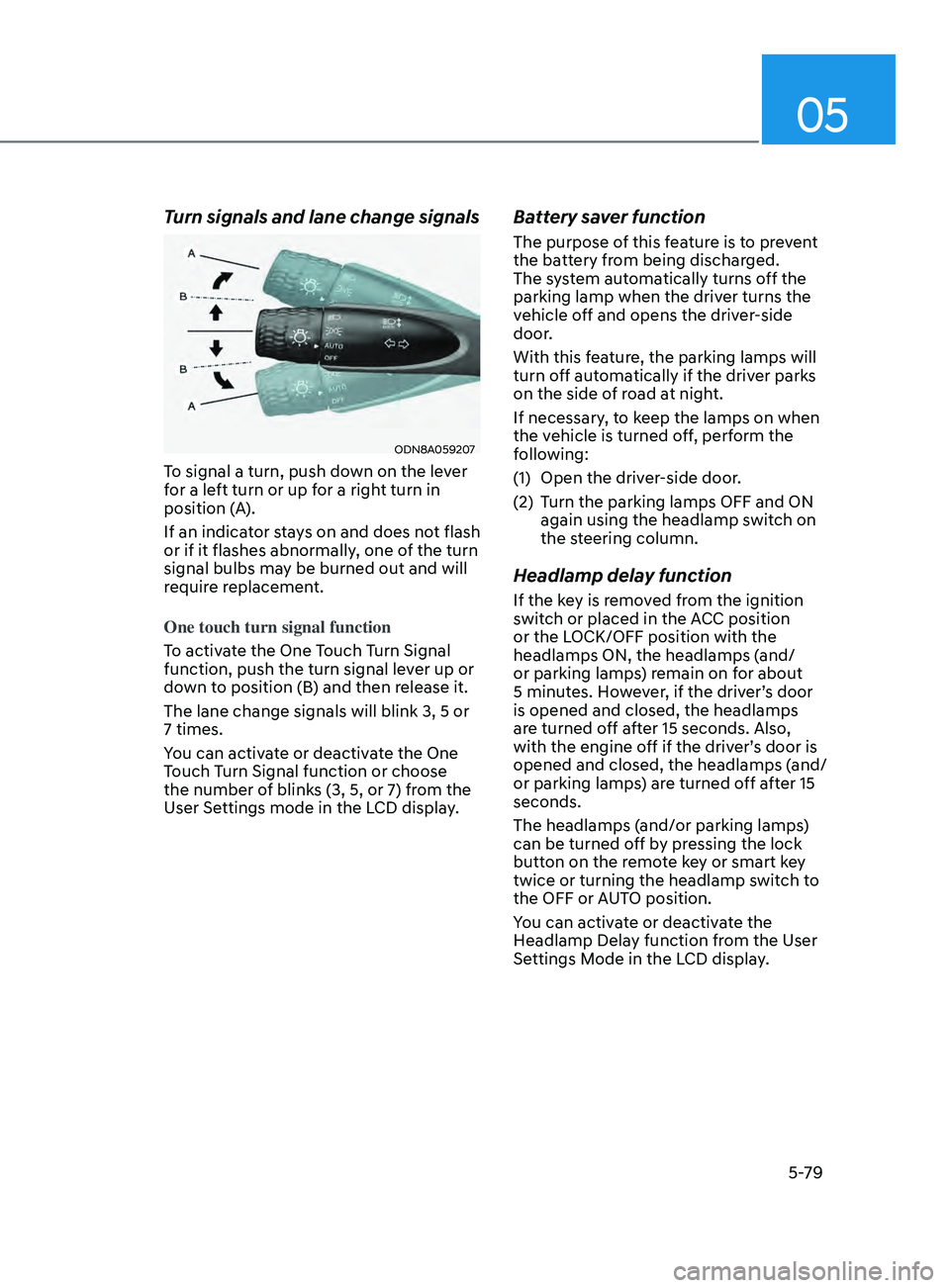
Turn signals and lane change signals
ODN8A059207
To signal a turn, push down on the lever
for a left turn or up for a right turn in
position (A).
If an indicator stays on and does not flash
or if it flashes abnormally, one of the turn
signal bulbs may be burned out and will
require replacement.
One touch turn signal function
To activate the One Touch Turn Signal
function, push the turn signal lever up or
down to position (B) and then release it.
The lane change signals will blink 3, 5 or
7 times.
You can activate or deactivate the One
Touch Turn Signal function or choose
the number of blinks (3, 5, or 7) from the
User Settings mode in the LCD display.
Battery saver function
The purpose of this feature is to prevent
the battery from being discharged.
The system automatically turns off the
parking lamp when the driver turns the
vehicle off and opens the driver-side
door.
With this feature, the parking lamps will
turn off automatically if the driver parks
on the side of road at night.
If necessary, to keep the lamps on when
the vehicle is turned off, perform the
following:
(1)
Open the driv
er-side door.
(2)
T
urn the parking lamps OFF and ON
again using the headlamp switch on
the steering column.
Headlamp delay function
If the key is removed from the ignition
switch or placed in the ACC position
or the LOCK/OFF position with the
headlamps ON, the headlamps (and/
or parking lamps) remain on for about
5 minutes. However, if the driver’s door
is opened and closed, the headlamps
are turned off after 15 seconds. Also,
with the engine off if the driver’s door is
opened and closed, the headlamps (and/
or parking lamps) are turned off after 15
seconds.
The headlamps (and/or parking lamps)
can be turned off by pressing the lock
button on the remote key or smart key
twice or turning the headlamp switch to
the OFF or AUTO position.
You can activate or deactivate the
Headlamp Delay function from the User
Settings Mode in the LCD display.
Page 210 of 546
Convenient Features
5-80
NOTICE
If the driver exits the vehicle through
another door besides the driver
door, the battery saver function
does not operate and the headlamp
delay function does not turn OFF
automatically.
This may cause the battery to
discharge. To avoid battery discharge,
turn OFF the headlamps manually from
the headlamp switch before exiting the
vehicle.
Headlamp leveling device
It automatically adjusts the headlamp
beam level according to the number of
passengers and loading weight in the
luggage area.
And it offers proper headlamp beam
under various conditions.
WARNING
If the function does not work properly,
have the vehicle inspected by an
authorized HYUNDAI dealer. Do not
attempt to inspect or replace the wiring
yourself.
Interior Lights
WARNING
Do not use the interior lights when
driving in the dark. The interior lights
may obscure your view and cause an
accident.
NOTICE
Do not use the interior lights for
extended periods when the vehicle is
turned off or the battery will discharge.
Interior lamp AUTO cut
The interior lamps will automatically go
off approximately 20 minutes after the
engine is turned off and the doors are
closed. If a door is opened, the lamp
will go off 40 minutes after the engine is
turned off. If the doors are locked by the
remote key or smart key and the vehicle
enters the armed stage of the theft
alarm system, the lamps will go off five
seconds later.
Page 211 of 546
05
5-81
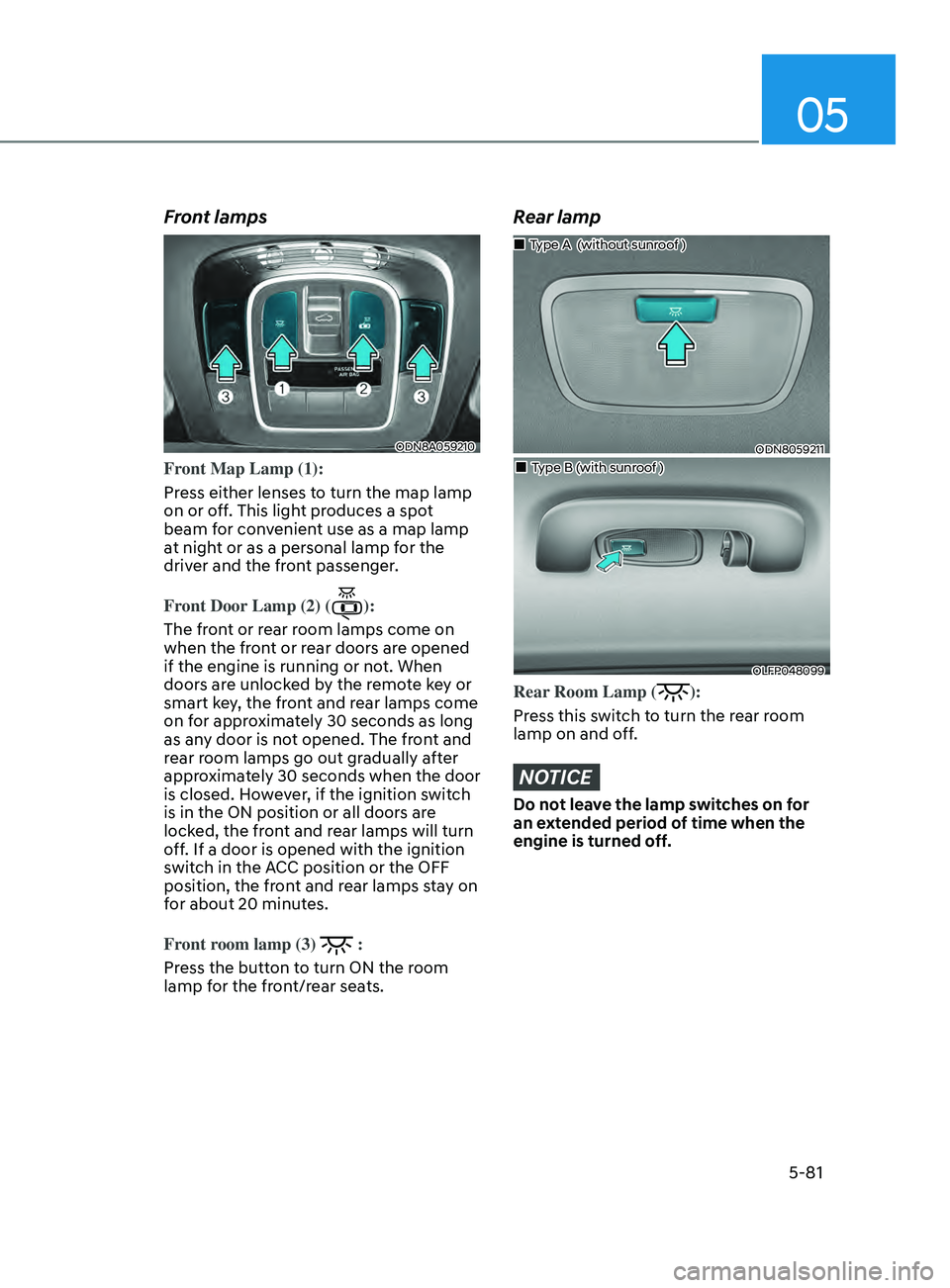
Front lamps
ODN8A059210
Front Map Lamp (1):
Press either lenses to turn the map lamp
on or off. This light produces a spot
beam for convenient use as a map lamp
at night or as a personal lamp for the
driver and the front passenger.
Front Door Lamp (2) (
):
The front or rear room lamps come on
when the front or rear doors are opened
if the engine is running or not. When
doors are unlocked by the remote key or
smart key, the front and rear lamps come
on for approximately 30 seconds as long
as any door is not opened. The front and
rear room lamps go out gradually after
approximately 30 seconds when the door
is closed. However, if the ignition switch
is in the ON position or all doors are
locked, the front and rear lamps will turn
off. If a door is opened with the ignition
switch in the ACC position or the OFF
position, the front and rear lamps stay on
for about 20 minutes.
Front room lamp (3)
:
Press the button to turn ON the room
lamp for the front/rear seats.
Rear lamp
ODN8059211
„„Type A (without sunroof )
„„Type B (with sunroof )
OLFP048099
Rear Room Lamp ():
Press this switch to turn the rear room
lamp on and off.
NOTICE
Do not leave the lamp switches on for
an extended period of time when the
engine is turned off.
Page 213 of 546
05
5-83
Welcome System (if equipped)
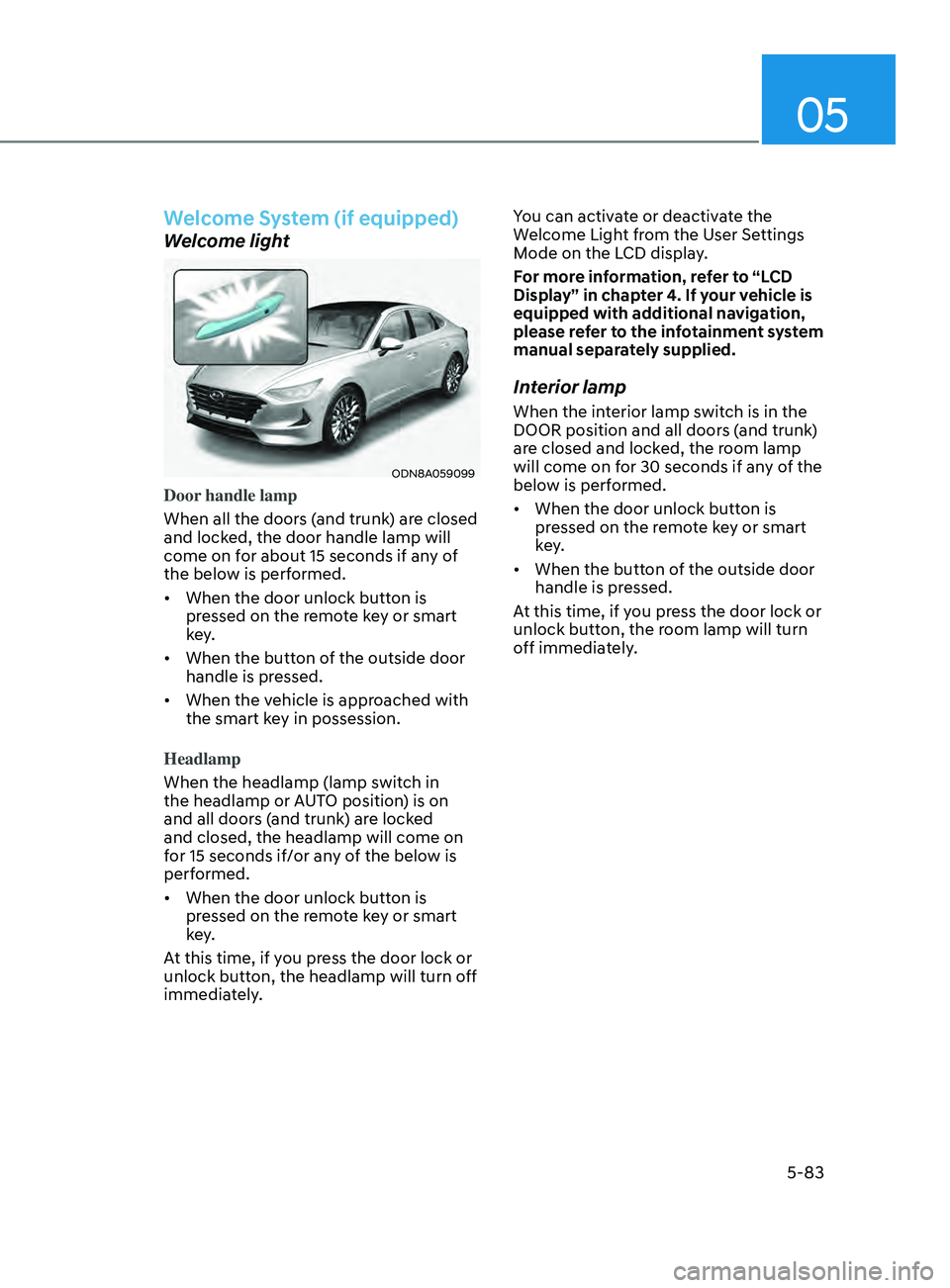
Welcome light
ODN8A059099
Door handle lamp
When all the doors (and trunk) are closed
and locked, the door handle lamp will
come on for about 15 seconds if any of
the below is performed.
• When the door unlock button is
pr
essed on the remote key or smart
key.
• When
the button of the outside door
handle is pr
essed.
• When
the vehicle is approached with
the smart k
ey in possession.
Headlamp
When the headlamp (lamp switch in
the headlamp or AUTO position) is on
and all doors (and trunk) are locked
and closed, the headlamp will come on
for 15 seconds if/or any of the below is
performed.
• When
the door unlock button is
pr
essed on the remote key or smart
key.
At this time, if you press the door lock or
unlock button, the headlamp will turn off
immediately. You can activate or deactivate the
Welcome Light from the User Settings
Mode on the LCD display.
For more information, refer to “LCD
Display” in chapter 4. If your vehicle is
equipped with additional navigation,
please refer to the infotainment system
manual separately supplied.
Interior lamp
When the interior lamp switch is in the
DOOR position and all doors (and trunk)
are closed and locked, the room lamp
will come on for 30 seconds if any of the
below is performed.
• When
the door unlock button is
pr
essed on the remote key or smart
key.
• When
the button of the outside door
handle is pr
essed.
At this time, if you press the door lock or
unlock button, the room lamp will turn
off immediately.
Page 234 of 546
Convenient Features5-104
remoT e S m A rT pA r K in G ASS i ST ( rS pA) ( if eQU ippe D)
Remote Smart Parking Assist system
helps drivers recognize surrounding
objects by using sensors to detect
parking spaces control the steering
wheel, shift the gear and adjust vehicle
speed automatically.
Remote moving forward and backward
function provides assistance for forward
and backward movement as well as
taking the vehicle out of the parking
space with driver outside the vehicle.
The driver should check the distance
between the parking space and the
objects in direct and be careful to
operate.
Due to the surrounding environment and
array or shape of the parked vehicles, the
vehicle may not be parked or exit at the
exact spot you have wished.
ÃRSP
A stands for Remote Smart
Parking Assist.
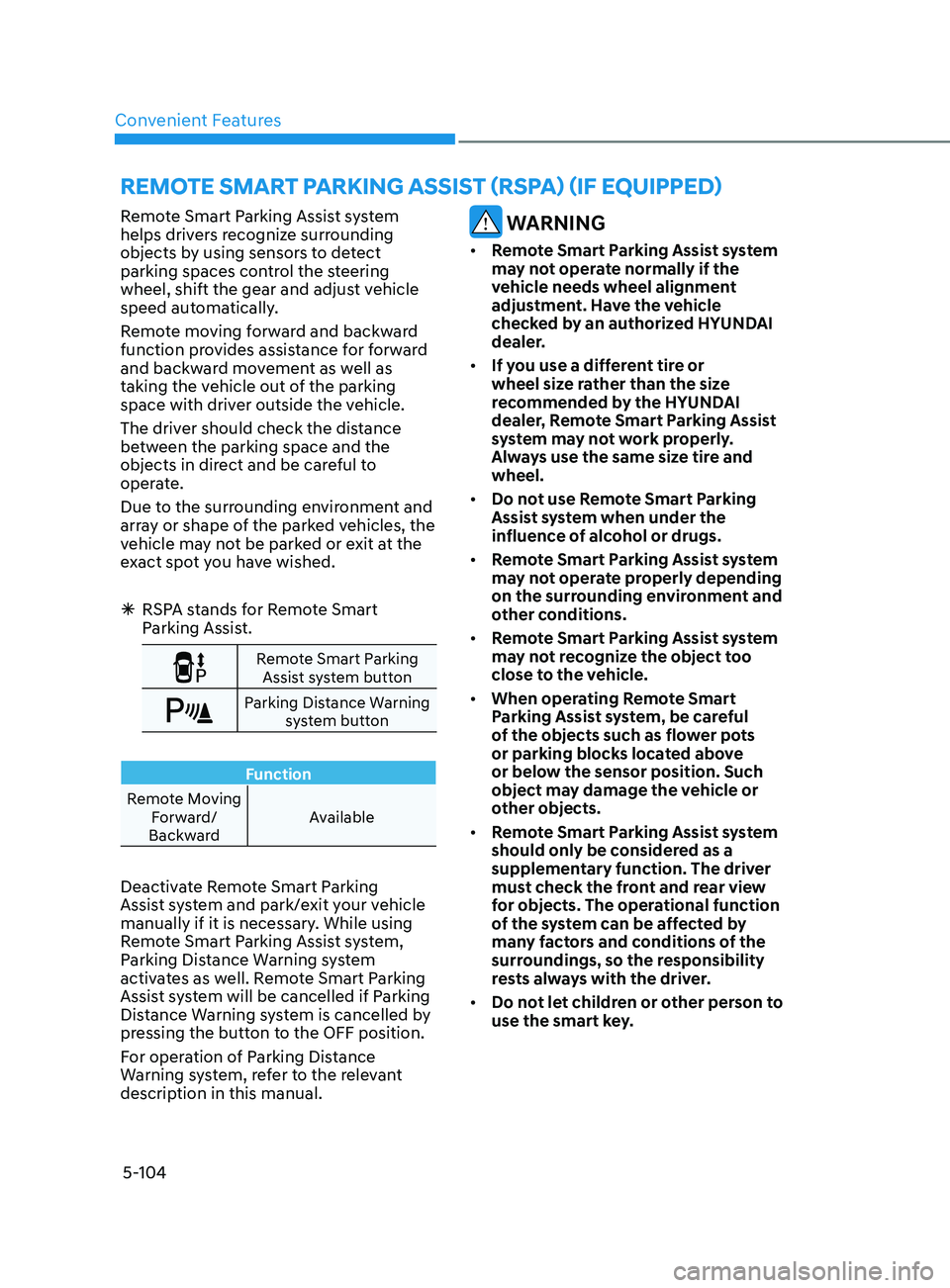
Remote Smart Parking
Assist system button
Parking Distance Warning system button
Function
Remote Moving Forward/
Backward Available
Deactivate Remote Smart Parking
Assist system and park/exit your vehicle
manually if it is necessary. While using
Remote Smart Parking Assist system,
Parking Distance Warning system
activates as well. Remote Smart Parking
Assist system will be cancelled if Parking
Distance Warning system is cancelled by
pressing the button to the OFF position.
For operation of Parking Distance
Warning system, refer to the relevant
description in this manual.
WARNING
•
Remote Smart Parking Assist system
may not operate normally if the
vehicle needs wheel alignment
adjustment. Have the vehicle
checked by an authorized HYUNDAI
dealer.
• If you use a different tire or
wheel size rather than the size
recommended by the HYUNDAI
dealer, Remote Smart Parking Assist
system may not work properly.
Always use the same size tire and
wheel.
• Do not use Remote Smart Parking
Assist system when under the
influence of alcohol or drugs.
• Remote Smart Parking Assist system
may not operate properly depending
on the surrounding environment and
other conditions.
• Remote Smart Parking Assist system
may not recognize the object too
close to the vehicle.
• When operating Remote Smart
Parking Assist system, be careful
of the objects such as flower pots
or parking blocks located above
or below the sensor position. Such
object may damage the vehicle or
other objects.
• Remote Smart Parking Assist system
should only be considered as a
supplementary function. The driver
must check the front and rear view
for objects. The operational function
of the system can be affected by
many factors and conditions of the
surroundings, so the responsibility
rests always with the driver.
• Do not let children or other person to
use the smart key.
Page 235 of 546
05
5-105
Operating Condition
ODN8059072
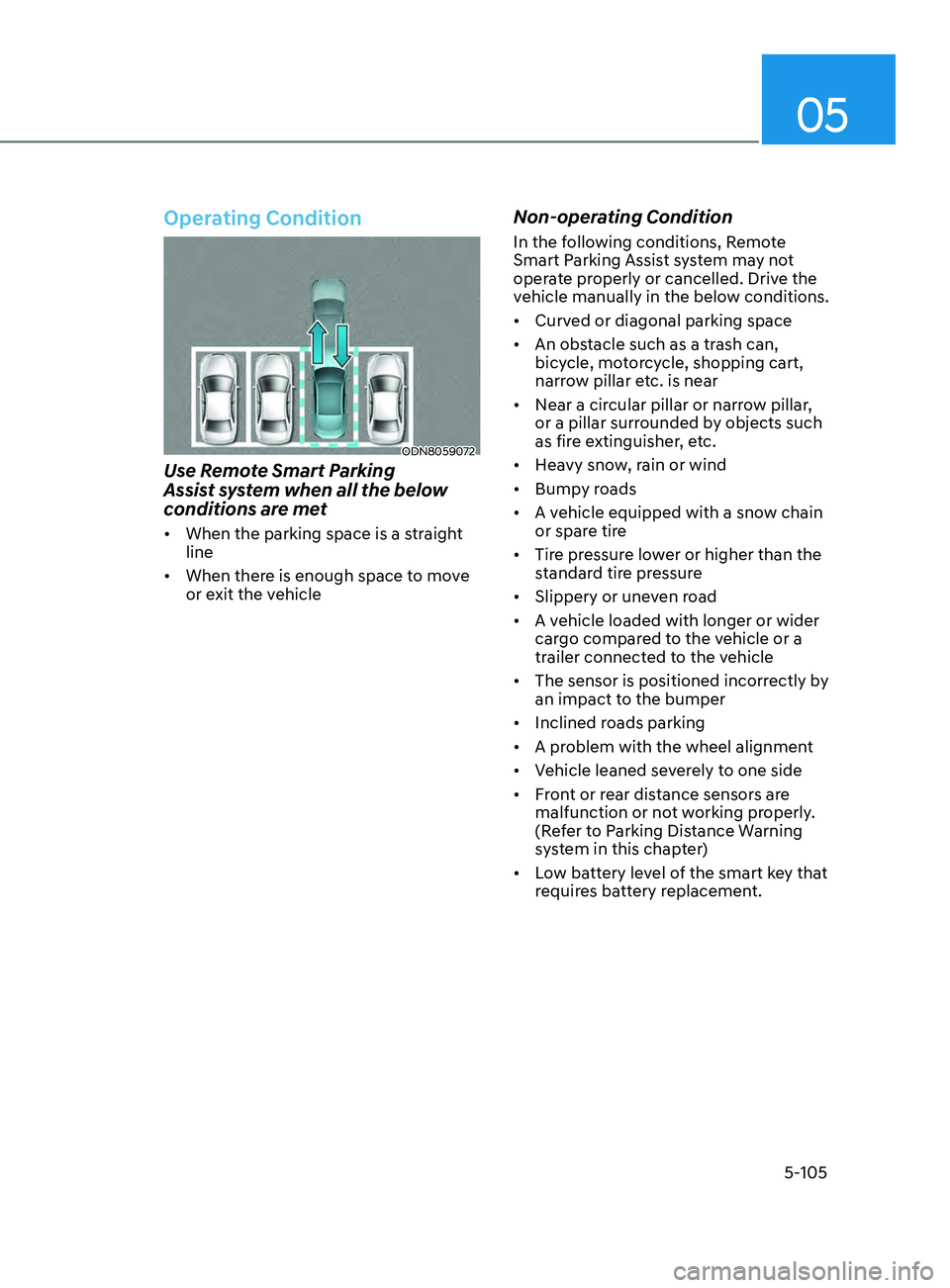
Use Remote Smart Parking
Assist system when all the below
conditions are met
• When the parking space is a straight
line
• When there is enough space to move
or exit the vehicle
Non-operating Condition
In the following conditions, Remote
Smart Parking Assist system may not
operate properly or cancelled. Drive the
vehicle manually in the below conditions.
• Curved or diagonal parking space
• An obstacle such as a trash can,
bicycle, motorcycle, shopping cart,
narrow pillar etc. is near
• Near a circular pillar or narrow pillar,
or a pillar surrounded by objects such
as fire extinguisher, etc.
• Heavy snow, rain or wind
• Bumpy roads
• A vehicle equipped with a snow chain
or spare tire
• Tire pressure lower or higher than the
standard tire pressure
• Slippery or uneven road
• A vehicle loaded with longer or wider
cargo compared to the vehicle or a
trailer connected to the vehicle
• The sensor is positioned incorrectly by
an impact to the bumper
• Inclined roads parking
• A problem with the wheel alignment
• Vehicle leaned severely to one side
• Front or rear distance sensors are
malfunction or not working properly.
(Refer to Parking Distance Warning
system in this chapter)
• Low battery level of the smart key that
requires battery replacement.
Page 238 of 546
Convenient Features
5-108
How Remote Smart Parking
Assist System Works
Remote Moving Forward/Backward
Remote Moving Forward/Backward is
available with the driver outside the
vehicle. Make sure the conditions are
met before activating Remote Moving
Forward/Backward function. With the
function, you can park or exit the vehicle
and the procedure is as follows.
1.
R
emote Moving Forward/Backward
ready:
(1)
With the v
ehicle off: Remotely turn
on the vehicle.
(2)
With the v
ehicle on: with shift
button is in P (Park) position,
then press Remote Smart Parking
Assist system button. Then exit the
vehicle possessing the smart key.
2.
R
emote Moving Forward/Backward
assist: Press and hold the Moving
Forward/Backward button of the
smart key to provide the Remote
Moving Forward/Backward assist
through steering wheel, gear shift and
vehicle speed control.
3.
R
emote Moving Forward/Backward
complete: When the vehicle reaches
the desired position, release the
smart key button. Then complete the
Remote Moving Forward/Backward
by entering the vehicle possessing the
smart key or by pressing the remote
start button of the smart key.
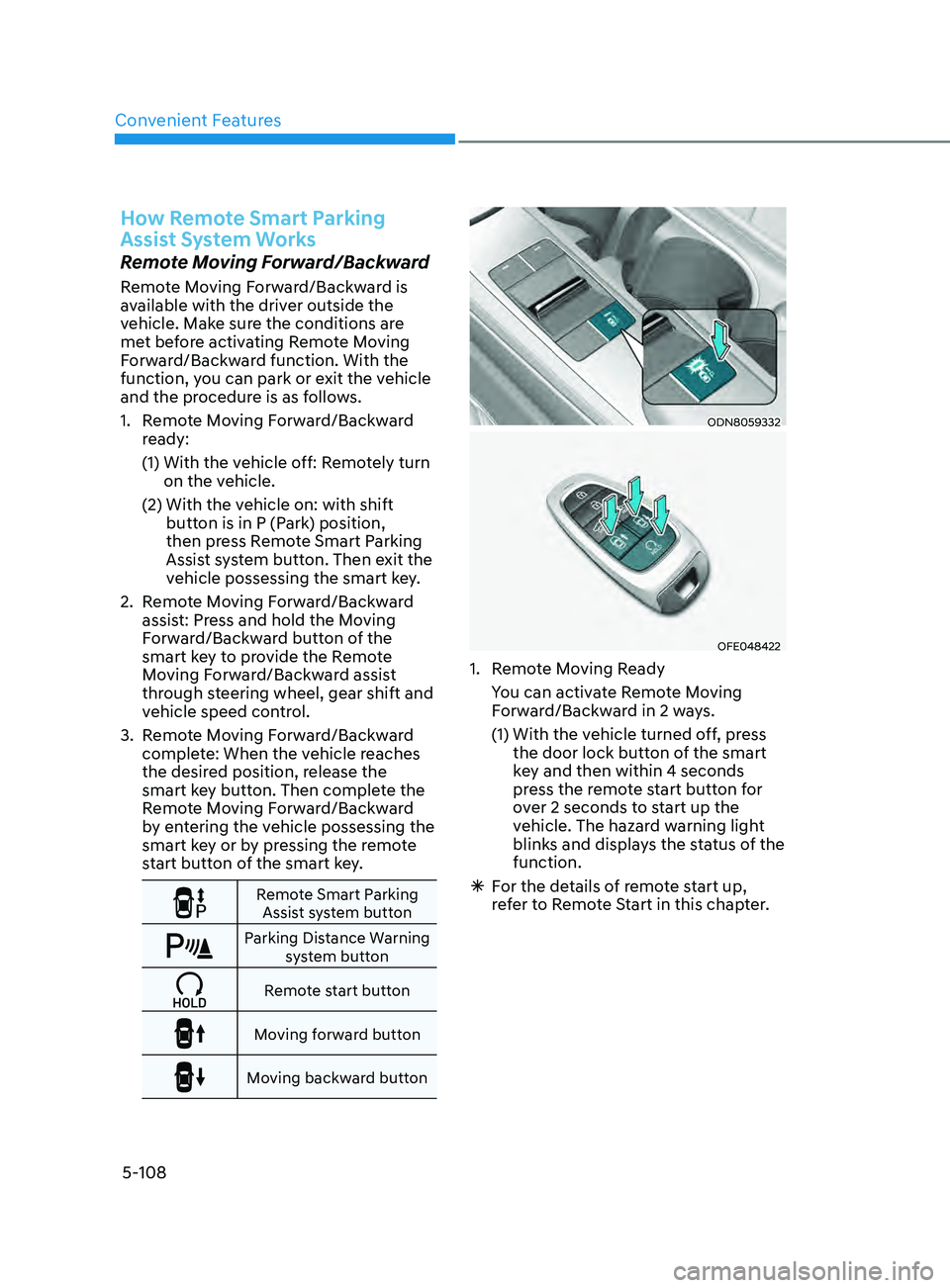
Remote Smart Parking
Assist system button
Parking Distance Warning system button
Remote start button
Moving forward button
Moving backward button
ODN8059332
OFE048422
1. Remote Moving Ready
Y
ou can activate Remote Moving
Forward/Backward in 2 ways.
(1)
With the v
ehicle turned off, press
the door lock button of the smart
key and then within 4 seconds
press the remote start button for
over 2 seconds to start up the
vehicle. The hazard warning light
blinks and displays the status of the
function.
à F
or the details of remote start up,
refer to Remote Start in this chapter.
Page 239 of 546
05
5-109
ODN8A059248
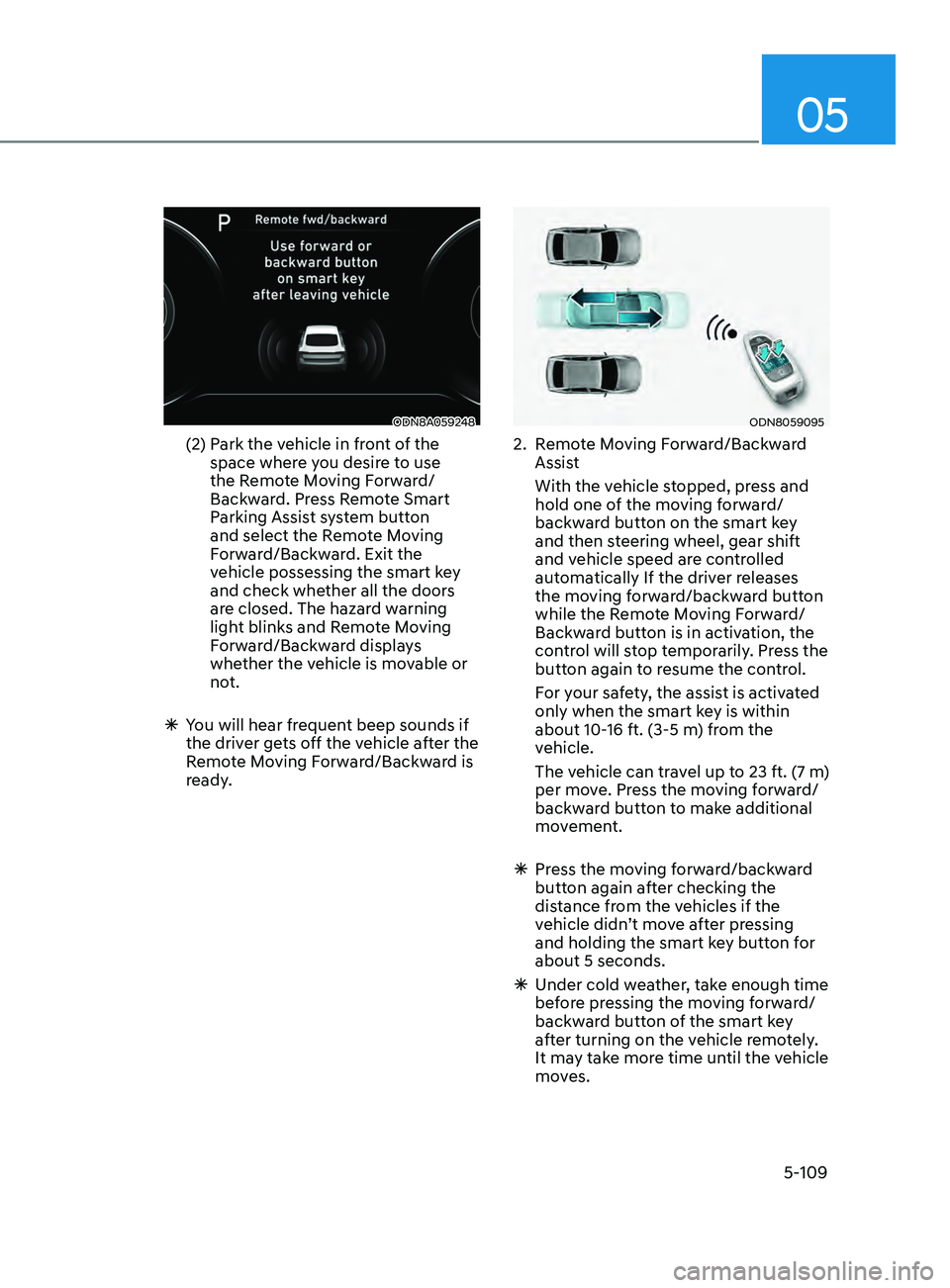
(2) Park the vehicle in front of the
space where you desire to use
the Remote Moving Forward/
Backward. Press Remote Smart
Parking Assist system button
and select the Remote Moving
Forward/Backward. Exit the
vehicle possessing the smart key
and check whether all the doors
are closed. The hazard warning
light blinks and Remote Moving
Forward/Backward displays
whether the vehicle is movable or
not.
ÃY
ou will hear frequent beep sounds if
the driver gets off the vehicle after the
Remote Moving Forward/Backward is
ready.
ODN8059095
2. Remote Moving Forward/Backward Assist
With the v
ehicle stopped, press and
hold one of the moving forward/
backward button on the smart key
and then steering wheel, gear shift
and vehicle speed are controlled
automatically If the driver releases
the moving forward/backward button
while the Remote Moving Forward/
Backward button is in activation, the
control will stop temporarily. Press the
button again to resume the control.
F
or your safety, the assist is activated
only when the smart key is within
about 10-16 ft. (3-5 m) from the
vehicle.
The v
ehicle can travel up to 23 ft. (7 m)
per move. Press the moving forward/
backward button to make additional
movement.
à Pr
ess the moving forward/backward
button again after checking the
distance from the vehicles if the
vehicle didn’t move after pressing
and holding the smart key button for
about 5 seconds.
à Under cold w
eather, take enough time
before pressing the moving forward/
backward button of the smart key
after turning on the vehicle remotely.
It may take more time until the vehicle
moves.