2021 HYUNDAI SONATA chapter 6
[x] Cancel search: chapter 6Page 278 of 546
![HYUNDAI SONATA 2021 Owners Manual Convenient Features
5-148
Wireless Cellular Phone
Charging System (if equipped)
ODN8059223
[A]: Indicator light, [B]: Charging pad
On certain models, the vehicle comes
equipped with a wireless cellu](/manual-img/35/41164/w960_41164-277.png "HYUNDAI SONATA 2021 Owners Manual Convenient Features
5-148
Wireless Cellular Phone
Charging System (if equipped)
ODN8059223
[A]: Indicator light, [B]: Charging pad
On certain models, the vehicle comes
equipped with a wireless cellu")
Convenient Features
5-148
Wireless Cellular Phone
Charging System (if equipped)
ODN8059223
[A]: Indicator light, [B]: Charging pad
On certain models, the vehicle comes
equipped with a wireless cellular phone
charger.
The system is available when all doors
are closed, and when the ignition switch
is ON.
To charge a cellular phone
The wireless cellular phone charging
system charges only the Qi-enabled
cellular phones. Read the label on the
cellular phone accessory cover or visit
your cellular phone manufacturer’s
website to check whether your cellular
phone supports the Qi technology.
The wireless charging process starts
when you put a Qi-enabled cellular
phone on the wireless charging unit.
1.
R
emove other items, including the
smart key, from the wireless charging
unit. If not, the wireless charging
process may be interrupted. Place
the cellular phone on the center of
the charging pad (
).
2.
The indica
tor light is orange when
the cellular phone is charging. The
indicator light turns green when
phone charging is complete.
3.
Y
ou can turn ON or OFF the wireless
charging function in the user settings
mode on the instrument cluster. For
further information, refer to the “LCD
Display Modes” in this chapter.
If your cellular phone is not charging:
-
Sligh
tly change the position of the
cellular phone on the charging pad.
-
Mak
e sure the indicator light is
orange.
The indicator light will blink orange for 10
seconds if there is a malfunction in the
wireless charging system.
In this case, temporarily stop the
charging process, and re-attempt to
charge your cellular phone again.
The system warns you with a message
on the LCD display if the cellular phone
is still on the wireless charging unit after
the engine is turned OFF and the front
door is opened.
Information
For some manufacturers’ cellular phones,
the system may not warn you even though
the cellular phone is left on the wireless
charging unit. This is due to the particular
characteristic of the cellular phone and
not a malfunction of the wireless charging.
NOTICE
• The wireless cellular phone charging system may not support certain
cellular phones, which are not
verified for the Qi specification (
).
•
When placing y
our cellular phone
on the charging mat, position the
phone in the middle of the mat for
optimal charging performance. If
your cellular phone is off to the side,
the charging rate may be less and in
some cases the cellular phone may
experience higher heat conduction.
•
In some cases, the wir
eless charging
may stop temporarily when the
Remote Key or Smart Key is used,
either when starting the vehicle or
locking/unlocking the doors, etc.
•
When char
ging certain cellular
phones, the charging indicator
may not change to green when the
cellular phone is fully charged.
Page 289 of 546
06
6-5
Before Entering the Vehicle
• Be sure all windows, outside mirror(s),
and outside lights are clean and
unobstructed.
• Remove frost, snow, or ice.
• Visually check the tires for uneven
wear and damage.
• Check under the vehicle for any sign
of leaks.
• Be sure there are no obstacles behind
you if you intend to back up.
Before Starting
• Make sure the hood, the trunk, and
the doors are securely closed and
locked.
• Adjust the position of the seat and
steering wheel.
• Adjust the inside and side view
mirrors.
• Verify all the lights work.
• Fasten your seatbelt. Check that
all passengers have fastened their
seatbelts.
• Check the gauges and indicators
in the instrument panel and the
messages on the instrument display
when the ignition switch is in the ON
position.
• Check that any items you are carrying
are stored properly or fastened down
securely.
WARNING
To reduce the risk of SERIOUS INJURY or
DEATH, take the following precautions:
• ALWAYS wear your seat belt. All
passengers must be properly belted
whenever the vehicle is moving.
For more information, refer to "Seat
Belts" in chapter 3.
• Always drive defensively. Assume
other drivers or pedestrians may be
careless and make mistakes.
• Stay focused on the task of driving.
Driver distraction can cause
accidents.
• Leave plenty of space between you
and the vehicle in front of you.
WARNING
NEVER drink alcohol or take drugs and
drive.
Drinking alcohol or taking drugs and
driving is dangerous and may result in
an accident and SERIOUS INJURY or
DEATH.
Drunk driving is the number one
contributor to the highway death
toll each year. Even a small amount
of alcohol will affect your reflexes,
perceptions and judgment. Just
one drink can reduce your ability to
respond to changing conditions and
emergencies and your reaction time
gets worse with each additional drink.
Driving while under the influence
of drugs is as dangerous or more
dangerous than driving under the
influence of alcohol.
You are much more likely to have a
serious accident if you drink or take
drugs and drive. If you are drinking or
taking drugs, don't drive. Do not ride
with a driver who has been drinking
or taking drugs. Choose a designated
driver or call a taxi.
Before Driving
Page 300 of 546
6-16
When the battery is discharged:
You cannot shift the gear when the
battery is discharged.
In emergencies, do the following to
move the shift button to N (Neutral) on a
level ground.
1.
Connect the ba
ttery cables from
another vehicle or from a another
battery to the jump-starting terminals
inside the engine compartment.
F
or more information refer to "Jump
Starting" in chapter 7.
2.
R
elease the parking brake with the
Engine Start/Stop button in the ON
position.
3.
Shift the gear t
o the N(Neutral)
position. Refer to the "Stay in Neutral
when vehicle is Off" in this chapter.
Parking
Always come to a complete stop and
continue to depress the brake pedal.
Press the P button, apply the parking
brake, and place the ignition switch in
the LOCK/OFF position. Take the Key
with you when exiting the vehicle.
• The gear is shifted to P (Park) position
automatically for safety under the
following conditions.
- When the driv
er unfastens the seat
belt and opens the driver’s door.
- When the engine is turned o
ff with
the gear shifted to R (Reverse), D
(Drive) or N (Neutral).
WARNING
When you stay in the vehicle with
the engine running, be careful not to
depress the accelerator pedal for a long
period of time. The engine or exhaust
system may overheat and start a fire.
The exhaust gas and the exhaust system
are very hot. Keep away from the
exhaust system components.
Do not stop or park over flammable
materials, such as dry grass, paper or
leaves. They may ignite and cause a fire.
While Driving
Page 313 of 546
06
6-29
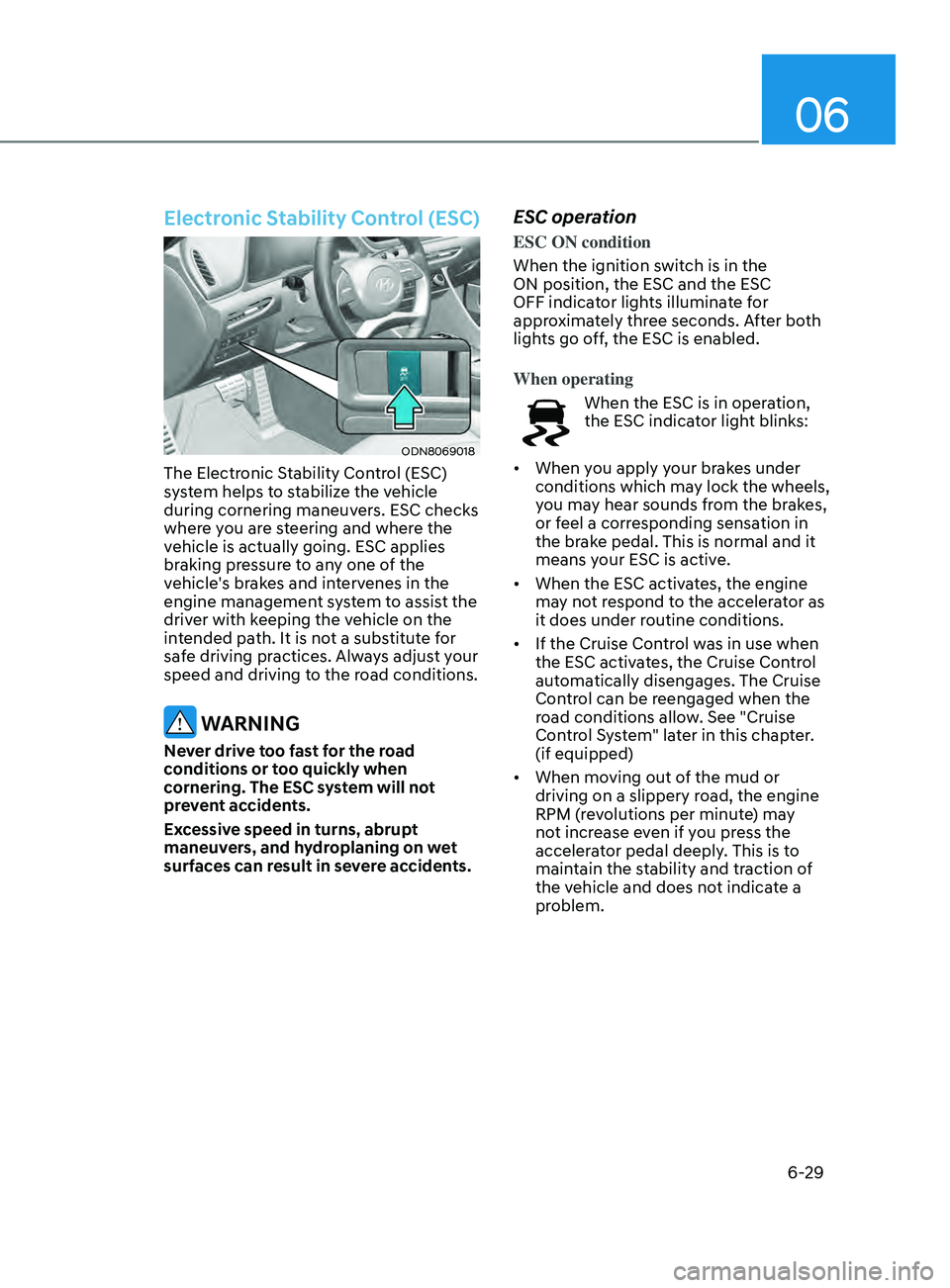
Electronic Stability Control (ESC)
ODN8069018
The Electronic Stability Control (ESC)
system helps to stabilize the vehicle
during cornering maneuvers. ESC checks
where you are steering and where the
vehicle is actually going. ESC applies
braking pressure to any one of the
vehicle's brakes and intervenes in the
engine management system to assist the
driver with keeping the vehicle on the
intended path. It is not a substitute for
safe driving practices. Always adjust your
speed and driving to the road conditions.
WARNING
Never drive too fast for the road
conditions or too quickly when
cornering. The ESC system will not
prevent accidents.
Excessive speed in turns, abrupt
maneuvers, and hydroplaning on wet
surfaces can result in severe accidents.
ESC operation
ESC ON condition
When the ignition switch is in the
ON position, the ESC and the ESC
OFF indicator lights illuminate for
approximately three seconds. After both
lights go off, the ESC is enabled.
When operating
When the ESC is in operation,
the ESC indicator light blinks:
• When you apply your brakes under
conditions which may lock the wheels,
you may hear sounds from the brakes,
or feel a corresponding sensation in
the brake pedal. This is normal and it
means your ESC is active.
• When the ESC activates, the engine
may not respond to the accelerator as
it does under routine conditions.
• If the Cruise Control was in use when
the ESC activates, the Cruise Control
automatically disengages. The Cruise
Control can be reengaged when the
road conditions allow. See "Cruise
Control System" later in this chapter.
(if equipped)
• When moving out of the mud or
driving on a slippery road, the engine
RPM (revolutions per minute) may
not increase even if you press the
accelerator pedal deeply. This is to
maintain the stability and traction of
the vehicle and does not indicate a
problem.
Page 339 of 546
06
6-55
FCA system may work when it
recognizes objects similar in shape or
property to a vehicle, pedestrian or
cyclist.
FCA system is designed to help detect
and monitor the vehicle ahead or detect
a pedestrian or cyclist in the roadway
through radar signals and camera
recognition. It is not designed to detect
bicycles, motorcycles, or smaller
wheeled objects such as luggage bags,
shopping carts, or strollers.
Never try to test the operation of FCA
system. Doing so may cause severe
injury or death.
If the front bumper, front glass, radar or
camera have been replaced or repaired,
have the vehicle inspected by an
authorized HYUNDAI dealer.
Information
In some instances, FCA system
may be cancelled when subjected to
electromagnetic interference.
Information
This device complies with Part 15 of the
FCC rules.
Operation is subject to the following two
conditions:
1.
This device may not cause harmful
interfer
ence.
2.
This device must accept any
interfer
ence received, including
interference that may cause undesired
operation.
Forward Collision-Avoidance
Assist - Junction Turning (if
equipped)
FCA-Junction Turning function is
designed to reduce the risk of collision
by detecting and monitoring the
oncoming vehicle ahead. When the
vehicle turns to the left at a junction, the
system recognises the oncoming vehicle
ahead in advance with the front view
camera and the front radar. It produces
warning messages or haptic warning
alarms in accordance with the collision
risk levels.
System setting
FCA-Junction Turning function can be
activated from the User Settings menu
by following the procedure below.
1.
Se
t the Engine Start/Stop button to the
ON or START position.
2.
Select ‘U
ser settings
→ Driver
assistance → Forward safety’.
For more details, refer to “Forward
Collision-Avoidance Assist (FCA)” in this
chapter.
Page 342 of 546
6-58
Limitations of the system
FCA-Junction Turning function is only a
supplemental system for driver’s safety
whilst turning left on the crossroads. The
driver should hold the responsibility to
control the vehicle. The system monitors
the oncoming vehicle ahead the road
through the front view camera and
radar. In certain situations, the front view
camera and radar may not be able to
detect the oncoming vehicles properly.
The driver must pay careful attention
in the following situations where the
system operation may be limited or it
may activate unintentionally.
The sensor may be limited when:
• The radar sensor or camera
recognizes the approaching vehicle
too late.
• The radar sensor or camera is blocked
with a foreign object or debris.
• The driving direction of the
approaching vehicle is irregular or
frontal.
• The approaching vehicle changes
lanes too late or decelerates suddenly.
• The angle of the approaching vehicle
is out of range.
• Whilst circling, the sensor (the front
view camera or front radar) does not
detect the approaching vehicle.
• The driving speed of the approaching
vehicle is too fast or slow.
• The head lamps of the approaching
vehicle are turned off or asymmetrical. •
The approaching vehicle stops whilst
turning left.
• The vehicle moves out of its lane or
returns to its lane.
• The vehicle changes lanes suddenly
at a low speed whilst there is an
approaching vehicle.
• The brightness outside is too so it
does not detect the vehicle.
• Inclement weather such as heavy rain
or snow obscures the field of view of
the front view camera or front radar.
• The approaching vehicle is covered
with snow.
• The field of view in front is obstructed
by sun glare.
• The shape of approaching vehicle is
unusual.
• Whilst driving upward or downward
on a slope.
For more information, refer to “Forward
Collision-Avoidance Assist (FCA)” in this
chapter.
While Driving
Page 345 of 546
06
6-61
LKA Operation
ODN8069059
To activate/deactivate LKA system:
With the ignition switch in the ON
position, press LKA system button
located on the instrument panel on the
left hand side of the steering wheel.
The
indicator in the cluster
display will initially illuminate white. This
indicates LKA system is in the READY but
NOT ENABLED state.
Note that the vehicle speed
must be at least approximately
40 mph (64 km/h) to ENABLE
LKA system. The indicator in the
cluster display will illuminate
green.
- Whit
e: Sensor does not detect lane
markers or vehicle speed is under 40
mph (64 km/h).
- Gr
een: Sensor detects lane markers
and the system is able to control
vehicle steering.
Information
If the indicator (white) is activated from
the previous ignition cycle, the system will
turn ON without any additional control.
If you press the LKA button again, the
indicator on the cluster goes off.
LKA System Function Change
The driver can change LKA to
Lane Departure Warning or Lane
Keeping Assist from the LCD display
or infotainment system display(if
equipped).
Go to the ‘User Settings →
Driv
er Assistance → Lane Safety → Lane
K
eeping Assist/Lane Departure Warning/
Off'. The system is automatically set to
Lane Keeping Assist if a function is not
changed.
Lane Keeping Assist
The LKA mode guides the driver to help
keep the vehicle within the lanes. It
rarely controls the steering wheel, when
the vehicle drives well inside the lanes.
However, it starts to control the steering
wheel, when the vehicle is about to
deviate out of the lanes.
Lane Departure Warning
LDW alerts the driver with a visual
warning and a warning alarm when the
system detects the vehicle departing
the lane. The steering wheel will not be
controlled.
LKA system operation
ODN8H069060
To see LKA screen on the LCD display in
the cluster, select Driving Assist mode
(
). For more information, refer to “LCD
Display Modes” section in chapter 4.
Page 360 of 546
6 -76
• While going down or up a steep
road where the height of the lane is
different.
• Driving on a narrow road where trees
or grass or overgrown.
• Driving in rural areas where the sensor
does not detect another vehicle or
structure for an extended period of
time.
• Driving on a wet road.
• Driving on a road where the guardrail
or wall is in double structure.
• A big vehicle is near such as a bus or
truck.
• When the other vehicle approaches
very close.
• When the other vehicle passes at a
very fast speed.
• While changing lanes.
• If the vehicle has started at the same
time as the vehicle next to you and
has accelerated.
• When the vehicle in the next lane
moves two lanes away from you OR
when the vehicle two lanes away
moves to the next lane from you.
• A motorcycle or bicycle is near.
• A flat trailer is near.
• If there are small objects in the
detecting area such as a shopping
cart or a baby stroller. •
If there is a low height vehicle such as
a sports car.
• The brake pedal is depressed.
• ESC (Electronic Stability Control) is
activated.
• ESC (Electronic Stability Control)
malfunctions.
• The tire pressure is low or a tire is
damaged.
• The brake is reworked.
• The vehicle abruptly changes driving
direction.
• The vehicle makes sharp lane
changes.
• The vehicle sharply stops.
• Temperature is extremely low around
the vehicle.
• The vehicle severely vibrates while
driving over a bumpy road, uneven/
bumpy road, or concrete patch.
• The vehicle drives on a slippery
surface due to snow, water puddle,
or ice.
• Lane Keeping Assist does not operate
normally. (if equipped)
• For more information, refer to “Lane
Keeping Assist (LKA)” in this chapter.
While Driving