2021 HYUNDAI SONATA steering
[x] Cancel search: steeringPage 315 of 546
06
6-31
ESC OFF usage
When Driving
The ESC OFF mode should only be used
briefly to help free the vehicle if stuck in
snow by temporarily stopping operation
of the ESC to maintain wheel torque.
To turn ESC off while driving, press the
ESC OFF button while driving on a flat
road surface.
NOTICE
To prevent damage to the transmission:
• Do not allow wheel(s) of one axle to
spin excessively while the ESC, ABS,
and parking brake warning lights
are displayed. The repairs would not
be covered by the vehicle warranty.
Reduce engine power and do not
spin the wheel(s) excessively while
these lights are displayed.
• When operating the vehicle on
a dynamometer, make sure the
ESC is turned off (ESC OFF light
illuminated).
Information
Turning the ESC off does not affect ABS
or standard brake system operation.
Vehicle Stability Management
(VSM)
The Vehicle Stability Management (VSM)
is a function of the Electronic Stability
Control (ESC) system. It helps ensure the
vehicle stays stable when accelerating
or braking suddenly on wet, slippery and
rough roads where traction over the four
tires can suddenly become uneven.
WARNING
Take the following precautions when
using the Vehicle Stability Management
(VSM):
• ALWAYS check the speed and the
distance to the vehicle ahead. The
VSM is not a substitute for safe
driving practices.
• Never drive too fast for the road
conditions. The VSM system will not
prevent accidents. Excessive speed
in bad weather, slippery and uneven
roads can result in severe accidents.
VSM operation
VSM ON condition
The VSM operates when:
The Electronic Stability Control (ESC) is
on.
When operating
When you apply your brakes under
conditions which may activate the ESC,
you may hear sounds from the brakes,
or feel a corresponding sensation in the
brake pedal. This is normal and it means
your VSM is active.
NOTICE
The VSM does not operate when:
• Driving on a banked road such as
gradient or incline.
• Driving rearward.
• ESC OFF indicator light is on.
• EPS (Electric Power Steering)
warning light (
) is on or blinks.
Page 317 of 546
06
6-33
The Idle Stop and Go (ISG) system
automatically and temporarily shuts
down the engine when the vehicle
is stopped and idling to improve fuel
efficiency and reduce exhaust gas
emissions. (i.e. red stop light, stop sign,
and traffic jam).
The engine is automatically started upon
satisfying the starting conditions.
The ISG system is always active, when
the engine is running.
Information
When the engine is automatically started
by the ISG system, some warning
lights (i.e. ABS, ESC, ESC OFF, EPS,
and parking brake warning light) may
illuminate for a few seconds due to the
low battery voltage. However, it does
not indicate a malfunction with the ISG
system.
To Activate the ISG System
Prerequisite for activation
The ISG system operates in the following
situations.
• The driver's seatbelt is fastened
• The driver's door and hood are closed
• The brake vacuum pressure is
adequate
• The battery sensor is activated and
the battery is sufficiently charged
• Outside temperature is not too low or
too high
• The vehicle is driven over a constant
speed and stops
• The climate control system satisfies
the conditions
• The vehicle is sufficiently warmed up
• The incline is gradual
• The steering wheel is turned less than
180 degrees and then the vehicle
stops
Information
• The ISG system is not
activated, when the
prerequisites to activate
the ISG system are
unsatisfied. In this case,
the ISG OFF button indicator
illuminates, and the auto stop indicator
(
) illuminates in yellow on the
instrument cluster.
• When the above indicator remains
illuminated on the instrument cluster,
have the IGS system checked by an
authorized HYUNDAI dealer.
Auto stop
To stop the engine in idle stop mode
1.
Decr
ease the vehicle speed to 0 mph.
2.
Depr
ess the brake pedal with the shift
button in D (Drive) or N (Neutral).
The auto stop indicator (
) illuminates
in green on the instrument cluster, when
the engine stops.
Information
The driving speed must reach at least 3
mph (5 km/h) after an idle stop to stop the
engine in idle stop mode again.
In auto stop mode, when the driver
opens the hood, the ISG system will be
deactivated.
ISG (Idle Stop and Go) SyStem ( I f equ I pped)
Page 322 of 546
6-38
CUSTOM mode
In CUSTOM mode, the driver
can select separate modes
and combine them on the
infotainment system screen.
- E
ngine/Transmission: NORMAL/
SPORT
- S
teering wheel: NORMAL/SPORT
For more infomation, refer to the
separately supplied manual with your
vehicle.
• When CUSTOM mode is selected
by using the DRIVE MODE button,
the CUSTOM mode indicator will
illuminate.
SPORT mode
SPORT mode manages the
driving dynamics by
automatically adjusting the
steering effort, the engine
and transmission control
logic for enhanced driver
performance.
• When SPORT mode is selected by
using the DRIVE MODE button, the
SPORT indicator will illuminate.
• Whenever the engine is restarted,
the Drive Mode will revert back to
NORMAL mode. If SPORT mode is
desired, re-select SPORT mode from
the DRIVE MODE button.
• When SPORT mode is activated:
- The engine rpm will t
end to remain
raised over a certain length of time
even after releasing the accelerator
- Upshifts ar
e delayed when
accelerating
Information
In SPORT mode, the fuel efficiency may
decrease.
SMART mode
00360030002400350037
SMART mode selects the
proper driving mode among
NORMAL and SPORT by
judging the driver’s driving
habits (i.e. Economic or
Aggressive (Sportive)) from
the brake pedal depression
or the steering wheel
operation.
• Toggle the DRIVE MODE button to
select SMART mode. When SMART
mode is selected, the indicator
illuminates on the instrument cluster.
• SMART mode automatically controls
the vehicle driving, such as gear
shifting patterns and engine torque,
in accordance with the driver’s driving
habits.
Information
When you dynamically drive the vehicle
in SMART mode by abruptly decelerating
or sharply turning the driving mode
changes to SPORT mode. However, it may
adversely affect fuel economy.
While Driving
Page 323 of 546
06
6-39
Various driving situations, which you may
encounter in SMART mode
• The driving mode automatically
changes to SMART SPORT, when
you abruptly accelerate the vehicle
or repetitively operate the steering
wheel (Your driving is categorized
to be sporty.). In this mode, your
vehicle drives in a lower gear for
abrupt accelerating/decelerating
and increases the engine brake
performance.
• You may still sense the engine
braking performance, even when
you release the accelerator pedal in
SMART SPORT mode. It is because
your vehicle remains in lower gear
over a certain period of time for next
acceleration. Thus, it is a normal
driving situation, not indicating any
malfunction.
• The driving mode automatically
changes to SMART SPORT mode only
in harsh driving situations. In most
of the normal driving situations, the
driving mode sets to be in SMART
NORMAL mode. Limitation of SMART mode
The SMART mode may be limited in
following situations. (The OFF indicator
illuminates in those situations.)
•
The driver uses the paddle shifter
(manual shift mode) :
It deactivates SMART mode. The
vehicle drives, as the driver manually
changes gear with the paddle shifter.
• The cruise control is activated :
The cruise control system may
deactivate the SMART mode when
the vehicle is controlled by the set
speed of Smart Cruise Control system.
(SMART mode is not deactivated
just by activating the cruise control
system.)
• The transmission oil temperature is
either extremely low or extremely
high :
The SMART mode can be active in
most of the normal driving situations.
However, an extremely high/ low
transmission oil temperature may
temporarily deactivate the SMART
mode, because the transmission
condition is out of normal operation
condition.
Page 328 of 546
6-44
Brake operation
• In an urgent situation, the braking
system enters into the ready status for
prompt reaction against the driver’s
depressing the brake pedal.
• FCA provides additional braking
power for optimum braking
performance, when the driver
depresses the brake pedal.
• The braking control is automatically
deactivated, when the driver sharply
depresses the accelerator pedal, or
when the driver abruptly operates the
steering wheel.
• FCA brake control is automatically
canceled, when risk factors disappear.
CAUTION
• The driver should always use
extreme caution while operating
the vehicle, whether or not there is a
warning message or alarm from FCA
system.
• After the brake control is activated,
the driver must immediately depress
the brake pedal and check the
surroundings. The brake activation
by the system lasts for about 2
seconds.
• If any other warning sound such as
seat belt warning chime is already
generated, Forward Collision-
Avoidance Assist system warning
may not sound.
• Playing the vehicle audio system at
high volume may prevent occupants
from hearing the system warning
sounds.
WARNING
The braking control cannot completely
stop the vehicle nor avoid all
collisions. The driver should hold the
responsibility to safely drive and control
the vehicle.
WARNING
The FCA system logic operates within
certain parameters, such as the
distance from the vehicle, pedestrian or
cyclist (if equipped) ahead, the speed
of the vehicle ahead, and the driver’s
vehicle speed. Certain conditions
such as inclement weather and road
conditions may affect the operation of
FCA system.
WARNING
Never deliberately drive dangerously to
activate the system.
Information
Exceptional operation of the braking assist
system
• The vehicle drives on a slope or curve.
• The vehicle drives by a pedestrian or
cyclist at the crossroads, traffic signals
or structure.
• The vehicle drives through a tunnel or
near a railroad.
• The vehicle drives where steam, smoke
or shadow is on the road.
• The vehicle drives the road tree planted
or streetlamps installed.
• There is interference by
electromagnetic waves or electric noise.
While Driving
Page 340 of 546
6-56
Prerequisite for activation
FCA system is on and ready if you select
“Active assist” or “Warning only” on
the infotainment system and when the
following prerequisites are satisfied:
- The s
ystem detects a oncoming
vehicle in front, which may collide
with your vehicle. It may be activated
when the system recognise the
collision risk at a junction in each
situation.
- The ESC (Electr
onic Stability Control)
is on.
- The v
ehicle speed moving toward
your vehicle exceeds approximately 19
mph (30 km/h) or decreases under 44
mph (70 km/h).
- Driving speed e
xceeds approximately
6 mph (10 km/h) or decreases under
19 mph (30 km/h)
- Dir
ection signals turn on.
CAUTION
• FCA system may not work or only
some part of the warning system may
perform according to the condition,
driving direction or speed of the
vehicle moving toward your vehicle.
• If you select “Warning only”, FCA
system activates and produces only
warning alarms.
WARNING
• FCA system may not produce the
warning alarm or be activated too
late due to the unexpected driving
caused by the approaching vehicles.
• While turning left, only when the turn
signal is on along with the driving
direction, FCA system is activated
toward the approaching vehicles.
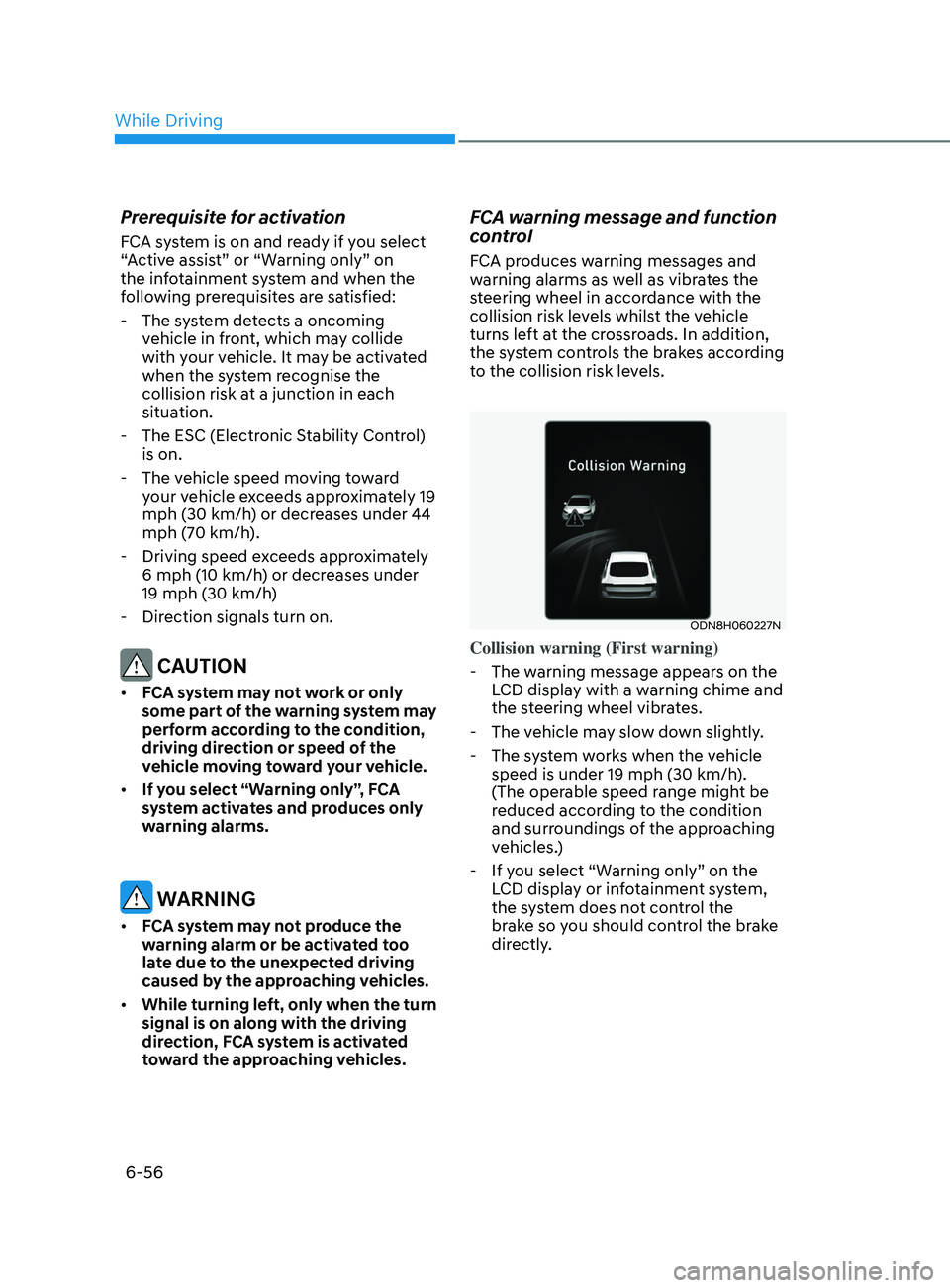
FCA warning message and function
control
FCA produces warning messages and
warning alarms as well as vibrates the
steering wheel in accordance with the
collision risk levels whilst the vehicle
turns left at the crossroads. In addition,
the system controls the brakes according
to the collision risk levels.
ODN8H060227N
Collision warning (First warning)
- The w
arning message appears on the
LCD display with a warning chime and
the steering wheel vibrates.
- The v
ehicle may slow down slightly.
- The s
ystem works when the vehicle
speed is under 19 mph (30 km/h).
(The operable speed range might be
reduced according to the condition
and surroundings of the approaching
vehicles.)
- If y
ou select “Warning only” on the
LCD display or infotainment system,
the system does not control the
brake so you should control the brake
directly.
While Driving
Page 341 of 546
06
6-57
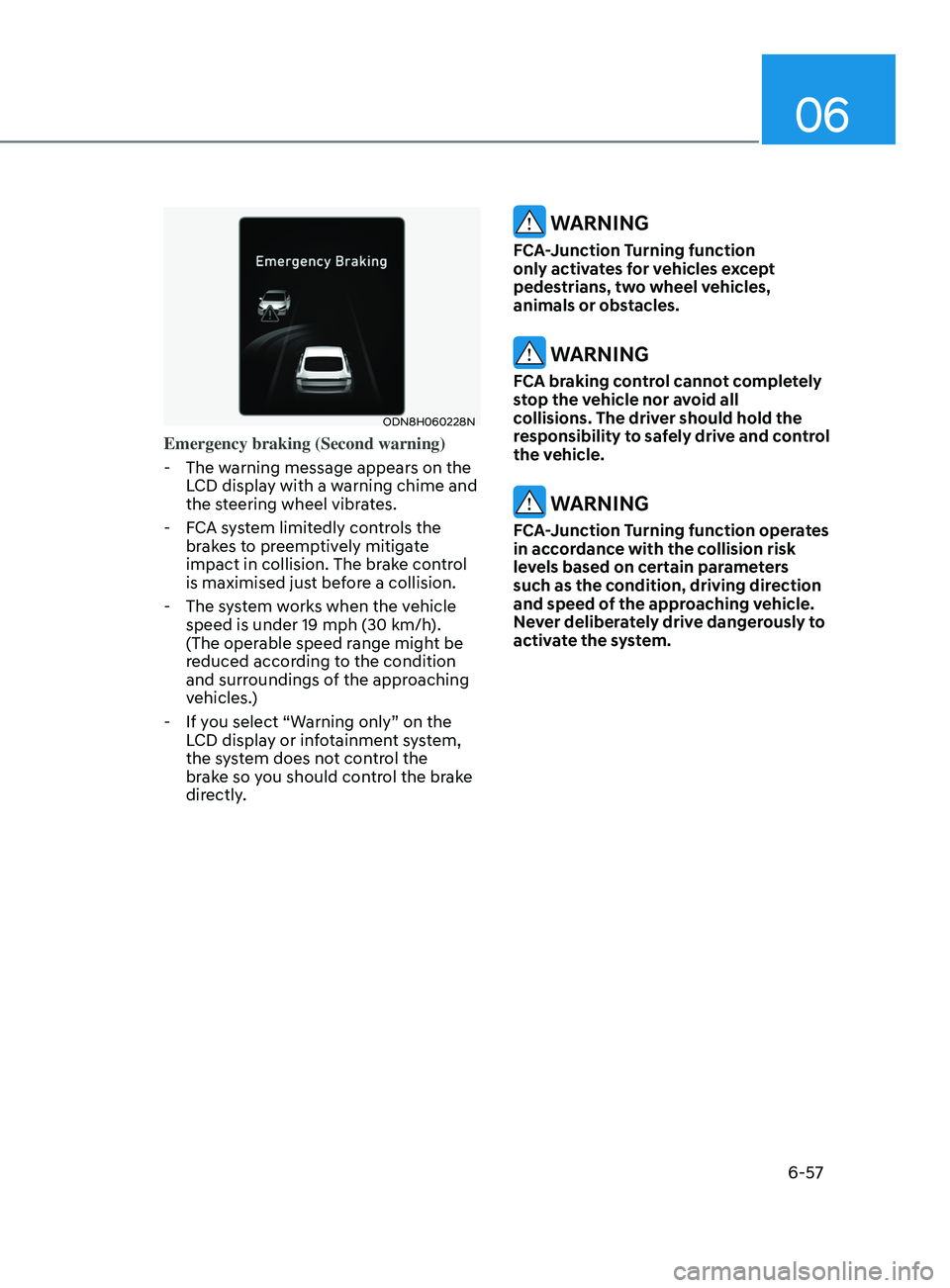
ODN8H060228N
Emergency braking (Second warning)
- The w
arning message appears on the
LCD display with a warning chime and
the steering wheel vibrates.
- F
CA system limitedly controls the
brakes to preemptively mitigate
impact in collision. The brake control
is maximised just before a collision.
- The s
ystem works when the vehicle
speed is under 19 mph (30 km/h).
(The operable speed range might be
reduced according to the condition
and surroundings of the approaching
vehicles.)
- If y
ou select “Warning only” on the
LCD display or infotainment system,
the system does not control the
brake so you should control the brake
directly.
WARNING
FCA-Junction Turning function
only activates for vehicles except
pedestrians, two wheel vehicles,
animals or obstacles.
WARNING
FCA braking control cannot completely
stop the vehicle nor avoid all
collisions. The driver should hold the
responsibility to safely drive and control
the vehicle.
WARNING
FCA-Junction Turning function operates
in accordance with the collision risk
levels based on certain parameters
such as the condition, driving direction
and speed of the approaching vehicle.
Never deliberately drive dangerously to
activate the system.
Page 343 of 546
06
6-59
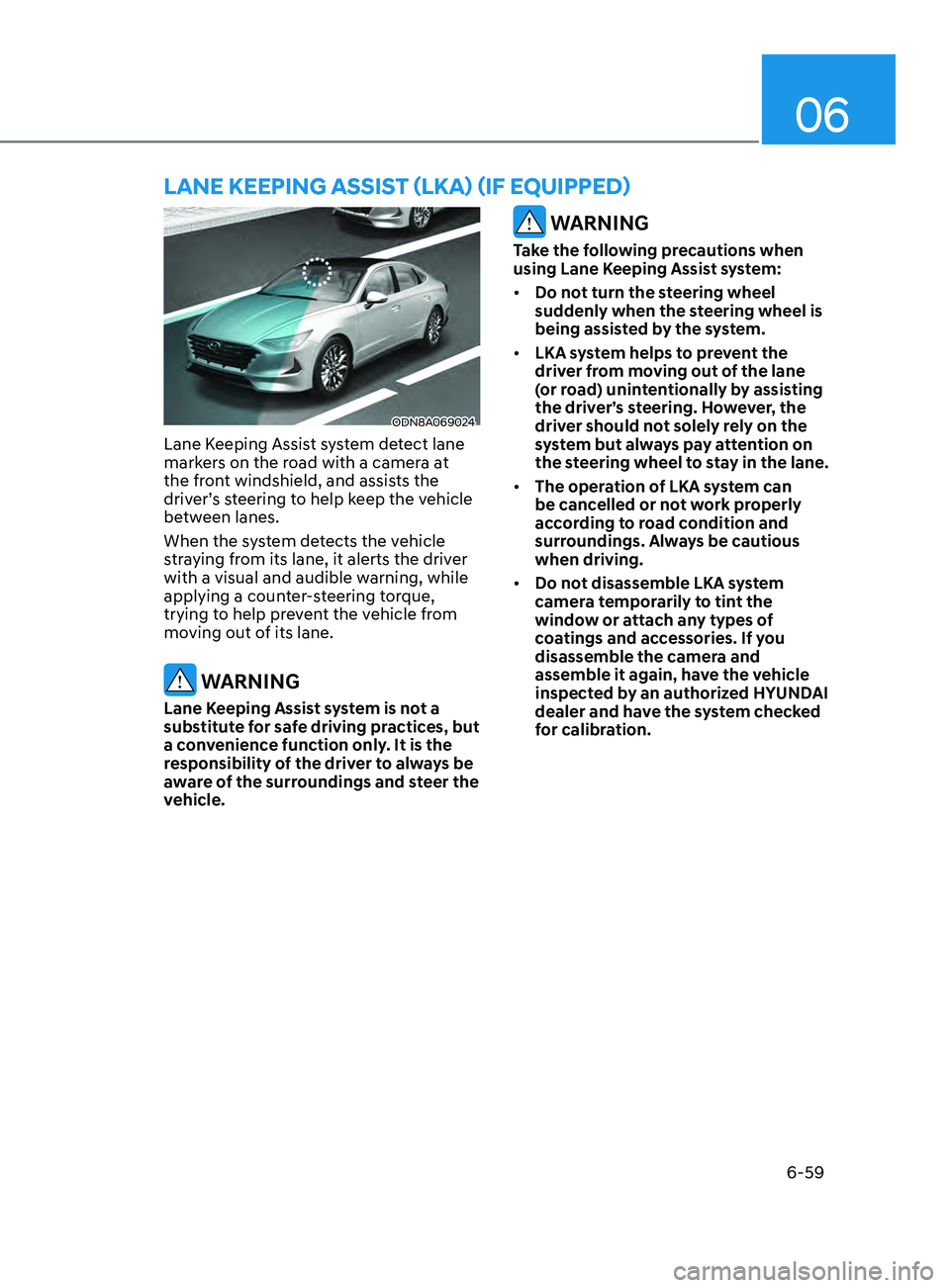
ODN8A069024
Lane Keeping Assist system detect lane
markers on the road with a camera at
the front windshield, and assists the
driver’s steering to help keep the vehicle
between lanes.
When the system detects the vehicle
straying from its lane, it alerts the driver
with a visual and audible warning, while
applying a counter-steering torque,
trying to help prevent the vehicle from
moving out of its lane.
WARNING
Lane Keeping Assist system is not a
substitute for safe driving practices, but
a convenience function only. It is the
responsibility of the driver to always be
aware of the surroundings and steer the
vehicle.
WARNING
Take the following precautions when
using Lane Keeping Assist system:
• Do not turn the steering wheel
suddenly when the steering wheel is
being assisted by the system.
• LKA system helps to prevent the
driver from moving out of the lane
(or road) unintentionally by assisting
the driver’s steering. However, the
driver should not solely rely on the
system but always pay attention on
the steering wheel to stay in the lane.
• The operation of LKA system can
be cancelled or not work properly
according to road condition and
surroundings. Always be cautious
when driving.
• Do not disassemble LKA system
camera temporarily to tint the
window or attach any types of
coatings and accessories. If you
disassemble the camera and
assemble it again, have the vehicle
inspected by an authorized HYUNDAI
dealer and have the system checked
for calibration.
lane KeepInG aSSISt ( l K a ) ( I f equ I pped)