2021 HYUNDAI SONATA Systems
[x] Cancel search: SystemsPage 311 of 546
![HYUNDAI SONATA 2021 Owners Manual 06
6-27
OIK057080L
Press brake pedal to deactivate AUTO
HOLD
If you did not apply the brake pedal when
you release the Auto Hold by pressing
the [AUTO HOLD] switch, a warning will
sound and a mess](/manual-img/35/41164/w960_41164-310.png "HYUNDAI SONATA 2021 Owners Manual 06
6-27
OIK057080L
Press brake pedal to deactivate AUTO
HOLD
If you did not apply the brake pedal when
you release the Auto Hold by pressing
the [AUTO HOLD] switch, a warning will
sound and a mess")
06
6-27
OIK057080L
Press brake pedal to deactivate AUTO
HOLD
If you did not apply the brake pedal when
you release the Auto Hold by pressing
the [AUTO HOLD] switch, a warning will
sound and a message will appear.
OTM058159L
AUTO HOLD conditions not met. Close
door and hood.
When you press the [AUTO HOLD]
switch, if the driver's door and engine
hood are not closed, a warning will
sound and a message will appear on the
cluster LCD display.
Press the [AUTO HOLD] switch after
closing the driver's door and hood.
Anti-lock Brake System (ABS)
WARNING
An Anti-Lock Braking System (ABS) or
an Electronic Stability Control (ESC)
system will not prevent accidents
due to improper or dangerous driving
maneuvers. Even though vehicle
control is improved during emergency
braking, always maintain a safe
distance between you and objects
ahead of you. Vehicle speeds should
always be reduced during extreme
road conditions. The braking distance
for cars equipped with ABS or ESC
may be longer than for those without
these systems in the following road
conditions.
Drive your vehicle at reduced speeds
during the following conditions:
• Rough, gravel or snow-covered
roads.
• On roads where the road surface is
pitted or has different surface height.
• Tire chains are installed on your
vehicle.
The safety features of an ABS or ESC
equipped vehicle should not be tested
by high speed driving or cornering. This
could endanger the safety of yourself or
others.
ABS is an electronic braking system that
helps prevent a braking skid. ABS allows
the driver to steer and brake at the same
time.
Page 325 of 546
06
6-41
• The warning light illuminates
on the instrument cluster,
when you cancel FCA
system.
The driver can monitor the FCA ON/OFF
status on the LCD display or infotainment
system display (if equipped). Also, the
warning light illuminates when ESC
(Electronic Stability Control) is turned
off. If the warning light remains ON
when FCA is activated, have the vehicle
inspected by an authorized HYUNDAI
dealer.
OTMA058089
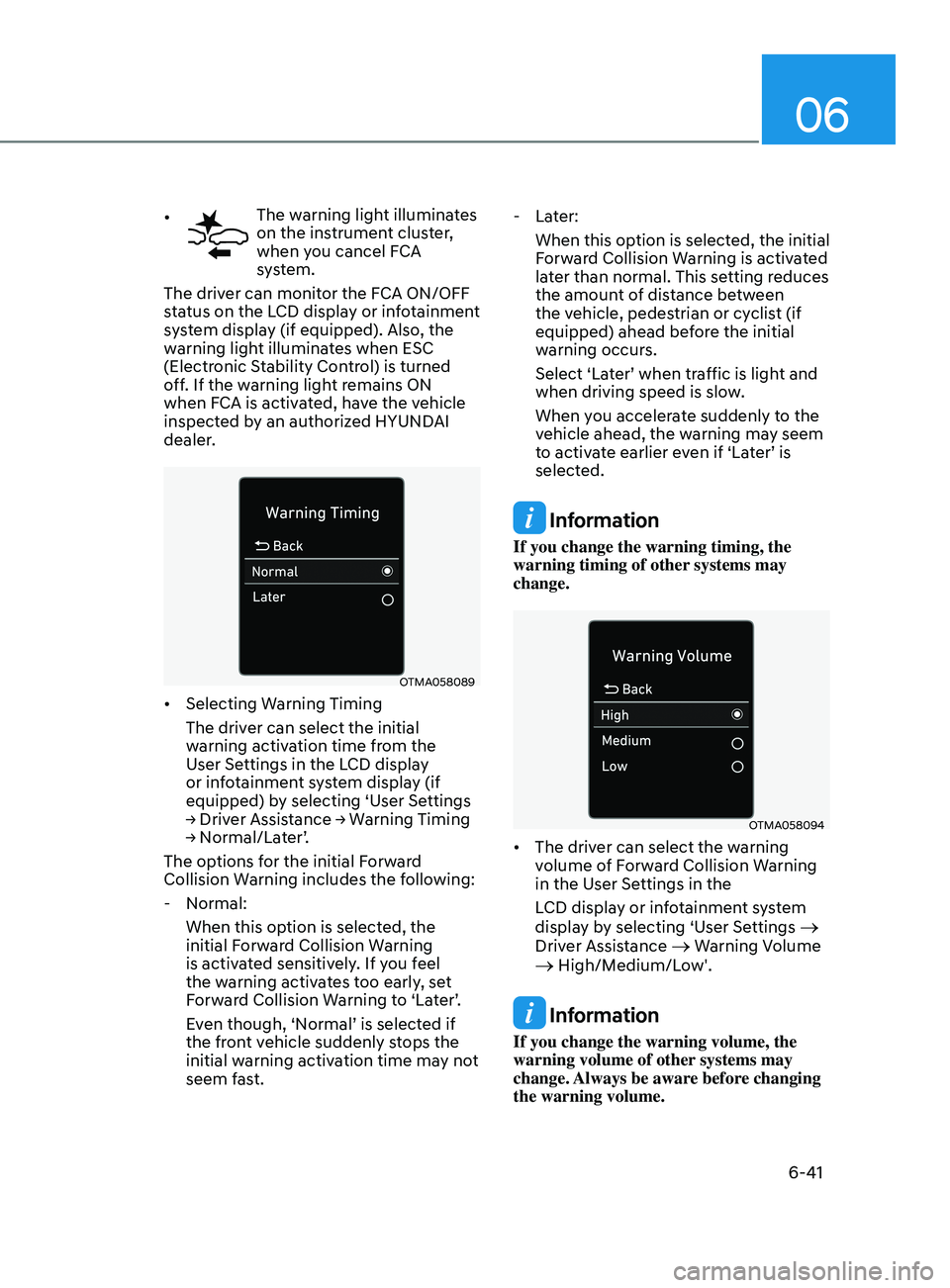
• Selecting Warning Timing
The driver can select the initial
warning activation time from the
User Settings in the LCD display
or infotainment system display (if
equipped) by selecting ‘User Settings
→
Driver Assistance → Warning Timing
→
Normal/Later’.
The options for the initial Forward
Collision Warning includes the following:
- N
ormal:
When this option is selected, the
initial Forward Collision Warning
is activated sensitively. If you feel
the warning activates too early, set
Forward Collision Warning to ‘Later’.
Even though, ‘Normal’ is selected if
the front vehicle suddenly stops the
initial warning activation time may not
seem fast.
- La
ter:
When this option is selected, the initial
Forward Collision Warning is activated
later than normal. This setting reduces
the amount of distance between
the vehicle, pedestrian or cyclist (if
equipped) ahead before the initial
warning occurs.
Select ‘Later’ when traffic is light and
when driving speed is slow.
When you accelerate suddenly to the
vehicle ahead, the warning may seem
to activate earlier even if ‘Later’ is
selected.
Information
If you change the warning timing, the
warning timing of other systems may
change.
OTMA058094
• The driver can select the warning
volume of Forward Collision Warning
in the User Settings in the
LCD display or infotainment system
display by selecting ‘User Settings
→
Driver Assistance → Warning Volume → High/Medium/Low'.
Information
If you change the warning volume, the
warning volume of other systems may
change. Always be aware before changing
the warning volume.
Page 352 of 546
6-68
Blind-Spot Collision-Avoidance Assist
system may activate the Electronic
Stability Control (ESC) in accordance
with a colliding possibility with an
approaching vehicle while changing
lanes. It is to lower the colliding risk or
help mitigate the colliding damage.
WARNING
• Always be aware of road conditions
while driving and be alert for
unexpected situations even though
the Blind-Spot Collision Warning
system and Blind-Spot Collision-
Avoidance Assist system are
operating.
• Blind-Spot Collision Warning system
and Blind-Spot Collision-Avoidance
Assist system are supplemental
systems to assist you. Always pay
attention, while driving, for your
safety. Do not entirely rely on the
systems or an accident may occur.
• Blind-Spot Collision Warning system
and Blind-Spot Collision-Avoidance
Assist system are not substitutes
for proper and safe driving. Always
drive safely and use caution when
changing lanes or backing up the
vehicle.
Blind-Spot Collision Warning system
and Blind-Spot Collision-Avoidance
Assist system may not detect every
object alongside the vehicle.
System Setting and Activation
System setting
• The driver can activate the system
by placing the ignition switch to the
ON position and by selecting ‘User
Settings
→ Driver Assistance → Blind-
Spot Safety’
- BCA and BCW turn on and ge
t
ready to be activated when ‘Active
assist’ is selected. Then, if a vehicle
approaches the driver’s blind spot
area a warning sounds or braking
power is applied.
- BCW turns on and ge
ts ready to
be activated when ‘Warning only’
is selected. Then, if a vehicle
approaches the driver’s blind spot
area a warning sounds. Braking
assist will not be applied in this
setting.
- If y
ou select “Off”, BCW system
deactivates.
• If the engine is turned off then on
again, the system maintains the
previous state.
• The driver can select the initial
warning activation time in the
User Settings in the LCD display
or infotainment system display by
selecting
‘User Settings → Driver
Assis
tance → Warning Timing’.
While Driving
Page 353 of 546
06
6-69
• The options for the initial Blind-
Spot Collision Warning includes the
following:
- N
ormal:
When this condition is selected, the
initial Blind-Spot Collision Warning
is activated normally. If this setting
feels sensitive change the option to
‘Later’.
The warning activation time may
feel late if a vehicle at the side or
rear abruptly accelerates.
- La
ter:
Select this warning activation time
when the traffic is light and you are
driving in a low speed.
Information
If you change the warning timing, the
warning time of other systems may
change. Always be aware before changing
the warning timing.
• The driver can select the warning
volume of Blind-Spot Collision
Warning in the User Settings in the
LCD display or infotainment system
display
by selecting ‘User Settings →
Driv
er Assistance → Warning Volume →
High/M
edium/Low’.
Information
If you change the warning volume, the
warning volume of other systems may
change. Always be aware before changing
the warning volume.
Operating Conditions
The system enters the ready status,
when ‘Active Assist’ or ‘Warning Only’ is
selected and the following conditions are
satisfied:
• Active Assist
(1)
Blind-
Spot Collision-Avoidance Assist
system will activate when:
- V
ehicle speed is between 40 mph
and 112 mph (60 km/h and 180
km/h).
- The s
ystem detects both of the lane
lines.
- An appr
oaching vehicle is detected
next to or behind your vehicle.
(2)
Blind-
Spot Collision Warning system
will activate when:
The vehicle speed is above about 20
mph (30 km/h).
• Warning Only
(1)
Blind-
Spot Collision Warning system
will activate when:
- The v
ehicle speed is above 20 mph
(30 km/h).
Blind-
Spot Collision-Avoidance Assist
system is not activated.
Page 361 of 546
06
6-77
ODN8H069208L
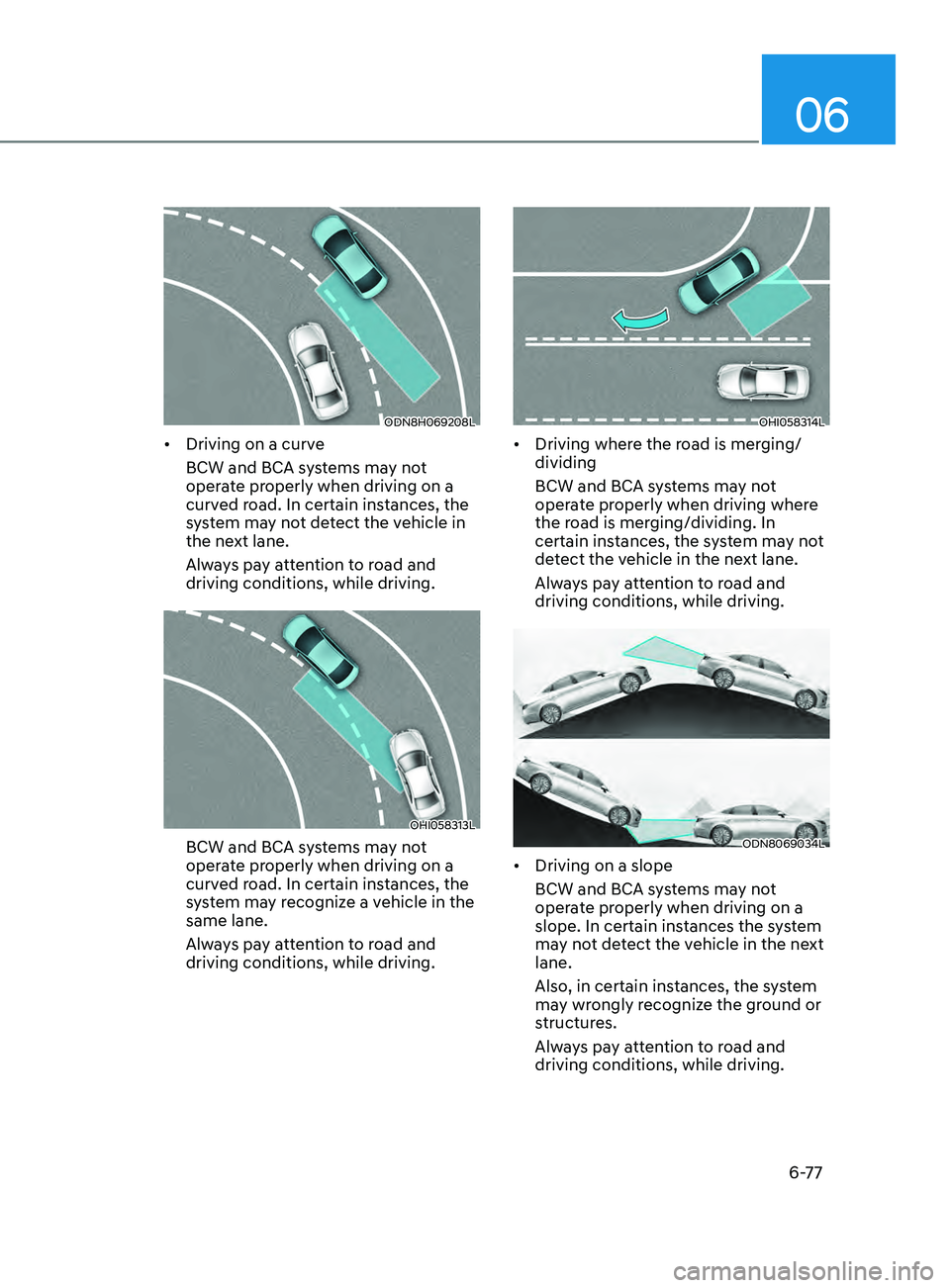
• Driving on a curve
BCW and BCA systems may not
operate properly when driving on a
curved road. In certain instances, the
system may not detect the vehicle in
the next lane.
Always pay attention to road and
driving conditions, while driving.
OHI058313L
BCW and BCA systems may not
operate properly when driving on a
curved road. In certain instances, the
system may recognize a vehicle in the
same lane.
Always pay attention to road and
driving conditions, while driving.
OHI058314L
• Driving where the road is merging/
dividing
BCW and BCA systems may not
operate properly when driving where
the road is merging/dividing. In
certain instances, the system may not
detect the vehicle in the next lane.
Always pay attention to road and
driving conditions, while driving.
ODN8069034L
• Driving on a slope
BCW and BCA systems may not
operate properly when driving on a
slope. In certain instances the system
may not detect the vehicle in the next
lane.
Also, in certain instances, the system
may wrongly recognize the ground or
structures.
Always pay attention to road and
driving conditions, while driving.
Page 362 of 546
6-78
ODN8A069033
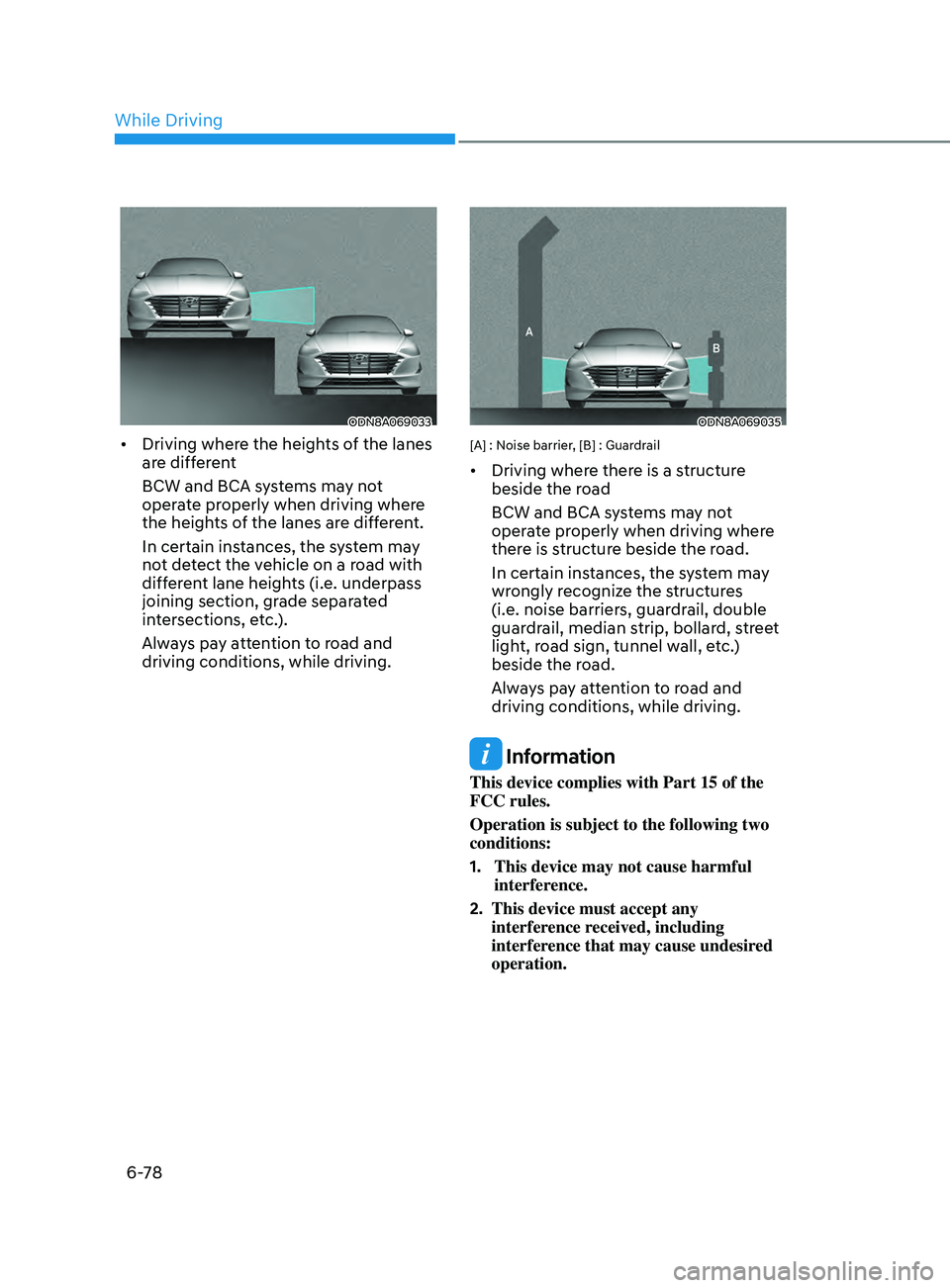
• Driving where the heights of the lanes
are different
BCW and BCA systems may not
operate properly when driving where
the heights of the lanes are different.
In certain instances, the system may
not detect the vehicle on a road with
different lane heights (i.e. underpass
joining section, grade separated
intersections, etc.).
Always pay attention to road and
driving conditions, while driving.
ODN8A069035
[A] : Noise barrier, [B] : Guardrail
• Driving where there is a structure
beside the road
BCW and BCA systems may not
operate properly when driving where
there is structure beside the road.
In certain instances, the system may
wrongly recognize the structures
(i.e. noise barriers, guardrail, double
guardrail, median strip, bollard, street
light, road sign, tunnel wall, etc.)
beside the road.
Always pay attention to road and
driving conditions, while driving.
Information
This device complies with Part 15 of the
FCC rules.
Operation is subject to the following two
conditions:
1.
This device may not cause harmful
interfer
ence.
2.
This device must accept any
interfer
ence received, including
interference that may cause undesired
operation.
While Driving
Page 365 of 546
06
6-81
Function settings
Setting functions
OCN7070042L
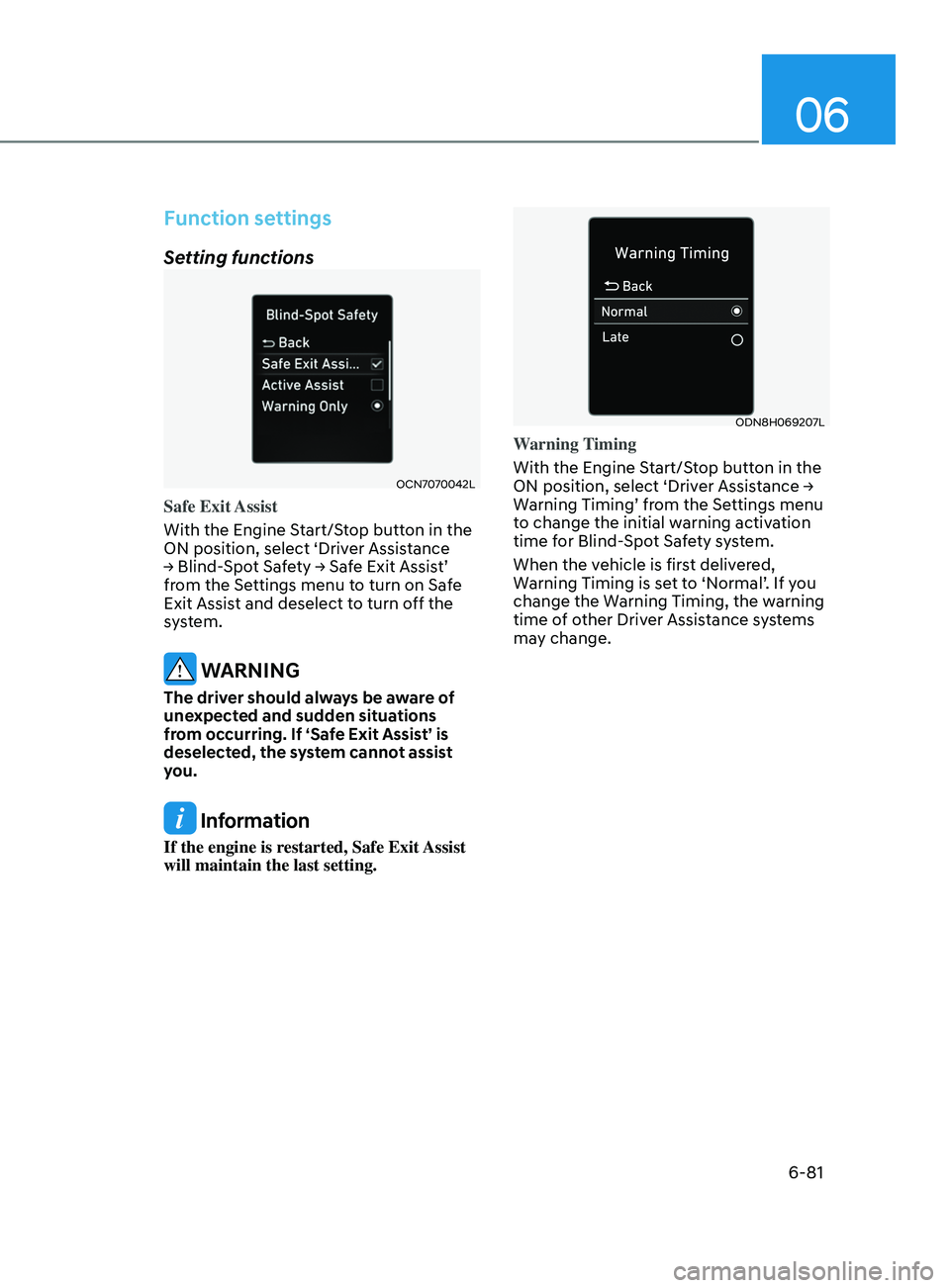
Safe Exit Assist
With the Engine Start/Stop button in the
ON position, select ‘Driver Assistance
→
Blind-Spot Safety → Safe Exit Assist’
fr
om the Settings menu to turn on Safe
Exit Assist and deselect to turn off the
system.
WARNING
The driver should always be aware of
unexpected and sudden situations
from occurring. If ‘Safe Exit Assist’ is
deselected, the system cannot assist
you.
Information
If the engine is restarted, Safe Exit Assist
will maintain the last setting.
ODN8H069207L
Warning Timing
With the Engine Start/Stop button in the
ON
position, select ‘Driver Assistance →
W
arning Timing’ from the Settings menu
to change the initial warning activation
time for Blind-Spot Safety system.
When the vehicle is first delivered,
Warning Timing is set to ‘Normal’. If you
change the Warning Timing, the warning
time of other Driver Assistance systems
may change.
Page 366 of 546
6-82
OTMA058094
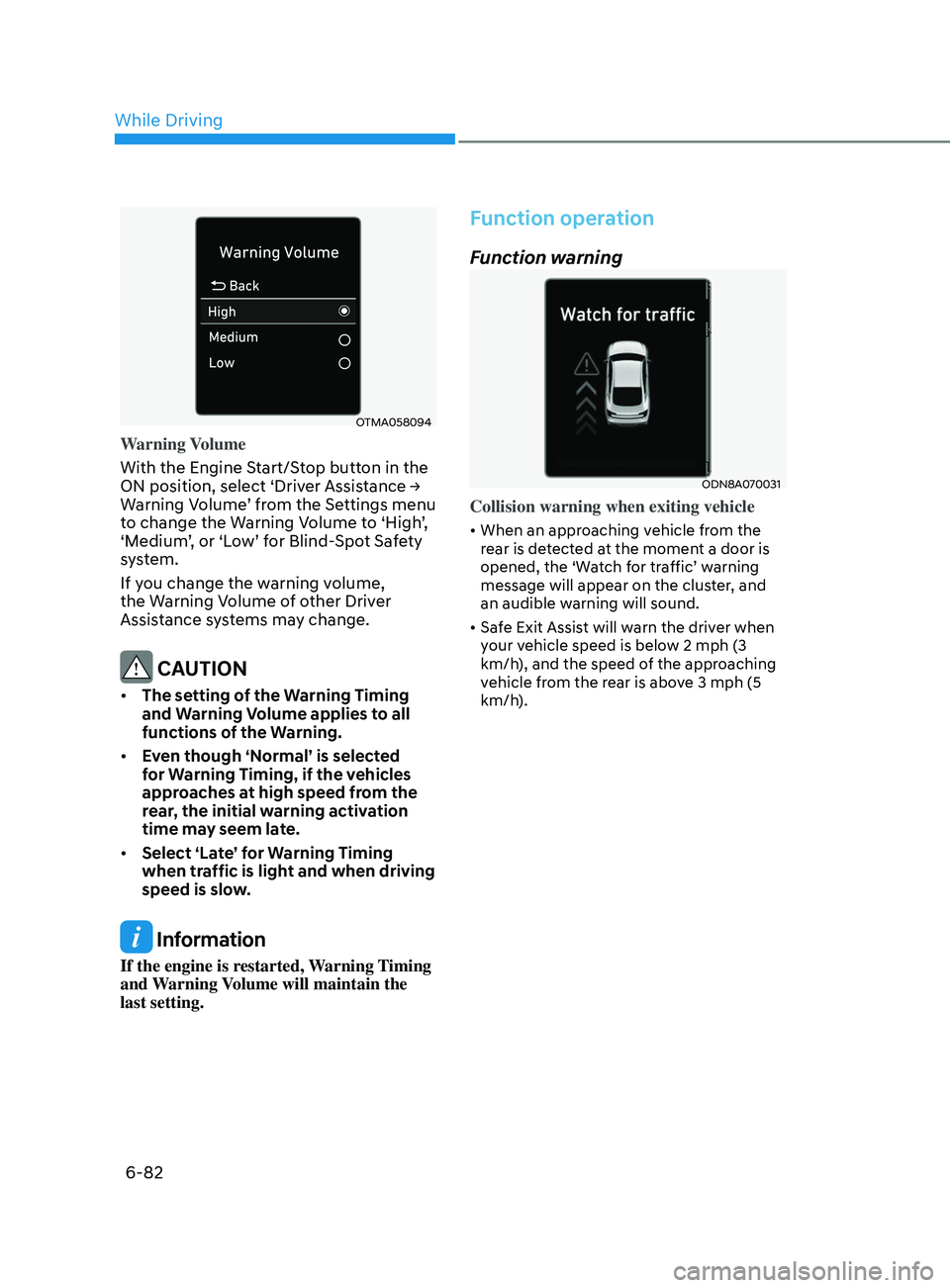
Warning Volume
With the Engine Start/Stop button in the
ON position, select ‘Driver Assistance →
W
arning Volume’ from the Settings menu
to change the Warning Volume to ‘High’,
‘Medium’, or ‘Low’ for Blind-Spot Safety
system.
If you change the warning volume,
the Warning Volume of other Driver
Assistance systems may change.
CAUTION
• The setting of the Warning Timing
and Warning Volume applies to all
functions of the Warning.
• Even though ‘Normal’ is selected
for Warning Timing, if the vehicles
approaches at high speed from the
rear, the initial warning activation
time may seem late.
• Select ‘Late’ for Warning Timing
when traffic is light and when driving
speed is slow.
Information
If the engine is restarted, Warning Timing
and Warning Volume will maintain the
last setting.
Function operation
Function warning
ODN8A070031
Collision warning when exiting vehicle
• When an approaching vehicle from the
rear is detected at the moment a door is
opened, the ‘Watch for traffic’ warning
message will appear on the cluster, and
an audible warning will sound.
• Safe Exit Assist will warn the driver when
your vehicle speed is below 2 mph (3
km/h), and the speed of the approaching
vehicle from the rear is above 3 mph (5
km/h).
While Driving