2021 HYUNDAI SANTA FE mode button
[x] Cancel search: mode buttonPage 334 of 636
Driving your vehicle
6-46
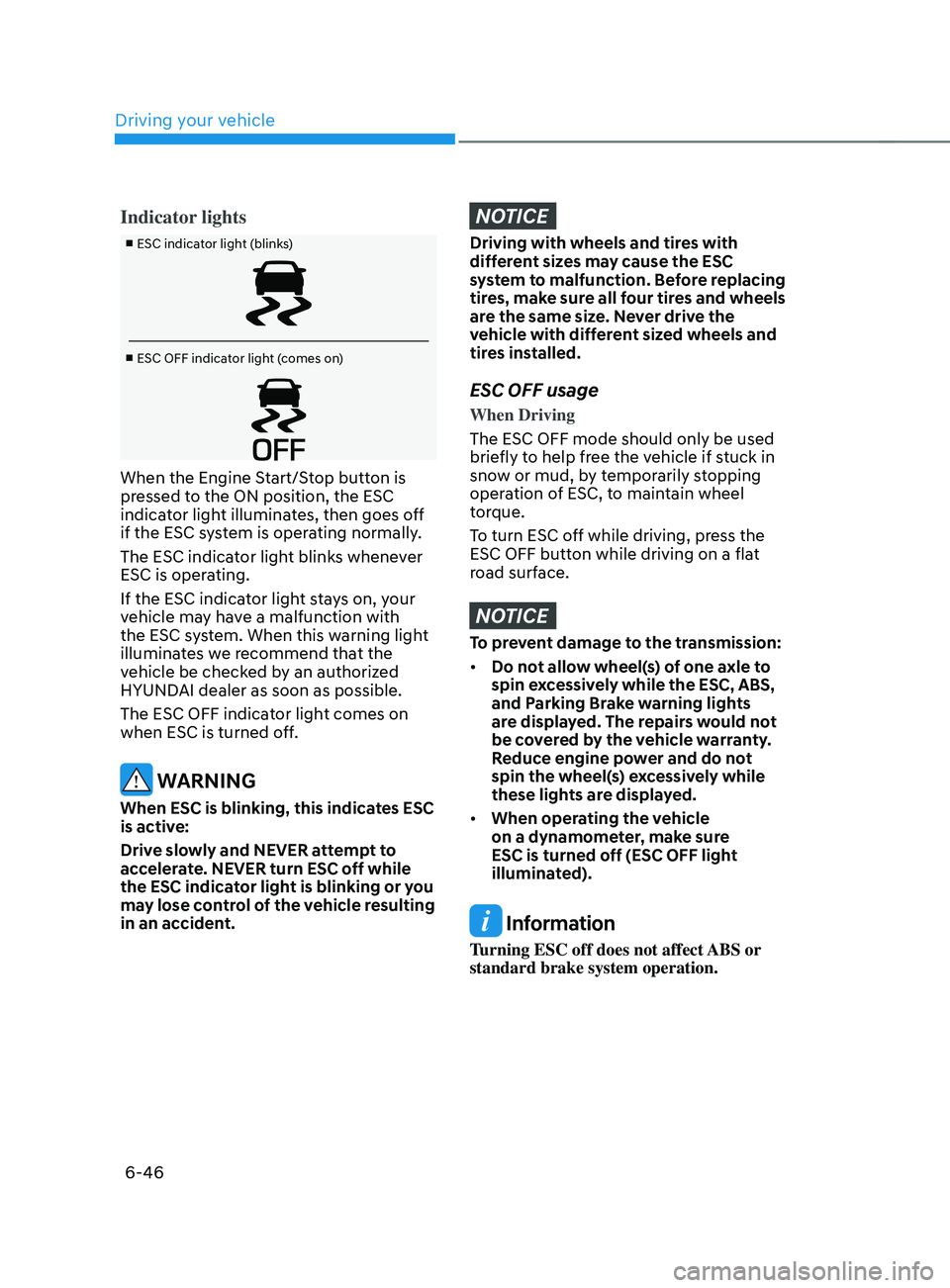
Indicator lights
■ ESC indicator light (blinks)
■ ESC OFF indicator light (comes on)
When the Engine Start/Stop button is
pressed to the ON position, the ESC
indicator light illuminates, then goes off
if the ESC system is operating normally.
The ESC indicator light blinks whenever
ESC is operating.
If the ESC indicator light stays on, your
vehicle may have a malfunction with
the ESC system. When this warning light
illuminates we recommend that the
vehicle be checked by an authorized
HYUNDAI dealer as soon as possible.
The ESC OFF indicator light comes on
when ESC is turned off.
WARNING
When ESC is blinking, this indicates ESC
is active:
Drive slowly and NEVER attempt to
accelerate. NEVER turn ESC off while
the ESC indicator light is blinking or you
may lose control of the vehicle resulting
in an accident.
NOTICE
Driving with wheels and tires with
different sizes may cause the ESC
system to malfunction. Before replacing
tires, make sure all four tires and wheels
are the same size. Never drive the
vehicle with different sized wheels and
tires installed.
ESC OFF usage
When Driving
The ESC OFF mode should only be used
briefly to help free the vehicle if stuck in
snow or mud, by temporarily stopping
operation of ESC, to maintain wheel
torque.
To turn ESC off while driving, press the
ESC OFF button while driving on a flat
road surface.
NOTICE
To prevent damage to the transmission:
• Do not allow wheel(s) of one axle to
spin excessively while the ESC, ABS,
and Parking Brake warning lights
are displayed. The repairs would not
be covered by the vehicle warranty.
Reduce engine power and do not
spin the wheel(s) excessively while
these lights are displayed.
• When operating the vehicle
on a dynamometer, make sure
ESC is turned off (ESC OFF light
illuminated).
Information
Turning ESC off does not affect ABS or
standard brake system operation.
Page 337 of 636
06
6-49
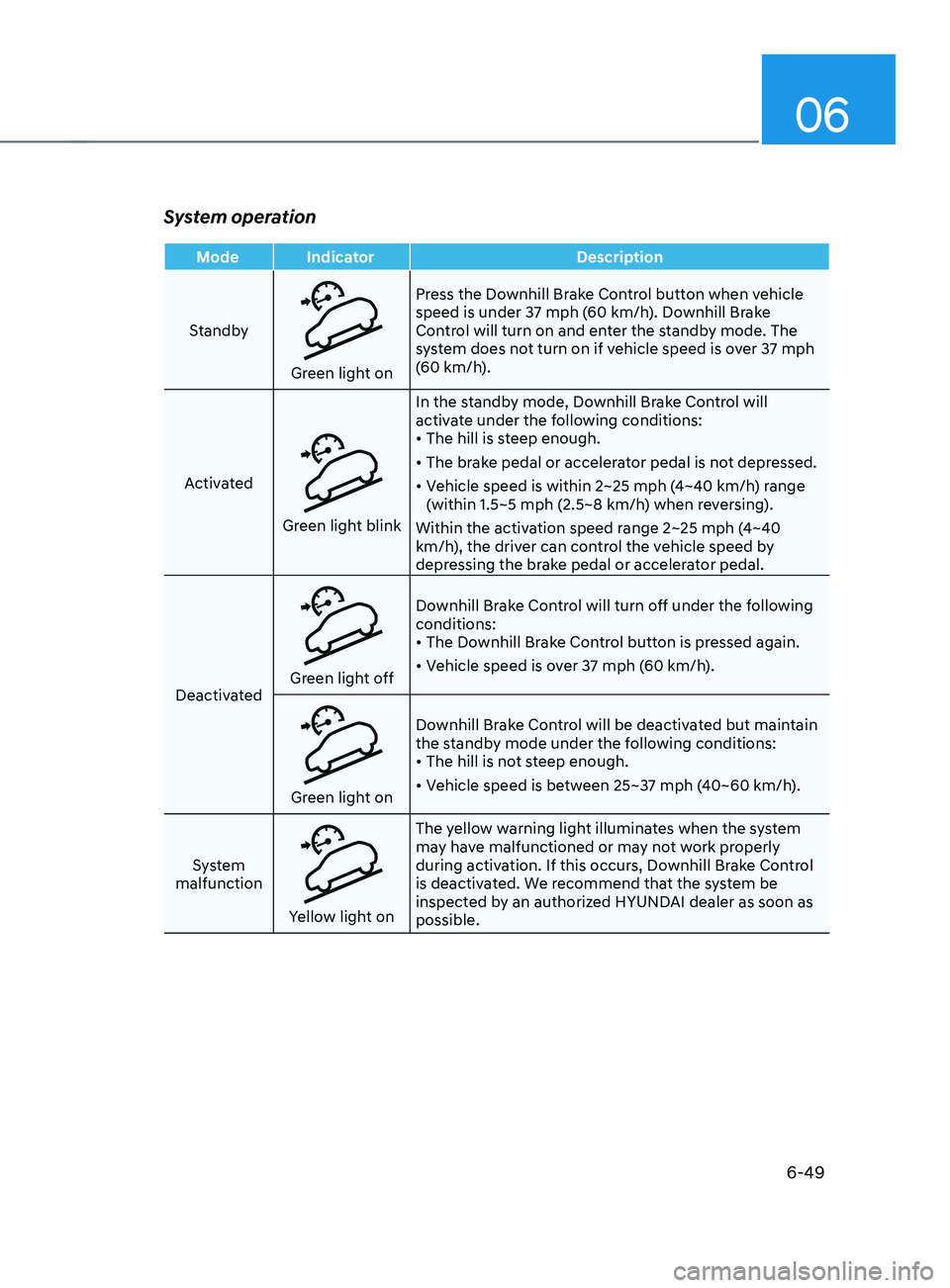
System operation
Mode IndicatorDescription
Standby
Green light on Press the Downhill Brake Control button when vehicle
speed is under 37 mph (60 km/h). Downhill Brake
Control will turn on and enter the standby mode. The
system does not turn on if vehicle speed is over 37 mph
(60 km/h).
Activated
Green light blink In the standby mode, Downhill Brake Control will
activate under the following conditions:
•
The hill is steep enough.
• The brake pedal or accelerator pedal is not depressed.
• Vehicle speed is within 2~25 mph (4~40 km/h) range
(within 1.5~5 mph (2.5~8 km/h) when reversing).
Within the activation speed range 2~25 mph (4~40
km/h), the driver can control the vehicle speed by
depressing the brake pedal or accelerator pedal.
Deactivated
Green light off Downhill Brake Control will turn off under the following
conditions:
•
The Downhill Brake Control button is pressed again.
• Vehicle speed is over 37 mph (60 km/h).
Green light on Downhill Brake Control will be deactivated but maintain
the standby mode under the following conditions:
•
The hill is not steep enough.
• Vehicle speed is between 25~37 mph (40~60 km/h).
System
malfunction
Yellow light on The yellow warning light illuminates when the system
may have malfunctioned or may not work properly
during activation. If this occurs, Downhill Brake Control
is deactivated. We recommend that the system be
inspected by an authorized HYUNDAI dealer as soon as
possible.
Page 341 of 636
06
6-53
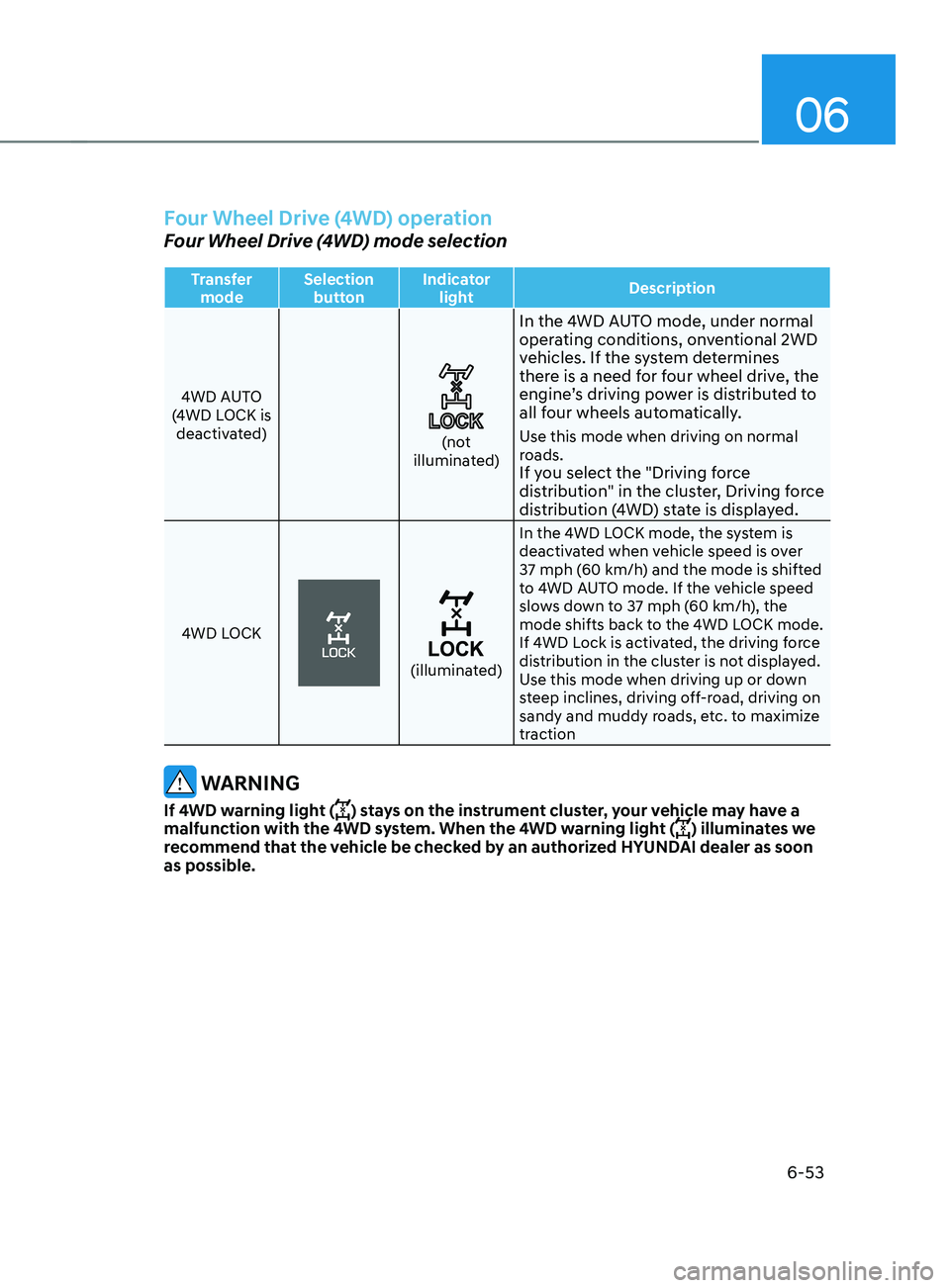
Four Wheel Drive (4WD) operation
Four Wheel Drive (4WD) mode selection
Transfer mode Selection
button Indicator
light Description
4WD AUTO
(4WD LOCK is deactivated)
(not
illuminated)
In the 4WD AUTO mode, under normal
operating conditions, onventional 2WD
vehicles. If the system determines
there is a need for four wheel drive, the
engine’s driving power is distributed to
all four wheels automatically.
Use this mode when driving on normal
roads.
If you select the "Driving force
distribution" in the cluster, Driving force
distribution (4WD) state is displayed.
4WD LOCK
(illuminated) In the 4WD LOCK mode, the system is
deactivated when vehicle speed is over
37 mph (60 km/h) and the mode is shifted
to 4WD AUTO mode. If the vehicle speed
slows down to 37 mph (60 km/h), the
mode shifts back to the 4WD LOCK mode.
If 4WD Lock is activated, the driving force
distribution in the cluster is not displayed.
Use this mode when driving up or down
steep inclines, driving off-road, driving on
sandy and muddy roads, etc. to maximize
traction
WARNING
If 4WD warning light () stays on the instrument cluster, your vehicle may have a
malfunction with the 4WD system. When the 4WD warning light () illuminates we
recommend that the vehicle be checked by an authorized HYUNDAI dealer as soon
as possible.
Page 342 of 636
Driving your vehicle
6-54
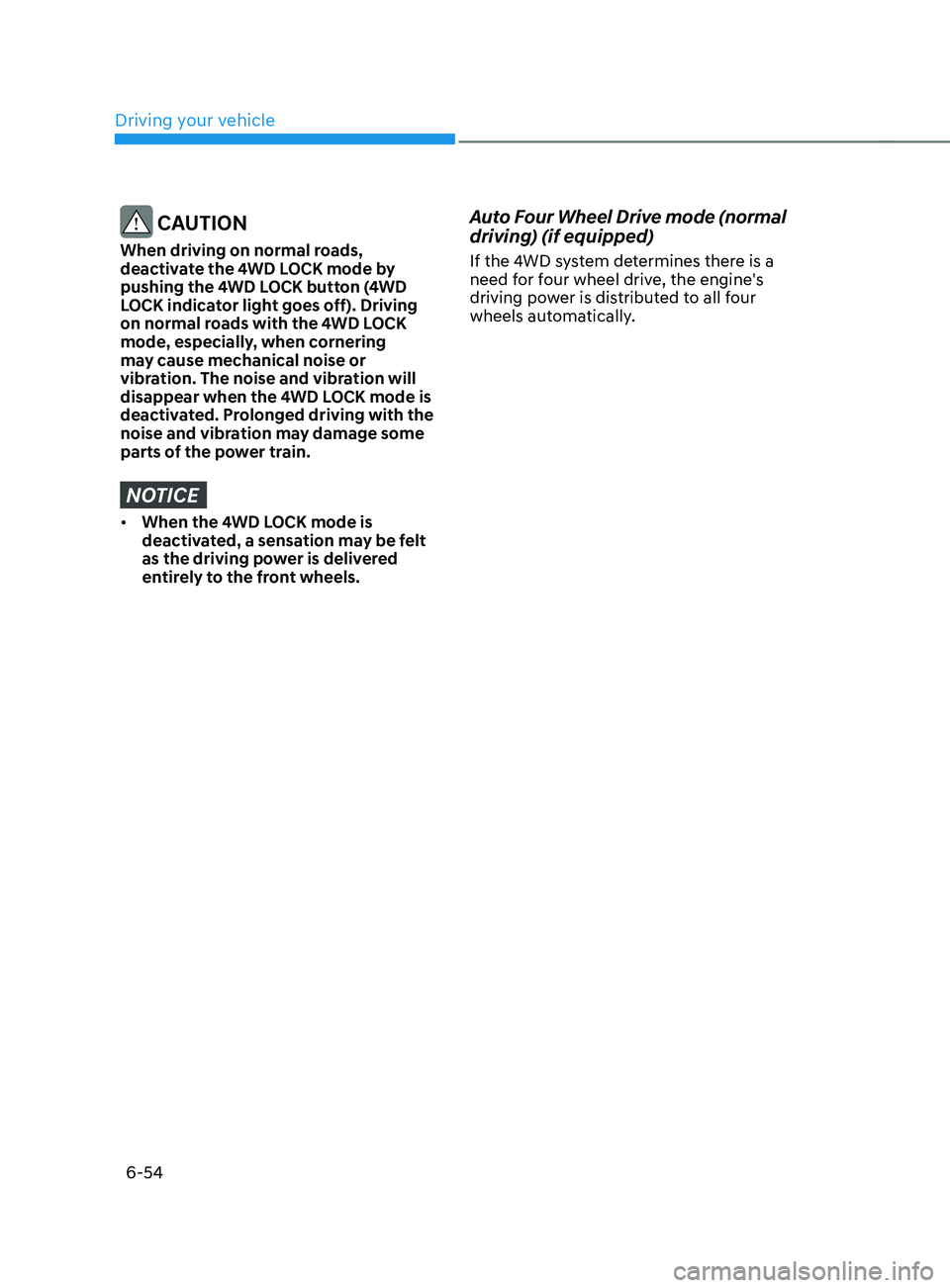
CAUTION
When driving on normal roads,
deactivate the 4WD LOCK mode by
pushing the 4WD LOCK button (4WD
LOCK indicator light goes off). Driving
on normal roads with the 4WD LOCK
mode, especially, when cornering
may cause mechanical noise or
vibration. The noise and vibration will
disappear when the 4WD LOCK mode is
deactivated. Prolonged driving with the
noise and vibration may damage some
parts of the power train.
NOTICE
• When the 4WD LOCK mode is
deactivated, a sensation may be felt
as the driving power is delivered
entirely to the front wheels.
Auto Four Wheel Drive mode (normal
driving) (if equipped)
If the 4WD system determines there is a
need for four wheel drive, the engine's
driving power is distributed to all four
wheels automatically.
Page 350 of 636
Driving your vehicle
6-62
Auto stop
When ISG is on the engine will be
stopped automatically when both of the
following occurs:
1.
Vehicle speed decr
eases to 0 mph (0
km/h) full stop condition.
2.
Brak
e pedal is depressed and gear is
in D (Drive) or N (Neutral).
The Auto Stop (
) indicator illuminates
in green on the instrument cluster, when
the engine stops.
Information
Idle stop cannot reoccur again until the
vehicle speed goes above 3 mph (5 km/h)
and then returns again to the automatic
stop conditions as previously mentioned. In the Auto Stop mode, if the engine
hood is opened, ISG system will be
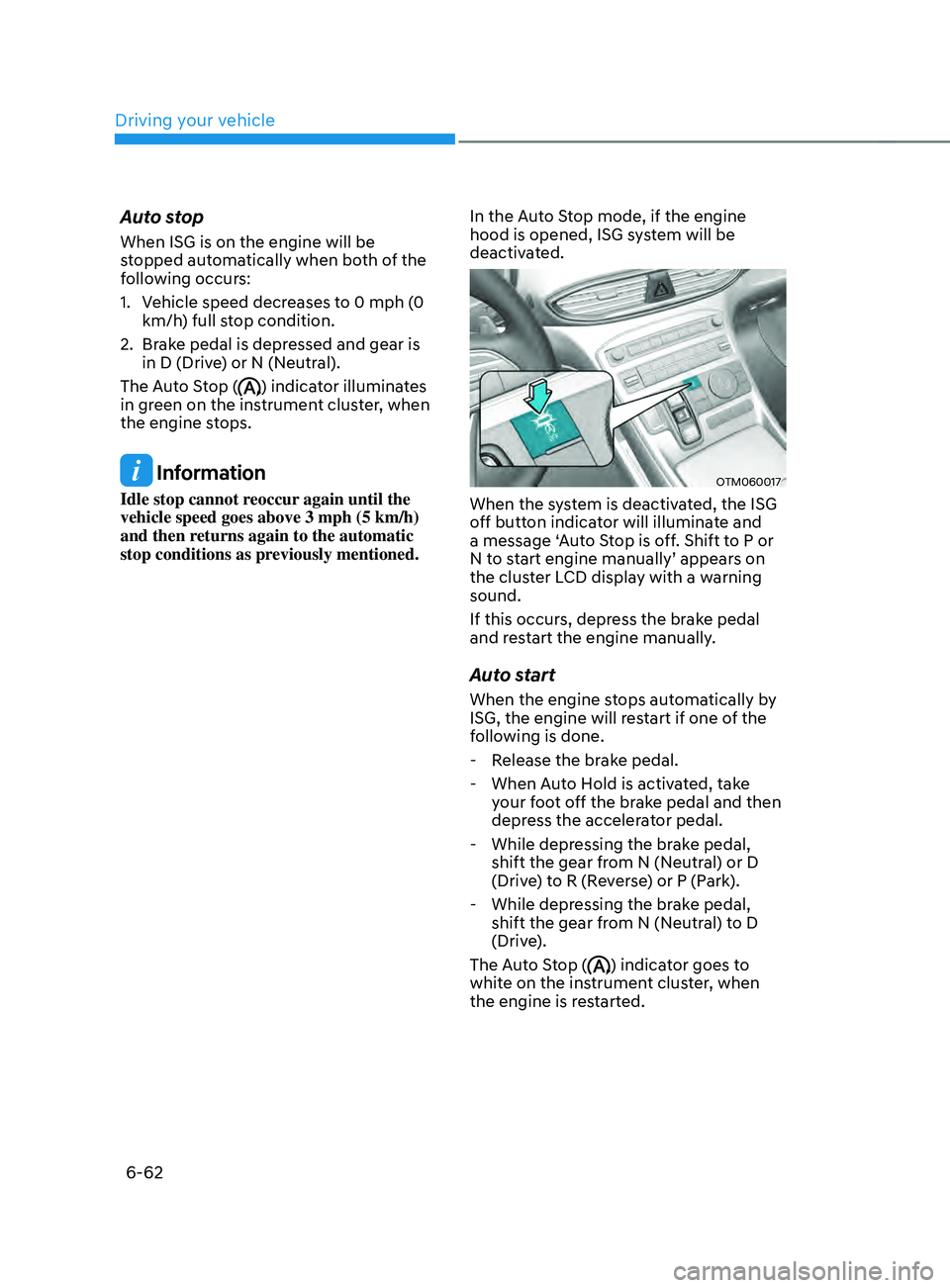
deactivated. OTM060017
When the system is deactivated, the ISG
off button indicator will illuminate and
a message ‘Auto Stop is off. Shift to P or
N to start engine manually’ appears on
the cluster LCD display with a warning
sound.
If this occurs, depress the brake pedal
and restart the engine manually.
Auto start
When the engine stops automatically by
ISG, the engine will restart if one of the
following is done.
- Release the br
ake pedal.
- When Aut
o Hold is activated, take
your foot off the brake pedal and then
depress the accelerator pedal.
- While depressing the br
ake pedal,
shift the gear from N (Neutral) or D
(Drive) to R (Reverse) or P (Park).
- While depressing the br
ake pedal,
shift the gear from N (Neutral) to D
(Drive).
The Auto Stop (
) indicator goes to
white on the instrument cluster, when
the engine is restarted.
Page 351 of 636
06
6-63
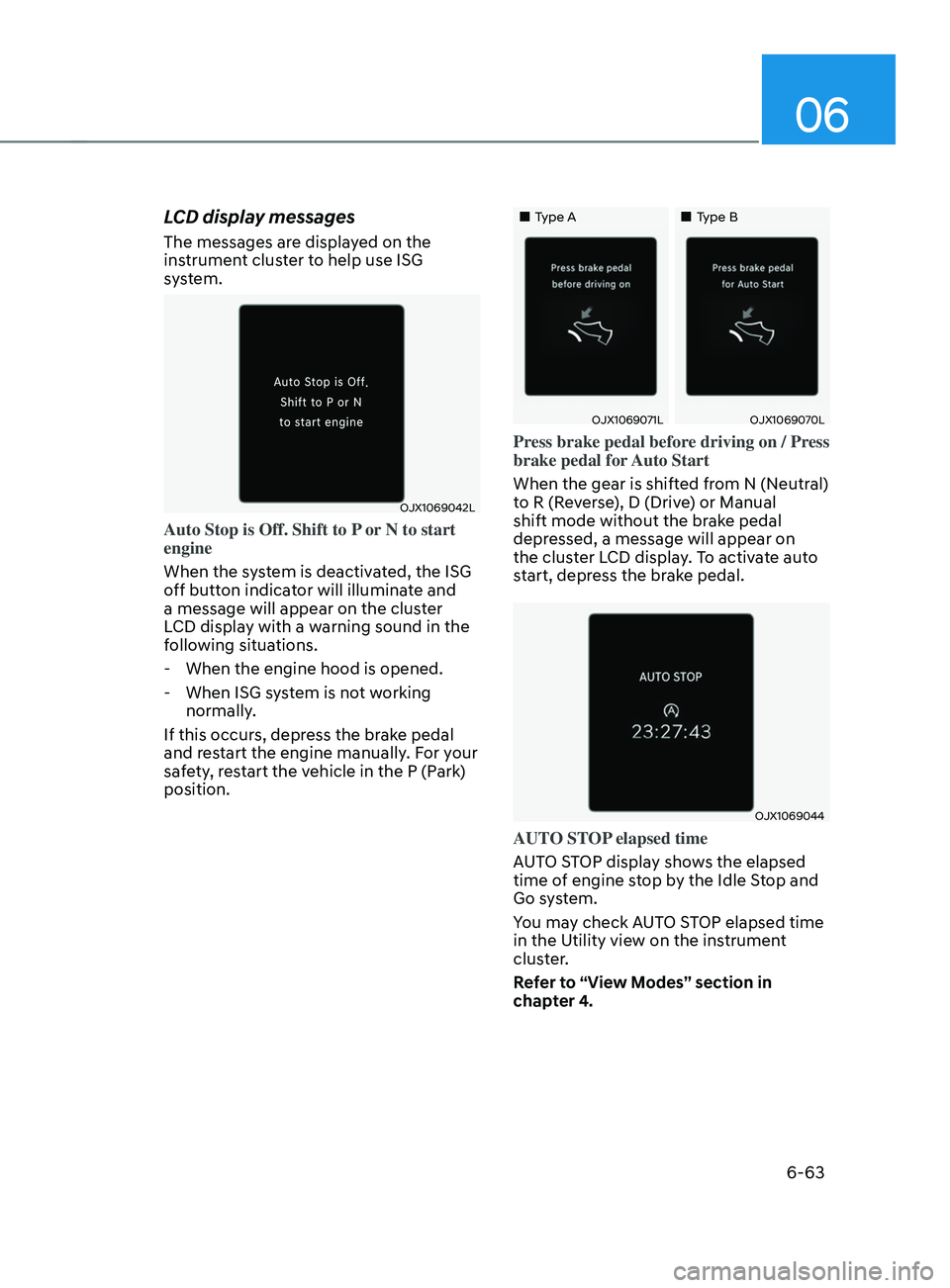
LCD display messages
The messages are displayed on the
instrument cluster to help use ISG
system.
OJX1069042L
Auto Stop is Off. Shift to P or N to start
engine
When the system is deactivated, the ISG
off button indicator will illuminate and
a message will appear on the cluster
LCD display with a warning sound in the
following situations.
- When the engine hood is opened.
- When ISG sy
stem is not working
normally.
If this occurs, depress the brake pedal
and restart the engine manually. For your
safety, restart the vehicle in the P (Park)
position.
„„Type A „„Type B
OJX1069071LOJX1069070L
Press brake pedal before driving on / Press
brake pedal for Auto Start
When the gear is shifted from N (Neutral)
to R (Reverse), D (Drive) or Manual
shift mode without the brake pedal
depressed, a message will appear on
the cluster LCD display. To activate auto
start, depress the brake pedal.
OJX1069044
AUTO STOP elapsed time
AUTO STOP display shows the elapsed
time of engine stop by the Idle Stop and
Go system.
You may check AUTO STOP elapsed time
in the Utility view on the instrument
cluster.
Refer to “View Modes” section in
chapter 4.
Page 352 of 636
Driving your vehicle
6-64
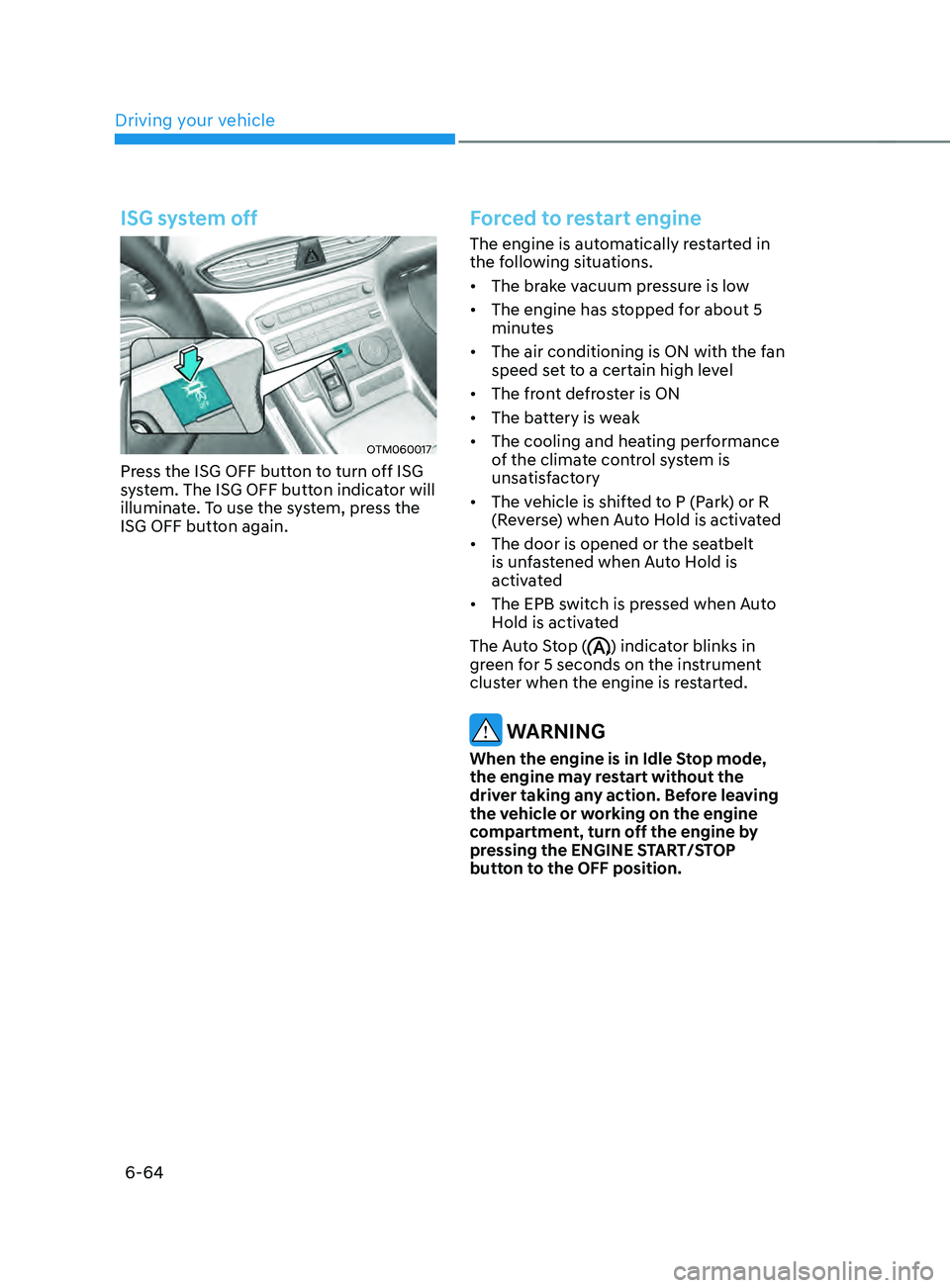
ISG system off
OTM060017
Press the ISG OFF button to turn off ISG
system. The ISG OFF button indicator will
illuminate. To use the system, press the
ISG OFF button again.
Forced to restart engine
The engine is automatically restarted in
the following situations.
• The brake vacuum pressure is low
• The engine has stopped for about 5
minutes
• The air conditioning is ON with the fan
speed set to a certain high level
• The front defroster is ON
• The battery is weak
• The cooling and heating performance
of the climate control system is
unsatisfactory
• The vehicle is shifted to P (Park) or R
(Reverse) when Auto Hold is activated
• The door is opened or the seatbelt
is unfastened when Auto Hold is
activated
• The EPB switch is pressed when Auto
Hold is activated
The Auto Stop (
) indicator blinks in
green for 5 seconds on the instrument
cluster when the engine is restarted.
WARNING
When the engine is in Idle Stop mode,
the engine may restart without the
driver taking any action. Before leaving
the vehicle or working on the engine
compartment, turn off the engine by
pressing the ENGINE START/STOP
button to the OFF position.
Page 355 of 636
06
6-67
SMART mode
SMART mode selects the
proper driving mode among
ECO, COMFORT and SPORT
by judging the driver's
driving habits (i.e. mild or
dynamic) from the brake pedal
depression or the steering
wheel operation.
• Press the DRIVE MODE button to
activate SMART mode. When SMART
mode is activated, the indicator
illuminates on the instrument cluster.
• The vehicle starts in SMART mode,
when the engine was turned OFF in
SMART mode.
• SMART mode automatically controls
gear shifting patterns, engine torque,
in accordance with the driver's driving
habits.
Information
• When you mildly drive the vehicle
in SMART mode, the driving mode
changes to ECO mode to improve fuel
efficiency. However, the actual fuel
efficiency may differ in accordance
with your driving situations (i.e.
upward/downward slope, vehicle
deceleration/acceleration).
• When you dynamically drive the
vehicle in SMART mode by abruptly
decelerating or sharply curving, the
driving mode changes to SPORT mode.
However, it may adversely affect fuel
economy. Various driving situations, which you may
encounter in SMART mode
•
The driving mode automatically
changes to ECO mode after a certain
period of time, when you gently
depress the accelerator pedal (Your
driving is categorized to be mild.).
• The driving mode automatically
changes from SMART ECO mode
to SMART COMFORT mode after a
certain period of time, when you
sharply or repetitively depress the
accelerator pedal.
• The driving mode automatically
changes to SMART COMFORT mode
with the same driving patterns, when
the vehicle starts to drive on an
upward slope of a certain angle. The
driving mode automatically returns to
SMART ECO mode, when the vehicle
enters a leveled road.
• The driving mode automatically
changes to SMART SPORT, when
you abruptly accelerate the vehicle
or repetitively operate the steering
wheel (Your driving is categorized
to be sporty.). In this mode, your
vehicle drives in a lower gear for
abrupt accelerating/decelerating
and increases the engine brake
performance.
• You may still sense the engine brake
performance, even when you release
the accelerator pedal in SMART
SPORT mode. It is because your
vehicle remains to be in a lower gear
over a certain period of time for next
acceleration. Thus, it is a normal
driving situation, not indicating any
malfunction.