2021 HYUNDAI SANTA FE HYBRID stop start
[x] Cancel search: stop startPage 130 of 598
Instrument cluster
4-18
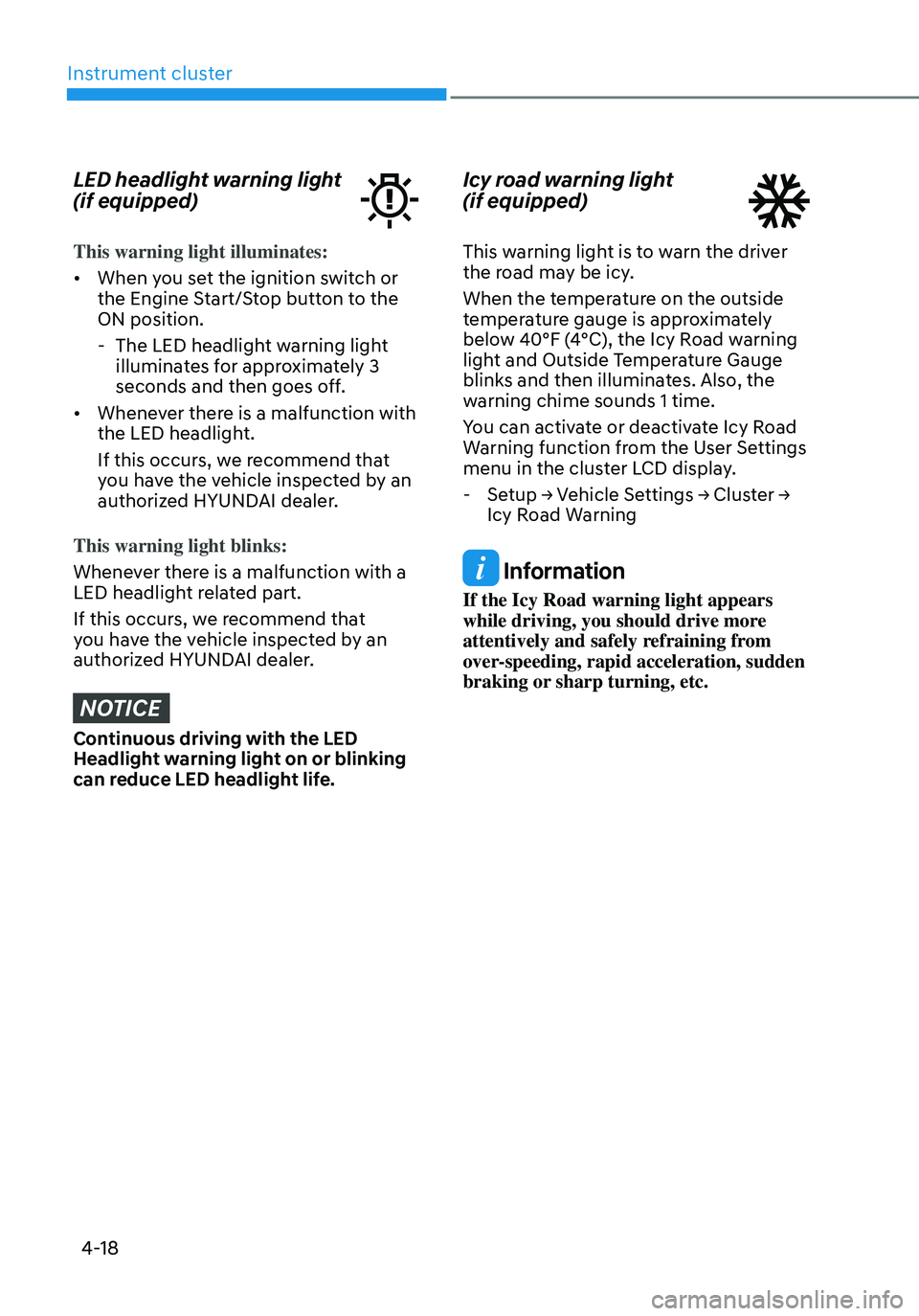
LED headlight warning light
(if equipped)
This warning light illuminates:
• When you set the ignition switch or
the Engine Start/Stop button to the
ON position.
-The LED headlight warning light
illuminates for approximately 3
seconds and then goes off.
• Whenever there is a malfunction with
the LED headlight.
If this occurs, we recommend that
you have the vehicle inspected by an
authorized HYUNDAI dealer.
This warning light blinks:
Whenever there is a malfunction with a
LED headlight related part.
If this occurs, we recommend that
you have the vehicle inspected by an
authorized HYUNDAI dealer.
NOTICE
Continuous driving with the LED
Headlight warning light on or blinking
can reduce LED headlight life.
Icy road warning light
(if equipped)
This warning light is to warn the driver
the road may be icy.
When the temperature on the outside
temperature gauge is approximately
below 40°F (4°C), the Icy Road warning
light and Outside Temperature Gauge
blinks and then illuminates. Also, the
warning chime sounds 1 time.
You can activate or deactivate Icy Road
Warning function from the User Settings
menu in the cluster LCD display.
- Setup → Vehicle Settings → Cluster →
Icy Road Warning
Information
If the Icy Road warning light appears
while driving, you should drive more
attentively and safely refraining from
over-speeding, rapid acceleration, sudden
braking or sharp turning, etc.
Page 131 of 598
04
4-19
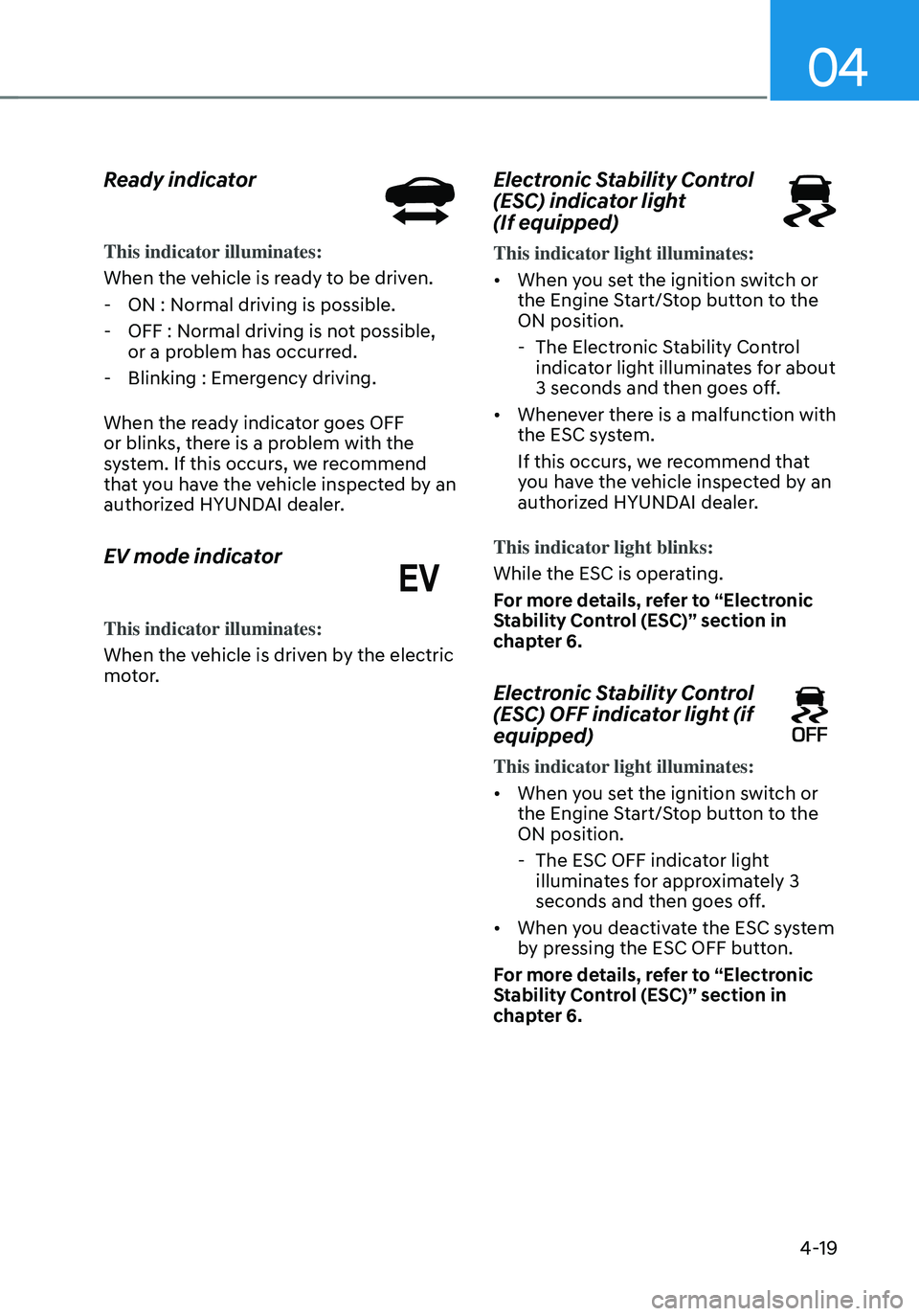
Ready indicator
This indicator illuminates:
When the vehicle is ready to be driven.
-ON : Normal driving is possible.
-OFF : Normal driving is not possible,
or a problem has occurred.
-Blinking : Emergency driving.
When the ready indicator goes OFF
or blinks, there is a problem with the
system. If this occurs, we recommend
that you have the vehicle inspected by an
authorized HYUNDAI dealer.
EV mode indicator
This indicator illuminates:
When the vehicle is driven by the electric
motor.
Electronic Stability Control
(ESC) indicator light
(If equipped)
This indicator light illuminates:
• When you set the ignition switch or
the Engine Start/Stop button to the
ON position.
- The Electronic Stability Control
indicator light illuminates for about
3 seconds and then goes off.
• Whenever there is a malfunction with
the ESC system.
If this occurs, we recommend that
you have the vehicle inspected by an
authorized HYUNDAI dealer.
This indicator light blinks:
While the ESC is operating.
For more details, refer to “Electronic
Stability Control (ESC)” section in
chapter 6.
Electronic Stability Control
(ESC) OFF indicator light (if
equipped)
This indicator light illuminates:
• When you set the ignition switch or
the Engine Start/Stop button to the
ON position.
- The ESC OFF indicator light
illuminates for approximately 3
seconds and then goes off.
• When you deactivate the ESC system
by pressing the ESC OFF button.
For more details, refer to “Electronic
Stability Control (ESC)” section in
chapter 6.
Page 132 of 598
Instrument cluster
4-20
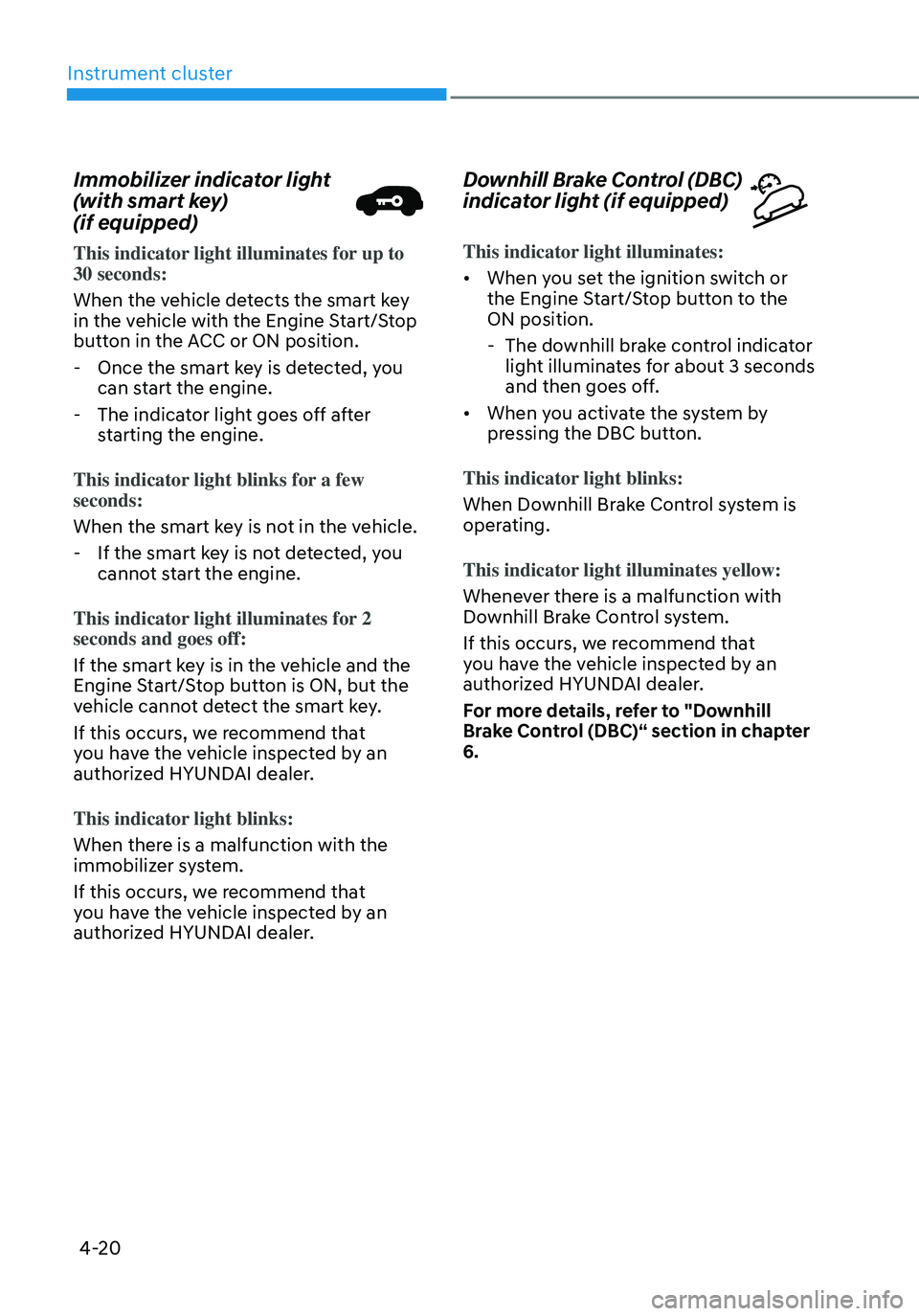
Immobilizer indicator light
(with smart key)
(if equipped)
This indicator light illuminates for up to 30 seconds:
When the vehicle detects the smart key
in the vehicle with the Engine Start/Stop
button in the ACC or ON position.
-Once the smart key is detected, you
can start the engine.
-The indicator light goes off after
starting the engine.
This indicator light blinks for a few
seconds:
When the smart key is not in the vehicle.
- If the smart key is not detected, you
cannot start the engine.
This indicator light illuminates for 2
seconds and goes off:
If the smart key is in the vehicle and the
Engine Start/Stop button is ON, but the
vehicle cannot detect the smart key.
If this occurs, we recommend that
you have the vehicle inspected by an
authorized HYUNDAI dealer.
This indicator light blinks:
When there is a malfunction with the
immobilizer system.
If this occurs, we recommend that
you have the vehicle inspected by an
authorized HYUNDAI dealer.
Downhill Brake Control (DBC)
indicator light (if equipped)
This indicator light illuminates:
• When you set the ignition switch or
the Engine Start/Stop button to the
ON position.
- The downhill brake control indicator
light illuminates for about 3 seconds
and then goes off.
• When you activate the system by
pressing the DBC button.
This indicator light blinks:
When Downhill Brake Control system is
operating.
This indicator light illuminates yellow:
Whenever there is a malfunction with
Downhill Brake Control system.
If this occurs, we recommend that
you have the vehicle inspected by an
authorized HYUNDAI dealer.
For more details, refer to "Downhill
Brake Control (DBC)“ section in chapter
6.
Page 134 of 598
Instrument cluster
4-22
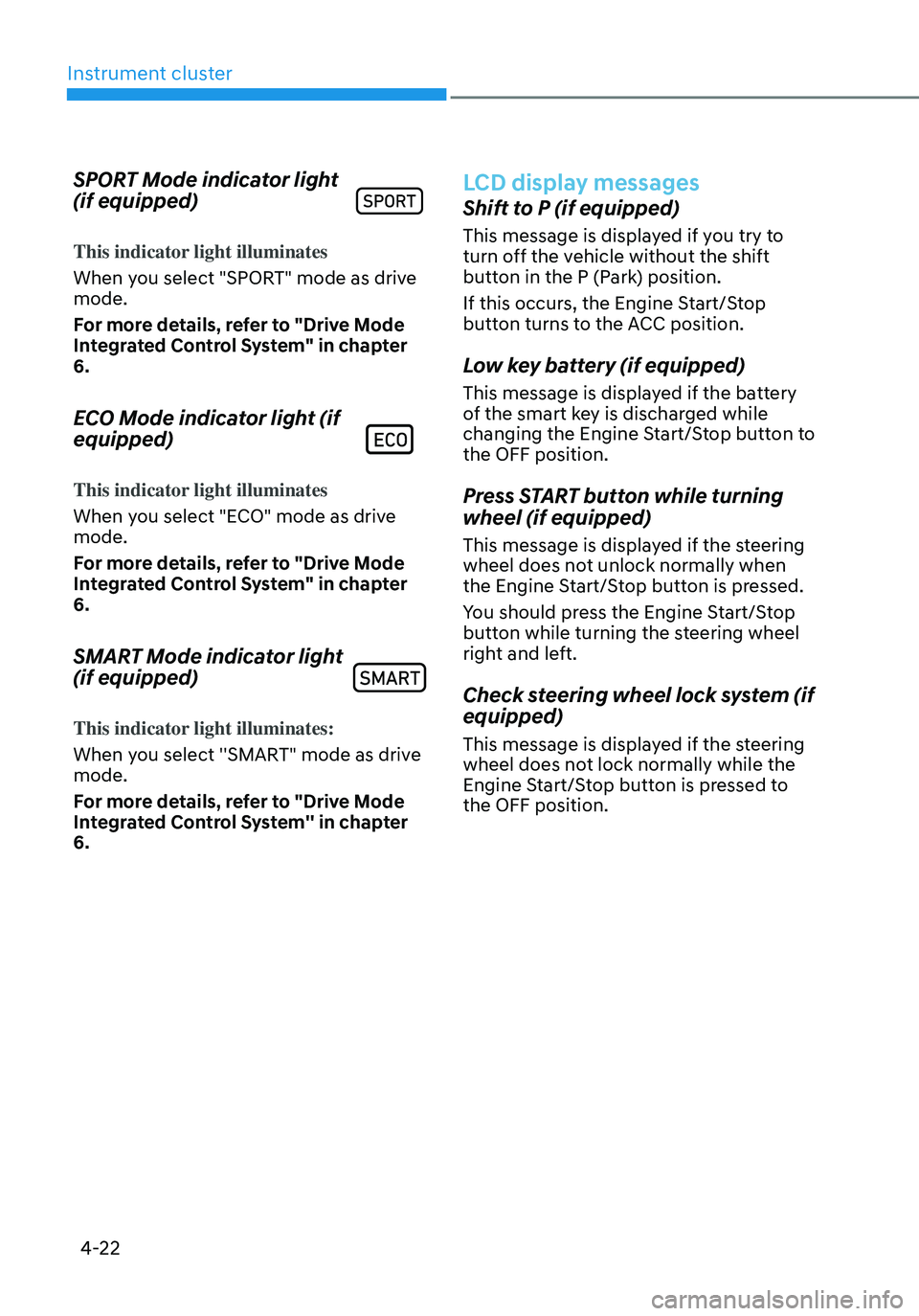
SPORT Mode indicator light
(if equipped)
This indicator light illuminates
When you select "SPORT" mode as drive
mode.
For more details, refer to "Drive Mode
Integrated Control System" in chapter
6.
ECO Mode indicator light (if
equipped)
This indicator light illuminates
When you select "ECO" mode as drive
mode.
For more details, refer to "Drive Mode
Integrated Control System" in chapter
6.
SMART Mode indicator light
(if equipped)
This indicator light illuminates:
When you select ''SMART" mode as drive
mode.
For more details, refer to "Drive Mode
Integrated Control System'' in chapter
6.
LCD display messages
Shift to P (if equipped)
This message is displayed if you try to
turn off the vehicle without the shift
button in the P (Park) position.
If this occurs, the Engine Start/Stop
button turns to the ACC position.
Low key battery (if equipped)
This message is displayed if the battery
of the smart key is discharged while
changing the Engine Start/Stop button to
the OFF position.
Press START button while turning
wheel (if equipped)
This message is displayed if the steering
wheel does not unlock normally when
the Engine Start/Stop button is pressed.
You should press the Engine Start/Stop
button while turning the steering wheel
right and left.
Check steering wheel lock system (if
equipped)
This message is displayed if the steering
wheel does not lock normally while the
Engine Start/Stop button is pressed to
the OFF position.
Page 135 of 598
04
4-23
Press brake pedal to start engine (if
equipped)
This message is displayed if the Engine
Start/Stop button changes to the ACC
position twice by pressing the button
repeatedly without depressing the brake
pedal.
You can start the vehicle by depressing
the brake pedal and then pressing the
Engine Start/Stop button.
Key not in vehicle (if equipped)
This message is displayed if the smart
key is not in the vehicle when you press
the Engine Start/ Stop button.
When attempting to start the vehicle,
always have the smart key with you.
Key not detected (if equipped)
This message is displayed if the smart
key is not detected when you press the
Engine Start/Stop button.
Press START button again (if
equipped)
This message is displayed if you were
unable to start the vehicle when the
Engine Start/Stop button was pressed.
If this occurs, attempt to start the engine
by pressing the Engine Start/ Stop button
again.
If the warning message appears each
time you press the Engine Start/Stop
button, we recommend that you have
the vehicle inspected by an authorized
HYUNDAI dealer.
Press START button with key (if
equipped)
This message is displayed if you press
the Engine Start/Stop button while the
warning message “Key not detected” is
displayed.
At this time, the immobilizer indicator
light blinks.
Check BRAKE SWITCH fuse (if
equipped)
This message is displayed if the brake
switch fuse is disconnected.
You need to replace the fuse with a new
one before starting the engine.
If that is not possible, you can start the
engine by pressing the Engine Start/
Stop button for 10 seconds in the ACC
position.
12V battery discharging due to
additional electrical devices (if
equipped)
This message is displayed if the 12V
battery voltage is weak due to any
non-factory electrical accessories (ex.
dashboard camera) while parking. Be
careful that the battery is not discharged.
If the message appears after removing
the non-factory electrical accessories,
we recommend that you have the vehicle
inspected by an authorized HYUNDAI
dealer.
Page 138 of 598

Instrument cluster
4-26
Check headlamp LED (if equipped)
This message is displayed if there is a
problem with the LED headlamp. We
recommend that you have the vehicle
inspected by an authorized HYUNDAI
dealer.
Check Active Air Flap system
This message is displayed in the
following situations:
-There is a malfunction with the
actuator flap
-There is a malfunction with the
actuator air flap controller
-The air flap does not open
When all of the above conditions are
fixed, the warning will disappear.
Ready to start driving
This message is displayed when the
vehicle is ready to be driven.
Check regenerative brakes
This message is displayed when the brake
performance is low or the regenerative
brake does not work properly due to a
failure in the brake system.
If this occurs, it may take longer for the
brake pedal to operate and the braking
distance may become longer.
Stop vehicle and check brakes
This message is displayed when a failure
occurs in the brake system.
If this occurs, park the vehicle in a
safe location and we recommend that
you tow your vehicle to the nearest
authorized HYUNDAI dealer and have the
vehicle inspected.
Check Hybrid system
This message is displayed when there
is a problem with the hybrid system.
Refrain from driving when the warning
message is displayed.
If this occurs, we recommend that
you have the vehicle inspected by an
authorized HYUNDAI dealer.
Stop safely and check Hybrid system
This message is displayed when there is
a problem with the hybrid system. The
“
” indicator will blink and a warning
chime will sound until the problem is
solved. Refrain from driving when the
warning message is displayed.
If this occurs, we recommend that
you have the vehicle inspected by an
authorized HYUNDAI dealer.
Check Hybrid system. Do not start
engine
This message is displayed when the
hybrid battery power (SOC) level is low.
A warning chime will sound until the
problem is solved. Refrain from driving
when the warning message is displayed.
If this occurs, we recommend that
you have the vehicle inspected by an
authorized HYUNDAI dealer.
Page 139 of 598
04
4-27
Stop safely and check power supply
This message is displayed when a failure
occurs in the power supply system.
If this occurs, park the vehicle in a safe
location and tow your vehicle to the
nearest authorized HYUNDAI dealer and
have the vehicle inspected.
Check virtual engine sound system
This message is displayed when there is
a problem with the Virtual Engine Sound
System (VESS).
If this occurs, we recommend that
you have the vehicle inspected by an
authorized HYUNDAI dealer.
Refill inverter coolant
This message is displayed when the
inverter coolant is nearly empty.
You should refill the inverter coolant.
Park with engine On to charge
battery
This message is displayed when the
hybrid battery power (SOC) level is low.
If this occurs, park the vehicle in a safe
location and wait until the hybrid battery
is charged.
Start engine to avoid battery
discharge
This message is displayed to inform the
driver the 12V battery may be discharged
if the ignition switch is in ON position
(without the
indicator ON).
Set the vehicle to the ready () mode
to prevent the 12V battery from being
discharged.
Page 150 of 598
Instrument cluster
4-38
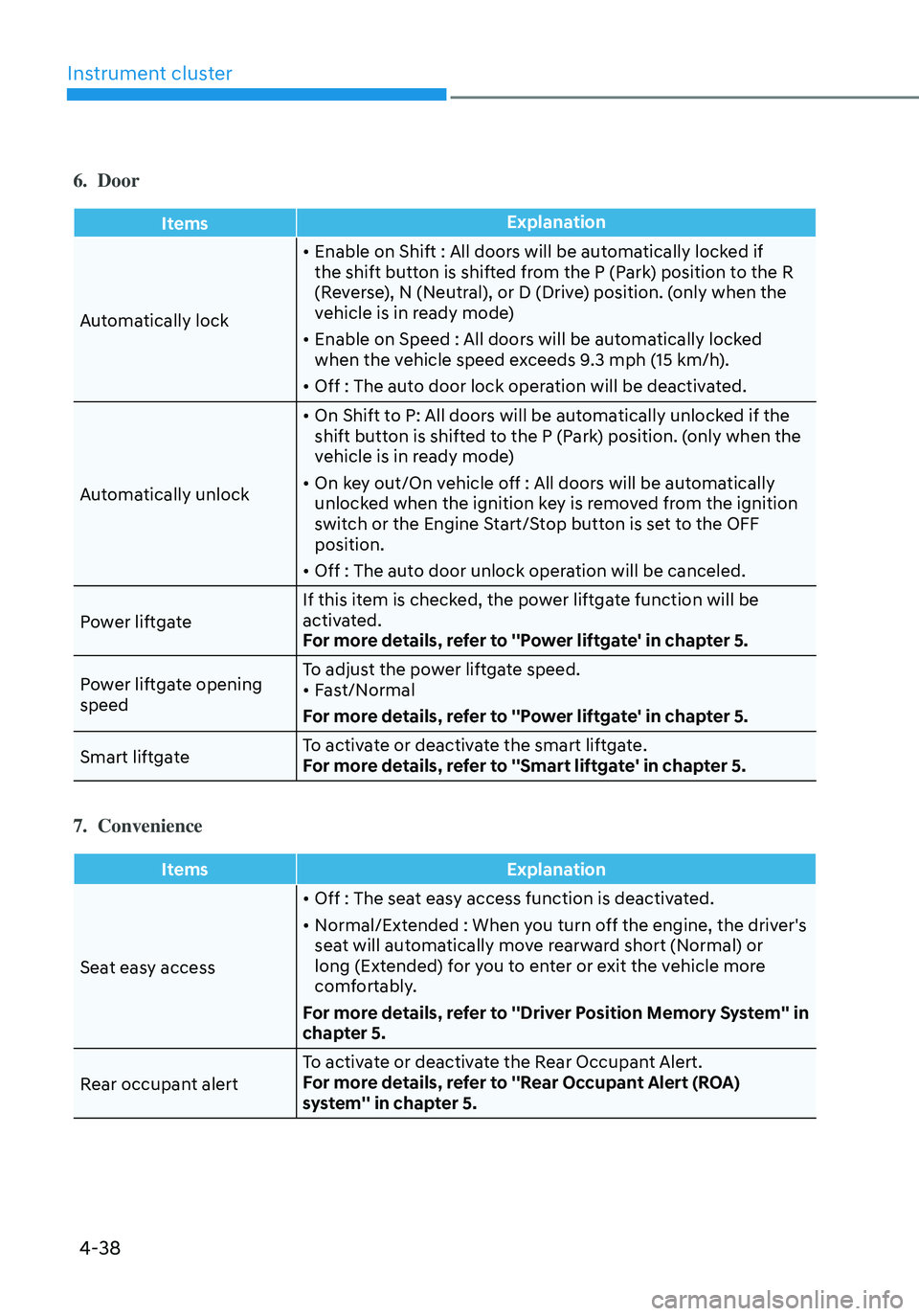
6. Door
ItemsExplanation
Automatically lock
• Enable on Shift : All doors will be automatically locked if
the shift button is shifted from the P (Park) position to the R
(Reverse), N (Neutral), or D (Drive) position. (only when the
vehicle is in ready mode)
• Enable on Speed : All doors will be automatically locked
when the vehicle speed exceeds 9.3 mph (15 km/h).
• Off : The auto door lock operation will be deactivated.
Automatically unlock
• On Shift to P: All doors will be automatically unlocked if the
shift button is shifted to the P (Park) position. (only when the
vehicle is in ready mode)
• On key out/On vehicle off : All doors will be automatically
unlocked when the ignition key is removed from the ignition
switch or the Engine Start/Stop button is set to the OFF
position.
• Off : The auto door unlock operation will be canceled.
Power liftgate If this item is checked, the power liftgate function will be
activated.
For more details, refer to ''Power liftgate' in chapter 5.
Power liftgate opening
speed To adjust the power liftgate speed.
• Fast/Normal
For more details, refer to ''Power liftgate' in chapter 5.
Smart liftgate To activate or deactivate the smart liftgate.
For more details, refer to ''Smart liftgate' in chapter 5.
7. Convenience
Items
Explanation
Seat easy access
• Off : The seat easy access function is deactivated.
• Normal/Extended : When you turn off the engine, the driver's
seat will automatically move rearward short (Normal) or
long (Extended) for you to enter or exit the vehicle more
comfortably.
For more details, refer to ''Driver Position Memory System'' in
chapter 5.
Rear occupant alert To activate or deactivate the Rear Occupant Alert.
For more details, refer to ''Rear Occupant Alert (ROA)
system'' in chapter 5.