2021 HYUNDAI IONIQ ELECTRIC change wheel
[x] Cancel search: change wheelPage 326 of 546
5-36
Driving your vehicle
ABS is an electronic braking system
that helps prevent a braking skid.
ABS allows the driver to steer and
brake at the same time.
Using ABS
To obtain the maximum benefit from
your ABS in an emergency situation,
do not attempt to modulate your
brake pressure and do not try to
pump your brakes. Depress your
brake pedal as hard as possible.
When you apply your brakes under
conditions which may lock the
wheels, you may hear sounds from
the brakes, or feel a corresponding
sensation in the brake pedal. This is
normal and it means your ABS is
active. ABS does not reduce the time or dis-
tance it takes to stop the vehicle.
Always maintain a safe distance from
the vehicle in front of you.
ABS will not prevent a skid that results from sudden changes in
direction, such as trying to take a
corner too fast or making a sudden
lane change. Always drive at a safe
speed for the road and weather con-
ditions.ABS cannot prevent a loss of stabili-
ty. Always steer moderately when
braking hard. Severe or sharp steer-
ing wheel movement can still cause
your vehicle to veer into oncoming
traffic or off the road.
On loose or uneven road surfaces,
operation of the anti-lock brake sys-
tem may result in a longer stopping
distance than for vehicles equipped
with a conventional brake system.
The ABS warning light ( ) will stay
on for several seconds after the
POWER button is in the ON position.
During that time, the ABS will gothrough self-diagnosis and the light
will go off if everything is normal. If
the light stays on, you may have a
problem with your ABS. Contact an
authorized HYUNDAI dealer as soon
as possible.(Continued)
On roads where the road sur-
face is pitted or has differentsurface height.
The safety features of an ABS
or ESC equipped vehicle should
not be tested by high speed
driving or cornering. This could
endanger the safety of yourself
or others.
Page 349 of 546
5-59
Driving your vehicle
5
There is an item similar to a per-son's body structure
The pedestrian or cyclist is small
The pedestrian has impaired mobility
The sensor recognition is limited
The front radar sensor or front view camera is blocked with a foreign
object or debris
Inclement weather such as heavy rain or snow obscures the field of
view of the front radar sensor or
front view camera
When light coming from a street light or an oncoming vehicle is
reflected on a wet road surfacesuch as a puddle in the road
The field of view in front is obstructed by sun glare
The windshield glass is fogged up; a clear view of the road is obstruct-ed
The adverse road conditions cause excessive vehicle vibrations while
driving The sensor recognition changes
suddenly when passing over a
speed bump
You are on a roundabout
The pedestrian or cyclist suddenly interrupts in front of the vehicle
The cyclist in front is riding inter- sected with the driving direction
There is any other electromagnetic interference
The construction area, rail or other metal object is near the cyclist
The bicycle material is not reflected well on the front radar
In case of camera or radar sensor recognition is in a marginal state.
Use extreme caution when the
vehicle in front of you has
cargo that extends rearward
from the cab, or when the
vehicle in front of you has
higher ground clearance.
Forward Collision-Avoidance
Assist system may operate
when an object, which has
similar shape or characteris-
tic to a vehicle, pedestrian or
cyclist, is detected.
FCA system is designed to
detect and monitor the vehicleahead or detect a pedestrian
or cyclist (if equipped) in the
roadway through radar sig-nals and camera recognition. It is not designed to detect
bicycles, motorcycles, or
smaller wheeled objects such
as luggage bags, shopping
carts, or strollers.
(Continued)
WARNING
Page 354 of 546
5-64
Driving your vehicle
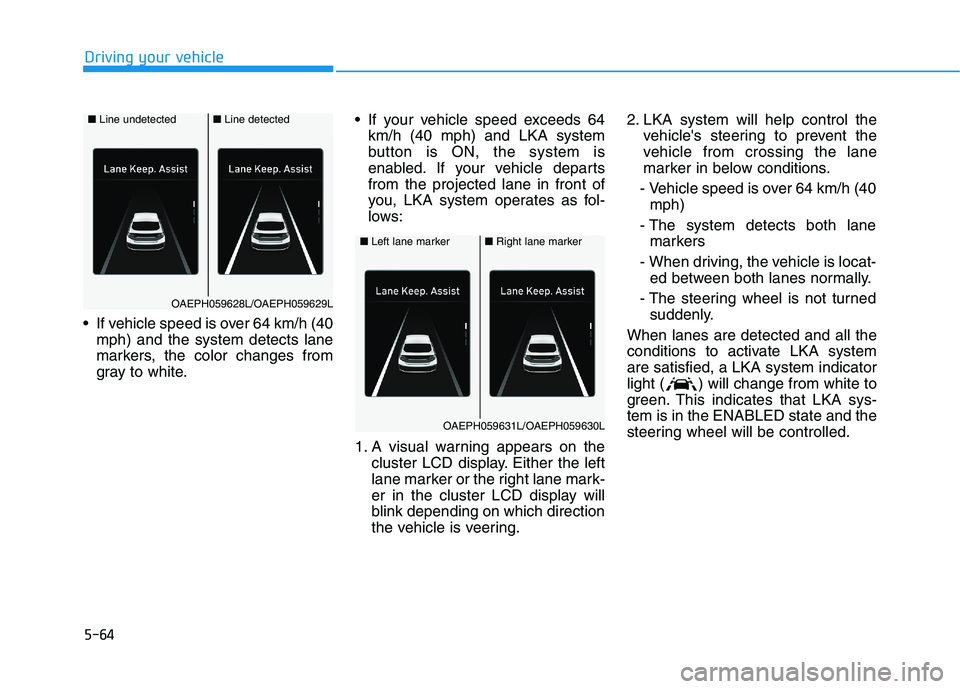
If vehicle speed is over 64 km/h (40mph) and the system detects lane
markers, the color changes from
gray to white. If your vehicle speed exceeds 64
km/h (40 mph) and LKA system
button is ON, the system is
enabled. If your vehicle departsfrom the projected lane in front of
you, LKA system operates as fol-
lows:
1. A visual warning appears on the cluster LCD display. Either the left
lane marker or the right lane mark-
er in the cluster LCD display will
blink depending on which direction
the vehicle is veering. 2. LKA system will help control the
vehicle's steering to prevent the
vehicle from crossing the lane
marker in below conditions.
- Vehicle speed is over 64 km/h (40 mph)
- The system detects both lane markers
- When driving, the vehicle is locat- ed between both lanes normally.
- The steering wheel is not turned suddenly.
When lanes are detected and all the
conditions to activate LKA systemare satisfied, a LKA system indicator
light ( ) will change from white to
green. This indicates that LKA sys-tem is in the ENABLED state and the
steering wheel will be controlled.
■ Left lane marker■Right lane marker
OAEPH059631L/OAEPH059630L
■ Line undetected■Line detected
OAEPH059628L/OAEPH059629L
Page 357 of 546
5-67
Driving your vehicle
5
LKA system will not be in the
ENABLED state and the steering
wheel will not be assisted when:
The turn signal is turned on beforechanging a lane. If you change
lanes without the turn signal on,
the steering wheel might be con-trolled.
The vehicle is not driven in the mid- dle of the lane when the system is
turned on or right after changing a
lane.
ESC (Electronic Stability Control) or VSM (Vehicle Stability Management)
is activated.
The vehicle is driven on a sharp curve.
Vehicle speed is below 60 km/h (37 mph) and over 180 km/h (112mph).
The vehicle makes sharp lane changes.
The vehicle brakes suddenly.
One lane marker is detected.
The lane is very wide or narrow. There are more than two lane
markers on the road. (e.g. construc- tion area)
The vehicle is driven on a steep incline.
The steering wheel is turned sud- denly.
There are more than two lane markers on the road in front of you.
The system may not operate for 15 seconds after the vehicle is started
or the camera is initialized or
rebooting of the front view camera.
Radius of a curve is too small.
Limitations of the System
LKA system may operate premature-
ly even if the vehicle does not depart
from the intended lane, OR, LKA
system may not assist your steering
or warn you if the vehicle leaves the
intended lane under the following cir-cumstances:
When the lane and road condi- tions are poor
It is difficult to distinguish the lane marking from the road surface or
the lane marking is faded or not
clearly marked.
It is difficult to distinguish the color of the lane marker from the road.
There are markings on the road surface that look like a lane marker
that is inadvertently being detected
by the camera.
The lane marker is merged or divided (e.g. tollgate).
The lane number increases or decreases or the lane marker are
crossing complicatedly.
There are more than two lane markers on the road in front of you.
Page 359 of 546
5-69
Driving your vehicle
5
LKA system function change
The driver can change LKA to Lane
Departure Warning (LDW) from the
LCD display. Go to the 'User Settings
Driver Assistance Lane Safety'.
The system is automatically set toStandard LKA if a function is notselected.
Lane Keeping Assist
This mode guides the driver to help
keep the vehicle within the lanes. It
rarely controls the steering wheel,
when the vehicle drives well inside
the lanes. However, it starts to con-
trol the steering wheel, when the
vehicle is about to deviate out of the
lane.
Lane Departure Warning
Lane Departure Warning alerts the
driver with a visual warning and a
warning alarm when the system
detects the vehicle departing the
lane. The steering wheel will not becontrolled.
Page 402 of 546
5-112
Driving your vehicle
LFA operation
System setting
With the ignition switch is in the ONposition, Lane Following Assist can
be activated by selecting 'UserSettings Driver Assistance
Driving Assist Lane Following
Assist' in the cluster LCD display.
Deselect the setting to turn off thesystem.
If the vehicle is turned off then on again, the system maintains thelast setting.
Operating conditions
Select 'Lane Following Assist' fromthe User settings mode in the cluster
LCD display and meet the following
conditions for the system to operate.
- Smart Cruise Control is operating
- Vehicle speed is below 180 km/h(110 mph)
When the system is activated, the
indicator ( ) on the cluster will illu-
minate. The color of the indicator willchange depending on the condition
of LFA system.
- Green : Steering assist mode is
ON
- White : Steering assist mode is OFF
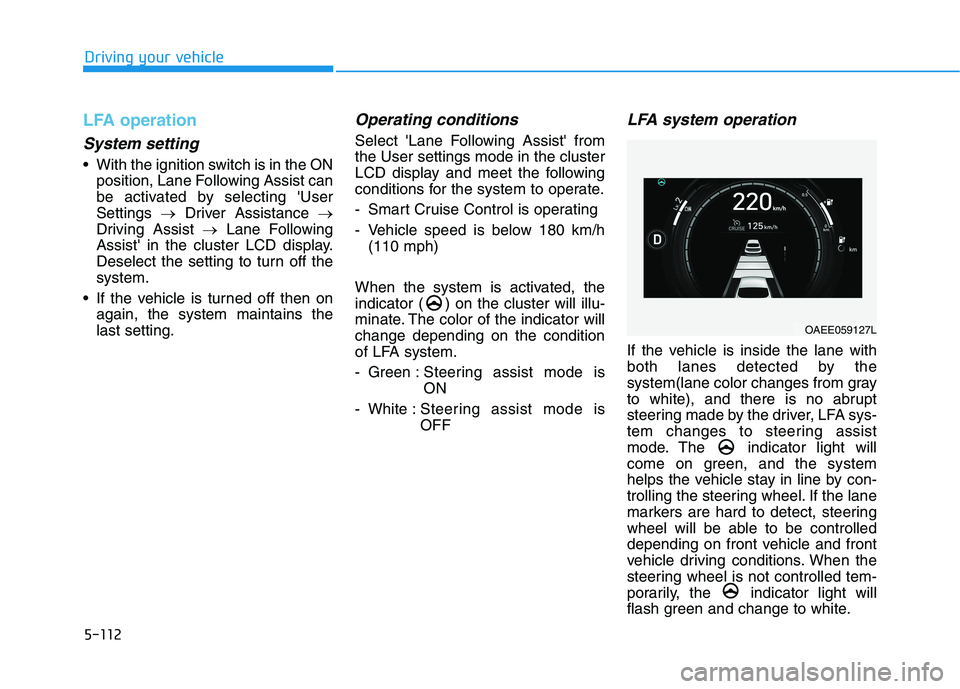
LFA system operation
If the vehicle is inside the lane with
both lanes detected by the
system(lane color changes from gray
to white), and there is no abrupt
steering made by the driver, LFA sys-
tem changes to steering assist
mode. The indicator light will
come on green, and the system
helps the vehicle stay in line by con-
trolling the steering wheel. If the lane
markers are hard to detect, steering
wheel will be able to be controlled
depending on front vehicle and front
vehicle driving conditions. When the
steering wheel is not controlled tem-
porarily, the indicator light will
flash green and change to white.
OAEE059127L
Page 404 of 546
5-114
Driving your vehicle
Information
Even though the steering is assisted by the system, the driver may con-
trol the steering wheel.
The steering wheel may feel heavier when the steering wheel is assisted
by the system than when it is not.
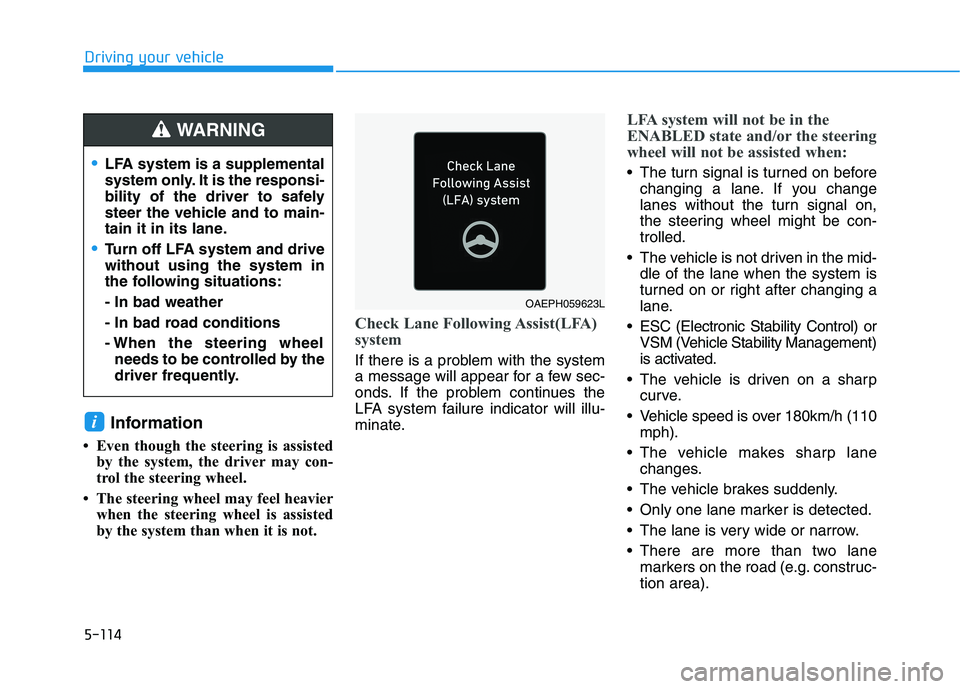
Check Lane Following Assist(LFA)
system
If there is a problem with the system
a message will appear for a few sec-
onds. If the problem continues the
LFA system failure indicator will illu-
minate.
LFA system will not be in the
ENABLED state and/or the steering
wheel will not be assisted when:
The turn signal is turned on beforechanging a lane. If you change
lanes without the turn signal on,
the steering wheel might be con-trolled.
The vehicle is not driven in the mid- dle of the lane when the system is
turned on or right after changing a
lane.
ESC (Electronic Stability Control) or VSM (Vehicle Stability Management)
is activated.
The vehicle is driven on a sharp curve.
Vehicle speed is over 180km/h (110 mph).
The vehicle makes sharp lane changes.
The vehicle brakes suddenly.
Only one lane marker is detected.
The lane is very wide or narrow.
There are more than two lane markers on the road (e.g. construc- tion area).
i
LFA system is a supplemental
system only. It is the responsi-
bility of the driver to safely
steer the vehicle and to main-
tain it in its lane.
Turn off LFA system and drive without using the system in
the following situations: - In bad weather
- In bad road conditions
- When the steering wheelneeds to be controlled by the
driver frequently.
WARNING
OAEPH059623L
Page 408 of 546
5-118
Driving your vehicle
Operating conditions
Select 'Highway Driving Assist' from
the Settings menu in the infotain-ment system screen and satisfy the
following conditions for the system to
operate.
Driving on the highway main line
Smart Cruise Control is operating- If Smart Cruise Control is in theREADY state the Highway
Driving Assist will be in the
READY state. The indicatoron the cluster will illuminate
white.
Vehicle speed is under 145 km/h (90 mph)
If all the mentioned conditions aresatisfied, the system is ENABLED
and the indicator on the cluster
will illuminate green.
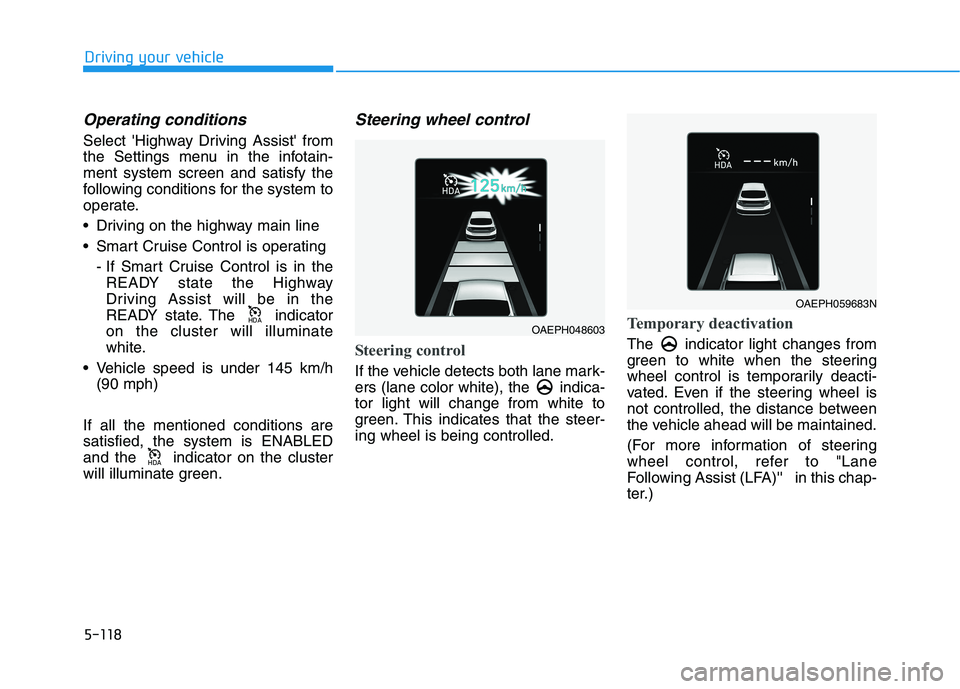
Steering wheel control
Steering control
If the vehicle detects both lane mark-
ers (lane color white), the indica-tor light will change from white to
green. This indicates that the steer-ing wheel is being controlled.
Temporary deactivation
The indicator light changes from
green to white when the steering
wheel control is temporarily deacti-
vated. Even if the steering wheel is
not controlled, the distance between
the vehicle ahead will be maintained.
(For more information of steering
wheel control, refer to "Lane
Following Assist (LFA)'' in this chap-
ter.)
+'$
+'$OAEPH048603
OAEPH059683N