2021 FORD F-150 manual radio set
[x] Cancel search: manual radio setPage 10 of 796

Switching Air Conditioning On and Off
........................................................................\
..191
Switching Defrost On and Off .................
191
Switching Maximum Defrost On and Off ........................................................................\
..
191
Switching Maximum Cooling On and Off ........................................................................\
..
191
Switching the Heated Rear Window On and Off ........................................................
192
Setting the Blower Motor Speed ...........
192
Switching the Heated Mirrors On and Off ........................................................................\
.
192
Setting the Temperature ..........................
192
Directing the Flow of Air ............................
192
Climate Control Hints ................................
193
Interior Air Quality
What Is the Cabin Air Filter ......................
194
Replacing the Cabin Air Filter .................
194
Front Seats
Front Seat Precautions .............................
195
Sitting in the Correct Position .................
195
Manual Seats ................................................
196
Power Seats ..................................................
198
Massage Seats .............................................
201
Heated Seats ................................................
202
Ventilated Seats .........................................
203
Rear Seats
Manual Seats ...............................................
204
Heated Seats ...............................................
205
Rear Occupant Alert System
What is the Rear Occupant Alert System ........................................................................\
207
How Does the Rear Occupant Alert System Work ............................................
207
Rear Occupant Alert System Precautions ........................................................................\
207 Rear Occupant Alert System Limitations
........................................................................\
207
Switching Rear Occupant Alert System On and Off ................................................
207
Rear Occupant Alert System Indicators .......................................................................
208
Rear Occupant Alert System Audible Warnings ...................................................
208
Memory Function
What Is the Memory Function ...............
209
Memory Function Precautions ..............
209
Locating the Memory Function Buttons .......................................................................
209
Saving a Preset Position ..........................
209
Recalling a Preset Position .....................
209
Garage Door Opener
What Is the Garage Door Opener ..........
210
How Does the Garage Door Opener Work ........................................................................\
.
210
Garage Door Opener Precautions .........
210
Garage Door Opener Limitations ..........
210
Programming the Garage Door Opener to Your Hand-Held Transmitter ...........
211
Programming the Garage Door Opener to Your Garage Door Opener Motor
........................................................................\
..
211
Programming the Garage Door Opener to Your Gate Opener Motor ..................
212
Clearing the Garage Door Opener .........
212
Reprogramming the Garage Door Opener ........................................................................\
.
213
Garage Door Opener Radio Frequencies ........................................................................\
.
213
USB Ports
Locating the USB Ports .............................
214
Locating the USB Ports - Raptor ...........
214
Playing Media Using the USB Port ........
214
Charging a Device ........................................
215
6
F-150 (TFD) Canada/United States of America, enUSA, Edition date: 202104, Second-Printing Table of Contents
Page 632 of 796
Occupancy Mode (If Equipped)
1. Press
Settings on the touchscreen.
2. Press
Sound Settings.
3. Press
Occupancy Mode.
4. Press a setting.
Sound Mode
(If Equipped)
1. Press
Settings on the touchscreen.
2. Press
Sound Settings.
3. Press
Sound Mode.
4. Press a setting.
SETTING THE CLOCK AND
DATE
1. Press
Settings on the touchscreen.
2. Press
Clock Settings.
3. Set the time.
Note: The
AM and PM options are not
available if 24-hour mode is on.
Switching Automatic Time
Updates On and Off
1. Press
Settings on the touchscreen.
2. Press
Clock Settings.
3. Switch
Automatic time zone update
on or off.
AM/FM RADIO
AM/FM RADIO LIMITATIONS
The further you travel from an AM or FM
station, the weaker the signal and the
weaker the reception. Hills, mountains, tall buildings, bridges,
tunnels, freeway overpasses, parking
garages, dense tree foliage and
thunderstorms can interfere with the
reception.
When you pass a ground-based broadcast
repeating tower, a stronger signal may
overtake a weaker one and result in the
audio system muting.
SELECTING A RADIO STATION
Manually Selecting a Radio
Station
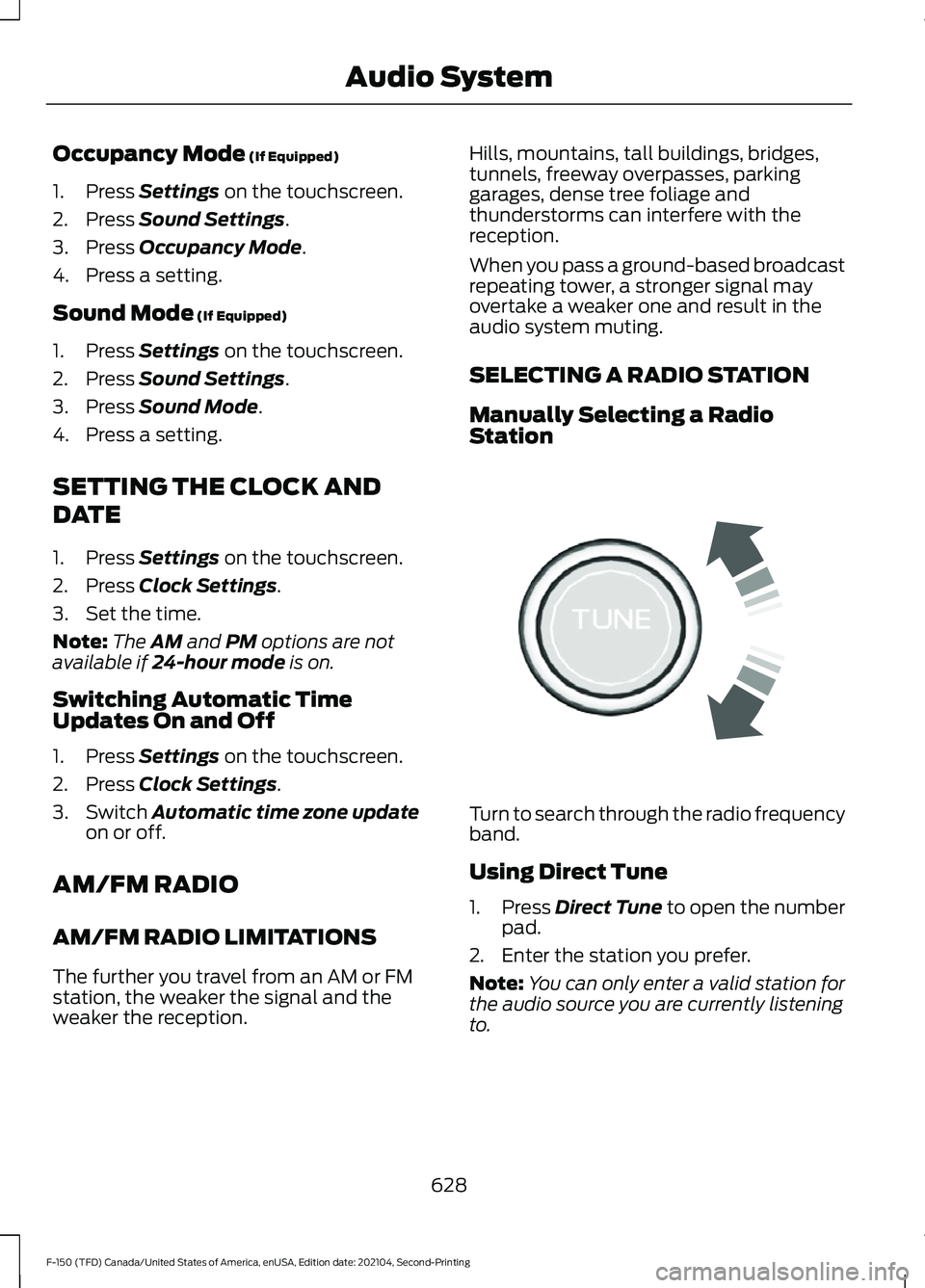
Turn to search through the radio frequency
band.
Using Direct Tune
1.
Press
Direct Tune to open the number
pad.
2. Enter the station you prefer.
Note: You can only enter a valid station for
the audio source you are currently listening
to.
628
F-150 (TFD) Canada/United States of America, enUSA, Edition date: 202104, Second-Printing Audio SystemE270235
Page 635 of 796
Hills, mountains, tall buildings, bridges,
tunnels, freeway overpasses, parking
garages, dense tree foliage and
thunderstorms can interfere with your
reception.
When you pass a ground-based
broadcast-repeating tower, a stronger
signal may overtake a weaker one and
could result in the audio system muting.
Your display could show an error message
to indicate the interference.
LOCATING THE SATELLITE RADIO
IDENTIFICATION NUMBER
1. Select SiriusXM as the audio source.
2. Tune to channel 0.
SELECTING A CHANNEL
Manually Selecting a Channel
Press the button to find the
previous or next available radio
channel.
Linear Tuner
The linear tuner is displayed when
manually selecting a channel. You can
swipe left or right on the linear tuner
carousel to navigate through the channel
list. Tap on a channel title to listen to it.
Using Direct Tune
1. Press the channel up or down button to open the linear tuner screen.
2. Press Direct Tune to open the number
pad.
3. Enter the channel you prefer.
Using Browse
1. Press
Browse. 2. Select a channel.
SATELLITE RADIO SETTINGS
Subscription
Your subscription status is displayed. You
can subscribe or manage your subscription
directly from the touchscreen.
Listener Add/Switch
You can create up to five listener profiles
per SiriusXM account. Each listener profile
can be personalized with a name and
profile image.
Note:
Requires a trial or active subscription
to use.
Note: A default profile is available when no
listener profiles are created.
SiriusXM Favorites
SiriusXM Favorites are shown for the active
listener profile. While you are listening to
SiriusXM, you can save favorites by:
• Tapping the currently tuned channel
or show logo on the SiriusXM audio
screen. A favorite icon appears next to
the logo when it is saved as a favorite.
• Tuning to a channel or show you want
to save as a favorite. Navigate to the
SiriusXM Favorites screen and press
the Add Current button. The currently
tuned channel or show is saved as a
favorite.
• Saving a radio preset. This saves the
currently tuned SiriusXM channel or
show as a favorite.
Note: Requires a trial or active subscription
to use.
631
F-150 (TFD) Canada/United States of America, enUSA, Edition date: 202104, Second-Printing Audio SystemE328569 E328570
Page 772 of 796

Airbags................................................................72
Front Passenger Sensing System...................76
Air Conditioning See: Climate Control - Vehicles With:
Automatic Temperature Control.............186
See: Climate Control - Vehicles With: Manual Temperature Control..................................... 191
Air Conditioning System Capacity and Specification - 2.7L EcoBoost™.........607
Air Conditioning System Capacity and Specification - 3.0L Diesel...................608
Air Conditioning System Capacity and Specification - 3.3L.................................609
Air Conditioning System Capacity and Specification - 3.5L, Hybrid Electric
Vehicle (HEV)
..............................................611
Air Conditioning System Capacity and Specification - 3.5L Ecoboost™.........610
Air Conditioning System Capacity and Specification - 5.0L
..................................612
Alert and Aid Mode.....................................384 How Does Alert and Aid Mode Work.........385
What Is Alert and Aid Mode.......................... 384
Alert Mode......................................................383 Adjusting the Steering Wheel Vibration
Intensity........................................................... 384
How Does Alert Mode Work.......................... 384
What Is Alert Mode........................................... 383
AM/FM Radio
................................................628
AM/FM Radio Limitations.............................. 628
Selecting a Radio Station............................... 628
Ambient Lighting...........................................161 Adjusting Ambient Lighting............................. 161
Switching Ambient Lighting On and Off........................................................................\
161
Anti-Lock Braking System
.......................308
Anti-Lock Braking System
Limitations...................................................... 308
Anti-Theft Alarm System..........................134 Arming the Anti-Theft Alarm System.........135
Disarming the Anti-Theft Alarm
System............................................................... 135
How Does the Anti-Theft Alarm System Work.................................................................... 134
What Are the Inclination Sensors.................135
What Are the Interior Sensors....................... 134
What Is the Anti-Theft Alarm System............................................................... 134What Is the Battery Backup Alarm..............135
What Is the Perimeter Alarm..........................
134
Anti-Theft Alarm System Settings........135 Setting the Alarm Security Level..................135
Switching Ask on Exit On and Off................135
What are the Alarm Security Levels............135
What Is Ask on Exit............................................. 135
Appendices....................................................763
Applying the Electric Parking Brake........311
Applying the Electric Parking Brake in an Emergency.....................................................311
App Precautions..........................................649
App Requirements
......................................649
Apps.................................................................649
At a Glance
.......................................................33
Audio System................................................626
AM/FM Radio...................................................... 628
Audio System – Troubleshooting................633
Digital Radio........................................................ 629
Satellite Radio.................................................... 630
Audio System Precautions......................626
Audio System – Troubleshooting
..........633
Audio System – Information
Messages......................................................... 633
Auto-Dimming Exterior Mirror
.................166
What Is the Auto-Dimming Exterior
Mirror
.................................................................. 166
Auto-Dimming Interior Mirror..................164
Auto-Dimming Interior Mirror
Limitations....................................................... 164
What Is the Auto-Dimming Interior Mirror.................................................................. 164
Auto Hold........................................................318
Auto Hold Indicators
...................................318
Autolamps......................................................148 Autolamp Settings............................................. 148
What Are Autolamps........................................ 148
Autolock...........................................................105 Autolock Requirements................................... 105
What Is Autolock................................................ 105
Automatically Releasing the Electric Parking Brake
................................................311
Automatic Crash Shutoff.........................487 Automatic Crash Shutoff
Precautions..................................................... 487
Re-Enabling Your Vehicle............................... 487
What Is Automatic Crash Shutoff...............487
768
F-150 (TFD) Canada/United States of America, enUSA, Edition date: 202104, Second-Printing Index