2021 FORD F-150 transmission
[x] Cancel search: transmissionPage 256 of 796

WHAT IS AUTO-START-STOP
The system is designed to help reduce fuel
consumption and CO
2 emissions by
stopping the engine when it is idling, for
example at traffic lights.
AUTO-START-STOP
PRECAUTIONS WARNING: Apply the parking
brake, shift into park (P), switch the
ignition off and remove the key before
you leave your vehicle. Failure to follow
this instruction could result in personal
injury or death. WARNING:
Apply the parking
brake, shift into park (P), switch the
ignition off and remove the key before
you open the hood or have any service
or repair work completed. If you do not
switch the ignition off, the engine could
restart at any time. Failure to follow this
instruction could result in personal injury
or death.
SWITCHING AUTO-START-
STOP ON AND OFF
The system turns on when you switch the
ignition on. Press the button to switch the
system off.
Note: OFF
illuminates in the switch.
Note: Deactivating the system using the
button lasts only one key cycle.
Press the button again to switch the
system back on. Note:
The system turns off if it detects a
malfunction. If the system malfunctions,
have your vehicle checked as soon as
possible.
STOPPING THE ENGINE
Stop your vehicle, keep your foot on the
brake pedal and the transmission in drive
(D).
Note: Power assist steering turns off when
the engine stops.
RESTARTING THE ENGINE
Release the brake pedal or press the
accelerator pedal.
A message appears in the information
display if the system requires you to take
action.
AUTO-START-STOP
INDICATORS WARNING:
The system may
require the engine to automatically
restart when the auto-start-stop
indicator illuminates green or flashes
amber. Failure to follow this instruction
could result in personal injury. The Auto-Start-Stop indicator
illuminates green when the
engine stops. It flashes amber
and a message appears when you need to
take action. The Auto-Start-Stop indicator
illuminates gray with a
strikethrough when the system
is not available.
252
F-150 (TFD) Canada/United States of America, enUSA, Edition date: 202104, Second-Printing Auto-Start-Stop
(If Equipped) E146361
Page 269 of 796

6. Operate the fuel pump nozzle within
the area shown. 7. When the pump shuts off, wait 5
seconds, then raise the fuel pump
nozzle and slowly remove it.
8. Fully close the fuel filler door.
Note: To close the fuel filler door, press the
center rear edge of the fuel filler door and
then release.
Complete the refueling process within 20
minutes. If 20 minutes elapses, press the
button on the left side of the instrument
panel again. Fuel pump nozzle automatic
shut off could occur if you do not press the
button on the left side instrument panel.
Note: Do not attempt to start the engine
if you have filled the fuel tank with incorrect
fuel. Incorrect fuel use could cause damage
not covered by the vehicle Warranty. Have
your vehicle immediately checked. MANUALLY OPENING THE FUEL
FILLER DOOR - EXCLUDING:
HYBRID ELECTRIC VEHICLE (HEV)
Your vehicle does not have a fuel tank filler
cap.
Left-hand side. To open the fuel
filler door, press the center rear
edge of the fuel filler door and
then release.
A
Right-hand side. To open the
fuel filler door, press the center
rear edge of the fuel filler door
and then release.
B
Left-hand side. Pull the rear of
the fuel filler door to open it.
C
Right-hand side. Pull the rear of
the fuel filler door to open it.
D
MANUALLY OPENING THE FUEL
FILLER DOOR - HYBRID ELECTRIC
VEHICLE (HEV)
Note: The transmission must be in park (P)
or neutral (N).
To manually open the fuel door do the
following:
265
F-150 (TFD) Canada/United States of America, enUSA, Edition date: 202104, Second-Printing Fuel and RefuelingE358906 E119081 E206911
Page 285 of 796
AUTOMATIC TRANSMISSION
PRECAUTIONS
WARNING: Apply the parking
brake, shift into park (P), switch the
ignition off and remove the key before
you leave your vehicle. Failure to follow
this instruction could result in personal
injury or death. WARNING:
Do not use tow/haul
when the road surface is slippery. Failure
to follow this instruction could result in
the loss of control of your vehicle. WARNING:
When your vehicle is
stationary, keep the brake pedal fully
pressed when shifting gears. Failure to
follow this instruction could result in
personal injury, death or property
damage. WARNING:
Do not apply the brake
pedal and accelerator pedal
simultaneously. Applying both pedals
simultaneously for more than a few
seconds will limit engine performance,
which may result in difficulty maintaining
speed in traffic and could lead to serious
injury.
AUTOMATIC TRANSMISSION
POSITIONS
PARK (P)
This position locks the driveline and
prevents the wheels from turning. Come
to a complete stop before putting your
vehicle into and out of park (P). The electric parking brake could apply
when you shift to park (P) without the
brake pedal fully pressed. The electric
parking brake applies when you shift to
park (P) on large slopes. The electric
parking brake releases with the drive away
release function or manually. See Electric
Parking Brake
(page 311).
Note: A warning tone sounds if you open
the driver door and you have not shifted the
transmission selector to park (P).
See
Automatic Return to Park (P) (page 286).
REVERSE (R) WARNING:
Move the transmission
selector lever to reverse (R) only when
your vehicle is stationary and the engine
is at idle speed.
This position allows your vehicle to move
backward. Come to a complete stop
before shifting into and out of reverse (R).
NEUTRAL (N) WARNING:
In neutral (N) your
vehicle is free to roll.
In neutral (N) power is not transmitted to
the driven wheels.
DRIVE (D)
Drive (D) is the normal driving position, and
allows automatic upshifts and downshifts
through all available gears.
MANUAL (M)
To select manual mode press the (M)
button on the shifter.
281
F-150 (TFD) Canada/United States of America, enUSA, Edition date: 202104, Second-Printing Automatic Transmission
Page 286 of 796
Note:
In order to activate manual mode
your vehicle must be in drive (D).
This position allows you to change gears
up or down as preferred using + or -
buttons on the shifter lever.
To return to the normal drive (D) position,
press the (M) button again to exit manual
mode.
SHIFTING YOUR VEHICLE INTO
GEAR
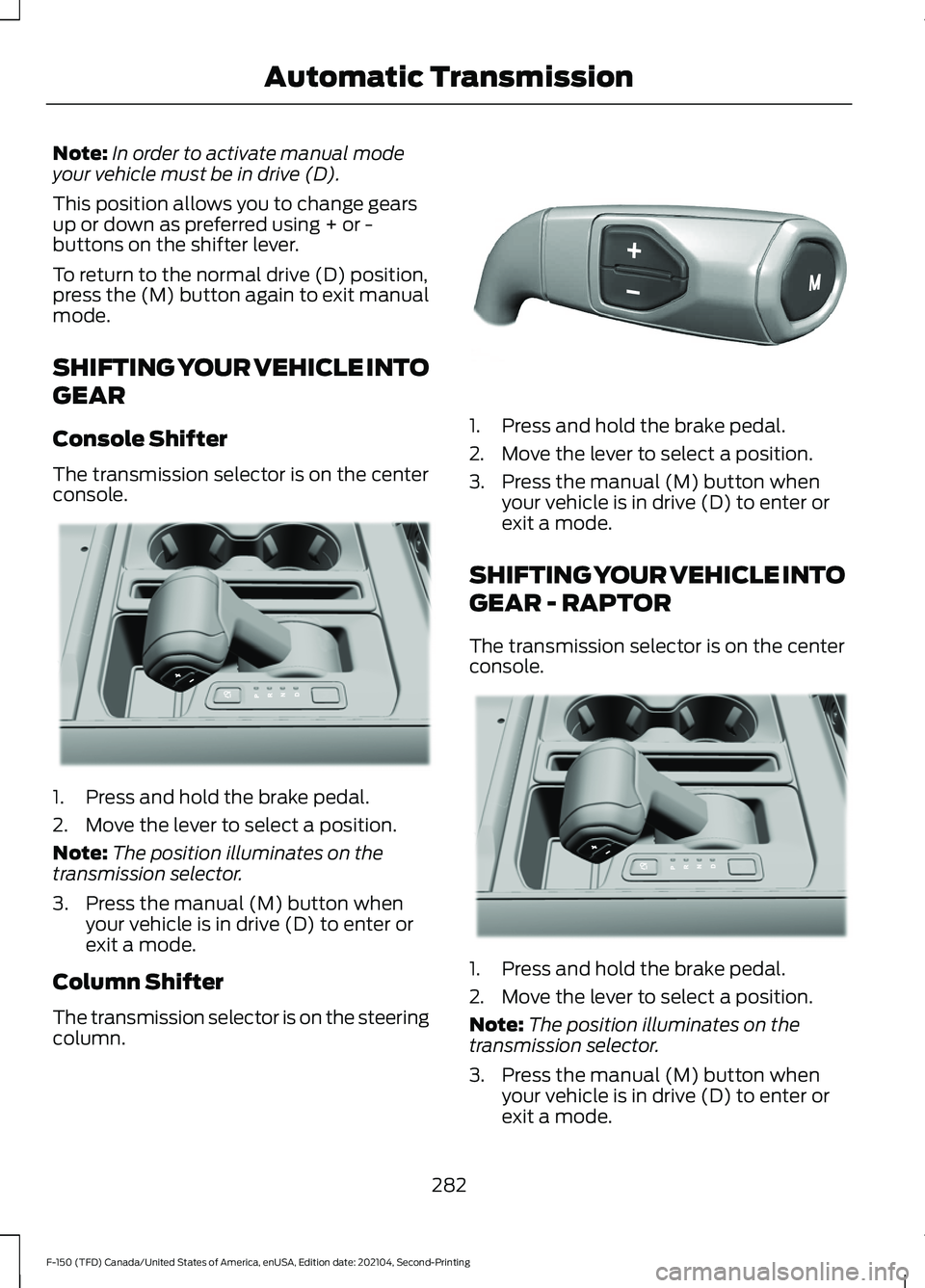
Console Shifter
The transmission selector is on the center
console. 1. Press and hold the brake pedal.
2. Move the lever to select a position.
Note:
The position illuminates on the
transmission selector.
3. Press the manual (M) button when your vehicle is in drive (D) to enter or
exit a mode.
Column Shifter
The transmission selector is on the steering
column. 1. Press and hold the brake pedal.
2. Move the lever to select a position.
3. Press the manual (M) button when
your vehicle is in drive (D) to enter or
exit a mode.
SHIFTING YOUR VEHICLE INTO
GEAR - RAPTOR
The transmission selector is on the center
console. 1. Press and hold the brake pedal.
2. Move the lever to select a position.
Note:
The position illuminates on the
transmission selector.
3. Press the manual (M) button when your vehicle is in drive (D) to enter or
exit a mode.
282
F-150 (TFD) Canada/United States of America, enUSA, Edition date: 202104, Second-Printing Automatic TransmissionE311503 E327267 E311503
Page 287 of 796
SHIFTING YOUR VEHICLE INTO
GEAR - POLICE RESPONDER
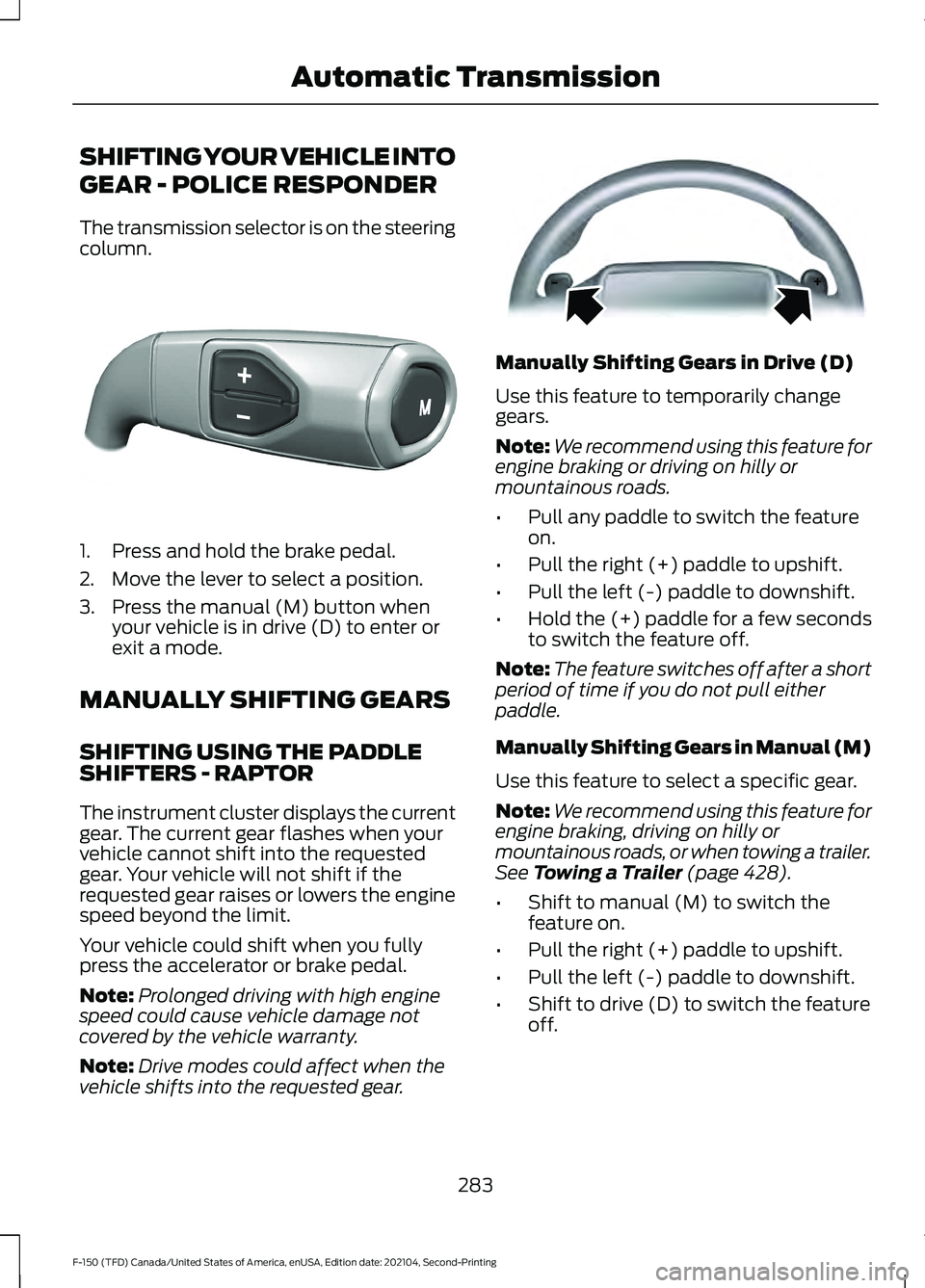
The transmission selector is on the steering
column.
1. Press and hold the brake pedal.
2. Move the lever to select a position.
3. Press the manual (M) button when
your vehicle is in drive (D) to enter or
exit a mode.
MANUALLY SHIFTING GEARS
SHIFTING USING THE PADDLE
SHIFTERS - RAPTOR
The instrument cluster displays the current
gear. The current gear flashes when your
vehicle cannot shift into the requested
gear. Your vehicle will not shift if the
requested gear raises or lowers the engine
speed beyond the limit.
Your vehicle could shift when you fully
press the accelerator or brake pedal.
Note: Prolonged driving with high engine
speed could cause vehicle damage not
covered by the vehicle warranty.
Note: Drive modes could affect when the
vehicle shifts into the requested gear. Manually Shifting Gears in Drive (D)
Use this feature to temporarily change
gears.
Note:
We recommend using this feature for
engine braking or driving on hilly or
mountainous roads.
• Pull any paddle to switch the feature
on.
• Pull the right (+) paddle to upshift.
• Pull the left (-) paddle to downshift.
• Hold the (+) paddle for a few seconds
to switch the feature off.
Note: The feature switches off after a short
period of time if you do not pull either
paddle.
Manually Shifting Gears in Manual (M)
Use this feature to select a specific gear.
Note: We recommend using this feature for
engine braking, driving on hilly or
mountainous roads, or when towing a trailer.
See Towing a Trailer (page 428).
• Shift to manual (M) to switch the
feature on.
• Pull the right (+) paddle to upshift.
• Pull the left (-) paddle to downshift.
• Shift to drive (D) to switch the feature
off.
283
F-150 (TFD) Canada/United States of America, enUSA, Edition date: 202104, Second-Printing Automatic TransmissionE327267 E144821
Page 288 of 796
SHIFTING USING THE BUTTONS
ON THE SELECTOR LEVER
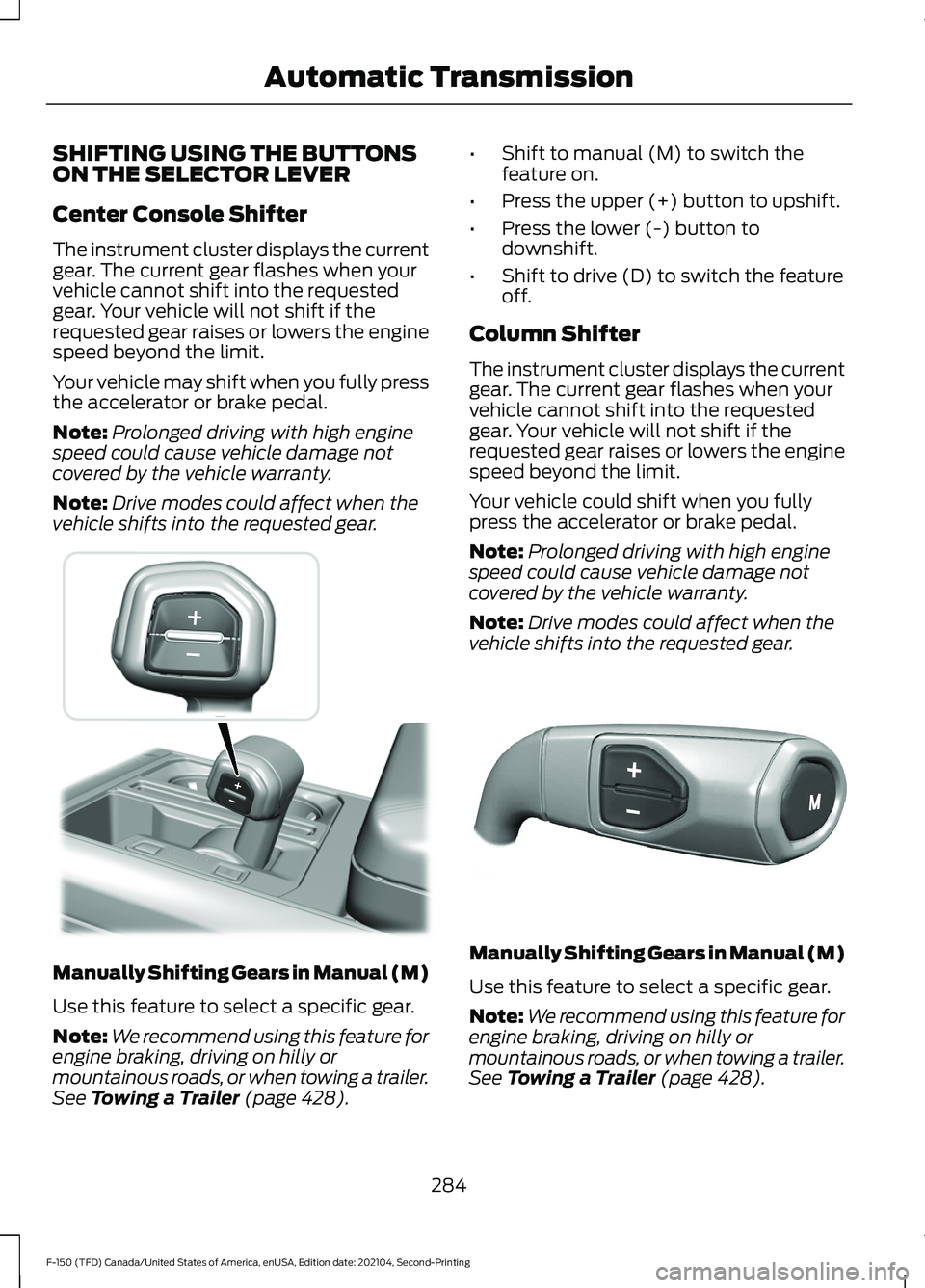
Center Console Shifter
The instrument cluster displays the current
gear. The current gear flashes when your
vehicle cannot shift into the requested
gear. Your vehicle will not shift if the
requested gear raises or lowers the engine
speed beyond the limit.
Your vehicle may shift when you fully press
the accelerator or brake pedal.
Note:
Prolonged driving with high engine
speed could cause vehicle damage not
covered by the vehicle warranty.
Note: Drive modes could affect when the
vehicle shifts into the requested gear. Manually Shifting Gears in Manual (M)
Use this feature to select a specific gear.
Note:
We recommend using this feature for
engine braking, driving on hilly or
mountainous roads, or when towing a trailer.
See Towing a Trailer (page 428). •
Shift to manual (M) to switch the
feature on.
• Press the upper (+) button to upshift.
• Press the lower (-) button to
downshift.
• Shift to drive (D) to switch the feature
off.
Column Shifter
The instrument cluster displays the current
gear. The current gear flashes when your
vehicle cannot shift into the requested
gear. Your vehicle will not shift if the
requested gear raises or lowers the engine
speed beyond the limit.
Your vehicle could shift when you fully
press the accelerator or brake pedal.
Note: Prolonged driving with high engine
speed could cause vehicle damage not
covered by the vehicle warranty.
Note: Drive modes could affect when the
vehicle shifts into the requested gear. Manually Shifting Gears in Manual (M)
Use this feature to select a specific gear.
Note:
We recommend using this feature for
engine braking, driving on hilly or
mountainous roads, or when towing a trailer.
See Towing a Trailer (page 428).
284
F-150 (TFD) Canada/United States of America, enUSA, Edition date: 202104, Second-Printing Automatic Transmission E311242 E327267
Page 289 of 796
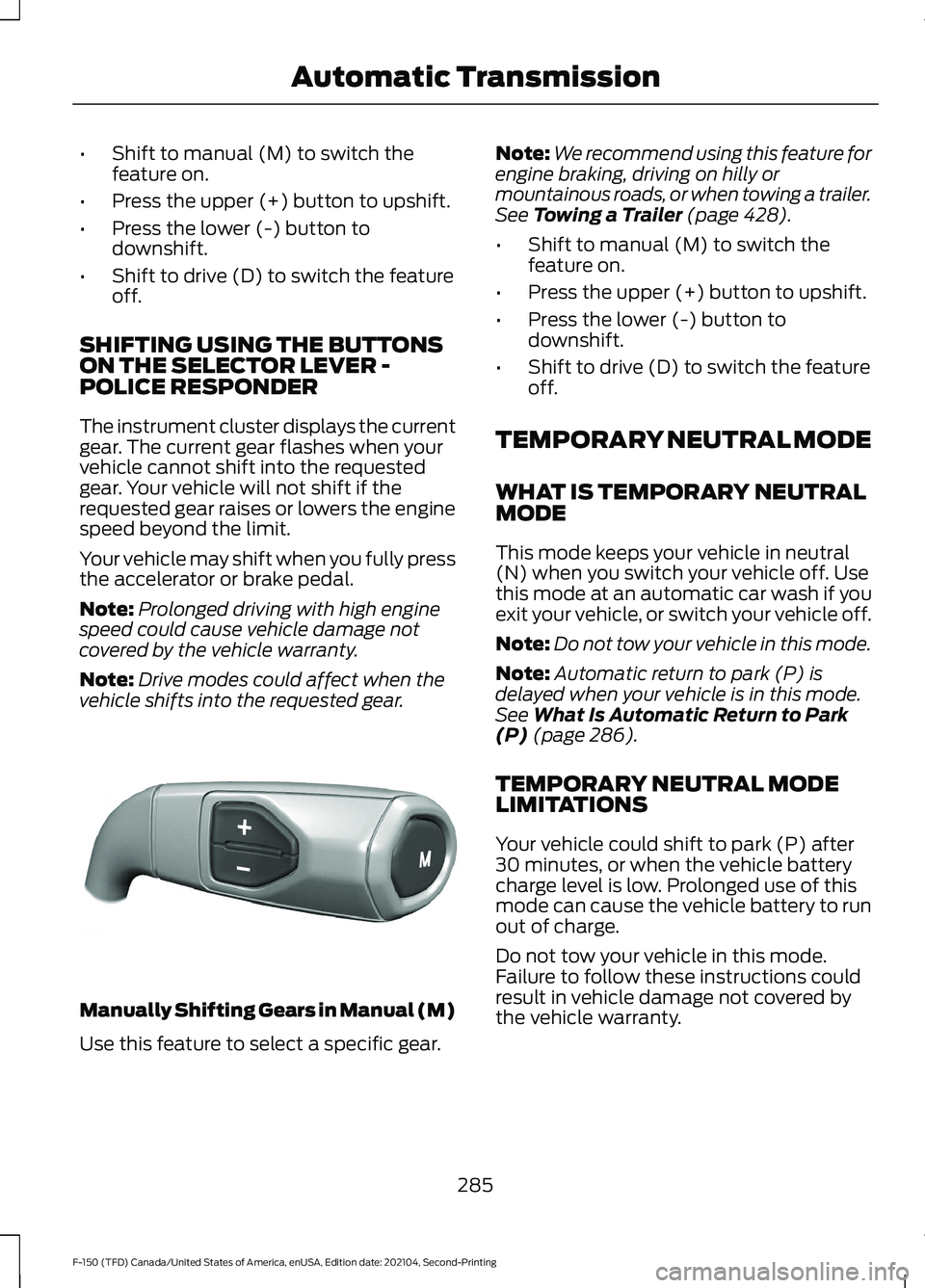
•
Shift to manual (M) to switch the
feature on.
• Press the upper (+) button to upshift.
• Press the lower (-) button to
downshift.
• Shift to drive (D) to switch the feature
off.
SHIFTING USING THE BUTTONS
ON THE SELECTOR LEVER -
POLICE RESPONDER
The instrument cluster displays the current
gear. The current gear flashes when your
vehicle cannot shift into the requested
gear. Your vehicle will not shift if the
requested gear raises or lowers the engine
speed beyond the limit.
Your vehicle may shift when you fully press
the accelerator or brake pedal.
Note: Prolonged driving with high engine
speed could cause vehicle damage not
covered by the vehicle warranty.
Note: Drive modes could affect when the
vehicle shifts into the requested gear. Manually Shifting Gears in Manual (M)
Use this feature to select a specific gear. Note:
We recommend using this feature for
engine braking, driving on hilly or
mountainous roads, or when towing a trailer.
See Towing a Trailer (page 428).
• Shift to manual (M) to switch the
feature on.
• Press the upper (+) button to upshift.
• Press the lower (-) button to
downshift.
• Shift to drive (D) to switch the feature
off.
TEMPORARY NEUTRAL MODE
WHAT IS TEMPORARY NEUTRAL
MODE
This mode keeps your vehicle in neutral
(N) when you switch your vehicle off. Use
this mode at an automatic car wash if you
exit your vehicle, or switch your vehicle off.
Note: Do not tow your vehicle in this mode.
Note: Automatic return to park (P) is
delayed when your vehicle is in this mode.
See
What Is Automatic Return to Park
(P) (page 286).
TEMPORARY NEUTRAL MODE
LIMITATIONS
Your vehicle could shift to park (P) after
30 minutes, or when the vehicle battery
charge level is low. Prolonged use of this
mode can cause the vehicle battery to run
out of charge.
Do not tow your vehicle in this mode.
Failure to follow these instructions could
result in vehicle damage not covered by
the vehicle warranty.
285
F-150 (TFD) Canada/United States of America, enUSA, Edition date: 202104, Second-Printing Automatic TransmissionE327267
Page 290 of 796

ENTERING TEMPORARY
NEUTRAL MODE
1. Power your vehicle on.
2. Bring your vehicle to a complete stop.
3. Press and hold the brake pedal.
4. Shift into neutral (N).
Note:
An instructional message appears.
5. Press the manual (M) button.
Note: A confirmation message appears
when your vehicle enters the mode.
6. Release the brake pedal.
Note: Your vehicle is free to roll.
7. Switch your vehicle off.
Note: Do not tow your vehicle in this mode.
Note: The neutral (N) indicator on the
transmission selector may flash in this
mode.
EXITING TEMPORARY NEUTRAL
MODE
1. Press the brake pedal.
2. Shift into park (P), or power your vehicle on and shift into drive (D) or
reverse (R).
USING PROGRESSIVE RANGE
SELECTION
Progressive range selection gives you the
ability to lock out gears from the automatic
shifting range. This could provide you with
an improved driving experience by reducing
transmission shifts, for example, in slippery
conditions or steep slopes.
With the transmission in drive (D), press
the - button to begin to switch the feature
on. Press the - button again to continue locking
out higher gears. Beginning with the highest
gear, the instrument cluster will indicate
the current gear and highest gear available.
For example, press the - button twice to
lock out 10th and 9th gears.
Note:
The instrument cluster will indicate
the current gear and highest gear available.
Press the + button to unlock gears to allow
the transmission to shift to higher gears.
Note: The transmission automatically
shifts within the gear range you select.
AUTOMATIC RETURN TO
PARK (P)
WHAT IS AUTOMATIC RETURN TO
PARK (P)
Your vehicle shifts into park (P) if you
attempt to exit your vehicle without the
transmission in park (P).
HOW DOES AUTOMATIC RETURN
TO PARK (P) WORK
Your vehicle shifts into park (P) when your
vehicle is stationary and any of the
following occur:
• You switch the vehicle off.
• You open the driver door with your
seatbelt unlatched.
• You unlatch the driver seatbelt when
the driver door is open.
Note: Do not use automatic return to park
(P) when your vehicle is moving, except in
an emergency. See Starting and Stopping
the Engine (page 236).
286
F-150 (TFD) Canada/United States of America, enUSA, Edition date: 202104, Second-Printing Automatic Transmission