2021 FORD F-150 clock
[x] Cancel search: clockPage 576 of 796
3.
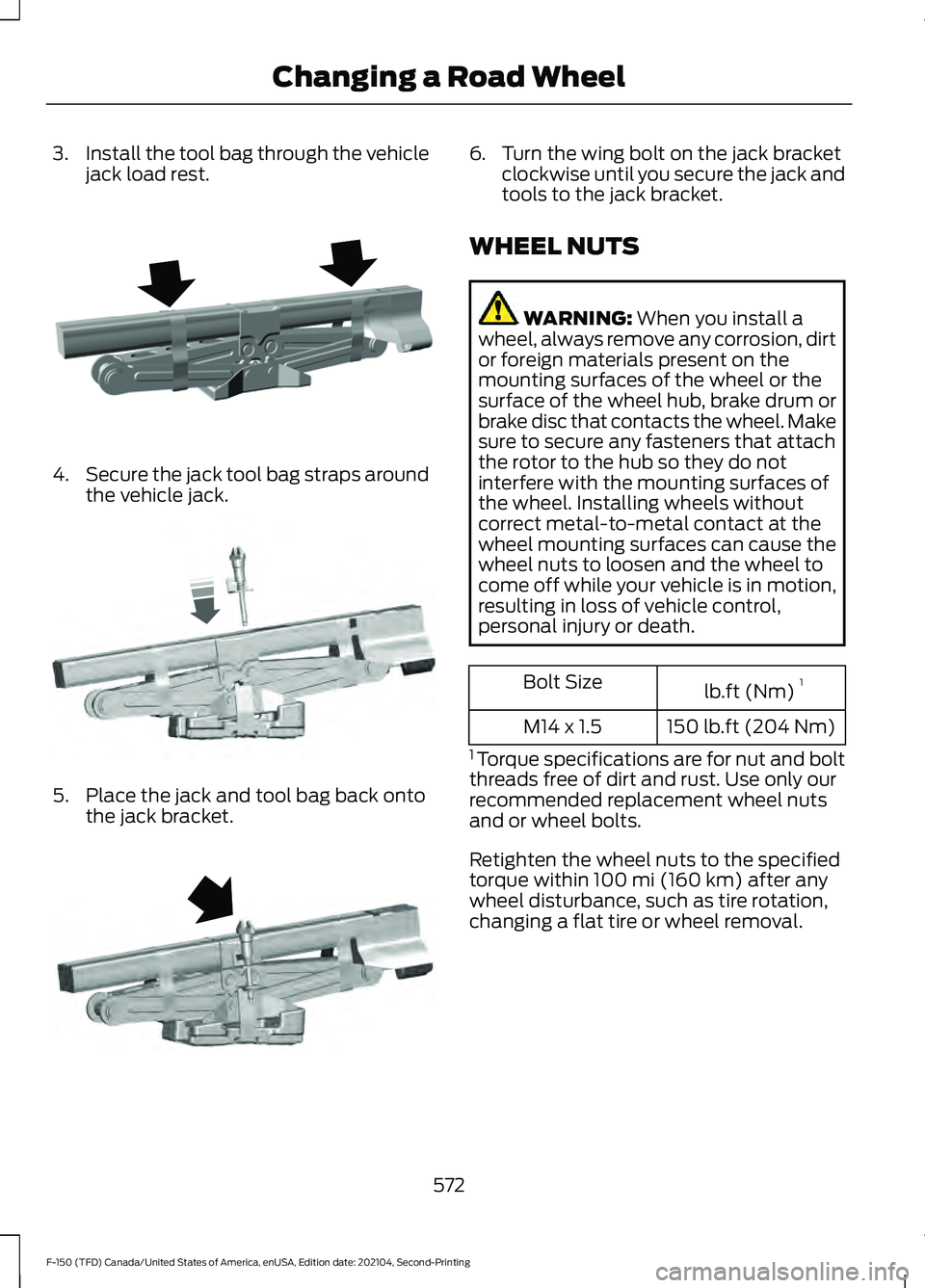
Install the tool bag through the vehicle
jack load rest. 4.
Secure the jack tool bag straps around
the vehicle jack. 5. Place the jack and tool bag back onto
the jack bracket. 6. Turn the wing bolt on the jack bracket
clockwise until you secure the jack and
tools to the jack bracket.
WHEEL NUTS WARNING: When you install a
wheel, always remove any corrosion, dirt
or foreign materials present on the
mounting surfaces of the wheel or the
surface of the wheel hub, brake drum or
brake disc that contacts the wheel. Make
sure to secure any fasteners that attach
the rotor to the hub so they do not
interfere with the mounting surfaces of
the wheel. Installing wheels without
correct metal-to-metal contact at the
wheel mounting surfaces can cause the
wheel nuts to loosen and the wheel to
come off while your vehicle is in motion,
resulting in loss of vehicle control,
personal injury or death. lb.ft (Nm)
1
Bolt Size
150 lb.ft (204 Nm)
M14 x 1.5
1 Torque specifications are for nut and bolt
threads free of dirt and rust. Use only our
recommended replacement wheel nuts
and or wheel bolts.
Retighten the wheel nuts to the specified
torque within
100 mi (160 km) after any
wheel disturbance, such as tire rotation,
changing a flat tire or wheel removal.
572
F-150 (TFD) Canada/United States of America, enUSA, Edition date: 202104, Second-Printing Changing a Road WheelE323386 E327654 E323384
Page 632 of 796
Occupancy Mode (If Equipped)
1. Press
Settings on the touchscreen.
2. Press
Sound Settings.
3. Press
Occupancy Mode.
4. Press a setting.
Sound Mode
(If Equipped)
1. Press
Settings on the touchscreen.
2. Press
Sound Settings.
3. Press
Sound Mode.
4. Press a setting.
SETTING THE CLOCK AND
DATE
1. Press
Settings on the touchscreen.
2. Press
Clock Settings.
3. Set the time.
Note: The
AM and PM options are not
available if 24-hour mode is on.
Switching Automatic Time
Updates On and Off
1. Press
Settings on the touchscreen.
2. Press
Clock Settings.
3. Switch
Automatic time zone update
on or off.
AM/FM RADIO
AM/FM RADIO LIMITATIONS
The further you travel from an AM or FM
station, the weaker the signal and the
weaker the reception. Hills, mountains, tall buildings, bridges,
tunnels, freeway overpasses, parking
garages, dense tree foliage and
thunderstorms can interfere with the
reception.
When you pass a ground-based broadcast
repeating tower, a stronger signal may
overtake a weaker one and result in the
audio system muting.
SELECTING A RADIO STATION
Manually Selecting a Radio
Station
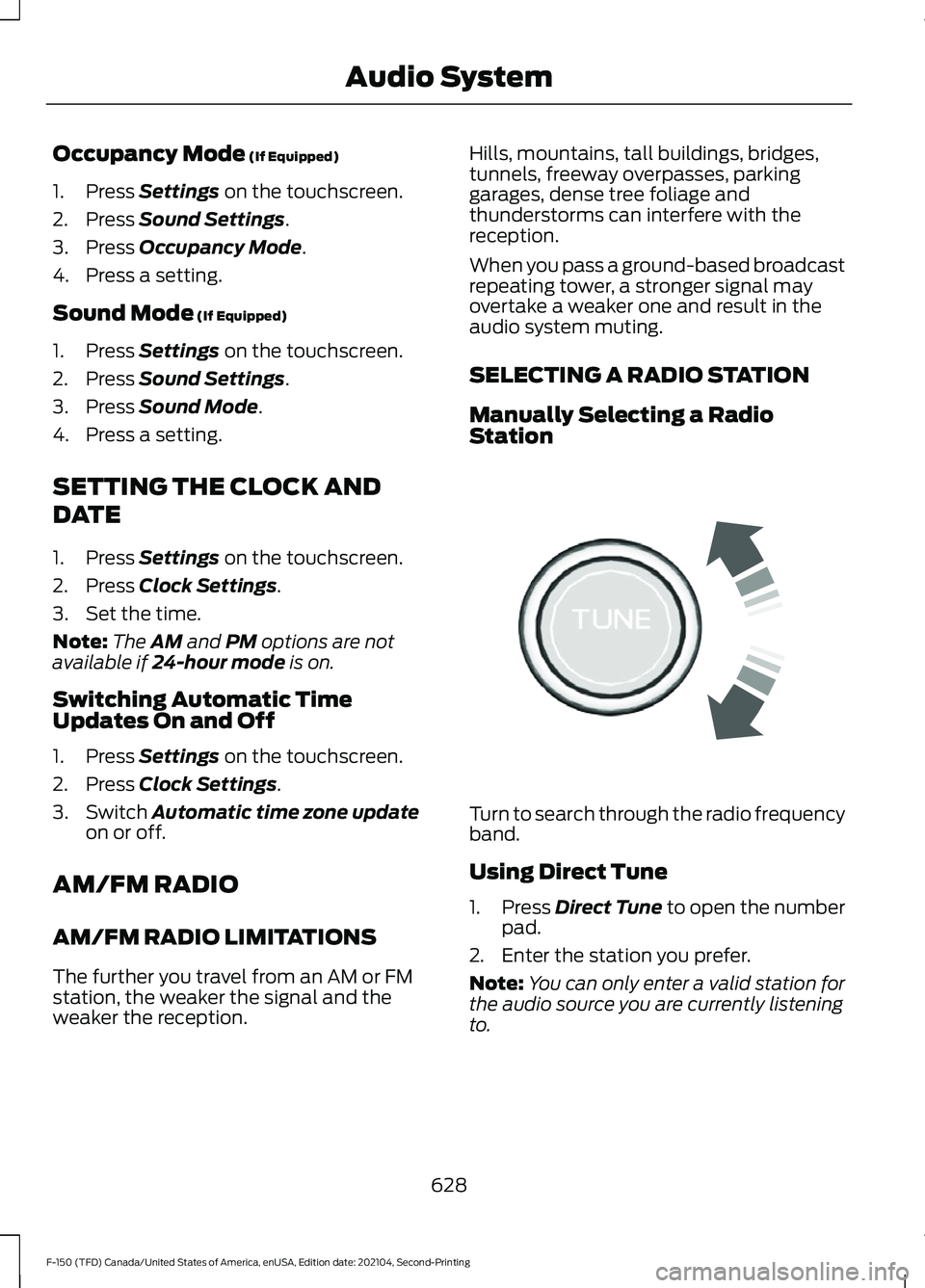
Turn to search through the radio frequency
band.
Using Direct Tune
1.
Press
Direct Tune to open the number
pad.
2. Enter the station you prefer.
Note: You can only enter a valid station for
the audio source you are currently listening
to.
628
F-150 (TFD) Canada/United States of America, enUSA, Edition date: 202104, Second-Printing Audio SystemE270235
Page 790 of 796

Setting the Adaptive Cruise Control
Speed............................................................355
Setting the Blower Motor Speed............187
Setting the Clock and Date.....................628
Setting the Cruise Control Speed.........350
Setting the Hill Descent Speed..............330
Setting the Speed Sign Recognition Speed Tolerance
........................................410
Setting the Speed Sign Recognition Speed Warning..........................................410
Setting the Temperature............................187
Setting the Trail Control Speed - Raptor...........................................................324
Setting the Wake Word
............................640
Setting Up the Trailer Backup Assistance for a Conventional Trailer......................446
Applying the Trailer Reversing Aid Sticker............................................................... 448
Calibrating the System................................... 449
Configuring the Trailer..................................... 446
Trailer Sensor Installation.............................. 448
Setting Up Trailer Reverse Guidance for a Conventional Trailer.............................459
Applying the Trailer Reverse Aid Sticker................................................................ 461
Calibrating the System.................................... 462
Configuring the Trailer..................................... 459
Trailer Sensor Installation............................... 461
Shifting Your Vehicle Into Gear - Police Responder...................................................283
Shifting Your Vehicle Into Gear - Raptor...........................................................282
Shifting Your Vehicle Into Gear...............282
Side Parking Aid...........................................336 Locating the Side Parking Aid
Sensors............................................................. 337
Side Parking Aid Audible Warnings.............337
Side Parking Aid Limitations......................... 336
What is the Side Parking Aid......................... 336
Sitting in the Correct Position
..................195
Smart Hitch Limitations............................442
Smart Hitch
...................................................442
Snow Plowing Precautions......................479
Snow Plowing...............................................479
Snowplow Mode................................................ 481
Snowplow Mode
..........................................481
Switching Snowplow Mode On and
Off....................................................................... 481What Is Snowplow Mode................................
481
Sounding the Panic Alarm
...........................91
Special Operating Conditions Scheduled Maintenance - Diesel..............................670
Special Operating Conditions Scheduled Maintenance - Gasoline.........................675
Special Operating Conditions Scheduled Maintenance - Raptor
.............................678
Speed Control See: Cruise Control........................................... 350
Speedometer...................................................171
Speed Sign Recognition Indicators....................................................409
Speed Sign Recognition Limitations.................................................409
Speed Sign Recognition Precautions................................................409
Speed Sign Recognition...........................409 Speed Sign Recognition –
Troubleshooting............................................. 410
Speed Sign Recognition – Troubleshooting
........................................410
Speed Sign Recognition – Frequently Asked
Questions.......................................................... 411
Speed Sign Recognition – Information Messages.......................................................... 410
Stability Control Indicator........................323
Stability Control
............................................321
Starter Switch See: Ignition Switch.......................................... 236
Starting and Stopping the Engine – Precautions.................................................236
Starting and Stopping the Engine.........236 Automatic Engine Stop - Vehicles With:
Keyless Entry and Push Button
Start................................................................... 243
Engine Block Heater......................................... 240
Police Engine Idle - Police Responder....................................................... 242
Starting and Stopping the Engine – Troubleshooting............................................ 244
Starting the Engine............................................ 237
Stopping the Engine.......................................... 241
Starting and Stopping the Engine – Troubleshooting........................................244
Starting and Stopping the Engine – Frequently Asked Questions....................246
786
F-150 (TFD) Canada/United States of America, enUSA, Edition date: 202104, Second-Printing Index