2021 FORD F-150 differential
[x] Cancel search: differentialPage 309 of 796
Automatic Re-
Engagement Speed
Automatic Disen-
gagement Speed
Maximum Engage-
ment Speed
4WD Mode
No speed Limit
No speed Limit
No speed Limit
Four-Wheel Drive
Low (4L)
Note: The electronic locking differential
may not engage if you press your accelerator
pedal during an engagement attempt. A
message could display in the instrument
display guiding you to release the
accelerator pedal.
Note: If the electronic locking differential
has difficulty disengaging, release the
accelerator pedal and turn the steering
wheel in the opposite direction while rolling.
Note: The electronic locking differential is
for off-road use only and is not for use on
dry pavement. Using the electronic locking
differential on dry pavement results in
increased tire wear, noise and vibration.
SWITCHING THE ELECTRONIC
LOCKING DIFFERENTIAL ON
AND OFF - 4X2
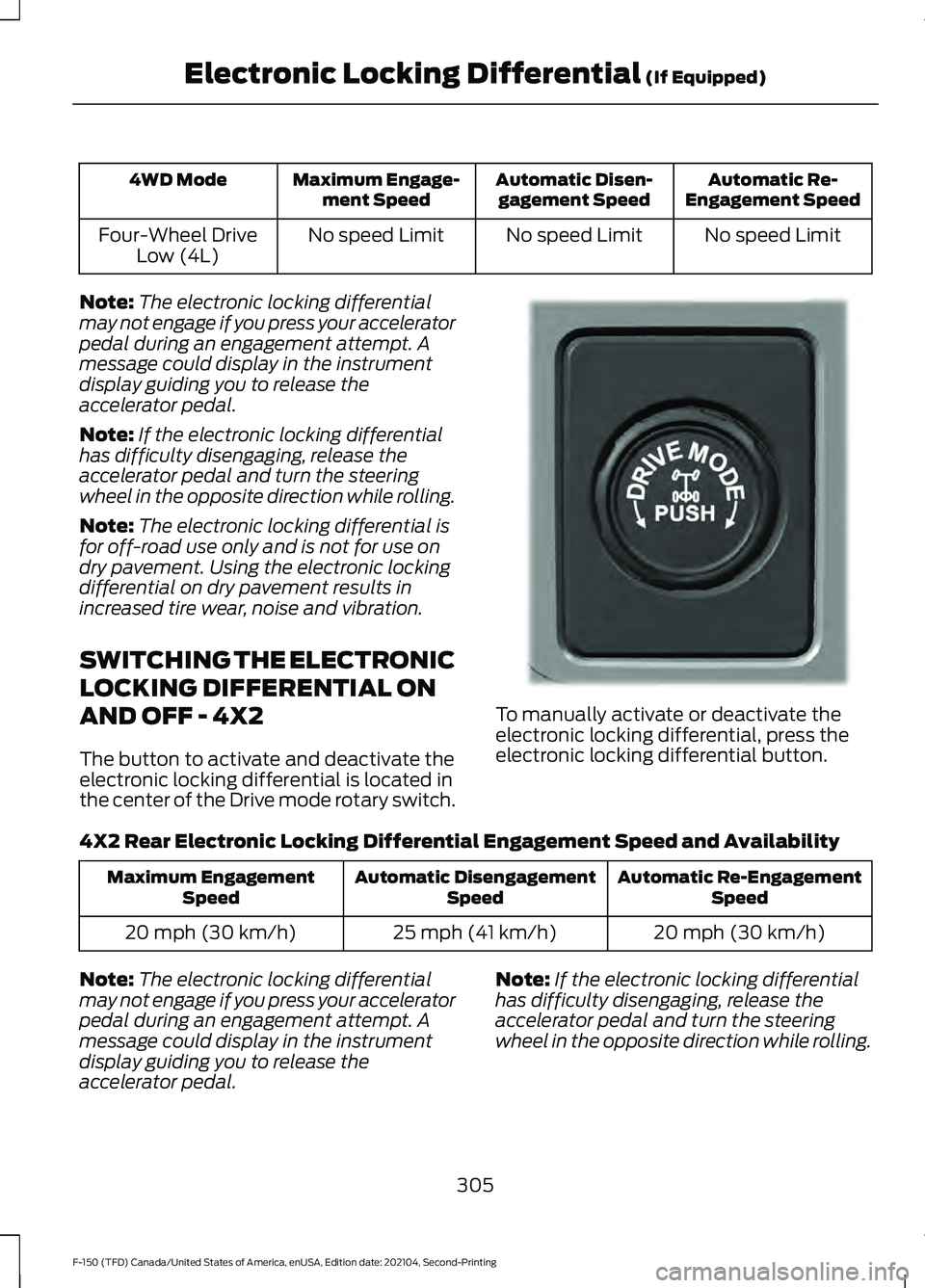
The button to activate and deactivate the
electronic locking differential is located in
the center of the Drive mode rotary switch. To manually activate or deactivate the
electronic locking differential, press the
electronic locking differential button.
4X2 Rear Electronic Locking Differential Engagement Speed and Availability Automatic Re-Engagement
Speed
Automatic Disengagement
Speed
Maximum Engagement
Speed
20 mph (30 km/h)
25 mph (41 km/h)
20 mph (30 km/h)
Note: The electronic locking differential
may not engage if you press your accelerator
pedal during an engagement attempt. A
message could display in the instrument
display guiding you to release the
accelerator pedal. Note:
If the electronic locking differential
has difficulty disengaging, release the
accelerator pedal and turn the steering
wheel in the opposite direction while rolling.
305
F-150 (TFD) Canada/United States of America, enUSA, Edition date: 202104, Second-Printing Electronic Locking Differential (If Equipped)E333748
Page 310 of 796
Note:
The electronic locking differential is
for off-road use only and is not for use on
dry pavement. Using the electronic locking
differential on dry pavement results in
increased tire wear, noise and vibration.
ELECTRONIC LOCKING
DIFFERENTIAL INDICATORS If both rear wheel axle shafts
lock together, the indicator in the
cluster is amber, providing
additional traction.
If you select the electronic locking
differential and the indicator in the cluster
is gray or turns from amber to gray while
driving, one of the following has occurred:
• The vehicle speed is too high.
• The accelerator pedal is too high during
an engagement attempt. •
The vehicle is experiencing an anti-lock
brake activation.
• The left and right wheel speed
difference is too high during an
engagement attempt.
If you select the electronic locking
differential and the indicator in the cluster
does not turn on, the following has
occurred:
• The system has malfunctioned and
accompanies a check locking
differential message in the information
display. See your dealer as soon as
possible.
Note: If the vehicle is experiencing an
anti-lock braking event, the electronic
locking differential could momentarily
disengage.
ELECTRONIC LOCKING DIFFERENTIAL – TROUBLESHOOTING
ELECTRONIC LOCKING DIFFERENTIAL – INFORMATION MESSAGES -
RAPTOR Description and Action
Message
The electronic locking differential has been requested andwill engage when the speed condition is met.
To Engage Locking
Differential Slow to XX mph/km/h
Release the accelerator pedal in order to engage.
To Engage Locking
Differential Release Accelerator Pedal
An electronic locking differential system fault is present.Contact an authorized dealer as soon as possible.
Check Locking Differen-
tial
Displays when the electronic locking differential is selected while in 2H.
Locking differential not
available in 2H
306
F-150 (TFD) Canada/United States of America, enUSA, Edition date: 202104, Second-Printing Electronic Locking Differential (If Equipped)E325779
Page 311 of 796
ELECTRONIC LOCKING DIFFERENTIAL – INFORMATION MESSAGES
Description and Action
Message
The electronic locking differential has been requested andwill engage when the speed condition is met.
To Engage Locking
Differential Slow to XX mph/km/h
Release the accelerator pedal in order to engage.
To Engage Locking
Differential Release Accelerator Pedal
An electronic locking differential system fault is present.Contact an authorized dealer as soon as possible.
Check Locking Differen-
tial
307
F-150 (TFD) Canada/United States of America, enUSA, Edition date: 202104, Second-Printing Electronic Locking Differential (If Equipped)
Page 332 of 796
WHAT IS TRAIL TURN ASSIST
Trail turn assist can reduce the turning
radius of your vehicle by applying the
brakes to the inside rear wheel in
low-speed, high steering-angle maneuvers.
TRAIL TURN ASSIST
PRECAUTIONS
Note:
Do not use trail turn assist on dry,
hard surfaced roads. Doing so can produce
excessive noise, increase tire wear and may
damage drive line, or braking components.
Trail turn assist is only intended for slippery,
or loose surfaces.
You may hear noise from the anti-lock
brake system while trail turn assist is
active. This is normal operation.
TRAIL TURN ASSIST
LIMITATIONS
Trail turn assist can only be used when the
vehicle ’s four-wheel drive system is in the
four-wheel drive high (4H), or four-wheel
drive low (4L) modes.
Trail Turn Assist cannot be used when the
vehicle ’s rear differential is locked. If the
rear differential has recently been locked
prior to Trail Turn Assist being turned on,
Trail Turn Assist may not activate until it
can confirm that the rear differential is
unlocked.
SWITCHING TRAIL TURN
ASSIST ON AND OFF
You can switch the trail turn assist on or
off from the features section of the vehicle
on screen display.
1. Press Features on the touchscreen.
2. Press
Trail Turn Assist. 3. Switch
Trail Turn Assist on or off.
Switch trail turn assist on when your
vehicle is in four-wheel drive high (4H) or
four-wheel drive low (4L).
The system activates when the:
• Vehicle speed is less than
12 mph
(19.3 km/h).
• Rear differential is fully unlocked.
• Steering wheel is almost fully turned
to the left or right.
Switch trail turn assist off by performing
any of the following:
• Switch trail turn assist off from the
features section of the vehicle on
screen display.
• Select two-wheel drive high, or
four-wheel drive auto.
• Switch on the rear locking differential.
TRAIL TURN ASSIST
INDICATORS When trail turn assist is on, one
of these two indicators will be
displayed, depending on the
direction of the vehicle
’s last
turn. When the feature is on but
not in use, the indicator light will
be gray. When the feature is active the
indicator light will be green.
328
F-150 (TFD) Canada/United States of America, enUSA, Edition date: 202104, Second-Printing Trail Turn Assist
(If Equipped)E338899 E338900
Page 333 of 796
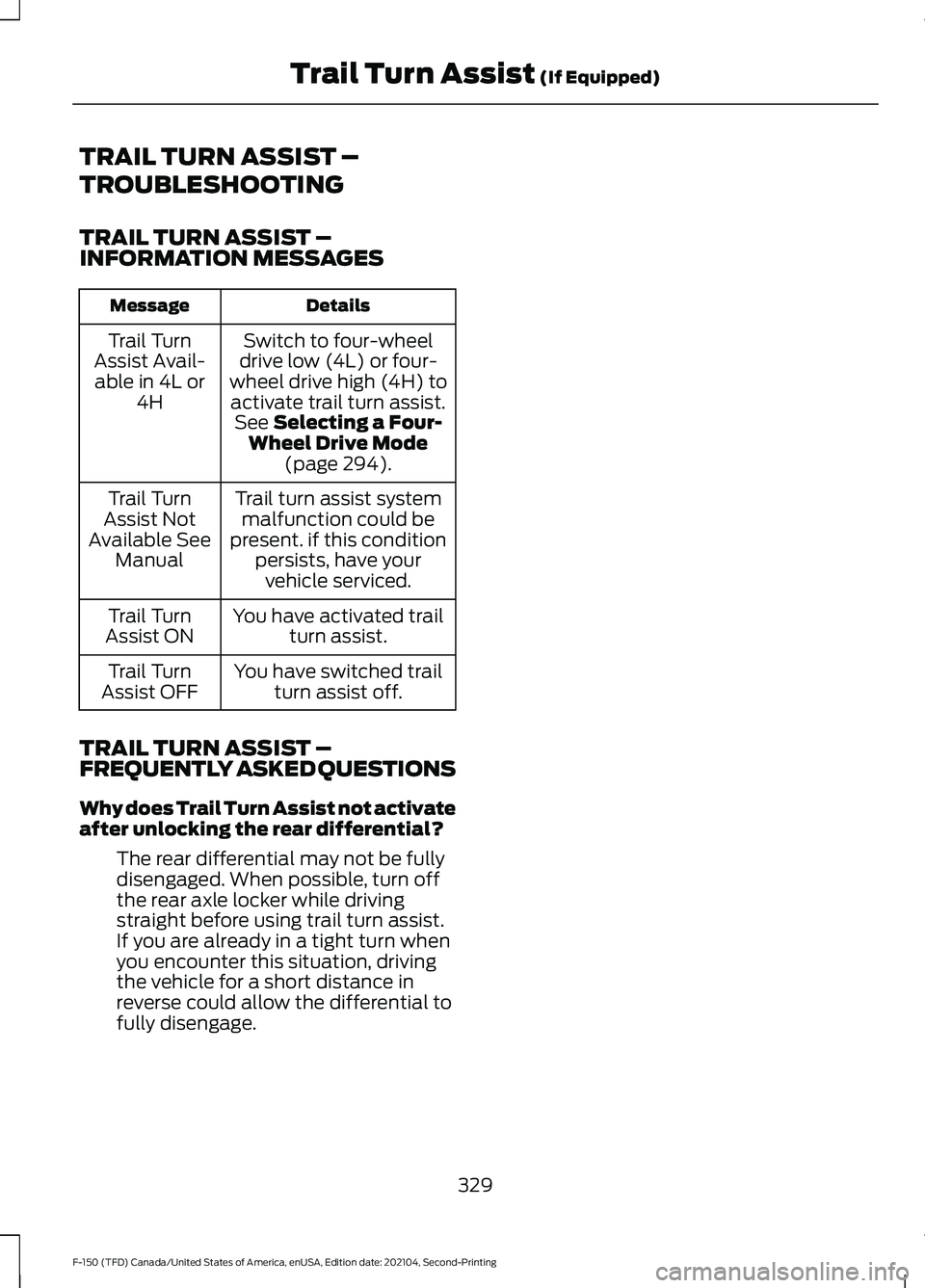
TRAIL TURN ASSIST –
TROUBLESHOOTING
TRAIL TURN ASSIST –
INFORMATION MESSAGES
Details
Message
Switch to four-wheel
drive low (4L) or four-
wheel drive high (4H) to activate trail turn assist. See Selecting a Four-
Wheel Drive Mode (page
294).
Trail Turn
Assist Avail- able in 4L or 4H
Trail turn assist systemmalfunction could be
present. if this condition persists, have yourvehicle serviced.
Trail Turn
Assist Not
Available See Manual
You have activated trailturn assist.
Trail Turn
Assist ON
You have switched trailturn assist off.
Trail Turn
Assist OFF
TRAIL TURN ASSIST –
FREQUENTLY ASKED QUESTIONS
Why does Trail Turn Assist not activate
after unlocking the rear differential? The rear differential may not be fully
disengaged. When possible, turn off
the rear axle locker while driving
straight before using trail turn assist.
If you are already in a tight turn when
you encounter this situation, driving
the vehicle for a short distance in
reverse could allow the differential to
fully disengage.
329
F-150 (TFD) Canada/United States of America, enUSA, Edition date: 202104, Second-Printing Trail Turn Assist
(If Equipped)
Page 375 of 796
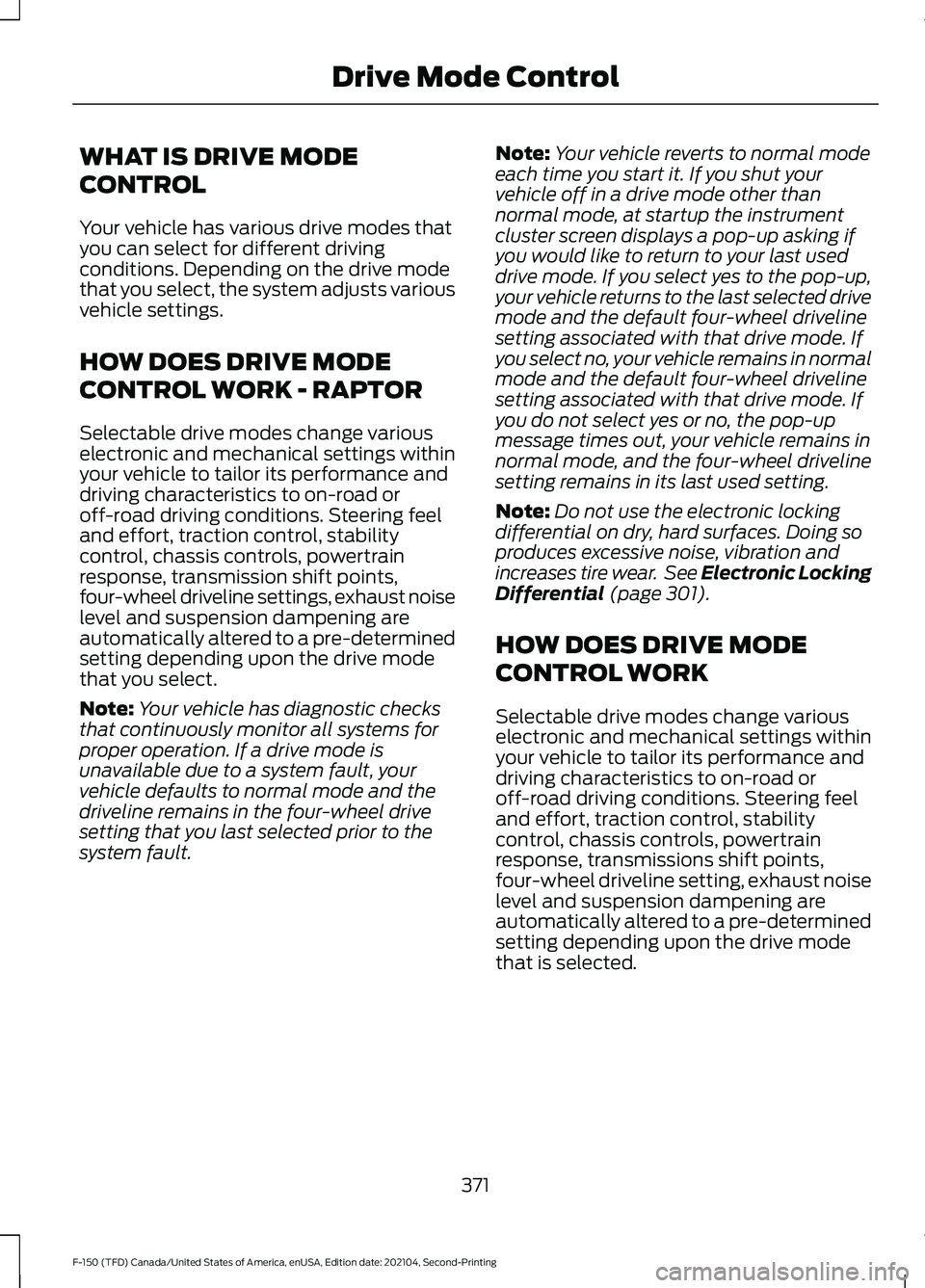
WHAT IS DRIVE MODE
CONTROL
Your vehicle has various drive modes that
you can select for different driving
conditions. Depending on the drive mode
that you select, the system adjusts various
vehicle settings.
HOW DOES DRIVE MODE
CONTROL WORK - RAPTOR
Selectable drive modes change various
electronic and mechanical settings within
your vehicle to tailor its performance and
driving characteristics to on-road or
off-road driving conditions. Steering feel
and effort, traction control, stability
control, chassis controls, powertrain
response, transmission shift points,
four-wheel driveline settings, exhaust noise
level and suspension dampening are
automatically altered to a pre-determined
setting depending upon the drive mode
that you select.
Note:
Your vehicle has diagnostic checks
that continuously monitor all systems for
proper operation. If a drive mode is
unavailable due to a system fault, your
vehicle defaults to normal mode and the
driveline remains in the four-wheel drive
setting that you last selected prior to the
system fault. Note:
Your vehicle reverts to normal mode
each time you start it. If you shut your
vehicle off in a drive mode other than
normal mode, at startup the instrument
cluster screen displays a pop-up asking if
you would like to return to your last used
drive mode. If you select yes to the pop-up,
your vehicle returns to the last selected drive
mode and the default four-wheel driveline
setting associated with that drive mode. If
you select no, your vehicle remains in normal
mode and the default four-wheel driveline
setting associated with that drive mode. If
you do not select yes or no, the pop-up
message times out, your vehicle remains in
normal mode, and the four-wheel driveline
setting remains in its last used setting.
Note: Do not use the electronic locking
differential on dry, hard surfaces. Doing so
produces excessive noise, vibration and
increases tire wear. See Electronic Locking
Differential (page 301).
HOW DOES DRIVE MODE
CONTROL WORK
Selectable drive modes change various
electronic and mechanical settings within
your vehicle to tailor its performance and
driving characteristics to on-road or
off-road driving conditions. Steering feel
and effort, traction control, stability
control, chassis controls, powertrain
response, transmissions shift points,
four-wheel driveline setting, exhaust noise
level and suspension dampening are
automatically altered to a pre-determined
setting depending upon the drive mode
that is selected.
371
F-150 (TFD) Canada/United States of America, enUSA, Edition date: 202104, Second-Printing Drive Mode Control
Page 378 of 796
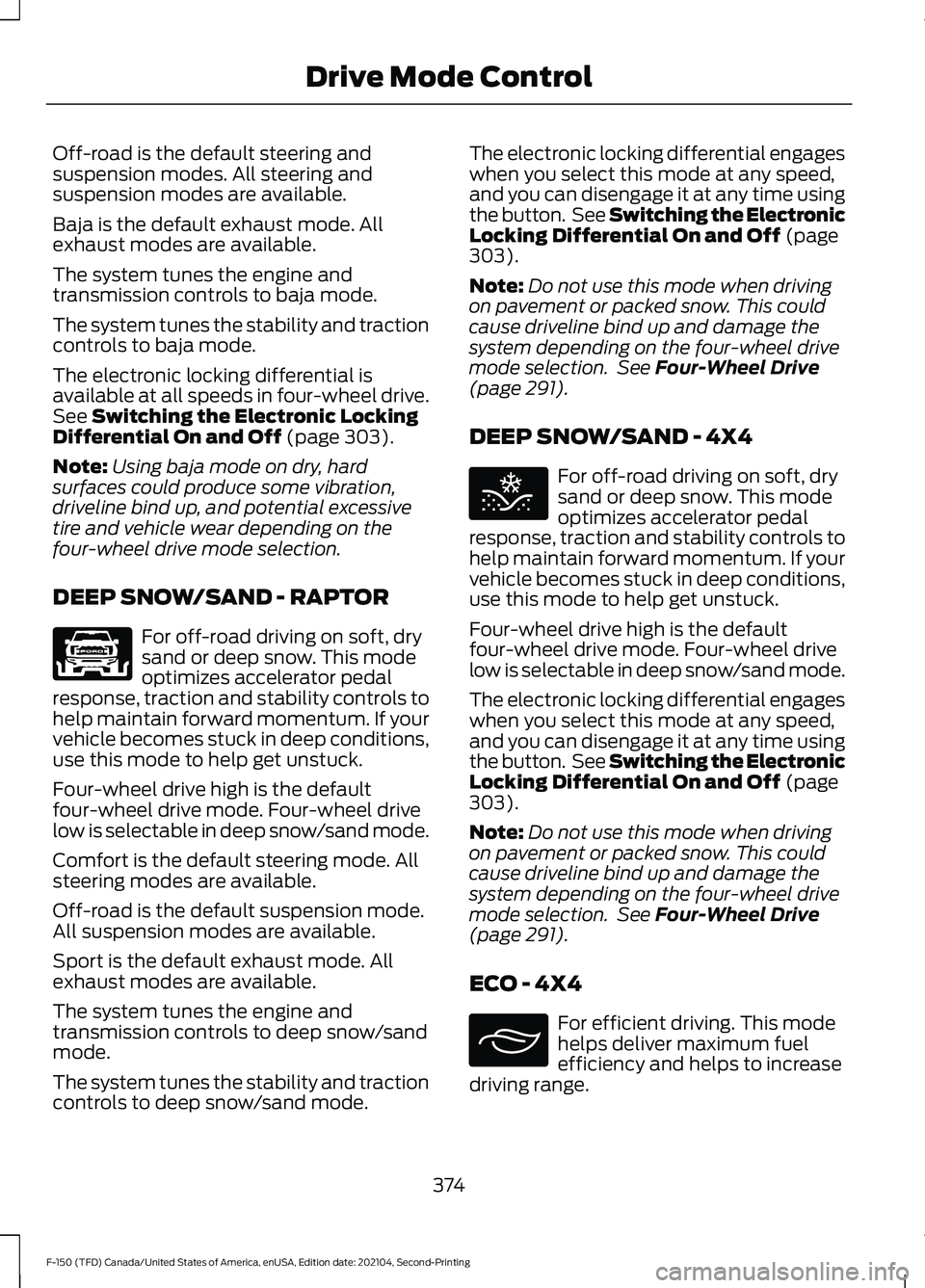
Off-road is the default steering and
suspension modes. All steering and
suspension modes are available.
Baja is the default exhaust mode. All
exhaust modes are available.
The system tunes the engine and
transmission controls to baja mode.
The system tunes the stability and traction
controls to baja mode.
The electronic locking differential is
available at all speeds in four-wheel drive.
See Switching the Electronic Locking
Differential On and Off (page 303).
Note: Using baja mode on dry, hard
surfaces could produce some vibration,
driveline bind up, and potential excessive
tire and vehicle wear depending on the
four-wheel drive mode selection.
DEEP SNOW/SAND - RAPTOR For off-road driving on soft, dry
sand or deep snow. This mode
optimizes accelerator pedal
response, traction and stability controls to
help maintain forward momentum. If your
vehicle becomes stuck in deep conditions,
use this mode to help get unstuck.
Four-wheel drive high is the default
four-wheel drive mode. Four-wheel drive
low is selectable in deep snow/sand mode.
Comfort is the default steering mode. All
steering modes are available.
Off-road is the default suspension mode.
All suspension modes are available.
Sport is the default exhaust mode. All
exhaust modes are available.
The system tunes the engine and
transmission controls to deep snow/sand
mode.
The system tunes the stability and traction
controls to deep snow/sand mode. The electronic locking differential engages
when you select this mode at any speed,
and you can disengage it at any time using
the button. See Switching the Electronic
Locking Differential On and Off
(page
303).
Note: Do not use this mode when driving
on pavement or packed snow. This could
cause driveline bind up and damage the
system depending on the four-wheel drive
mode selection. See
Four-Wheel Drive
(page 291).
DEEP SNOW/SAND - 4X4 For off-road driving on soft, dry
sand or deep snow. This mode
optimizes accelerator pedal
response, traction and stability controls to
help maintain forward momentum. If your
vehicle becomes stuck in deep conditions,
use this mode to help get unstuck.
Four-wheel drive high is the default
four-wheel drive mode. Four-wheel drive
low is selectable in deep snow/sand mode.
The electronic locking differential engages
when you select this mode at any speed,
and you can disengage it at any time using
the button. See Switching the Electronic
Locking Differential On and Off
(page
303).
Note: Do not use this mode when driving
on pavement or packed snow. This could
cause driveline bind up and damage the
system depending on the four-wheel drive
mode selection. See
Four-Wheel Drive
(page 291).
ECO - 4X4 For efficient driving. This mode
helps deliver maximum fuel
efficiency and helps to increase
driving range.
374
F-150 (TFD) Canada/United States of America, enUSA, Edition date: 202104, Second-Printing Drive Mode ControlE347001 E295420 E295413
Page 379 of 796
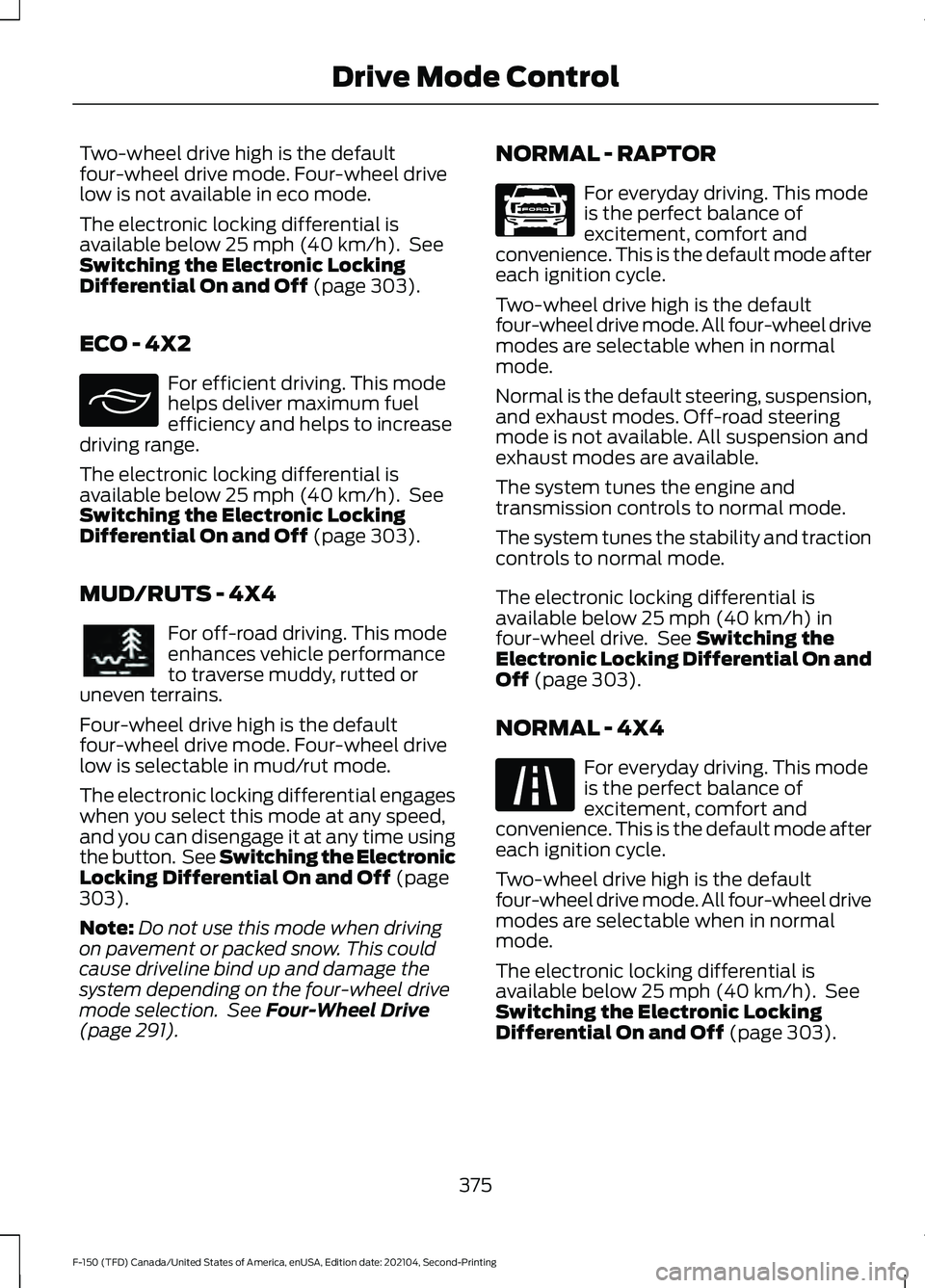
Two-wheel drive high is the default
four-wheel drive mode. Four-wheel drive
low is not available in eco mode.
The electronic locking differential is
available below 25 mph (40 km/h). See
Switching the Electronic Locking
Differential On and Off
(page 303).
ECO - 4X2 For efficient driving. This mode
helps deliver maximum fuel
efficiency and helps to increase
driving range.
The electronic locking differential is
available below
25 mph (40 km/h). See
Switching the Electronic Locking
Differential On and Off
(page 303).
MUD/RUTS - 4X4 For off-road driving. This mode
enhances vehicle performance
to traverse muddy, rutted or
uneven terrains.
Four-wheel drive high is the default
four-wheel drive mode. Four-wheel drive
low is selectable in mud/rut mode.
The electronic locking differential engages
when you select this mode at any speed,
and you can disengage it at any time using
the button. See Switching the Electronic
Locking Differential On and Off
(page
303).
Note: Do not use this mode when driving
on pavement or packed snow. This could
cause driveline bind up and damage the
system depending on the four-wheel drive
mode selection. See
Four-Wheel Drive
(page 291). NORMAL - RAPTOR For everyday driving. This mode
is the perfect balance of
excitement, comfort and
convenience. This is the default mode after
each ignition cycle.
Two-wheel drive high is the default
four-wheel drive mode. All four-wheel drive
modes are selectable when in normal
mode.
Normal is the default steering, suspension,
and exhaust modes. Off-road steering
mode is not available. All suspension and
exhaust modes are available.
The system tunes the engine and
transmission controls to normal mode.
The system tunes the stability and traction
controls to normal mode.
The electronic locking differential is
available below
25 mph (40 km/h) in
four-wheel drive. See Switching the
Electronic Locking Differential On and
Off
(page 303).
NORMAL - 4X4 For everyday driving. This mode
is the perfect balance of
excitement, comfort and
convenience. This is the default mode after
each ignition cycle.
Two-wheel drive high is the default
four-wheel drive mode. All four-wheel drive
modes are selectable when in normal
mode.
The electronic locking differential is
available below
25 mph (40 km/h). See
Switching the Electronic Locking
Differential On and Off
(page 303).
375
F-150 (TFD) Canada/United States of America, enUSA, Edition date: 202104, Second-Printing Drive Mode ControlE295413 E296606 E347003 E225310