2021 FORD ESCAPE battery
[x] Cancel search: batteryPage 130 of 589

FUEL ECONOMY DISPLAY -
PLUG-IN HYBRID ELECTRIC
VEHICLE (PHEV)
An instant fuel economy gauge is provided
along with average fuel economy. Average
fuel economy is continuously averaged
since the last reset.
Both the electric only and hybrid operation
are included in the calculation. More
electric only driving results in a greater
average fuel economy.
When the gasoline engine is off, the instant
fuel economy gauges are replaced with an
electric driving message.
Note:
Press and hold the OK button on the
controls on the steering wheel to reset your
average fuel economy.
EV COACH - HYBRID ELECTRIC
VEHICLE (HEV)/PLUG-IN
HYBRID ELECTRIC VEHICLE
(PHEV)
EV coach can help you get the most out of
your vehicle's electric driving capabilities.
Note: EV coach is a selectable screen. See
Customizing the Instrument Cluster
Display
(page 124).
When you are accelerating or maintaining
speed you see a blue or white solid bar
indicating vehicle power. You may also see
a blue rectangular box which shows the
power level at which the engine turns on. •
When the power level is within the box,
the color of the bar is blue. This means
you are in electric operation and the
engine is off.
• When the power level is outside of the
box, the color of the bar is white. This
means you are in hybrid operation with
a combination of the electric motor
and the engine providing vehicle power.
When you are decelerating with either your
foot off the accelerator pedal or on the
brake pedal, a green or white solid bar
displays indicating the power being used
to slow down your vehicle. You may also
see a green rectangular box which shows
the amount of power that can be
recaptured by the regenerative braking
system and returned to the high voltage
battery.
• When the power level is within the box,
the color of the bar will be all green.
This means that the regenerative
braking system is being used to
efficiently slow your vehicle down and
return the maximum percentage of
energy to the high voltage battery.
• When the power level is outside of the
box, then the bar is white. This means
both the regenerative braking system
and conventional braking system are
being used.
WHAT IS ELECTRIC
EFFICIENCY - PLUG-IN HYBRID
ELECTRIC VEHICLE (PHEV)
This screen shows your average driving
distance per kilowatt-hour of electricity
used on your plug-in hybrid vehicle. The
value is calculated only when your
available electric range is being used and
the gasoline engine is off.
127
Escape (CTC) Canada/United States of America, Vehicles Built From: 02-11-2020, enUSA, Edition date: 202011, First-Printing Instrument Cluster Display
Page 137 of 589

WHAT IS REMOTE START
The system allows you to remotely start
your vehicle and to adjust the interior
temperature according to the settings that
you chose.
REMOTE START
PRECAUTIONS
WARNING: Do not start the engine
in a closed garage or in other enclosed
areas. Exhaust fumes are toxic. Always
open the garage door before you start
the engine. Failure to follow this
instruction could result in personal injury
or death.
REMOTE START LIMITATIONS
Remote start does not work under the
following conditions:
• The alarm horn is sounding.
• The hood is open.
• The transmission is not in park (P).
• The ignition is on.
• The battery voltage is below the
minimum operating voltage.
Note: Do not use remote start if your fuel
level is low.
Note: You can use remote start with
FordPass. See Connecting the Vehicle to
a Wi-Fi Network (page 409).
ENABLING REMOTE START
1. Press
Settings on the touchscreen.
2. Press
Vehicle Settings.
3. Press
Remote Start Setup.
4. Switch
Remote Start on or off. Note:
To remote start with FordPass, make
sure that the modem is enabled.
See
Connected Vehicle Requirements (page
409).
REMOTELY STARTING AND
STOPPING THE VEHICLE
Remotely Starting the Vehicle Press the button on the remote
control.
Within three seconds, press the
button twice on the remote
control.
Note: You can also use the FordPass App
to start the vehicle.
Note: The turn signals flash twice.
Note: The parking lamps turn on when the
vehicle is running.
Note: The horn sounds if the system fails
to start.
Note: All other vehicle systems remain off
when you have remotely started the vehicle.
Note: The vehicle remains secured when
you have remotely started the vehicle. A
valid key must be inside your vehicle to
switch the ignition on and drive your vehicle.
Remotely Stopping the Vehicle Within three seconds, press the
button twice on the remote
control.
EXTENDING THE REMOTE
START DURATION
To extend the remote start duration during
remote start, do the following:
134
Escape (CTC) Canada/United States of America, Vehicles Built From: 02-11-2020, enUSA, Edition date: 202011, First-Printing Remote Start
(If Equipped)E138623 E138625 E138625
Page 141 of 589
Use air conditioning with recirculated air
to improve cooling performance and
efficiency.
Note:
In certain conditions, for example,
maximum defrost, the air conditioning
compressor may continue to operate even
though you switch off the air conditioning.
Switching the Climate Control On
and Off Press and release the button.
Switching Maximum Air
Conditioning On and Off Turn the temperature control
counterclockwise to the lowest
setting for maximum cooling.
The left-hand and right-hand settings set
to LO, recirculated air flows through the
instrument panel air vents, air conditioning
turns on and the blower motor adjusts to
the highest speed.
Switching Maximum Defrost On
and Off Turn the temperature control
clockwise to the highest setting
for maximum defrosting.
The left-hand and right-hand settings set
to HI, air flows through the windshield air
vents, and the blower motor adjusts to the
highest speed. You can also use this setting
to defog and clear the windshield of a thin
covering of ice. The heated rear window
also turns on when you select maximum
defrost.
Note: To prevent window fogging, you
cannot select recirculated air when
maximum defrost is on. Switching Recirculated Air On and
Off Press and release the button to
switch between outside air and
recirculated air.
The air currently in the passenger
compartment recirculates. This may
reduce the time needed to cool the interior,
when used with A/C, and reduce unwanted
odors from entering your vehicle.
Note: Recirculated air may turn off, or
prevent you from switching on, in all air flow
modes except MAX A/C to reduce the risk
of fogging. Recirculation may also turn on
and off in various air distribution control
combinations during hot weather to improve
cooling efficiency.
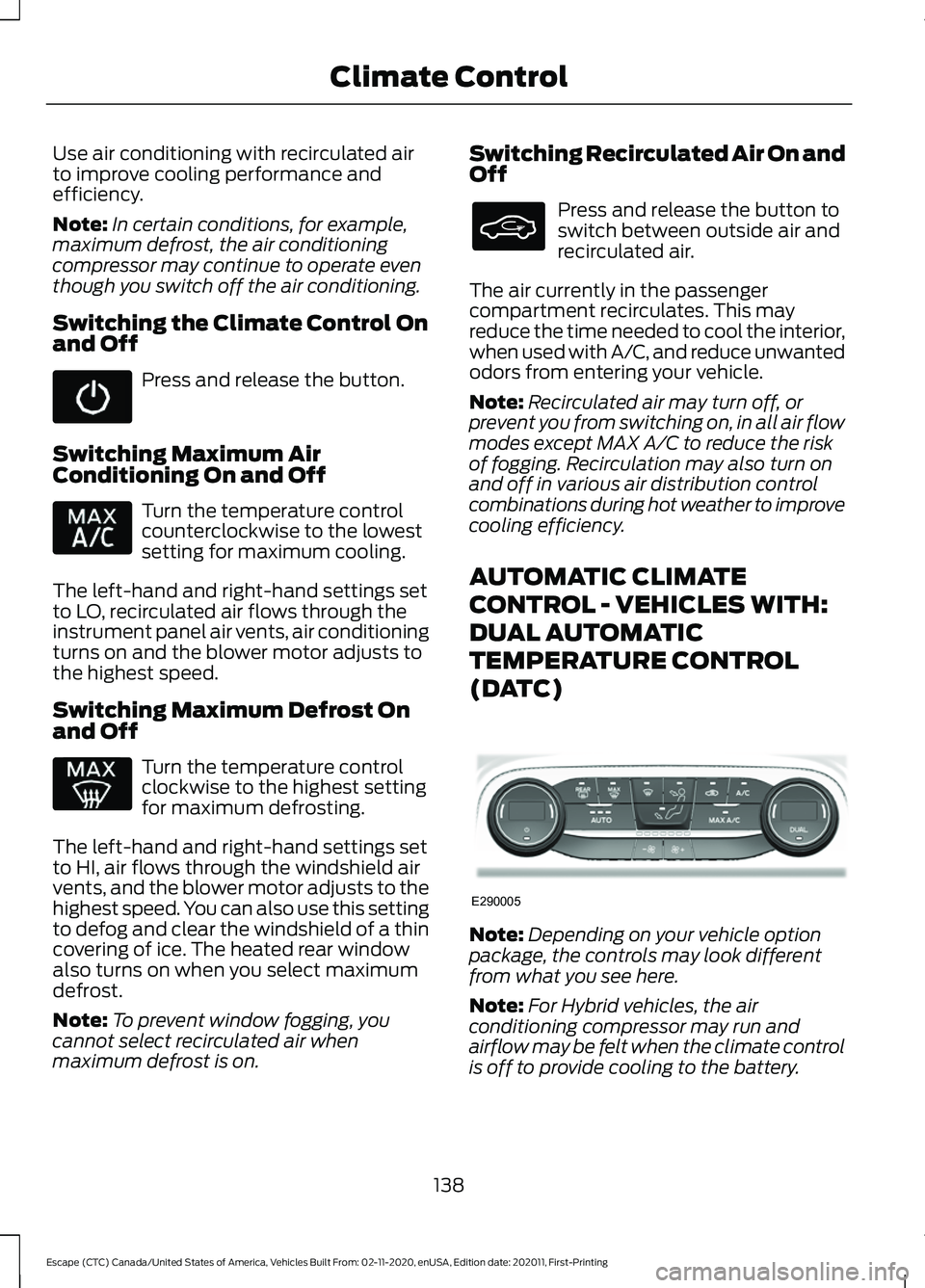
AUTOMATIC CLIMATE
CONTROL - VEHICLES WITH:
DUAL AUTOMATIC
TEMPERATURE CONTROL
(DATC) Note:
Depending on your vehicle option
package, the controls may look different
from what you see here.
Note: For Hybrid vehicles, the air
conditioning compressor may run and
airflow may be felt when the climate control
is off to provide cooling to the battery.
138
Escape (CTC) Canada/United States of America, Vehicles Built From: 02-11-2020, enUSA, Edition date: 202011, First-Printing Climate Control E290005
Page 144 of 589
Switching Maximum Defrost On
and Off
Press and release the button to
switch on maximum defrost.
The system sets the left-hand and
right-hand settings to HI, air flows through
the windshield air vents, and the blower
motor adjusts to the highest speed. You
can also use this setting to defog and clear
the windshield of a thin covering of ice. The
heated rear window also turns on when
you select maximum defrost.
Note: To prevent window fogging, you
cannot select recirculated air when
maximum defrost is on.
Switching Recirculated Air On and
Off Press and release the button to
switch between outside air and
recirculated air.
The air currently in the passenger
compartment recirculates. This may
reduce the time needed to cool the interior,
when used with A/C, and reduce unwanted
odors from entering your vehicle.
Note: Recirculated air may turn off, or
prevent you from switching on, in all air flow
modes except MAX A/C to reduce the risk
of fogging. Recirculation may also turn on
and off in various air distribution control
combinations during hot weather to improve
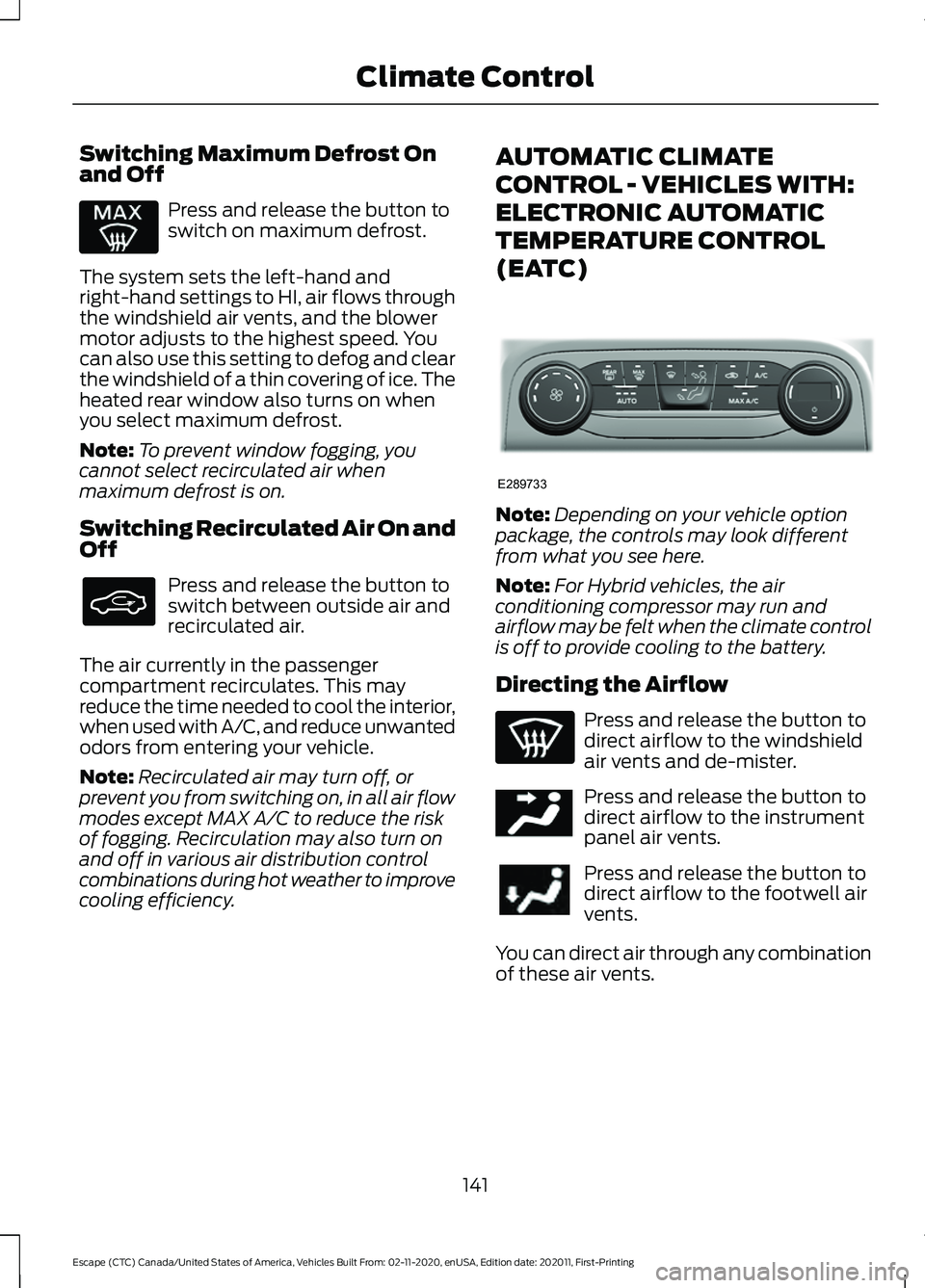
cooling efficiency. AUTOMATIC CLIMATE
CONTROL - VEHICLES WITH:
ELECTRONIC AUTOMATIC
TEMPERATURE CONTROL
(EATC)
Note:
Depending on your vehicle option
package, the controls may look different
from what you see here.
Note: For Hybrid vehicles, the air
conditioning compressor may run and
airflow may be felt when the climate control
is off to provide cooling to the battery.
Directing the Airflow Press and release the button to
direct airflow to the windshield
air vents and de-mister.
Press and release the button to
direct airflow to the instrument
panel air vents.
Press and release the button to
direct airflow to the footwell air
vents.
You can direct air through any combination
of these air vents.
141
Escape (CTC) Canada/United States of America, Vehicles Built From: 02-11-2020, enUSA, Edition date: 202011, First-Printing Climate Control E289733 E244097
Page 171 of 589

WHAT IS THE POWER OUTLET
The power outlet can power devices using
a 12 V outlet adapter.
POWER OUTLET
PRECAUTIONS
When you switch the vehicle on, you can
use the socket to power
12 V appliances
with a maximum current rating of 15 A. Do
not use the power point over the vehicle
capacity of
12 V DC 180 W or a fuse could
blow. Do not plug in any device that
supplies power to the vehicle through the
power points. This could result in damage
to vehicle systems. Do not hang any
accessory from the accessory plug. Always
keep the power point caps closed when
not in use. Do not insert objects other than
an accessory plug into the power point.
To prevent the battery from running out of
charge:
• Do not use the power point longer than
necessary when the vehicle is off.
• Do not leave devices plugged in
overnight or when you park your vehicle
for extended periods.
LOCATING THE POWER
OUTLET
Power outlets may be in the following
locations:
• On the lower instrument panel.
• Inside the center console.
• On the front of the center console.
• On the rear of the center console.
• In the cargo area.
• On the passenger side floor panel.
• 3rd row on the quarter trim panels.
168
Escape (CTC) Canada/United States of America, Vehicles Built From: 02-11-2020, enUSA, Edition date: 202011, First-Printing Power Outlet - Vehicles With: 12V Power Outlet
Page 172 of 589

WHAT IS THE WIRELESS
ACCESSORY CHARGER
The wireless accessory charger allows you
to charge one compatible Qi wireless
charging device on the charging area.
WIRELESS ACCESSORY
CHARGER PRECAUTIONS
WARNING: Wireless charging
devices can affect the operation of
implanted medical devices, including
cardiac pacemakers. If you have any
implanted medical devices, we
recommend that you consult with your
physician.
Tests on this equipment show that it
complies with part 18 of the FCC Rules.
• This equipment generates, uses and
can radiate radio frequency energy and
may cause harmful interference to
radio communications. There is no
guarantee that the interference will not
occur in a particular installation. If this
equipment does cause harmful
interference to radio or television
reception, please consult the dealer.
• This product is not end-user
serviceable. WARNING:
Changes or
modifications not expressively approved
by the party responsible for compliance
could void the user's authority to operate
the equipment. The term "IC:" before the
radio certification number only signifies
that Industry Canada technical
specifications were met. This device complies with Industry Canada
licence-exempt RSS standard(s).
Operation is subject to:
•
This device may not cause interference.
• This device must accept any
interference, including interference that
may cause undesired operation of the
device.
Keep the charging area clean and remove
foreign objects prior to charging a device.
Do not place items with a magnetic strip,
for example passports, parking tickets or
credit cards, near the charging area when
charging a device. Damage may occur to
the magnetic strip.
Do not place metal objects, for example
remote controls, coins and candy
wrappers, on or near the charging area
when charging a device. Metal objects may
heat up and degrade the charging
performance, in addition to causing error
messages and interruptions in charging.
Note: During charging, the device and the
charger could heat up, this is normal. If the
battery gets hotter than usual, the device
may stop charging.
LOCATING THE WIRELESS
ACCESSORY CHARGER The charging area is on the
center console or in the media
bin below the instrument panel.
CHARGING A WIRELESS
DEVICE
Place the device on the center of the
charging surface with the charging side
down. The charging stops after your device
reaches a full charge.
169
Escape (CTC) Canada/United States of America, Vehicles Built From: 02-11-2020, enUSA, Edition date: 202011, First-Printing Wireless Accessory Charger
(If Equipped)E297549
Page 176 of 589

Starting the Engine
Turn the key to position III. Release the
key when the engine starts.
PUSH BUTTON IGNITION
SWITCH Switching the Ignition Off
When the ignition is on or in accessory
mode, press the push button ignition
switch once without your foot on the brake
pedal.
Switching the Ignition to
Accessory Mode
When the ignition is off, press the push
button ignition switch once without your
foot on the brake pedal.
All electrical circuits and accessories are
operational and the warning lamps and
indicators illuminate.
Note:
Your vehicle has a battery saver
feature that shuts your vehicle off when it
detects a certain amount of battery drain,
or after approximately 30 minutes of
inactivity in accessory mode.
Starting the Engine
With the transmission in park (P), press
the brake pedal and press the push button
ignition switch. An indicator light on the
button illuminates when the ignition is on
and when the engine starts. Note:
The system may not function if the
passive key is close to metal objects or
electronic devices, for example keys or a cell
phone.
Note: A valid key must be inside your
vehicle to switch the ignition on and start
the engine.
STARTING THE ENGINE
Starting a Gasoline Engine
Vehicles Without Push Button
Start
Before starting the engine, check the
following:
• Make sure the headlamps and
electrical accessories are off.
• Make sure the parking brake is on.
• Make sure the transmission is in park
(P).
1. Fully press the brake pedal.
Note: Do not touch the accelerator pedal. 2. Turn the key to position
III.
Note: The engine may continue cranking
for up to 15 seconds or until it starts.
Note: The engine takes longer to start at
lower temperatures. It may crank for several
seconds when very cold.
173
Escape (CTC) Canada/United States of America, Vehicles Built From: 02-11-2020, enUSA, Edition date: 202011, First-Printing Starting and Stopping the EngineE321258 E322354
Page 177 of 589

Vehicles With Push Button Start
Before starting the engine, check the
following:
•
Make sure the headlamps and
electrical accessories are off.
• Make sure the parking brake is on.
• Make sure the transmission is in park
(P).
1. Fully press the brake pedal.
Note: Do not touch the accelerator pedal.2. Press the push button ignition switch.
Note:
The engine may continue cranking
for up to 15 seconds or until it starts.
Note: The engine takes longer to start at
lower temperatures. It may crank for several
seconds when very cold.
Starting a Hybrid Electric Vehicle
System
Before starting your vehicle, check the
following:
• Make sure the headlamps and
electrical accessories are off.
• Make sure the parking brake is on.
• Make sure the transmission is in park
(P).
Note: Do not touch the accelerator pedal.
1. Fully press the brake pedal. 2. Press the push button ignition switch.
Note:
The green ready indicator illuminates
letting you know that your vehicle is ready
for driving. Since your vehicle is equipped
with a silent key start, the engine may not
start when your vehicle starts.
When the engine starts for the first time
on your drive, the idle speed increases, this
helps to warm up the engine. If the engine
idle speed does not slow down, have your
vehicle checked by an authorized dealer.
The system does not function if:
• The passive key frequencies are
jammed.
• The key battery has no charge.
Restarting the Engine After
Stopping it
The system allows you to start the engine
within 10 seconds of switching it off, even
if it does not detect a valid passive key.
Within 10 seconds of switching the engine
off, fully press the brake pedal and press
the push button ignition switch. After 10
seconds, you can no longer start the engine
if the system does not detect a valid
passive key.
When you start the engine, it remains
running until you press the push button
ignition switch, even if your vehicle does
not detect a valid passive key. If you open
and close a door when the engine is
running, the system searches for a valid
passive key.
174
Escape (CTC) Canada/United States of America, Vehicles Built From: 02-11-2020, enUSA, Edition date: 202011, First-Printing Starting and Stopping the EngineE321258 E321258