2021 FORD BRONCO SPORT lock
[x] Cancel search: lockPage 177 of 471
Four-Wheel Drive Lock (If Equipped)
The four-wheel drive lock increases
four-wheel drive performance by
preventing the front and rear axles from
disconnecting. You can activate and
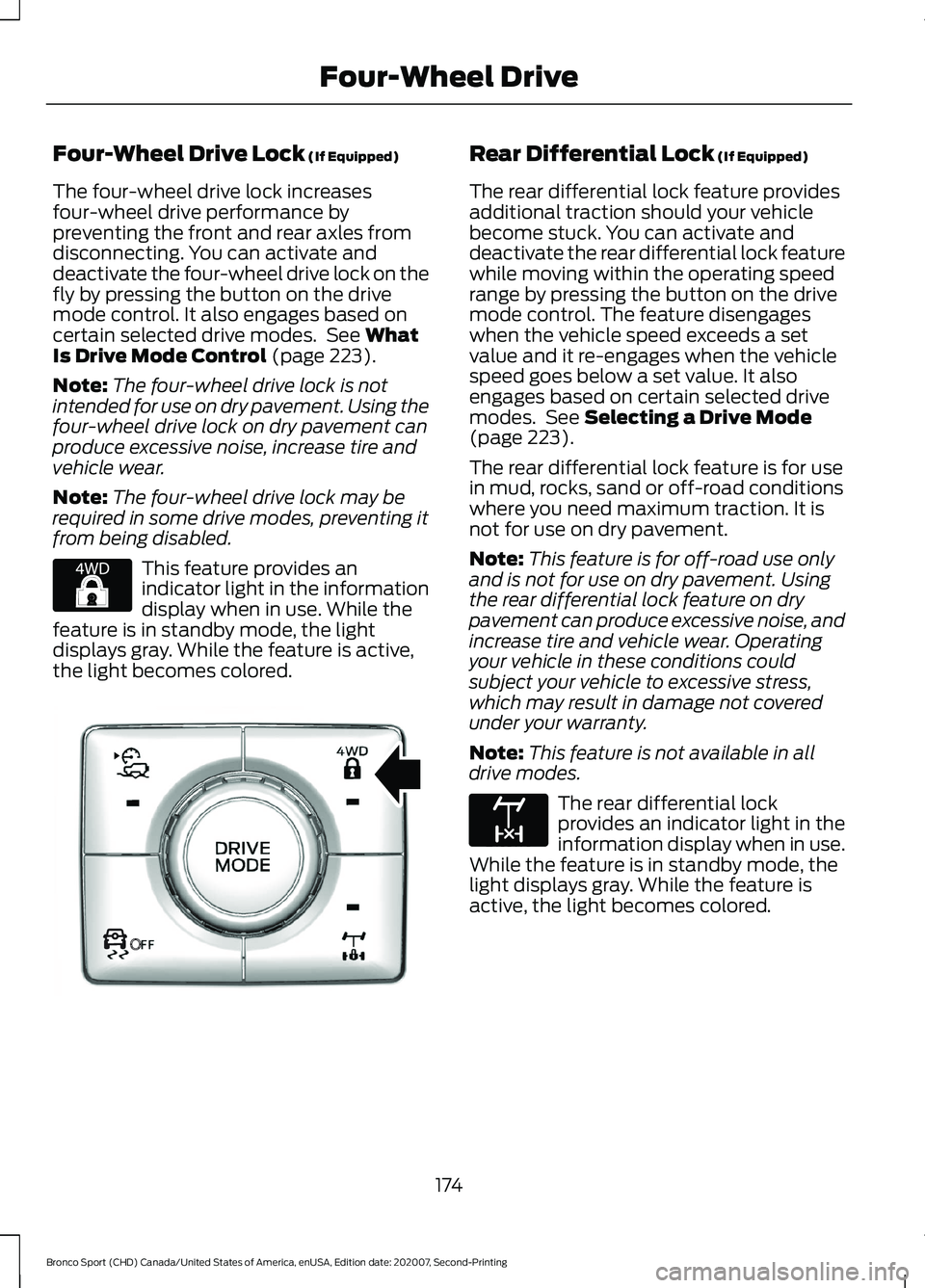
deactivate the four-wheel drive lock on the
fly by pressing the button on the drive
mode control. It also engages based on
certain selected drive modes. See
What
Is Drive Mode Control (page 223).
Note: The four-wheel drive lock is not
intended for use on dry pavement. Using the
four-wheel drive lock on dry pavement can
produce excessive noise, increase tire and
vehicle wear.
Note: The four-wheel drive lock may be
required in some drive modes, preventing it
from being disabled. This feature provides an
indicator light in the information
display when in use. While the
feature is in standby mode, the light
displays gray. While the feature is active,
the light becomes colored. Rear Differential Lock
(If Equipped)
The rear differential lock feature provides
additional traction should your vehicle
become stuck. You can activate and
deactivate the rear differential lock feature
while moving within the operating speed
range by pressing the button on the drive
mode control. The feature disengages
when the vehicle speed exceeds a set
value and it re-engages when the vehicle
speed goes below a set value. It also
engages based on certain selected drive
modes. See
Selecting a Drive Mode
(page 223).
The rear differential lock feature is for use
in mud, rocks, sand or off-road conditions
where you need maximum traction. It is
not for use on dry pavement.
Note: This feature is for off-road use only
and is not for use on dry pavement. Using
the rear differential lock feature on dry
pavement can produce excessive noise, and
increase tire and vehicle wear. Operating
your vehicle in these conditions could
subject your vehicle to excessive stress,
which may result in damage not covered
under your warranty.
Note: This feature is not available in all
drive modes. The rear differential lock
provides an indicator light in the
information display when in use.
While the feature is in standby mode, the
light displays gray. While the feature is
active, the light becomes colored.
174
Bronco Sport (CHD) Canada/United States of America, enUSA, Edition date: 202007, Second-Printing Four-Wheel DriveE327288 OE327287 E163170
Page 179 of 471
GENERAL INFORMATION
Note:
Occasional brake noise is normal. If
a metal-to-metal, continuous grinding or
continuous squeal sound is present, the
brake linings could be worn-out and have
your vehicle checked. If the vehicle has
continuous vibration or shudder in the
steering wheel while braking, have your
vehicle checked.
Note: Brake dust may accumulate on the
wheels, even under normal driving
conditions. Some dust is inevitable as the
brakes wear and does not contribute to
brake noise. Wet brakes result in reduced
braking efficiency. Gently press the brake
pedal a few times when driving from a car
wash or standing water to dry the brakes.
See Cleaning the Wheels (page 294).
Brake Over Accelerator
In the event the accelerator pedal
becomes stuck or entrapped, apply steady
and firm pressure to the brake pedal to
slow the vehicle and reduce engine power.
If you experience this condition, apply the
brakes and bring your vehicle to a safe
stop. Switch the engine off, move the
transmission to park (P) and apply the
parking brake. Inspect the accelerator
pedal and the area around it for any items
or debris that may be obstructing its
movement. If none are found and the
condition persists, have your vehicle towed
to have your vehicle checked.
Emergency Brake Assist
Emergency brake assist detects when you
brake heavily by measuring the rate at
which you press the brake pedal. It
provides maximum braking efficiency as
long as you press the pedal. Emergency
brake assist can reduce stopping distances
in critical situations. Anti-Lock Brake System
This system helps you maintain steering
control during emergency stops by keeping
the brakes from locking. If the light does not momentarily
illuminate, continues to flash or
remains on when you switch the
ignition on, the anti-lock brake system
could be disabled. Have the system
checked. If the anti-lock brake system is
disabled, normal braking is still effective.
Brake Lamps
See
Warning Lamps and Indicators
(page 95). If the light does not momentarily
illuminate, continues to flash or
remains on when you switch the
ignition on or apply the parking
brake, have the system checked.
If the brake warning lamp
illuminates with the parking brake released,
have the system checked immediately.
Note: Indicators vary depending on region.
HINTS ON DRIVING WITH
ANTI-LOCK BRAKES
The anti-lock braking system does not
eliminate the risks when:
• You drive too closely to the vehicle in
front of you.
• Your vehicle is hydroplaning.
• You take corners too fast.
• The road surface is poor.
Note: If the system activates, the brake
pedal may pulse and may travel further.
Maintain pressure on the brake pedal. You
may also hear a noise from the system. This
is normal.
176
Bronco Sport (CHD) Canada/United States of America, enUSA, Edition date: 202007, Second-Printing Brakes E270480
Page 187 of 471
WHAT IS TRAIL CONTROL
WARNING: The system does not
control speed in low traction conditions
or extremely steep slopes. The system
is designed to be an aid and does not
relieve you of your responsibility to drive
with due care and attention. Failure to
follow this instruction could result in
personal injury. WARNING:
The system does not
replace the parking brake. When you
leave your vehicle, always apply the
parking brake and shift the transmission
into park (P) for automatic transmission
or first gear for manual transmission.
Trail control lets you focus on steering
during low-speed and off-road use by
controlling your vehicle's acceleration and
braking.
You can use trail control under the
following speeds:
• 20 mph (32 km/h)
in four-wheel drive
or four-wheel drive lock.
• 5 mph (8 km/h)
in reverse (R).
You may hear a noise from the anti-lock
brake system pump motor when you use
the system. This is normal.
SWITCHING TRAIL CONTROL
ON AND OFF Press the button on the console.
The system switches off if you press the
button again or exceed 42 mph (68 km/h). SETTING THE TRAIL CONTROL
SPEED
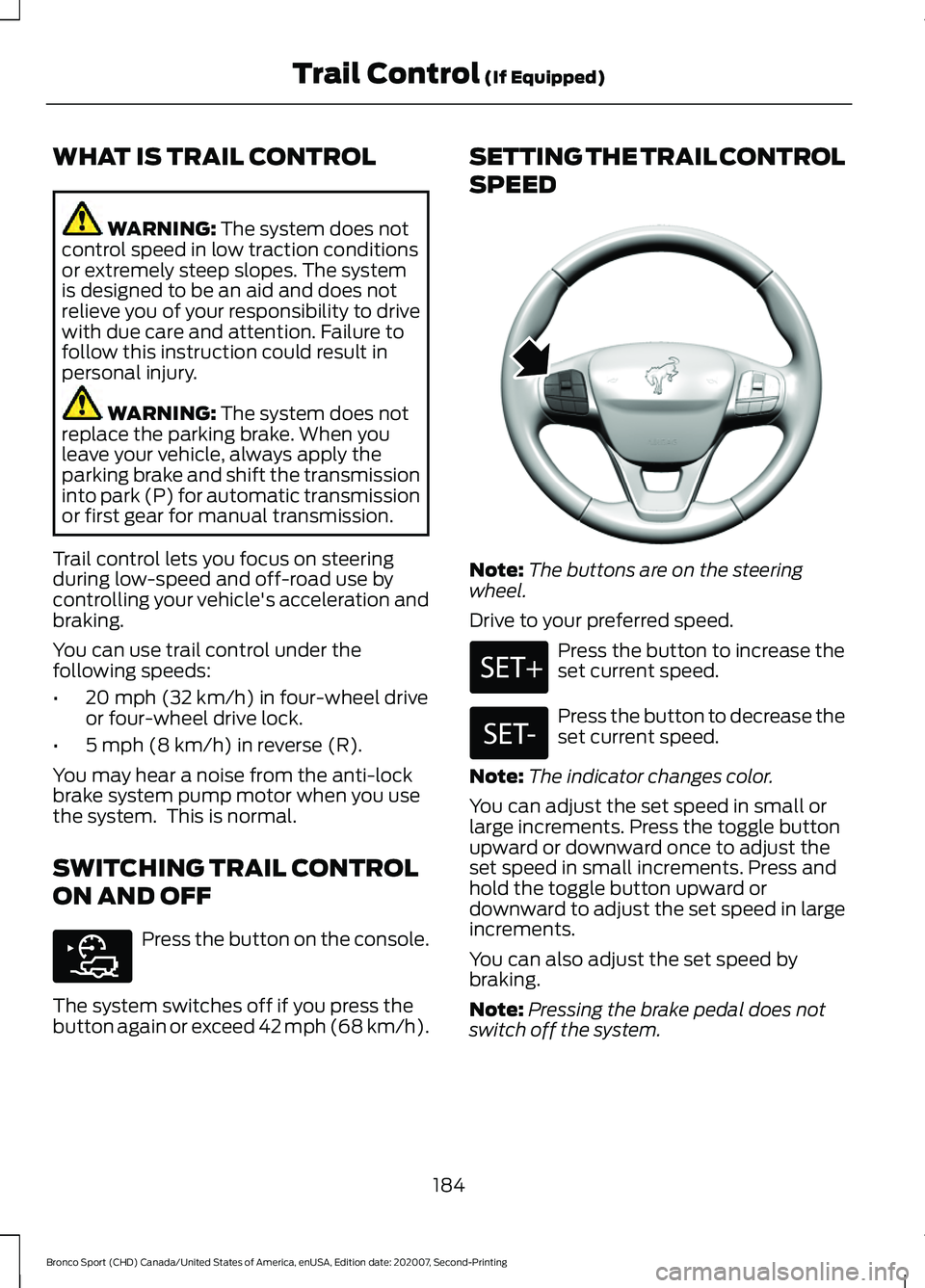
Note:
The buttons are on the steering
wheel.
Drive to your preferred speed. Press the button to increase the
set current speed.
Press the button to decrease the
set current speed.
Note: The indicator changes color.
You can adjust the set speed in small or
large increments. Press the toggle button
upward or downward once to adjust the
set speed in small increments. Press and
hold the toggle button upward or
downward to adjust the set speed in large
increments.
You can also adjust the set speed by
braking.
Note: Pressing the brake pedal does not
switch off the system.
184
Bronco Sport (CHD) Canada/United States of America, enUSA, Edition date: 202007, Second-Printing Trail Control
(If Equipped)E318506 E318924
Page 189 of 471
PRINCIPLE OF OPERATION
WARNING: To help avoid personal
injury, always use caution when in
reverse (R) and when using the sensing
system. WARNING:
The system may not
detect objects with surfaces that absorb
reflection. Always drive with due care
and attention. Failure to take care may
result in a crash. WARNING: Traffic control systems,
inclement weather, air brakes, external
motors and fans may affect the correct
operation of the sensing system. This
may cause reduced performance or false
alerts. WARNING:
The system may not
detect small or moving objects,
particularly those close to the ground. WARNING:
If damage occurs in the
immediate area surrounding the sensor,
have your vehicle checked as soon as
possible. WARNING:
The parking aid system
can only assist you to detect objects
when your vehicle is moving at parking
speeds. To help avoid personal injury you
must take care when using the parking
aid system. WARNING:
In cold and severe
weather conditions the system may not
function. Rain, snow and spray can all
limit sensor performance. WARNING:
The system may not
function if the sensor is blocked. Note:
If your vehicle has MyKey ™, the
sensing system cannot be switched off
when a MyKey ™ is present.
See Principle
of Operation (page 59).
Note: Do not clean the sensors with sharp
objects.
Note: If your vehicle sustains damage to
the bumper or fascia and you leave it
misaligned or bent, the sensing zone may
be altered causing inaccurate measurement
of obstacles or false alerts.
Note: Certain add-on devices installed
around the bumper or fascia may create
false alerts. For example, large trailer
hitches, bike or surfboard racks, license plate
brackets, bumper covers or any other device
that may block the normal detection zone
of the system. Remove the add-on device
to prevent false alerts.
Note: When you connect a trailer to your
vehicle, the rear parking aid may detect the
trailer and therefore provide an alert. Disable
the rear parking aid when you connect a
trailer to prevent the alert.
The sensing system warns you of obstacles
within a certain range of your vehicle. The
system turns on when you switch the
ignition on.
You can switch the system off through the
information display menu or from the
pop-up message that appears once you
shift the transmission into reverse (R). See
General Information
(page 99). If your
vehicle has a parking aid button, you can
switch the system off by pressing the
button. The system turns on when you
switch the ignition on.
If a fault is present in the system, a warning
message appears in the information
display. See
Information Messages
(page 104).
186
Bronco Sport (CHD) Canada/United States of America, enUSA, Edition date: 202007, Second-Printing Parking Aids
Page 191 of 471
If your vehicle remains stationary for two
seconds the audible warning turns off. If
your vehicle moves backward the tone
sounds again.
Note:
If the detected object is 12 in (30 cm)
or less from the rear bumper, the audible
warning does not turn off.
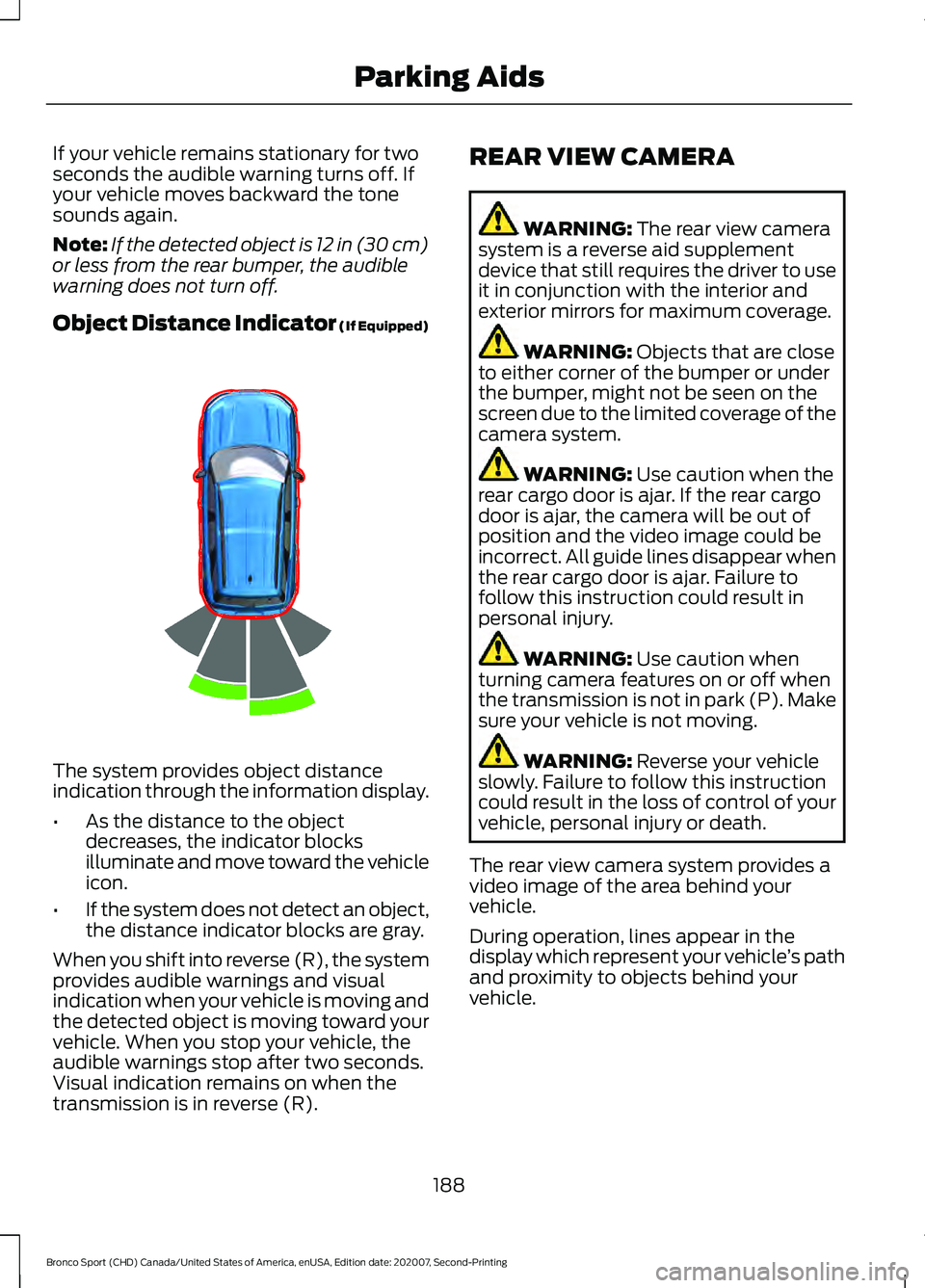
Object Distance Indicator (If Equipped) The system provides object distance
indication through the information display.
•
As the distance to the object
decreases, the indicator blocks
illuminate and move toward the vehicle
icon.
• If the system does not detect an object,
the distance indicator blocks are gray.
When you shift into reverse (R), the system
provides audible warnings and visual
indication when your vehicle is moving and
the detected object is moving toward your
vehicle. When you stop your vehicle, the
audible warnings stop after two seconds.
Visual indication remains on when the
transmission is in reverse (R). REAR VIEW CAMERA WARNING: The rear view camera
system is a reverse aid supplement
device that still requires the driver to use
it in conjunction with the interior and
exterior mirrors for maximum coverage. WARNING:
Objects that are close
to either corner of the bumper or under
the bumper, might not be seen on the
screen due to the limited coverage of the
camera system. WARNING:
Use caution when the
rear cargo door is ajar. If the rear cargo
door is ajar, the camera will be out of
position and the video image could be
incorrect. All guide lines disappear when
the rear cargo door is ajar. Failure to
follow this instruction could result in
personal injury. WARNING:
Use caution when
turning camera features on or off when
the transmission is not in park (P). Make
sure your vehicle is not moving. WARNING:
Reverse your vehicle
slowly. Failure to follow this instruction
could result in the loss of control of your
vehicle, personal injury or death.
The rear view camera system provides a
video image of the area behind your
vehicle.
During operation, lines appear in the
display which represent your vehicle ’s path
and proximity to objects behind your
vehicle.
188
Bronco Sport (CHD) Canada/United States of America, enUSA, Edition date: 202007, Second-Printing Parking AidsE322352
Page 200 of 471
WARNING: The system only warns
of vehicles detected by the radar and
camera sensors. In some cases there
may be no warning or a delayed warning.
Apply the brakes when necessary. Failure
to follow this instruction could result in
personal injury or death. WARNING:
The system may not
detect stationary or slow moving
vehicles below
6 mph (10 km/h). WARNING:
The system does not
detect pedestrians or objects in the road. WARNING:
The system does not
detect oncoming vehicles in the same
lane. WARNING:
The system may not
operate properly if the sensor is blocked.
Keep the windshield free from
obstruction. WARNING:
The sensor may
incorrectly track lane markings as other
structures or objects. This can result in
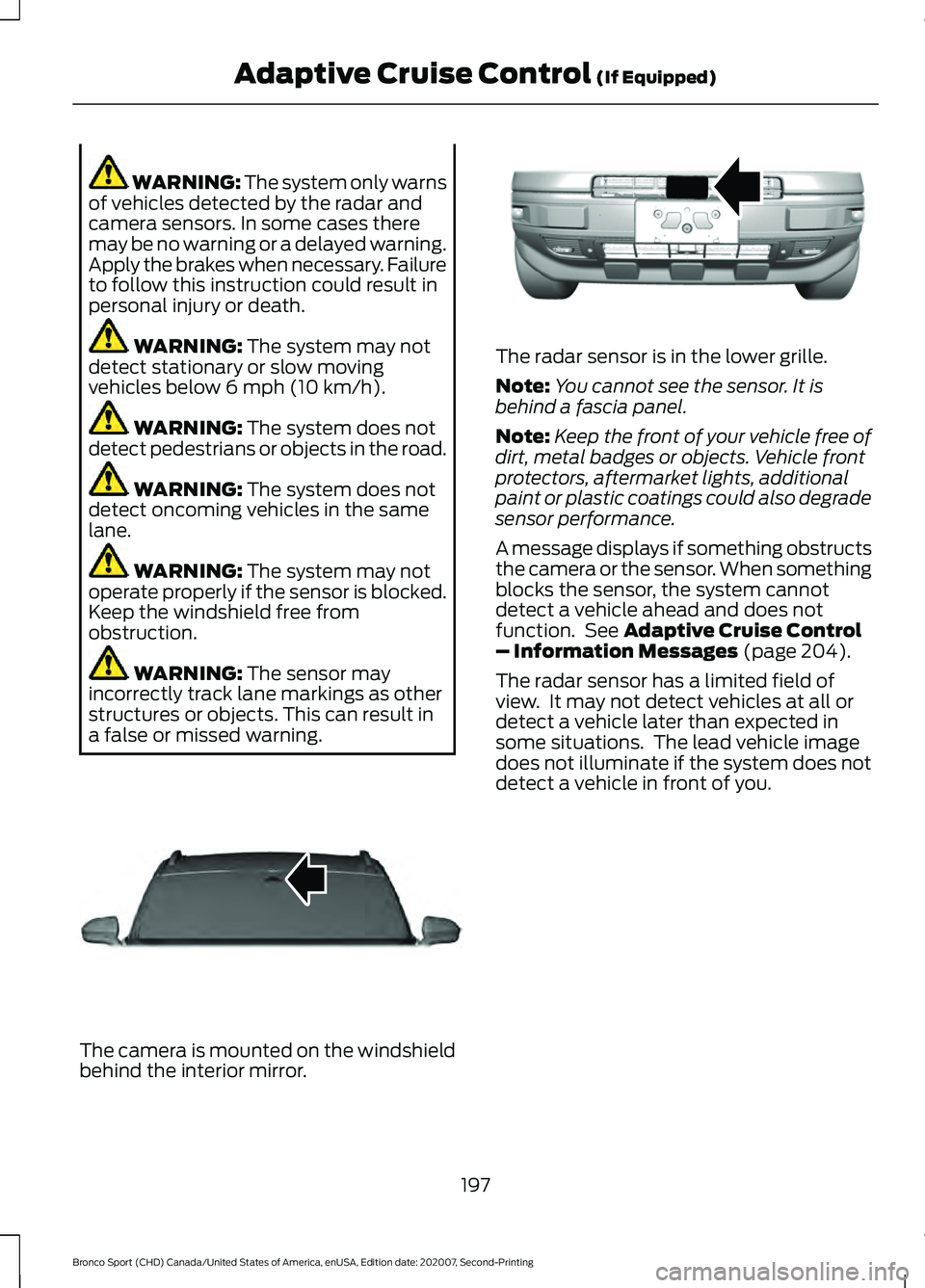
a false or missed warning. The camera is mounted on the windshield
behind the interior mirror. The radar sensor is in the lower grille.
Note:
You cannot see the sensor. It is
behind a fascia panel.
Note: Keep the front of your vehicle free of
dirt, metal badges or objects. Vehicle front
protectors, aftermarket lights, additional
paint or plastic coatings could also degrade
sensor performance.
A message displays if something obstructs
the camera or the sensor. When something
blocks the sensor, the system cannot
detect a vehicle ahead and does not
function. See
Adaptive Cruise Control
– Information Messages (page 204).
The radar sensor has a limited field of
view. It may not detect vehicles at all or
detect a vehicle later than expected in
some situations. The lead vehicle image
does not illuminate if the system does not
detect a vehicle in front of you.
197
Bronco Sport (CHD) Canada/United States of America, enUSA, Edition date: 202007, Second-Printing Adaptive Cruise Control
(If Equipped)E307893 E321483
Page 201 of 471
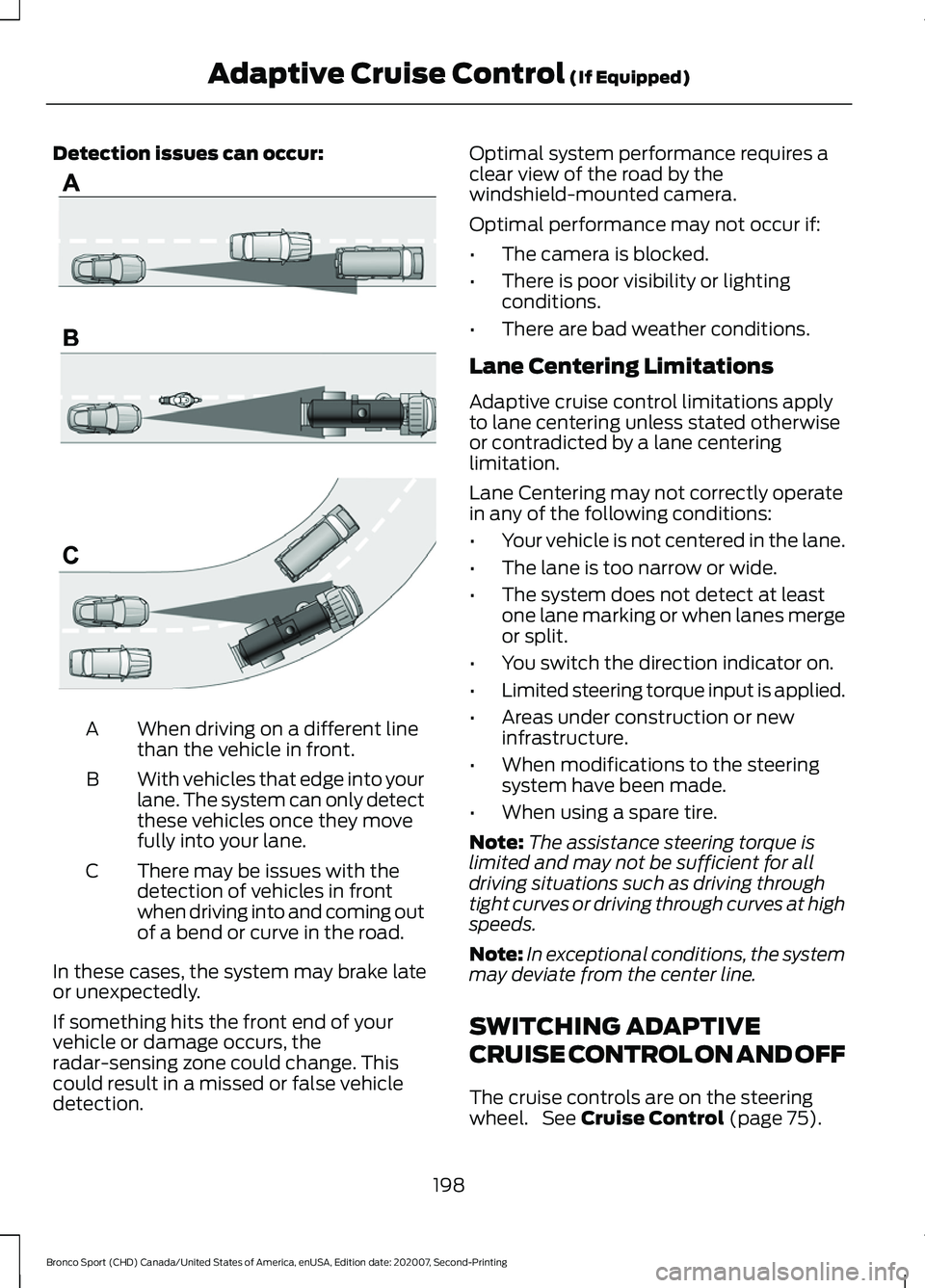
Detection issues can occur:
When driving on a different line
than the vehicle in front.
A
With vehicles that edge into your
lane. The system can only detect
these vehicles once they move
fully into your lane.
B
There may be issues with the
detection of vehicles in front
when driving into and coming out
of a bend or curve in the road.
C
In these cases, the system may brake late
or unexpectedly.
If something hits the front end of your
vehicle or damage occurs, the
radar-sensing zone could change. This
could result in a missed or false vehicle
detection. Optimal system performance requires a
clear view of the road by the
windshield-mounted camera.
Optimal performance may not occur if:
•
The camera is blocked.
• There is poor visibility or lighting
conditions.
• There are bad weather conditions.
Lane Centering Limitations
Adaptive cruise control limitations apply
to lane centering unless stated otherwise
or contradicted by a lane centering
limitation.
Lane Centering may not correctly operate
in any of the following conditions:
• Your vehicle is not centered in the lane.
• The lane is too narrow or wide.
• The system does not detect at least
one lane marking or when lanes merge
or split.
• You switch the direction indicator on.
• Limited steering torque input is applied.
• Areas under construction or new
infrastructure.
• When modifications to the steering
system have been made.
• When using a spare tire.
Note: The assistance steering torque is
limited and may not be sufficient for all
driving situations such as driving through
tight curves or driving through curves at high
speeds.
Note: In exceptional conditions, the system
may deviate from the center line.
SWITCHING ADAPTIVE
CRUISE CONTROL ON AND OFF
The cruise controls are on the steering
wheel. See Cruise Control (page 75).
198
Bronco Sport (CHD) Canada/United States of America, enUSA, Edition date: 202007, Second-Printing Adaptive Cruise Control
(If Equipped)E71621
Page 202 of 471
Switching Adaptive Cruise Control
On
Press the button to set the
system in standby mode.
The indicator, current gap setting and set
speed appear in the information display.
Switching Adaptive Cruise Control
Off Press the button when the
system is in standby mode, or
switch the ignition off.
Note: You erase the set speed when you
switch the system off.
Automatic Cancellation or
Deactivation
The system may cancel if:
• The tires lose traction.
• You apply the parking brake.
The system may cancel and set the parking
brake if:
• You unbuckle the seatbelt and open
the driver door after you stop your
vehicle.
• Your vehicle is at a stop continuously
for more than three minutes.
The system may deactivate or prevent
activating when requested if:
• The vehicle has a blocked sensor.
• The brake temperature is too high.
• There is a failure in the system or a
related system.
SETTING THE ADAPTIVE
CRUISE CONTROL SPEED
Drive to the speed you prefer. Press the toggle button upward
or downward to set the current
speed.
Take your foot off the accelerator pedal.
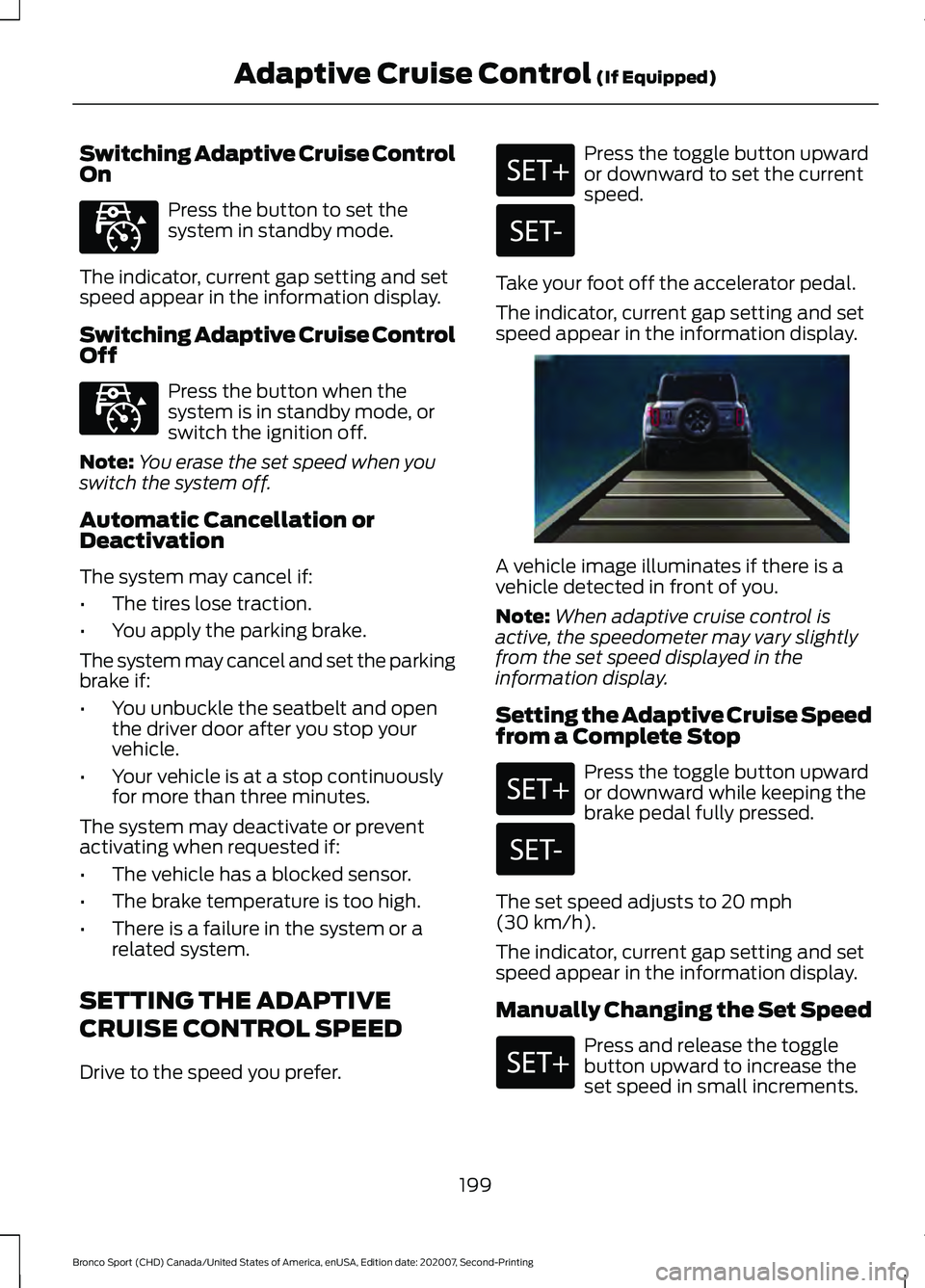
The indicator, current gap setting and set
speed appear in the information display. A vehicle image illuminates if there is a
vehicle detected in front of you.
Note:
When adaptive cruise control is
active, the speedometer may vary slightly
from the set speed displayed in the
information display.
Setting the Adaptive Cruise Speed
from a Complete Stop Press the toggle button upward
or downward while keeping the
brake pedal fully pressed.
The set speed adjusts to 20 mph
(30 km/h).
The indicator, current gap setting and set
speed appear in the information display.
Manually Changing the Set Speed Press and release the toggle
button upward to increase the
set speed in small increments.
199
Bronco Sport (CHD) Canada/United States of America, enUSA, Edition date: 202007, Second-Printing Adaptive Cruise Control
(If Equipped)E323440 E323440 E338558