2021 AUDI E-TRON hood release
[x] Cancel search: hood releasePage 9 of 308
4KE012721BF
Quick access
— Audi musicinterface .......... 217
— Audi phone box ............... 177
Socket wz zs sews x 2 uews yo ees sve 78
@ Electromechanical parking brake
BUEtON sgsae «2 came o 2 eawa xo ees 2 98
@0 Selector lever ..............02. 92
@) [START STOP] button ............ 90
@ Steering wheel adjustment ...... 62
@) Lever for:
— Cruise control system ......... 141
— Adaptive cruise assist .......... 144
@4 Connection port for the On Board
Diagnostic System (OBD) ........ 281
@) Hood release ..............00-5 234
@8 Memory function buttons ........ 67
@) Buttons for:
SsLIQWtS | cove & & sonsaws o o amavors & & imamwas 9 0 48
—All-weather lights ............ 48
@8
Luggage compartment lid button . 39
@9 Exterior mirror adjustment ...... 52
60 Buttons for:
— Power windows .............. 43
—Child safety lock .............. 42
() Tips
Some the equipment listed here is only instal-
led in certain models or is available as an op-
tion.
Indicator lights overview
The indicator lights in the instrument cluster
blink or turn on. They indicate functions or mal-
functions. Some warning and indicator lights
turn on when you switch the ignition on and must
turn off when the drive system is switched on or
while driving.
With some indicator lights, messages may ap-
pear and warning signals may sound. The indica-
tor lights and messages may be covered by other
displays. To show them again, select the second
tab for messages with the multifunction steering
wheel > page 12.
Some indicator lights in the display can display in
several colors.
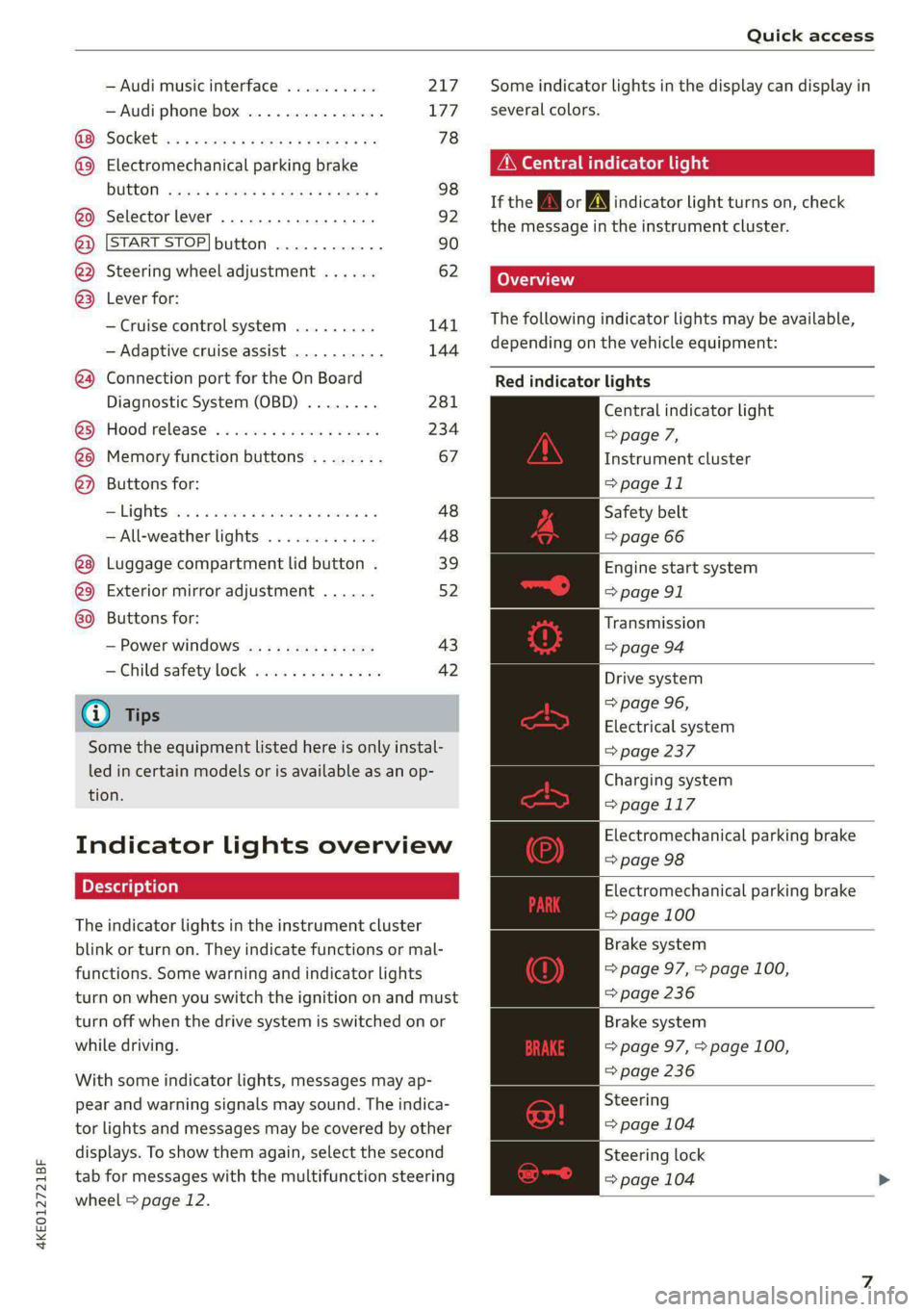
A\ Central indicator light
If the A or indicator light turns on, check
the message in the instrument cluster.
The following indicator lights may be available,
depending on the vehicle equipment:
Red indicator lights
Central indicator light
=> page 7,
Instrument cluster
=> page 11
Safety belt
=> page 66
Engine start system
=> page 91
Transmission
=>page 94
Drive system
=> page 96,
Electrical system
=> page 237
Charging system
=>page 117
Electromechanical parking brake
=> page 98
Electromechanical parking brake
=> page 100
Brake system
=> page 97, > page 100,
=> page 236
Brake system
=> page 97, > page 100,
=> page 236
Steering
=> page 104
Steering lock
=> page 104
Page 118 of 308

High-voltage system
Setting the timer
Introduction
By setting a timer, you determine when your vehi-
cle should reach the desired charging target.
When the timer is activated, it will be run regu-
larly at the set time. In addition to the charging
target, you can also specify if your vehicle should
be heated or cooled to the temperature set in the
climate control system. You can turn on multiple
timers at the same time. The active timer is indi-
cated by the respective number in © in the upper
section of the display.
» Applies to: MMI: Select on the home screen:
VEHICLE > Charging & Efficiency > Charging.
> When the charging target is displayed, swipe
your finger on the display toward the left.
Configuring the timer
> To set a timer, select > in the line for the de-
sired timer.
> Select one ore more days of the week and select
Next.
» Set the desired departure time and select OK.
> To also activate the climate control with a tim-
er, select F.
Switching on the timer and timer charging
The charging process will only follow the timer
settings if you have switched on the timer and
timer charging.
> To turn ona timer, select CD.
> To switch on timer charging, select ©. A col-
ored bar will turn on in the button.
If the set departure time for the timer is too
soon, the desired charging target may not be
reached.
G) Tips
It is not possible to charge using the timer at
some charging stations.
Advanced charging settings
With the advanced charging settings, you can de-
fine
addresses (locations) at which certain charg-
ing settings should apply (for example, charging
116
target, minimum charge). If your vehicle is in the
vicinity of a defined address, the advanced charg-
ing settings will be automatically applied. The
charging target that is set will be used both for
immediate charging and timer charging.
Managing the advanced charging settings
> Applies to: MMI: Select on the home screen:
VEHICLE > Charging & Efficiency > Charging >
<2} > Advanced charging settings.
> To define new settings for a certain address, se-
lect +. Follow the instructions in the display.
> To edit existing settings for a certain address,
press the respective button.
> To delete existing settings for a certain ad-
dress, select Z.
Charging with a preferred charging time
A preferred charging time is only used when tim-
er charging is switched on > page 116, Switching
on the timer and timer charging.
Incase of malfunction, you can manually release
the charging port door or the charging connec-
tor.
Fig. 85 Motor compartment: emergency release
Manually releasing the charging port door
> Open the hood = page 234.
> Open the cover in the motor compartment on
the side of the applicable charging port.
> Loosen the red loop @) > fig. 85 from the re-
tainer and then pull on the loop carefully >@.
> If necessary, open the charging port door by
hand.
> After releasing manually, secure the loop on
the retainer and close the cover.
Page 119 of 308
4KE012721BF
High-voltage system
> Drive to an authorized Audi dealer or author-
ized Audi Service Facility immediately to have
the malfunction corrected.
Manually releasing the charging connector
If you are not able to pull the charging connector
out of the vehicle charging port, there may bea
malfunction. You must use the emergency re-
lease to release the vehicle charging connector.
Requirement: the “P” gear must be selected and
the vehicle must be unlocked.
> End the charging process > page 113.
> Open the hood = page 234.
> Open the cover in the motor compartment on
the side of the applicable charging port.
> Loosen the yellow loop @) fig. 85 from the re-
tainer and then pull on the loop carefully >@.
» Remove the charging connector.
> After releasing manually, secure the loop on
the retainer and close the cover.
> Drive to an authorized Audi dealer or author-
ized Audi Service Facility immediately to have
the malfunction corrected.
If the charging connector still cannot be removed
after using the emergency release, see an author-
ized Audi dealer or authorized Audi Service Facili-
ty for assistance.
@) Note
Only pull on the loop until you feel resistance.
You
will not hear it release. If you continue to
pull, you could damage the emergency re-
lease mechanism.
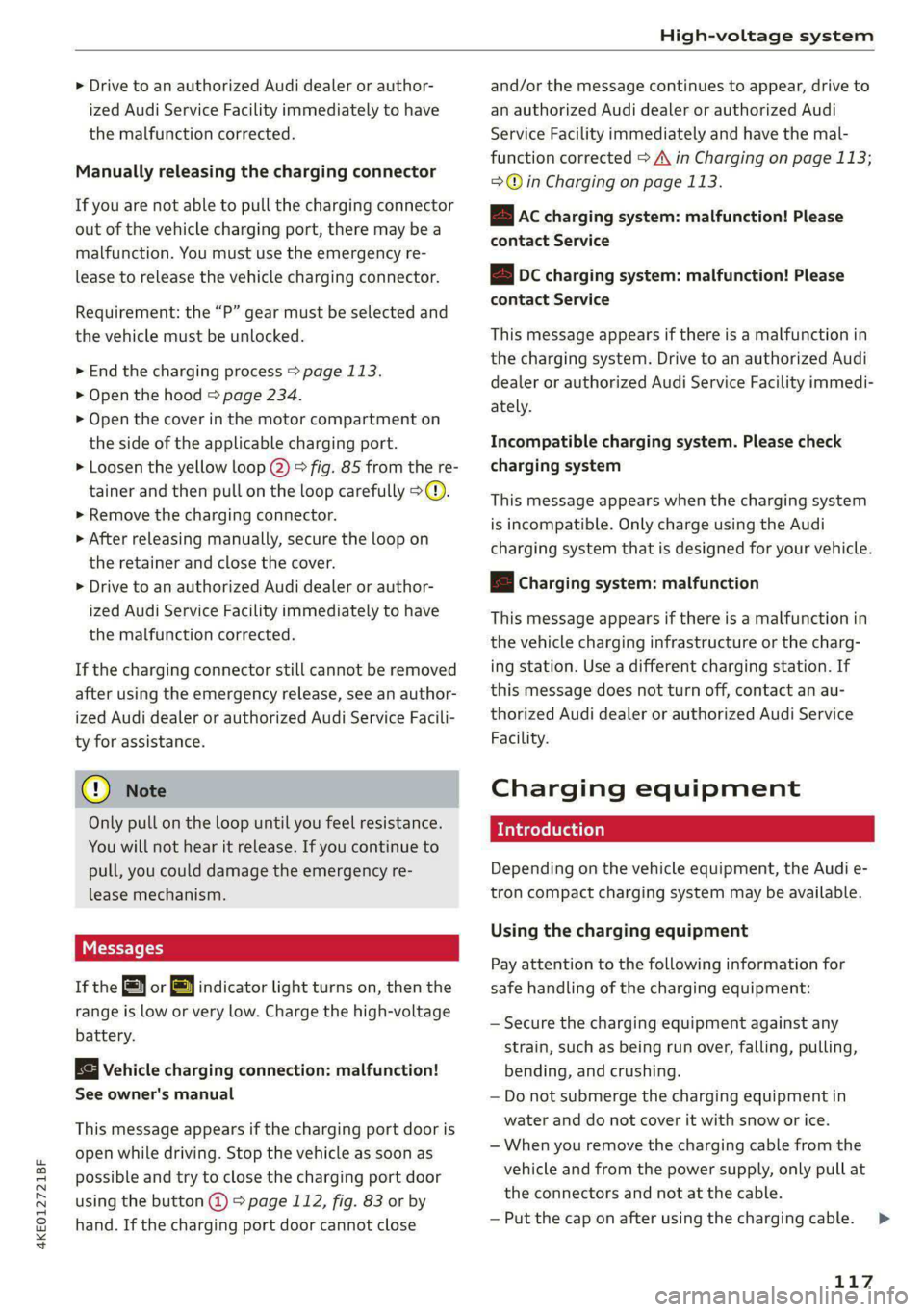
Messages
If the or BY indicator light turns on, then the
range is low or very low. Charge the high-voltage
battery.
Vehicle charging connection: malfunction!
See owner's manual
This message appears if the charging port door is
open while driving. Stop the vehicle as soon as
possible and try to close the charging port door
using the button @) & page 112, fig. 83 or by
hand. If the charging port door cannot close
and/or the message continues to appear, drive to
an authorized Audi dealer or authorized Audi
Service Facility immediately and have the mal-
function corrected > A\ in Charging on page 113;
=>@© in Charging on page 113.
EB Ac charging system: malfunction! Please
contact Service
B DC charging system: malfunction! Please
contact Service
This message appears if there is a malfunction in
the charging system. Drive to an authorized Audi
dealer or authorized Audi Service Facility immedi-
ately.
Incompatible charging system. Please check
charging system
This message appears when the charging system
is incompatible. Only charge using the Audi
charging system that is designed for your vehicle.
fa Charging system: malfunction
This message appears if there is a malfunction in
the vehicle charging infrastructure or the charg-
ing station. Use a different charging station. If
this message does not turn off, contact an au-
thorized Audi dealer or authorized Audi Service
Facility.
Charging equipment
Introduction
Depending on the vehicle equipment, the Audi e-
tron compact charging system may be available.
Using the charging equipment
Pay attention to the following information for
safe handling of the charging equipment:
— Secure the charging equipment against any
strain, such as being run over, falling, pulling,
bending, and crushing.
— Do not submerge the charging equipment in
water and do not cover it with snow or ice.
— When you remove the charging cable from the
vehicle and from the power supply, only pull at
the connectors and not at the cable.
— Put the cap on after using the charging cable.
117
>
Page 236 of 308

Checking and Filling
chemicals known to the State of California
to cause cancer and birth defects or other
reproductive harm.
— Battery posts, terminals and related acces-
sories contain lead and lead compounds,
chemicals known to the State of California
to cause cancer and reproductive harms.
Wash hands after handling.
® Note
When filling fluids, be sure not to add any flu-
ids to the wrong reservoirs. Otherwise, severe
malfunctions and damage will occur.
@ For the sake of the environment
You should regularly check the ground under
your vehicle in order to detect leaks quickly. If
there are visible spots from oil or other fluids,
bring your vehicle to an authorized Audi deal-
er or authorized Audi Service Facility to be
checked.
Opening and closing the hood
The hood is released from inside the vehicle.
RAZ-0606
Fig. 150 Unlocked hood: lever
D_ The & symbol is not available in all countries.
234
Make sure the wiper arms are not raised up from
the windshield. Otherwise the paint could be
damaged.
Opening the hood
> With the door open, pull the lever <> below
the instrument panel in the direction of the ar-
row > fig. 149.
>» Raise the hood slightly > page 233.
> Press the lever > fig. 150 in the direction of the
arrow. This releases the hooks.
> Open the hood.
Closing the hood
> Push the hood down until you override the
force of the strut.
> Let the hood fall lightly into the latch. Do not
press it in. > /\.
Messages
EB warning! Hood is not locked. Stop vehicle
and check the lock
The hood latch is not locked correctly. Stop im-
mediately and close the hood.
ZA\ WARNING
— Never open the hood when there is steam or
coolant escaping from the motor compart-
ment, because there is a risk that you could
be burned. Wait until no steam or coolant is
escaping.
— For safety reasons, the hood must always be
latched securely while driving. Because of
this, always check the hood after closing it
to make sure it is latched correctly. The hood
is latched if the front corners cannot be lift-
ed.
— If you notice that the hood is not latched
while you are driving, stop immediately and
close it, because driving when the hood is
not latched increases the risk of an accident.