2021 AUDI E-TRON garage door opener
[x] Cancel search: garage door openerPage 4 of 308
Table of contents
About this Owner's Manual......
SUMIMAry: < = exe : eens: Seen cs sens
QutckeaeCe ssh: «i esis se ois a eaves @
Cockpit. ...... 0... eee eee eee eee
Indicator lights overview...........4..
Display and operation...........
Instrument cluster...............
Instrument cluster overview...........
Operating. ecccuse w+ were oo wens oo ayes 9 ¥
Adjusting the display.................
POWErMe@tel ss « » wees = 5 gees ey ewe xe
OdOMeter sic oo sisiecs a werner » ome ee irae «
Outside temperature display...........
Vehicle functions « sce. ss saes ae sees aes
Touch displays....................
General touch display operation........
Multi Media Interface................
Head-up display..................
DeSGriptlOlls « ¢ sans a ¢ wee a ¢ saws § eae
Voice recognition system........
General information..............4..
DESCRIPTION. 4 & wisevus sa stenius ow aresiue 6 ¥ renin
External voice operation..............
Global Functions’. vc. 6s css se cess
Additional function buttons...........
Starting and driving.............
Personalization..................
Luggage compartment lid.............
Child safety lock........... 00. cece eee
POWEF WINdOWS:: « x sso ¥ 2 eure 9 2 ea
Panoramic glass:n00fiecis < « svsvine so siswes «
Garage door opener...........-.00005
Lights and Vision.................
EXEROPLUGHELAG, soosece « » enscet oo snsuein © 0 asee
Interior lighting..............-...0--
NOD
OO
11
ga:
11 12 12 13 13 13
13
15
15
17
24 24
25
25
25
26
28
28
29
29 29
32 32
36 39
42 43
44
45
48
48
51
ViSIOM i & & soscone wo coasaie 3 w aeeeane © w cease ow 52
Windshield wipers...............000 54
Digital COMPdSS's s s wae se wees se ees ve 57
Sitting correctly and safely...... 59
Correct passenger seating position...... 59
Frontis@ats:. = csv 2» ewes 2 o wom ws eon © 59
SLESKIMG WHEEL eseiince 4 0 eowcene s sontone o 6 axottene 62
Head restraints...................05. 63
Safety belts's « sso: s swans 5 ¢ eeies 5 2 awn 64
Memory function.............. 00s eee 67
Airbag system...............2220005 68
Child
safety seats ..........00 eee eae 72
Storage and convenience........ 78
POWEr SOUFCES seis = = eeu 2 + cee 2 + Hes 78
Cup Rolders': « sis ss ems os ence ee eee 78
Storage and compartments............ 79
Luggage compartment............... 79
Roofirackss + ¢ sseis eevee ev ena oo ween eo 83
Warm and cold.................6. 84
Climate control system............... 84
Steering wheel heating.............-. 87
Auxiliary climate control.............- 87
Fluids in the A/C system.............. 88
Driving ........... 0. cee ee eee 90
Starting the vehicle................-. 90
When:driving jac: 2 + srcwie sv snsine oo earn vos 91
Drive system. ......... 0.0.00 .002000. 94
Brakesi: « « sia < anne 3 gene 3 x nOuR Fs cee 96
Electromechanical parking brake....... 98
Special driving situations.............. 100
Driving dynamic.................. 102
Audi drive select..............000000. 102
SUSPeNSION ss « = seus + < HeeS 4c REER x BRE 103
StOGFING « wicca x cases « 2 oresess a cae © H Lod 104
All wheel drive (quattro).............. 105
Electronic Stabilization Control......... 105
Page 23 of 308
4KE012721BF
Touch displays
be hidden. To display the older notifications,
drag
your finger upward on the screen.
Setting which content is displayed
You can set whether some notifications should be
displayed.
> To set the displayed content, press &S, or
» Applies to MMI: Select on the home screen:
SETTINGS > Notifications.
> Select and confirm which notifications should
be displayed.
Possible quick settings
Symbol Description
Apply sound settings
Open menu settings
Manage connected devices
Manage users
Set date and time
=: Set displayed content in the noti-
fication center
Depending on the vehicle equipment, you can op-
erate various functions in the function bar.
Description
Switch hill descent assist on or off
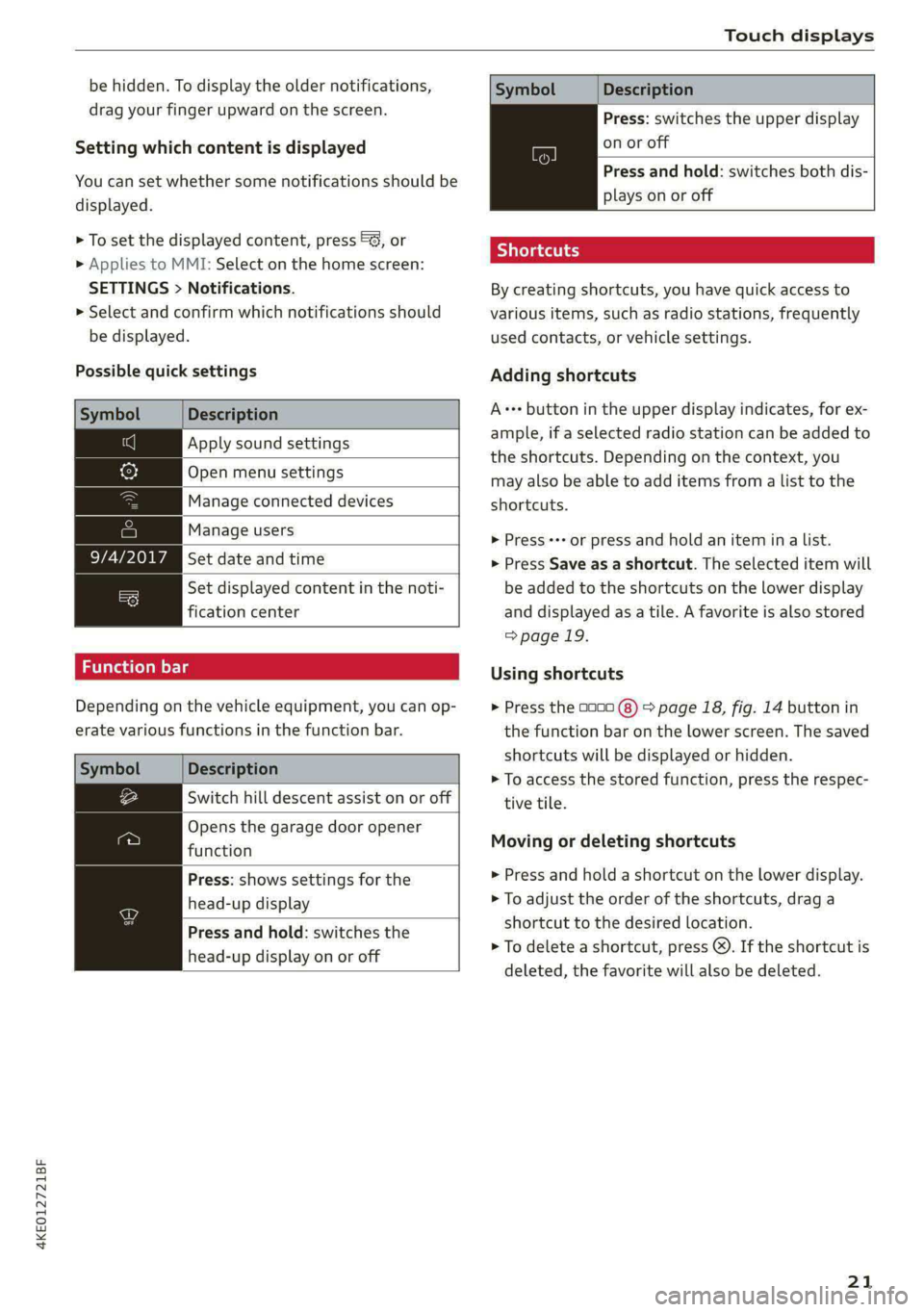
Opens the garage door opener
function
Press: shows settings for the
head-up display
Press and hold: switches the
head-up display on or off
Symbol
Description
Press: switches the upper display
on or off
Press and hold: switches both dis-
plays on or off
Shortcuts
By creating shortcuts, you have quick access to
various items, such as radio stations, frequently
used contacts, or vehicle settings.
Adding shortcuts
A+++ button in the upper display indicates, for ex-
ample, if a selected radio station can be added to
the shortcuts. Depending on the context, you
may also be able to add items from a list to the
shortcuts.
> Press ++ or press and hold an item ina list.
> Press Save as a shortcut. The selected item will
be added to the shortcuts on the lower display
and displayed as a tile. A favorite is also stored
> page 19.
Using shortcuts
> Press the 0000 (8) > page 18, fig. 14 button in
the function bar on the lower screen. The saved
shortcuts will be displayed or hidden.
> To access the stored function, press the respec-
tive tile.
Moving or deleting shortcuts
> Press and hold a shortcut on the lower display.
> To adjust the order of the shortcuts, drag a
shortcut to the desired location.
> To delete a shortcut, press ®. If the shortcut is
deleted, the favorite will also be deleted.
21
Page 47 of 308

4KE012721BF
Opening and closing
> Push the 2S switch back briefly to the second
level 2) twice in a row.
Roof emergency closing
If an object is detected when closing, the roof
will open again automatically. In this case, you
can then close it with the power emergency clos-
ing function.
> Within five seconds after the sunroof opens au-
tomatically, pull the applicable button until the
roof is closed.
Z\ WARNING
To reduce the risk of injury, always pay atten-
tion when closing the roof. Always switch the
ignition off and take the key with you when
leaving the vehicle.
@) Note
Always close the roof when you leave the vehi-
cle and when there is precipitation to reduce
the risk of damage to the interior equipment,
particularly the electronic equipment.
G) Tips
— After switching off the ignition, the roof and
sunshades can still be operated for several
minutes as long as neither of the front
doors have been opened.
— It is not possible to open the roof when
temperatures are too low.
Garage door opener
Applies to: vehicles with garage door opener
With the garage door opener, you can activate
systems such as the garage doors, security sys-
tems or house lights from inside your vehicle.
These functions are operated in the MMI. Multi-
ple receivers can be programmed, which can con-
trol the functions of up to eight!) hand-held
transmitters.
)) The possible number of hand-held transmitters depends
on the equipment.
ZA\ WARNING
— When operating or programming the garage
door opener, make sure that no people or
objects are in the area immediately sur-
rounding the equipment. People can be in-
jured or property can be damaged if struck
when closing.
— Do not allow yourself to be distracted from
traffic by the viewing and operating the dis-
plays.
Gi) Tips
— If you sell your vehicle, reset all settings to
the factory default settings > page 229.
— The system complies with United States FCC
regulations and ISED regulations
=> page 288.
G) Tips
Before you program your system to the ga-
rage door opener, first check the compatibili-
ty:
— Ask an authorized Audi dealer or authorized
Audi Service Facility or check at www.
homelink.com. You can also find more infor-
mation about HomeLink there.
— You can display information about Home-
Link (compatibility level/status/country
code/HomeLink generation) in the MMI:
— Select on the home screen: VEHICLE > Set-
tings & Service > Garage door opener > @.
Applies to: vehicles with garage door opener
Requirements: the remote control transmitter
must be programmed > page 46, Program-
ming, the vehicle must be within range of the
system, and the ignition must be switched on.
There are multiple options to open or close the
system (such as the garage door).
45
Page 48 of 308

Opening and closing
> If you have only programmed one remote con-
trol transmitter, press the rd button on the
lower display. Or
> If you have programmed multiple remote con-
trol transmitters, press the r button on the
lower display and then press the respective sys-
tem button. Or
> Applies to: vehicles with programmable steer-
ing wheel button: If you have configured the
programmable steering wheel button, press
the *K button > page 28. Or
» Applies to: vehicles with location pairing: If you
have programmed Location pairing, press the
button for this in the upper display (notification
center > page 20). As you approach the system,
the button is displayed on the MMI.
If transmission was successful, the message:
Send to: XXX will appear.
Applies to: vehicles with garage door opener
You can program both fixed code and rolling code
systems in the MMI using the procedure that is
described.
Requirement: the ignition must be switched on.
Programming the system
Applies to: MMI
Requirement: the hand transmitter must be
present and the vehicle must be within range of
the system (such as the garage door) that you
would like to program.
> If you are programming the garage door opener
for the first time, press the - button on the
lower display. Follow the instructions in the up-
per
display. Or
> If you would like to program other systems, se-
lect on the home screen: VEHICLE > Settings &
Service > Garage door opener. Select the de-
sired button: @). Follow the instructions in the
MMI.
> If you would like to reprogram systems that are
already programmed, select on the home
screen: VEHICLE > Settings & Service > Garage
D_ Only applies to rolling code systems
46
door opener. Press the Z button and select 7
for the system to be reprogrammed. Select:
Program. Follow the instructions in the MMI.
With some systems, the garage door opener will
be immediately available after programming.
With other systems, the garage door opener
must also be synchronized.
Synchronizing)
Requirement: the hand transmitter must already
be programmed and the vehicle must be within
range of the system (such as the garage door).
If the system synchronization is performed di-
rectly after the programming procedure, follow
the instructions on the MMI.
If you would like to sync at a later time:
> Applies to: MMI: Select on the home screen:
VEHICLE > Settings & Service > Garage door
opener.
> Press the button for the system that you would
like to synchronize.
> Follow the instructions in the MMI.
Location pairing
Applies to: vehicles with location pairing
For easier operation, you can program your sys-
tem's location.
Requirements: the respective hand transmitter
must be programmed © page 46 and the vehicle
must be located in front of the system.
> If you have programmed your system, follow
the instructions in the MMI. Or
If you would like to set up location pairing at an-
other time:
> Applies to: MMI: Select on the home screen:
VEHICLE > Settings & Service > Garage door
opener.
> Press the Z button.
> Press the button for the system your vehicle
is facing.
> Select: Location pairing.
> Follow the instructions in the MMI.
Page 49 of 308
4KE012721BF
Opening and closing
Only a maximum of three systems can be dis-
played in the notification center > page 20. If
you would like to have all systems displayed,
press Au.
Renaming programmed systems
You can rename the programmed systems indi-
vidually (names may have a maximum of 10 char-
acters).
> If you have programmed your system, follow
the instructions in the MMI. Or
If you would like to change the name at another
time:
» Applies to: MMI: Select on the home screen:
VEHICLE > Settings & Service > Garage door
opener.
> Press the Z button.
> Press the 7 button for the system that you
would like to rename.
> Select: Rename. If necessary, delete the preset
name, such as Garage door opener 1.
> Follow the instructions in the MMI.
Deleting programmed systems
The programmed systems can be deleted individ-
ually or all at once.
> Applies to: MMI: Select on the home screen:
VEHICLE > Settings & Service > Garage door
opener.
> Press the Z button.
> To delete an individual system, press the L]
button for the desired system. If the checkmark
JV is set, select: Delete.
> To delete all systems, select: All > Delete.
@ Tips
— Make sure the batteries in the hand trans-
mitter are charged before starting the pro-
gramming process.
— The programming process may take up to
30 seconds. It may be necessary for the
hand transmitter to be pressed again in the
meantime.
— The garage door opener may need to be
synchronized with the system after pro-
gramming. Follow the manufacturer's in-
structions for doing this.
@) Tips
In some cases, the system may need to be
programmed in a different mode (“D mode”).
— Switch the ignition on.
— Applies to: MMI: Select on the home screen:
VEHICLE > Settings & Service > Garage
door opener.
— Press and hold the desired button @).
— Select Yes, in D mode and follow the in-
structions on the MMI.
47
Page 282 of 308

Fuses and bulbs
Fuse panel () (black)
No. | Equipment
1 | Trailer hitch
3 | Passenger’s side rear safety belt tensioner
4 |Driver’s side rear safety belt tensioner
5 |Trailer hitch socket
6 | Left trailer hitch light
8 |Rear seat heating
Convenience system control module, left
% tail light
Luggage compartment, charging port door
11 | central locking, convenience system con-
trol module
12 | Luggage compartment lid control module
Fuse panel (2) (red)
No. | Equipment
Not assigned
Fuse panel (3) (brown)
No. | Equipment
1 | Driver assistance systems control module
2 | Audi phone box
3 | Right front lumbar support
4 |Side assist
5 | Service disconnect switch
6 |Tire pressure monitoring system
7 |Auxiliary climate control
8 | Exterior antenna
9 |Rear climate control system control panel
10 TV tuner, data exchange and telematics
control module
Virtual exterior mirrors, convenience ac-
11 |cess and start authorization control mod-
ule
12 | Garage door opener
13 | Rearview camera, peripheral cameras
14 Convenience system control module, right
tail light
15
| Right trailer hitch light
280
Bulbs
Your vehicle is equipped with maintenance-free
headlights and tail lights. However, if a light bulb
needs to be replaced, please contact an author-
ized Audi dealer or authorized Audi Service Facili-
ty.
Page 298 of 308

Index
FRAQKAMNCCb scons a secswin «+ cwevne vo eeu v shew 86, 87
Free text search
Media.... 2... cece eee eee eee 222
R&Oterax ¢ = sans ¢ = Sots ¢ ¥ Hae 7 eRe gE 209
also refer to Intelligent search.......... 195
Freeze protection
COOLANE sncosns « 0 ences x 0 oman + 6 orem = ut aemawe 235
Windshield washer system............. 239
Frequency band.............e eee eee eee 207
also refer to Frequency band........... 207
Front center armrest............2....00. 62
Front collision warning
refer to Audi pre sense front............ 156
Front passenger’s seat adjustment
FROME so sees oo nase 3 a nen 2 wae ae MREO wo 62
Rear... eee eee eee 61
Front wiper blades
Changing.......... eee eee eee ee 56
ClOANING s « = eee = « neues to Hewat Bea ee 56
Functions ondemand............--..-- 188
Functions that require a license.......... 188
also refer to Functions on demand....... 188
G
Garage door opener.............--+2200- 45
Garment HOOKS ec
GAWR
refer to Gross Axle Weight Rating (GAWR) . 291
GOat sce: 2 s gome 2 x wee ey BES GF Be Ge ees 92
Glossary of tire and loading terminology... 244
Glove compartment..............-00000- 79
Gross Axle Weight Rating (GAWR)........ 291
Gross Vehicle Weight Rating (GVWR)...... 291
GVWR
refer to Gross Vehicle Weight
Ratirig (GVWR) « sce « 2 eevee x « caus 8 2 eeu 291.
H
Handsfree: = 2can s gems sv seen ey eee ee ee 176
Hands Free Profile.................-.-- 176
Head-up display
AG\OStING an se meas x pwan ee wees s wenn os 24
Adjusting the brightness................ 52
Operating ............ 0.0 e eee eee eee 24
Headlight range control................0. 48
296
Headlights
Cleaning....... 06... cece eee eee ee eee 262
Headlight range control................ 48
Washerisystem). «2 escioe ence ee eee ¥ 6 oe 54
Washer system (filling washer fluid) .... . 239
Head restraints
Adjusting... 0.0... 0.00 e cece eee eee 63
Removing and installing................ 63
Heated rear window.............0eee eee 86
Heated steering wheel................0.. 87
Heating..............0 0.2 cee eee eee 84
HFP
refer to Hands Free Profile............. 175
High-voltage battery................... 108
Advanced charging settings............ 116
Audi e-tron compact charging system.... 119
GHAGING scas + = sevou x = Saree 3 5 eee a 109, 112
Charging display on the vehicle......... 114
Charging equipment................0- 117
Charging methods...............-.... 109
Charging ports on the vehicle........... 109
Charging time...............0. eee ee 110
Connecting the charging cable.......... 112
Messages while driving................ 11/7
Not running for long periods of time..... Lit
Opening the charging port door......... 112
QUICK CHANGING ews « « eos s quem x 2 Beme Bs 109
Setting the charging target............ 115
Setting the timer..................0.. 116
Transporting charging equipment....... 119
High-voltage system.............0.005- 108
High beams
High beam assistant................... 49
Highway lights’: s scsn ss ease # weee sz oes x 48
Hill.descentassist, ¢ cca ceeasssiaaases 101
Hill hold assist... 0.0... cc cece e eee eee ee 92
Hold assist... 0.2... eee eee 99
also refer to Hold assist..............-. 99
Hold Assist
Hefer'to HOldassists. wave + wins av waren evo 99
Home
refer to Home address............00 0s 201
Home.addresss « « ssc « « wenn 3 « wwe 6 o owe 201
HomeLink
refer to Garage door opener............. 45
HOMEISEFEC Mises so seis « ononans wa crowns 4 ooes 16
HOBM: 5 3 aceases oo aera & 3 anos «wae @ % aMweaM 6 2 O88 6
Page 302 of 308

Pedal Siciiie 2 venesese © wees ee commen ov ances ov eneveve 93
Pedestrian detection...........0..0e00. 137
Perchlorate: « casi +s gaa + eam « s yews 6s oe 285
Peripheral.camerasisies ss exis ss cena ev cen 168
Phone
Connecting a second mobile device...... 176
Disconnecting a mobile device.......... 77
Phonebook
refer to Directory.............e eee eae 180
PIN
4-digit myAudi PIN..............-..4.- 29
Protection acne « 2 scasere o 2 ensece 6 a someee 6 states 30
Playback (miedia)'s « 2 sass x 2 saws oe em oo 218
Podcast
refer to Online radio...........06. 211,,212
POliSHINGpeass + 2 vei oo oan see a oO a we 263
PollUtantTilters » asi ss wees waawy + eeu a 84
Power closing (doors). ..cs.sscves se reese 32
Power Meter’: sows se eens sy eres xe ees 11.13
Power SourceS... 2.2.0... e eee ee eee 78,217
Power windows...........-.0 00 eee ee eee 43
MalfURGHOMin: + nase 2 pews x ¥ momma e eaUeE 43
Power windows malfunction.............. 43
Predictive control.......... eee eee ee eee 148
Predictive messages.................0-. 143
pre sense
refer to Audi presense.............008 156
Presentation mode.............02-000ee 206
Presets
RadiOvews ¢ ¢ sess ¢ yee ge ee ge ew cs 210
Presets list
refer'to Presetsie. . 2 sees ee sewn eres ve 210
Pressure
Tire pressure monitoring system........ 259
TireS 0 eee 251
Profile picture... 2.2... 2 eee eee eee 29
Protecting........... cece eee eee eee eee 263
Pyrotechnic elements........0....0eeee 285
Q
QUATERO's: = wsnans + ccswene x x suenece = w tenons G x anoR & 105
Selective wheel torque control.......... 106
Quick charging. ........... cece eee eee 109
300
Radio... eee eee eee eee eee ee 207
RagiOte Xtc x o wave s 2 gem a a eeees ¥ 2 eee 210
StAtiOMilist oes a x wane on cccwowe te ot anmsaus aed 207
Radio communications equipment........ 287
Radio equipment...............-+-008- 287
Radio Standards Specification (RSS) ....... 288
RaiUVeanniens « savaz 2 < sais ¢ © RavOR & E Sane Gs 103
Rain/light sensor
Headlights i; << secu ss eeee os ees se eee 48
Intermittent mode (windshield wipers).... 54
Random
refer to Shuffle...............00000 0 220
R@NGR’. » « sarseus » « ounces wm sninaede & w smoues «maa 14
RangesMode isies ceisin eo rarer ee nave oo oreo 95
RANGE MOMITOP. 5 & sess 2 & coamese & & osevems & + seen 95
Range‘potentials cos «5 css ys sees 2 6 ces e 95
Range (CLS CEC) ws + yap 2 remy ss qwme ges 202
Reading lights: < = sess = = seme se vem 2 tees 51
Rear cross-traffic assist............0000. 173
Rear lid
refer to Luggage compartment lid........ 40
Rearview camera: = i esas ei eres ss eee ees 168
Rear window defogger............-..0--- 86
Rear wiper blades
GHANGING!ss 5 = mene 3 x emp ee ome 4 o ReRS By
Cleaning ies 2 sscowe 2 a soeneve ¥ cavens we © eumeoi we © ee 57
REAR (climate control system)............ 85
Recirculation Mode « sei ¢ 2 aes x 2 cays va on 86
RecUPEration sas 2s exaw cs ees oo eee e 14, 94
RefriGePaNtOl lias so wees se aes s Keees ERE 291
Remote access authorization (key user)..... 30
Remote control
Garage door opener...........-.2ee eee 45
Remote control key 36
Convenience opening and closing......... 44
Key replacement............00. 00 eee 36
LED... eee 38
PANIC fUNCtION:. « eas 2s wee ss wees es He 36
Replacing the battery.................. 38
Unlocking and locking...............05. 37
also refer to Vehicle key..............-. 36
Removing the caps (wheel bolts)......... 270
REDAINS « aime » & earas 3 & Sans & § See 7 x HERE G 285
Replacement key... 0... 2... eee eee e ee eee 36