2020 VOLVO XC90 TWIN ENGINE door lock
[x] Cancel search: door lockPage 269 of 693

KEY, LOCKS AND ALARM
}}
* Option/accessory.267
Related information
Locking and unlocking from inside the vehicle (p. 265)
Opening and closing the power tailgate
*
(p. 269)
Activating and deactivating child safety locks The child safety locks help prevent the rear doors from being able to be opened from theinside.
The child safety locks can be either manual or electric *.
Activating and deactivating manual
child safety locks
Manual child safety lock This is not the manual door lock.
–Use the detachable key blade in the remote key to turn the control.
The door cannot be opened from the inside.
The door can be opened from both the outside and the inside.
NOTE
The door's knob control only locks that specific door, not both rear doorssimultaneously.
There are no manual child safety lockson models equipped with electronicchild safety locks.
Activating and deactivating electric
*
child safety locks
The electric child safety lock can be activated and deactivated in any ignition mode higherthan 0. The lock can be activated and deacti-
vated up to 2 minutes after the ignition isturned off if no door has been opened.
Button for electric activation and deactivation.
1. Turn on the ignition and select any ignition mode higher than 0.
Page 270 of 693
||
KEY, LOCKS AND ALARM
2682. Press the button on the driver's door con-
trol panel.
> The message
Rear child lock
Activated will be shown in the instru-
ment panel and the indicator light will illuminate to show that the child safetylocks are activated.
When the electric child safety locks are acti-vated
the rear windows can only be openedusing the driver's door control panel
the rear doors cannot be opened from theinside.
To deactivate the child safety locks:
–Press the button on the driver's door con- trol panel. > The message
Rear child lock
Deactivated will be shown in the
instrument panel and the indicator light will go out to show that the child safetylocks are deactivated.
When the ignition is switched off, the currentsetting will be saved. If the child safety lockswere activated when the ignition wasswitched off, they will remain activated thenext time the ignition is started.
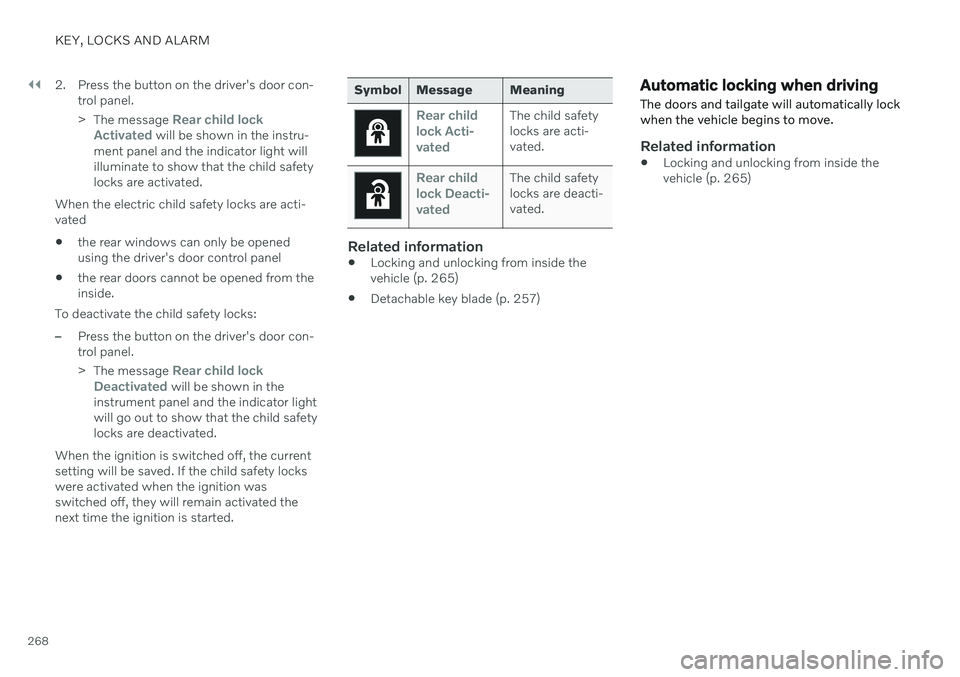
Symbol Message Meaning
Rear child lock Acti-
vatedThe child safety locks are acti-vated.
Rear child lock Deacti-
vatedThe child safety locks are deacti-vated.
Related information
Locking and unlocking from inside the vehicle (p. 265)
Detachable key blade (p. 257)
Automatic locking when driving
The doors and tailgate will automatically lock when the vehicle begins to move.
Related information
Locking and unlocking from inside the vehicle (p. 265)
Page 272 of 693

||
KEY, LOCKS AND ALARM
* Option/accessory.
270
–Press the button on the lower edge of
the tailgate to close.
> The tailgate will close automatically and remain unlocked.
NOTE
The button remains active 24 hours after the tailgate was opened. After thistime, the tailgate must be closed man-ually.
If the tailgate has been open for morethan 30 minutes, it will automaticallyclose slowly.
–Press and hold the button on the
remote key.
> The tailgate closes automatically and an audible signal sounds – the tailgate will remain unlocked.
–Press and hold the button on the
dashboard.
> The tailgate closes automatically and an audible signal sounds – the tailgate will remain unlocked.
–Move your foot in a kicking motion * under
the rear bumper.
> The tailgate closes automatically and an audible signal sounds – the tailgate will remain unlocked.
Closing and locking
–Press the button on the lower edge of
the tailgate to close and simultaneously lock 13
both the tailgate and doors (all
doors must be closed in order to lock).
> The tailgate closes automatically – the tailgate and doors lock, and the alarm is armed.
NOTE
One of the vehicle's remote keys must be within range for locking and unlock-ing to be possible.
When the keyless locking or closing
*
functions are used, three audible signals
13 Vehicles equipped with keyless locking and unlocking * have a button for closing and a button for closing and locking.
Page 278 of 693

KEY, LOCKS AND ALARM
276
Alarm The alarm emits sound and light signals if anyone without a valid remote key attemptsto break into the vehicle or interferes with thestart battery or alarm siren.
When armed, the alarm will be triggered if:
the hood, tailgate or any door is opened.
a battery cable is disconnected.
the alarm siren is disconnected.
Alarm signalsThe following occurs if the alarm is triggered:
A siren will sound for 30 seconds or until the alarm is turned off.
The hazard warning flashers will flash for5 minutes or until the alarm is turned off.
If the reason the alarm was triggered is notrectified, the alarm cycle will repeat up to 10 times 15
.
Alarm indicator
A red indicator light on the dashboard shows the status of the alarm:
Indicator off - the alarm is disarmed.
Indicator flashes once every two seconds -the alarm is armed.
The indicator flashes quickly after thealarm has been disabled for up to30 seconds or until the ignition is put in
I
mode – the alarm has been triggered.
In the event of alarm system failureIf a problem is detected in the alarmsystem, a symbol and the message
Alarm system failure Service
required will appear in the instru-
ment panel. Contact a workshop - an author- ized Volvo workshop is recommended.
NOTE
Do not attempt to repair or alter any of the components in the alarm system yourself.Any such attempt could affect the termsand conditions of your insurance policy.
Related information
Arming and disarming the alarm (p. 277)
15
Certain markets only.
Page 279 of 693

KEY, LOCKS AND ALARM
}}
* Option/accessory.277
Arming and disarming the alarm
The alarm is armed when the vehicle is locked.
Arming the alarmLock and arm the vehicle by
pressing the lock button on the remote key
.
touch the marked surface on the outside of the door handle or the rubberized pres- sure plate on the tailgate 16
.
If the vehicle is equipped with both keyless locking/unlocking * and power tailgate *, the
button
on the lower edge of the tailgate
can also be used to lock and arm the vehicle.
A red LED light on the dashboard will flash every other second when the vehicle is locked and thealarm is armed.
Disarming the alarmUnlock and disarm the vehicle alarm by
pressing the unlock button on the remote key
.
grip a door handle or lightly press the tail- gate's rubberized button 16
.
Disarming the alarm without a functioning
remote key
The vehicle can be unlocked and disarmed even if the remote key is not functioning, e.g. ifthe battery is discharged.
1. Open the driver's door using the detacha- ble key blade.
> This will trigger the alarm.
Location of the backup key reader in the cup holder.
2. Place the remote key on the key symbol inthe backup reader in the tunnel console's cup holder. 3. Turn the start knob clockwise and release.
> The alarm will be disarmed.
Turning off a triggered alarm–Press the unlock button on the remote key or put the ignition into mode I by turning
the start knob clockwise and then releas-ing it.
Automatically arming and disarming the alarm
Automatically arming the alarm helps prevent inadvertently leaving the vehicle without alarmprotection. If the vehicle is unlocked using the remote key (and the alarm is disarmed) but none of thedoors or tailgate are opened within twominutes, the alarm will be automaticallyrearmed. The vehicle will also re-lock. On some markets, the alarm will be automati- cally armed following a slight delay after thedriver's door has been opened and closedwithout being locked. To change this setting:1. Tap
Settings in the center display's Top
view.
2. Tap
My CarLocking.
3. Select
Passive Arming Deactivation to
temporarily deactivate the function.
16 Vehicles with keyless locking and unlocking *.
Page 297 of 693

DRIVER SUPPORT
}}
* Option/accessory.295
Adaptive Cruise Control *27
standby
mode Adaptive Cruise Control (ACC 28
) can be deac-
tivated and put in standby mode. This may happen automatically or be due to driverintervention.
Standby mode means that the function is selected in the instrument panel but not acti-vated. In standby mode, Adaptive Cruise Con-trol will not regulate speed or distance to thevehicle ahead.
Standby mode due to action by the
driver
Adaptive Cruise Control will be deactivatedand put in standby mode if any of the follow-ing occurs:
The brakes are applied.
The gear selector is moved to
N.
The vehicle is driven faster than the setspeed for more than 1 minute.
Temporarily increasing speed using the accel-erator pedal, e.g. when passing another vehi-cle, will not affect the setting. The vehicle willreturn to the set speed when the acceleratorpedal is released.
WARNING
If Adaptive Cruise Control is in standby mode, the driver must intervene andregulate both speed and distance tothe vehicle ahead.
If the vehicle comes too close to a vehi-cle ahead when Adaptive Cruise Con-trol is in standby mode, the driver canbe warned of the short distance by the Distance Alert
* function.
Automatic standby modeAdaptive Cruise Control is dependent on other systems, such as Electronic Stability Control (ESC 29
). If any of these other systems stops
working, Adaptive Cruise Control will be auto- matically deactivated.
WARNING
With automatic standby mode, the driver is warned by an acoustic signal and a mes-sage on the instrument panel.
The driver must then regulate vehicle speed, apply the brakes if necessary,and maintain a safe distance to othervehicles. Adaptive Cruise Control may go into standbymode if:
your vehicle's speed goes below 5 km/h(3 mph) and ACC cannot determine if thevehicle ahead is stationary or if it isanother object, e.g. a speed bump.
your vehicle's speed goes under 5 km/h(3 mph) and the vehicle ahead turns sothat ACC no longer has a vehicle to follow.
the driver opens the door.
the driver unbuckles the seat belt.
the engine speed (rpm) is too low/high.
one or more of the wheels lose traction.
the brake temperature is high.
the parking brake is applied.
the camera/radar sensor is covered bysnow or heavy rain (the camera lens/radarwaves are blocked).Related information
Adaptive Cruise Control
* (p. 290)
Selecting and activating Adaptive Cruise Control
* (p. 293)
27
Depending on market, this function can be either standard or optional.
28 Adaptive Cruise Control
29 Electronic Stability Control
Page 307 of 693

DRIVER SUPPORT
* Option/accessory.305
Pilot Assist*42
standby mode
Pilot Assist can be deactivated and put in standby mode. This may happen automati-cally or be due to driver intervention.
Standby mode means that the function is selected in the instrument panel but not acti-vated. In standby mode, Pilot Assist will notregulate the speed or distance to the vehicleahead or provide steering assistance.
Standby mode due to action by the
driver
Pilot Assist will be deactivated and put instandby mode if any of the following occurs:
The brakes are applied.
The gear selector is moved to
N.
A turn signal is used for more than1 minute.
The vehicle is driven faster than the setspeed for more than 1 minute.
Automatic standby modePilot Assist is dependent on other systems, such as Electronic Stability Control (ESC 43
). If
any of these other systems stops working, Pilot Assist will be automatically deactivated.
WARNING
With automatic standby mode, the driver is warned by an acoustic signal and a mes-sage on the instrument panel.
The driver must then regulate vehicle speed, apply the brakes if necessary,and maintain a safe distance to othervehicles.
Adaptive Cruise Control may go into standbymode if, e.g.: the driver opens the door.
the brake temperature is high.
the driver's hands are not on the steering wheel.
the parking brake is applied.
the engine speed (rpm) is too low/high.
the driver unbuckles the seat belt.
one or more of the wheels lose traction.
the camera/radar sensor is covered by snow or heavy rain (the camera lens/radarwaves are blocked).
your vehicle's speed goes under 5 km/h(3 mph) and Pilot Assist cannot determineif the vehicle ahead is stationary or if it isanother object, e.g. a speed bump.
your vehicle's speed goes under 5 km/h(3 mph) and the vehicle ahead turns sothat Pilot Assist no longer has a vehicle tofollow.
Related information
Pilot Assist
* (p. 300)
Selecting and activating Pilot Assist
*
(p. 303)
Deactivating Pilot Assist
* (p. 304)
Pilot Assist
* limitations (p. 306)
42
Depending on market, this function can be either standard or optional.
43 Electronic Stability Control
Page 404 of 693
||
HYBRID INFORMATION
402
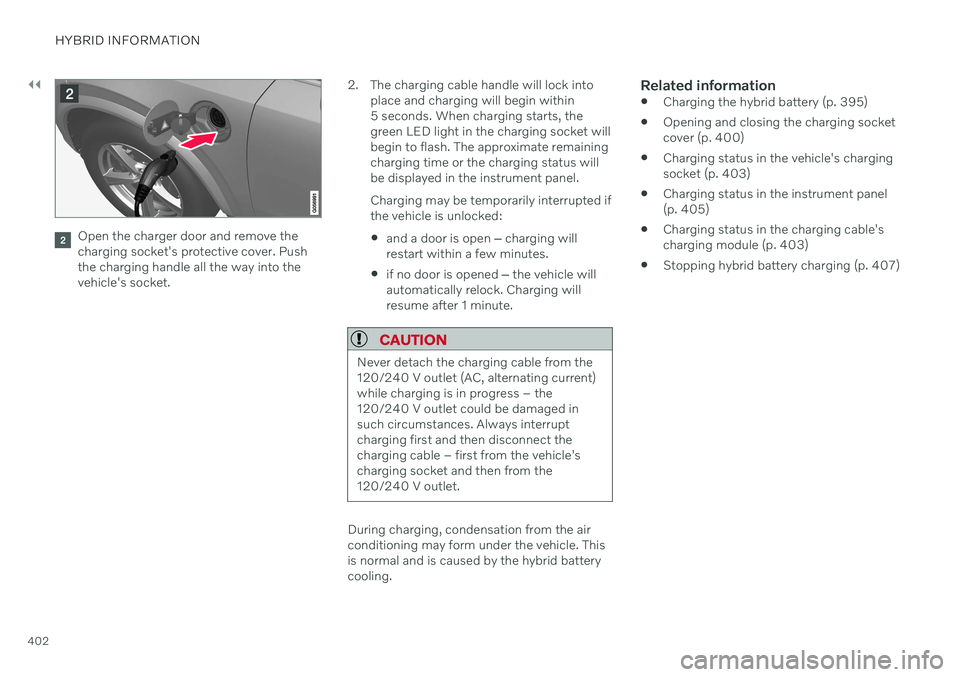
Open the charger door and remove the charging socket's protective cover. Pushthe charging handle all the way into thevehicle's socket.2. The charging cable handle will lock into
place and charging will begin within5 seconds. When charging starts, thegreen LED light in the charging socket willbegin to flash. The approximate remainingcharging time or the charging status willbe displayed in the instrument panel. Charging may be temporarily interrupted if the vehicle is unlocked:
and a door is open
‒ charging will
restart within a few minutes.
if no door is opened
‒ the vehicle will
automatically relock. Charging willresume after 1 minute.
CAUTION
Never detach the charging cable from the 120/240 V outlet (AC, alternating current)while charging is in progress – the120/240 V outlet could be damaged insuch circumstances. Always interruptcharging first and then disconnect thecharging cable – first from the vehicle'scharging socket and then from the120/240 V outlet.
During charging, condensation from the air conditioning may form under the vehicle. Thisis normal and is caused by the hybrid batterycooling.
Related information
Charging the hybrid battery (p. 395)
Opening and closing the charging socketcover (p. 400)
Charging status in the vehicle's chargingsocket (p. 403)
Charging status in the instrument panel(p. 405)
Charging status in the charging cable's charging module (p. 403)
Stopping hybrid battery charging (p. 407)