2020 VOLVO XC90 TWIN ENGINE lock
[x] Cancel search: lockPage 596 of 693

||
LOADING, STORAGE AND PASSENGER COMPARTMENT
594
Front mounting.
For front mounting: With the cargo net mounted in the front ceiling mounting points, hook the strapsinto the outer eyelets on the front seat railsbehind the seats. Attaching the net is eas-ier if the seat backrests are upright and theseats are moved slightly forward. Move the seat or backrest only until it touches the net. Moving it with too muchforce or applying too much pressure to thenet could lead to damage.
CAUTION
If a seat or backrest is pressed with too much force back against the cargo net, thenet and its ceiling brackets could be dam-aged.
5. Pull the straps until the cargo net is taut.
Removing the cargo netThe cargo net can be easily removed and folded up.
1. Loosen the cargo net by pressing the but-ton on the strap locks on each side and pulling to allow some slack.
2. Press in the catches and release both of the strap hooks.
3. Unhook the upper hooks and remove the net from the ceiling mounting points.
4. Press the red button on the rod so that it can be folded. Fold and roll up the net.Store the net in its case.
Related information
Loading recommendations (p. 585)
Load anchoring eyelets (p. 587)
Page 601 of 693

MAINTENANCE AND SERVICE
* Option/accessory.599
Data transfer between vehicle and workshop over Wi-Fi
Volvo workshops have a designated Wi-Fi network for data transfer between your vehi-cle and the workshop. Your visit to the work-shop will be easier and more effective whendiagnostics information and software can betransferred over the workshop's network.
At the workshop, your service technician can connect your vehicle to the workshop's Wi-Finetwork to perform troubleshooting anddownload software. For this type of communi-cation, the vehicle only connects to a work-shop's network. It is not possible to connectthe vehicle to another Wi-Fi network (e.g. yourhome network) in the same way as to a work-shop's network.
Connecting with remote keyConnection is usually managed by the servicetechnician, who will use the remote key but-tons. It is therefore important to bring a keywith buttons with you when you visit theworkshop. Pressing the lock button on theremote key three times will connect the vehi-cle to the workshop's Wi-Fi network. When the car is connected to a Wi-Fi net- work, the
symbol appears in the center
display.
WARNING
The vehicle may not be driven when it is connected to the workshop's networks andsystems.
Related information
Handling system updates via Download Center (p. 600)
Scheduling service and repairs (p. 601)
Download Center With the vehicle connected to the Internet 1
,
updates for a number of the vehicle's sys- tems can be downloaded from the center dis-play.
The Download Center app is
started from the center dis- play and makes it possible to:
search for and update system software
update Sensus Navigation
* map data
download, update and delete apps.
Related information
Handling system updates via Download Center (p. 600)
Download apps (p. 481)
Updating apps (p. 481)
Deleting apps (p. 482)
Internet-connected vehicle
* (p. 524)
Navigating in the center display's views(p. 118)
1
There may be a charge for transmitting data over the Internet, depending on your service plan.
Page 608 of 693

||
MAINTENANCE AND SERVICE
606
Turn the handle under the front edge of the hood counterclockwise to release thecatch and lift the hood.
Warning - hood not closedWhen the hood is released, a warn-ing symbol and graphic will be dis-played in the instrument panel andan audible signal will sound. If the
vehicle begins to roll, the audible signal will berepeated several times.
NOTE
If the warning symbol is illuminated or an audible warning signal sounds even thoughthe hood is securely closed, consult aworkshop - an authorized Volvo workshopis recommended.
Closing the hood1. Press down the hood until it begins to close under its own weight.
2. When the hood reaches the catch at the handle in the front edge of the vehicle, press down on the hood to close it com-pletely.
WARNING
Risk of injury! When closing, make sure that the hood is completely unobstructedand that no one can be injured.
WARNING
Make sure the hood locks securely after closing. It must audibly lock on both sides.
Hood not completely closed.
Hood completely closed.
WARNING
Never drive with the hood open! If this symbol appears, or anything else indicatesthat the hood is not com-pletely closed while driv-ing, stop immediately and
close it properly.
Related information
Engine compartment overview (p. 607)
Door and seat belt reminders (p. 53)
Page 647 of 693

MAINTENANCE AND SERVICE
}}
645
CAUTION
Avoid waxing and polishing plastic and rubber. If using degreaser on plastic and rubber, only rub (if necessary) with slight pressure.Use a soft sponge. Polishing glossy trim moldings can wear away or damage the glossy surface layer. Polish containing abrasives must not be used.
CAUTION
Only use paintwork treatments recom- mended by Volvo. Other treatments, suchas preservation, sealing, protection, lustersealing or similar, could damage the paint-work. Paintwork damage caused by suchtreatments are not covered by Volvo's war-ranty.
Related information
Cleaning the exterior (p. 644)
Hand washing (p. 645)
Automatic car washes (p. 647)
High-pressure washing (p. 648)
Cleaning the wiper blades (p. 648)
Cleaning exterior plastic, rubber and trim components (p. 649)
Cleaning rims (p. 650)
Corrosion protection (p. 650)
Hand washing
The vehicle should be washed as soon as it becomes dirty. This makes the vehicle easierto clean because dirt does not attach asstrongly. It also reduces the risk of scratchesand keeps the vehicle looking new. Wash thevehicle in a car wash or garage with an oilseparator and use car washing detergent.
Important to keep in mind when handwashing your vehicle
Avoid washing the vehicle in direct sun- light. This could cause the detergent orwax to dry out and become abrasive.
Remove bird droppings from paintwork assoon as possible. It contains chemicalsthat affect and discolor paintwork veryquickly. Use e.g. soft paper or a spongesoaked in lots of water. Consult an author-ized Volvo workshop for assistanceremoving discoloration.
Hose down the underbody, including thewheel housings and bumper.
Hose down the entire vehicle and removeany loose dirt, droppings etc. to reducethe risk of scratches from washing. Do notspray directly onto locks.
If necessary, use cold degreaser on heavilysoiled surfaces. Note that in such casesthe surfaces must not be hot from the sun.
Page 649 of 693
MAINTENANCE AND SERVICE
}}
* Option/accessory.647
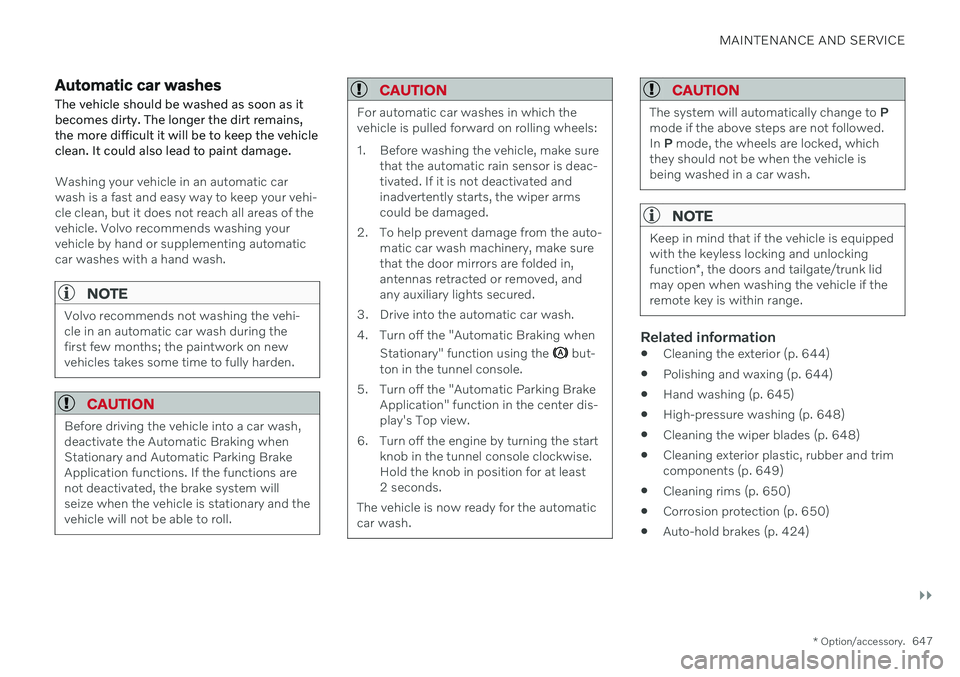
Automatic car washes
The vehicle should be washed as soon as it becomes dirty. The longer the dirt remains,the more difficult it will be to keep the vehicleclean. It could also lead to paint damage.
Washing your vehicle in an automatic car wash is a fast and easy way to keep your vehi-cle clean, but it does not reach all areas of thevehicle. Volvo recommends washing yourvehicle by hand or supplementing automaticcar washes with a hand wash.
NOTE
Volvo recommends not washing the vehi- cle in an automatic car wash during thefirst few months; the paintwork on newvehicles takes some time to fully harden.
CAUTION
Before driving the vehicle into a car wash, deactivate the Automatic Braking whenStationary and Automatic Parking BrakeApplication functions. If the functions arenot deactivated, the brake system willseize when the vehicle is stationary and thevehicle will not be able to roll.
CAUTION
For automatic car washes in which the vehicle is pulled forward on rolling wheels:
1. Before washing the vehicle, make sure that the automatic rain sensor is deac- tivated. If it is not deactivated andinadvertently starts, the wiper armscould be damaged.
2. To help prevent damage from the auto- matic car wash machinery, make surethat the door mirrors are folded in,antennas retracted or removed, andany auxiliary lights secured.
3. Drive into the automatic car wash.
4. Turn off the "Automatic Braking when Stationary" function using the
but-
ton in the tunnel console.
5. Turn off the "Automatic Parking Brake Application" function in the center dis- play's Top view.
6. Turn off the engine by turning the start knob in the tunnel console clockwise.Hold the knob in position for at least2 seconds.
The vehicle is now ready for the automaticcar wash.
CAUTION
The system will automatically change to P
mode if the above steps are not followed. In P mode, the wheels are locked, which
they should not be when the vehicle isbeing washed in a car wash.
NOTE
Keep in mind that if the vehicle is equipped with the keyless locking and unlocking function *, the doors and tailgate/trunk lid
may open when washing the vehicle if the remote key is within range.
Related information
Cleaning the exterior (p. 644)
Polishing and waxing (p. 644)
Hand washing (p. 645)
High-pressure washing (p. 648)
Cleaning the wiper blades (p. 648)
Cleaning exterior plastic, rubber and trim components (p. 649)
Cleaning rims (p. 650)
Corrosion protection (p. 650)
Auto-hold brakes (p. 424)
Page 650 of 693

MAINTENANCE AND SERVICE
* Option/accessory.
648
Settings for automatically activating the parking brake (p. 423)
Keyless and touch-sensitive surfaces
*
(p. 261)
High-pressure washing The vehicle should be washed as soon as it becomes dirty. The longer the dirt remains,the more difficult it will be to keep the vehicleclean. It could also lead to paint damage.Wash the vehicle in a car wash or garagewith an oil separator. Use a car washingdetergent.
If washing the vehicle with a high-pressure wash, use sweeping movements and keep thenozzle at least 30 cm (13 in.) from the vehicle.Do not spray directly onto locks.
Related information
Cleaning the exterior (p. 644)
Polishing and waxing (p. 644)
Hand washing (p. 645)
Automatic car washes (p. 647)
Cleaning the wiper blades (p. 648)
Cleaning exterior plastic, rubber and trimcomponents (p. 649)
Cleaning rims (p. 650)
Corrosion protection (p. 650)
Cleaning the wiper blades The vehicle should be washed as soon as it becomes dirty. The longer the dirt remains,the more difficult it will be to keep the vehicleclean. It could also lead to paint damage.Wash the vehicle in a car wash or garagewith an oil separator. Use a car washingdetergent.
Asphalt, dust and salt residue on wiper blades, as well as insects, ice etc. on the windshield,shorten the service life of wiper blades. When cleaning, put the wiper blades in the service position.
NOTE
Wash the wiper blades and windshield regularly with a lukewarm soap solution orvehicle shampoo. Do not use strong sol-vents.
Related information
Cleaning the exterior (p. 644)
Polishing and waxing (p. 644)
Hand washing (p. 645)
Automatic car washes (p. 647)
High-pressure washing (p. 648)
Cleaning exterior plastic, rubber and trim components (p. 649)
Page 655 of 693

MAINTENANCE AND SERVICE
}}
653
Sample color code (1): Canadian models.
Exterior color code
Secondary exterior color code (if applica- ble)
Related information
Paintwork (p. 651)
Touching up minor paint damage (p. 651)
Changing rear window wipers The wiper blades help remove water from the windshield and rear window. Along with thewasher fluid, they are designed to clean theglass and help improve visibility while driving.The windshield and rear window wiperblades can be replaced.Changing rear window wipers
Lift the wiper arm from the window and pull the lower section of the blade to the right.
Grasp the center of the wiper blade and lift it from the window to the stop posi-tion.
NOTE
When the wiper arm is halfway folded out, it will stop in a locking position that helpsprevent the arm from falling back onto therear window. The wiper arm must bepulled past the locking position stop inorder to change the wiper blade.
Grip the lower part of the blade and pull to the right until the blade loosens from thearm.
Page 675 of 693
INDEX
673
1, 2, 3 ...
4WD 431
A
ABSanti-lock brakes 417
AC (Air conditioning) 232
Accessories and extra equipment 37 installation 38
Accessory installation warning 38, 39
Active Bending Lights 162
Adapting driving characteristics 433
Adaptive Cruise Control 290 activating 293
auto-brake 313
change cruise control functionality 297
limitations 296
manage speed 311
passing 317
set time interval 312
standby mode 295
switching target vehicles 310
Symbols and messages 298
troubleshooting 296
turn off 294
WARNING 309
Adjusting the steering wheel 206
Airbag 55
activation/deactivation 59
driver's side 55
passenger side 55, 59
Air bag, see Airbag 55
Air conditioning 232Air conditioning, fluid volume and grade 671
Air distribution 213 air vents 213, 215
changing 214
defrosting 225
recirculation 224
table showing options 216
Air quality 210, 212 allergy and asthma 212
passenger compartment filter 213
Air recirculation 224
Alarm 276 deactivating 277
Allergy and asthma-inducing sub-
stances 212
All Wheel Drive, AWD 431
All Wheel Drive (AWD) 431
All Wheel Drive (four-wheel drive) 431
Android Auto 512, 513, 514Antenna location 264
Apple CarPlay 508, 509, 511
Approach lighting 165
Apps 480
Assistance at risk of collision 364 activating/deactivating 365
at risk of run-off 365
during collision risks from behind 367during collision risks from oncoming
traffic 366
limitations 368
Symbols and messages 369
Audio and media 478 Audio system HD digital radio 489 SiriusXM ®
Satellite radio 490, 491,
492
Auto-climate 224
Auto hold 424
Auto-hold brakes 424 activating/deactivating 425
after collision 426
driver support 280
Automatic car wash 647
Automatic high beam 161
Automatic locking 268
INDEX