Page 118 of 279

116Instruments and controls●Comfort
Ambient lighting : Adjusts the
brightness of the ambient
lighting.
Rear wiper in reverse gear :
Activates or deactivates
automatic switching on of the
rear window wiper when reverse
gear is engaged.
● Vehicle
Unlocking boot only : Activation /
deactivation.
Plip action : Driver / all doors.
● Security
Fatigue Detection system :
Activates or deactivates the
driver drowsiness system.
● Driving assistance
Speed recommendation :
Activates or deactivates the
function.Colour Info Display Multimedia
Press : to open settings menu.
Use touch buttons to operate the
display.
Unit settings
Select System configuration .
Change units for Distance and fuel
consumption and Temperature .
Language settings
Select Language .
Change language by touching the
respective entry.
Driving function
Press Í.
Select Driving function .
In the corresponding submenus the
following settings can be changed:
● Park Assist : Activates advanced
park assist, a parking maneuver
can be selected.
● Parking sensors : Activates or
deactivates the parking sensors.
● Blind spot sensors : Activates or
deactivates side blind spot alert.
● Under-inflation initialization :
Initialises the tyre under-inflation
detection system.
● Diagnostic : Shows alert
messages of the diagnostic
system.
Page 119 of 279
Instruments and controls117Vehicle settings
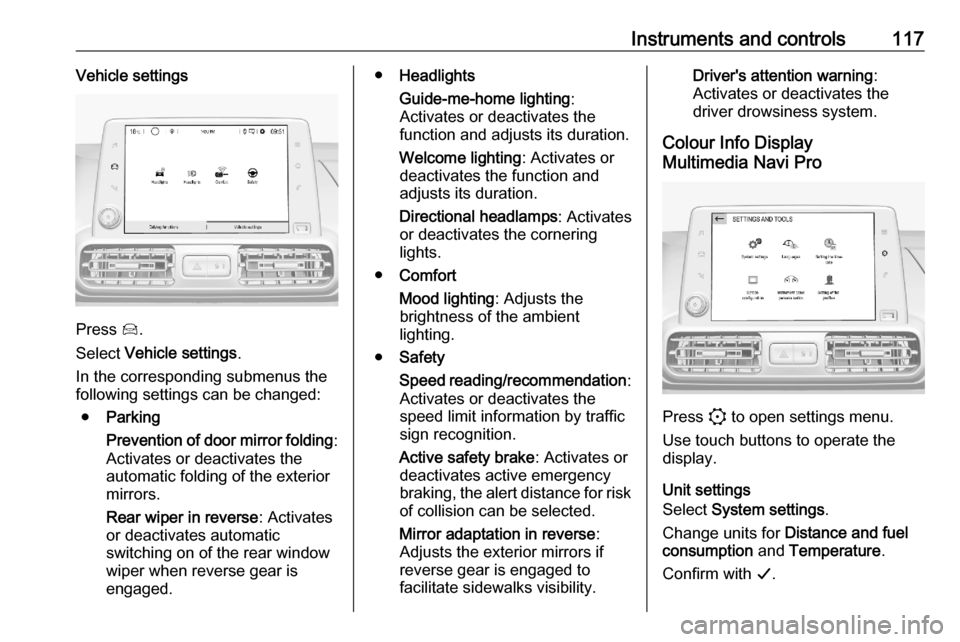
Press Í.
Select Vehicle settings .
In the corresponding submenus the
following settings can be changed:
● Parking
Prevention of door mirror folding :
Activates or deactivates the
automatic folding of the exterior
mirrors.
Rear wiper in reverse : Activates
or deactivates automatic
switching on of the rear window
wiper when reverse gear is
engaged.
● Headlights
Guide-me-home lighting :
Activates or deactivates the
function and adjusts its duration.
Welcome lighting : Activates or
deactivates the function and
adjusts its duration.
Directional headlamps : Activates
or deactivates the cornering
lights.
● Comfort
Mood lighting : Adjusts the
brightness of the ambient
lighting.
● Safety
Speed reading/recommendation :
Activates or deactivates the
speed limit information by traffic sign recognition.
Active safety brake : Activates or
deactivates active emergency
braking, the alert distance for risk of collision can be selected.
Mirror adaptation in reverse :
Adjusts the exterior mirrors if
reverse gear is engaged to
facilitate sidewalks visibility.Driver's attention warning :
Activates or deactivates the
driver drowsiness system.
Colour Info Display
Multimedia Navi Pro
Press : to open settings menu.
Use touch buttons to operate the
display.
Unit settings
Select System settings .
Change units for Distance and fuel
consumption and Temperature .
Confirm with G.
Page 120 of 279

118Instruments and controlsLanguage settings
Select Languages .
Change language by touching the
respective entry.
Confirm with G.
Driving functions
Press Í.
Select Driving functions .
In the corresponding submenus the
following settings can be changed:
● Park Assist : Activates advanced
park assist, a parking maneuver
can be selected.
● Parking sensors : Activates or
deactivates the parking sensors.
● Blind spot sensors : Activates or
deactivates side blind spot alert.
● Under-inflation initialization :
Initialises the tyre under-inflation
detection system.
● Diagnostic : Shows alert
messages of the diagnostic
system.Vehicle settings
Press Í.
Select Vehicle settings .
In the corresponding submenus the
following settings can be changed:
● Parking
Rear wiper in reverse : Activates
or deactivates automatic
switching on of the rear window
wiper when reverse gear is
engaged.
Blocking of door mirror folding :
Activates or deactivates the
automatic folding of the exterior
mirrors.
● Headlights
Guide-me-home lighting :
Activates or deactivates the
function and adjusts its duration.
Welcome lighting : Activates or
deactivates the function and
adjusts its duration.
Directional headlamps : Activates
or deactivates the cornering
lights.
● Comfort
Mood lighting : Adjusts the
brightness of the ambient
lighting.
● Safety
Traffic Signs Recognition :
Activates or deactivates the
speed limit information by traffic sign recognition.
Active safety brake : Activates or
deactivates active emergency braking, the alert distance for risk of collision can be selected.
Mirror adaptation in reverse :
Adjusts the exterior mirrors if
reverse gear is engaged to
facilitate sidewalks visibility.
Page 121 of 279

Instruments and controls119Driver's attention warning:
Activates or deactivates the
driver drowsiness system.Telematics services
Vauxhall Connect Vauxhall Connect is a new way to
stay connected and secure on the
road.
Features available with
Vauxhall Connect are:
● emergency call function
● breakdown call function
When the vehicle is equipped with
Vauxhall Connect , these features are
automatically activated. Terms and Conditions apply.
Vauxhall Connect is operated by the
buttons in the overhead console.
Emergency call function Vehicles featuring the emergency call
function are equipped with a red SOS button in the overhead console.
The emergency call function will
establish a connection to the nearest
public safety answering point (PSAP). A minimum set of data including
vehicle and location information will
be sent to the PSAP.Notice
Establishing an emergency call may
not be possible in areas without
sufficient network availability or due
to hardware damage during an
accident.
Automatic crash notification
In case of an accident with airbag
deployment, an automatic
emergency call is established and an
automatic crash notification will be
transmitted to the next public safety answering point.
Emergency assistance
In case of an emergency you can also manually place an emergency call by
pressing the red SOS button for more
than two seconds. The LED flashes to confirm that a connection to the
nearest PSAP is being established.
The LED illuminates steadily as long
as the call is active.
Pressing the SOS button immediately
a second time will terminate the call.
The LED switches off.
Page 122 of 279
120Instruments and controlsStatus LED
Illuminates green and red and
extinguishes after a short time, when
the ignition is switched on: the system
works properly.
Illuminates red: fault in the system.
Contact a workshop.
Flashes red: backup battery needs
replacement.
Breakdown call function Pressing . for more than two
seconds connects you to a roadside
assistance service provider.
For information about coverage and
scope of services of the roadside
assistance, please refer to the
Service and warranty booklet.
Page 127 of 279
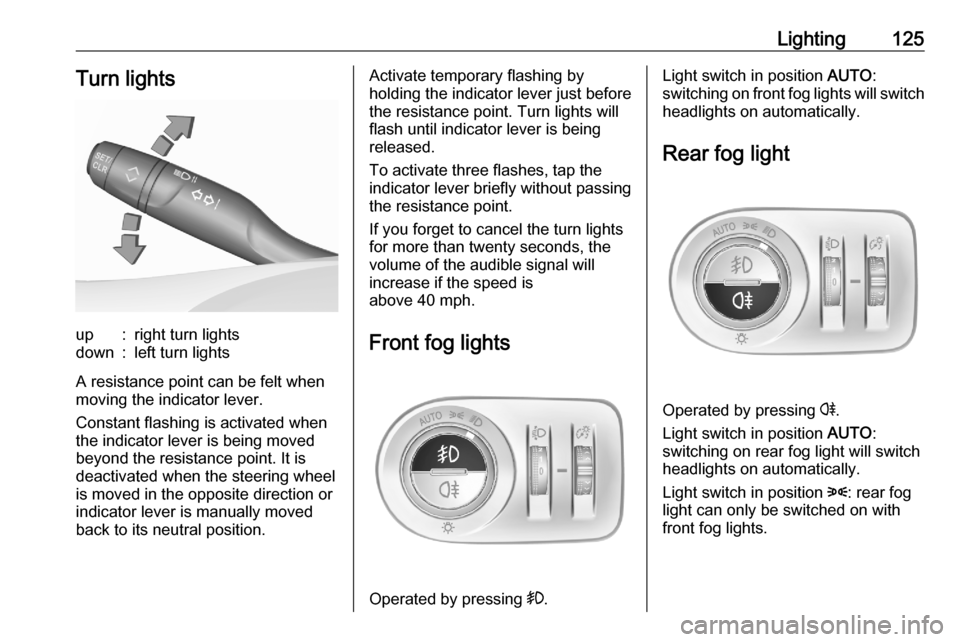
Lighting125Turn lightsup:right turn lightsdown:left turn lights
A resistance point can be felt when
moving the indicator lever.
Constant flashing is activated when
the indicator lever is being moved
beyond the resistance point. It is
deactivated when the steering wheel
is moved in the opposite direction or
indicator lever is manually moved
back to its neutral position.
Activate temporary flashing by
holding the indicator lever just before
the resistance point. Turn lights will
flash until indicator lever is being
released.
To activate three flashes, tap the
indicator lever briefly without passing
the resistance point.
If you forget to cancel the turn lights
for more than twenty seconds, the
volume of the audible signal will
increase if the speed is
above 40 mph.
Front fog lights
Operated by pressing >.
Light switch in position AUTO:
switching on front fog lights will switch headlights on automatically.
Rear fog light
Operated by pressing r.
Light switch in position AUTO:
switching on rear fog light will switch
headlights on automatically.
Light switch in position 8: rear fog
light can only be switched on with
front fog lights.
Page 131 of 279
Lighting129Vehicle locator lighting
This function allows you to locate your vehicle, e.g., in weak lighting
conditions using the remote control.
The headlights come on and the turn
lights flash for 10 seconds.
Press N on the remote control.
The vehicle must be locked more than
5 seconds.
Peripheral lighting Peripheral lighting allows you to
switch on the position lights, low
beam and number plate lighting using
the remote control.
Press G on the remote control to
switch on peripheral lighting.
Press G a second time to switch off
peripheral lighting.
Battery discharge protection
To prevent discharge of the vehicle
battery when the ignition is switched
off, some interior lights are switched
off automatically after some time.
Page 137 of 279

Climate control135● Air conditioning must beactivated for optimal cooling and
demisting. Press A/C to switch on
air conditioning. The LED in the
button indicates activation.
● Set the preselected temperatures for driver and front
passenger using the left and right
rotary ring. Recommended
temperature is 22 °C.
Press successively AUTO to select
the desired automatic settings:
● Soft Auto for a soft and silent air
distribution.
● Auto for thermal comfort and
silent air distribution.
● Auto Fast for a dynamic and
efficient air distribution.
Manual settings Climate control system settings can
be changed by activating the
following functions:Fan speed rs
Press r to increase or s to
decrease the air flow.
To return to automatic mode, press
AUTO .
Air distribution w
Press w sucessively until the desired
direction of the air distribution is
displayed:
t:to windscreen and front door
windowsu:to head area and rear seats via
adjustable air ventsv:to front and rear foot wellw:to windscreen and front door
windows, to head area and rear
seats via adjustable air vents, to
front and rear foot well
Combinations of different air
distribution options can be select by
pressing w sucessively.

