Page 136 of 247
Warning: Forward Collision Warning is
designed only to provide visual and
audible alerts. It does not attempt to
apply the brakes or decelerate Model X.
When seeing and/or hearing a warning, it
is the driver
Page 137 of 247
Obstacle-Aware AccelerationObstacle-Aware Acceleration is designed toreduce the impact of a collision by reducing
motor torque and in some cases applying the
brakes, if Model X detects an object in its driving path. For example, Model X, while
parked in front of a closed garage door with
the Drive gear engaged, detects that you have
pressed hard on the accelerator pedal.
Although Model X still accelerates and hits the
garage door, the reduced torque may result in
less damage.
Obstacle-Aware Acceleration is designed to
operate only when all of these conditions are
simultaneously met:
Page 217 of 247
TransmissionTypeSingle speed fixed gearOverall Final Drive RatioSmall motor: 9.325:1
Large motor: 9.734:1Reverse GearReverse direction of motor, limited to
15 mph (24 km/h)
Steering
TypeRack and pinion with electronic power steering, speed sensitiveNumber of turns lock to lock2.05Turning Circle (curb to curb)40.8 ft (12.4 m)
Brakes
Type
4-wheel anti-lock braking system (ABS)
with Electronic Brake Force Distribution,
Integrated Advanced Stability Control and
Electronic Accelerator pedal actuated
regenerative braking systemCalipersFront: Four piston, fixed
Rear: Single piston,
Page 229 of 247
Disable the Self-Leveling AirSuspension System
If Model X is equipped with the air suspension
system, it automatically self-levels, even when
power is off. To prevent damage, you must
activate Jack Mode to disable self-leveling:
1. Touch Controls > Suspension on the
touchscreen.
2. Press the brake pedal, then touch Very
High to maximize height.
3. Touch Jack.When Jack Mode is active, Model X
displays this red indicator light on
the instrument panel, along with a
message telling you that active
suspension is disabled.
Note: Jack Mode cancels when driving speed
exceeds 4 mph (7 kph).
Warning: Failure to activate Jack Mode on
a vehicle equipped with the air
suspension system can result in the
vehicle becoming loose during transport,
which may cause significant damage.
Activate Transport Mode
Transport Mode keeps the parking brake
disengaged while winching Model X onto a
Page 241 of 247
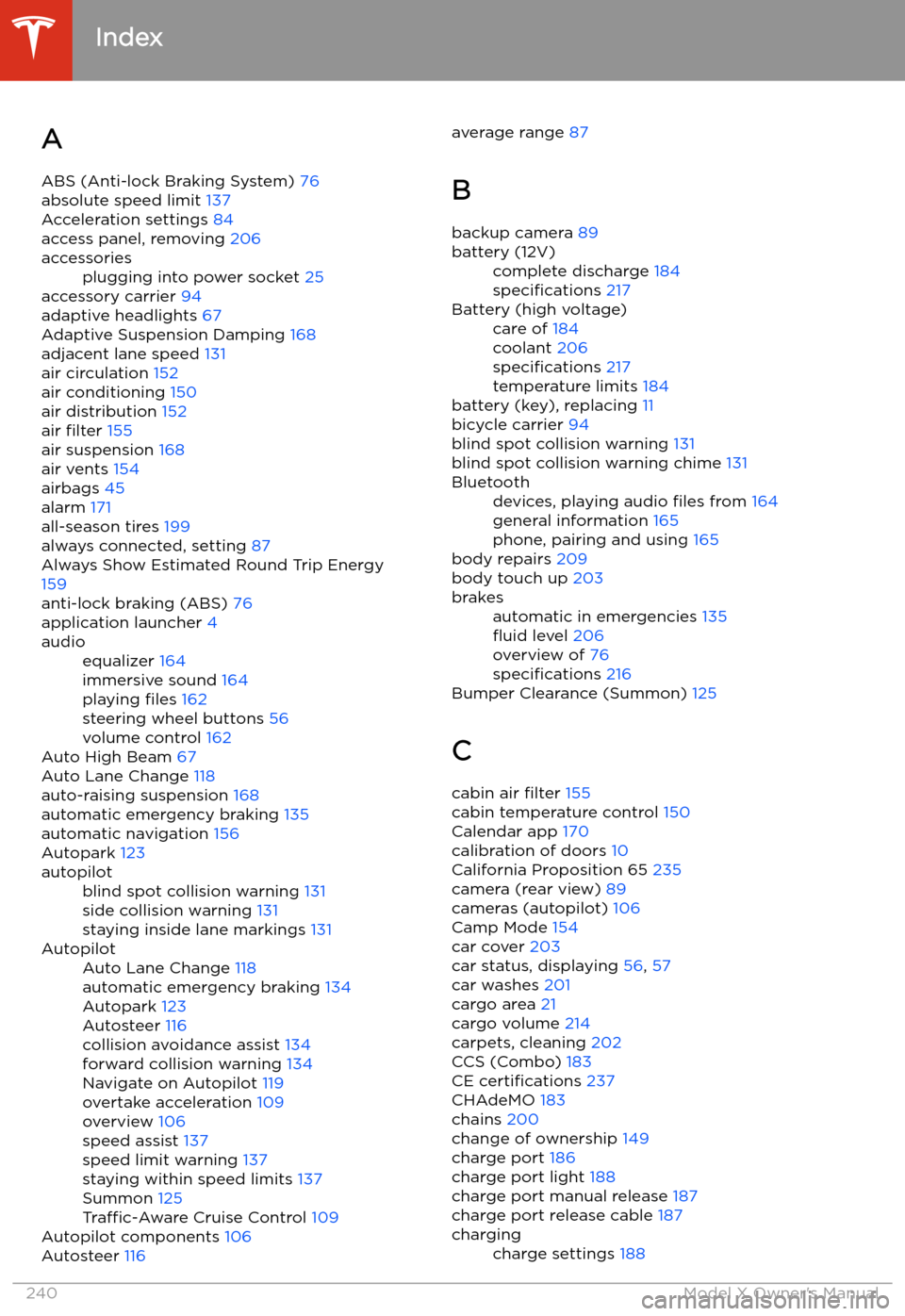
Index
A ABS (Anti-lock Braking System) 76
absolute speed limit 137
Acceleration settings 84
access panel, removing 206
accessoriesplugging into power socket 25
accessory carrier 94
adaptive headlights 67
Adaptive Suspension Damping 168
adjacent lane speed 131
air circulation 152
air conditioning 150
air distribution 152
air filter 155
air suspension 168
air vents 154
airbags 45
alarm 171
all-season tires 199
always connected, setting 87
Always Show Estimated Round Trip Energy 159
anti-lock braking (ABS) 76
application launcher 4
audioequalizer 164
immersive sound 164
playing files 162
steering wheel buttons 56
volume control 162
Auto High Beam 67
Auto Lane Change 118
auto-raising suspension 168
automatic emergency braking 135
automatic navigation 156
Autopark 123
autopilotblind spot collision warning 131
side collision warning 131
staying inside lane markings 131AutopilotAuto Lane Change 118
automatic emergency braking 134
Autopark 123
Autosteer 116
collision avoidance assist 134
forward collision warning 134
Navigate on Autopilot 119
overtake acceleration 109
overview 106
speed assist 137
speed limit warning 137
staying within speed limits 137
Summon 125
Traffic-Aware Cruise Control 109
Autopilot components 106
Autosteer 116
average range
87
B
backup camera 89battery (12V)complete discharge 184
specifications 217Battery (high voltage)care of 184
coolant 206
specifications 217
temperature limits 184
battery (key), replacing 11
bicycle carrier 94
blind spot collision warning 131
blind spot collision warning chime 131
Bluetoothdevices, playing audio files from 164
general information 165
phone, pairing and using 165
body repairs 209
body touch up 203
brakesautomatic in emergencies 135
Page 242 of 247
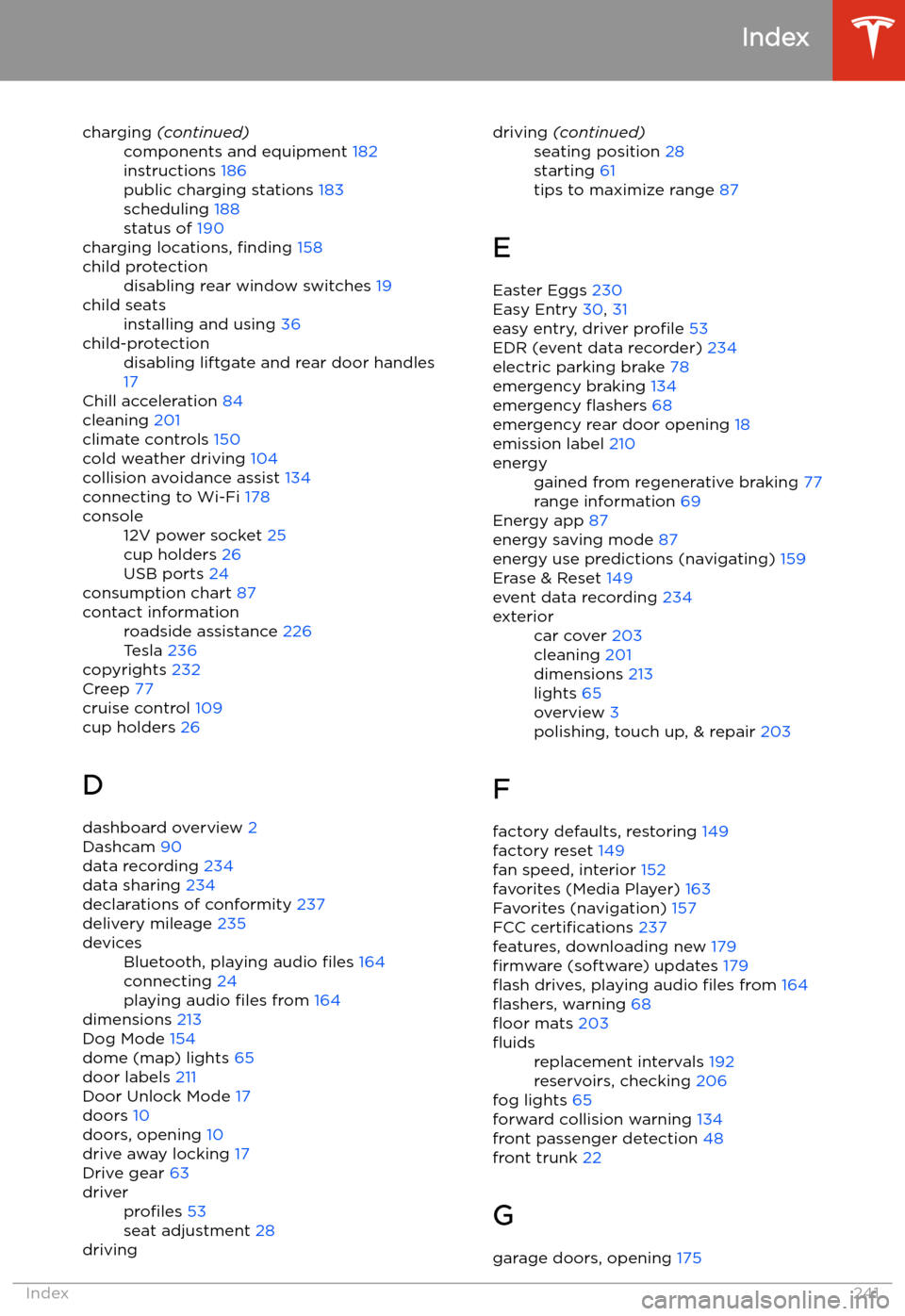
charging (continued)components and equipment 182
instructions 186
public charging stations 183
scheduling 188
status of 190
charging locations, finding 158
child protectiondisabling rear window switches 19child seatsinstalling and using 36child-protectiondisabling liftgate and rear door handles
17
Chill acceleration 84
cleaning 201
climate controls 150
cold weather driving 104
collision avoidance assist 134
connecting to Wi-Fi 178
console12V power socket 25
cup holders 26
USB ports 24
consumption chart 87
contact informationroadside assistance 226
Tesla 236
copyrights 232
Creep 77
cruise control 109
cup holders 26
D dashboard overview 2
Dashcam 90
data recording 234
data sharing 234
declarations of conformity 237
delivery mileage 235
devicesBluetooth, playing audio files 164
connecting 24
playing audio files from 164
dimensions 213
Dog Mode 154
dome (map) lights 65
door labels 211
Door Unlock Mode 17
doors 10
doors, opening 10
drive away locking 17
Drive gear 63
driverprofiles 53
seat adjustment 28drivingdriving (continued)seating position 28
starting 61
tips to maximize range 87
E
Easter Eggs 230
Easy Entry 30, 31
easy entry, driver profile 53
EDR (event data recorder) 234
electric parking brake 78
emergency braking 134
emergency
Page 245 of 247
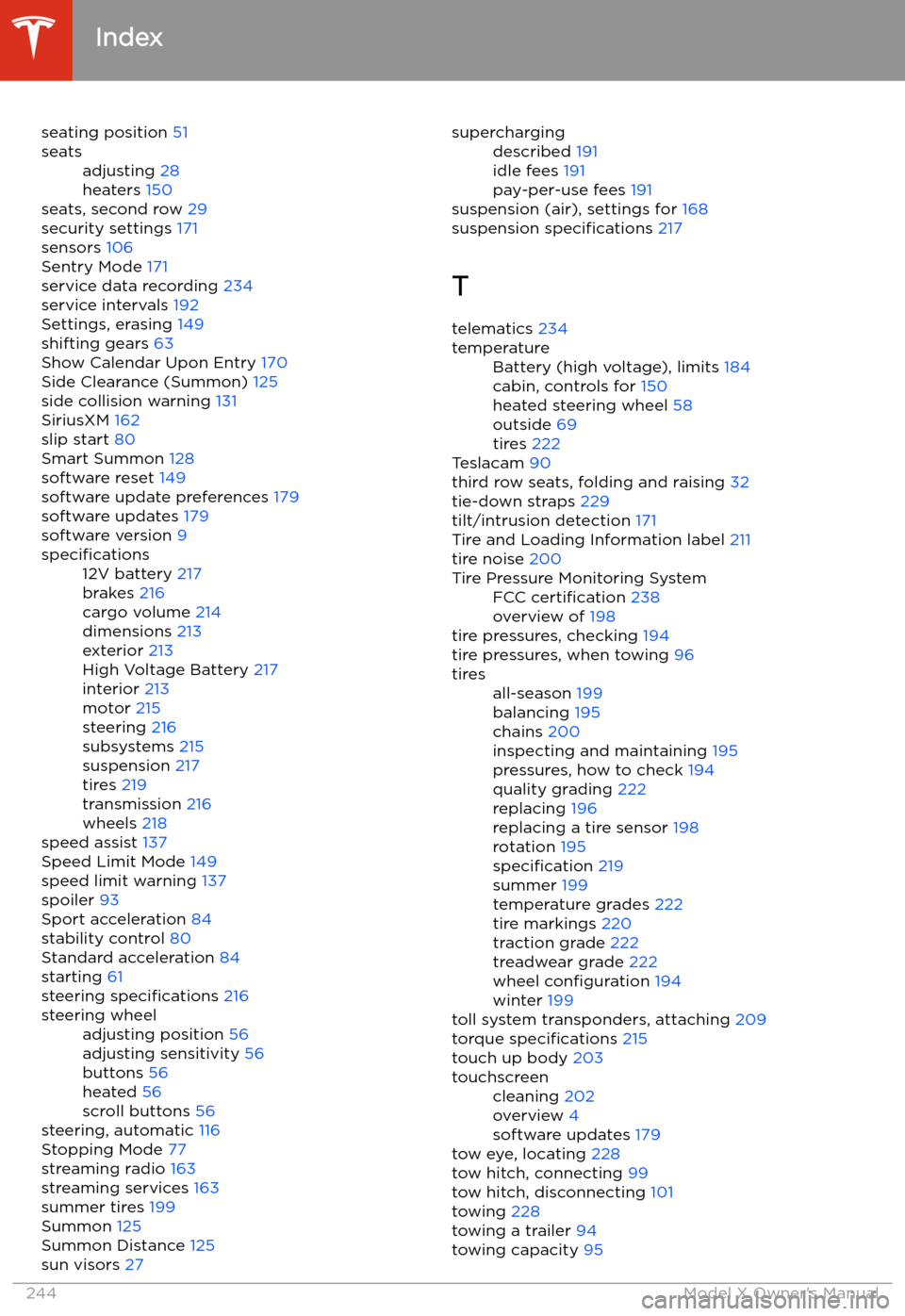
seating position 51seatsadjusting 28
heaters 150
seats, second row 29
security settings 171
sensors 106
Sentry Mode 171
service data recording 234
service intervals 192
Settings, erasing 149
shifting gears 63
Show Calendar Upon Entry 170
Side Clearance (Summon) 125
side collision warning 131
SiriusXM 162
slip start 80
Smart Summon 128
software reset 149
software update preferences 179
software updates 179
software version 9
specifications12V battery 217
brakes 216
cargo volume 214
dimensions 213
exterior 213
High Voltage Battery 217
interior 213
motor 215
steering 216
subsystems 215
suspension 217
tires 219
transmission 216
wheels 218
speed assist 137
Speed Limit Mode 149
speed limit warning 137
spoiler 93
Sport acceleration 84
stability control 80
Standard acceleration 84
starting 61
steering specifications 216
steering wheeladjusting position 56
adjusting sensitivity 56
buttons 56
heated 56
scroll buttons 56
steering, automatic 116
Stopping Mode 77
streaming radio 163
streaming services 163
summer tires 199
Summon 125
Summon Distance 125
sun visors 27
superchargingdescribed 191
idle fees 191
pay-per-use fees 191
suspension (air), settings for 168
suspension specifications 217
T telematics 234
temperatureBattery (high voltage), limits 184
cabin, controls for 150
heated steering wheel 58
outside 69
tires 222
Teslacam 90
third row seats, folding and raising 32
tie-down straps 229
tilt/intrusion detection 171
Tire and Loading Information label 211
tire noise 200
Tire Pressure Monitoring SystemFCC certification 238
overview of 198
tire pressures, checking 194
tire pressures, when towing 96
tiresall-season 199
balancing 195
chains 200
inspecting and maintaining 195
pressures, how to check 194
quality grading 222
replacing 196
replacing a tire sensor 198
rotation 195
specification 219
summer 199
temperature grades 222
tire markings 220
traction grade 222
treadwear grade 222
wheel configuration 194
winter 199
toll system transponders, attaching 209
torque specifications 215
touch up body 203
touchscreencleaning 202
overview 4
software updates 179
tow eye, locating 228
tow hitch, connecting 99
tow hitch, disconnecting 101
towing 228
towing a trailer 94
towing capacity 95
Index
244Model X Owner
Page 246 of 247
towing guidelines 99
towing instructions 227
Towing Label 211TPMSFCC certification 238
overview of 198
Tracking Disabled 156
traction control 80
trademarks 232
Traffic-Aware Cruise Control 109
Trailer Brakes for towing 97
Trailer Mode 97
trailer, towing 94
transmission specifications 216
transponders, attaching 209
Transport Canada, contacting 236
Transport Mode 228
transporting 227, 228
trip chart 87
trip meter 86
Trip Planner 160
trunk, front 22
trunk, rearchild-protection lock 17
disabling interior handle 17
turn signals 68
U ultrasonic sensors 106
uniform tire quality grading 222
Unlock on Park 10
unlocking when key doesn
Page:
< prev 1-8 9-16 17-24


