Page 107 of 305
Instruments and controls105Odometer
The total recorded distance is
displayed in km.
Trip odometer The recorded distance since the last
reset is displayed on the trip computer
page.
Trip odometer counts up to
9,999 km and then restarts at 0.
Two trip odometer pages are
selectable for different trips.
Baselevel instrument cluster
Select ; on main menu. Choose
page Trip 1 or Trip 2 by pressing P
or N on the steering wheel.
Each trip odometer can be reset
separately when ignition is on: select
respective page, press Å on the
steering wheel. Confirm by choosing
Yes: when the confirmation message
is displayed.
Uplevel instrument cluster
Select Info page on main menu.
Choose page Trip A or Trip B by
pressing P or N on the steering
wheel.
Each trip odometer can be reset separately when ignition is on: select
respective page, press >. Confirm
reset by pressing Å.
Page 108 of 305
106Instruments and controlsTachometer
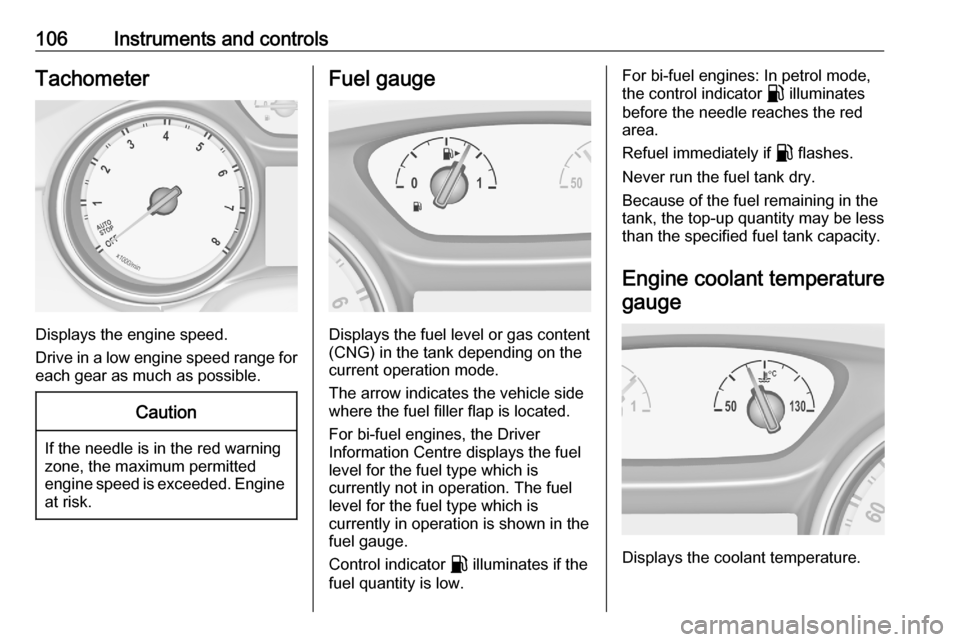
Displays the engine speed.
Drive in a low engine speed range for each gear as much as possible.
Caution
If the needle is in the red warning
zone, the maximum permitted
engine speed is exceeded. Engine at risk.
Fuel gauge
Displays the fuel level or gas content
(CNG) in the tank depending on the current operation mode.
The arrow indicates the vehicle side
where the fuel filler flap is located.
For bi-fuel engines, the Driver
Information Centre displays the fuel
level for the fuel type which is
currently not in operation. The fuel
level for the fuel type which is
currently in operation is shown in the fuel gauge.
Control indicator r illuminates if the
fuel quantity is low.
For bi-fuel engines: In petrol mode,
the control indicator r illuminates
before the needle reaches the red
area.
Refuel immediately if r flashes.
Never run the fuel tank dry.
Because of the fuel remaining in the
tank, the top-up quantity may be less
than the specified fuel tank capacity.
Engine coolant temperature gauge
Displays the coolant temperature.
Page 123 of 305

Instruments and controls121Info DisplayThe Info Display is located in theinstrument panel near the instrument
cluster.
Depending on the vehicle
configuration, the vehicle has one of
the following Infotainment systems:
● Multimedia
or
● Multimedia Navi
or
● Multimedia Navi Pro
The Info Display can indicate: ● time 3 97
● outside temperature 3 97
● date 3 97
● Infotainment system, see description in the Infotainment
manual
● climate control settings 3 143
● rear view camera 3 204
● parking assist instructions 3 195
● navigation, see description in the
Infotainment manual● system messages
● settings for vehicle personalisation 3 124
Multimedia Navi Selecting menus and settings
Menus and settings are accessed via the display.
Press ) to switch on the display.
Press ! to display the home screen.
Touch required menu display icon
with the finger.
Touch a respective icon to confirm a
selection.
Touch 1 to return to the next higher
menu level.
Press ! to return to the home
screen.
For further information, see
Infotainment manual.
Vehicle personalisation 3 124.
Multimedia / Multimedia Navi Pro
Selecting menus and settings
There are three options to operate the display:
● via buttons below the display
● by touching the touchscreen with
the finger
● via speech recognition
Page 126 of 305
124Instruments and controls1. Switch off any electricalconsumers which are not requiredfor a safe drive, e.g. seat heating,
heated rear window or other main consumers.
2. Charge the vehicle battery by driving continuously for a while or
by using a charging device.
The warning message will disappear
after the engine has been started
twice without a voltage drop.
If the vehicle battery cannot be
recharged, have the cause of the fault
remedied by a workshop.Vehicle personalisation
The vehicle's behaviour can be
personalised by changing the settings in the Info Display.
Some of the personal settings for
different drivers can be memorised individually for each vehicle key.
Memorised settings 3 25.
Depending on vehicle equipment and
country-specific regulations some of
the functions described below may
not be available.
Some functions are only displayed or
active when the engine is running.
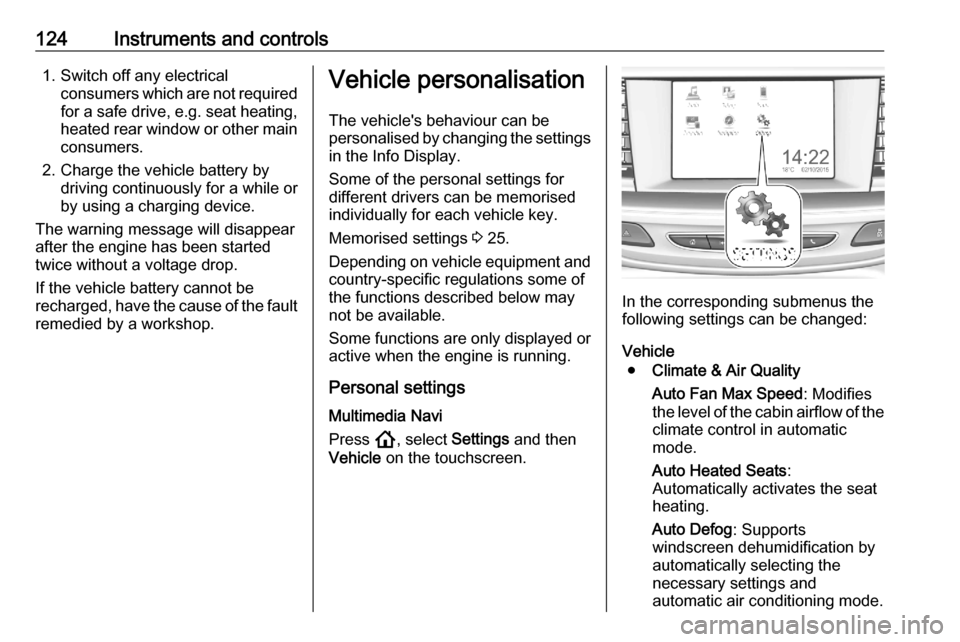
Personal settings Multimedia Navi
Press !, select Settings and then
Vehicle on the touchscreen.
In the corresponding submenus the
following settings can be changed:
Vehicle ● Climate & Air Quality
Auto Fan Max Speed : Modifies
the level of the cabin airflow of the climate control in automatic
mode.
Auto Heated Seats :
Automatically activates the seat
heating.
Auto Defog : Supports
windscreen dehumidification by
automatically selecting the
necessary settings and
automatic air conditioning mode.
Page 134 of 305

132LightingMotorway mode
High beam assist includes a special
motorway mode. When driving faster
than 105 km/h on motorways for a
certain time, the light beam becomes
smaller to avoid dazzling of oncoming traffic.
ActivationIndicator lever with f button
Activate high beam assist by pressing
f .
Indicator lever with or without MENU
button
Activate high beam assist by pushing the indicator lever twice.
The green control indicator f
illuminates continuously when the
high beam assist is activated, the blue
one 7 illuminates when high beam is
on.
Control indicator f 3 113, 7
3 113.
DeactivationIndicator lever with or without MENU
button
If high beam assist is active and high
beam is on, pull the lever once to
deactivate high beam assist.
If high beam assist is active and high
beam is off, push the lever twice to
deactivate high beam assist.
Pushing the indicator lever to activate
manual high beam will also
deactivate high beam assist.Indicator lever with f button
If high beam assist is active and high
beam is on, press f once or pull
indicator lever once to deactivate high beam assist.
If high beam assist is active and high
beam is off, press f once to
deactivate high beam assist.
Pushing the indicator lever to activate
manual high beam will also
deactivate high beam assist.
Page 136 of 305

134LightingSelect the relevant setting in Settings
I Vehicle .
Info Display 3 121.
Vehicle personalisation 3 124.
Every time the ignition is switched on,
f flashes for approx. 4 seconds as a
reminder.
To deactivate, use the same
procedure as described above. f will
not flash when function is
deactivated.
Control indicator f 3 113.
Daytime running lights
Daytime running lights increases
visibility of the vehicle during daylight.
They are switched on automatically
during daytime when engine is
running.
The system switches between
daytime running lights and headlights automatically, depending on the
lighting conditions.
Automatic light control 3 131.LED headlights
LED and Matrix-LED headlights for
low and high beam ensure better
visibility under all conditions.
Matrix-LED headlight contains
beyond that a variety of particular
LEDs in each headlight which
enables the control of different
lighting programmes.
Light distribution and intensity of light
are variably triggered depending on
the lighting conditions, road type and
driving situation. The vehicle adapts
the headlights automatically to the
situation to enable optimal light
performance for the driver. Some
functions of the LED headlights can
be deactivated or activated in the
vehicle personalisation menu. Select
the relevant setting in Settings I
Vehicle in the Info Display.
Vehicle personalisation 3 124.
The following lighting functions are
available with light switch in position
AUTO or 9.Town light
Activated automatically at a speed up
to approx. 55 km/h and in situations
with exterior ambient light. The light is
wide and symmetrical. A special
beam pattern is designed to avoid
glare for other road users.
Country light
Activated automatically at a speed
above approx. 55 km/h when driving
in rural areas. The illumination of the
current lane and the side of the roadis improved. Oncoming and
preceding vehicles are not dazzled.
Page 150 of 305

148Climate controlReturn to automatic air distribution:
press AUTO .
Cooling A/C
Press A/C to switch on cooling. The
LED in the button illuminates to
indicate activation. Cooling is only
functional when the engine is running and climate control fan is switched on.
Press A/C again to switch off cooling.
The air conditioning system cools and
dehumidifies (dries) when outside
temperature is above a specific level. Therefore condensation may form
and drip from under the vehicle.
If no cooling or drying is required,
switch off the cooling system for fuel
saving reasons.
When the cooling system is switched
off, no engine restart will be
requested by the climate control
system during an Autostop.
Exception: defrost system is activated and outside temperature above 0 °C
requests a restart.
Stop-start system 3 157.
The display will indicate A/C ON when
cooling is activated or A/C OFF when
the cooling is deactivated.
Manual air recirculation nPress n to activate the air
recirculation mode. The LED in the
button illuminates to indicate
activation.
Press n again to deactivate
recirculation mode.9 Warning
The exchange of fresh air is
reduced in air recirculation mode.
In operation without cooling the air humidity increases, so the
windows may mist up from inside.
The quality of the passenger
compartment air deteriorates,
which may cause the vehicle
occupants to feel drowsy.
In warm and very humid ambient air conditions, the windscreen may mist
up from outside, when cold air is
directed towards it. If windscreen
mists up from outside, activate
windscreen wiper and deactivate w.
Page 152 of 305
150Climate controlMaintenanceAir intake
The air intake in front of the
windscreen in the engine
compartment must be kept clear to
allow air intake. Remove any leaves,
dirt or snow.
Air conditioning regular
operation
In order to ensure continuously
efficient performance, cooling must
be operated for a few minutes once a
month, irrespective of the weather
and time of year. Operation with
cooling is not possible when the
outside temperature is too low.
Service For optimal cooling performance, it is recommended to annually check the
climate control system, starting
three years after initial vehicle
registration, including:
● functionality and pressure test
● heating functionality
● leakage check
● check of drive belts
● cleaning of condenser and evaporator drainage
● performance check

