2020 MERCEDES-BENZ CLS COUPE stop start
[x] Cancel search: stop startPage 183 of 469
Make sure
that there are no overhanging loads
pr otru ding into the de tection range.
If th ere is damage toa bumper or thera diator
grille, or af ter an impact, ha vethe function of
th e sensors checked at a qualified specialist
wo rkshop. Ha vedamage or stone chipping in the
area of the cameras on the front and rear win‐
do ws repaired at a qualified specialist workshop. Overview of driving sy
stems and driving
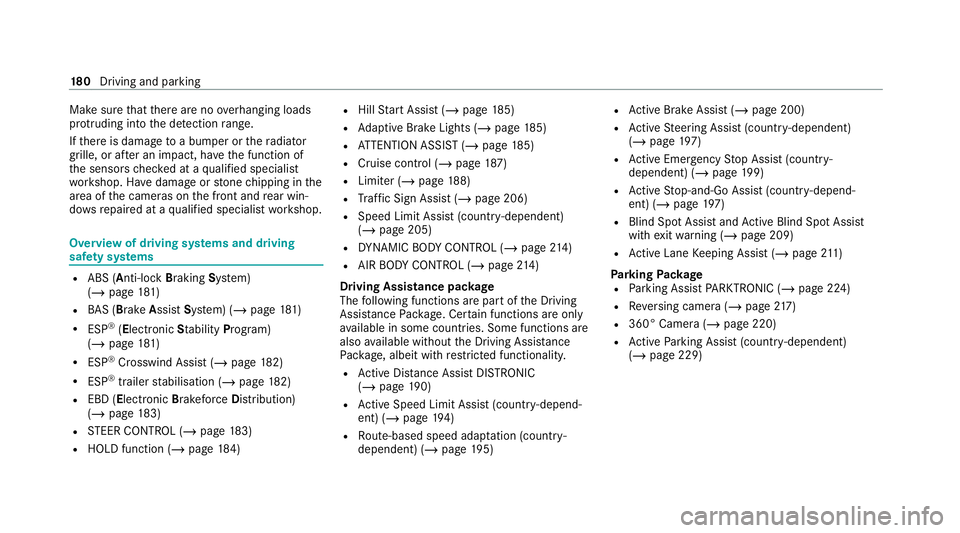
saf ety sy stems R
ABS (Anti-lock Braking System)
(/ page 181)
R BAS (Bra keAssist System) (/ page181)
R ESP ®
(E lectronic Stability Pro gram)
(/ page 181)
R ESP ®
Crosswind Assist (/ page182)
R ESP ®
trailer stabilisation (/ page182)
R EBD ( Electronic Brakeforc eDistribution)
(/ page 183)
R STEER CONTROL (/ page 183)
R HOLD function (/ page184) R
Hill Start Assist (/ page185)
R Adaptive Brake Lights (/ page185)
R ATTENTION ASSIST (/ page185)
R Cruise control (/ page 187)
R Limi ter (/ page188)
R Traf fic Sign Assi st (/ page 206)
R Speed Limit Assist (count ry-dependent)
(/ page 205)
R DYNA MIC BODY CONTROL (/ page214)
R AIR BODY CONTROL (/ page214)
Driving Assistance pac kage
The following functions are part of the Driving
Assis tance Pack age. Cer tain functions are only
av ailable in some countries. Some functions are
also available without the Driving Assis tance
Pa ckage, albeit with restricted functionality.
R Active Dis tance Assi stDISTRONIC
(/ page 190)
R Active Speed Limit Assi st(countr y-depend‐
ent) (/ page194)
R Route-based speed adap tation (countr y-
dependent) (/ page195) R
Active Brake Assi st (/ page 200)
R Active Steering Assist (count ry-dependent)
(/ page 197)
R Active Emergency Stop Assist (countr y-
dependent) (/ page199)
R Active Stop-and-Go Assist (countr y-depend‐
ent) (/ page197)
R Blind Spot Assi stand Active Blind Spot Assi st
with exitwa rning (/ page 209)
R Active Lane Keeping Assist (/ page211)
Park ingPackage
R Parking Assist PARKTRONIC ( /page 224)
R Reversing camera (/ page217)
R 360° Camera (/ page 220)
R Active Parking Assist (countr y-dependent)
(/ page 229) 18 0
Driving and pa rking
Page 187 of 469
Sy
stem limits
ST EER CONTROL may be impaire d or may not
function in thefo llowing situations:
R ESP ®
is deactivated.
R ESP ®
is malfunctioning.
R The steering is malfunctioning.
If ESP ®
is malfunctioning, you will be assis ted
fur ther by the electric po werst eering. HOLD function
HOLD function
The HOLD function holds
theve hicle at a stand‐
st ill without requ iring youto depress the brake
pedal, e.g. while waiting in traf fic.
The HOLD function is only an aid. The responsi‐
bility forth eve hicle safely standing still remains
with the driver.
Sy stem limits
The HOLD function is only intended toprov ide
assis tance when driving and is not a su fficient
means of safeguarding theve hicle against rolling
aw ay when stationar y. R
The incline must not be greater than 30%.
Ac tivating/deactivating the HOLD function &
WARNING Risk of an accident due tothe
HOLD function being active when you
lea vetheve hicle
If th eve hicle is only braked with the HOLD
function it could, in thefo llowing situations,
ro llaw ay:
R Ifth ere is a malfunction in the sy stem or
in the po wer supp ly.
R Ifth e HOLD function is deactivated by
depressing the accelera tor pedal or brake
pedal, e.g. byave hicle occupant. #
Alw ays secure theve hicle against roll‐
ing away before you lea veit. Re
quirements:
R The vehicle is stationar y.
R The driver's door is closed or the seat belt on
th e driver's side is fastened. R
The engine is running or has been au tomati‐
cally switched off bythe ECO start/ stop
function.
R The electric parking brake is released.
R Active Dis tance Assi stDISTRONIC is deacti‐
va ted.
R The transmission is in position h,kori.
Ac tivating the HOLD function #
Dep ress the brake pedal, and af ter a short
time quickly depress fur ther until theë
display appears in the multifunction displa y. #
Release the brake pedal.
Deactivating the HOLD function #
Depress the accelerator pedal topull away.
or #
Depress the brake pedal until theë dis‐
play disappears from the multifunction dis‐
pla y.
The HOLD function is deactivated in thefo llow‐
ing situations:
R Active Dis tance Assi stDISTRONIC is acti va‐
te d. 184
Driving and pa rking
Page 208 of 469
Multimedia sy
stem:
4 © 5
Settings 5
Assistance
5 Active Brake Assist #
Select the desired setting.
The setting is retained when the drive sy stem
is next star ted.
Deactivating Active Brake Assi st
% It is recommended that you alw ays lea ve
Ac tive Brake Assi stactivated. #
Select Off.
The dis tance warning function, the autono‐
mous braking function and the Evasive Steer‐
ing Assist are deactivated.
When theve hicle is next star ted, the middle
setting is automatically selected.
% IfAc tive Brake Assi stis deactivated, the
æ symbol appears inthest atus bar of the
multifunction displa y. Speed Limit Assist
Fu
nction of Speed Limit Assist
Speed Limit Assist de tects speed limits wi th
multifunction camera and displa ys them in the
instrument clus ter and optionally in the head-up
displa y.The camera also de tects speed limits
wi th are striction indicated byan additional sign
(e.g. when wet). The sy stem de tects stop signs,
th ereby pr eventing the engine from being
switched off bythe ECO start/ stop function.
Obser vethe no tes on driving sy stems and your
re sponsibility; you may otherwise failto recog‐
nise dangers (/ page 178).
Wa rning when the maximum permissible
speed is exceeded
The sy stem can warnyou if you unin tentionally
exc eed the maximum permissible speed. Todo
th is, you can specify in the multimedia sy stem
by how much the maximum permissible speed
can be exceeded before a warning is issued. Yo u
can specify whe ther thewa rning is tobe just a
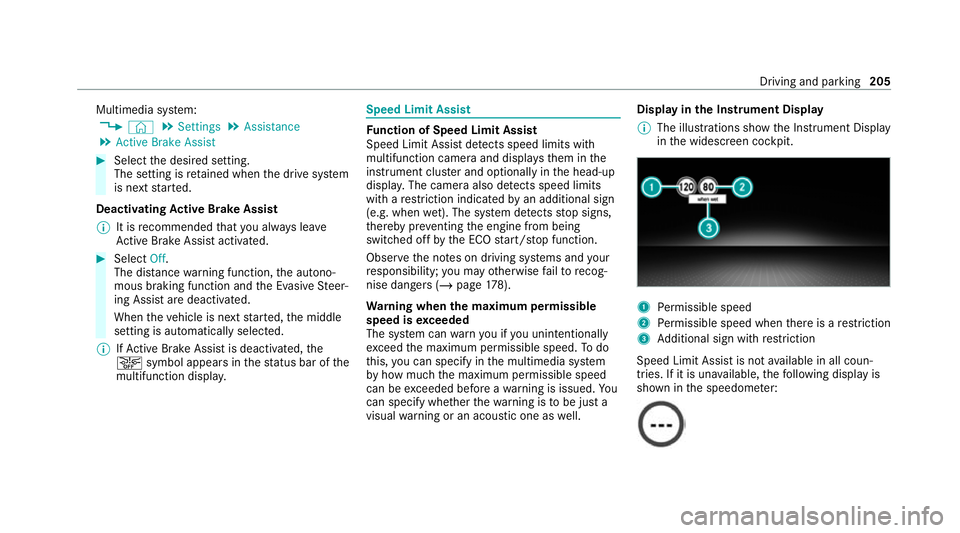
visual warning or an acoustic one as well. Display in
the Instrument Display
% The illustrations show the Instrument Display
in the widescreen cockpit. 1
Perm issible speed
2 Perm issible speed when there is a restriction
3 Additional sign with restriction
Speed Limit Assi stis not available in all coun‐
tries. If it is una vailable, thefo llowing display is
shown in the speedome ter: Driving and pa
rking 205
Page 250 of 469
Fu
ll-screen menus
Yo u can displ aythefo llowing menus full-screen
on the instrument display:
R Assistance
R Trip
R Navigation #
Onthe cor responding menu, use the left-
hand Touch Control toscroll tothe end of the
list. #
Press the left-hand Touch Control.
The selected menu will be displ ayed full-
screen. Overview of displa
yson the multifunction
display
Displa yson the multifunction display
u Active Parking Assist activated
(/ page 230)
é Parking Assist PARKTRONIC deacti vated
( / page 227, 228)
h Cruise control (/ page187) È
Limi
ter (/ page188)
ç Active Dis tance Assi stDISTRONIC
(/ page 190)
ê Active Brake Assi st (/ page 204)
à Active Steering Assist (/ page197)
¬ Active Traf fic Jam Assi st (/ page 197)
à Ac
tive Lane Keeping Assist (/ page211)
è ECO
start/ stop function (/ page155)
ë HOLD fu
nction (/ page 184)
_ Ad
aptive Highbeam Assist (/ page125)
Ad aptive Highbeam Assist Plus
(/ page 126)
ð Maximum pe rmissible speed exceeded
(for cer tain countries only)
Ve hicles with Speed Limit Assis t:de tected
instructions and traf fic signs (/ page 205).
Ve hicles with Traf fic Sign Assis t:de tected
instructions and traf fic signs (/ page 206).
Fo r an overview of the indicator and warning
lamps, see (/ page413). Head-u
p display Fu
nction of the head-up display *
NO
TEMercedes-AMG vehicles #
Obser vethe no tes in the Supplement.
Yo u could otherwise failto recognise
dangers. The head-up displ
ayprojects thefo llowing infor‐
mation into the driver's field of vision abo vethe
cockpit, forex ample:
R The vehicle speed
R Information from the navigation sy stem
R Information from the driving sy stems and
driving saf ety sy stems
R Some warning messages
Depending on theve hicle's equipment, dif fere nt
content can be shown in theth re e areas of the
head-up display (/ page248). In
stru ment display and on-board computer 247
Page 271 of 469
Te
lephone Te
lephony Note
s ontelephony &
WARNING Risk of di stra ction from oper‐
ating integrated communication equip‐
ment while theve hicle is in motion
If yo u operate communication equipment
integrated in theve hicle when driving, you
could be di stra cted from the tra ffic situation.
This could also cause youto lose control of
th eve hicle. #
Only operate this equipment when the
traf fic situation permits. #
Ifyo u cannot be sure of this, stop the
ve hicle whilst paying attention toroad
and traf fic conditions and ope rate the
equipment with theve hicle stationar y. &
WARNING Risk of an accident from
ope rating mobile communication equip‐
ment while theve hicle is in motion
Mobile communications devices distract the
driver from the traf fic situation. This could
also cause the driver tolose control of the
ve hicle. #
Asthe driver, only operate mobile com‐
munications devices when theve hicle is
st ationar y. #
As a vehicle occupant, only use mobile
communications devices in the areas
intended forth is purpose, e.g. in the
re ar passenger compartment. Yo
u must obse rveth e legal requirements forthe
country in whi chyou are cur rently driving when
operating mobile communication equipment in
th eve hicle. &
WARNING Risk of inju rydue toobjects
being stowed inco rrectly
If objects in theve hicle interior are stowed
incor rectly, they can slide or be thrown
around and hit vehicle occupants. In addi‐
tion, cup holders, open stowage spaces and
mobile phone recep tacles cannot al ways
re tain all objects within.
There is a risk of injur y,particularly in the
ev ent of sudden braking or a sudden change
in direction. #
Alw aysstow objects so that they can‐
not be throw n around in su chsitua‐
tions. #
Alw ays make sure that objects do not
pr otru de from stowage spaces, luggage
nets or stowage nets. #
Close the loc kable stow age spaces
before starting a journe y. #
Alw aysstow and secure heavy, hard,
poin ted, sharp-edged, fragile or bulky
objects in the boot/load compartment. 268
MBUX multimedia sy stem
Page 293 of 469
Symbol
DesignationFunction
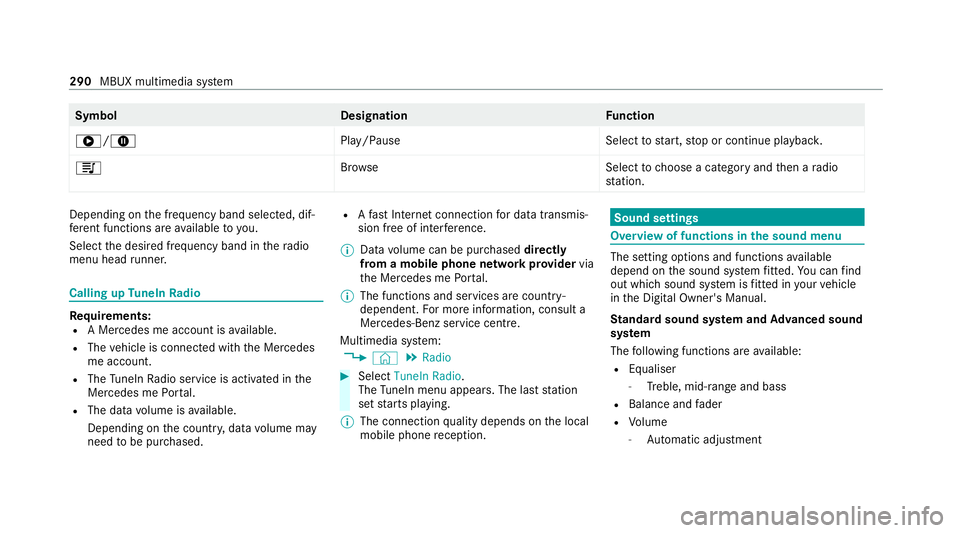
6/8 Play/PauseSelecttostart, stop or continue playbac k.
5 Brows eS electtochoose a category and then a radio
st ation. Depending on
the frequency band selected, dif‐
fe re nt functions are available to you.
Select the desired frequency band in thera dio
menu head runner. Calling up
TuneIn Radio Re
quirements:
R A Mercedes me account is available.
R The vehicle is connected with the Mercedes
me account.
R The TuneIn Radio service is activated in the
Mercedes me Portal.
R The data volume is available.
Depending on the count ry, data volume may
need tobe pur chased. R
Afast Internet connection for data transmis‐
sion free of inter fere nce.
% Data volume can be pur chased directly
from a mobile phone network pr ovider via
th e Mercedes me Portal.
% The functions and services are countr y-
dependent. For more information, consult a
Mercedes-Benz service centre.
Multimedia sy stem:
4 © 5
Radio #
Select TuneIn Radio.
The TuneIn menu appears. The la st station
set starts playing.
% The connection quality depends on the local
mobile phone reception. Sound settings
Overview of functions in the sound menu
The setting options and functions
available
depend on the sound sy stem fitted. You can find
out which sound sy stem is fitted in your vehicle
in the Digital Owner's Manual.
St andard sound sy stem and Advanced sound
sy stem
The following functions are available:
R Equaliser
- Treble, mid-range and bass
R Balance and fader
R Volume
- Automatic adju stment 290
MBUX multimedia sy stem
Page 378 of 469

Engine
Display messages
Possible causes/consequences and M
MSolutions
To switch off the engine,
press the Start/Stop but-
ton for at least 3 seconds
or 3 times. *Y
ou ha vepressed thest art/ stop button while theve hicle is in motion. #
Information about switching off the engine while driving (/ page149).
+
Top up coolant See Own-
er’s Manual *T
he coolant le vel is too lo w.
* NO
TEEngine dama gedue toinsuf ficient coolant #
Avoid long journe yswith insuf ficient coolant. #
Add coolant (/ page 297). #
Have the engine cooling sy stem checked at a qualified specialist workshop.
ÿ
Coolant Stop vehicle
Switch engine off *T
he coolant is too hot. #
Stop theve hicle immediately in accordance with the traf fic conditions and switch off the engine. &
WARNING Danger of bu rns when opening the bonn et
If yo u open the engine bonn etwhen the engine has overheated or during a fire inthe engine compartment, you
could come into contact wi thhot gases or other escaping operating fluids. #
Before opening the bonn et, allow the engine tocool down. Display messages and
warning/indicator lamps 375
Page 380 of 469
Display messages
Possible causes/consequences and M
MSolutions
¸ Replace air cleaner *
Ve hicles with diesel engines: the engine air filter is dirty and must be replaced. #
Consult a qualified specialist workshop. Tr
ansmission Display messages
Possible causes/consequences and M
MSolutions
Only select Park (P) when
vehicle is stationary *
It is possible toselect the park position jonly if theve hicle is stationar y. #
Tostop, depress the brake pedal. #
Shift the transmission topark position jwhen theve hicle is stationar y.
Apply brake to deselect
Park (P) position *
Yo u ha veattem ptedto shift the transmission out of park position jand into ano ther transmission position. #
Depress the brake pedal. #
Select transmission position h,kor neutral i.
To shift out of P or N,
depress brake and start
engine *
Yo u ha veattem ptedto shift the transmission out of park position jor neutral iand into ano ther transmission
position. #
Depress the brake pedal. #
Start the engine. Display messages and
warning/indicator lamps 377