2020 LINCOLN CORSAIR fuel
[x] Cancel search: fuelPage 6 of 591

Automatic High Beam Control Indicators
.......................................................................107
Overriding Automatic High Beam Control .......................................................................
107
Windows and Mirrors
Power Windows ............................................
108
Global Opening and Closing ....................
109
Exterior Mirrors ..............................................
110
Interior Mirror ..................................................
111
Sun Visors .......................................................
112
Moonroof .........................................................
112
Instrument Cluster
Gauges - Vehicles With: 6.5 Inch Instrument Cluster Display Screen .......
114
Gauges - Vehicles With: 12.3 Inch Instrument Cluster Display Screen .......
116
Warning Lamps and Indicators ..................
118
Audible Warnings and Indicators .............
122
Information Displays
General Information .....................................
123
Personalized Settings .................................
127Information Messages
................................
128
Head Up Display ..........................................
148
Climate Control
Automatic Climate Control ........................
152
Hints on Controlling the Interior Climate .......................................................................
154
Heated Windshield ......................................
155
Heated Rear Window ..................................
155
Heated Exterior Mirrors ..............................
155
Cabin Air Filter ..............................................
156
Remote Start ..................................................
156
Seats
Sitting in the Correct Position ...................
158
Head Restraints ............................................
159
Power Seats ....................................................
161
Memory Function .........................................
165
Rear Seats ......................................................
168
Heated Seats .................................................
170
Climate Controlled Seats ............................
171Garage Door Opener
Universal Garage Door Opener
................
174
Auxiliary Power Points
Auxiliary Power Points ................................
178
Wireless Accessory Charging ...................
179
Storage Compartments
Overhead Console ......................................
182
Starting and Stopping the Engine
General Information .....................................
183
Keyless Starting ............................................
183
Starting a Gasoline Engine ........................
184
Engine Block Heater ....................................
187
Unique Driving Characteristics
Auto-Start-Stop .............................................
189
Fuel and Refueling
Safety Precautions ........................................
191
Fuel Quality ...................................................
192
3
Corsair (CTF) Canada/United States of America, enUSA, Edition date: 201906, Second-Printing Table of Contents
Page 7 of 591

Fuel Filler Funnel Location
........................192
Running Out of Fuel ....................................
193
Refueling ........................................................
194
Fuel Consumption ........................................
197
Engine Emission Control
Emission Law .................................................
199
Catalytic Converter ....................................
200
Transmission
Automatic Transmission ............................
203
All-Wheel Drive
Using All-Wheel Drive ................................
209
Brakes
General Information .....................................
214
Hints on Driving With Anti-Lock Brakes .......................................................................
215
Electric Parking Brake .................................
215
Hill Start Assist ..............................................
217
Auto Hold .......................................................
218Reverse Braking Assist
What Is Reverse Braking Assist
..............
220
Reverse Braking Assist Precautions ......
220
Switching Reverse Braking Assist On and Off ................................................................
221
Overriding Reverse Braking Assist ..........
221
Reverse Braking Assist Indicators ...........
221
Reverse Braking Assist – Troubleshooting ......................................................................
222
Traction Control
Principle of Operation ................................
224
Using Traction Control ...............................
224
Stability Control
Principle of Operation ................................
225
Using Stability Control ...............................
226
Parking Aids
Principle of Operation ................................
227
Rear Parking Aid ..........................................
227
Front Parking Aid ........................................
229
Side Sensing System ..................................
231Active Park Assist
........................................
233
Rear View Camera ......................................
237
360 Degree Camera ..................................
240
Cruise Control
What Is Cruise Control ...............................
243
Switching Cruise Control On and Off .....
243
Setting the Cruise Control Speed ...........
243
Canceling the Set Speed ..........................
244
Resuming the Set Speed ..........................
244
Cruise Control Indicators ..........................
244
Adaptive Cruise Control
How Does Adaptive Cruise Control With Stop and Go Work ..................................
245
What Is Adaptive Cruise Control With Lane Centering ..................................................
245
What Is Intelligent Adaptive Cruise Control ......................................................................
245
Adaptive Cruise Control Precautions - Vehicles With: Adaptive Cruise Control
With Lane Centering ..............................
245
Adaptive Cruise Control Precautions - Vehicles With: Adaptive Cruise Control
With Stop and Go ....................................
246
4
Corsair (CTF) Canada/United States of America, enUSA, Edition date: 201906, Second-Printing Table of Contents
Page 8 of 591
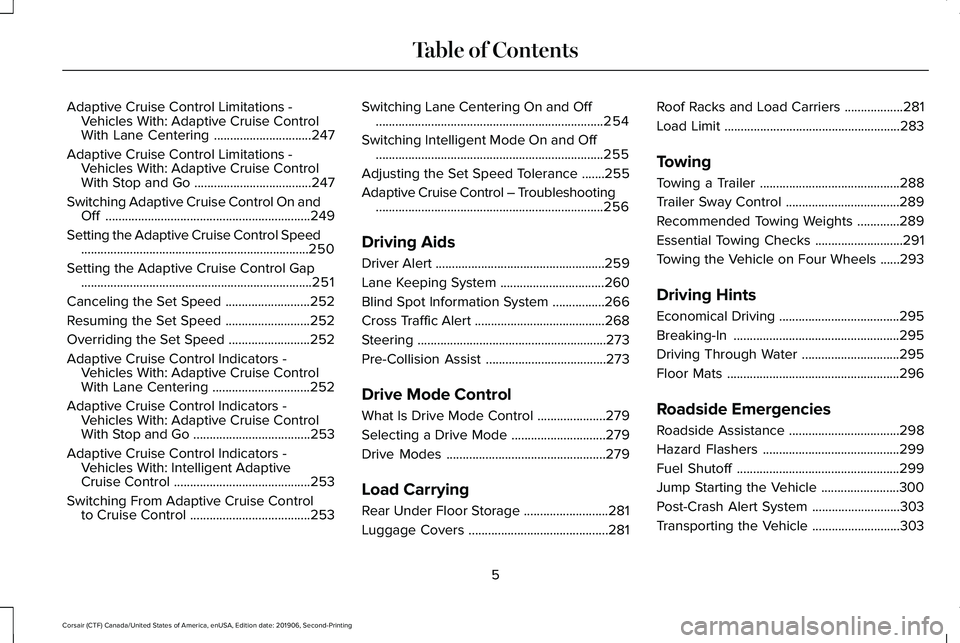
Adaptive Cruise Control Limitations -
Vehicles With: Adaptive Cruise Control
With Lane Centering ..............................247
Adaptive Cruise Control Limitations - Vehicles With: Adaptive Cruise Control
With Stop and Go ....................................
247
Switching Adaptive Cruise Control On and Off ...............................................................
249
Setting the Adaptive Cruise Control Speed ......................................................................
250
Setting the Adaptive Cruise Control Gap .......................................................................
251
Canceling the Set Speed ..........................
252
Resuming the Set Speed ..........................
252
Overriding the Set Speed .........................
252
Adaptive Cruise Control Indicators - Vehicles With: Adaptive Cruise Control
With Lane Centering ..............................
252
Adaptive Cruise Control Indicators - Vehicles With: Adaptive Cruise Control
With Stop and Go ....................................
253
Adaptive Cruise Control Indicators - Vehicles With: Intelligent Adaptive
Cruise Control ..........................................
253
Switching From Adaptive Cruise Control to Cruise Control .....................................
253Switching Lane Centering On and Off
......................................................................
254
Switching Intelligent Mode On and Off ......................................................................
255
Adjusting the Set Speed Tolerance .......
255
Adaptive Cruise Control – Troubleshooting ......................................................................
256
Driving Aids
Driver Alert ....................................................
259
Lane Keeping System ................................
260
Blind Spot Information System ................
266
Cross Traffic Alert ........................................
268
Steering ..........................................................
273
Pre-Collision Assist .....................................
273
Drive Mode Control
What Is Drive Mode Control .....................
279
Selecting a Drive Mode .............................
279
Drive Modes .................................................
279
Load Carrying
Rear Under Floor Storage ..........................
281
Luggage Covers ...........................................
281Roof Racks and Load Carriers
..................
281
Load Limit ......................................................
283
Towing
Towing a Trailer ...........................................
288
Trailer Sway Control ...................................
289
Recommended Towing Weights .............
289
Essential Towing Checks ...........................
291
Towing the Vehicle on Four Wheels ......
293
Driving Hints
Economical Driving .....................................
295
Breaking-In ...................................................
295
Driving Through Water ..............................
295
Floor Mats .....................................................
296
Roadside Emergencies
Roadside Assistance ..................................
298
Hazard Flashers ..........................................
299
Fuel Shutoff ..................................................
299
Jump Starting the Vehicle ........................
300
Post-Crash Alert System ...........................
303
Transporting the Vehicle ...........................
303
5
Corsair (CTF) Canada/United States of America, enUSA, Edition date: 201906, Second-Printing Table of Contents
Page 9 of 591
Customer Assistance
Getting the Services You Need
...............305
In California (U.S. Only) ..............................
306
The Better Business Bureau (BBB) Auto Line Program (U.S. Only) .......................
307
Utilizing the Mediation/Arbitration Program (Canada Only) ..........................................
308
Getting Assistance Outside the U.S. and Canada ......................................................
309
Ordering Additional Owner's Literature ........................................................................\
311
Reporting Safety Defects (U.S. Only) ......
312
Reporting Safety Defects (Canada Only) .......................................................................
312
Fuses
Fuse Specification Chart ............................
314
Changing a Fuse .........................................
325
Maintenance
General Information ....................................
327
Opening and Closing the Hood ..............
327
Under Hood Overview ...............................
329
Engine Oil Dipstick .....................................
330Engine Oil Check
........................................
330
Oil Change Indicator Reset ........................
331
Changing the Engine Air Filter ................
332
Engine Coolant Check ...............................
333
Automatic Transmission Fluid Check ......
338
Brake Fluid Check .......................................
338
Power Steering Fluid Check .....................
339
Changing the 12V Battery .........................
340
Adjusting the Headlamps .........................
342
Washer Fluid Check ....................................
343
Fuel Filter .......................................................
344
Checking the Wiper Blades ......................
344
Changing the Wiper Blades .....................
344
Removing a Headlamp ..............................
345
Changing a Bulb ..........................................
345
Vehicle Care
General Information ....................................
346
Cleaning Products .......................................
346
Cleaning the Exterior ..................................
347
Waxing ...........................................................
348
Cleaning the Engine ...................................
349Cleaning the Windows and Wiper Blades
......................................................................
349
Cleaning the Interior ..................................
350
Cleaning the Instrument Panel and Instrument Cluster Lens ........................
350
Cleaning Leather Seats ..............................
351
Repairing Minor Paint Damage ................
352
Cleaning the Wheels ..................................
352
Vehicle Storage ...........................................
352
Body Styling Kits ..........................................
354
Wheels and Tires
General Information ...................................
355
Tire Care ........................................................
357
Using Snow Chains .....................................
370
Tire Pressure Monitoring System .............
371
Changing a Road Wheel ............................
376
Technical Specifications ............................
383
Capacities and Specifications
Engine Specifications - 2.0L .....................
385
Engine Specifications - 2.3L .....................
386
Motorcraft Parts - 2.0L ................................
387
6
Corsair (CTF) Canada/United States of America, enUSA, Edition date: 201906, Second-Printing Table of Contents
Page 13 of 591

Anti-lock braking system
Avoid smoking, flames or sparks
Battery
Battery acid
Brake fluid - non petroleum based
Brake system
Brake system
Cabin air filter
Check fuel cap Child safety door lock or unlock
Child seat lower anchor
Child seat tether anchor
Cruise control
Do not open when hot
Engine air filter
Engine coolant
Engine coolant temperature
Engine oil Explosive gas
Fan warning
Fasten seatbelt
Flammable
Front airbag
Front fog lamps
Fuel pump reset
Fuse compartment
Hazard flashers
Heated rear window
10
Corsair (CTF) Canada/United States of America, enUSA, Edition date: 201906, Second-Printing Introduction E270480 E71340 E71880 E231160 E67017
Page 15 of 591

Windshield wash and wipe
DATA RECORDING WARNING: Do not connect wireless
plug-in devices to the data link connector.
Unauthorized third parties could gain
access to vehicle data and impair the
performance of safety related systems.
Only allow repair facilities that follow our
service and repair instructions to connect
their equipment to the data link connector.
We respect your privacy and are committed
to protecting it. The information contained
in this publication was correct at the time of
going to print but as technology rapidly
changes, we recommend that you visit the
regional Lincoln website for the latest
information. Your vehicle has electronic control units that
have data recording functionality and the
ability to permanently or temporarily store
data. This data could include information on
the condition and status of your vehicle,
vehicle maintenance requirements, events
and malfunctions. The types of data that can
be recorded are described in this section.
Some of the data recorded is stored in event
logs or error logs.
Note:
Error logs are reset following a service
or repair.
Note: We may provide information in
response to requests from law enforcement,
other government authorities and third
parties acting with lawful authority or through
a legal process. Such information could be
used by them in legal proceedings.
Data recorded includes, for example:
• Operating states of system components,
for example, fuel level, tire pressure and
battery charge level.
• Vehicle and component status, for
example, wheel speed, deceleration,
lateral acceleration and seatbelt status. •
Events or errors in essential systems, for
example, headlamps and brakes.
• System responses to driving situations,
for example, airbag deployment and
stability control.
• Environmental conditions, for example,
temperature.
Some of this data, when used in combination
with other information, for example, an
accident report, damage to a vehicle or
eyewitness statements, could be associated
with a specific person.
Service Data
Service data recorders in your vehicle are
capable of collecting and storing diagnostic
information about your vehicle. This
potentially includes information about the
performance or status of various systems
and modules in the vehicle, such as engine,
throttle, steering or brake systems. In order
to properly diagnose and service your
vehicle, Lincoln Motor Company (Lincoln of
Canada in Canada), and service and repair
facilities may access or share among them
vehicle diagnostic information received
12
Corsair (CTF) Canada/United States of America, enUSA, Edition date: 201906, Second-Printing Introduction
Page 19 of 591

The cell phone profile, media device index
and diagnostic log remain in your vehicle
unless you delete them and are generally
accessible only in your vehicle when you
connect your cell phone or media device. If
you no longer plan to use the system or your
vehicle, we recommend you use the master
reset function to erase the stored
information. See Settings (page 478).
System data cannot be accessed without
special equipment and access to your
vehicle's module.
For additional information about our privacy
policy, refer to your local Lincoln website.
Note: To find out if your vehicle has a
connectivity technology, visit
www .ConnectedLincoln. com .
Vehicles With an Emergency Call
System
When the emergency call system is active,
it may disclose to emergency services that
your vehicle has been in a crash involving
the deployment of an airbag or activation of
the fuel pump shut-off. Certain versions or
updates to the emergency call system may also be capable of electronically or verbally
disclosing to emergency services operators
your vehicle location or other details about
your vehicle or crash to assist emergency
services operators to provide the most
appropriate emergency services. If you do
not want to disclose this information, do not
activate the emergency call system.
Note:
You cannot deactivate emergency call
systems that are required by law.
PERCHLORATE
Certain components in your vehicle such as
airbag modules, seatbelt pretensioners and
remote control batteries may contain
perchlorate material. Special handling may
apply for service or vehicle end of life
disposal. For more information visit: Web Address
www.dtsc.ca.gov/hazard- ouswaste/perchlorate
LINCOLN AUTOMOTIVE
FINANCIAL SERVICES
Lincoln Automotive Financial Services offers
a full range of financing and lease plans to
help you acquire your vehicle. We are
dedicated to providing answers, information
and a truly extraordinary experience.
Use the options below to contact us with
questions about your account or financing
and we will respond promptly: Web Address
www.credit.lincoln.com
Phone: 1-888-498-8801
Mail: Lincoln Automotive Financial Services
16
Corsair (CTF) Canada/United States of America, enUSA, Edition date: 201906, Second-Printing Introduction
Page 62 of 591

WHAT IS 911 ASSIST
911 Assist is a SYNC system feature that can
call for help if you are in an accident. If a
crash deploys an airbag, excluding knee
airbags and rear inflatable seatbelts [if
equipped], or activates the fuel pump
shut-off, your SYNC-equipped vehicle may
be able to contact emergency services by
dialing 911 through a paired and connected
Bluetooth enabled phone. You can learn
more about the 911 Assist feature, by visiting:
Website
www.owner.lincoln.com
www.syncmyride.ca
www.syncmaroute.ca
Not all crashes will deploy an airbag or
activate the fuel pump shut-off, the triggers
for 911 Assist. If a connected cell phone
sustains damage or loses its connection to
SYNC during a crash, SYNC will search for
and try to connect to a previously paired cell
phone. SYNC will then attempt to call the
emergency services. Before making the call:
•
SYNC provides a short window of time,
about 10 seconds, to cancel the call. If
you fail to cancel the call, SYNC attempts
to dial 911.
• SYNC says the following, or a similar
message: SYNC will attempt to call 911,
to cancel the call, press Cancel on your
screen or press and hold the phone
button on your steering wheel.
If you do not cancel the call, and SYNC
makes a successful call, a pre-recorded
message plays for the 911 operator, and then
the occupant(s) in your vehicle is able to talk
with the operator. Be prepared to
immediately provide your name, phone
number and location, because not all 911
systems are capable of receiving this
information electronically.
During an emergency call, the system
transmits vehicle data to the emergency
service. See Data Recording (page 12). EMERGENCY CALL
REQUIREMENTS WARNING: Do not wait for 911 Assist
to make an emergency call if you can do
it yourself. Dial emergency services
immediately to avoid delayed response
time which could increase the risk of
serious injury or death after a crash. If you
do not hear 911 Assist within five seconds
of the crash, the system or phone may be
damaged or non-functional. WARNING: Always place your phone
in a secure location in your vehicle so it
does not become a projectile or get
damaged in a crash. Failure to do so may
cause serious injury to someone or
damage the phone which could prevent
911 Assist from working properly. WARNING: Unless the 911 Assist
setting is set on before a crash, the system
will not dial for help which could delay
response time, potentially increasing the
risk of serious injury or death after a crash.
59
Corsair (CTF) Canada/United States of America, enUSA, Edition date: 201906, Second-Printing 911 Assist