2020 LINCOLN CORSAIR fuel
[x] Cancel search: fuelPage 131 of 591
Trip 1 and 2
Provides trip timer, trip average fuel economy
and total trip distance traveled.
Press and hold the folder button to reset.
Fuel Economy
An Instant Fuel Economy gauge is provided
along with Average Fuel Economy. Average
fuel economy is continuously averaged since
the last reset.
While viewing this screen you can reset your
average fuel economy by pressing and
holding the folder button.
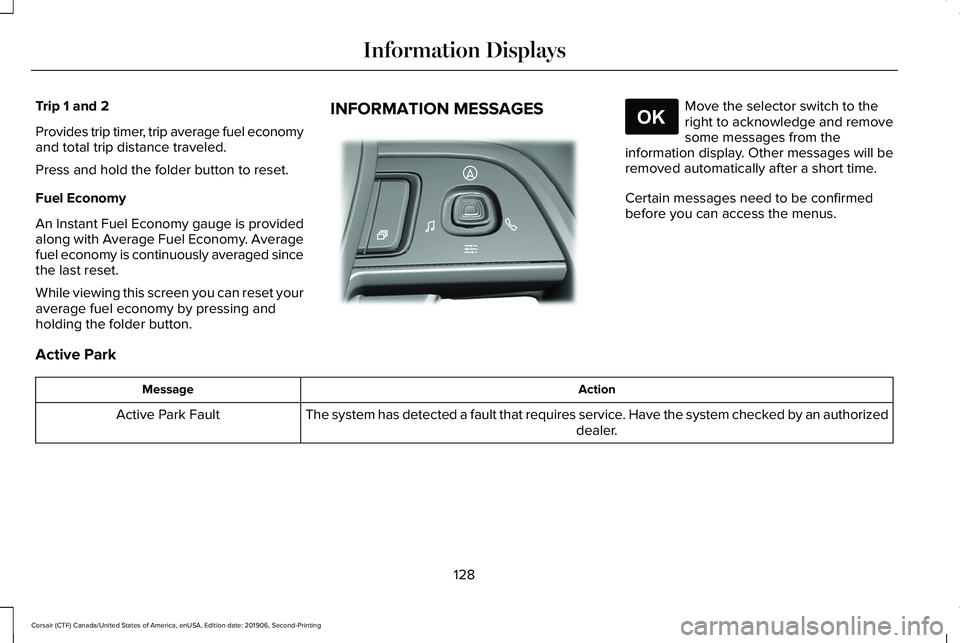
INFORMATION MESSAGES Move the selector switch to the
right to acknowledge and remove
some messages from the
information display. Other messages will be
removed automatically after a short time.
Certain messages need to be confirmed
before you can access the menus.
Active Park Action
Message
The system has detected a fault that requires service. Have the system checked by an authorized dealer.
Active Park Fault
128
Corsair (CTF) Canada/United States of America, enUSA, Edition date: 201906, Second-Printing Information DisplaysE281220 E265041
Page 134 of 591

Automatic Engine Shutdown
Action
Message
The engine is getting ready to shut off.
Vehicle Shuts Off In {seconds:#0} Seconds
The engine has shut off to help increase fuel economy.
Vehicle Shut Off to Save Energy
The engine is getting ready to shut off. You can press OK on the left-hand steering wheel buttonto override the shut down.
Vehicle Shuts Off in {seconds:#0} Seconds
Press Ok to Override
AWD Action
Message
The all-wheel drive system temporarily turns off to protect itself from \
overheating.
AWD Temporarily Disabled
The all-wheel drive system is locking up the torque transfer clutch to h\
elp reduce clutchtemperature.
AWD Temporarily Locked
The all-wheel drive system temporarily turns off to protect itself from \
overheating or if you areusing the temporary spare tire.
AWD OFF
The all-wheel drive system will resume normal function and clear this me\
ssage after driving ashort distance with the road tire re-installed or after the system cools\
.
AWD Restored
The all-wheel drive system is not operating properly. If the warning stays on or continues tocome on, contact an authorized dealer.
AWD Fault Service Required
131
Corsair (CTF) Canada/United States of America, enUSA, Edition date: 201906, Second-Printing Information Displays
Page 138 of 591

Action
Message
Indicates that the rear seat interior door release switches and power wi\
ndows are switched off,preventing rear seat occupants from opening the doors or windows.
Child Lock ON
Indicates that the rear seat interior door release switches and power wi\
ndows are switched on.
Child Lock OFF
The factory keypad code displays in the information display after the system resets t\
he keypad.See Passive Anti-Theft System (page 87).
Factory Keypad Code {X X X X X}
Driver Alert Action
Message
Stop and rest as soon as it is safe to do so.
Driver Alert Warning Rest Now
Take a rest soon.
Driver Alert Warning Rest Suggested
Fuel Action
Message
An early reminder of a low fuel condition.
Fuel Level Low
The fuel fill inlet valve may not be properly closed.
Check Fuel Fill Inlet
135
Corsair (CTF) Canada/United States of America, enUSA, Edition date: 201906, Second-Printing Information Displays
Page 153 of 591

Signaling and traffic indication.
A
Navigation display area.
B
Advanced driver assistance systems display area.
C
System message display area.
D
Advanced driver assistance systems message display area.
E
Speed limit display area.
F
Speedometer display area.
G
Status bar.
H
Signaling and Traffic Indication
Displays direction indicators and blind spot
information (if direction indicators are active).
Navigation Display Area
Displays navigation next turn instructions.
Advanced Driver Assistance Systems
Display Area
Displays adaptive cruise control, lane
centering aid and lane keeping system status
and warnings. System Message Display Area
Displays system messages and notifications
including an incoming phone call.
Advanced Driver Assistance Systems
Message Display Area
Displays advanced driver assistance systems
messages and image adjustment prompts.
Speed Limit Display Area
Displays your speed limit information if it is
available in the map database or is detected
by the camera.Speedometer Display Area
Displays your current vehicle speed and your
transmission gear selection.
Status Bar
Displays Distance To Empty (DTE), time and
outside air temperature. Next to DTE, the
fuel gauge fill color changes to yellow in low
fuel conditions. You can switch off the status
bar in the head up display settings menu.
150
Corsair (CTF) Canada/United States of America, enUSA, Edition date: 201906, Second-Printing Information Displays
Page 159 of 591

Note:
Do not remove ice from the mirrors
with a scraper or adjust the mirror glass
when it is frozen in place.
Note: Do not clean the mirror housing or
glass with harsh abrasives, fuel or other
petroleum-based cleaning products. The
vehicle warranty may not cover damage
caused to the mirror housing or glass.
CABIN AIR FILTER
The cabin air filter is under the instrument
panel in the passenger footwell area or
under the center console on the passenger
side.
The system filters airborne particles such as
dust, spores and pollen in the air supplied to
and recirculated in the interior of your
vehicle.
Make sure you have a cabin air filter installed
at all times. Running the system without a
filter in place could degrade or damage the
system. Your vehicle cabin air filter gives you and
your passengers the following benefits:
•
It improves your driving comfort by
reducing particle concentration.
• It improves the interior compartment
cleanliness.
• It protects the climate control
components from particle deposits.
Change the air filter element at the proper
intervals. See Scheduled Maintenance
(page 502).
For additional cabin air filter information, or
to replace the filter, see an authorized dealer.
REMOTE START
(IF EQUIPPED)
The system adjusts the interior temperature
depending on your chosen settings during
remote start.
You cannot adjust the climate control setting
during remote start operation. When you
switch the ignition on, the climate control
system returns to the previous settings. You
can now make adjustments. Some features may remain on if they turn on
during remote start:
•
Driver heated seat.
• Driver ventilated seat.
• Heated steering wheel.
• Heated mirrors.
• Heated rear window.
• Windshield wiper de-icer.
Note: If the passenger heated or ventilated
seats are on when you switch the vehicle
off, they default to the driver setting when
you switch the vehicle on.
You can adjust the default remote start
settings using the information display
controls. See Information Displays (page
123).
Automatic Settings
In hot weather, the system sets to
72°F
(22°C). The ventilated seats set to high (if
available, and if you select AUTO in the
information display).
156
Corsair (CTF) Canada/United States of America, enUSA, Edition date: 201906, Second-Printing Climate Control
Page 188 of 591

Fast Restart
The fast restart feature allows you to restart
the engine within 20 seconds of switching it
off, even if a valid key is not present.
Within 20 seconds of switching the engine
off, press the brake pedal and press the
button. After 20 seconds have expired, you
can no longer restart the engine without the
key present inside your vehicle.
Once the engine has started, it remains
running until you press the button, even if
the system does not detect a valid key. If you
open and close a door while the engine is
running, the system searches for a valid key.
You cannot restart the engine if the system
does not detect a valid key within 20
seconds.
Vehicles using Phone as a Key
Note:
Do not touch the accelerator pedal.
Note: You must have your Phone as a Key
in your vehicle to shift the transmission out
of park (P). 1. Fully depress the brake pedal.
2. Press the push button ignition switch.
The system does not function if:
•
The Bluetooth enabled phone
frequencies are jammed.
• The Phone as a Key battery is low or fully
discharged.
Automatic Engine Shutdown
If your vehicle has a keyless ignition, it has
a feature that shuts down the engine if it has
been idling for an extended period. The
ignition also turns off in order to save battery
power. Before the engine shuts down, a
message appears in the information display
showing a timer counting down from 30
seconds. If you do not intervene within 30
seconds, the engine shuts down. Another
message appears in the information display
to inform you that the engine has shut down
in order to save fuel. Start your vehicle as
you normally do. Automatic Engine Shutdown Override
Note:
You cannot permanently switch off
the automatic engine shutdown feature.
When you switch it off temporarily, it turns
on at the next ignition cycle.
You can stop the engine shutdown, or reset
the timer, at any point before the 30-second
countdown has expired by doing any of the
following:
• You can reset the timer by interacting
with your vehicle, such as pressing the
brake pedal or accelerator pedal.
• You can temporarily switch off the
shutdown feature any time the ignition is
on, for the current ignition cycle only. Use
the information display to do so. See
Information Displays (page 123).
• During the countdown before engine
shutdown, a message appears prompting
you to press OK or RESET, depending on
your type of information display, to
temporarily switch the feature off.
185
Corsair (CTF) Canada/United States of America, enUSA, Edition date: 201906, Second-Printing Starting and Stopping the Engine
Page 192 of 591
AUTO-START-STOP
WARNING: Always fully apply the
parking brake and make sure you shift into
park (P). Failure to follow this instruction
could result in personal injury or death. WARNING: Apply the parking brake,
shift into park (P), switch the ignition off
and remove the key before you open the
hood or have any service or repair work
completed. If you do not switch the ignition
off, the engine could restart at any time.
Failure to follow this instruction could result
in personal injury or death. WARNING:
The system may require
the engine to automatically restart when
the auto-start-stop indicator illuminates
green or flashes amber. Failure to follow
this instruction could result in personal
injury. The system helps reduce fuel consumption
by automatically shutting off and restarting
the engine while your vehicle is stopped.
The engine will restart automatically when
you release the brake pedal. In some
situations, your vehicle may restart
automatically, for example:
•
To maintain interior comfort
• To recharge the battery
Note: Power assist steering is turned off
when the engine is off.
The Auto-Start-Stop system status is
available at a glance within the information
display.
See Information Displays (page
123).
Enabling Auto-Start-Stop
The system is automatically enabled every
time you start your vehicle if the following
conditions are met:
• The Auto-Start-Stop button is not pressed
(not illuminated).
• Your vehicle exceeds an initial speed of
3 mph (5 km/h) after the vehicle has been
initially started. •
Your vehicle is stopped.
• Your foot is on the brake pedal.
• The transmission is in drive (D).
• The driver's door is closed.
• There is adequate brake vacuum.
• The interior compartment has been
cooled or warmed to an acceptable level.
• The front windshield defroster is off.
• The steering wheel is not turned rapidly
or is not at a sharp angle.
• The vehicle is not on a steep road grade.
• The battery is within optimal operating
conditions (battery state of charge and
temperature in range).
• The engine coolant is at operating
temperature.
• The Vehicle is not at a high altitude.
• Ambient temperature is moderate. The green Auto-Start-Stop
indicator light on the instrument
cluster will illuminate to indicate
when the automatic engine stop occurs.
189
Corsair (CTF) Canada/United States of America, enUSA, Edition date: 201906, Second-Printing Unique Driving Characteristics
Page 194 of 591
SAFETY PRECAUTIONS
WARNING: Do not overfill the fuel
tank. The pressure in an overfilled tank
may cause leakage and lead to fuel spray
and fire. WARNING:
The fuel system may be
under pressure. If you hear a hissing sound
near the fuel filler inlet, do not refuel until
the sound stops. Otherwise, fuel may spray
out, which could cause serious personal
injury. WARNING:
Fuels can cause serious
injury or death if misused or mishandled. WARNING:
Fuel may contain
benzene, which is a cancer-causing agent. WARNING:
When refueling always
shut the engine off and never allow sparks
or open flames near the fuel tank filler
valve. Never smoke or use a cell phone
while refueling. Fuel vapor is extremely
hazardous under certain conditions. Avoid
inhaling excess fumes.
Follow these guidelines when refueling:
• Extinguish all smoking materials and any
open flames before refueling your
vehicle.
• Always switch the engine off before
refueling.
• Automotive fuels can be harmful or fatal
if swallowed. Fuel is highly toxic and if
swallowed can cause death or permanent
injury. If fuel is swallowed immediately
call a physician, even if no symptoms are
immediately apparent. The toxic effects
of fuel may not be apparent for hours. •
Avoid inhaling fuel vapors. Inhaling fuel
vapor can lead to eye and respiratory
tract irritation. In severe cases, excessive
or prolonged breathing of fuel vapor can
cause serious illness and permanent
injury.
• Avoid getting fuel in your eyes. If you
splash fuel in your eyes, immediately
remove contact lenses (if worn), flush with
water for 15 minutes and seek medical
attention. Failure to seek proper medical
attention could lead to permanent injury.
• Fuels can be harmful if absorbed through
the skin. If you splash fuel on your skin,
clothing or both, promptly remove
contaminated clothing and thoroughly
wash your skin with soap and water.
Repeated or prolonged skin contact
causes skin irritation.
• Be particularly careful if you are taking
Antabuse or other forms of Disulfiram for
the treatment of alcoholism. Breathing
fuel vapors could cause an adverse
reaction, serious personal injury or
sickness. Immediately call a physician if
you experience any adverse reactions.
191
Corsair (CTF) Canada/United States of America, enUSA, Edition date: 201906, Second-Printing Fuel and Refueling