2020 LEXUS RX450H battery
[x] Cancel search: batteryPage 234 of 777

2334-2. Driving procedures
4
Driving
RX350/RX350L_U
■Auto power off function
If the vehicle is left in ACCESSORY mode for more than 20 minutes or IGNITION ON
mode (with the engine not running) for more than an hour with the shift lever in P, the
engine switch will automatically turn off. However, this function cannot entirely prevent
battery discharge. Do not leave the vehicle with the engine switch in ACCESSORY or
IGNITION ON mode for long periods of time when the engine is not running.
■Electronic key battery depletion
P. 122
■Conditions affe cting operation
P. 148
■Note for the entry function
P. 149
■If the engine does not start
●The engine immobilizer system ma y not have been deactivated. (P. 74)
Contact your Lexus dealer.
●Check that the shift lever is se curely set in P. The engine may not start if the shift lever is
displaced out of P. “To Start Vehicle, Put Sh ift Lever into P” will be displayed on the
multi-information display.
■Steering lock
After turning the engine switch off and opening and closing the doors, the steering wheel
will be locked due to the steering lock func tion. Operating the engine switch again auto-
matically cancels the steering lock.
■When the steering lock cannot be released
■Steering lock motor overheating prevention
To prevent the steering lock motor from overheating, operation of the motor may be sus-
pended if the engine is turned on and off repeat edly in a short period of time. In this case,
refrain from operating the engine switch. After about 10 seconds, the steering lock
motor will resume functioning.
■When “Access System with Elec. Key Malf unction See Owner’s Manual” is displayed
on the multi-information display
The system may be malfunctio ning. Have the vehicle inspected by your Lexus dealer
immediately. “Steering Wheel Lock Press Engine Switch
while Turning Wheel” w ill be displayed on the
multi-information display.
Check that the shift leve r is in P. Press the
engine switch shortly and firmly while turning
the steering wheel left and right.
Page 235 of 777

2344-2. Driving procedures
RX350/RX350L_U
■If the electronic key battery is depleted
P. 623
■Operation of the engine switch
●If the switch is not pressed shortly and firmly, the engine switch mode may not change
or the engine may not start.
●If attempting to restart the engine immediately after turning the engine switch off, the
engine may not start in some cases. After turning the engine switch off, please wait a
few seconds before restarting the engine.
■If the smart access system wi th push-button start has been deactivated by a customized
setting
P. 684
WARNING
■When starting the engine
Always start the engine while sitting in the driver’s seat. Do not depress the accelerator
pedal while starting the engine under any circumstances.
Doing so may cause an accident resu lting in death or serious injury.
■Caution while driving
If engine failure occurs while the vehicle is moving, do not lock or open the doors until
the vehicle reaches a safe and complete stop. Activation of the steering lock in this cir-
cumstance may lead to an accident, re sulting in death or serious injury.
■Stopping the engine in an emergency
If you want to stop the engine in an emergency while driving the vehicle, press and hold
the engine switch for more than 2 seconds, or press it briefly 3 times or more in succes-
sion. ( P. 645)
However, do not touch the engi ne switch while driving except in an emergency. Turning
the engine off while driving will not cause lo ss of steering or braking control, but the
power assist to these systems will be lost. Th is will make it more difficult to steer and
brake, so you should pull over and stop the vehicle as soon as it is safe to do so.
Page 236 of 777

2354-2. Driving procedures
4
Driving
RX350/RX350L_U
NOTICE
■To prevent battery discharge
●Do not leave the engine switch in ACCESSORY or IGNITION ON mode for long
periods of time without the engine running.
●If “ACCESSORY” or “IGNITION ON” is displa yed on the meters while the engine is
not running, the engine switch is not off. Exit the vehicle after turning the engine
switch off.
●Do not stop the engine when the shift lever is in a position other than P. If the engine is
stopped in another shift lever position, the engine switch will not be turned off but
instead be turned to ACCESSORY mode. If the vehicle is left in ACCESSORY
mode, battery discharge may occur.
■When starting the engine
●Do not race a cold engine.
●If the engine becomes difficult to start or stalls frequently, have your vehicle checked
by your Lexus dealer immediately.
■Symptoms indicating a malfun ction with the engine switch
If the engine switch seems to be operating somewhat differen tly than usual, such as the
switch sticking slightly, ther e may be a malfunction. Contact your Lexus dealer immedi-
ately.
Page 256 of 777

2554-3. Operating the lights and wipers
4
Driving
RX350/RX350L_U
■Welcome lighting
If the headlight switch is turned to and the surrounding area is dark, unlocking the
doors using the smart access system with pu sh-button start or wireless remote control
will turn the parking lights and tail lights on automatically.
■Windshield wiper linked headlight illumination
When driving during daytime with the headlight switch turned to , if the windshield
wipers are used, the headlights will turn on automatically after several seconds to help
enhance the visibility of your vehicle.
■Battery-saving function
In order to prevent the battery of the vehicle from discharging, if the headlights and/or tail
lights are on when the engine switch is turned off the battery saving function will operate
and automatically turn off all the lights after approximately 20 minutes. When the engine
switch is turned to IGNITION ON mode, the battery-saving function will be disabled.
When any of the following are performed, th e battery-saving function is canceled once
and then reactivated. All the lights will turn off automatically 20 minutes after the bat-
tery-saving function has been reactivated:
●When the headlight switch is operated
●When a door is opened or closed
■Customization
Some functions can be customized. ( P. 722)
NOTICE
■To prevent battery discharge
Do not leave the lights on longer than necessary when the engine is off.
Page 286 of 777
2854-5. Using the driving support systems
4
Driving
RX350/RX350L_U
■Operational conditions
The pre-collision system is enabled and the system determines that the possibility of a
frontal collision with a vehicle or pedestrian is high.
Each function is operationa l at the following speeds:
●Pre-collision warning:
• Vehicle speed is between approximately 7 and 110 mph (10 and 180 km/h). (For
detecting a pedestrian, vehicle speed is between approximately 7 and 50 mph [10
and 80 km/h].)
• The relative speed between your vehicle and the vehicle or pedestrian ahead is approximately 7 mph (10 km/h) or more.
●Pre-collision brake assist:
• Vehicle speed is between approximately 20 and 110 mph (30 and 180 km/h). (For
detecting a pedestrian, vehicle speed is between approximately 20 and 50 mph
[30 and 80 km/h].)
• The relative speed between your vehicle and the vehicle or pedestrian ahead is
approximately 20 mph (30 km/h) or more.
●Pre-collision braking:
• Vehicle speed is between approximately 7 and 110 mph (10 and 180 km/h). (Fordetecting a pedestrian, vehicle speed is between approximately 7 and 50 mph [10
and 80 km/h].)
• The relative speed between your vehicle and the vehicle or pedestrian ahead is approximately 7 mph (10 km/h) or more.
The system may not operate in the following situations:
●If a battery terminal has been disconnected and reconnected and then the vehicle has
not been driven for a certain amount of time
●If the shift lever is in R
●If VSC is disabled (only the pre-collis ion warning function will be operational)
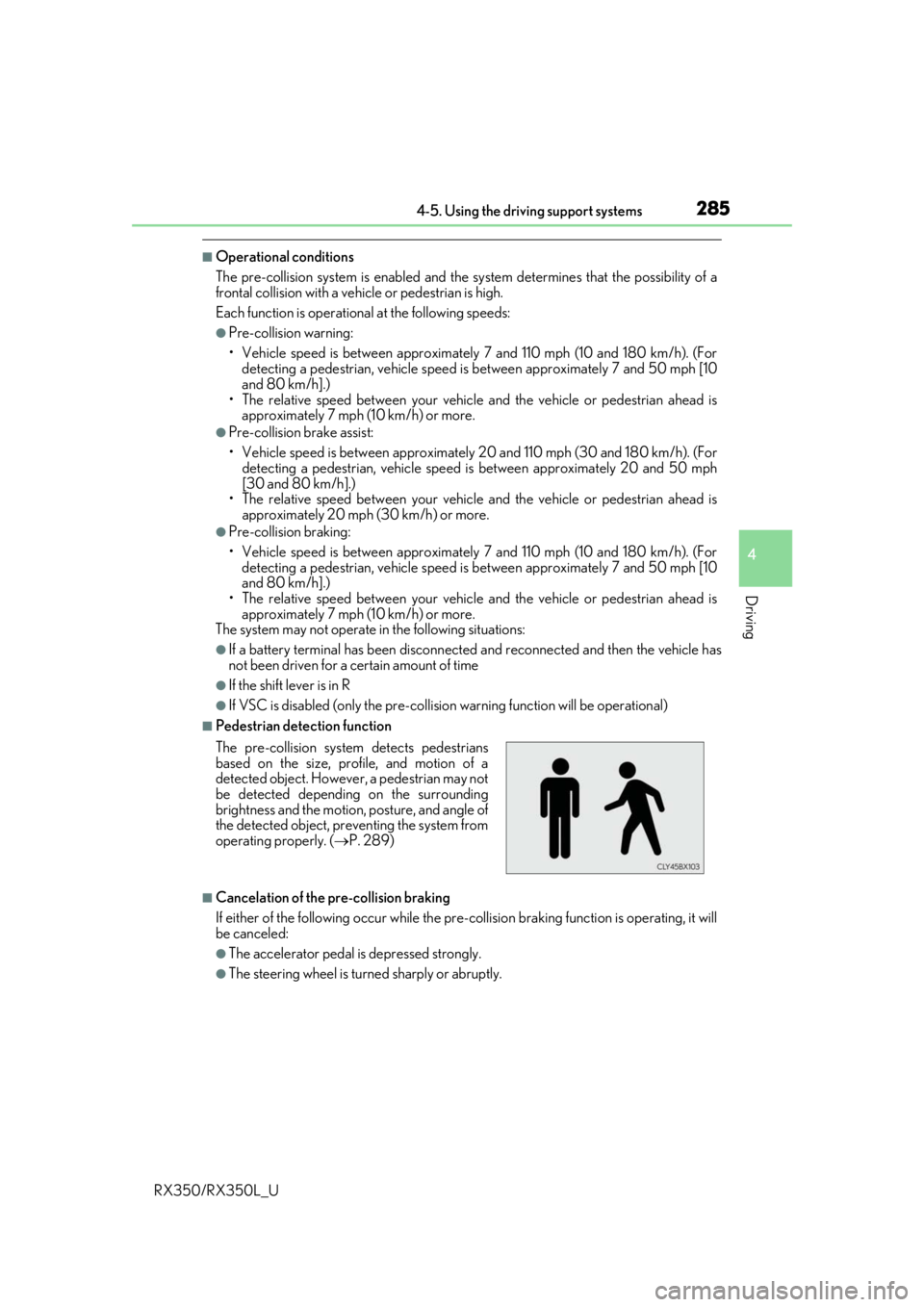
■Pedestrian detection function
■Cancelation of the pre-collision braking
If either of the following occur while the pre-co llision braking function is operating, it will
be canceled:
●The accelerator pedal is depressed strongly.
●The steering wheel is turned sharply or abruptly.
The pre-collision system detects pedestrians
based on the size, prof
ile, and motion of a
detected object. However, a pedestrian may not
be detected depending on the surrounding
brightness and the motion, posture, and angle of
the detected object, preventing the system from
operating properly. ( P. 289)
Page 348 of 777

3474-5. Using the driving support systems
4
Driving
RX350/RX350L_U
■If a battery terminal has been disconnected and reconnected
The system needs to be initialized.
To initialize the system, drive the vehicle stra ight ahead for 5 seconds or more at a speed
of approximately 22 mph (35 km/h) or more.
■If “ICS Unavailable” is displayed on the mu lti-information display and the ICS OFF indi-
cator is flashing
●A sensor may be covered with ice, snow, dirt, etc. Remove the ice, snow, dirt, etc., from
the sensor to return the system to normal.
Also, due to ice forming on a sensor at low temperatures, a warning message may be
displayed or the sensor may not be able to detect an object. Once the ice melts, the
system will return to normal.
●If this message continues to be displayed even after cleaning the sensor, or is displayed
even though the sensor is clean, have the vehicle inspected by your Lexus dealer.
●Initialization may not have been performed after a battery terminal was disconnected
and reconnected. Init ialize the system. (P. 347)
■If “ICS Malfunction Visit Your Dealer” is di splayed on the multi-information display and
the ICS OFF indicator is flashing
The system may be malfunctioning. Have the vehicle inspected by your Lexus dealer.
Page 371 of 777

3704-5. Using the driving support systems
RX350/RX350L_U
The estimated course lines move even though the steering wheel is straight
There is a malfunction in the signals being
output by the steering sensor.Have the vehicle inspected by your Lexus
dealer.
Guide lines are not displayed
The back door is open.
Close the back door.
If this does not resolve the symptom, have
the vehicle inspected by your Lexus
dealer.
The estimated course lines are not displayed
• The steering wheel has been moved
while the battery was being reinstalled.
• Battery power is low.
• The steering sensor has been rein- stalled.
• There is a malfunction in the signals being output by the steering sensor.Stop the vehicle, and turn the steering
wheel as far as it will go to the left and
right.
If this does not resolve the symptom, have
the vehicle inspected by your Lexus
dealer.
Likely causeSolution
Page 385 of 777
384
RX350/RX350L_U4-6. Driving tips
●Use fluids that are appropriate to
the prevailing outside temperatures.
•Engine oil
• Engine coolant
• Washer fluid
●Have a service technician inspect the condition of the battery.
●Have the vehicle fitted with four snow tires or purchase a set of tire chains for
the front tires.
Ensure that all tires are of the specified size and the same brand, and that chains
match the size of the tires.
Perform the following according to the driving conditions:
●Do not try to forcibly open a window or move a wiper that is frozen. Pour
warm water over the frozen area to me lt the ice. Wipe away the water imme-
diately to prevent it from freezing.
●To ensure proper operation of the c limate control system fan, remove any
snow that has accumulated on the air inlet vents in front of the windshield.
●Check for and remove any excess ice or snow that may have accumulated on
the exterior lights, vehicle’s roof, chassi s, around the tires or on the brakes.
●Remove any snow or mud from the bottom of your shoes before getting in the
vehicle.
Winter driving tips
Carry out the necessary preparations an d inspections before driving the vehi-
cle in winter. Always drive the vehicle in a manner appropriate to the prevail-
ing weather conditions.
Pre-winter preparations
Before driving the vehicle