Page 180 of 611
Features of your vehicle
92
4
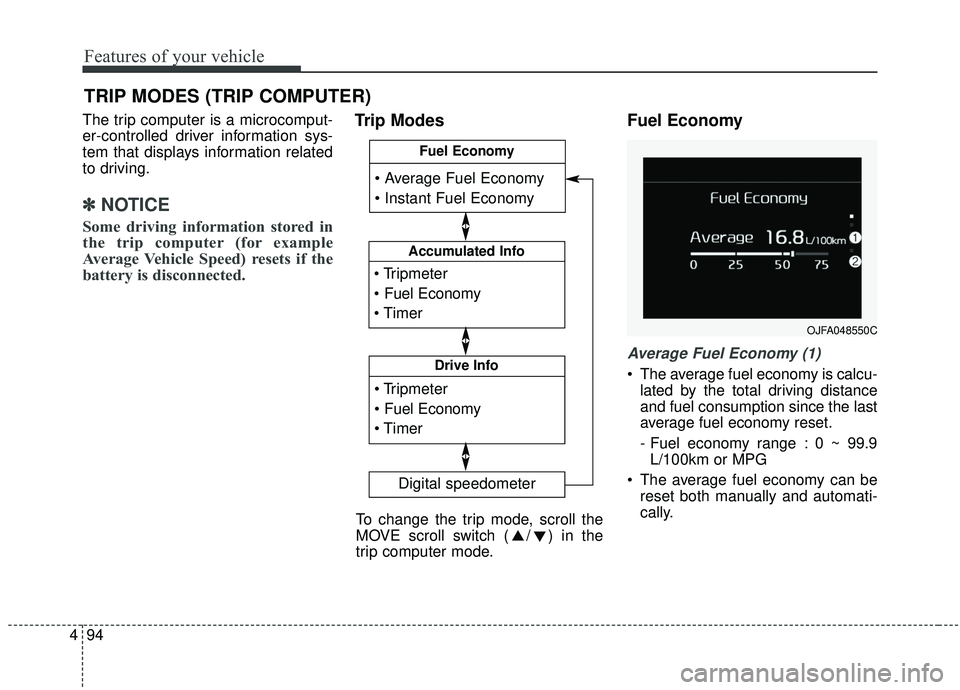
Sound
Cluster Voice Guidance Volume (if
equipped) :
- This used to set/adjust the voiceguidance volume.
Parking Distance Warning Volume (if equipped) :
- Adjust the Park Assist Systemvolume. (Level 1 ~ 3)
Welcome Sound (if equipped) : - If this item is checked, the wel-come sound function will be acti-
vated. Convenience
Welcome Mirror/Light (if equipped) :
- If this item is checked, the wel-come mirror/light function will be
activated.
Wireless Charging System (if equipped) :
- If this is checked, the wirelesscharging system function will be
activated.
Wiper/Light Display (if equipped) : - If this item is checked, thewiper/light display will be activated.
Auto rear wiper (in R) (if equipped) : - If this is checked, the rear wiper willautomatically activated when the
front wiper is in ON position and
shift lever is in R (reverse) position.
Gear Position Pop-up (if equipped) : - If this item is checked, the gearposition pop-up display will be
activated.
Icy Road Warning (if equipped) : - If this item is checked, the icyroad warning display will be acti-
vated. Service interval
Enable Service Interval :
- To activate or deactivate the serv-ice interval function.
Adjust Interval : - To adjust the interval by mileageand period.
Reset : - To reset the service interval func-tion.
Page 182 of 611
Features of your vehicle
94
4
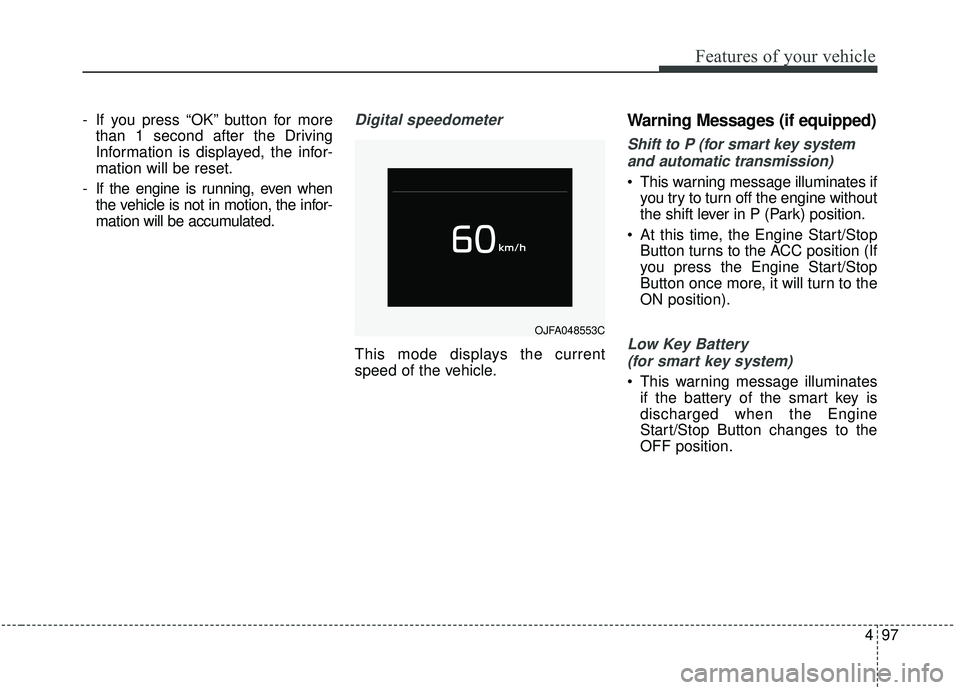
The trip computer is a microcomput-
er-controlled driver information sys-
tem that displays information related
to driving.
✽ ✽
NOTICE
Some driving information stored in
the trip computer (for example
Average Vehicle Speed) resets if the
battery is disconnected.
Trip Modes Fuel Economy
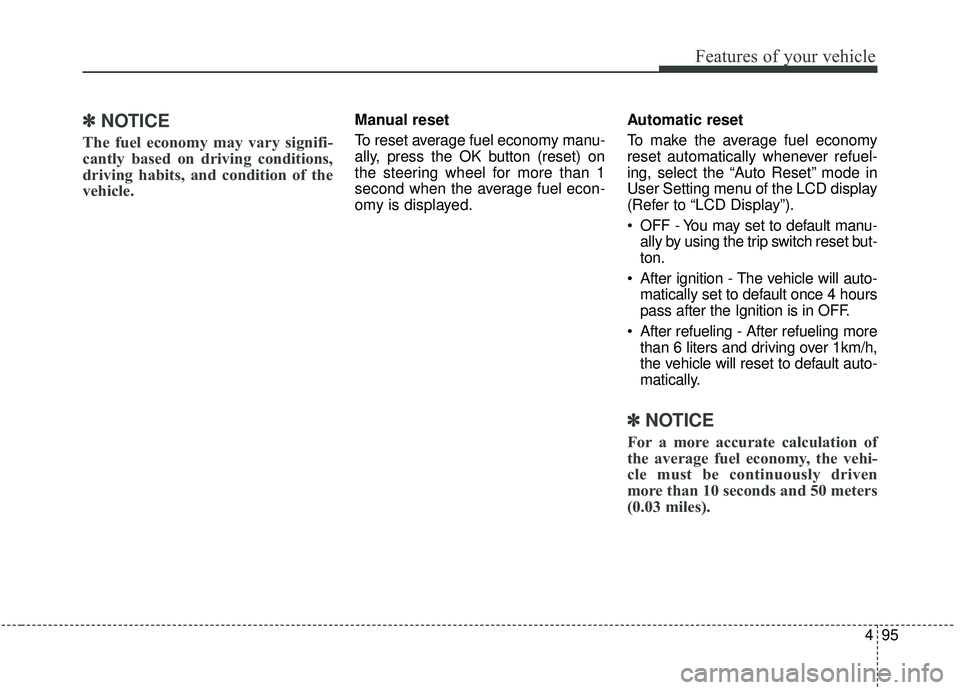
Average Fuel Economy (1)
The average fuel economy is calcu-
lated by the total driving distance
and fuel consumption since the last
average fuel economy reset.
- Fuel economy range : 0 ~ 99.9L/100km or MPG
The average fuel economy can be reset both manually and automati-
cally.
TRIP MODES (TRIP COMPUTER)
Accumulated Info
Digital speedometer
Drive Info
Fuel Economy
To change the trip mode, scroll the
MOVE scroll switch ( / ) in the
trip computer mode.
OJFA048550C
Page 183 of 611
495
Features of your vehicle
✽ ✽NOTICE
The fuel economy may vary signifi-
cantly based on driving conditions,
driving habits, and condition of the
vehicle.
Manual reset
To reset average fuel economy manu-
ally, press the OK button (reset) on
the steering wheel for more than 1
second when the average fuel econ-
omy is displayed. Automatic reset
To make the average fuel economy
reset automatically whenever refuel-
ing, select the “Auto Reset” mode in
User Setting menu of the LCD display
(Refer to “LCD Display”).
OFF - You may set to default manu-
ally by using the trip switch reset but-
ton.
After ignition - The vehicle will auto- matically set to default once 4 hours
pass after the Ignition is in OFF.
After refueling - After refueling more than 6 liters and driving over 1km/h,
the vehicle will reset to default auto-
matically.
✽ ✽ NOTICE
For a more accurate calculation of
the average fuel economy, the vehi-
cle must be continuously driven
more than 10 seconds and 50 meters
(0.03 miles).
Page 184 of 611
Features of your vehicle
96
4
Instant Fuel Economy (2)
This mode displays the instant fuel
economy during the last few sec-
onds when the vehicle speed is
more than 8 km/h (5 MPH).
- Fuel economy range: 0 ~ 30L/100km or 0 ~ 50 MPG
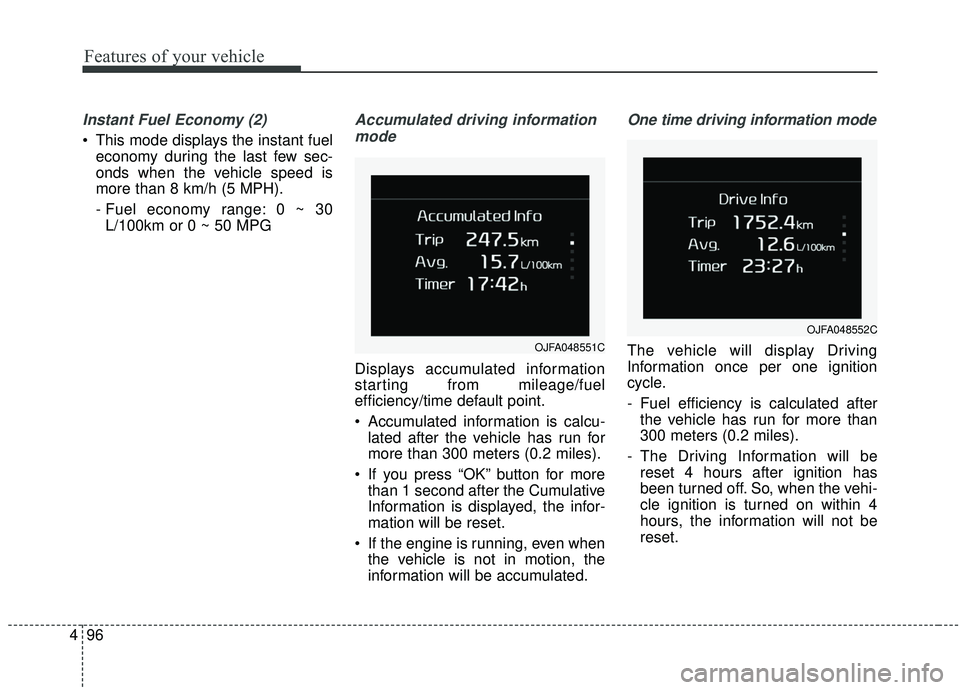
Accumulated driving information
mode
Displays accumulated information
starting from mileage/fuel
efficiency/time default point.
Accumulated information is calcu- lated after the vehicle has run for
more than 300 meters (0.2 miles).
If you press “OK” button for more than 1 second after the Cumulative
Information is displayed, the infor-
mation will be reset.
If the engine is running, even when the vehicle is not in motion, the
information will be accumulated.
One time driving information mode
The vehicle will display Driving
Information once per one ignition
cycle.
- Fuel efficiency is calculated afterthe vehicle has run for more than
300 meters (0.2 miles).
- The Driving Information will be reset 4 hours after ignition has
been turned off. So, when the vehi-
cle ignition is turned on within 4
hours, the information will not be
reset.OJFA048551C
OJFA048552C
Page 185 of 611
497
Features of your vehicle
- If you press “OK” button for morethan 1 second after the Driving
Information is displayed, the infor-
mation will be reset.
- If the engine is running, even when the vehicle is not in motion, the infor-
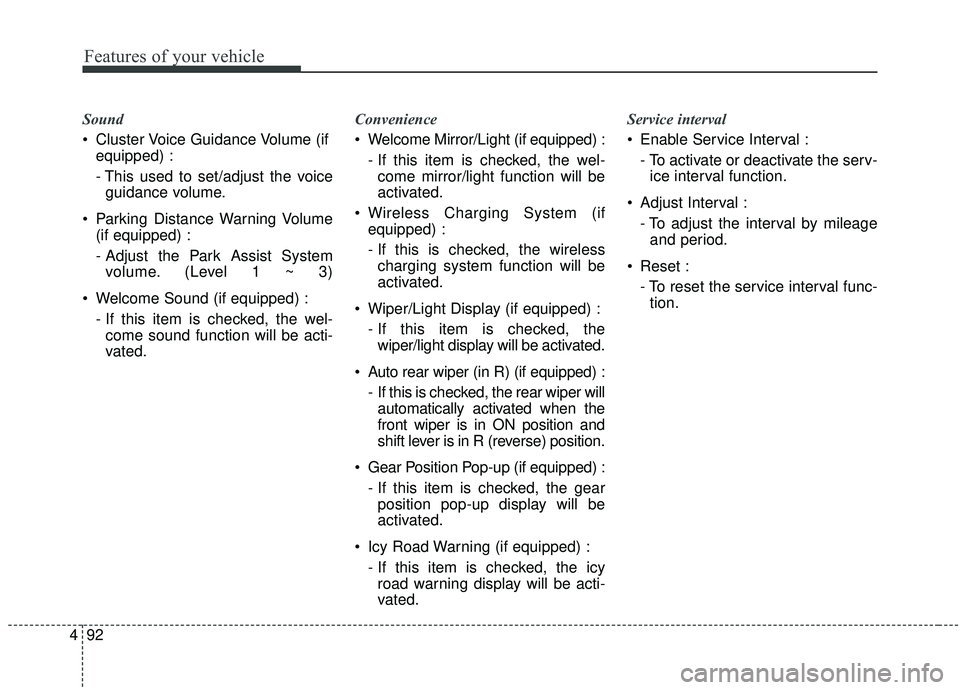
mation will be accumulated.Digital speedometer
This mode displays the current
speed of the vehicle.
Warning Messages (if equipped)
Shift to P (for smart key system
and automatic transmission)
This warning message illuminates if you try to turn off the engine without
the shift lever in P (Park) position.
At this time, the Engine Start/Stop Button turns to the ACC position (If
you press the Engine Start/Stop
Button once more, it will turn to the
ON position).
Low Key Battery
(for smart key system)
This warning message illuminates if the battery of the smart key is
discharged when the Engine
Start/Stop Button changes to the
OFF position.
OJFA048553C
Page 186 of 611
Features of your vehicle
98
4
Press START button while turning
wheel (for smart key system)
This warning message illuminates if the steering wheel does not
unlock normally when the Engine
Start/Stop Button is pressed.
It means that you should press the Engine Start/Stop Button while
turning the steering wheel right
and left.
Steering wheel not locked
(for smart key system)
This warning message illuminates if the steering wheel does not lock
when the Engine Start/Stop Button
changes to the OFF position.
Check Steering Wheel Lock
System (for smart key system)
This warning message illuminates if the steering wheel does not lock
normally when the Engine
Start/Stop Button changes to the
OFF position.
Press brake pedal to start engine
(for smart key system and auto-
matic transmission)
This warning message illuminates if the Engine Start/Stop Button
changes to the ACC position twice
by pressing the button repeatedly
without depressing the brake pedal.
It means that you should depress the brake pedal to start the engine.
Key not detected
(for smart key system)
This warning message illuminates if the smart key is not detected
when you press the Engine
Start/Stop Button.
Remove key (for smart key sys-
tem)
This warning message illuminates if the smart key is remove the hold-
er.
Key not in vehicle
(for smart key system)
If the smart key is not in the vehicle and if any door is opened or closed
with the engine start/stop button in
ACC, ON, or START, the warning
illuminates on the LCD display.
Page 189 of 611
4101
Features of your vehicle
Low Washer Fluid (if equipped)
This warning message illuminateson the service reminder mode if
the washer fluid level in the reser-
voir is nearly empty.
It means that you should refill the washer fluid.
Turn on FUSE SWITCH
(if equipped)
This warning message illuminates if the fuse switch under the steer-
ing wheel is OFF.
It means that you should turn the fuse switch on.
❈ For more details, refer to “Fuses” in
chapter 7.
Check DAW (Driver Attention
Warning) system (if equipped)
This warning message is displayed if
there is a problem with the Driver
Attention Warning system. In this
case, have your vehicle inspected by
an authorized Kia dealer.
❈ For more information, refer to
“Driver Attention Warning (DAW)”
in chapter 5.
Check BCW (Blind-spot Collision
Warning) system (if equipped)
This warning message is displayed if
there is a problem with the Blind-
Spot Collision Warning (BCW) sys-
tem. In this case, have your vehicle
inspected by an authorized Kia deal-
er.
❈ For more information, refer to
“Blind-Spot Collision Warning
(BCW)” in chapter 5.
Check FCA (Forward Collision
Avoidance Asst.) (if equipped)
This warning message illuminates if there is a malfunction with the
Forward Collision Avoidance Assist
(FCA) system. In this case, have
your vehicle inspected by an
authorized Kia dealer.
❈ For more details, refer to “Forward
Collision Avoidance Assist(FCA)
system” in chapter 5.
Page 213 of 611
4125
Features of your vehicle
Self-diagnosis
When you shift the gear to the R
(Reverse) position and if one or more
of the below occurs you may have a
malfunction in the parking distance
warning-reverse.
You don't hear an audible warningsound or if the buzzer sounds inter-
mittently.
If this occurs, we recommend that the
system be checked by an authorized
Kia dealer.
✽ ✽ NOTICE
Your new vehicle warranty does not
cover any accidents or damage to
the vehicle or injuries to its occu-
pants related to a parking distance
warning. Always drive safely and
cautiously.
WARNING
Pay close attention when the
vehicle is driven close to
objects on the road, particularly
pedestrians, and especially
children. Be aware that some
objects may not be detected by
the sensors, due to the objects
distance, size or material, all of
which can limit the effective-
ness of the sensor. Always per-
form a visual inspection to
make sure the vehicle is clear of
all obstructions before moving
the vehicle in any direction.
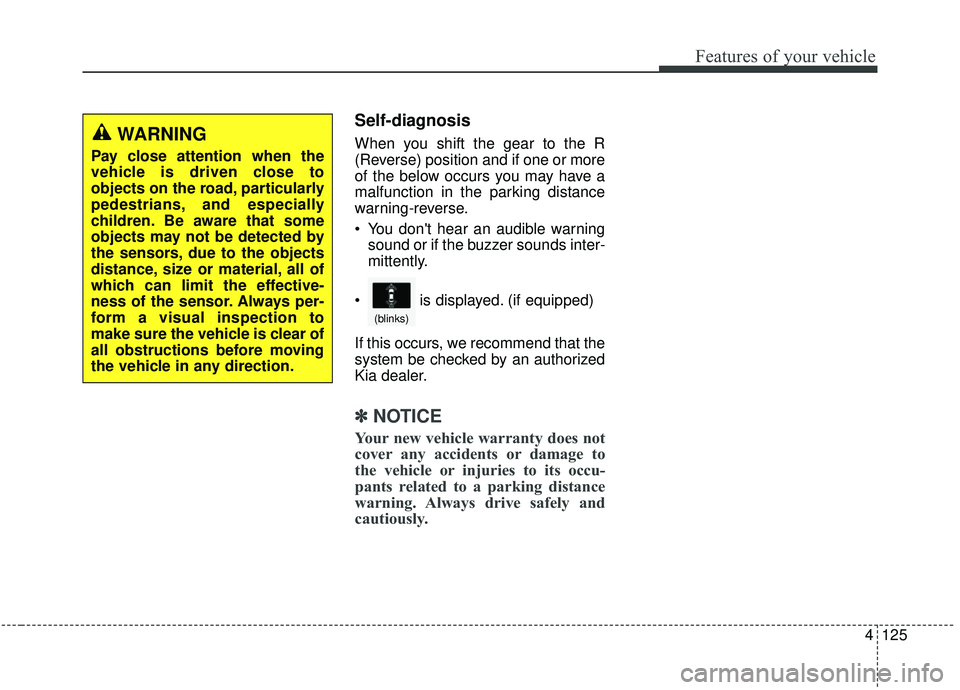
is displayed. (if equipped)
(blinks)