Page 164 of 611
Features of your vehicle
76
4
Erasing HomeLink®buttons
Individual buttons cannot be erased.
However, to erase all three pro-
grammed buttons:
1. Press and hold the two outer
HomeLink
®buttons until the indi-
cator light begins to flash after 10
seconds.
2. Release both buttons. Do not hold for longer than 20 seconds.
The Integrated HomeLink
®Wireless
Control System is now in the training
(learn) mode and can be pro-
grammed at any time following the
appropriate steps in the
Programming chapters above.
NVS
®is a registered trademark and
Z-Nav™ is a trademark of the Gentex
Corporation, Zeeland, Michigan.
HomeLink
®is a registered trademark
owned by Johnson Controls,
Incorporated, Milwaukee, Wisconsin. FCC ID: NZLZTVHL3
IC: 4112A-ZTVHL3
This device complies with
Industry Canada licence-exempt
RSS standard(s).
Operation is subject to the following
two conditions:
(1) This device may not cause inter-
ference, and
(2) This device must accept any
interference, including interfer-
ence that may cause undesired
operation of the device.
Outside rearview mirror
Be sure to adjust the mirror angles
before driving.
Your vehicle is equipped with both
left-hand and right-hand outside
rearview mirrors. The mirrors can be
adjusted remotely with the remote
switch. The mirror heads can be fold-
ed back to prevent damage during an
automatic vehicle wash or when
passing through a narrow street.
The right outside rearview mirror is
convex. Objects seen in the mirror
are closer than they appear.
Use your interior rearview mirror or
direct observation to determine the
actual distance of following vehicles
when changing lanes.
Page 174 of 611
Features of your vehicle
86
4
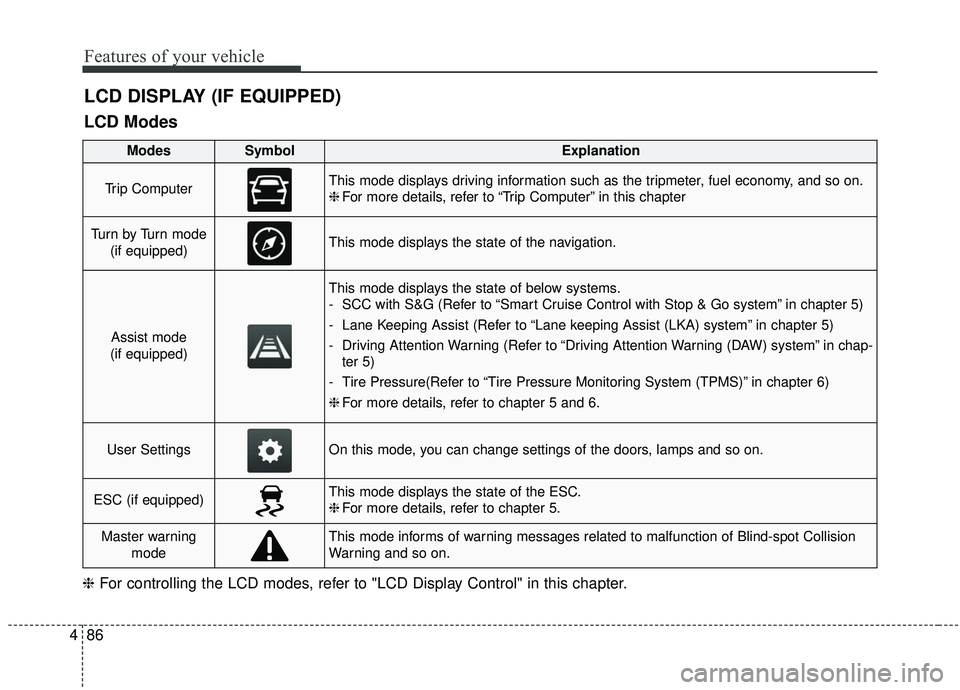
LCD DISPLAY (IF EQUIPPED)
LCD Modes
❈ For controlling the LCD modes, refer to "LCD Display Control" in this chapter.
ModesSymbolExplanation
Trip ComputerThis mode displays driving information such as the tripmeter, fuel economy, and so on.
❈For more details, refer to “Trip Computer” in this chapter
Tu r n b y Tu r n m o d e
(if equipped)This mode displays the state of the navigation.
Assist mode
(if equipped)
This mode displays the state of below systems.
- SCC with S&G (Refer to “Smart Cruise Control with Stop & Go system” in chapter 5)
- Lane Keeping Assist (Refer to “Lane keeping Assist (LKA) system” in chapter 5)
- Driving Attention Warning (Refer to “Driving Attention Warning (DAW) system” in chap- ter 5)
- Tire Pressure(Refer to “Tire Pressure Monitoring System (TPMS)” in chapter 6)
❈ For more details, refer to chapter 5 and 6.
User SettingsOn this mode, you can change settings of the doors, lamps and so on.
ESC (if equipped)This mode displays the state of the ESC.
❈For more details, refer to chapter 5.
Master warning
modeThis mode informs of warning messages related to malfunction of Blind-spot Collision
Warning and so on.
Page 175 of 611
487
Features of your vehicle
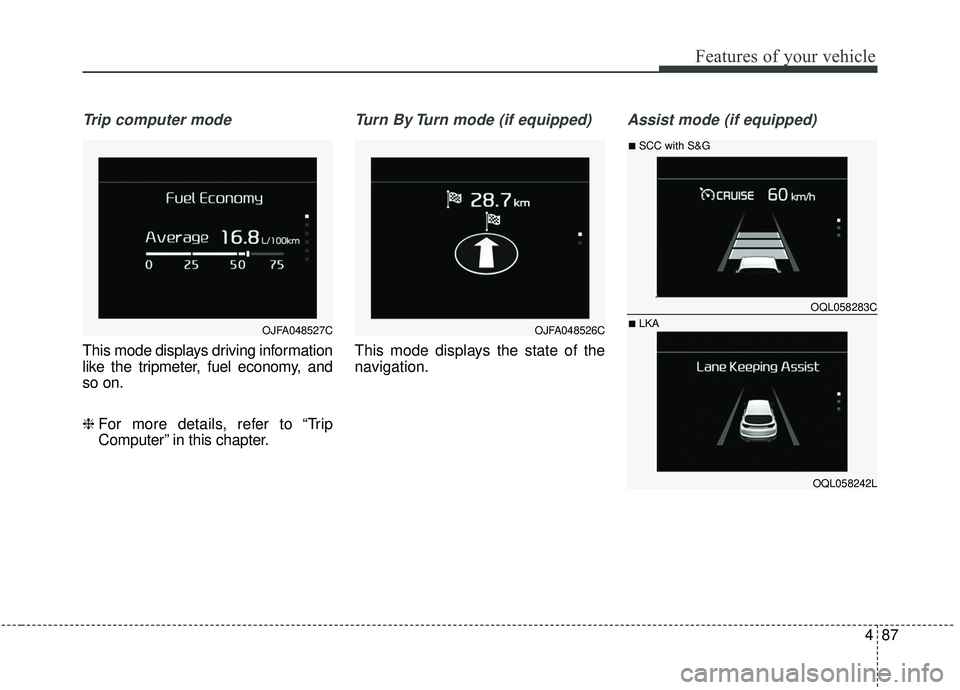
Trip computer mode
This mode displays driving information
like the tripmeter, fuel economy, and
so on.
❈ For more details, refer to “Trip
Computer” in this chapter.
Turn By Turn mode (if equipped)
This mode displays the state of the
navigation.
Assist mode (if equipped)
OJFA048527COJFA048526C
OQL058283C
OQL058242L
■SCC with S&G
■LKA
Page 181 of 611
493
Features of your vehicle
Other
Fuel Economy Reset :- If this item checked, the averagefuel economy will reset automati-
cally after refueling or after igni-
tion.
Speed Unit (if equipped) : - Choose the speed unit. (km, mi )
Fuel Economy Unit : - Choose the fuel economy unit.(US gallon, UK gallon)
Temperature Unit : - Choose the temperature unit.(°C,°F)
Tire Pressure Unit (if equipped) : - Choose the tire pressure unit.(psi, kPa, bar) Language (if equipped)
Choose the language.
Reset
You can reset the menus in the User
Settings Mode. All menus in the User
Settings Mode are initialized, except
language and service interval.
Page 182 of 611
Features of your vehicle
94
4
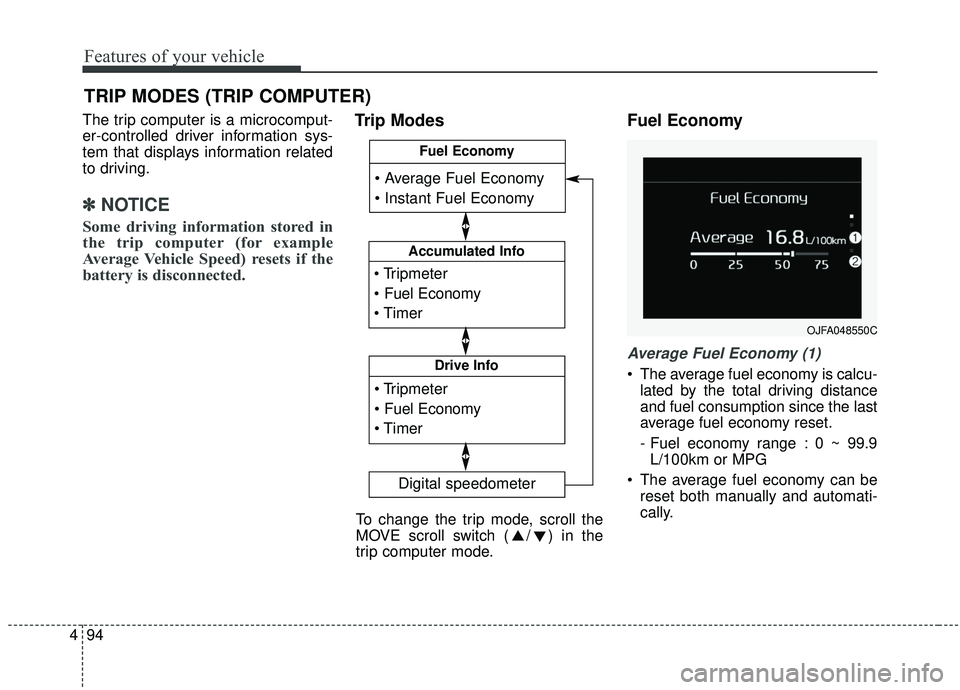
The trip computer is a microcomput-
er-controlled driver information sys-
tem that displays information related
to driving.
✽ ✽
NOTICE
Some driving information stored in
the trip computer (for example
Average Vehicle Speed) resets if the
battery is disconnected.
Trip Modes Fuel Economy
Average Fuel Economy (1)
The average fuel economy is calcu-
lated by the total driving distance
and fuel consumption since the last
average fuel economy reset.
- Fuel economy range : 0 ~ 99.9L/100km or MPG
The average fuel economy can be reset both manually and automati-
cally.
TRIP MODES (TRIP COMPUTER)
Accumulated Info
Digital speedometer
Drive Info
Fuel Economy
To change the trip mode, scroll the
MOVE scroll switch ( / ) in the
trip computer mode.
OJFA048550C
Page 183 of 611
495
Features of your vehicle
✽ ✽NOTICE
The fuel economy may vary signifi-
cantly based on driving conditions,
driving habits, and condition of the
vehicle.
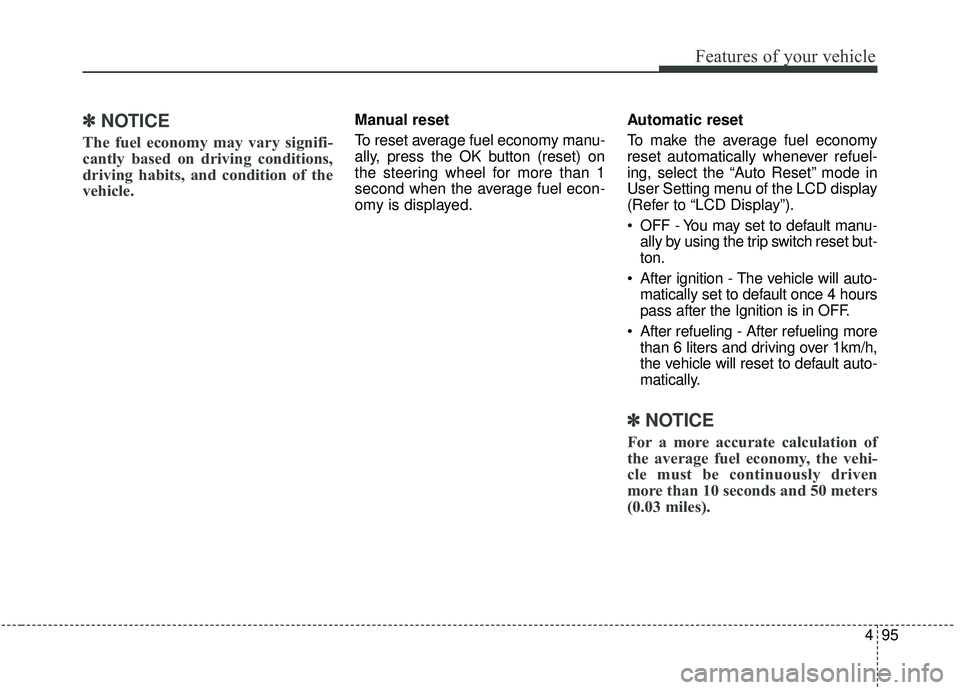
Manual reset
To reset average fuel economy manu-
ally, press the OK button (reset) on
the steering wheel for more than 1
second when the average fuel econ-
omy is displayed. Automatic reset
To make the average fuel economy
reset automatically whenever refuel-
ing, select the “Auto Reset” mode in
User Setting menu of the LCD display
(Refer to “LCD Display”).
OFF - You may set to default manu-
ally by using the trip switch reset but-
ton.
After ignition - The vehicle will auto- matically set to default once 4 hours
pass after the Ignition is in OFF.
After refueling - After refueling more than 6 liters and driving over 1km/h,
the vehicle will reset to default auto-
matically.
✽ ✽ NOTICE
For a more accurate calculation of
the average fuel economy, the vehi-
cle must be continuously driven
more than 10 seconds and 50 meters
(0.03 miles).
Page 184 of 611
Features of your vehicle
96
4
Instant Fuel Economy (2)
This mode displays the instant fuel
economy during the last few sec-
onds when the vehicle speed is
more than 8 km/h (5 MPH).
- Fuel economy range: 0 ~ 30L/100km or 0 ~ 50 MPG
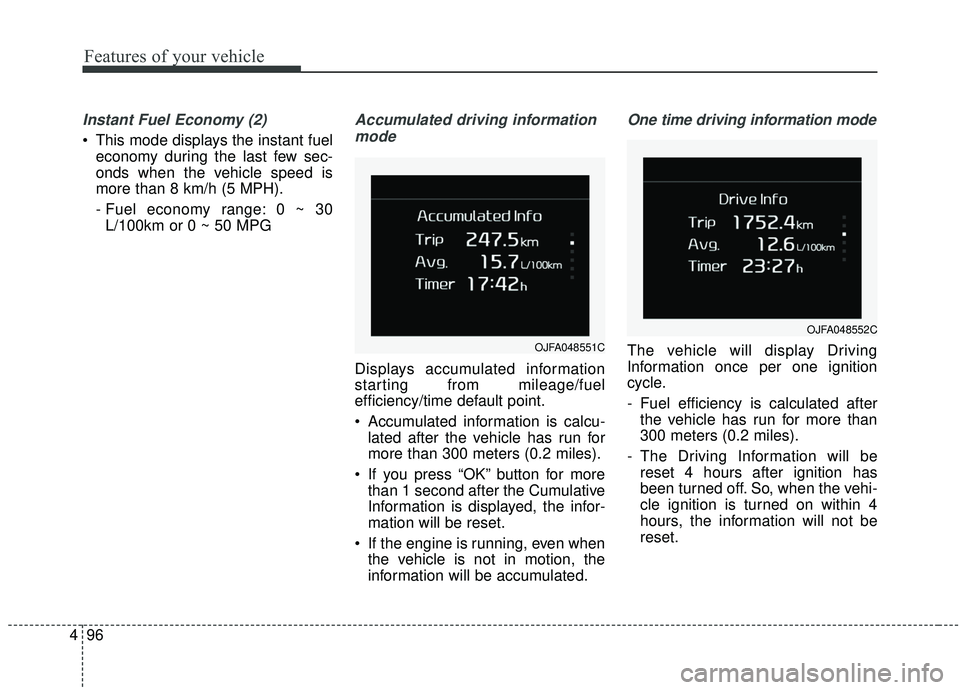
Accumulated driving information
mode
Displays accumulated information
starting from mileage/fuel
efficiency/time default point.
Accumulated information is calcu- lated after the vehicle has run for
more than 300 meters (0.2 miles).
If you press “OK” button for more than 1 second after the Cumulative
Information is displayed, the infor-
mation will be reset.
If the engine is running, even when the vehicle is not in motion, the
information will be accumulated.
One time driving information mode
The vehicle will display Driving
Information once per one ignition
cycle.
- Fuel efficiency is calculated afterthe vehicle has run for more than
300 meters (0.2 miles).
- The Driving Information will be reset 4 hours after ignition has
been turned off. So, when the vehi-
cle ignition is turned on within 4
hours, the information will not be
reset.OJFA048551C
OJFA048552C
Page 185 of 611
497
Features of your vehicle
- If you press “OK” button for morethan 1 second after the Driving
Information is displayed, the infor-
mation will be reset.
- If the engine is running, even when the vehicle is not in motion, the infor-
mation will be accumulated.Digital speedometer
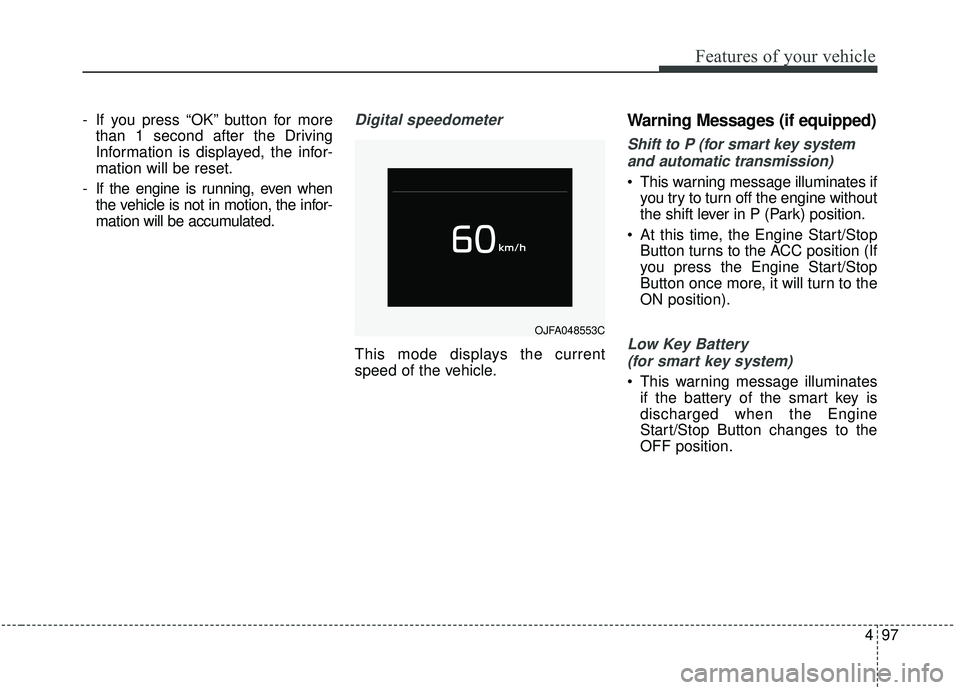
This mode displays the current
speed of the vehicle.
Warning Messages (if equipped)
Shift to P (for smart key system
and automatic transmission)
This warning message illuminates if you try to turn off the engine without
the shift lever in P (Park) position.
At this time, the Engine Start/Stop Button turns to the ACC position (If
you press the Engine Start/Stop
Button once more, it will turn to the
ON position).
Low Key Battery
(for smart key system)
This warning message illuminates if the battery of the smart key is
discharged when the Engine
Start/Stop Button changes to the
OFF position.
OJFA048553C