2020 KIA SPORTAGE ignition
[x] Cancel search: ignitionPage 315 of 611
Driving your vehicle
34
5
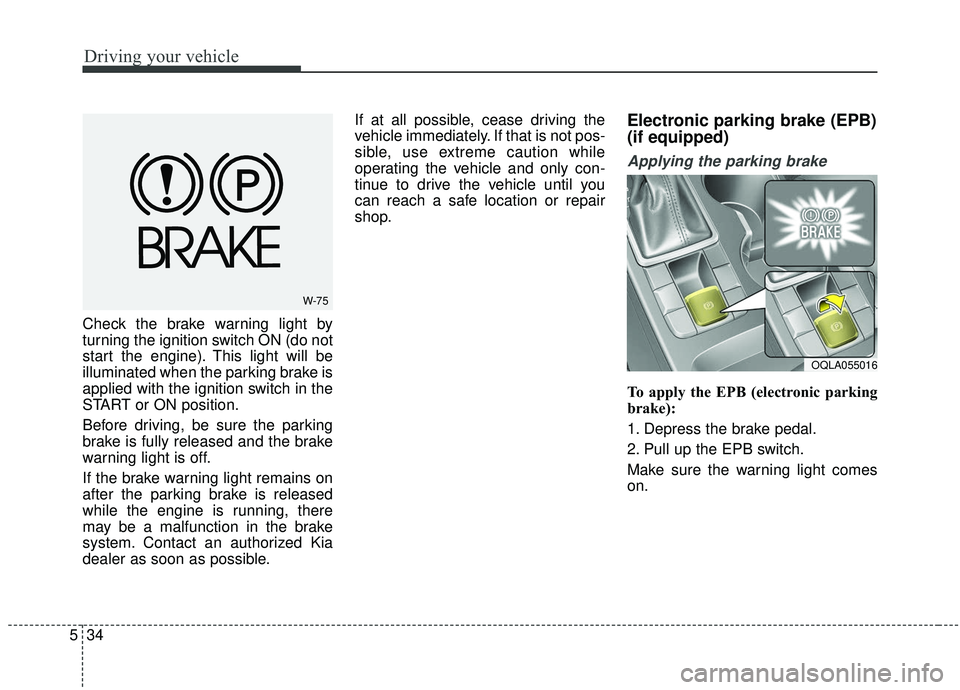
Check the brake warning light by
turning the ignition switch ON (do not
start the engine). This light will be
illuminated when the parking brake is
applied with the ignition switch in the
START or ON position.
Before driving, be sure the parking
brake is fully released and the brake
warning light is off.
If the brake warning light remains on
after the parking brake is released
while the engine is running, there
may be a malfunction in the brake
system. Contact an authorized Kia
dealer as soon as possible. If at all possible, cease driving the
vehicle immediately. If that is not pos-
sible, use extreme caution while
operating the vehicle and only con-
tinue to drive the vehicle until you
can reach a safe location or repair
shop.
Electronic parking brake (EPB)
(if equipped)
Applying the parking brake
To apply the EPB (electronic parking
brake):
1. Depress the brake pedal.
2. Pull up the EPB switch.
Make sure the warning light comes
on.
W-75
OQLA055016
Page 316 of 611
535
Driving your vehicle
Also, the EPB is applied automatical-
ly if the Auto Hold button is on when
the engine is turned off. However, if
you press the EPB switch after the
engine is turned off, the EPB will not
be Applied.
✽ ✽NOTICE
On a steep incline or when pulling a
trailer, if the vehicle does not remain
at a standstill, do as follows:
1. Apply the EPB.
2. Pull up the EPB switch for more
than 3 seconds.
Do not operate the parking brake/
EPB while the vehicle is moving
except in an emergency situation.
✽ ✽NOTICE
A click or electric brake motor
whine sound may be heard while
operating or releasing the EPB, but
these conditions are normal and
indicate that the EPB is functioning
properly.
Releasing the parking brake
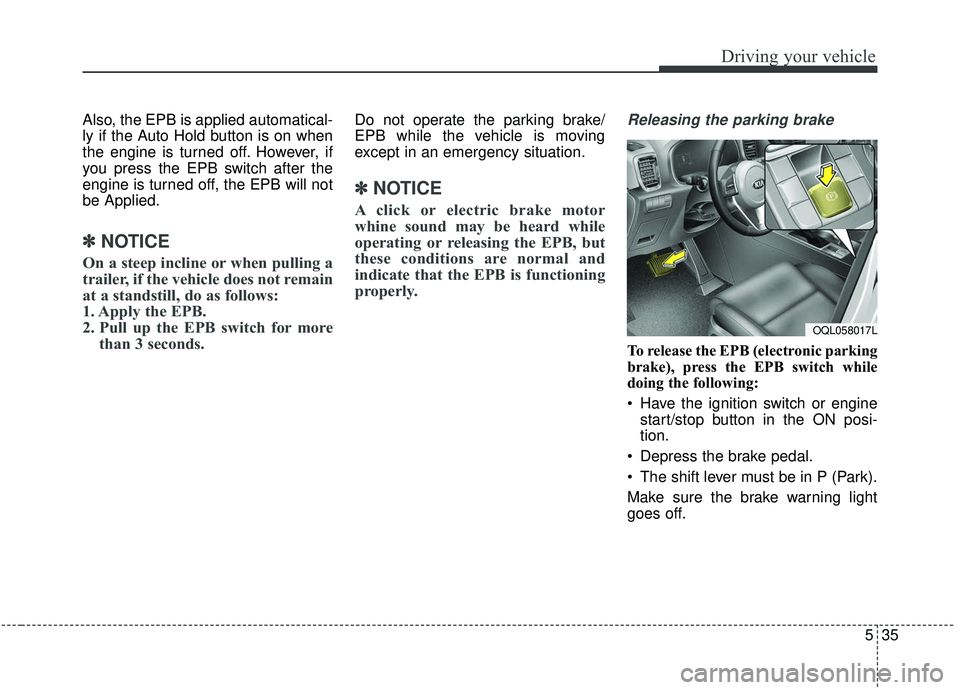
To release the EPB (electronic parking
brake), press the EPB switch while
doing the following:
Have the ignition switch or engine
start/stop button in the ON posi-
tion.
Depress the brake pedal.
The shift lever must be in P (Park).
Make sure the brake warning light
goes off.
OQL058017L
Page 317 of 611
Driving your vehicle
36
5
To release EPB (electronic parking
brake) automatically:
Shift lever in P (Park)
With the engine running depress
the brake pedal and shift out of P
(Park) to R (Reverse) or D (Drive).
Shift lever in N (Neutral) With the engine running depress
the brake pedal and shift out of N
(Neutral) to R (Reverse) or D
(Drive).
Automatic Transmission 1. Start the engine.
2. Fasten the driver's seat belt.
3. Close the driver's door, engine hood and tailgate.
4. Depress the accelerator pedal while the shift lever is in R (Rear),
D (Drive) or manual mode.
Make sure the brake warning light
goes off.✽ ✽ NOTICE
• For your safety, you can engage
the EPB even though the ignition
switch or engine stop/start button
is in the OFF position, but you
cannot release it.
• For your safety, depress the brake pedal and release the parking
brake manually with the EPB
switch when you drive downhill or
when backing up the vehicle.
Do not follow the above procedure
when driving on a flat level ground.
The vehicle may suddenly move for-
ward.
✽ ✽ NOTICE
If the parking brake warning light is
still on even though the EPB has
been released, have the system
checked by an authorized Kia dealer.
EPB (electronic parking brake) may
be automatically applied when:
The EPB is overheated
Requested by other systems
✽ ✽NOTICE
For EPB (Electronic Parking Brake)
equipped vehicles with AUTO
HOLD function used while driving,
if the ignition button has been
turned OFF, the EPB will be
engaged automatically. Therefore,
the AUTO HOLD function should
be turned off before the ignition but-
ton is turned off.
CAUTION
Do not drive your vehicle with
the EPB applied. It may causeexcessive brake pad and brakerotor wear.
Page 326 of 611
![KIA SPORTAGE 2020 Owners Manual 545
Driving your vehicle
AUTO HOLD conditions not met.
Close door, hood, and liftgate
When you press the [AUTO HOLD]
switch, if the driver’s door, engine
hood are not closed or the driver’s
seat b](/manual-img/2/40479/w960_40479-325.png "KIA SPORTAGE 2020 Owners Manual 545
Driving your vehicle
AUTO HOLD conditions not met.
Close door, hood, and liftgate
When you press the [AUTO HOLD]
switch, if the driver’s door, engine
hood are not closed or the driver’s
seat b")
545
Driving your vehicle
AUTO HOLD conditions not met.
Close door, hood, and liftgate
When you press the [AUTO HOLD]
switch, if the driver’s door, engine
hood are not closed or the driver’s
seat belt is unfastened, a warning
will sound and a message will
appear on the LCD display. At this
moment, press the [AUTO HOLD]
button after closing the driver’s door,
engine hood and liftgate.
Anti-lock brake system (ABS)
ABS (or ESC) will not prevent acci-
dents due to improper or dangerous
driving maneuvers. Even though
vehicle control is improved during
emergency braking, always maintain
a safe distance between you and
objects ahead. Vehicle speeds
should always be reduced during
extreme road conditions. The vehicle
should be driven at reduced speeds
in the following circumstances:
When driving on rough, gravel orsnow-covered roads
When driving on roads where the road surface is pitted or has differ-
ent surface heights.
Driving in these conditions increases
the stopping distance for your vehicle.
The ABS continuously senses the
speed of the wheels. If the wheels
are going to lock, the ABS system
repeatedly modulates the hydraulic
brake pressure to the wheels. When you apply your brakes under
conditions which may lock the
wheels, you may hear a “tik-tik’’
sound from the brakes, or feel a cor-
responding sensation in the brake
pedal. This is normal and it means
your ABS is active.
In order to obtain the maximum benefit
from your ABS in an emergency situa-
tion, do not attempt to modulate your
brake pressure and do not try to pump
your brakes. Press your brake pedal as
hard as possible or as hard as the sit-
uation allows the ABS to control the
force being delivered to the brakes.
✽ ✽
NOTICE
A click/clunk type sound may be
heard once per ignition cycle in the
engine compartment when the vehi-
cle begins to move after the engine is
started. These conditions are normal
and indicate that the anti-lock brake
system is functioning properly.
OQL058371N
Page 327 of 611
Driving your vehicle
46
5
Even with the anti-lock brake sys-
tem, your vehicle still requires suf-
ficient stopping distance. Always
maintain a safe distance from the
vehicle in front of you.
Always slow down when cornering. The anti-lock brake system cannot
prevent accidents resulting from
excessive speeds.
On loose or uneven road surfaces, operation of the anti-lock brake
system may result in a longer stop-
ping distance than for vehicles
equipped with a conventional
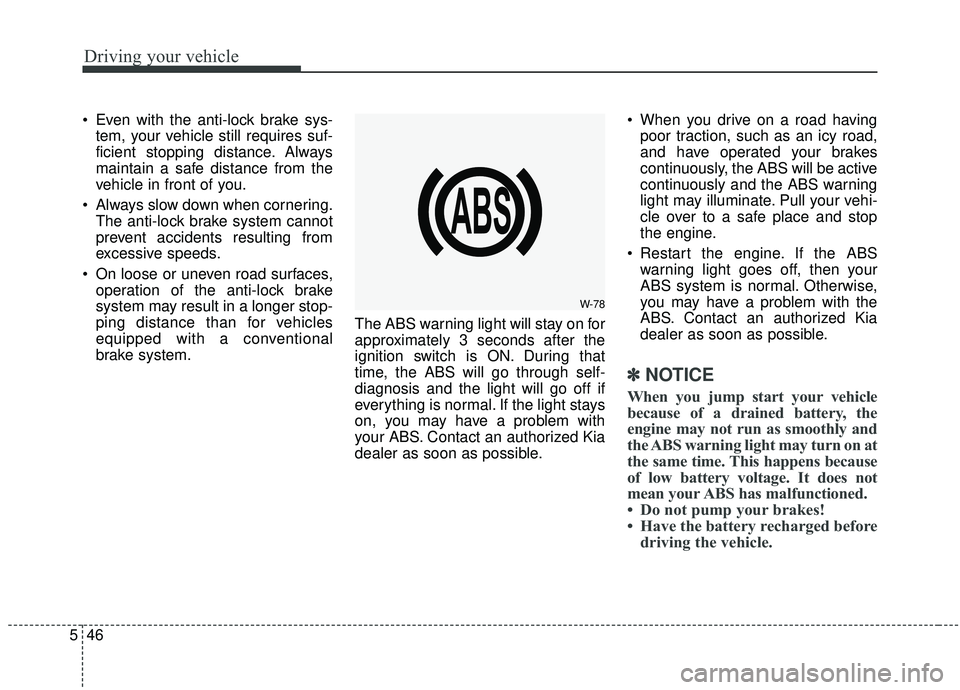
brake system. The ABS warning light will stay on for
approximately 3 seconds after the
ignition switch is ON. During that
time, the ABS will go through self-
diagnosis and the light will go off if
everything is normal. If the light stays
on, you may have a problem with
your ABS. Contact an authorized Kia
dealer as soon as possible. When you drive on a road having
poor traction, such as an icy road,
and have operated your brakes
continuously, the ABS will be active
continuously and the ABS warning
light may illuminate. Pull your vehi-
cle over to a safe place and stop
the engine.
Restart the engine. If the ABS warning light goes off, then your
ABS system is normal. Otherwise,
you may have a problem with the
ABS. Contact an authorized Kia
dealer as soon as possible.
✽ ✽ NOTICE
When you jump start your vehicle
because of a drained battery, the
engine may not run as smoothly and
the ABS warning light may turn on at
the same time. This happens because
of low battery voltage. It does not
mean your ABS has malfunctioned.
• Do not pump your brakes!
• Have the battery recharged before
driving the vehicle.
W-78
Page 328 of 611
547
Driving your vehicle
Electronic stability control
(ESC)
The Electronic Stability Control
(ESC) system is designed to stabi-
lize the vehicle during cornering
maneuvers. ESC checks where you
are steering and where the vehicle is
actually going. ESC applies the
brakes at individual wheels and inter-
venes with engine management sys-
tem to stabilize the vehicle.The Electronic stability control (ESC)
system is an electronic system
designed to help the driver maintain
vehicle control under adverse condi-
tions. It is not a substitute for safe
driving practices. Factors including
speed, road conditions and driver
steering input can all affect whether
ESC will be effective in preventing a
loss of control. It is still your respon-
sibility to drive and corner at reason-
able speeds and to leave a sufficient
margin of safety.
When you apply your brakes under
conditions which may lock the
wheels, you may hear a “tik-tik’’
sound from the brakes, or feel a cor-
responding sensation in the brake
pedal. This is normal and it means
your ESC is active.
✽ ✽
NOTICE
A click/clunk type sound may be
heard once per ignition cycle in the
engine compartment when the vehi-
cle begins to move after the engine is
started. These conditions are normal
and indicate that Electronic stabili-
ty control (ESC) System is function-
ing properly.
WARNING
Never drive too fast for the road
conditions or too quickly when
cornering. Electronic stability
control (ESC) will not prevent
accidents. Excessive speed in
turns, abrupt maneuvers and
hydroplaning on wet surfaces
can still result in serious acci-
dents. Only a safe and attentive
driver can prevent accidents by
avoiding maneuvers that cause
the vehicle to lose traction.
Even with ESC installed, always
follow all the normal precautions
for driving - including driving at
safe speeds for the conditions.
Page 330 of 611
549
Driving your vehicle
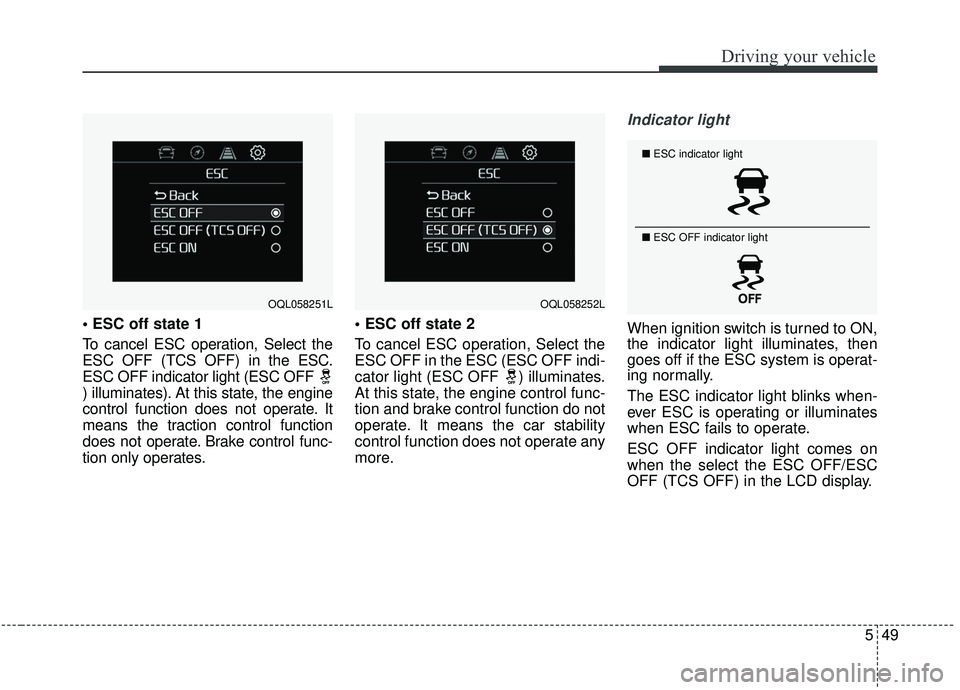
To cancel ESC operation, Select the
ESC OFF (TCS OFF) in the ESC.
ESC OFF indicator light (ESC OFF
) illuminates). At this state, the engine
control function does not operate. It
means the traction control function
does not operate. Brake control func-
tion only operates.
To cancel ESC operation, Select the
ESC OFF in the ESC (ESC OFF indi-
cator light (ESC OFF ) illuminates.
At this state, the engine control func-
tion and brake control function do not
operate. It means the car stability
control function does not operate any
more.
Indicator light
When ignition switch is turned to ON,
the indicator light illuminates, then
goes off if the ESC system is operat-
ing normally.
The ESC indicator light blinks when-
ever ESC is operating or illuminates
when ESC fails to operate.
ESC OFF indicator light comes on
when the select the ESC OFF/ESC
OFF (TCS OFF) in the LCD display.
OQL058251LOQL058252L
■
ESC indicator light
■ ESC OFF indicator light
Page 335 of 611
Driving your vehicle
54
5
The Forward Collision-Avoidance
Assist (FCA) system is designed to
help detect and monitor the vehicle
or pedestrians ahead in the roadway
through camera recognition to warn
the driver that a collision is imminent,
and if necessary, apply emergency
braking.System setting and activation
System setting
placing the ignition switch to the
ON position and by selecting:
'User Settings → Driver Assistance
→ Forward Collision-Avoidance
Assist.' The FCA system deactivates,
when the driver cancels the system
setting.
FORWARD COLLISION-AVOIDANCE ASSIST (FCA) SYSTEM - CAMERA TYPE (IF EQUIPPED)
WARNING
Take the following precaution-
swhen using the Forward
Collision-Avoidance Assist
(FCA) system:
This system is only a supple- mental system and it is not
intended to, nor does it replace
the need for extreme care and
attention of the driver. The
sensing range and objects
detectable by the sensors are
limited. Pay attention to the
road conditions at all times.
Never drive too fast in accor- dance with the road condi-
tions or while cornering.
Always drive cautiously to prevent unexpected and sud-
den situations from occur-
ring. FCA does not stop the
vehicle completely and is not
a collision avoidance system.