Page 15 of 611
25
Your vehicle at a glance
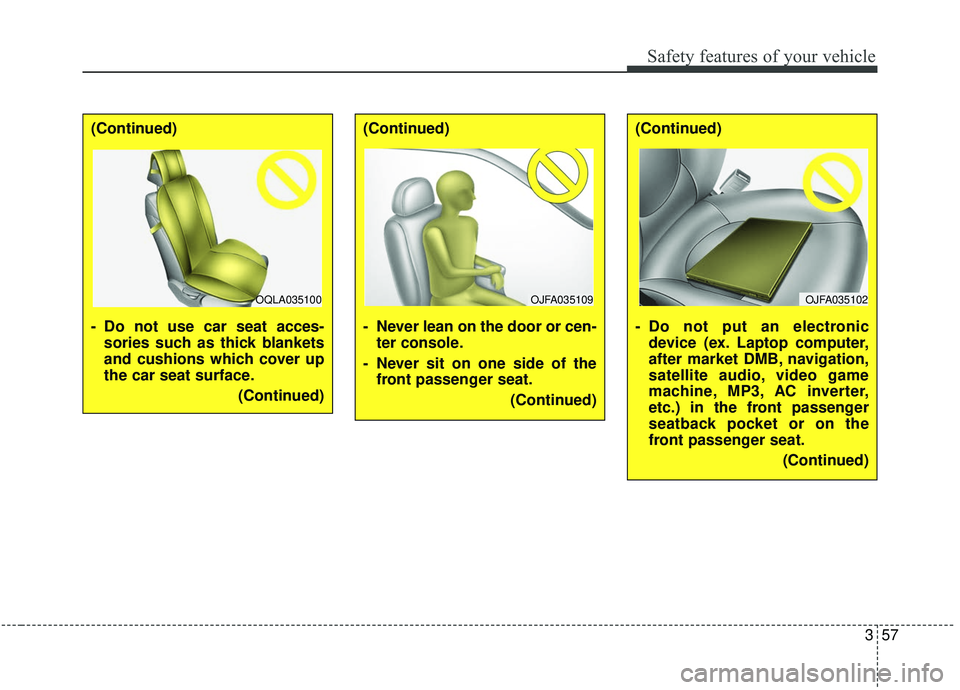
INSTRUMENT PANEL OVERVIEW
1. Steering wheel audio controls ...........4-188
2. Driver`s front air bag ...........................3-60
3. Horn.....................................................4-61
4. Instrument cluster ................................4-80
5. Wiper and washer control lever .........4-135
6. Ignition switch ........................................5-7Engine start/stop button ......................5-11
7. Cruise control ......................................5-84
8. Audio .................................................4-188
9. Hazard warning flasher .........................6-2
10. Manual climate control system ........4-144 Automatic climate control system ....4-154
11. Shift lever A/T ....................................5-15
12. Seat warmer ....................................4-175 Air ventilation seat ...........................4-176
13. Heated steering wheel button ...........4-60
14. Smart phone wireless charger ........4-179
15. Drive mode button ...........................5-109
16. AWD Lock button...............................5-23
17. DBC button ........................................5-81
18. Electronic parking brake (EPB) switch .. 5-34
19. Auto Hold On/Off button ....................5-41
20. Parking distance warning-reverse On/Off button ........................................4-117
21. Center console storage box ............4-171
22. USB charger ....................................4-178
23. Power outlet.....................................4-177
24. Glove box ........................................4-171
25. Passenger’s front air bag ..................3-60
OQL018004L❈ The actual shape may differ from the illustration.
Page 73 of 611
357
Safety features of your vehicle
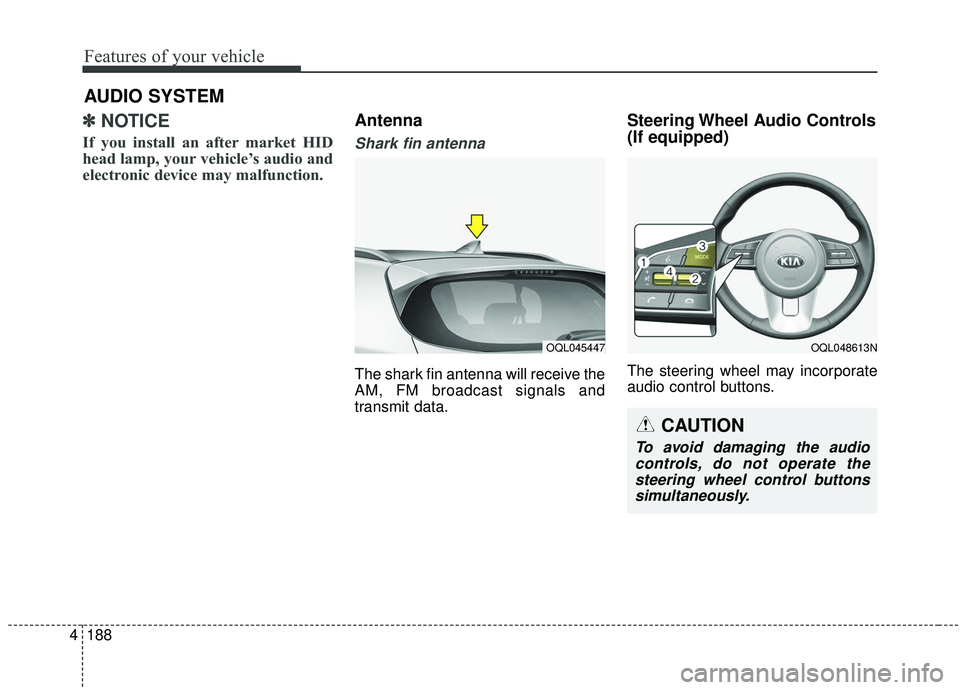
(Continued)
- Do not use car seat acces-sories such as thick blankets
and cushions which cover up
the car seat surface.
(Continued)(Continued)
- Never lean on the door or cen-ter console.
- Never sit on one side of the front passenger seat.
(Continued)(Continued)
- Do not put an electronicdevice (ex. Laptop computer,
after market DMB, navigation,
satellite audio, video game
machine, MP3, AC inverter,
etc.) in the front passenger
seatback pocket or on the
front passenger seat.
(Continued)
OQLA035100OJFA035109OJFA035102
Page 92 of 611
• USB charger . . . . . . . . . . . . . . . . . . . . . . . . . . . . . . . . 4-178
• Wireless smart phone charging system . . . . . . . . . . 4-179
• Coat hook . . . . . . . . . . . . . . . . . . . . . . . . . . . . . . . . . . 4-18\
2
• Floor mat anchor (s) . . . . . . . . . . . . . . . . . . . . . . . . . 4-183
• Luggage net holder . . . . . . . . . . . . . . . . . . . . . . . . . . 4-183
• Cargo security screen . . . . . . . . . . . . . . . . . . . . . . . . 4-184
Exterior features . . . . . . . . . . . . . . . . . . . . . . . . . . 4-186
• Roof rack . . . . . . . . . . . . . . . . . . . . . . . . . . . . . . . . . . 4-18\
6
Audio system . . . . . . . . . . . . . . . . . . . . . . . . . . . . . 4-188
• Antenna. . . . . . . . . . . . . . . . . . . . . . . . . . . . . . . . .\
. . . 4-188
• Steering wheel audio controls. . . . . . . . . . . . . . . . . . 4-188
• USB port . . . . . . . . . . . . . . . . . . . . . . . . . . . . . . . . . . . 4-\
190
• How vehicle radio works . . . . . . . . . . . . . . . . . . . . . 4-190
Declaration of Conformity . . . . . . . . . . . . . . . . . 4-193
• IC. . . . . . . . . . . . . . . . . . . . . . . . . . . . . . . . . . . \
. . . . . . 4-193
4
Page 214 of 611
Features of your vehicle
126
4
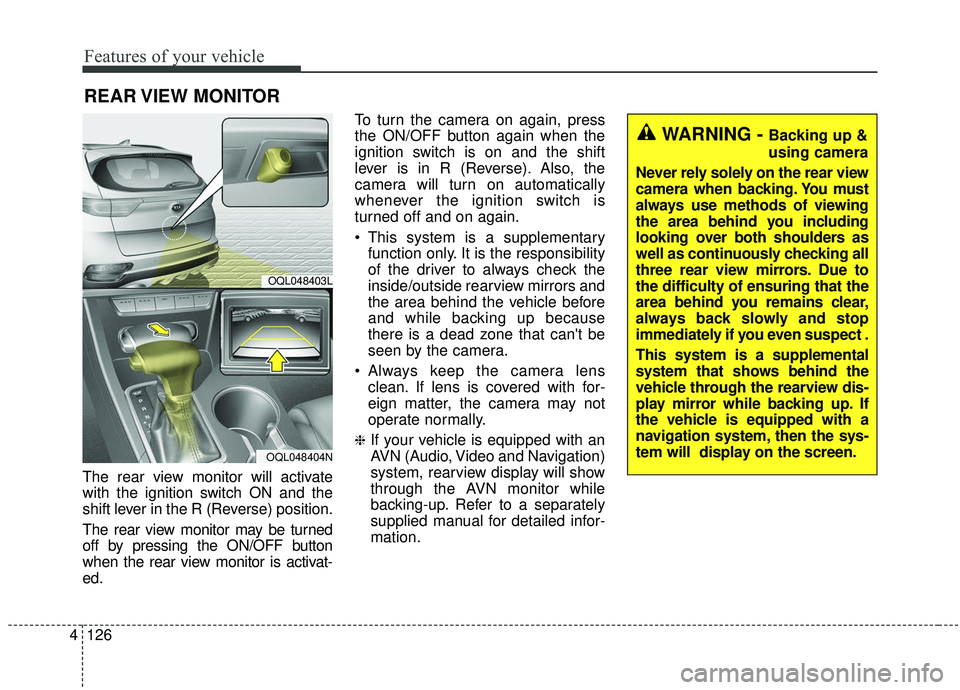
The rear view monitor will activate
with the ignition switch ON and the
shift lever in the R (Reverse) position.
The rear view monitor may be turned
off by pressing the ON/OFF button
when the rear view monitor is activat-
ed. To turn the camera on again, press
the ON/OFF button again when the
ignition switch is on and the shift
lever is in R (Reverse). Also, the
camera will turn on automatically
whenever the ignition switch is
turned off and on again.
This system is a supplementary
function only. It is the responsibility
of the driver to always check the
inside/outside rearview mirrors and
the area behind the vehicle before
and while backing up because
there is a dead zone that can't be
seen by the camera.
Always keep the camera lens clean. If lens is covered with for-
eign matter, the camera may not
operate normally.
❈If your vehicle is equipped with an
AVN (Audio, Video and Navigation)
system, rearview display will show
through the AVN monitor while
backing-up. Refer to a separately
supplied manual for detailed infor-
mation.
REAR VIEW MONITOR
OQL048403L
OQL048404N
WARNING - Backing up &
using camera
Never rely solely on the rear view
camera when backing. You must
always use methods of viewing
the area behind you including
looking over both shoulders as
well as continuously checking all
three rear view mirrors. Due to
the difficulty of ensuring that the
area behind you remains clear,
always back slowly and stop
immediately if you even suspect .
This system is a supplemental
system that shows behind the
vehicle through the rearview dis-
play mirror while backing up. If
the vehicle is equipped with a
navigation system, then the sys-
tem will display on the screen.
Page 265 of 611
4177
Features of your vehicle
* The actual sunvisor lamp in the vehi-cle may differ from the illustration.Power outlet
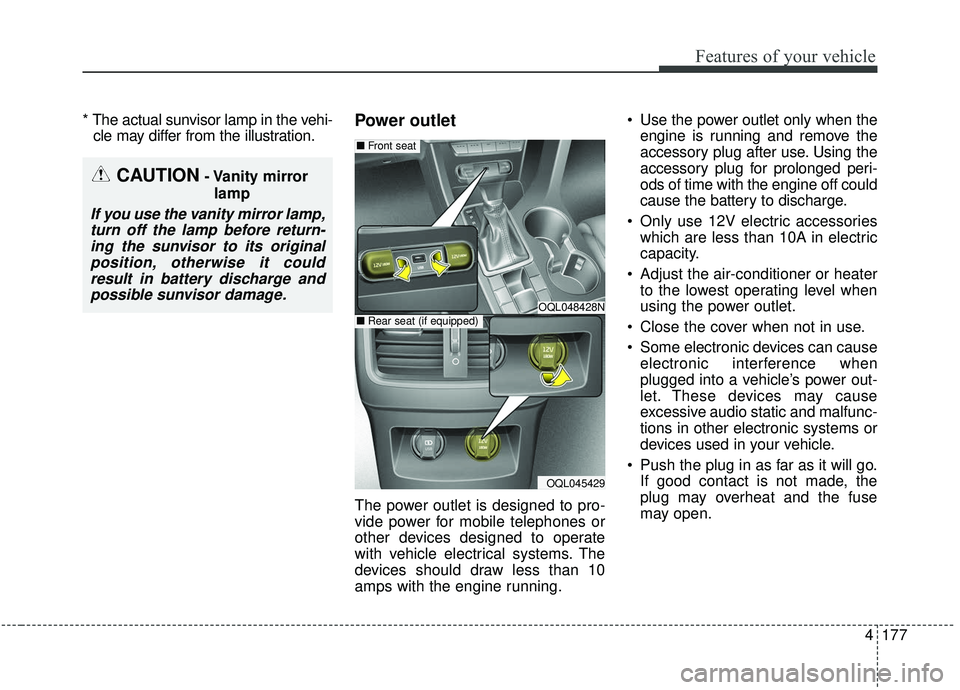
The power outlet is designed to pro-
vide power for mobile telephones or
other devices designed to operate
with vehicle electrical systems. The
devices should draw less than 10
amps with the engine running. Use the power outlet only when the
engine is running and remove the
accessory plug after use. Using the
accessory plug for prolonged peri-
ods of time with the engine off could
cause the battery to discharge.
Only use 12V electric accessories which are less than 10A in electric
capacity.
Adjust the air-conditioner or heater to the lowest operating level when
using the power outlet.
Close the cover when not in use.
Some electronic devices can cause electronic interference when
plugged into a vehicle’s power out-
let. These devices may cause
excessive audio static and malfunc-
tions in other electronic systems or
devices used in your vehicle.
Push the plug in as far as it will go. If good contact is not made, the
plug may overheat and the fuse
may open.
CAUTION- Vanity mirror
lamp
If you use the vanity mirror lamp,turn off the lamp before return-ing the sunvisor to its originalposition, otherwise it couldresult in battery discharge andpossible sunvisor damage.
OQL048428N
OQL045429
■ Front seat
■Rear seat (if equipped)
Page 276 of 611
Features of your vehicle
188
4
✽ ✽
NOTICE
If you install an after market HID
head lamp, your vehicle’s audio and
electronic device may malfunction.
Antenna
Shark fin antenna
The shark fin antenna will receive the
AM, FM broadcast signals and
transmit data.
Steering Wheel Audio Controls
(If equipped)
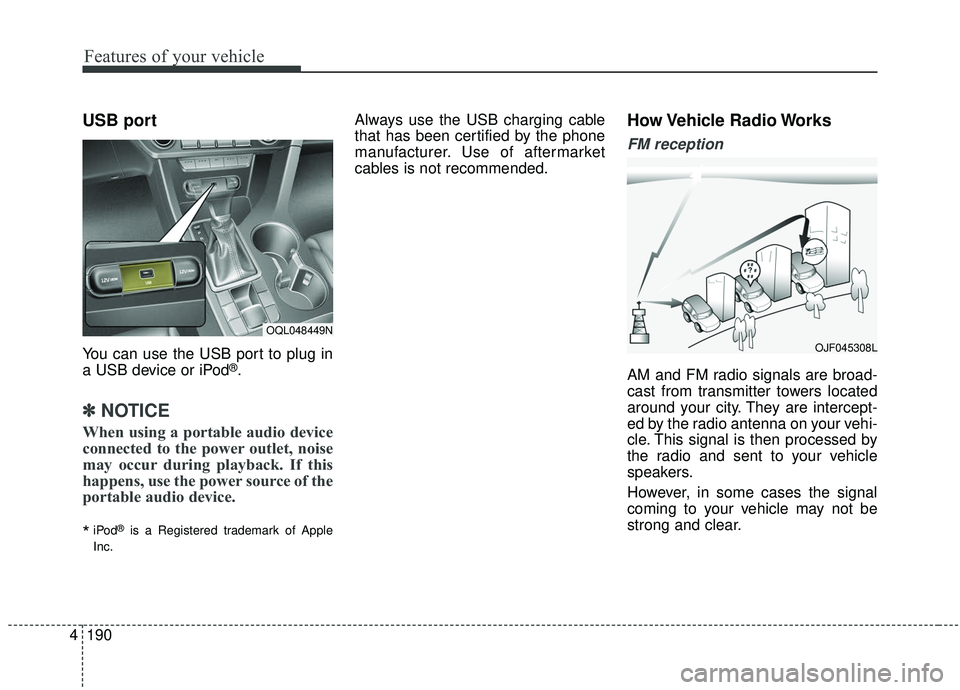
The steering wheel may incorporate
audio control buttons.
AUDIO SYSTEM
OQL045447OQL048613N
CAUTION
To avoid damaging the audio
controls, do not operate thesteering wheel control buttonssimultaneously.
Page 277 of 611
4189
Features of your vehicle
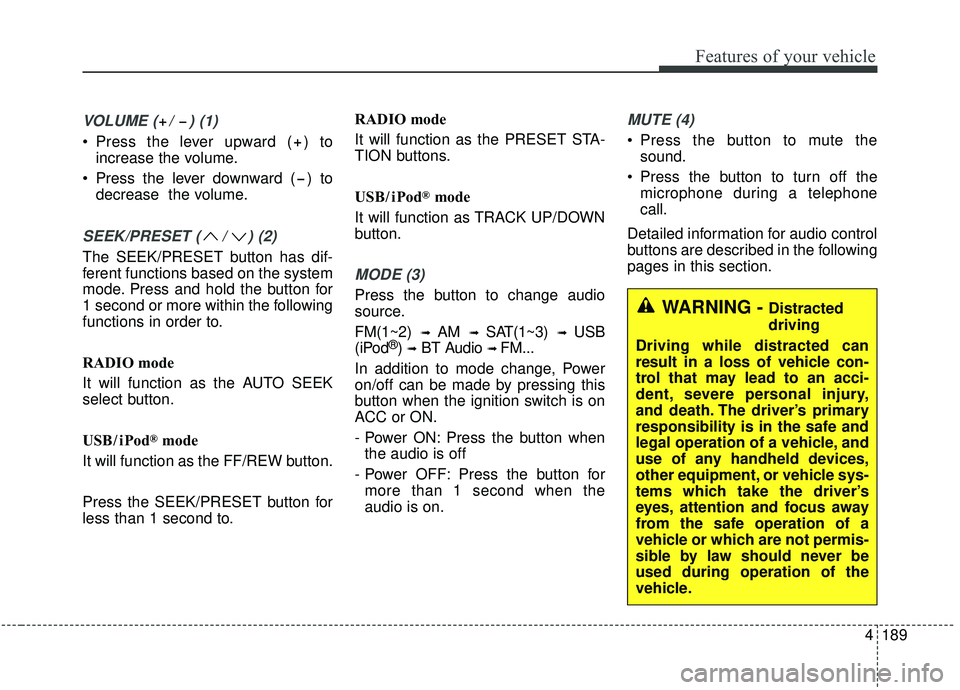
VOLUME ( / ) (1)
Press the lever upward ( ) toincrease the volume.
Press the lever downward ( ) to decrease the volume.
SEEK/PRESET ( / ) (2)
The SEEK/PRESET button has dif-
ferent functions based on the system
mode. Press and hold the button for
1 second or more within the following
functions in order to.
RADIO mode
It will function as the AUTO SEEK
select button.
USB / i Pod
®mode
It will function as the FF/REW button.
Press the SEEK/PRESET button for
less than 1 second to. RADIO mode
It will function as the PRESET STA-
TION buttons.
USB / i Pod
®mode
It will function as TRACK UP/DOWN
button.
MODE (3)
Press the button to change audio
source.
FM(1~2)
➟ AM ➟ SAT(1~3) ➟ USB
(iPod®) ➟BT Audio ➟ FM...
In addition to mode change, Power
on/off can be made by pressing this
button when the ignition switch is on
ACC or ON.
- Power ON: Press the button when the audio is off
- Power OFF: Press the button for more than 1 second when the
audio is on.
MUTE (4)
Press the button to mute the sound.
Press the button to turn off the microphone during a telephone
call.
Detailed information for audio control
buttons are described in the following
pages in this section.
WARNING - Distracted
driving
Driving while distracted can
result in a loss of vehicle con-
trol that may lead to an acci-
dent, severe personal injury,
and death. The driver’s primary
responsibility is in the safe and
legal operation of a vehicle, and
use of any handheld devices,
other equipment, or vehicle sys-
tems which take the driver’s
eyes, attention and focus away
from the safe operation of a
vehicle or which are not permis-
sible by law should never be
used during operation of the
vehicle.
Page 278 of 611
Features of your vehicle
190
4
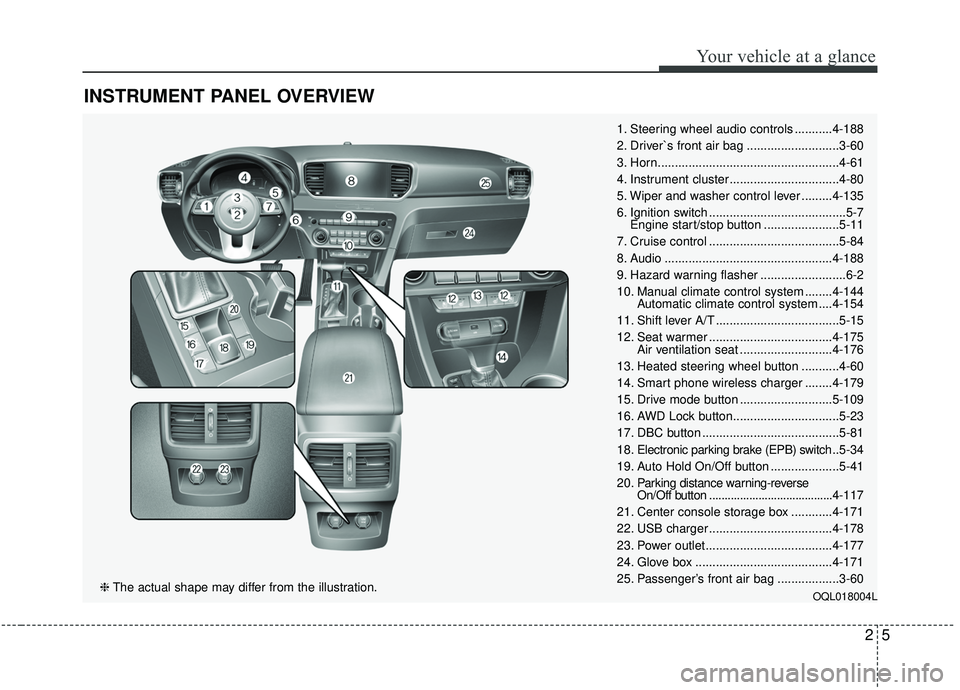
USB port
You can use the USB port to plug in
a USB device or iPod®.
✽ ✽
NOTICE
When using a portable audio device
connected to the power outlet, noise
may occur during playback. If this
happens, use the power source of the
portable audio device.
*iPod®is a Registered trademark of Apple
Inc.
Always use the USB charging cable
that has been certified by the phone
manufacturer. Use of aftermarket
cables is not recommended.How Vehicle Radio Works
FM reception
AM and FM radio signals are broad-
cast from transmitter towers located
around your city. They are intercept-
ed by the radio antenna on your vehi-
cle. This signal is then processed by
the radio and sent to your vehicle
speakers.
However, in some cases the signal
coming to your vehicle may not be
strong and clear.
OQL048449N
OJF045308L