Page 225 of 568
Features of your vehicle
140
4
Automatic climate control system
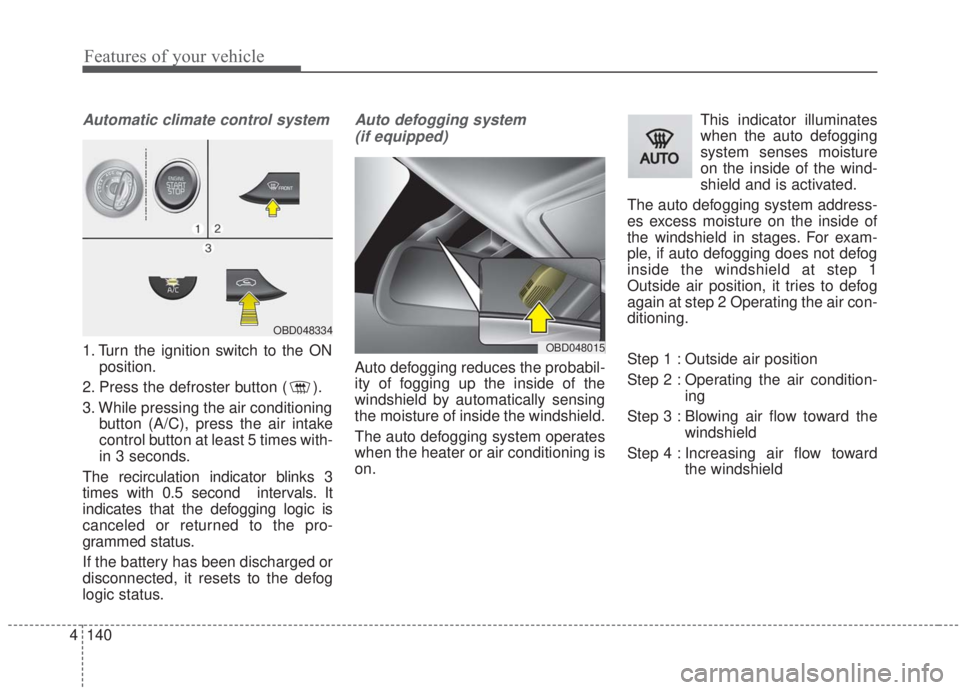
1. Turn the ignition switch to the ON
position.
2. Press the defroster button ( ).
3. While pressing the air conditioning button (A/C), press the air intake
control button at least 5 times with-
in 3 seconds.
The recirculation indicator blinks 3
times with 0.5 second intervals. It
indicates that the defogging logic is
canceled or returned to the pro-
grammed status.
If the battery has been discharged or
disconnected, it resets to the defog
logic status.
Auto defogging system (if equipped)
Auto defogging reduces the probabil-
ity of fogging up the inside of the
windshield by automatically sensing
the moisture of inside the windshield.
The auto defogging system operates
when the heater or air conditioning is
on. This indicator illuminates
when the auto defogging
system senses moisture
on the inside of the wind-
shield and is activated.
The auto defogging system address-
es excess moisture on the inside of
the windshield in stages. For exam-
ple, if auto defogging does not defog
inside the windshield at step 1
Outside air position, it tries to defog
again at step 2 Operating the air con-
ditioning.
Step 1 : Outside air position
Step 2 : Operating the air condition- ing
Step 3 : Blowing air flow toward the windshield
Step 4 : Increasing air flow toward the windshield
OBD048015
OBD048334
Page 231 of 568
Features of your vehicle
146
4
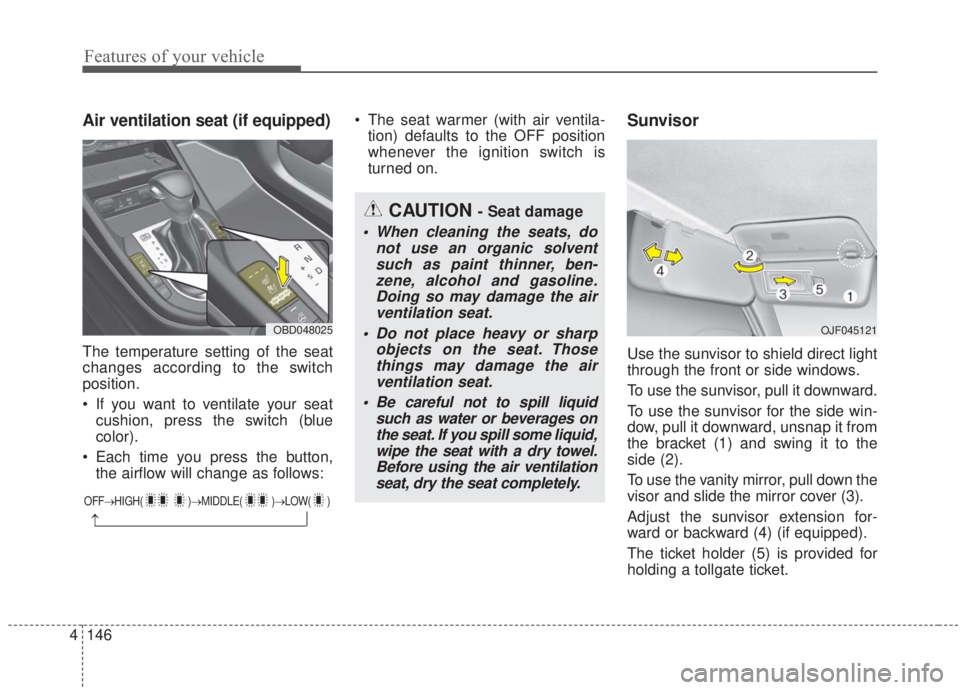
Air ventilation seat (if equipped)
The temperature setting of the seat
changes according to the switch
position.
If you want to ventilate your seat
cushion, press the switch (blue
color).
Each time you press the button, the airflow will change as follows: The seat warmer (with air ventila-
tion) defaults to the OFF position
whenever the ignition switch is
turned on.
Sunvisor
Use the sunvisor to shield direct light
through the front or side windows.
To use the sunvisor, pull it downward.
To use the sunvisor for the side win-
dow, pull it downward, unsnap it from
the bracket (1) and swing it to the
side (2).
To use the vanity mirror, pull down the
visor and slide the mirror cover (3).
Adjust the sunvisor extension for-
ward or backward (4) (if equipped).
The ticket holder (5) is provided for
holding a tollgate ticket.
CAUTION - Seat damage
When cleaning the seats, do not use an organic solventsuch as paint thinner, ben-zene, alcohol and gasoline.Doing so may damage the airventilation seat.
Do not place heavy or sharp objects on the seat. Thosethings may damage the airventilation seat.
Be careful not to spill liquid such as water or beverages onthe seat. If you spill some liquid,wipe the seat with a dry towel.Before using the air ventilationseat, dry the seat completely.
OJF045121OBD048025
OFF→ HIGH( )→ MIDDLE( )→LOW( )
→
Page 241 of 568

Features of your vehicle
156
4
AUX, USB port (if equipped)
You can use the AUX port to connect
audio devices and the USB port to
plug in a USB device or iPod
®.
✽ ✽
NOTICE
When using a portable audio device
connected to the power outlet, noise
may occur during playback. If this
happens, use the power source of the
portable audio device.
How vehicle audio works
AM and FM radio signals are broad-
cast from transmitter towers located
around your city. They are intercept-
ed by the radio antenna on your vehi-
cle. This signal is then received by
the radio and sent to your vehicle
speakers.
When a strong radio signal has
reached your vehicle, the precise
engineering of your audio system
ensures the best possible quality
reproduction. However, in some
cases the signal coming to your vehi-
cle may not be strong and clear. This can be due to many factors,
such as the distance from the radio
station, closeness of other strong
radio stations or the presence of
buildings, bridges or other large
obstructions in the area.
OBD048329JBM001
FM reception
Page 249 of 568
. . . . . . . . . . . . . . . . . . . . . . . . . . . . . 5-144
. . . . . . . . . . . . . . . . . . . . . . . . . . . . 5-144
Winter driving . . . . . . . . . . . . . . . . . . . . . . . . . . . 5-145
. . . . . . . . . . . . . . . . . . . . . . 5-145
. . . . . . . . . 5-146
. . . . . . . . . . . . . . . . . . . . . 5-146
. . . . . . 5-146
. . . . . . . . . . . . . . . . . . . 5-146
system . . . . . . . . . . . . . . . . . . . . . . . . . . . . . . . . . . . . \
5-146
. . . . . . . . . . . . 5-147
. . . 5-147
. . . . . . . . . . . . . . . . . . 5-147
Trailer towing . . . . . . . . . . . . . . . . . . . . . . . . . . . . 5-147
Vehicle load limit . . . . . . . . . . . . . . . . . . . . . . . . . 5-148
. . . . . . . . . . . . . 5-148
. . . . . . . . . . . . . . . . . . . . . . . . . . . 5-152
Vehicle weight . . . . . . . . . . . . . . . . . . . . . . . . . . . . 5-153
. . . . . . . . . . . . . . . . . . . . . . . . . . . . 5-153
. . . . . . . . . . . . . . . . . . . . . . . . . . 5-153
. . . . . . . . . . . . . . . . . . . . . . . . . . . . . . . 5-153
. . . . . . . . . . . . . . . . . . . . 5-153
. . . . . . . . . . . . 5-153 . . . . . . . . . . . . . . . . . . 5-153
. . . . . . . . . . 5-153
5
Page 316 of 568
Driving your vehicle
70
5
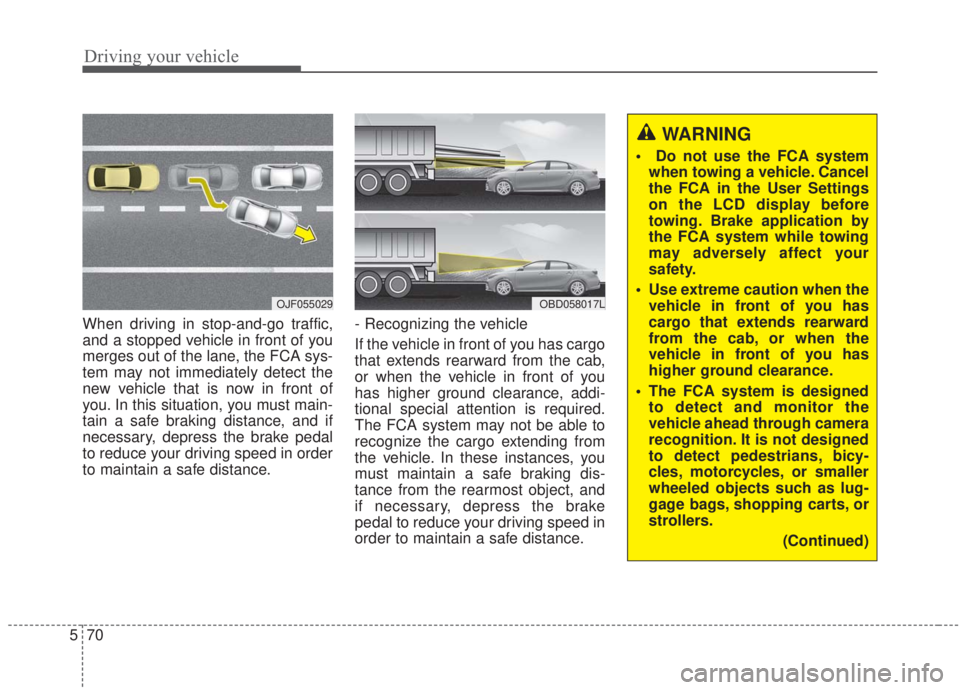
When driving in stop-and-go traffic,
and a stopped vehicle in front of you
merges out of the lane, the FCA sys-
tem may not immediately detect the
new vehicle that is now in front of
you. In this situation, you must main-
tain a safe braking distance, and if
necessary, depress the brake pedal
to reduce your driving speed in order
to maintain a safe distance. - Recognizing the vehicle
If the vehicle in front of you has cargo
that extends rearward from the cab,
or when the vehicle in front of you
has higher ground clearance, addi-
tional special attention is required.
The FCA system may not be able to
recognize the cargo extending from
the vehicle. In these instances, you
must maintain a safe braking dis-
tance from the rearmost object, and
if necessary, depress the brake
pedal to reduce your driving speed in
order to maintain a safe distance.
OJF055029OBD058017L
WARNING
Do not use the FCA system
when towing a vehicle. Cancel
the FCA in the User Settings
on the LCD display before
towing. Brake application by
the FCA system while towing
may adversely affect your
safety.
Use extreme caution when the vehicle in front of you has
cargo that extends rearward
from the cab, or when the
vehicle in front of you has
higher ground clearance.
The FCA system is designed to detect and monitor the
vehicle ahead through camera
recognition. It is not designed
to detect pedestrians, bicy-
cles, motorcycles, or smaller
wheeled objects such as lug-
gage bags, shopping carts, or
strollers.
(Continued)
Page 331 of 568
585
Driving your vehicle
✽ ✽NOTICE
• When replacing or reinstalling the
windscreen, front bumper or
radar/camera after removal, have
the vehicle inspected by an
authorized Kia dealer.
• In some instances, the FCA system may be canceled when subjected
to electromagnetic interference.
(Continued)
The FCA system may not
operate in certain situations.
Therefore, never test the oper-
ation of the FCA system using
a person or object, as doing
so may cause severe injury or
even death.WARNING
Do not use the FCA systemwhen towing a vehicle. Cancel
the FCA in the User Settings
on the LCD display before
towing. Brake application by
the FCA system while towing
may adversely affect your
safety.
Use extreme caution when the vehicle in front of you has
cargo that extends rearward
from the cab, or when the
vehicle in front of you has
higher ground clearance.
The FCA system is designed to detect and monitor the
vehicle ahead or detect a
pedestrian in the roadway
through radar signals and
camera recognition. It is not
designed to detect bicycles,
motorcycles, or smaller
wheeled objects such as lug-
gage bags, shopping carts, or
strollers.
(Continued)
Page 337 of 568

591
Driving your vehicle
(Continued)- Road surrounded by multiplesteel constructions (subway
construction, steel tunnel, etc)
- Parking lot
- Lanes beside guard rails on a road
- Slippery road with rain, ice, or snow
- Abrupt curved road
- Steep hills
- Windy road
- Off roads
- Roads under construction
- Roads which have rumble strips
- When driving near crash barriers
- When driving on a sharp curve
- When the vehicle sensing ability decreases due to
vehicle modification result-
ing level difference of the
vehicle's front and rear
(Continued)(Continued)- When driving in heavy trafficor when traffic conditions
make it difficult to drive at a
constant speed
- Limited visibility (rain, snow, smog, etc.)
Pay particular attention to driving conditions whenever
using the smart cruise control
system.
Be careful when driving downhill using the SCC.
Cruise function should not be used when the vehicle is
being towed to prevent any
damage.
Always set the vehicle speed under the applicable and law-
ful speed limit.
(Continued)WARNING
If the smart cruise control sys-tem is left on, (cruise indicator
in the instrument cluster illumi-
nated) the smart cruise control
can be activated unintentional-
ly. Keep the smart cruise con-
trol system off (cruise indicator
off) when the smart cruise con-
trol system is not in use to
avoid setting a speed which
the driver is not aware of.
Use the smart cruise control system only when traveling
on open highways in good
weather.
Do not use the smart cruise control when it may not be
safe to keep the car at a con-
stant speed. For instance, in
the following situations or
environments:
- Highway interchange andtollgate
(Continued)
Page 354 of 568
Driving your vehicle
108
5
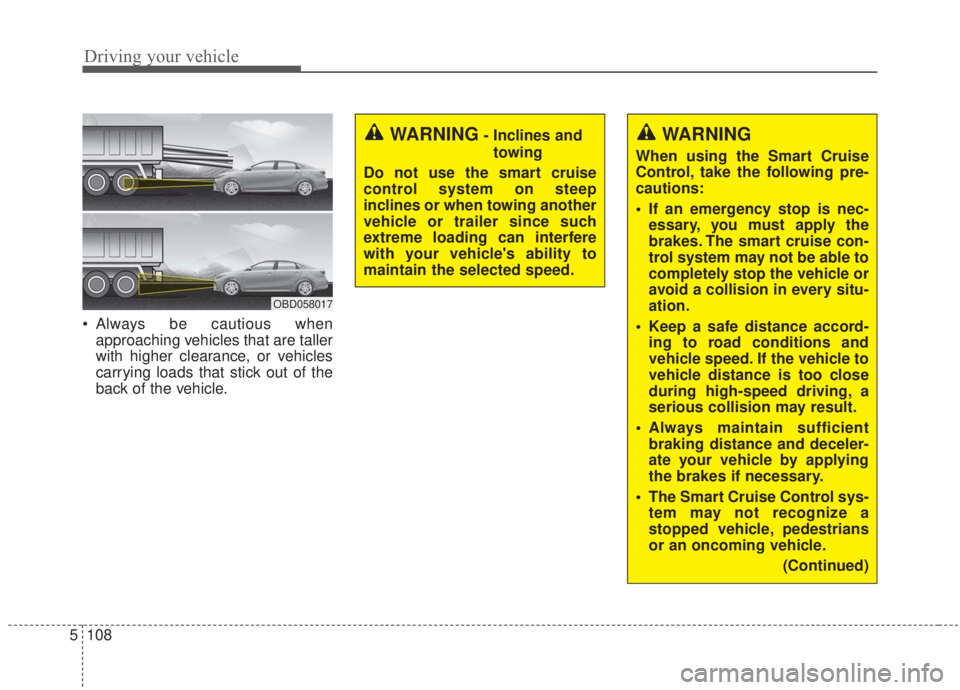
Always be cautious when
approaching vehicles that are taller
with higher clearance, or vehicles
carrying loads that stick out of the
back of the vehicle.
OBD058017
WARNING
When using the Smart Cruise
Control, take the following pre-
cautions:
If an emergency stop is nec-essary, you must apply the
brakes. The smart cruise con-
trol system may not be able to
completely stop the vehicle or
avoid a collision in every situ-
ation.
Keep a safe distance accord- ing to road conditions and
vehicle speed. If the vehicle to
vehicle distance is too close
during high-speed driving, a
serious collision may result.
Always maintain sufficient braking distance and deceler-
ate your vehicle by applying
the brakes if necessary.
The Smart Cruise Control sys- tem may not recognize a
stopped vehicle, pedestrians
or an oncoming vehicle.
(Continued)
WARNING- Inclines andtowing
Do not use the smart cruise
control system on steep
inclines or when towing another
vehicle or trailer since such
extreme loading can interfere
with your vehicle's ability to
maintain the selected speed.