2020 HYUNDAI VELOSTER warning light
[x] Cancel search: warning lightPage 88 of 480
3-88
Convenient features of your vehicle
Daytime running light (DRL)
The Daytime Running Lights (DRL)
can make it easier for others to see
the front of your vehicle during the
day, especially after dawn and before
sunset.
The DRL system will turn the dedi-
cated lamp OFF when :
The headlamps are ON.
The parking lamps are ON.
The vehicle is turned off.
The parking brake is engaged.
Interior Lights
Do not use the interior lights for
extended periods when the vehi-
cle is turned off or the battery will
discharge.
Interior lamp AUTO cut
The interior lamps will automatically
go off approximately 20 minutes after
the engine is turned off and the
doors are closed. If a door is opened,
the lamp will go off 40 minutes after
the engine is turned off. If the doors
are locked by the remote key or
smart key and the vehicle enters the
armed stage of the theft alarm sys-
tem, the lamps will go off five sec-
onds later.
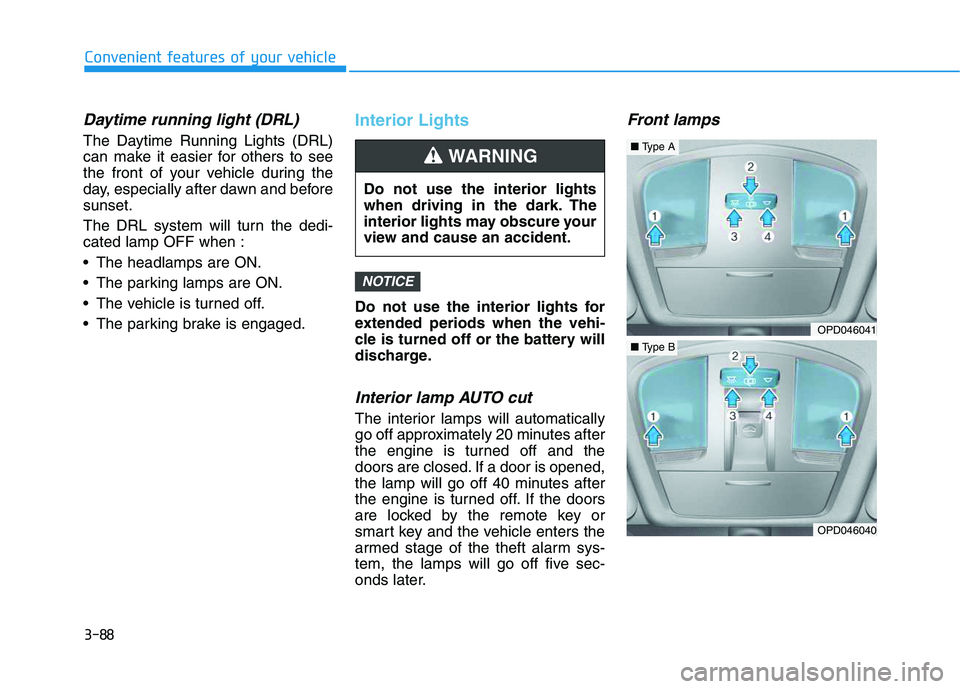
Front lamps
NOTICE
Do not use the interior lights
when driving in the dark. The
interior lights may obscure your
view and cause an accident.
WARNING
OPD046041
OPD046040
■Type A
■Type B
Page 94 of 480
3-94
Convenient features of your vehicle
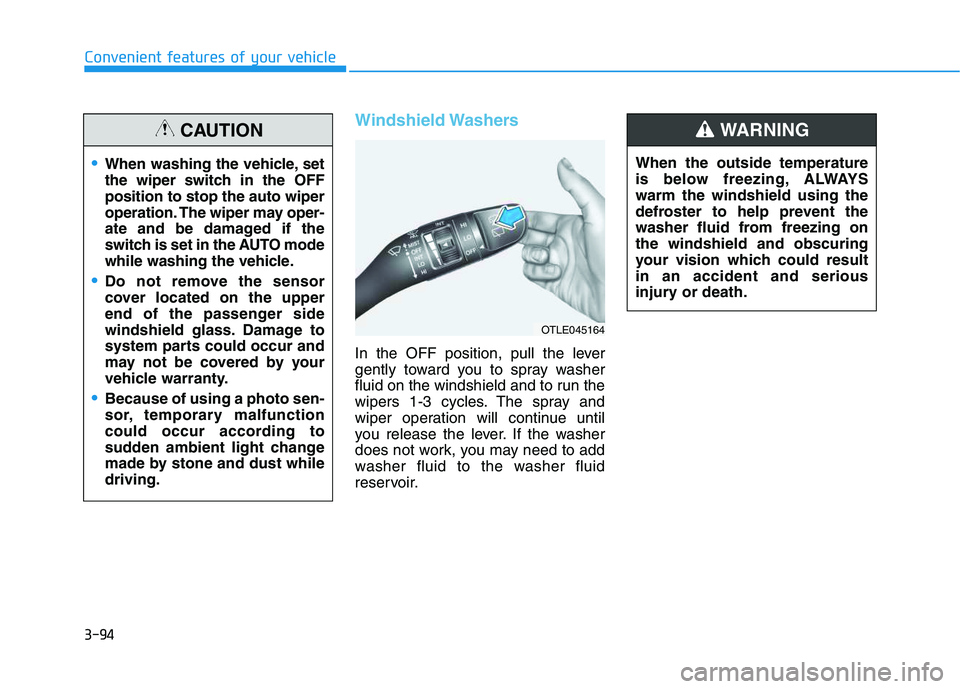
Windshield Washers
In the OFF position, pull the lever
gently toward you to spray washer
fluid on the windshield and to run the
wipers 1-3 cycles. The spray and
wiper operation will continue until
you release the lever. If the washer
does not work, you may need to add
washer fluid to the washer fluid
reservoir.When the outside temperature
is below freezing, ALWAYS
warm the windshield using the
defroster to help prevent the
washer fluid from freezing on
the windshield and obscuring
your vision which could result
in an accident and serious
injury or death.
WARNING
OTLE045164
When washing the vehicle, set
the wiper switch in the OFF
position to stop the auto wiper
operation. The wiper may oper-
ate and be damaged if the
switch is set in the AUTO mode
while washing the vehicle.
Do not remove the sensor
cover located on the upper
end of the passenger side
windshield glass. Damage to
system parts could occur and
may not be covered by your
vehicle warranty.
Because of using a photo sen-
sor, temporary malfunction
could occur according to
sudden ambient light change
made by stone and dust while
driving.
CAUTION
Page 98 of 480

3-98
Convenient features of your vehicle
Types of warning sound and indicator
The indicator may differ from the
illustration as objects or sensors
status. If the indicator blinks,
have your vehicle checked by an
authorized HYUNDAI dealer.
If the audible warning does not
sound or if the buzzer sounds
intermittently when shifting into R
(Reverse) position, this may indi-
cate a malfunction with the
Parking Assist System. If this
occurs, have your vehicle checked
by an authorized HYUNDAI dealer
as soon as possible.
To Turn OFF the Parking Distance
Warning (Reverse) system
Push the button to turn OFF the
Parking Distance Warning (Reverse)
system. The indicator light on the
button will turn on.
NOTICE
Types of warning soundIndicator
When an object is 60 to 120
cm (24 to 47 in) from the rear
bumper, the warning sound
beeps intermittently.
When an object is 30 to 60
cm (12 to 24 in) from the rear
bumper, the warning sound
beeps more frequently.
When an object is within 30
cm (12 in) from the rear
bumper, the warning sound
beeps continuously.OJS048032L
Page 105 of 480
3-105
Convenient features of your vehicle
3
Fan speed control (1)
Turn the knob to the right to increase
the fan speed and airflow. Turn the
knob to the left to decrease fan
speed and airflow.
Setting the fan speed control knob to
the "0" position turns off the fan.
Operating the fan speed when the
ignition switch is in the ON posi-
tion could cause the battery to
discharge. Operate the fan speed
when the engine is running.
Air conditioning (6)
Push the A/C button to turn the sys-
tem on (indicator light will illuminate)
and off.
System Operation
Cooling / Ventilation
1. Select the Face Level mode.
2. Set the air intake control to fresh
mode.
3. Set the temperature control to the
desired position.
4. Set the fan speed control to the
desired speed.
Heating
1. Select the Floor Level mode.
2. Set the air intake control to fresh
mode.
3. Set the temperature control to the
desired position.
4. Set the fan speed control to the
desired speed.
5. If desired, turn the air conditioning
ON with the temperature control
knob set to heat in order to dehu-
midify the air before it enters into
the cabin.
If the windshield fogs up, select the
Floor & Defrost mode or press
the Front Defrost mode.
NOTICE
Continued use of the climate
control system operation in
Recirculation mode for a pro-
longed period of time may
cause drowsiness to the
occupants in the cabin. This
may lead to loss of vehicle
control which may lead to an
accident.
Continued use of the climate
control system operation in
Recirculation mode with the
A/C OFF may allow humidity
to increase inside the cabin.
This may cause condensation
to accumulate on the wind-
shield and obscure visibility.
Do not sleep in your vehicle or
remain parked in your vehicle
with the windows up and
either the heater or the air
conditioning ON for pro-
longed periods of time. Doing
so may increase the levels of
carbon dioxide in the cabin
which may lead to serious
injury or death.
WARNING
Page 124 of 480
3-124
Convenient features of your vehicle
S ST
TO
OR
RA
AG
GE
E
C
CO
OM
MP
PA
AR
RT
TM
ME
EN
NT
T
To avoid possible theft, do not
leave valuables in the storage
compartments.
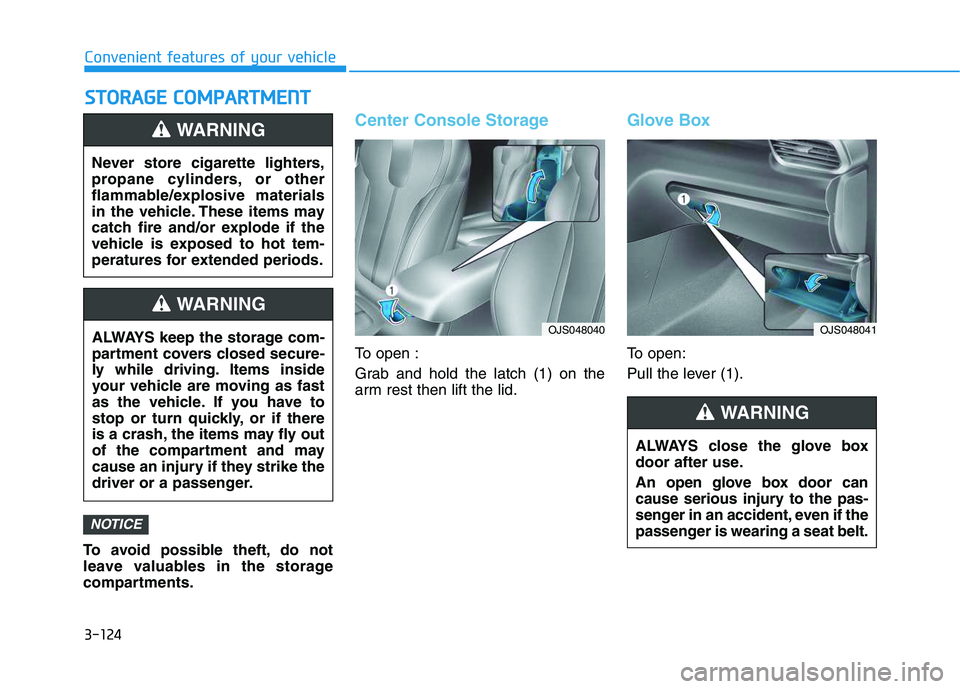
Center Console Storage
To open :
Grab and hold the latch (1) on the
arm rest then lift the lid.
Glove Box
To open:
Pull the lever (1).
NOTICE
Never store cigarette lighters,
propane cylinders, or other
flammable/explosive materials
in the vehicle. These items may
catch fire and/or explode if the
vehicle is exposed to hot tem-
peratures for extended periods.
WARNING
ALWAYS keep the storage com-
partment covers closed secure-
ly while driving. Items inside
your vehicle are moving as fast
as the vehicle. If you have to
stop or turn quickly, or if there
is a crash, the items may fly out
of the compartment and may
cause an injury if they strike the
driver or a passenger.
WARNING
ALWAYS close the glove box
door after use.
An open glove box door can
cause serious injury to the pas-
senger in an accident, even if the
passenger is wearing a seat belt.
WARNING
OJS048040OJS048041
Page 126 of 480
3-126
Convenient features of your vehicle
Cup Holder
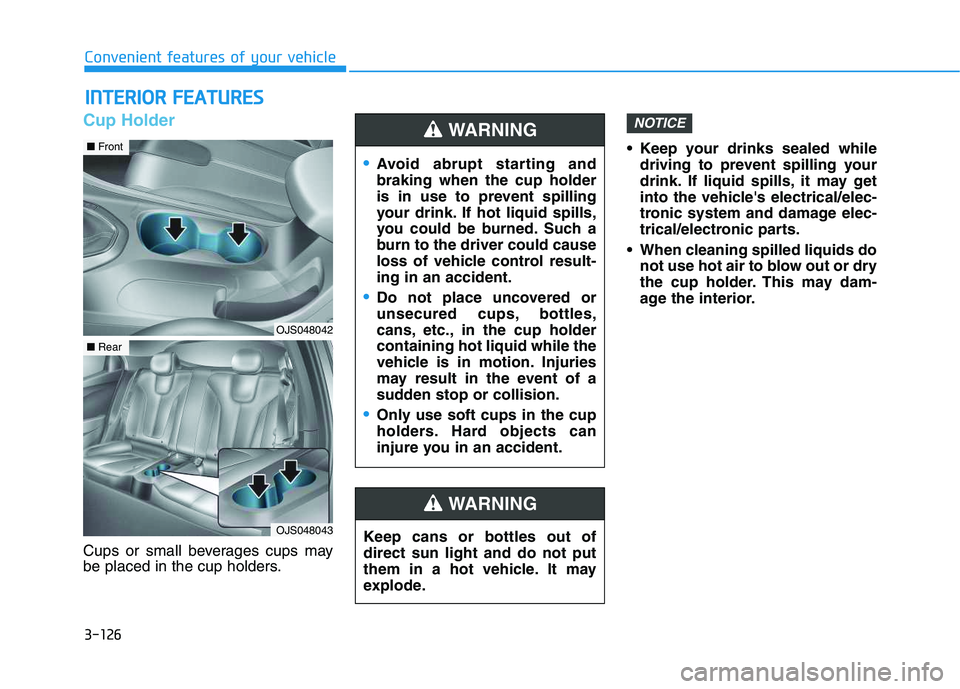
Cups or small beverages cups may
be placed in the cup holders. Keep your drinks sealed while
driving to prevent spilling your
drink. If liquid spills, it may get
into the vehicle's electrical/elec-
tronic system and damage elec-
trical/electronic parts.
When cleaning spilled liquids do
not use hot air to blow out or dry
the cup holder. This may dam-
age the interior.
NOTICE
I IN
NT
TE
ER
RI
IO
OR
R
F
FE
EA
AT
TU
UR
RE
ES
S
Keep cans or bottles out of
direct sun light and do not put
them in a hot vehicle. It may
explode.
WARNING
Avoid abrupt starting and
braking when the cup holder
is in use to prevent spilling
your drink. If hot liquid spills,
you could be burned. Such a
burn to the driver could cause
loss of vehicle control result-
ing in an accident.
Do not place uncovered or
unsecured cups, bottles,
cans, etc., in the cup holder
containing hot liquid while the
vehicle is in motion. Injuries
may result in the event of a
sudden stop or collision.
Only use soft cups in the cup
holders. Hard objects can
injure you in an accident.
WARNING
OJS048042
■Front
OJS048043
■Rear
Page 131 of 480
3-131
Convenient features of your vehicle
3
Some magnetic items like credit
cards, phone cards or rail tickets
may be damaged if left with the
cellular phone during the charg-
ing process.
If the cellular phone without the
wireless charging function or
the metallic items are placed on
the charging pad, it may cause
slight noise. This noise does not
affect the cellular phone and the
vehicle, because this noise is an
operating sound during deter-
mining the item on the charging
pad.
If the ignition switch is OFF, the
charging also stops.Information
This device complies with Industry
Canada RSS-210 standard.
Operation is subject to the following
two conditions:
1. This device may not cause harmful
interference, and
2. This device must accept any inter-
ference received, including interfer-
ence that may cause undesired
operation.
Clock
Vehicles with Audio system
Select the [SETUP]button on the
audio system ➟Select [Date/Time].
Set time: Set the time displayed on
the audio screen.
Time format: Choose between 12-
hour and 24-hour time formats.
Vehicles with Navigation system
Select the Settings menu on the
Navigation system➟Select
[Date/Time].
GPS time: Displays time according
to the received GNSS time.
24-hour: Switches to 12 hour or 24
hour.
i
Do not attempt to adjust the
clock while driving. Doing so
may result in distracted driving
which may lead to an accident
involving personal injury or
death.
WARNING
Page 135 of 480
Convenient features of your vehicle
Accessing Your Vehicle .........................................3-3
Remote Key.........................................................................3-3
Smart Key ............................................................................3-7
Immobilizer System .........................................................3-12
Door Locks ............................................................3-15
Operating Door Locks from Outside the Vehicle ....3-15
Operating Door Locks from Inside the Vehicle .......3-16
Automatic Door Lock and Unlock Features .............3-19
Child-Protector Rear Door Locks ...............................3-19
Theft-Alarm System ............................................3-20
Steering Wheel .....................................................3-21
Electric Power Steering (EPS) .....................................3-21
Tilt Steering / Telescope Steering ..............................3-22
Horn ....................................................................................3-22
Heated Steering Wheel ..................................................3-23
Mirrors ...................................................................3-23
Inside Rearview Mirror ..................................................3-23
Side View Mirrors ...........................................................3-25
Windows ................................................................3-27
Power Windows ...............................................................3-28
Wide Sunroof........................................................3-31
Sunroof opening and closing .......................................3-32
Sliding the sunroof .........................................................3-32
Tilting the sunroof ..........................................................3-32
Sunshade ...........................................................................3-33Resetting the sunroof ....................................................3-33
Sunroof Open Warning ..................................................3-34
Exterior Features .................................................3-35
Hood ...................................................................................3-35
Tailgate...............................................................................3-36
Fuel Filler Door ................................................................3-38
Instrument Cluster ...............................................3-41
Instrument Cluster Control............................................3-42
Gauges and Meters ........................................................3-43
Transmission shift indicator .........................................3-46
Warning and Indicator Lights .......................................3-47
LCD Display Messages ...................................................3-58
LCD Display ...........................................................3-63
LCD Display Control ........................................................3-63
LCD Display Modes .........................................................3-64
Trip Computer .......................................................3-74
Head Up Display (HUD) .......................................3-78
Lighting..................................................................3-81
Exterior Lights .................................................................3-81
Interior Lights...................................................................3-88
Welcome System .............................................................3-90
3