Page 327 of 480
5-109
Driving your vehicle
5
To temporarily accelerate with
the Smart Cruise Control on
If you want to speed up temporarily
when the Smart Cruise Control is on,
depress the accelerator pedal.
Increased speed will not interfere
with Smart Cruise Control operation
or change the set speed.
To return to the set speed, take your
foot off the accelerator pedal.
If you push the toggle switch down
(SET-) at increased speed, the cruis-
ing speed will be set again pedal.
Smart Cruise Control set speed
will be temporarily canceled
when:
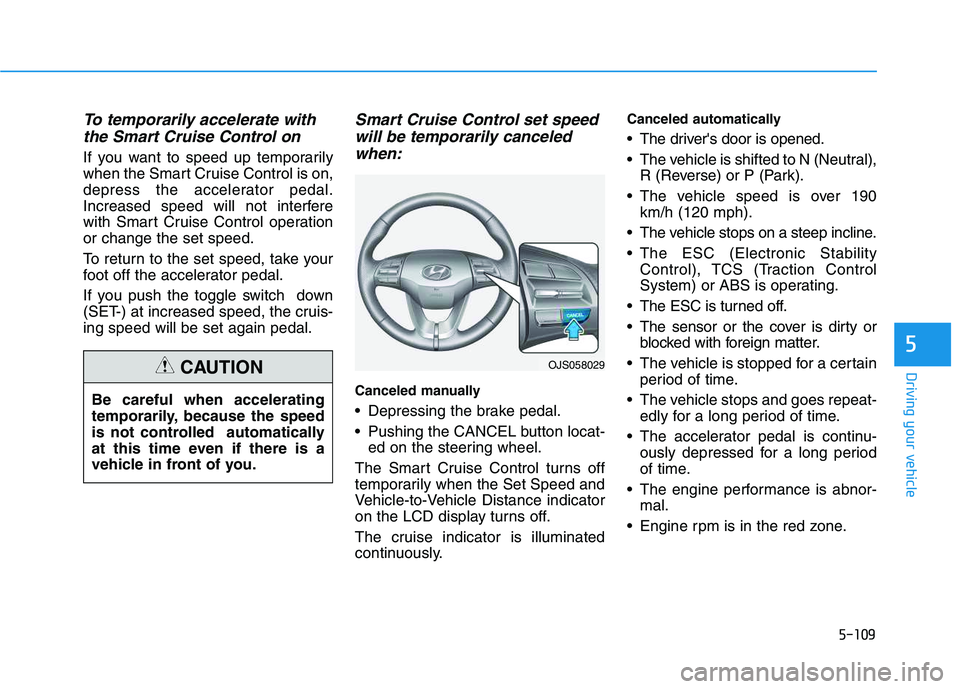
Canceled manually
Depressing the brake pedal.
Pushing the CANCEL button locat-
ed on the steering wheel.
The Smart Cruise Control turns off
temporarily when the Set Speed and
Vehicle-to-Vehicle Distance indicator
on the LCD display turns off.
The cruise indicator is illuminated
continuously.
Canceled automatically
The driver's door is opened.
The vehicle is shifted to N (Neutral),
R (Reverse) or P (Park).
The vehicle speed is over 190
km/h (120 mph).
The vehicle stops on a steep incline.
The ESC (Electronic Stability
Control), TCS (Traction Control
System) or ABS is operating.
The ESC is turned off.
The sensor or the cover is dirty or
blocked with foreign matter.
The vehicle is stopped for a certain
period of time.
The vehicle stops and goes repeat-
edly for a long period of time.
The accelerator pedal is continu-
ously depressed for a long period
of time.
The engine performance is abnor-
mal.
Engine rpm is in the red zone.
OJS058029
Be careful when accelerating
temporarily, because the speed
is not controlled automatically
at this time even if there is a
vehicle in front of you.
CAUTION
Page 331 of 480
5-113
Driving your vehicle
5
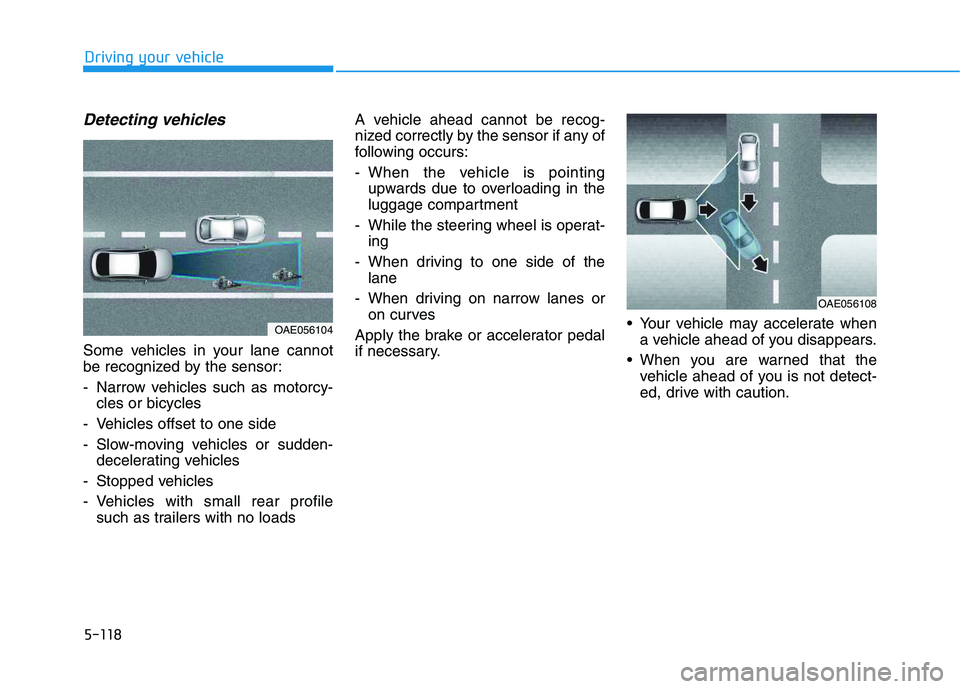
Sensor to Detect Distance to
the Vehicle Ahead
The Smart Cruise Control uses a
sensor to detect distance to the vehi-
cle ahead.
If the sensor is covered with dirt or
other foreign matter, the vehicle to
vehicle distance control may not
operate correctly.
Always keep the sensor clean.
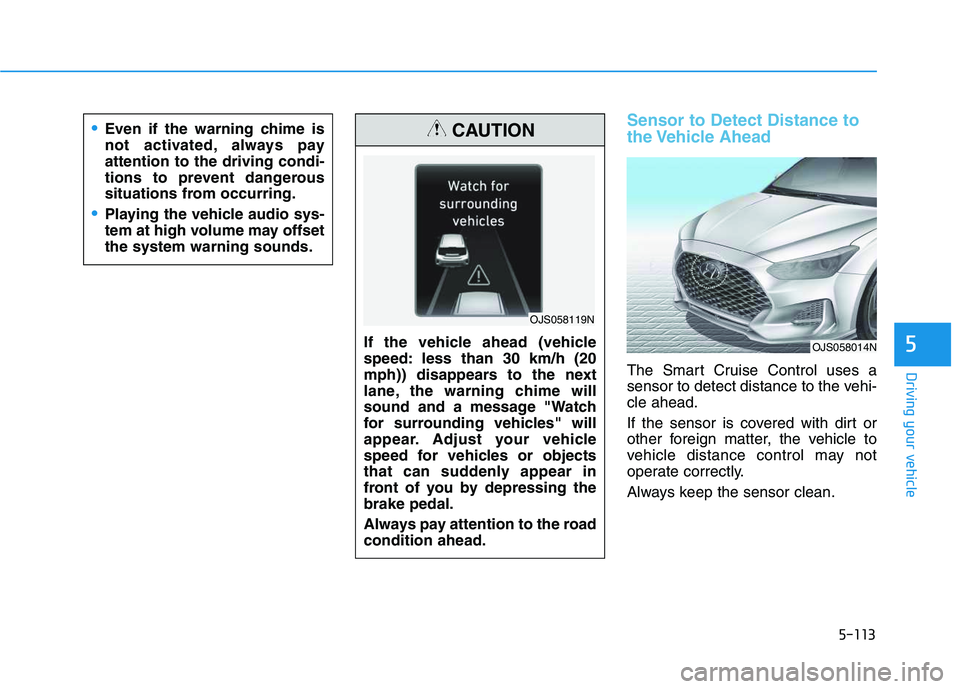
OJS058014NIf the vehicle ahead (vehicle
speed: less than 30 km/h (20
mph)) disappears to the next
lane, the warning chime will
sound and a message "Watch
for surrounding vehicles" will
appear. Adjust your vehicle
speed for vehicles or objects
that can suddenly appear in
front of you by depressing the
brake pedal.
Always pay attention to the road
condition ahead.
CAUTION
OJS058119N
Even if the warning chime is
not activated, always pay
attention to the driving condi-
tions to prevent dangerous
situations from occurring.
Playing the vehicle audio sys-
tem at high volume may offset
the system warning sounds.
Page 335 of 480
5-117
Driving your vehicle
5
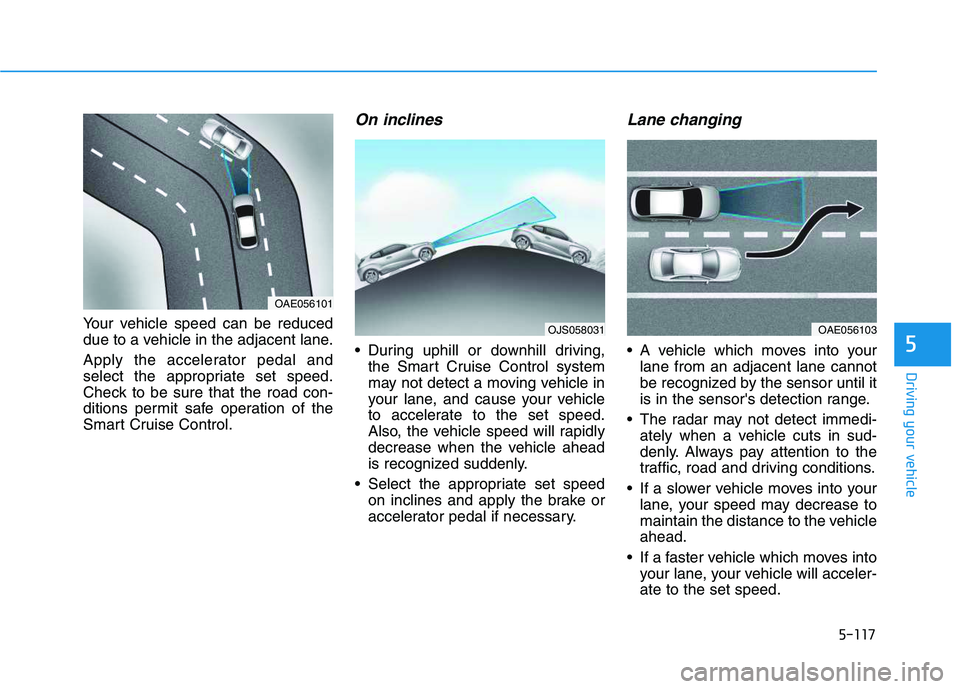
Your vehicle speed can be reduced
due to a vehicle in the adjacent lane.
Apply the accelerator pedal and
select the appropriate set speed.
Check to be sure that the road con-
ditions permit safe operation of the
Smart Cruise Control.
On inclines
During uphill or downhill driving,
the Smart Cruise Control system
may not detect a moving vehicle in
your lane, and cause your vehicle
to accelerate to the set speed.
Also, the vehicle speed will rapidly
decrease when the vehicle ahead
is recognized suddenly.
Select the appropriate set speed
on inclines and apply the brake or
accelerator pedal if necessary.
Lane changing
A vehicle which moves into your
lane from an adjacent lane cannot
be recognized by the sensor until it
is in the sensor's detection range.
The radar may not detect immedi-
ately when a vehicle cuts in sud-
denly. Always pay attention to the
traffic, road and driving conditions.
If a slower vehicle moves into your
lane, your speed may decrease to
maintain the distance to the vehicle
ahead.
If a faster vehicle which moves into
your lane, your vehicle will acceler-
ate to the set speed.
OJS058031OAE056103
OAE056101
Page 336 of 480
5-118
Driving your vehicle
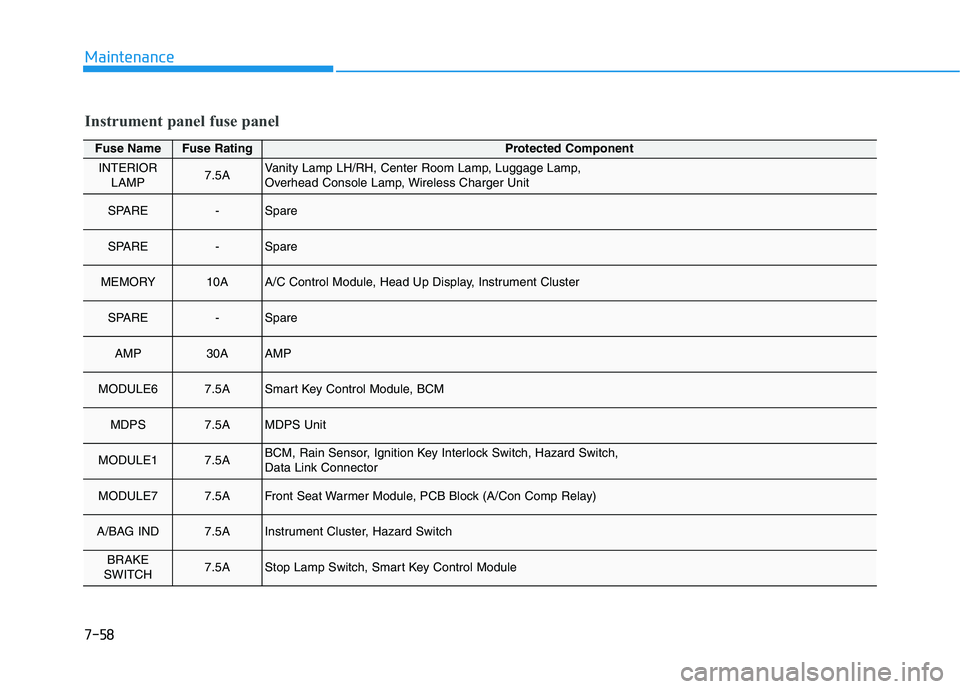
Detecting vehicles
Some vehicles in your lane cannot
be recognized by the sensor:
- Narrow vehicles such as motorcy-
cles or bicycles
- Vehicles offset to one side
- Slow-moving vehicles or sudden-
decelerating vehicles
- Stopped vehicles
- Vehicles with small rear profile
such as trailers with no loadsA vehicle ahead cannot be recog-
nized correctly by the sensor if any of
following occurs:
- When the vehicle is pointing
upwards due to overloading in the
luggage compartment
- While the steering wheel is operat-
ing
- When driving to one side of the
lane
- When driving on narrow lanes or
on curves
Apply the brake or accelerator pedal
if necessary. Your vehicle may accelerate when
a vehicle ahead of you disappears.
When you are warned that the
vehicle ahead of you is not detect-
ed, drive with caution.
OAE056108
OAE056104
Page 365 of 480
6-15
What to do in an emergency
6
When towing your vehicle in an
emergency without wheel dollies:
1. Place the ignition switch in the
ACC position.
2. Place the shift lever in N (Neutral).
3. Release the parking brake.
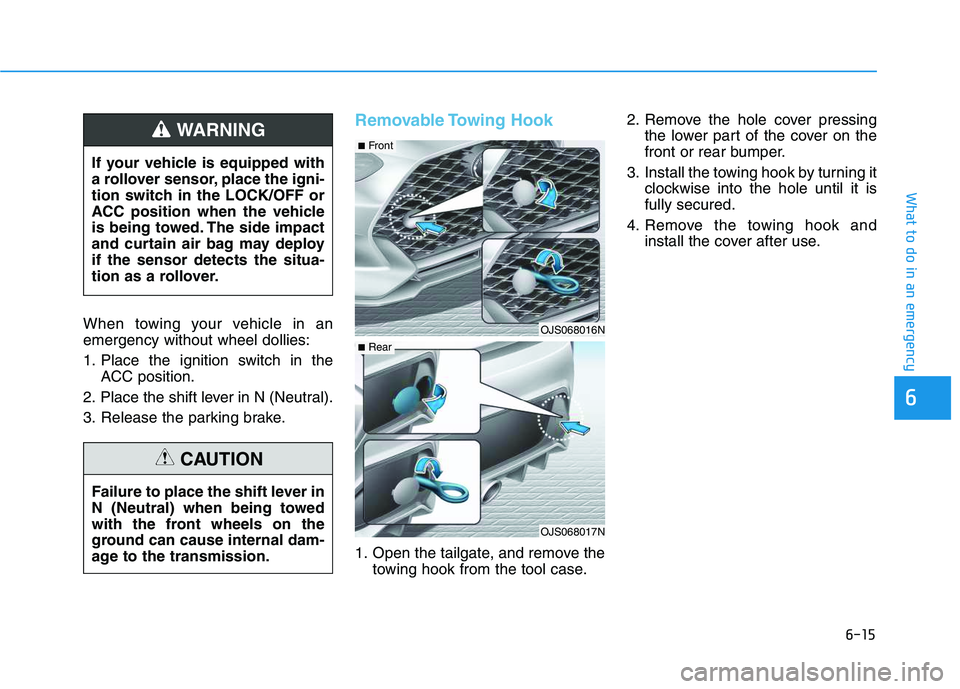
Removable Towing Hook
1. Open the tailgate, and remove the
towing hook from the tool case.2. Remove the hole cover pressing
the lower part of the cover on the
front or rear bumper.
3. Install the towing hook by turning it
clockwise into the hole until it is
fully secured.
4. Remove the towing hook and
install the cover after use. If your vehicle is equipped with
a rollover sensor, place the igni-
tion switch in the LOCK/OFF or
ACC position when the vehicle
is being towed. The side impact
and curtain air bag may deploy
if the sensor detects the situa-
tion as a rollover.
WARNING
Failure to place the shift lever in
N (Neutral) when being towed
with the front wheels on the
ground can cause internal dam-
age to the transmission.
CAUTION
OJS068016N
OJS068017N
■Front
■Rear
Page 427 of 480
7-58
Maintenance
Fuse NameFuse RatingProtected Component
INTERIOR
LAMP7.5AVanity Lamp LH/RH, Center Room Lamp, Luggage Lamp,
Overhead Console Lamp, Wireless Charger Unit
SPARE-Spare
SPARE-Spare
MEMORY10AA/C Control Module, Head Up Display, Instrument Cluster
SPARE-Spare
AMP30AAMP
MODULE67.5ASmart Key Control Module, BCM
MDPS7.5AMDPS Unit
MODULE17.5ABCM, Rain Sensor, Ignition Key Interlock Switch, Hazard Switch,
Data Link Connector
MODULE77.5AFront Seat Warmer Module, PCB Block (A/Con Comp Relay)
A/BAG IND7.5AInstrument Cluster, Hazard Switch
BRAKE
SWITCH7.5AStop Lamp Switch, Smart Key Control Module
Instrument panel fuse panel
Page 472 of 480

I-3
Blind-Spot Collision Warning (BCW) System ...............5-56
BCW (Blind-Spot Collision Warning) .......................5-57
Blind Spot Collision Warning - Sensor Location ......5-61
Limitations of the System ..........................................5-62
RCCW (Rear Cross-Traffic Collision Warning) ........5-59
Bluetooth
®Wireless Technology Hands-Free ..................4-4
Brake/Clutch Fluid..........................................................7-27
Checking the brake/clutch Fluid Level ......................7-27
Braking System ...............................................................5-40
Anti-lock Brake System (ABS)..................................5-43
Disc Brakes Wear Indicator........................................5-41
Electronic Stability Control (ESC).............................5-45
Good Braking Practices..............................................5-49
Hill-Start Assist Control (HAC) .................................5-48
Parking Brake .............................................................5-41
Power Brakes..............................................................5-40
Vehicle Stability Management (VSM) .......................5-47
Bulb Wattage .....................................................................8-3Cargo Area Cover .........................................................3-133
Center Console Storage ................................................3-124
Child restraint system (CRS) ..........................................2-30
Children Always in the Rear ......................................2-30
Installing a Child Restraint System (CRS) ................2-33
Selecting a Child Restraint System (CRS).................2-31
Climate Control Additional Features ............................3-123
Automatic Ventilation...............................................3-123
Sunroof Inside Air Recirculation .............................3-123
Climate Control Air Filter...............................................7-30
Filter Inspection..........................................................7-30
Clock .............................................................................3-131
Clothes Hanger .............................................................3-132
Cruise Control ...............................................................5-100
Cruise Control operation ..........................................5-100
Cup Holder....................................................................3-126
I
Index
C