2020 Hyundai Santa Fe Lane keep
[x] Cancel search: Lane keepPage 379 of 557

5-105
Driving your vehicle
5
The Driver Attention Warning sys-
tem utilizes the camera sensor on
the front windshield for its opera-
tion. To keep the camera sensor in
the best condition, you should
observe the followings:
Do not disassemble the cameratemporarily to tint the window or
to attach any types of coatings
and accessories. If you disas-
semble a camera and assemble
it again, take your vehicle to an
authorized HYUNDAI dealer and
have the system checked for cal-
ibration.
NEVER install any accessories or stickers on the front wind-
shield, nor tint the front wind-
shield.
NEVER locate any reflective objects (i.e. white paper, mirror)
over the dashboard. Any light
reflection may cause a malfunc-
tion of the Driver Attention Alert
(DAW) system.
Pay extreme caution to keep the camera sensor out of water.
NOTICE
The Driver Attention Warning
(DAW) system may not properly
operate with limited alerting in
the following situations:
The lane detection perform-
ance is limited. (For more
details, refer to "Lane Keeping
Assist (LKA) system" in this
chapter.)
The vehicle is violently driven
or is abruptly turned for obsta-
cle avoidance (e.g. construc-
tion area, other vehicles, fallen
objects, bumpy road).
Forward drivability of the vehi-
cle is severely undermined
(possibly due to wide variation
in tire pressures, uneven tire
wear-out, toe-in/toe-out align-
ment).
The vehicle drives on a curvy
road.
The vehicle drives on a bumpy
road.
The vehicle drives through a
windy area.
The vehicle is controlled by the
following driving assist sys-
tems:
- Lane Keeping Assist (LKA)system
- Forward Collision-Avoidance Assist (FCA) system
- Smart Cruise Control (SCC) system
CAUTION
Playing the vehicle audio sys-
tem at high volume may offset
the Driver Attention Warning
(DAW) system warning sounds.
CAUTION
Page 436 of 557
6-16
What to do in an emergency
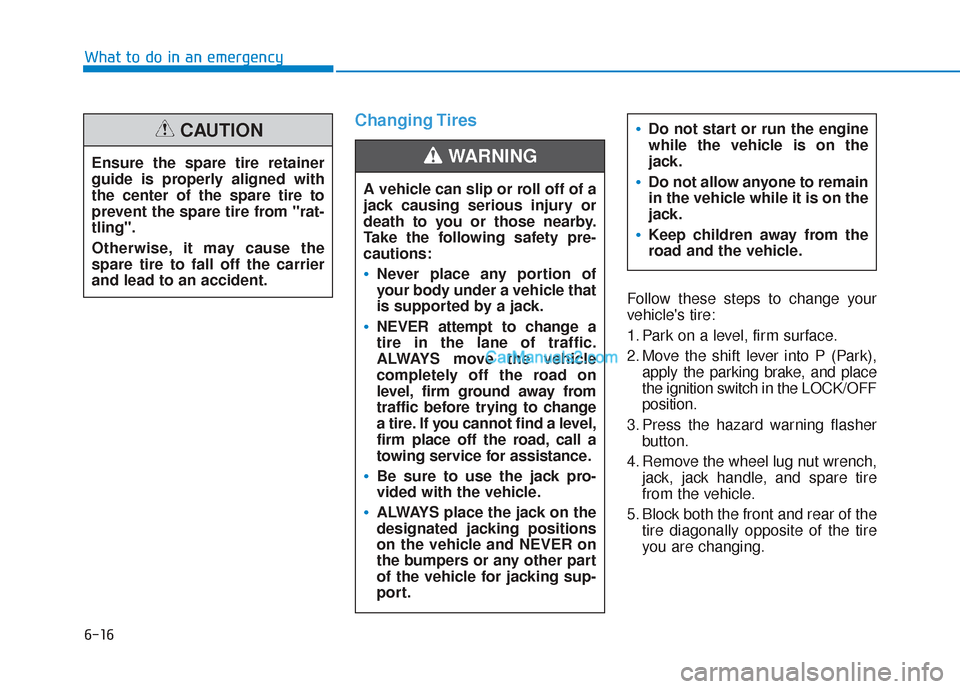
Changing Tires
Follow these steps to change your
vehicle's tire:
1. Park on a level, firm surface.
2. Move the shift lever into P (Park),apply the parking brake, and place
the ignition switch in the LOCK/OFF
position.
3. Press the hazard warning flasher button.
4. Remove the wheel lug nut wrench, jack, jack handle, and spare tire
from the vehicle.
5. Block both the front and rear of the tire diagonally opposite of the tire
you are changing.
A vehicle can slip or roll off of a
jack causing serious injury or
death to you or those nearby.
Take the following safety pre-
cautions:
Never place any portion of
your body under a vehicle that
is supported by a jack.
NEVER attempt to change a
tire in the lane of traffic.
ALWAYS move the vehicle
completely off the road on
level, firm ground away from
traffic before trying to change
a tire. If you cannot find a level,
firm place off the road, call a
towing service for assistance.
Be sure to use the jack pro-
vided with the vehicle.
ALWAYS place the jack on the
designated jacking positions
on the vehicle and NEVER on
the bumpers or any other part
of the vehicle for jacking sup-
port.
Do not start or run the engine
while the vehicle is on the
jack.
Do not allow anyone to remain
in the vehicle while it is on the
jack.
Keep children away from the
road and the vehicle.
WARNING Ensure the spare tire retainer
guide is properly aligned with
the center of the spare tire to
prevent the spare tire from "rat-
tling".
Otherwise, it may cause the
spare tire to fall off the carrier
and lead to an accident.
CAUTION
Page 551 of 557

I-8
Jump starting .....................................................................6-4\
Key ignition switch ...........................................................5-6
LabelRefrigerant label .........................................................8-11
Tire sidewall labeling .................................................7-43
Tire specification and pressure label ..........................8-11
Vehicle certification label ...........................................8-10
Lane change signals ......................................................3-117
Lane Keeping Assist (LKA) system ...............................5-93
Lap/shoulder belt ............................................................2-28
LCD display LCD display modes ....................................................3-92
Assist mode ................................................................3-93
Master warning mode .................................................3-94
Quick guide ................................................................3-96
Trip computer mode ...................................................3-93
Turn By Turn (TBT) mode.........................................3-93
User settings mode .....................................................3-95
LCD display messages Check Blind-Spot Collision Warning system ............3-89
Check BRAKE SWITCH fuse ...................................3-86 Check Driver Attention Warning system ...................3-90
Check Forward Collision Avoidance Assist system...3-89
Check headlight ..........................................................3-89
Check headlight LED .................................................3-89
Check High Beam Assist (HBA) system ...................3-89
Check Lane Keeping Assist (LKA) system ...............3-90
Check Smart Cruise Control System .........................3-90
Check turn signal........................................................3-89
Door, Hood, Liftgate open indicator ..........................3-86
Engine overheated ......................................................3-88
Key not detected .........................................................3-85
Key not in vehicle ......................................................3-85
Lights mode ................................................................3-88
Low fuel .....................................................................3-8\
8
Low key battery..........................................................3-85
Low pressure ..............................................................3-87
Low washer fluid........................................................3-88
Press brake pedal to start engine ................................3-85
Press START button again .........................................3-85
Press START button with key ....................................3-86
Shift to P.....................................................................3-8\
5
Shift to P or N to start engine ....................................3-85
Sunroof open indicator ...............................................3-87
Window open indicator ..............................................3-87
Wiper mode ................................................................3-88
LCD display modes ........................................................3-92
Leading vehicle departure alert ....................................5-123
Index
J
K
L
Page 556 of 557

I-13
Trip computer................................................................3-106Accumulated Info display ........................................3-108
Average fuel economy..............................................3-107
Digital speedometer..................................................3-109
Driving Info display .................................................3-108
Instant fuel economy ................................................3-107
Smart shift ................................................................3-109
Turn signals ...................................................................3-117
USB charger ..................................................................3-173
User settings mode..........................................................3-95
Vanity mirror lamp........................................................3-122
Vehicle break-in process ...................................................F-9
Vehicle certification label ...............................................8-10
Vehicle identification number (VIN) ..............................8-10
Vehicle load limit ..........................................................5-141 Tire loading information label..................................5-142
Vehicle modification .........................................................F-9
Vehicle Stability Management (VSM)............................5-35
Vehicle weight and luggage volume .................................8-6 Warning and indicator lights...........................................3-72
Air bag warning light .................................................3-72
All Wheel Drive (AWD) warning light......................3-78
All wheel drive LOCK indicator light .......................3-84
Anti-lock Brake System (ABS) warning light ...........3-74
AUTO HOLD indicator light .....................................3-83
Charging system warning light ..................................3-76
Cruise indicator light ..................................................3-83
Downhill Brake Control (DBC) indicator light .........3-84
Electric Power Steering (EPS) warning light.............3-75
Electronic brake force warning light..........................3-74
Electronic Parking Brake (EPB) warning light..........3-75
Electronic Stability Control (ESC) OFF indicator light ..........................................................3-81
Electronic Stability Control (ESC) indicator light .....3-80
Engine oil pressure warning light ..............................3-76
Forward Collision-Avoidance Assist (FCA) system warning light ...............................................3-79
Front fog indicator light .............................................3-82
High Beam Assist (HBA) indicator light ...................3-83
High beam indicator light ..........................................3-82
Icy road warning light ................................................3-80
Immobilizer indicator light ........................................3-81
Lane Keeping Assist (LKA) system indicator light ...3-79
LED headlight warning light......................................3-79
Light ON indicator light .............................................3-82
I
Index
U
V
W