2020 FORD EXPLORER warning light
[x] Cancel search: warning lightPage 271 of 555
The blind spot information system with
trailer tow activates when driving forward
for that particular trailer set up. If you cycle
the ignition, the blind spot information
system with trailer tow continues to
function using the last trailer you selected.
Trailer Considerations
The system works with a trailer with a front
width of 8.2 ft (2.5 m) or less, and a total
length from the trailer hitch ball to the rear
of the trailer of
33 ft (10 m) or less.
Some trailers could cause a slight change
in system performance:
• Wide box trailers, especially those
wider than the towing vehicle, could
cause false alerts to occur when driving
next to infrastructure or near parked
cars. A false alert could also occur
while making a 90-degree turn or
driving through a roundabout.
• Wide trailers that have a total length
greater than
20 ft (6 m) could cause
delayed alerts when a vehicle is
passing at high speeds.
• Box trailers that have a width greater
than
8.2 ft (2.5 m) could cause early
alerts when you pass a vehicle.
• Clam shell or V-Nose box trailers with
a width greater than
8.2 ft (2.5 m)
could cause delayed alerts when a
vehicle traveling the same speed as
your vehicle merges lanes.
System Errors
If the system detects a fault, a warning
lamp illuminates and a message displays.
See
Information Messages (page 120). Switching the System On and Off
You can switch the blind spot information
system with trailer tow off by not selecting
a trailer the information display.
See
General Information (page 112). In this
case, the system turns off as long as a
trailer is attached to your vehicle. As soon
as you disconnect the trailer, the blind spot
information system becomes active.
When you switch the system off, a warning
lamp illuminates and the alert indicators
flash twice.
Note: The system remembers the last
trailer setting when you start your vehicle.
You cannot switch off the blind spot
information system with trailer tow when
using MyKey, but you can still change the
trailer settings.
See MyKey ™ (page 64).
To permanently switch the system off,
contact an authorized dealer.
CROSS TRAFFIC ALERT WARNING:
Do not use the cross
traffic alert system as a replacement for
using the interior and exterior mirrors or
looking over your shoulder before
reversing out of a parking space. The
cross traffic alert system is not a
replacement for careful driving. WARNING:
The system may not
operate properly during severe weather
conditions, for example snow, ice, heavy
rain and spray. Always drive with due
care and attention. Failure to take care
may result in a crash.
The system alerts you of vehicles
approaching from the sides behind your
vehicle when you shift into reverse (R).
268
Explorer (CTW) Canada/United States of America, enUSA, Edition date: 201902, Third-Printing- Driving Aids
Page 275 of 555

TRAFFIC SIGN RECOGNITION
(IF EQUIPPED)
Principle of Operation
WARNING: You are responsible for
controlling your vehicle at all times. The
system is designed to be an aid and does
not relieve you of your responsibility to
drive with due care and attention. Failure
to follow this instruction could result in
the loss of control of your vehicle,
personal injury or death. WARNING: The system may not
function if the sensor is blocked.
Note: In cold and severe weather conditions
the system may not function. Rain, snow,
spray and large contrasts in lighting can all
prevent the sensor from functioning
correctly.
Note: Do not carry out windshield repairs
in the immediate area surrounding the
sensor.
Note: If your vehicle has a suspension kit
not approved by us, the system may not
correctly function.
Note: Always fit Ford original parts when
replacing headlamp bulbs. Other bulbs may
reduce system performance.
Note: The system may not detect all traffic
signs and may incorrectly read signs.
Note: Keep the windshield free from
obstructions for example bird droppings,
insects and snow or ice.
Note: The system is designed to detect
traffic signs meeting the Vienna convention.
Note: Traffic sign data provided by the
navigation system contains information
integrated to the data carrier release. The sensor is behind the interior rear view
mirror. It continuously monitors road signs
to inform you of the current maximum
speed limit and overtaking regulations.
The system detects recognizable traffic
signs, for example:
•
Speed limit signs.
• No overtaking signs.
• Speed limit cancellation signs.
• No overtaking cancellation signs.
Using Traffic Sign Recognition
Setting the System Speed Warning
The system has a number of speed
warning levels that you can set using the
information display. See
General
Information (page 112).
System Display The system can display two traffic signs
in parallel.
You can view the status at any time using
the information display.
The system displays recognizable traffic
signs in four stages as follows:
1. All new traffic signs appear brighter
than the others in the display.
2. After a predetermined time they display normally.
272
Explorer (CTW) Canada/United States of America, enUSA, Edition date: 201902, Third-Printing- Driving Aids E132994
Page 277 of 555
PRE-COLLISION ASSIST
WARNING: You are responsible for
controlling your vehicle at all times. The
system is designed to be an aid and does
not relieve you of your responsibility to
drive with due care and attention. Failure
to follow this instruction could result in
the loss of control of your vehicle,
personal injury or death. WARNING: The system does not
detect vehicles that are driving in a
different direction, cyclists or animals.
Apply the brakes when necessary. Failure
to follow this instruction could result in
the loss of control of your vehicle,
personal injury or death. WARNING:
The system does not
operate during hard acceleration or
steering. Failure to take care may lead
to a crash or personal injury. WARNING: The system may fail or
operate with reduced function during
cold and severe weather conditions.
Snow, ice, rain, spray and fog can
adversely affect the system. Keep the
front camera and radar free of snow and
ice. Failure to take care may result in the
loss of control of your vehicle, serious
personal injury or death. WARNING:
Some situations and
objects prevent hazard detection. For
example low or direct sunlight, inclement
weather, unconventional vehicle types,
and pedestrians. Apply the brakes when
necessary. Failure to follow this
instruction could result in the loss of
control of your vehicle, personal injury or
death. WARNING:
The system cannot
help prevent all crashes. Do not rely on
this system to replace driver judgment
and the need to maintain a safe distance
and speed.
Using the Pre-Collision Assist
System
The system is active at speeds above
approximately
3 mph (5 km/h) and
pedestrian detection is active at speeds
up to
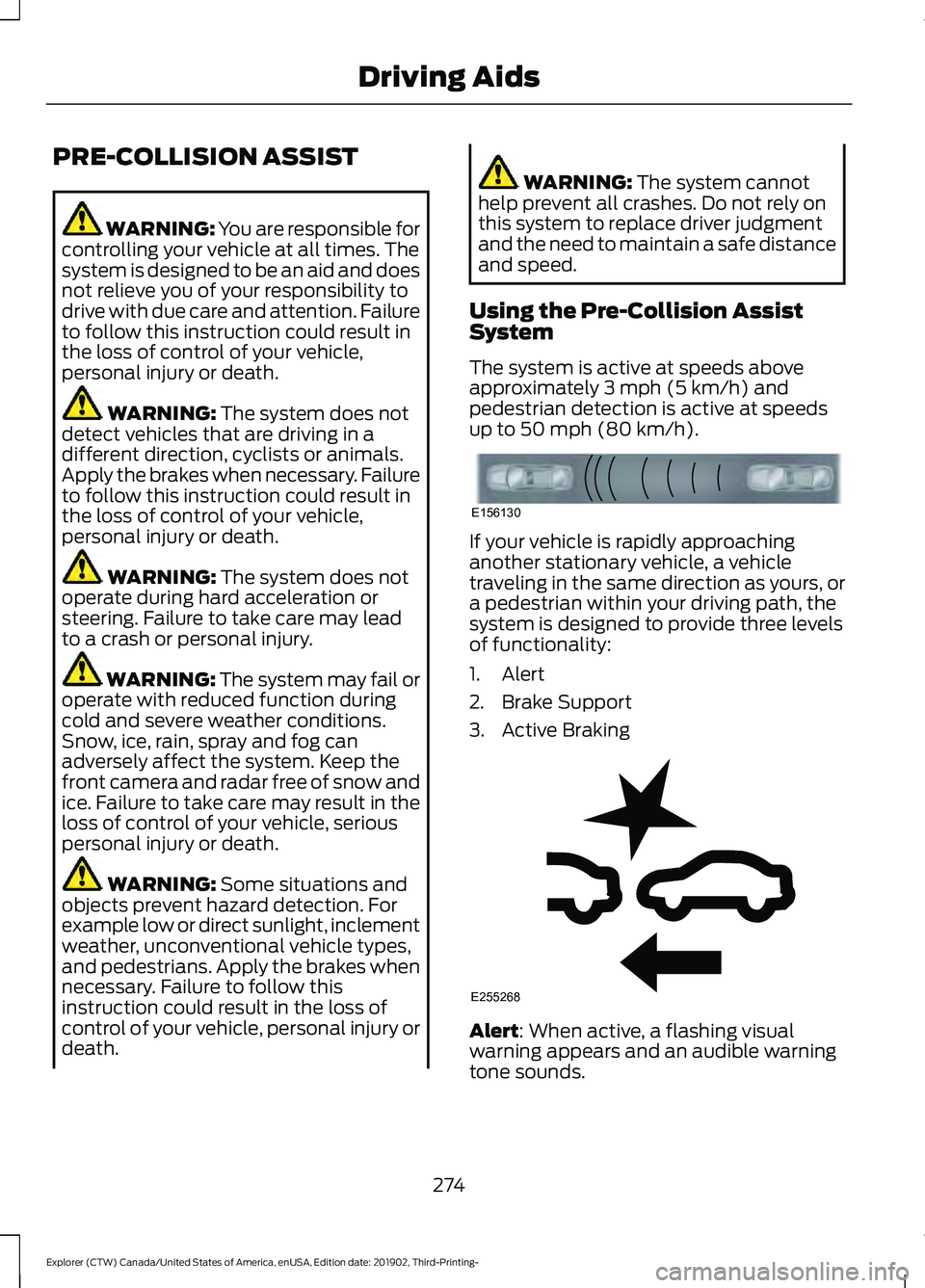
50 mph (80 km/h). If your vehicle is rapidly approaching
another stationary vehicle, a vehicle
traveling in the same direction as yours, or
a pedestrian within your driving path, the
system is designed to provide three levels
of functionality:
1. Alert
2. Brake Support
3. Active Braking
Alert
: When active, a flashing visual
warning appears and an audible warning
tone sounds.
274
Explorer (CTW) Canada/United States of America, enUSA, Edition date: 201902, Third-Printing- Driving AidsE156130 E255268
Page 278 of 555

Brake Support: The system is designed
to help reduce the impact speed by
preparing the brakes for rapid braking.
Brake support does not automatically
apply the brakes. If you press the brake
pedal, the system could apply additional
braking up to maximum braking force, even
if you lightly press the brake pedal.
Active Braking
: Active braking may
activate if the system determines that a
collision is imminent. The system may help
the driver reduce impact damage or avoid
the crash completely.
Note: Brake Support and Active Braking are
active at speeds up to
75 mph (120 km/h).
If your vehicle has a radar sensor included
with Adaptive Cruise Control, then Brake
Support and Active Braking are active up to
the maximum speed of the vehicle.
Note: If you perceive Pre-Collision Assist
alerts as being too frequent or disturbing,
then you can reduce the alert sensitivity,
though the manufacturer recommends
using the highest sensitivity setting where
possible. Setting lower sensitivity would
lead to fewer and later system warnings.
Note: Pre-Collision Assist turns off when
you manually disable AdvanceTrac or when
you select deep snow/sand mode. Distance Indication and Alert
(If
Equipped)
Distance Indication and Alert is a function
that provides the driver with a graphical
indication of the time gap to other
preceding vehicles traveling in the same
direction. Distance Indication and Alert
shows one of the graphics that follow in
the information display. If the time gap to a preceding vehicle is
small, a red visual indication displays to
the driver.
Note:
Distance Indication and Alert
deactivates and the graphics do not display
when Adaptive Cruise Control is active.
275
Explorer (CTW) Canada/United States of America, enUSA, Edition date: 201902, Third-Printing- Driving AidsE254791
Page 284 of 555
REAR UNDER FLOOR
STORAGE (IF EQUIPPED)
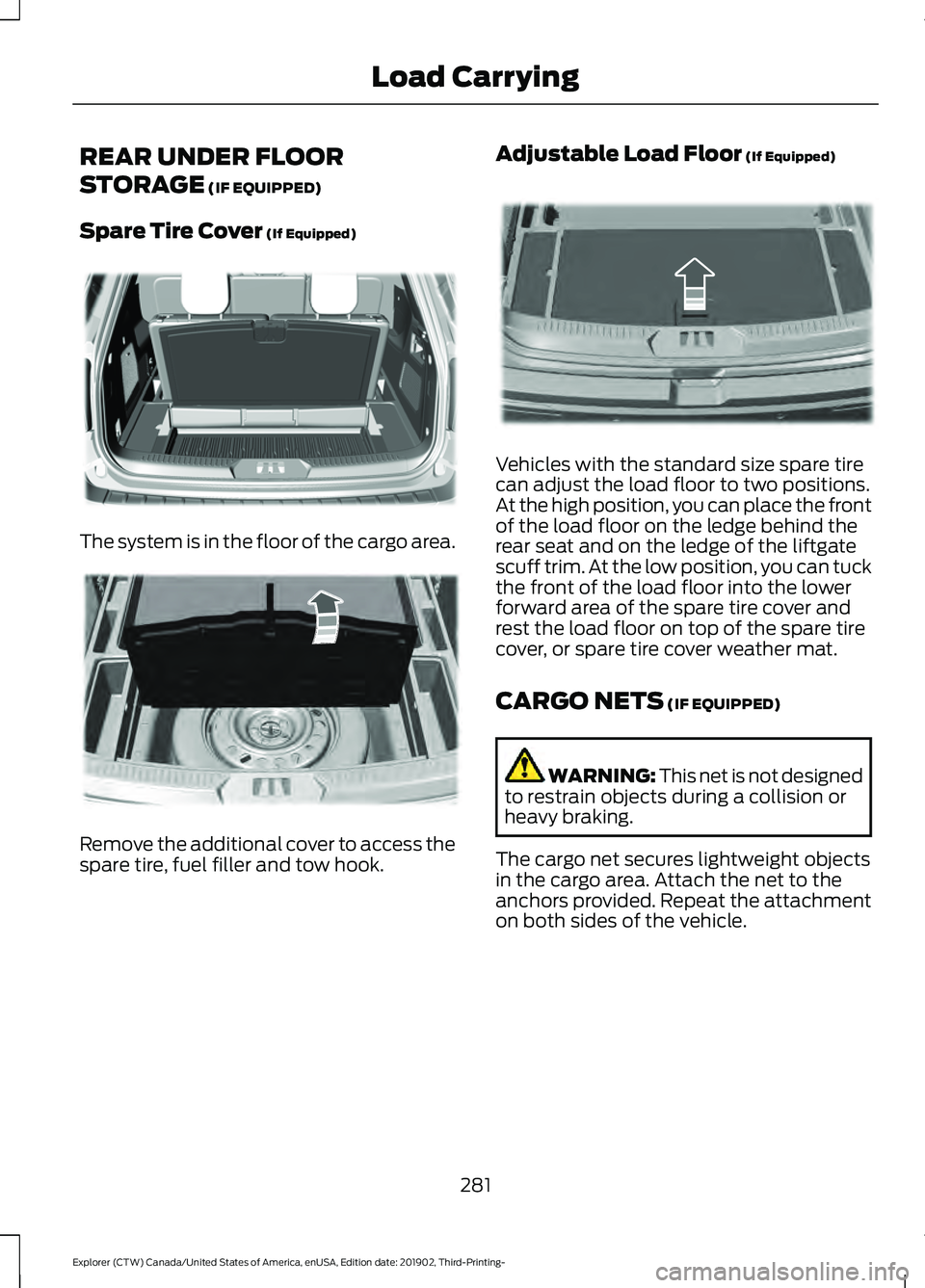
Spare Tire Cover
(If Equipped) The system is in the floor of the cargo area.
Remove the additional cover to access the
spare tire, fuel filler and tow hook. Adjustable Load Floor
(If Equipped) Vehicles with the standard size spare tire
can adjust the load floor to two positions.
At the high position, you can place the front
of the load floor on the ledge behind the
rear seat and on the ledge of the liftgate
scuff trim. At the low position, you can tuck
the front of the load floor into the lower
forward area of the spare tire cover and
rest the load floor on top of the spare tire
cover, or spare tire cover weather mat.
CARGO NETS
(IF EQUIPPED)
WARNING:
This net is not designed
to restrain objects during a collision or
heavy braking.
The cargo net secures lightweight objects
in the cargo area. Attach the net to the
anchors provided. Repeat the attachment
on both sides of the vehicle.
281
Explorer (CTW) Canada/United States of America, enUSA, Edition date: 201902, Third-Printing- Load CarryingE326709 E298021 E297641
Page 292 of 555

TOWING A TRAILER
WARNING: Towing trailers
beyond the maximum
recommended gross trailer
weight exceeds the limit of your
vehicle and could result in engine
damage, transmission damage,
structural damage, loss of
vehicle control, vehicle rollover
and personal injury. WARNING:
Do not exceed
the GVWR or the GAWR
specified on the certification
label.
Note: See
Recommended
Towing Weights (page 290).
Your vehicle may have electrical
items, such as fuses or relays,
related to towing. See
Fuses
(page 313).
Your vehicle's load capacity
designation is by weight, not by
volume, so you cannot necessarily
use all available space when
loading a vehicle or trailer.
Towing a trailer places an extra
load on your vehicle's engine,
transmission, axle, brakes, tires
and suspension. Inspect these
components periodically during,
and after, any towing operation. Load Placement
To help minimize how trailer
movement affects your vehicle
when driving:
•
Load the heaviest items closest
to the trailer floor.
• Load the heaviest items
centered between the left and
right side trailer tires.
• Load the heaviest items above
the trailer axles or just slightly
forward toward the trailer
tongue. Do not allow the final
trailer tongue weight to go
above or below 10-15% of the
loaded trailer weight.
• Select a ball mount with the
correct rise or drop and load
capacity. When both the
loaded vehicle and trailer are
connected, the trailer frame
should be level, or slightly
angled down toward your
vehicle, when viewed from the
side.
When driving with a trailer or
payload, a slight takeoff vibration
or shudder may be present due to
the increased payload weight.
Additional information regarding
proper trailer loading and setting
your vehicle up for towing is
located in another chapter of this
manual. See
Load Limit (page
283).
You can also find information in
the
RV & Trailer Towing Guide
available at your authorized
dealer, or online.
289
Explorer (CTW) Canada/United States of America, enUSA, Edition date: 201902, Third-Printing- Towing
Page 296 of 555

ESSENTIAL TOWING CHECKS
Follow these guidelines for safe towing:
•
Do not tow a trailer until you drive your
vehicle at least 1,000 mi (1,600 km).
• Consult your local motor vehicle laws
for towing a trailer.
• See the instructions included with
towing accessories for the proper
installation and adjustment
specifications.
• Service your vehicle more frequently if
you tow a trailer.
See Scheduled
Maintenance (page 487).
• If you use a rental trailer, follow the
instructions the rental agency gives
you.
You can find information on load
specification terms found on the tire label
and Safety Compliance label as well as
instructions on calculating your vehicle's
load in the Load Carrying chapter.
See
Load Limit (page 283).
Remember to account for the trailer
tongue weight as part of your vehicle load
when calculating the total vehicle weight.
Hitches
Do not use a hitch that either clamps onto
the bumper or attaches to the axle.
Distribute the trailer load so 10-15% of the
total trailer weight is on the tongue.
A weight distributing hitch is not required
for your vehicle.
Safety Chains
Note: Do not attach safety chains to the
bumper.
Always connect the safety chains to the
hook retainers of your vehicle hitch. To connect the trailer
’s safety chains, cross
them under the trailer tongue and allow
enough slack for turning tight corners. Do
not allow the chains to drag on the ground.
Trailer Brakes WARNING:
Do not connect a
trailer's hydraulic brake system directly
to your vehicle's brake system. Your
vehicle may not have enough braking
power and your chances of having a
collision greatly increase.
Electric brakes and manual, automatic or
surge-type trailer brakes are safe if you
install them properly and adjust them to
the manufacturer's specifications. The
trailer brakes must meet local and federal
regulations.
The rating for the tow vehicle's braking
system operation is at the gross vehicle
weight rating, not the gross combined
weight rating.
Safe control of towed vehicles requires
separate functioning brake systems for
vehicles and trailers weighing more than
1,500 lb (680 kg)
when loaded.
Trailer Lamps WARNING:
Never connect any
trailer lamp wiring to the vehicle's tail
lamp wiring; this may damage the
electrical system resulting in fire. Contact
your authorized dealer as soon as
possible for assistance in proper trailer
tow wiring installation. Additional
electrical equipment may be required.
Most towed vehicles require trailer lamps.
Make sure all running lights, brake lights,
direction indicators and hazard flashers
are working.
293
Explorer (CTW) Canada/United States of America, enUSA, Edition date: 201902, Third-Printing- Towing
Page 300 of 555
![FORD EXPLORER 2020 Owners Manual •
Carry unnecessary weight
(approximately 1 mpg [0.4 km/L] is
lost for every 395 lb (180 kg) of weight
carried).
• Driving with the wheels out of
alignment.
Conditions
• Heavily loading a vehicl](/manual-img/11/40647/w960_40647-299.png "FORD EXPLORER 2020 Owners Manual •
Carry unnecessary weight
(approximately 1 mpg [0.4 km/L] is
lost for every 395 lb (180 kg) of weight
carried).
• Driving with the wheels out of
alignment.
Conditions
• Heavily loading a vehicl")
•
Carry unnecessary weight
(approximately 1 mpg [0.4 km/L] is
lost for every 395 lb (180 kg) of weight
carried).
• Driving with the wheels out of
alignment.
Conditions
• Heavily loading a vehicle or towing a
trailer may reduce fuel economy at any
speed.
• Adding certain accessories to your
vehicle (for example bug deflectors,
rollbars, light bars, running boards, ski
racks or luggage racks) may reduce
fuel economy.
• To maximize the fuel economy, drive
with the tonneau cover installed (if
equipped).
• Using fuel blended with alcohol may
lower fuel economy.
• Fuel economy may decrease with lower
temperatures during the first
5–10 mi
(12 –16 km) of driving.
• Driving on flat terrain offers improved
fuel economy as compared to driving
on hilly terrain.
• Transmissions give their best fuel
economy when operated in the top
cruise gear and with steady pressure
on the gas pedal.
• Four-wheel-drive operation (if
equipped) is less fuel efficient than
two-wheel-drive operation.
• Close the windows for high-speed
driving.
COLD WEATHER
PRECAUTIONS
The functional operation of some
components and systems can be affected
at temperatures below
-13°F (-25°C). BREAKING-IN
You need to break in new tires for
approximately
300 mi (480 km). During
this time, your vehicle may exhibit some
unusual driving characteristics.
Avoid driving too fast during the first
1,000 mi (1,600 km)
. Vary your speed
frequently and change up through the
gears early. Do not labor the engine.
Do not tow during the first
1,000 mi
(1,600 km).
DRIVING THROUGH WATER WARNING:
Do not drive through
flowing or deep water as you may lose
control of your vehicle.
Note: Driving through standing water can
cause vehicle damage.
Note: Engine damage can occur if water
enters the air filter.
Before driving through standing water,
check the depth. Never drive through water
that is higher than the bottom of the front
rocker area of your vehicle. 297
Explorer (CTW) Canada/United States of America, enUSA, Edition date: 201902, Third-Printing- Driving HintsE259345