2020 CHEVROLET CORVETTE light
[x] Cancel search: lightPage 199 of 336
Chevrolet Corvette Owner Manual (GMNA-Localizing-U.S./Canada/Mexico-
12470550) - 2020 - CRC - 4/23/20
198 Driving and Operating
While pressing the accelerator pedal
or shortly following the release to
override cruise control, briefly
pressing SET–will result in cruise
set to the current vehicle speed.
Using Cruise Control on Hills
How well the cruise control works
on hills depends upon the vehicle
speed, load, and the steepness of
the hills. When going up steep hills,
you may have to step on the
accelerator pedal to maintain your
speed. When going downhill, you
may have to brake or shift to a lower
gear to keep your speed down.
If the brake pedal is applied, cruise
control will disengage. Cruise Control in Manual Paddle
Shift Gear Selection
When the vehicle is in M (Manual
Mode) and the manual paddle shift
controls are not being used, cruise
control operates in the same
manner as D (Drive).
When the vehicle is in M (Manual
Mode) and the manual paddle shift
controls are being used, cruise
control operates as follows:
.
If cruise control is active and a
gear is selected with the manual
paddle shift controls, the vehicle
speed is maintained in the driver
selected gear and will not
automatically upshift or
downshift the transmission while
the driver ’s gear selection is
active.
. If driving in hilly terrain, cruise
control may not be able to
maintain vehicle speed if an
upshift or downshift is not
selected by the driver. While
driving on hilly terrain and cruise
control is active with a manual
paddle shift gear selection, the
driver must select the proper gear for the terrain or select D
(Drive) on the shifter for full
automatic transmission
operation.
Ending Cruise Control
. Step lightly on the brake pedal.
. Shift the transmission to
N (Neutral).
. Press
*.
. To turn off cruise control,
press
1.
Erasing Speed Memory
The cruise control set speed is
erased from memory if
1is pressed
or if the ignition is turned off.
Page 203 of 336

Chevrolet Corvette Owner Manual (GMNA-Localizing-U.S./Canada/Mexico-
12470550) - 2020 - CRC - 4/23/20
202 Driving and Operating
Warning (Continued)
only these camera(s). Always
check behind and around the
vehicle before driving. Failure to
use proper care may result in
injury, death, or vehicle damage.
Rear Cross Traffic Alert (RCTA)
If equipped, RCTA displays a red
warning triangle with a left or right
pointing arrow on the RVC screen to
warn of traffic coming from the left
or right. This system detects objects
coming from up to 20 m (65 ft) from
the left or right side of the vehicle.
When an object is detected, three
beeps sound from the left or right,
depending on the direction of the
detected vehicle.
Turning the Features On or Off
To turn off the guidance lines:1. On the infotainment system, touch SETTINGS, or turn the
MENU knob to highlight
Settings and press MENU. 2. Select Rear Camera.
3. Select Guidance Lines and
then select Off or On.
When the System Does Not
Seem to Work Properly
The RVC system may not work
properly or display a clear image if:
.It is dark.
. The sun or the beam of
headlamps is shining directly
into the camera lens.
. Ice, snow, mud, or anything else
builds up on the camera lens.
Clean the lens, rinse it with
water, and wipe it with a soft
cloth.
. The back of the vehicle is in a
crash. The position and
mounting angle of the camera
can change or the camera can
be affected. Be sure to have the
camera and its position and
mounting angle checked at your
dealer.
Side Blind Zone
Alert (SBZA)
If equipped, the SBZA system is a
lane-changing aid that assists
drivers with avoiding crashes that
occur with moving vehicles in the
side blind zone (or spot) areas. The
SBZA warning display will light up in
the corresponding outside side
mirror and will flash if the turn signal
is on.
{Warning
SBZA does not alert the driver to
vehicles rapidly approaching
outside of the side blind zones,
pedestrians, bicyclists,
or animals. It may not provide
alerts when changing lanes under
all driving conditions. Failure to
use proper care when changing
lanes may result in injury, death,
or vehicle damage. Before
making a lane change, always
check mirrors, glance over your
shoulder, and use the turn
signals.
Page 204 of 336

Chevrolet Corvette Owner Manual (GMNA-Localizing-U.S./Canada/Mexico-
12470550) - 2020 - CRC - 4/23/20
Driving and Operating 203
SBZA Detection Zones
The SBZA sensor covers a zone of
approximately one lane over from
both sides of the vehicle, or 3.5 m
(11 ft). The height of the zone is
approximately between 0.5 m (1.5 ft)
and 2 m (6 ft) off the ground. This
zone starts at approximately the
middle of the vehicle and goes back
5 m (16 ft).
How the System Works
The SBZA symbol lights up in the
side mirrors when the system
detects a moving vehicle in the next
lane over that is in the side blind
zone. This indicates it may beunsafe to change lanes. Before
making a lane change, check the
SBZA display, check mirrors, glance
over your shoulder, and use the turn
signals.
Left Side Mirror
DisplayRight Side Mirror Display
When the vehicle is started, both
outside mirror SBZA displays will
briefly come on to indicate the
system is operating. When the
vehicle is in a forward gear, the left-
or right-side mirror display will light
up if a moving vehicle is detected in
that blind zone. If the turn signal is
activated in the same direction of a
detected vehicle, this display will
flash as an extra warning not to
change lanes.
SBZA can be disabled through
vehicle personalization. See
“Collision/Detection Systems” under
Vehicle Personalization 0116. If SBZA is disabled by the driver,
the SBZA mirror displays will not
light up.
When the System Does Not
Seem to Work Properly
SBZA displays may not come on
when passing a vehicle quickly or
for a stopped vehicle. SBZA may
alert to objects attached to the
vehicle, such as a bicycle, or object
extending out to either side of the
vehicle. This is normal system
operation; the vehicle does not need
service.
SBZA may not always alert the
driver to vehicles in the side blind
zone, especially in wet conditions.
The system does not need to be
serviced. The system may light up
due to guardrails, signs, trees,
shrubs, and other non-moving
objects. This is normal system
operation; the vehicle does not need
service.
SBZA may not operate when the
SBZA sensors in the left or right
corners of the rear bumper are
covered with mud, dirt, snow, ice,
Page 205 of 336
Chevrolet Corvette Owner Manual (GMNA-Localizing-U.S./Canada/Mexico-
12470550) - 2020 - CRC - 4/23/20
204 Driving and Operating
or slush, or in heavy rainstorms. For
cleaning instructions, see "Washing
the Vehicle" underExterior Care
0 273. If the DIC still displays the
system unavailable message after
cleaning both sides of the vehicle
toward the rear corners of the
vehicle, see your dealer.
If the SBZA displays do not light up
when vehicles are in the blind zone
and the system is clean, the system
may need service. Take the vehicle
to your dealer.
When SBZA is disabled for any
reason other than the driver turning
it off, the Side Blind Zone Alert On
option will not be available on the
personalization menu.
Radio Frequency Information
See Radio Frequency Statement
0 312.
Fuel
Top Tier Fuel
GM recommends the use of TOP
TIER Detergent Gasoline to keep
the engine clean, reduce engine
deposits, and maintain optimal
vehicle performance. Look for the
TOP TIER Logo or see
www.toptiergas.com for a list of TOP
TIER Detergent Gasoline marketers
and applicable countries.
Recommended Fuel
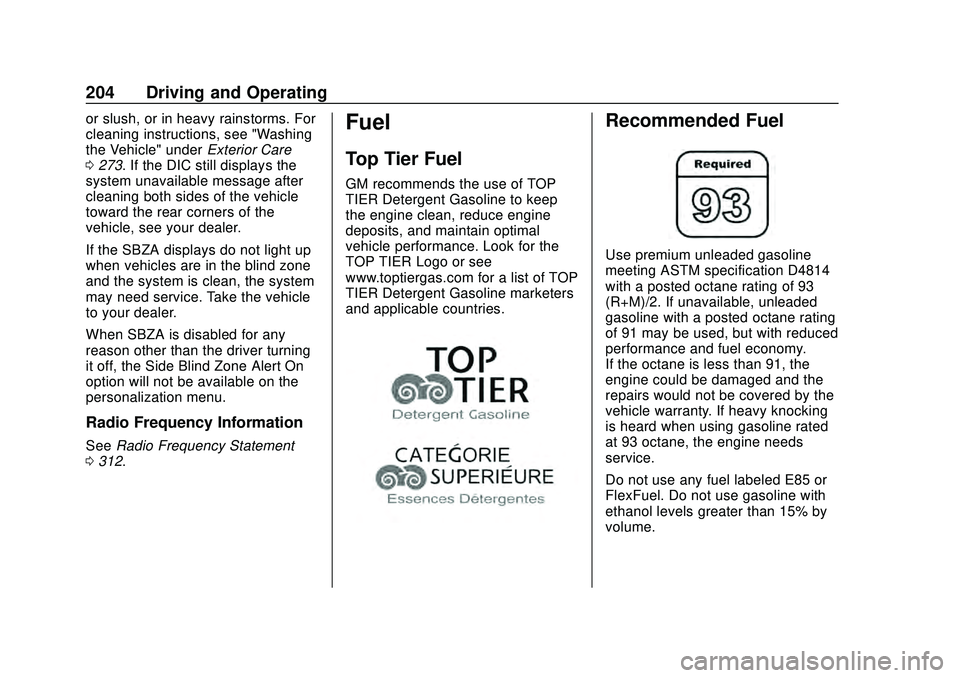
Use premium unleaded gasoline
meeting ASTM specification D4814
with a posted octane rating of 93 —
(R+M)/2. If unavailable, unleaded
gasoline with a posted octane rating
of 91 may be used, but with reduced
performance and fuel economy.
If the octane is less than 91, the
engine could be damaged and the
repairs would not be covered by the
vehicle warranty. If heavy knocking
is heard when using gasoline rated
at 93 octane, the engine needs
service.
Do not use any fuel labeled E85 or
FlexFuel. Do not use gasoline with
ethanol levels greater than 15% by
volume.
Page 209 of 336

Chevrolet Corvette Owner Manual (GMNA-Localizing-U.S./Canada/Mexico-
12470550) - 2020 - CRC - 4/23/20
208 Driving and Operating
Trailer Towing
General Towing
Information
{Warning
Never tow a trailer with your
vehicle. It was not designed or
intended to tow a trailer.
Conversions and
Add-Ons
Add-On Electrical
Equipment
{Warning
The Data Link Connector (DLC) is
used for vehicle service and
Emission Inspection/Maintenance
testing. SeeMalfunction Indicator
Lamp (Check Engine Light) 0102
. A device connected to the DLC
— such as an aftermarket fleet or
driver-behavior tracking device —
may interfere with vehicle
systems. This could affect vehicle
operation and cause a crash.
Such devices may also access
information stored in the vehicle’s
systems.
Caution
Some electrical equipment can
damage the vehicle or cause
components to not work and
would not be covered by the
vehicle warranty. Always check
with your dealer before adding
electrical equipment.
Add-on equipment can drain the
vehicle's 12-volt battery, even if the
vehicle is not operating.
The vehicle has an airbag system.
Before attempting to add anything
electrical to the vehicle, see
Servicing the Airbag-Equipped
Vehicle 072 and
Adding Equipment to the
Airbag-Equipped Vehicle 072.
Page 210 of 336

Chevrolet Corvette Owner Manual (GMNA-Localizing-U.S./Canada/Mexico-
12470550) - 2020 - CRC - 4/23/20
Vehicle Care 209
Vehicle Care
General Information
General Information . . . . . . . . . . 210
California Proposition65 Warning . . . . . . . . . . . . . . . . . 210
California Perchlorate Materials Requirements . . . . . . . . . . . . . . . 211
Accessories and Modifications . . . . . . . . . . . . . . . . 211
Lifting the Vehicle . . . . . . . . . . . . . 211
Vehicle Checks
Doing Your Own Service Work . . . . . . . . . . . . . . . 213
Underhood Compartment Overview . . . . . . . . . . . . . . . . . . . . 214
Engine Compartment Overview . . . . . . . . . . . . . . . . . . . . 215
Engine Oil . . . . . . . . . . . . . . . . . . . . 218
Engine Oil Life System . . . . . . . 221
Dual Clutch Transmission Fluid . . . . . . . . . . . . . . . . . . . . . . . . 222
Dual Clutch Transmission Fluid Life System . . . . . . . . . . . . . . . . . 223
Engine Air Filter Life System . . . . . . . . . . . . . . . . . . . . . . 224
Engine Air Cleaner/Filter . . . . . . 224
Cooling System . . . . . . . . . . . . . . 226 Engine Overheating . . . . . . . . . . 230
Washer Fluid . . . . . . . . . . . . . . . . . 231
Brakes . . . . . . . . . . . . . . . . . . . . . . . 232
Brake Fluid . . . . . . . . . . . . . . . . . . . 233
Battery - North America . . . . . . 234
Park Brake and P (Park)
Mechanism Check . . . . . . . . . . 235
Wiper Blade Replacement . . . . 236
Windshield Replacement . . . . . 236
Gas Strut(s) . . . . . . . . . . . . . . . . . . 237
Headlamp Aiming
Front Headlamp Aiming . . . . . . 238
Bulb Replacement
LED Lighting . . . . . . . . . . . . . . . . . 238
Electrical System
Electrical System Overload . . . 239
Fuses and Circuit Breakers . . . 239
Instrument Panel Fuse Block . . . . . . . . . . . . . . . . . . . . . . . . 239
Rear Compartment Fuse Block . . . . . . . . . . . . . . . . . . . . . . . . 242
Wheels and Tires
Tires . . . . . . . . . . . . . . . . . . . . . . . . . . 245
All-Season Tires . . . . . . . . . . . . . . 246
Winter Tires . . . . . . . . . . . . . . . . . . 247
Run-Flat Tires . . . . . . . . . . . . . . . . 247
Low-Profile Tires . . . . . . . . . . . . . 248
Summer Tires . . . . . . . . . . . . . . . . 248 Tire Sidewall Labeling . . . . . . . . 249
Tire Designations . . . . . . . . . . . . . 250
Tire Terminology and
Definitions . . . . . . . . . . . . . . . . . . 251
Tire Pressure . . . . . . . . . . . . . . . . . 253
Tire Pressure for High-Speed
Operation . . . . . . . . . . . . . . . . . . . 254
Tire Pressure Monitor System . . . . . . . . . . . . . . . . . . . . . . 255
Tire Pressure Monitor Operation . . . . . . . . . . . . . . . . . . . 256
Tire Inspection . . . . . . . . . . . . . . . . 259
Tire Rotation . . . . . . . . . . . . . . . . . 259
When It Is Time for New Tires . . . . . . . . . . . . . . . . . . . . . . . . 260
Buying New Tires . . . . . . . . . . . . . 261
Different Size Tires and Wheels . . . . . . . . . . . . . . . . . . . . . . 262
Uniform Tire Quality Grading . . . . . . . . . . . . . . . . . . . . . 263
Wheel Alignment and Tire Balance . . . . . . . . . . . . . . . . . . . . . 264
Wheel Replacement . . . . . . . . . . 265
Tire Chains . . . . . . . . . . . . . . . . . . . 266
If a Tire Goes Flat . . . . . . . . . . . . 267Jump Starting
Jump Starting - North America . . . . . . . . . . . . . . . . . . . . . 267
Page 235 of 336

Chevrolet Corvette Owner Manual (GMNA-Localizing-U.S./Canada/Mexico-
12470550) - 2020 - CRC - 4/23/20
234 Vehicle Care
when new brake linings are
installed. Add or remove fluid, as
necessary, only when work is done
on the brake hydraulic system.
Caution
If too much brake fluid is added,
the brake fluid can spill and cause
vehicle damage, including
damage to electrical components
and surfaces. Add brake fluid only
when work is done on the brake
hydraulic system.
When the brake fluid falls to a low
level, the brake warning light comes
on. See Brake System Warning
Light 0104.
Brake fluid absorbs water over time
which degrades the effectiveness of
the brake fluid. Replace brake fluid
at the specified intervals to prevent
increased stopping distance. See
Maintenance Schedule 0286. What to Add
Use only GM approved DOT 4
brake fluid from a clean, sealed
container. See
Recommended
Fluids and Lubricants 0295.{Warning
The wrong or contaminated brake
fluid could result in damage to the
brake system. This could result in
the loss of braking leading to a
possible injury. Always use the
proper GM approved brake fluid.
Caution
If brake fluid is spilled on the
vehicle's painted surfaces, the
paint finish can be damaged.
Immediately wash off any painted
surface.
Battery - North America
The original equipment battery is
maintenance free. Do not remove
the cap and do not add fluid.
Refer to the replacement number on
the original battery label when a
new battery is needed. For battery
replacement, see your dealer.
{Warning
WARNING: Battery posts,
terminals, and related
accessories contain lead and lead
compounds, chemicals known to
the State of California to cause
cancer and birth defects or other
reproductive harm. Batteries also
contain other chemicals known to
the State of California to cause
cancer. WASH HANDS AFTER
HANDLING. For more information
go to www.P65Warnings.ca.gov/
passenger-vehicle.
See California Proposition
65 Warning 0210 and the back
cover.
Page 239 of 336

Chevrolet Corvette Owner Manual (GMNA-Localizing-U.S./Canada/Mexico-
12470550) - 2020 - CRC - 4/23/20
238 Vehicle Care
Liftgate
Headlamp Aiming
Front Headlamp Aiming
Headlamp aim has been preset and
should need no further adjustment.
If the vehicle is damaged in a crash,
the headlamp aim may be affected.
If adjustment to the headlamps is
necessary, see your dealer.
Bulb Replacement
LED Lighting
This vehicle has all LED lamps. For
replacement of any LED lighting
assembly, contact your dealer.