Page 299 of 700
2994-5. Toyota Safety Sense
4
Driving
YARIS_F_OM_Europe_OM52K19E
Vehicles with color display
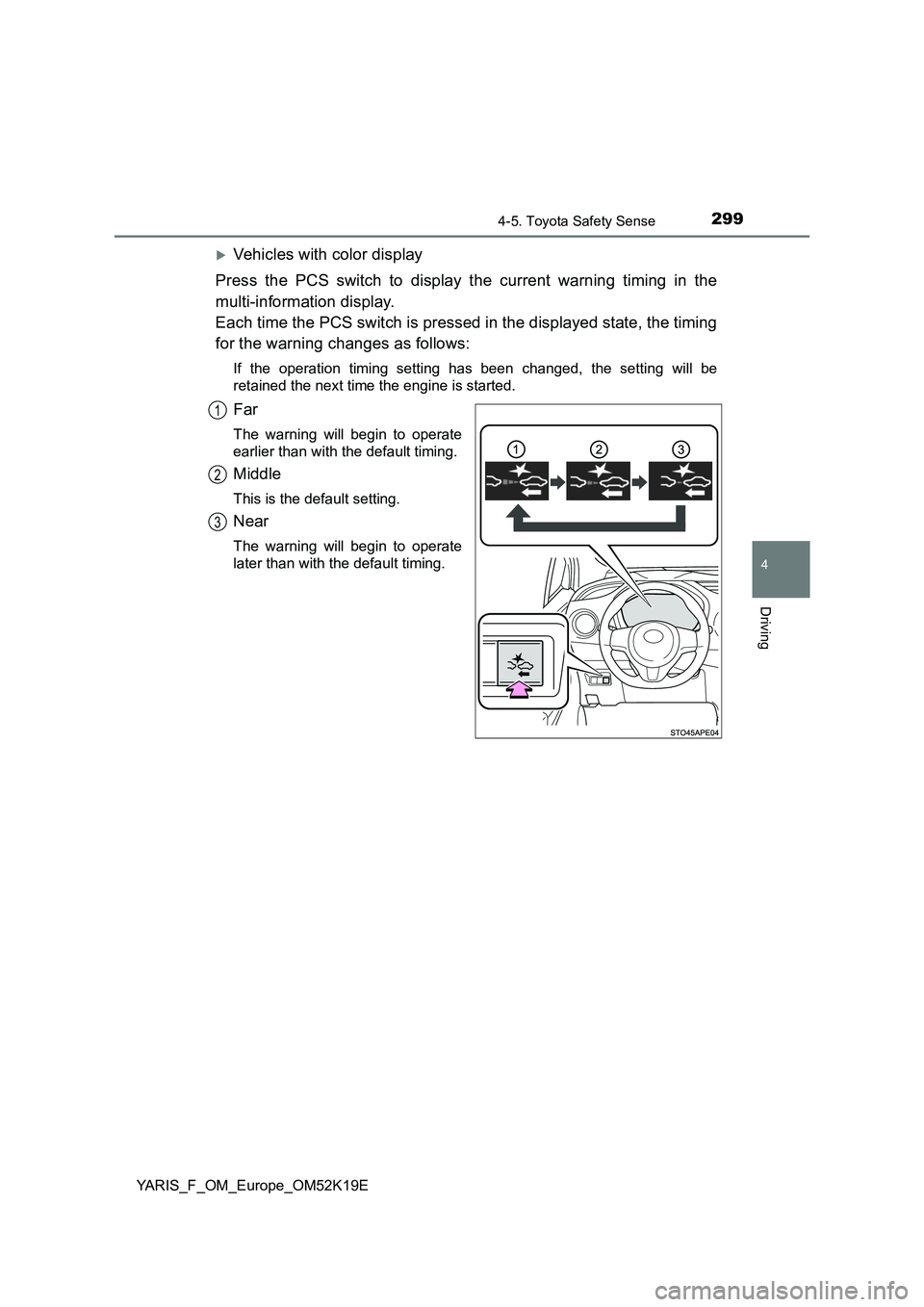
Press the PCS switch to display the current warning timing in the
multi-information display.
Each time the PCS switch is pressed in the displayed state, the timing
for the warning changes as follows:
If the operation timing setting has been changed, the setting will be
retained the next time the engine is started.
Far
The warning will begin to operate
earlier than with the default timing.
Middle
This is the default setting.
Near
The warning will begin to operate
later than with the default timing.
1
2
3
Page 311 of 700
3114-5. Toyota Safety Sense
4
Driving
YARIS_F_OM_Europe_OM52K19E
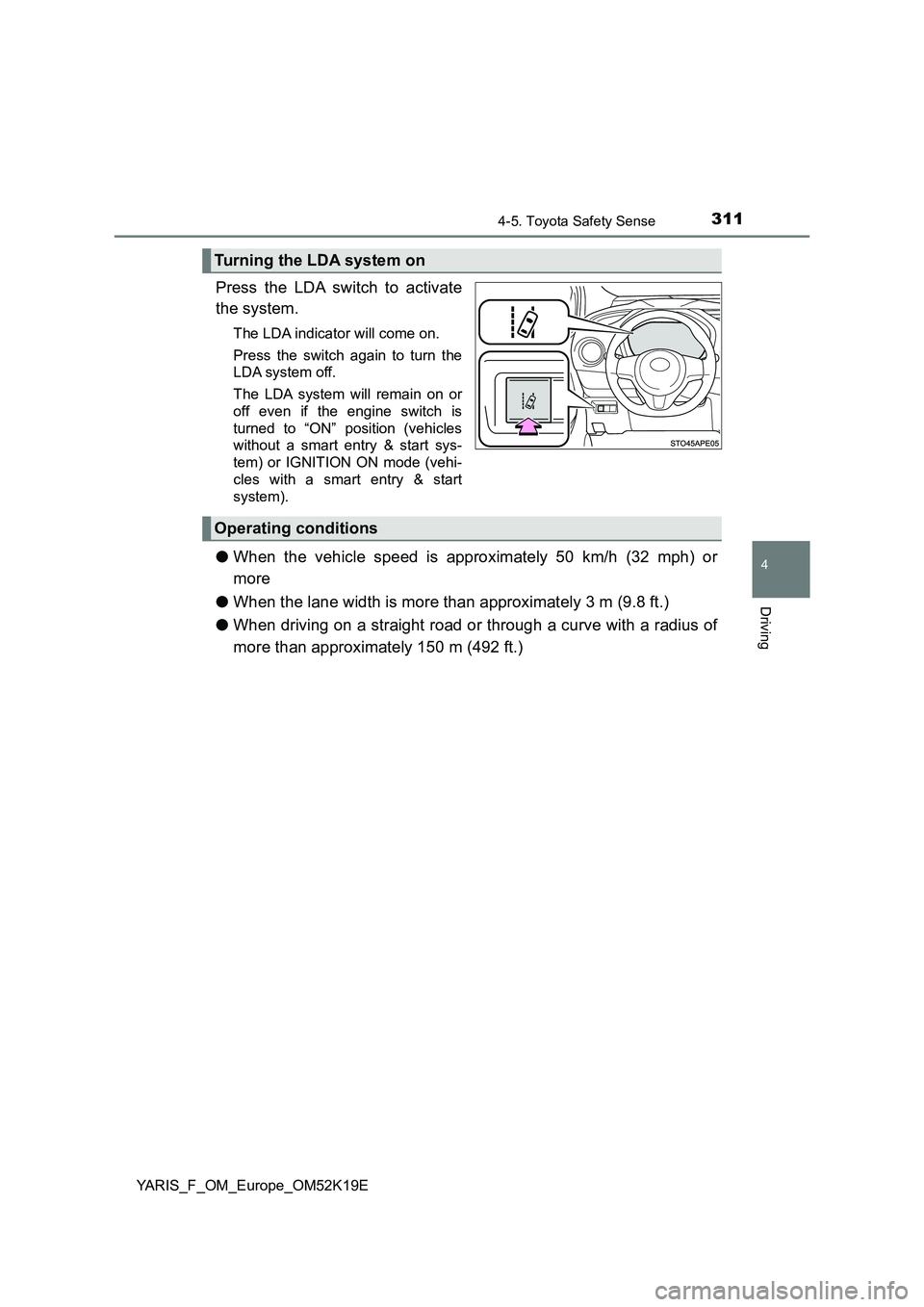
Press the LDA switch to activate
the system.
The LDA indicator will come on.
Press the switch again to turn the
LDA system off.
The LDA system will remain on or
off even if the engine switch is
turned to “ON” position (vehicles
without a smart entry & start sys-
tem) or IGNITION ON mode (vehi-
cles with a smart entry & start
system).
● When the vehicle speed is approximately 50 km/h (32 mph) or
more
● When the lane width is more than approximately 3 m (9.8 ft.)
● When driving on a straight road or through a curve with a radius of
more than approximately 150 m (492 ft.)
Turning the LDA system on
Operating conditions
Page 319 of 700
3194-5. Toyota Safety Sense
4
Driving
YARIS_F_OM_Europe_OM52K19E
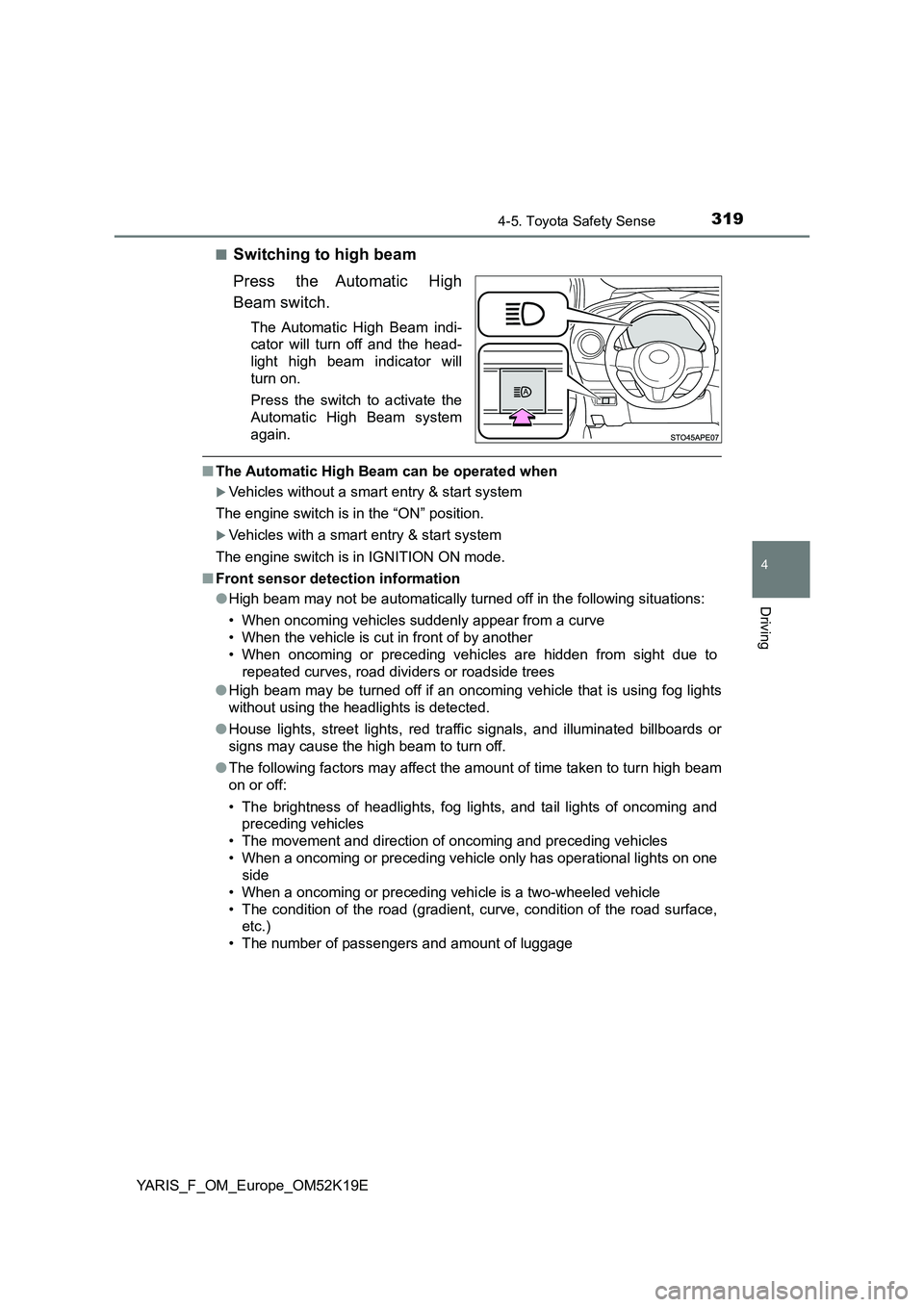
■Switching to high beam
Press the Automatic High
Beam switch.
The Automatic High Beam indi-
cator will turn off and the head-
light high beam indicator will
turn on.
Press the switch to activate the
Automatic High Beam system
again.
■ The Automatic High Beam can be operated when
Vehicles without a smart entry & start system
The engine switch is in the “ON” position.
Vehicles with a smart entry & start system
The engine switch is in IGNITION ON mode.
■ Front sensor detection information
● High beam may not be automatically turned off in the following situations:
• When oncoming vehicles suddenly appear from a curve
• When the vehicle is cut in front of by another
• When oncoming or preceding vehicles are hidden from sight due to
repeated curves, road divi ders or roadside trees
● High beam may be turned off if an oncoming vehicle that is using fog lights
without using the headlights is detected.
● House lights, street lights, red traffic signals, and illuminated billboards or
signs may cause the high beam to turn off.
● The following factors may affect the amount of time taken to turn high beam
on or off:
• The brightness of headlights, fog lights, and tail lights of oncoming and
preceding vehicles
• The movement and direction of oncoming and preceding vehicles
• When a oncoming or preceding vehicl e only has operational lights on one
side
• When a oncoming or preceding vehi cle is a two-wheeled vehicle
• The condition of the road (gradient, curve, condition of the road surface,
etc.)
• The number of passengers and amount of luggage
Page 327 of 700
3274-5. Toyota Safety Sense
4
Driving
YARIS_F_OM_Europe_OM52K19E
■ When driving vehicle in country with different speed unit
Since RSA recognizes signs based on the set unit of the meter, it is neces-
sary to change the set unit of the meter. Adjust the set unit of the meter to the
speed unit of signs in the current location. ( P. 676)
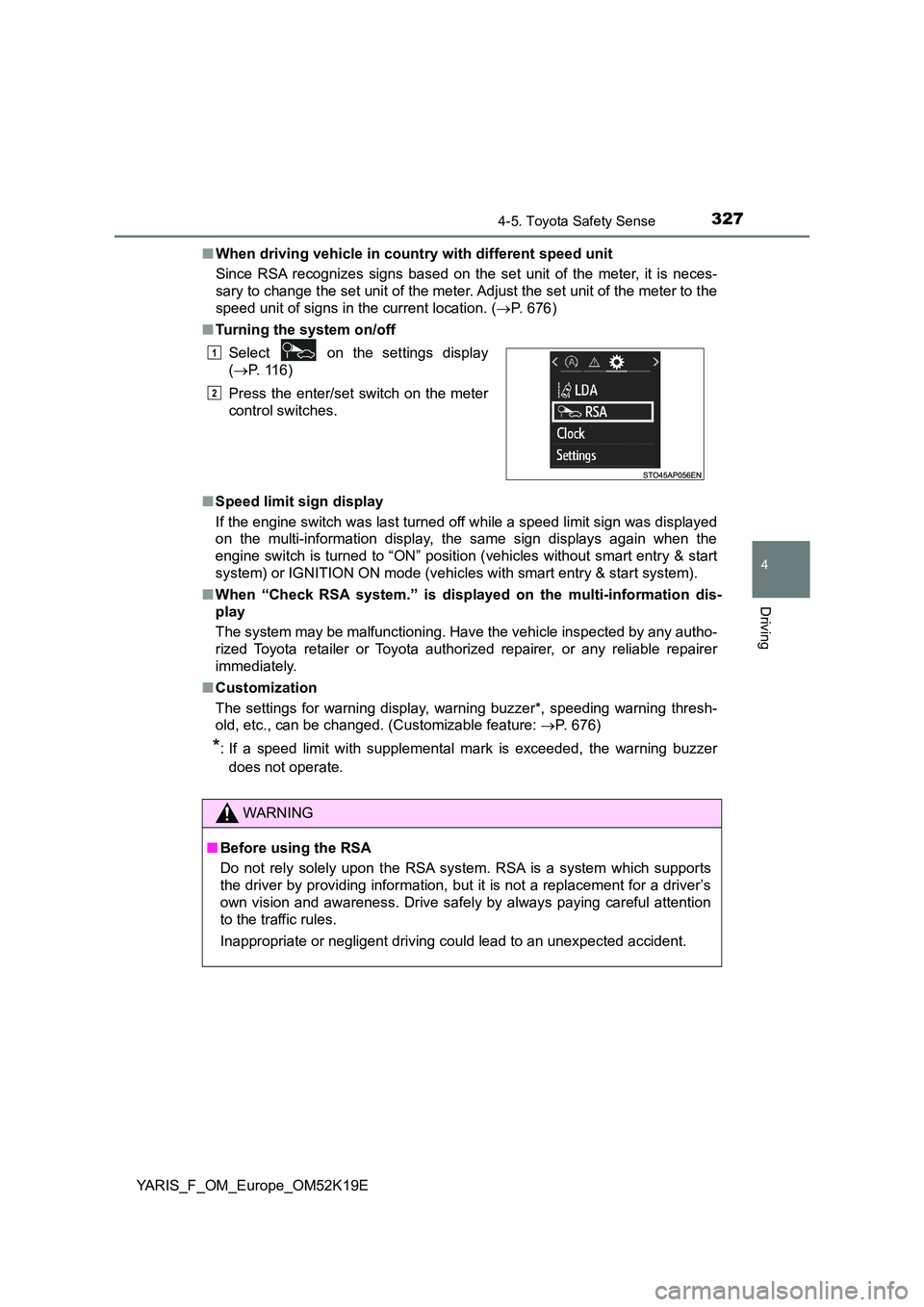
■ Turning the system on/off
■ Speed limit sign display
If the engine switch was last turned off while a speed limit sign was displayed
on the multi-information display, the same sign displays again when the
engine switch is turned to “ON” position (vehicles without smart entry & start
system) or IGNITION ON mode (vehicles with smart entry & start system).
■ When “Check RSA system.” is displayed on the multi-information dis-
play
The system may be malfunctioning. Have the vehicle inspected by any autho-
rized Toyota retailer or Toyota authorized repairer, or any reliable repairer
immediately.
■ Customization
The settings for warning display, warning buzzer*, speeding warning thresh-
old, etc., can be changed. (Customizable feature: P. 676)
*: If a speed limit with supplemental mark is exceeded, the warning buzzer
does not operate.
Select on the settings display
( P. 116)
Press the enter/set switch on the meter
control switches.
WARNING
■ Before using the RSA
Do not rely solely upon the RSA system. RSA is a system which supports
the driver by providing information, but it is not a replacement for a driver’s
own vision and awareness. Drive safely by always paying careful attention
to the traffic rules.
Inappropriate or negligent driving could lead to an unexpected accident.
1
2
Page 336 of 700
3364-6. Using the driving support systems
YARIS_F_OM_Europe_OM52K19E
■ If the speed limiter indicator comes on in yellow (vehicles with mono-
chrome display) or “Check speed li miter system.” is displayed on the
multi-information display ( vehicles with color display)
Stop the engine and then restart the engine. After restarting the engine, set
the speed limiter. If the speed limiter cannot be set, there may be a malfunc-
tion in the speed limiter. Have the vehicle inspected by any authorized Toyota
retailer or Toyota authorized repairer, or any reliable repairer.
WARNING
■ To avoid operating the speed limiter by mistake
Switch the speed limiter off using the speed limiter switch when not in use.
■ Situations unsuitable for the speed limiter
Do not use the speed limiter in either of the following situations.
Doing so may result in loss of control and could cause a serious or fatal
accident.
● On slippery roads, such as those covered with rain, ice and snow
● On steep hills
● When your vehicle is towing a trailer or during emergency towing
Page 337 of 700
337
4
4-6. Using the driving support systems
Driving
YARIS_F_OM_Europe_OM52K19E
Stop & start system
Vehicles with a Multidrive
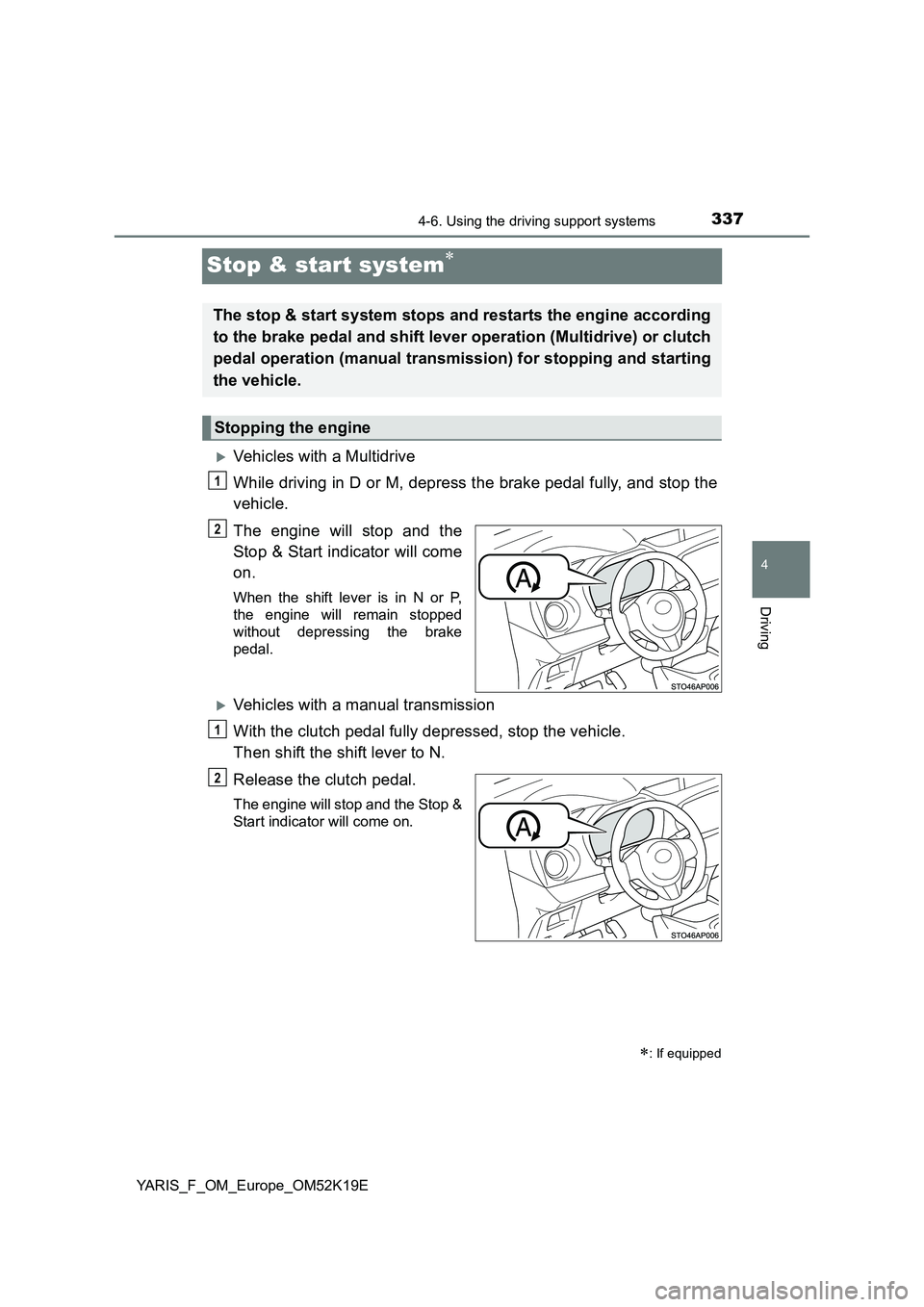
While driving in D or M, depress the brake pedal fully, and stop the
vehicle.
The engine will stop and the
Stop & Start indicator will come
on.
When the shift lever is in N or P,
the engine will remain stopped
without depressing the brake
pedal.
Vehicles with a manual transmission
With the clutch pedal fully depressed, stop the vehicle.
Then shift the shift lever to N.
Release the clutch pedal.
The engine will stop and the Stop &
Start indicator will come on.
: If equipped
The stop & start system stops and restarts the engine according
to the brake pedal and shift lever operation (Multidrive) or clutch
pedal operation (manual transmission) for stopping and starting
the vehicle.
Stopping the engine
1
2
1
2
Page 338 of 700
3384-6. Using the driving support systems
YARIS_F_OM_Europe_OM52K19E
Vehicles with a Multidrive
Release the brake pedal. When the shift lever is in N or P, depress
brake pedal and shift the shift lever to D or M.
The engine will restart. The Stop & Start indicator will go off.
Vehicles with a manual transmission
Check that the shift lever is in N and depress the clutch pedal.
The engine will restart. The Stop & Start indicator will go off. (In this situa-
tion, releasing the clutch pedal will not stop the engine again.)
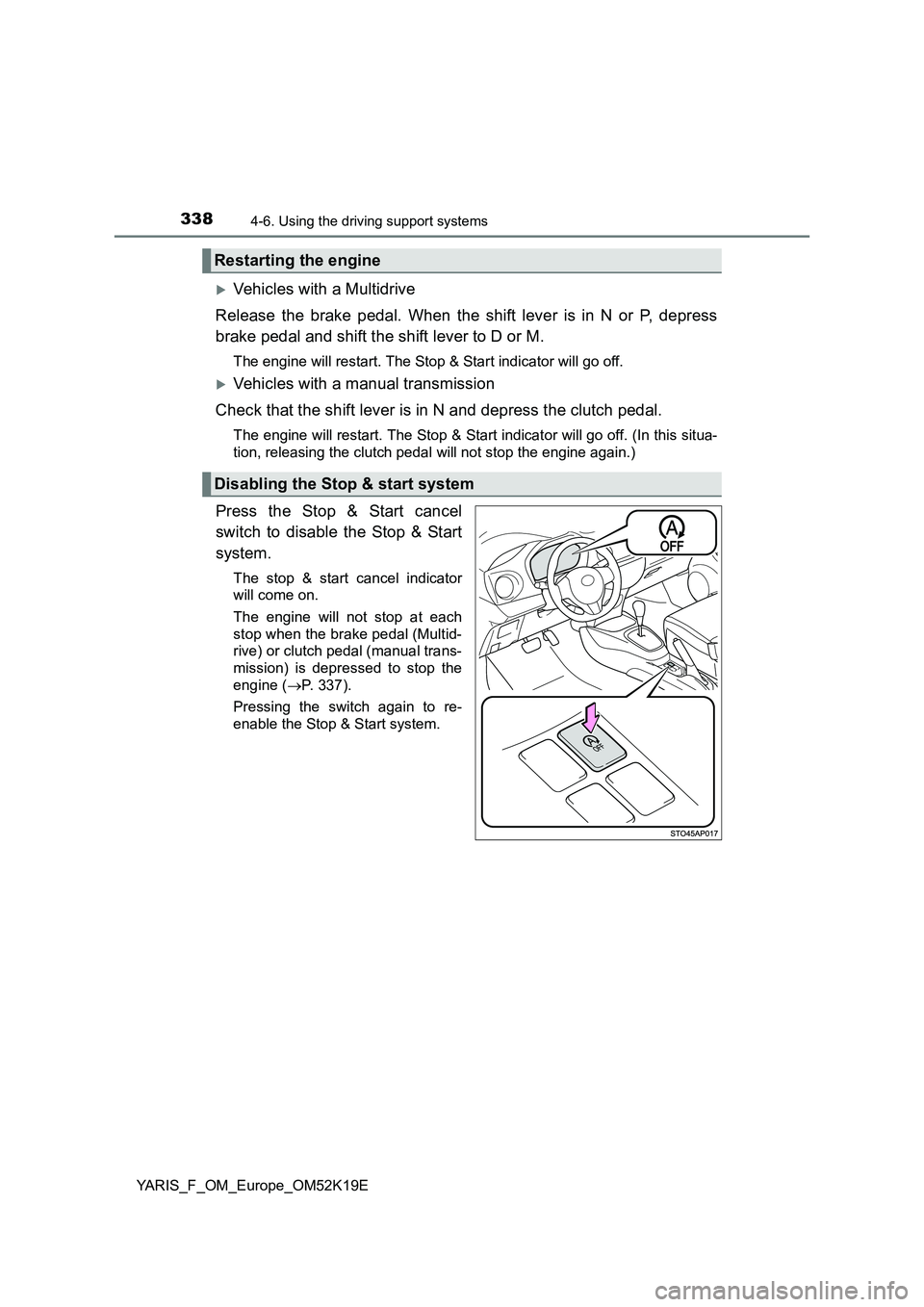
Press the Stop & Start cancel
switch to disable the Stop & Start
system.
The stop & start cancel indicator
will come on.
The engine will not stop at each
stop when the brake pedal (Multid-
rive) or clutch pedal (manual trans-
mission) is depressed to stop the
engine ( P. 337).
Pressing the switch again to re-
enable the Stop & Start system.
Restarting the engine
Disabling the Stop & start system
Page 339 of 700
3394-6. Using the driving support systems
4
Driving
YARIS_F_OM_Europe_OM52K19E
■If the Stop & Start cancel switch is pressed while the vehicle is
stopped
● When the engine is stopped by the Stop & Start system, pressing
the Stop & Start cancel switch will restart the engine.
From the next time the vehicle is stopped (after Stop & Start sys-
tem has been turned off), the engine will not be stopped.
● With the Stop & Start system disabled, pressing the Stop & Start
cancel switch will re-enable the system but not stop the engine.
From the next time the vehicle is stopped (after Stop & Start sys-
tem has been turned on), the engine will be stopped.
After the engine is stopped by the Stop & Start system when the vehi-
cle is on an incline, brake force is temporarily maintained to prevent
rolling backwards until the engine is restarted and drive force is gener-
ated.
When drive force is generated, the maintained brake force is automat-
ically canceled.
● This function operates on flat surfaces as well as steep inclines.
● Sound may be generated from the brakes, but this is not a malfunc-
tion.
● Brake pedal response may change and vibration may occur, but
these are not malfunctions.
Hill-start assist control (vehicles with a Multidrive)