2019 TOYOTA SUPRA climate control
[x] Cancel search: climate controlPage 2 of 456

2
Supra Owner's ManualTABLE OF CONTENTS
1-1. NOTES
Notes ......................................4
Owner's Manual media .........18
2-1. QUICK REFERENCE
Getting in ..............................20
Setting and operation............26
On the move .........................30
3-1. CONTROLS
Driving area ..........................40
Vehicle operating state .........44
Toyota Supra Command .......47
Voice control system .............58
General settings....................61
Opening and closing .............74
Seats, mirrors and steering
wheel ..................................95
Carrying children safely ......108
Driving.................................134
Displays ..............................151
Lights ..................................171
Safety..................................179
Driving Stability Control Systems
..........................................215
Driver Assistance Systems
..........................................220
Driving comfort....................248
Climate................................249
Interior equipment ...............257Storage compartments .......259
Boot ....................................261
4-1. DRIVING HINTS
Driving precautions .............266
Saving fuel ..........................272
5-1. MOBILITY
Refuelling ............................276
Wheels and tyres ................278
Engine compartment...........305
Service products .................307
Maintenance .......................315
Scheduled maintenance (except
for Europe and Australia) ..319
Replacing parts ...................326
Breakdown Assist ...............333
General care .......................348
6-1. REFERENCE
Technical data .....................356
Certification .........................360
Alphabetical Index ..............444
1NOTES
2QUICK REFERENCE
3CONTROLS
4DRIVING HINTS
5MOBILITY
6REFERENCE
Index
Page 10 of 456
10
Supra Owner's Manual1-1. NOTES
law. To fulfil these obligations, the
vehicle manufacturer requires tech-
nical data from the vehicle. Data
from the vehicle can also be used
to check customer warranty claims.
Error and event memories in the
vehicle can be reset when any
authorized Toyota retailer or Toyota
authorized repairer, or any reliable
repairer performs repair or servic-
ing work.
Depending on the vehicle equip-
ment, the following comfort and
individual settings can be saved in
the vehicle and modified or reset at
any time.
These include, for example:
• Setting for the seat position.
• Suspension and climate control
settings.
Data can be imported into the vehi-
cle entertainment and communica-
tion system if required, for example
via a smartphone.
Depending on the vehicle equip-
ment, this data includes:
• Multimedia data such as music,
films or photos for playback in an
integrated multimedia system.
• Address book data for use in
conjunction with an integrated
hands-free system or an inte-grated navigation system.
• Entered navigation destinations.
• Data on the use of Internet ser-
vices.
This data may be saved locally in
the vehicle or is found on a device
that has been connected to the
vehicle, for example a smartphone,
USB stick or MP3 player. If this
data is saved in the vehicle, it can
be deleted at any time.
This data is only transmitted to third
parties if expressly requested in the
course of using online services.
The transfer depends on the set-
tings selected for using the ser-
vices.
Depending on the equipment,
mobile devices connected to the
vehicle, for example smartphones,
can be controlled via the vehicle
controls.
Sound and images from the mobile
device can be played back and dis-
played through the multimedia sys-
tem. Certain information is
transferred to the mobile device at
the same time. Depending on the
type of integration, this includes
position data and other general
vehicle information, for example.
This optimises the way in which
selected apps, for example naviga-
tion or music playback, work.
There is no further interaction Data entry and data transfer
into the vehicle
General
Integration of mobile devices
Page 35 of 456
35
2
Supra Owner's Manual2-1. QUICK REFERENCE
QUICK REFERENCE
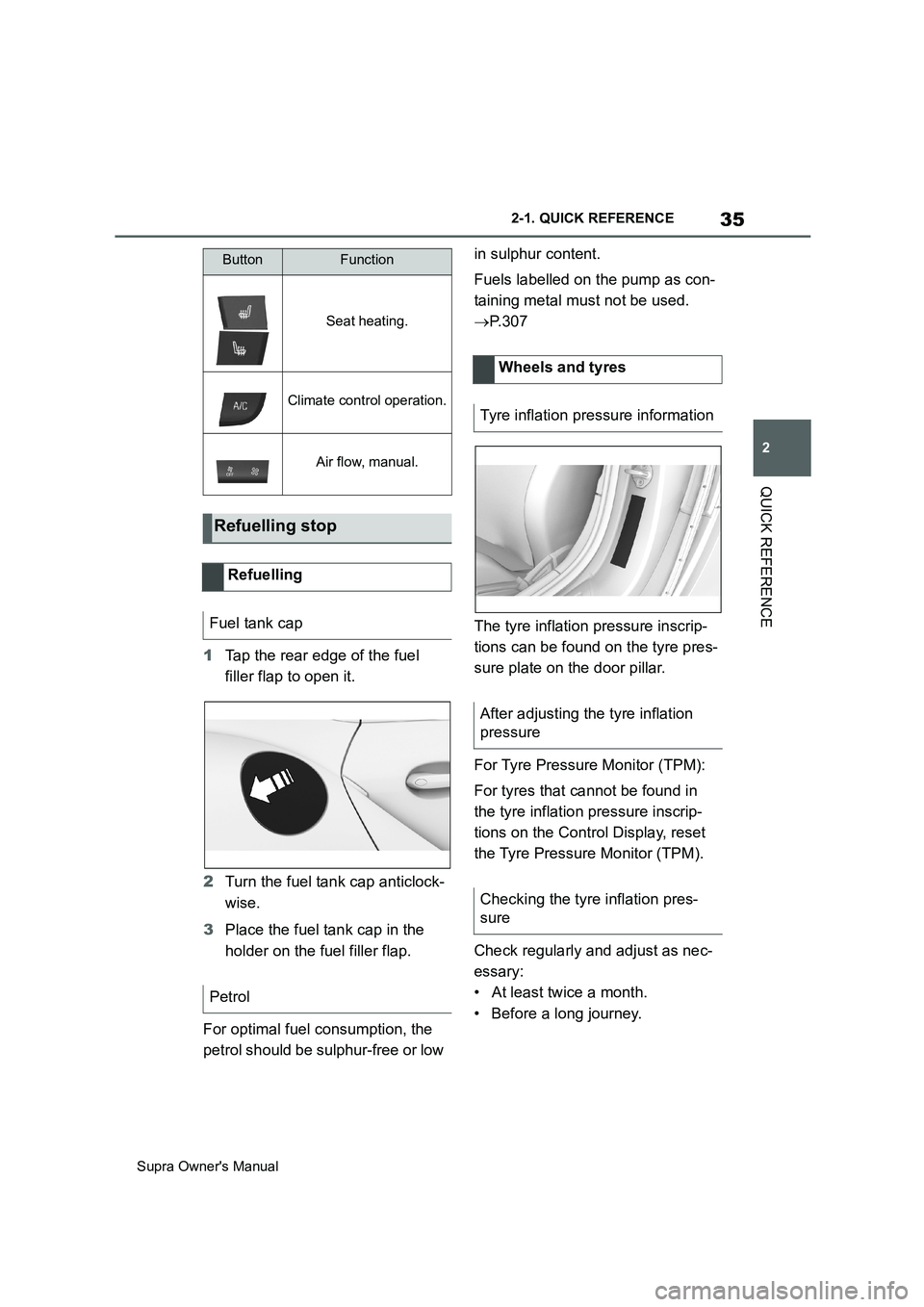
1Tap the rear edge of the fuel
filler flap to open it.
2Turn the fuel tank cap anticlock-
wise.
3Place the fuel tank cap in the
holder on the fuel filler flap.
For optimal fuel consumption, the
petrol should be sulphur-free or low in sulphur content.
Fuels labelled on the pump as con-
taining metal must not be used.
P. 3 0 7
The tyre inflation pressure inscrip-
tions can be found on the tyre pres-
sure plate on the door pillar.
For Tyre Pressure Monitor (TPM):
For tyres that cannot be found in
the tyre inflation pressure inscrip-
tions on the Control Display, reset
the Tyre Pressure Monitor (TPM).
Check regularly and adjust as nec-
essary:
• At least twice a month.
• Before a long journey.
Seat heating.
Climate control operation.
Air flow, manual.
Refuelling stop
Refuelling
Fuel tank cap
Petrol
ButtonFunction
Wheels and tyres
Tyre inflation pressure information
After adjusting the tyre inflation
pressure
Checking the tyre inflation pres-
sure
Page 39 of 456
3
39
Supra Owner's Manual
3
CONTROLS
CONTROLS
.3-1. CONTROLS
Driving area ........................40
Vehicle operating state .......44
Toyota Supra Command .....47
Voice control system...........58
General settings .................61
Opening and closing ...........74
Seats, mirrors and steering
wheel ................................95
Carrying children safely ....108
Driving ..............................134
Displays ............................151
Lights ................................171
Safety ...............................179
Driving Stability Control Sys-
tems ................................215
Driver Assistance Systems
.......................................220
Driving comfort .................248
Climate .............................249
Interior equipment.............257
Storage compartments .....259
Boot ..................................261
Page 249 of 456
249
3
Supra Owner's Manual3-1. CONTROLS
CONTROLS
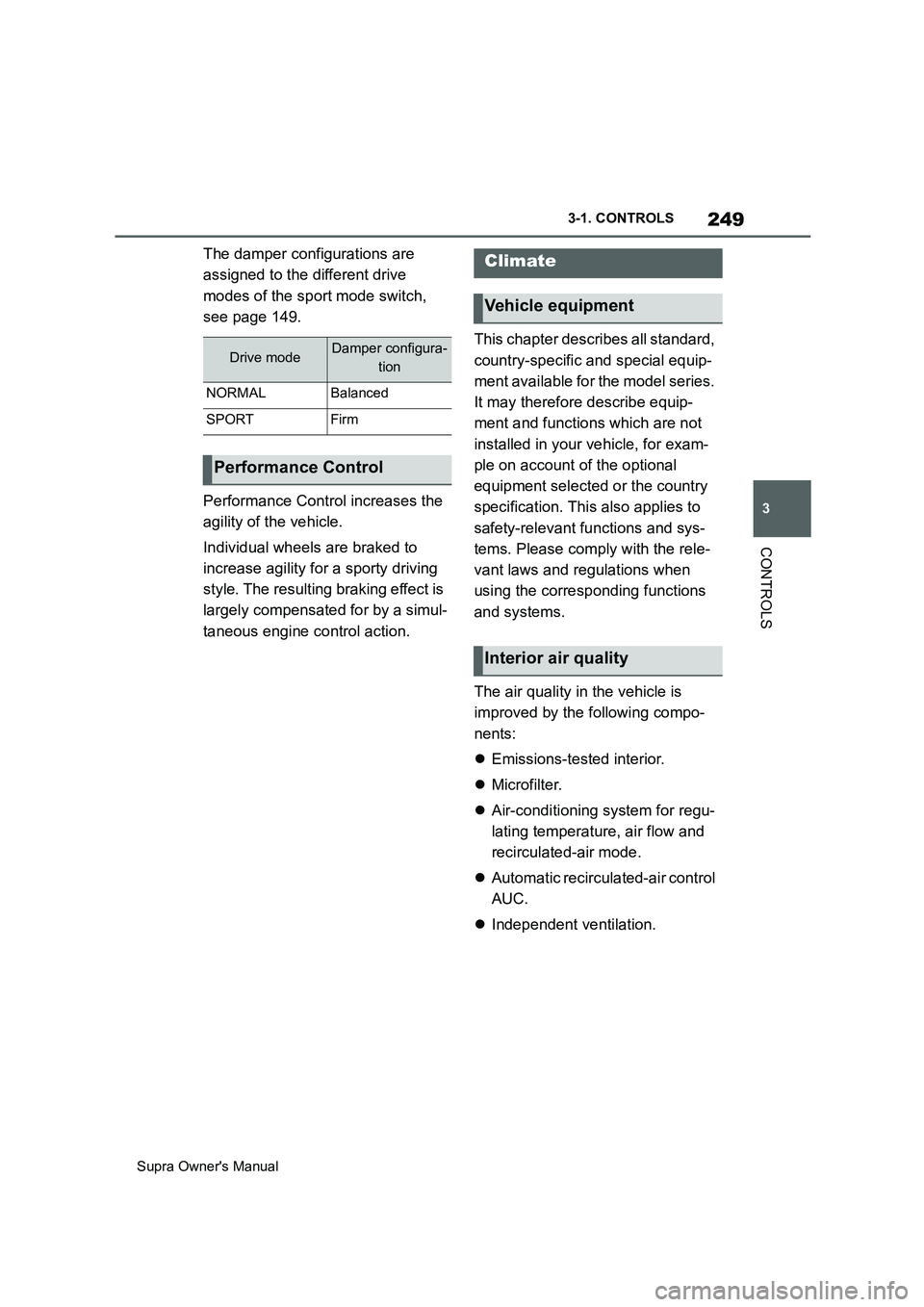
The damper configurations are
assigned to the different drive
modes of the sport mode switch,
see page 149.
Performance Control increases the
agility of the vehicle.
Individual wheels are braked to
increase agility for a sporty driving
style. The resulting braking effect is
largely compensated for by a simul-
taneous engine control action.This chapter describes all standard,
country-specific and special equip-
ment available for the model series.
It may therefore describe equip-
ment and functions which are not
installed in your vehicle, for exam-
ple on account of the optional
equipment selected or the country
specification. This also applies to
safety-relevant functions and sys-
tems. Please comply with the rele-
vant laws and regulations when
using the corresponding functions
and systems.
The air quality in the vehicle is
improved by the following compo-
nents:
Emissions-tested interior.
Microfilter.
Air-conditioning system for regu-
lating temperature, air flow and
recirculated-air mode.
Automatic recirculated-air control
AUC.
Independent ventilation.
Drive modeDamper configura-
tion
NORMALBalanced
SPORTFirm
Performance Control
Climate
Vehicle equipment
Interior air quality
Page 250 of 456
250
Supra Owner's Manual3-1. CONTROLS
Safety notes
WARNING
When using the air conditioning sys-
tem, seat heaters, etc. for a long
period of time, make sure that no
body parts are kept near the air out-
lets or in direct contact with the seat,
as doing so may lead to minor burns
or chill burns. If you feel unusual while
using the air conditioning system or
seat heaters, stop use or change the
setting immediately.
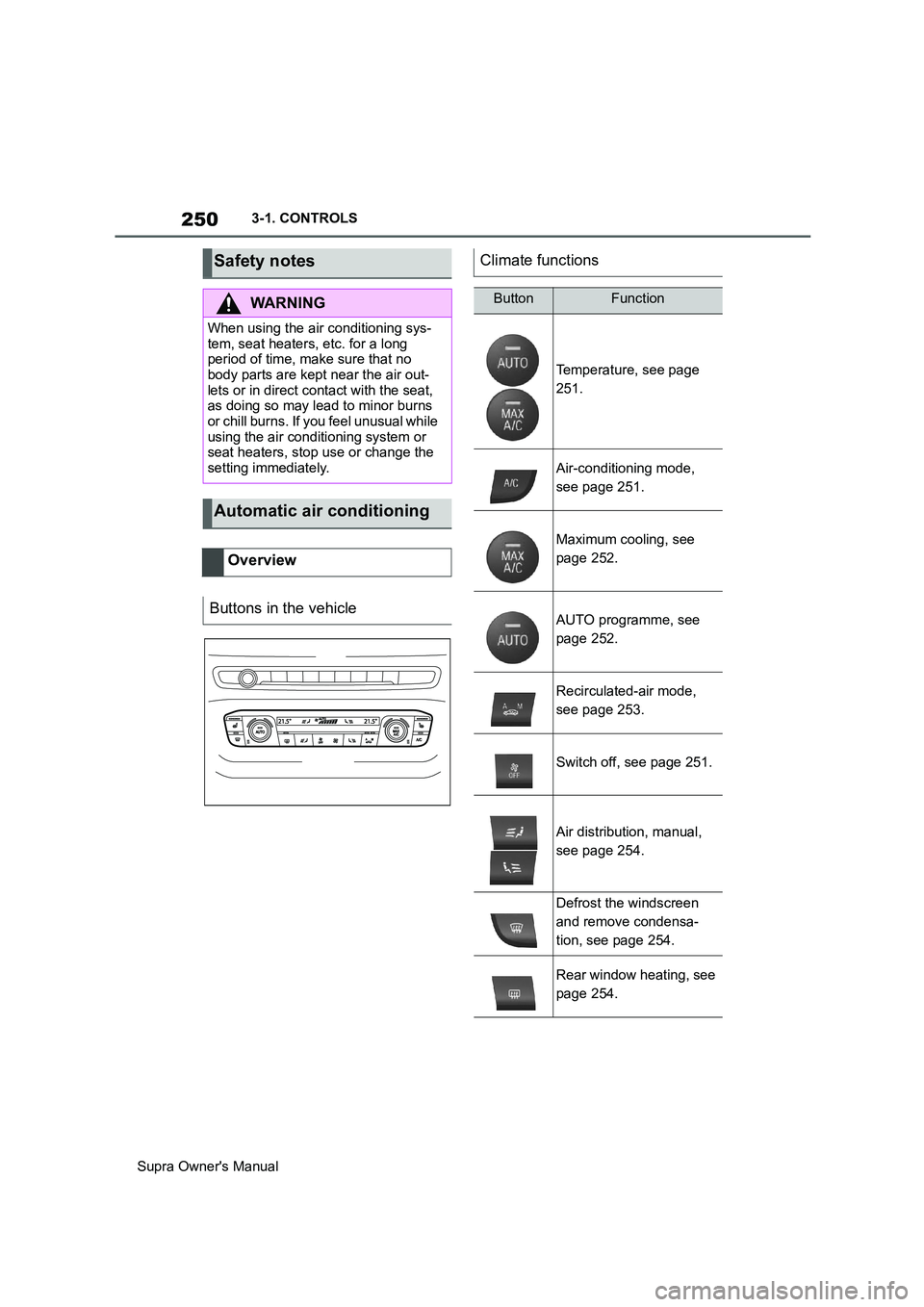
Automatic air conditioning
Overview
Buttons in the vehicle
Climate functions
ButtonFunction
Temperature, see page
251.
Air-conditioning mode,
see page 251.
Maximum cooling, see
page 252.
AUTO programme, see
page 252.
Recirculated-air mode,
see page 253.
Switch off, see page 251.
Air distribution, manual,
see page 254.
Defrost the windscreen
and remove condensa-
tion, see page 254.
Rear window heating, see
page 254.
Page 251 of 456
251
3
Supra Owner's Manual3-1. CONTROLS
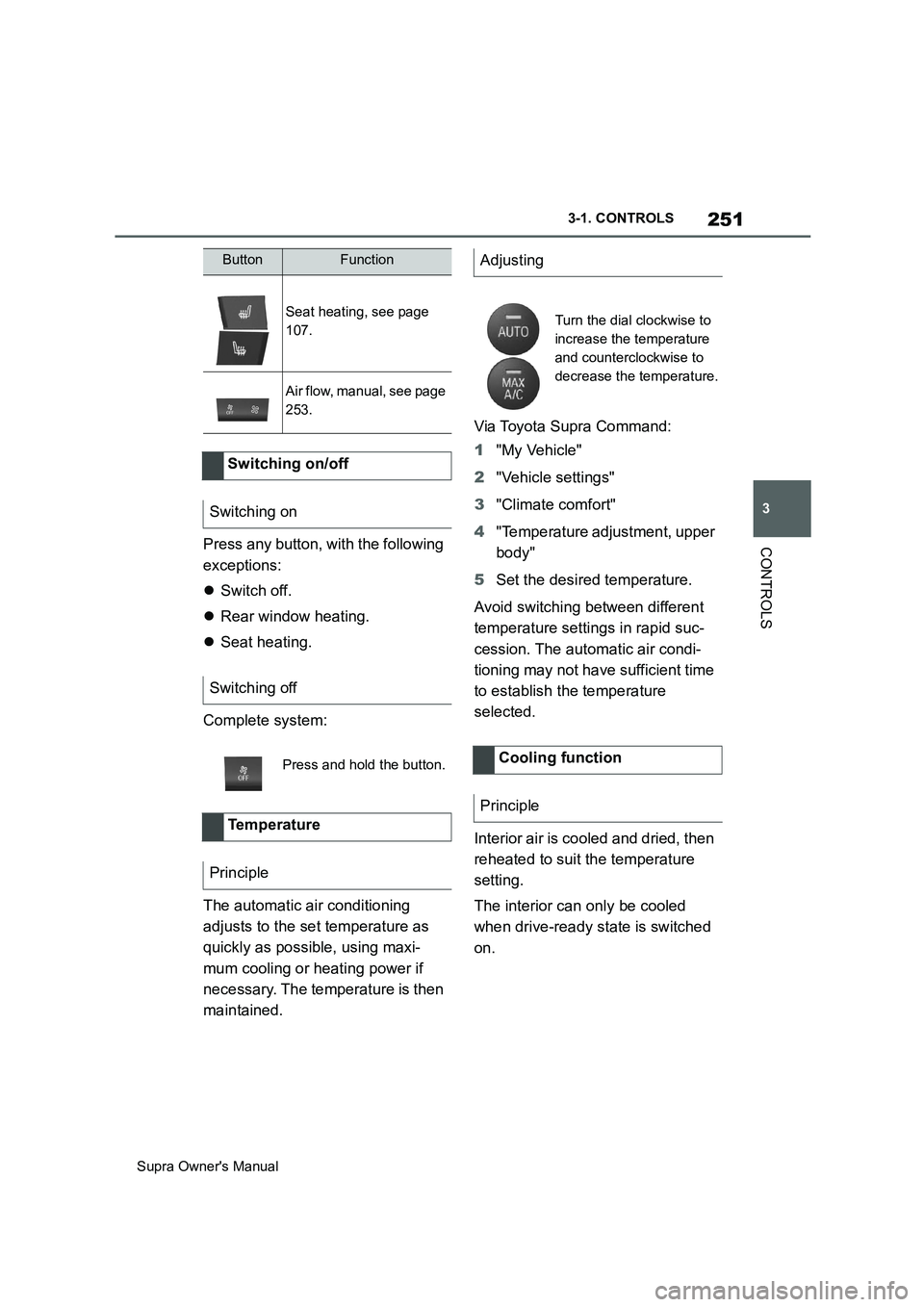
CONTROLSPress any button, with the following
exceptions:
Switch off.
Rear window heating.
Seat heating.
Complete system:
The automatic air conditioning
adjusts to the set temperature as
quickly as possible, using maxi-
mum cooling or heating power if
necessary. The temperature is then
maintained.Via Toyota Supra Command:
1"My Vehicle"
2"Vehicle settings"
3"Climate comfort"
4"Temperature adjustment, upper
body"
5Set the desired temperature.
Avoid switching between different
temperature settings in rapid suc-
cession. The automatic air condi-
tioning may not have sufficient time
to establish the temperature
selected.
Interior air is cooled and dried, then
reheated to suit the temperature
setting.
The interior can only be cooled
when drive-ready state is switched
on.
Seat heating, see page
107.
Air flow, manual, see page
253.
Switching on/off
Switching on
Switching off
Press and hold the button.
Te m p e r a t u r e
Principle
ButtonFunctionAdjusting
Turn the dial clockwise to
increase the temperature
and counterclockwise to
decrease the temperature.
Cooling function
Principle
Page 253 of 456
253
3
Supra Owner's Manual3-1. CONTROLS
CONTROLS
body and into the footwell.
The cooling function, see page 251,
is switched on automatically in the
AUTO programme.
The AUTO programme is automati-
cally switched off when the air dis-
tribution is set manually.
If the air outside the vehicle has an
unpleasant odour or contains pol-
lutants, the supply to the interior of
the vehicle can be shut off. The air
inside the vehicle is then recircu-
lated.
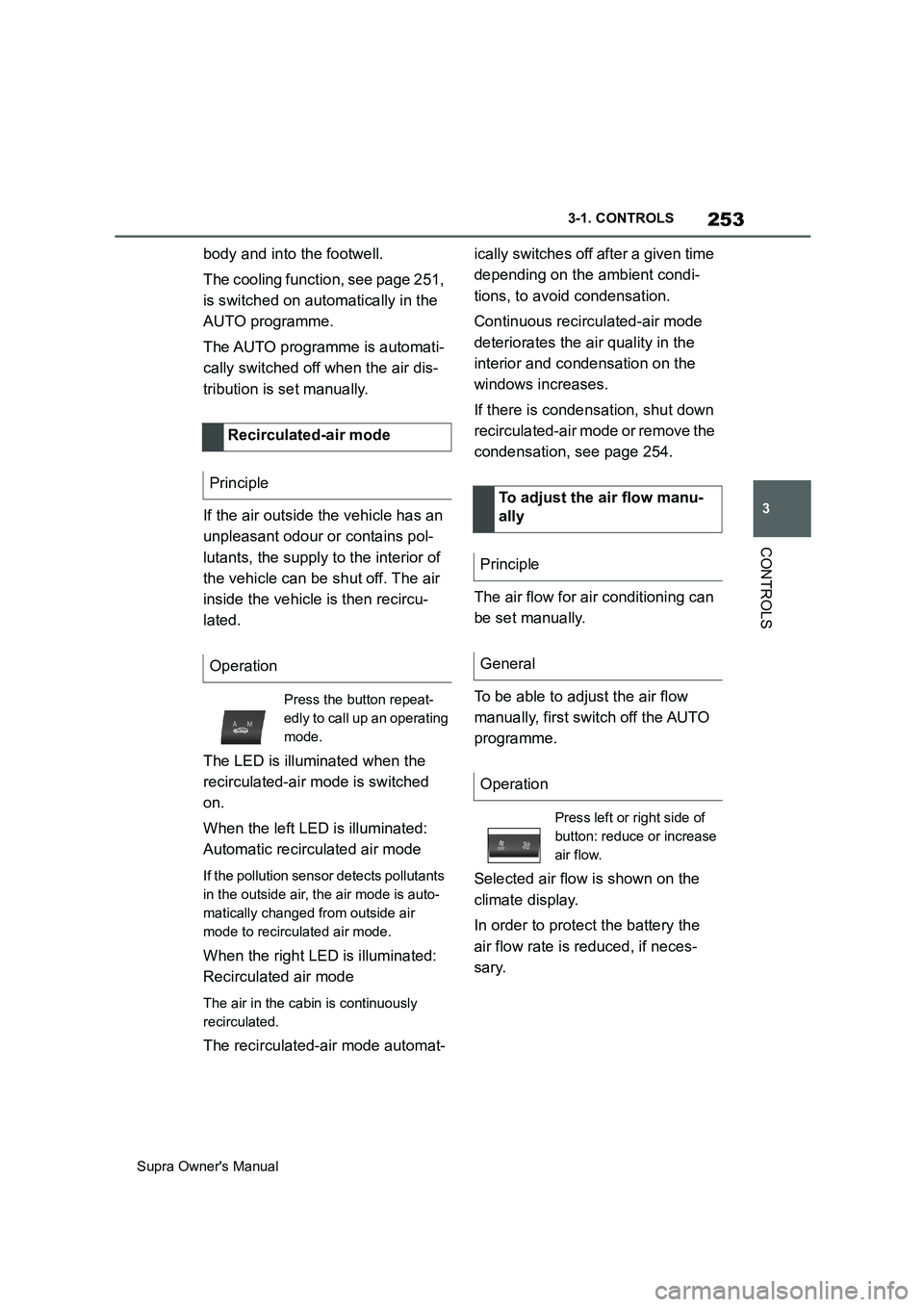
The LED is illuminated when the
recirculated-air mode is switched
on.
When the left LED is illuminated:
Automatic recirculated air mode
If the pollution sensor detects pollutants
in the outside air, the air mode is auto-
matically changed from outside air
mode to recirculated air mode.
When the right LED is illuminated:
Recirculated air mode
The air in the cabin is continuously
recirculated.
The recirculated-air mode automat-ically switches off after a given time
depending on the ambient condi-
tions, to avoid condensation.
Continuous recirculated-air mode
deteriorates the air quality in the
interior and condensation on the
windows increases.
If there is condensation, shut down
recirculated-air mode or remove the
condensation, see page 254.
The air flow for air conditioning can
be set manually.
To be able to adjust the air flow
manually, first switch off the AUTO
programme.
Selected air flow is shown on the
climate display.
In order to protect the battery the
air flow rate is reduced, if neces-
sary. Recirculated-air mode
Principle
Operation
Press the button repeat-
edly to call up an operating
mode.
To adjust the air flow manu-
ally
Principle
General
Operation
Press left or right side of
button: reduce or increase
air flow.