2019 TOYOTA SUPRA key
[x] Cancel search: keyPage 89 of 456
89
3
Supra Owner's Manual3-1. CONTROLS
CONTROLS
Most of the settings of the currently
used driver profile can be exported.
Exporting can be useful for backing
up and calling up personal settings,
for example before taking the vehi-
cle into a workshop. Once backed
up, the driver profiles can be taken
into a different vehicle.
Via Toyota Supra Command:
1"My Vehicle"
2"Driver profiles"
3Select a driver profile.
The driver profile marked with this
symbol can be exported.
4"Export driver profile"
5Select a medium for exporting
the driver profile.
• "USB device"
If necessary, select the USB storage
medium, see page 69.
The existing settings of the cur-
rently used driver profile are over-
written by the settings of the
imported driver profile.
Via Toyota Supra Command:
1"My Vehicle"
2"Driver profiles"
3Select the driver profile to be
overwritten.
The driver profile marked with this
symbol can be overwritten.
4"Import driver profile"5Select a medium for importing
the driver profile.
• USB storage medium: "USB
device"
If necessary, select the USB storage
medium.
6Select the driver profile to be
imported.
It is not always possible to allocate
a remote control uniquely to a
driver. This may be the case in the
following scenarios:
• The front passenger unlocks the
vehicle with their remote control,
but another person is driving.
• The driver unlocks the vehicle
using Smart Key System and is
carrying a number of remote
controls.
• If there is a change of driver with-
out the vehicle being locked and
unlocked.
• If a number of remote controls
are located in the area outside of
the vehicle.
Various settings are possible for the
remote control functions depend-
ing on the equipment and the coun-
try specifications.
These settings are saved for the
currently used driver profile. Exporting a driver profile
Importing a driver profile
System limits
Settings
General
Page 90 of 456

90
Supra Owner's Manual3-1. CONTROLS
Via Toyota Supra Command:
1"My Vehicle"
2"Vehicle settings"
3"Doors/Key"
4"Driver's door" or "All
doors"
5Select the desired setting:
• "Driver's door only"
Only the driver's door and fuel filler flap
are unlocked. Pressing again unlocks
the entire vehicle.
• "All doors"
The entire vehicle is unlocked.
Depending on the equipment and
the country specifications, these
settings may not be available.
Via Toyota Supra Command:
1"My Vehicle"
2"Vehicle settings"
3"Doors/Key"
4 "Tailgate" or "Tailgate
and door(s)"
5Select the desired setting:
•"Tailgate"
Boot lid is opened.
• "Tailgate and door(s)"
Boot lid is opened and the doors are
unlocked.
Via Toyota Supra Command:
1"My Vehicle"
2"Driver profiles"
3Select a driver profile.
The setting can be made for the
driver profile marked with this symbol.
4"Last seat position automatic"
When the vehicle is unlocked, the
driver's seat and exterior mirrors
are adjusted to their last set posi-
tions.
The last position setting is inde-
pendent of the positions saved via
the seat memory.
Via Toyota Supra Command:
1"My Vehicle"
2"Vehicle settings"
3"Doors/Key"
4"Flash for lock/unlock"
Unlocking is acknowledged by flashing
twice, locking by flashing once.
Via Toyota Supra Command:
1"My Vehicle"
2"Vehicle settings"
3"Doors/Key"
4Select the desired setting:
• "Relock automatically" Unlocking
Doors
Boot lid
Setting the last seat and mirror
position
Acknowledgement signals of
the vehicle
Automatic locking
Page 91 of 456
91
3
Supra Owner's Manual3-1. CONTROLS
CONTROLS
The vehicle is automatically locked
again after a short while if no door is
opened after unlocking.
• "Lock after pulling away"
On driving off, the vehicle is locked
automatically.
Via Toyota Supra Command:
1"My Vehicle"
2"Vehicle settings"
3"Doors/Key"
4"Unlock at end of journey"
After the drive-ready state has been
switched off by pressing the start/stop
button, the locked vehicle is automati-
cally unlocked.
Via Toyota Supra Command:
1"My Vehicle"
2"Vehicle settings"
3"Doors/Key"
4"Fold mirrors in when locked"
When locking, the exterior mirrors are
automatically folded in, and when
unlocking they are automatically folded
out.
Via Toyota Supra Command:
1"My Vehicle"
2"Vehicle settings"
3"Doors/Key"4"Switch off after door opening"
Idle state, see page 44, is established
when the front doors are opened.
The alarm system responds to the
following changes when the vehicle
is locked:
• A door, the bonnet or the boot lid
is opened.
• Movements in the interior.
• The vehicle's incline changes, for
instance if an attempt is made to
jack it up and steal the wheels or
to raise it prior to towing away.
• There is an interruption in the
power supply from the battery.
• Improper use of the socket for
on-board diagnosis OBD.
The alarm system indicates the fol-
lowing changes visually and audi-
bly:
• Audible alarm: Depending on
local regulations, the acoustic
alarm may be suppressed.
• Visual alarm: By flashing the
exterior lights.
The alarm system is switched on
and off at the same time as the
vehicle is unlocked and locked via
the remote control or Smart Key
System. Automatic unlocking
Folding the mirrors automati-
cally
Establishing idle state after
opening the front doors
Alarm system
General
Switching on/off
Page 92 of 456
92
Supra Owner's Manual3-1. CONTROLS
The alarm system is triggered on
opening a door if the door has been
unlocked using the integrated key
in the door lock.
Stopping the alarm, see page 93.
The boot lid can be opened even
with the alarm system switched on.
On closing the boot lid, it is locked
again and monitored, as long as the
doors are locked. The hazard warn-
ing lights flash once.
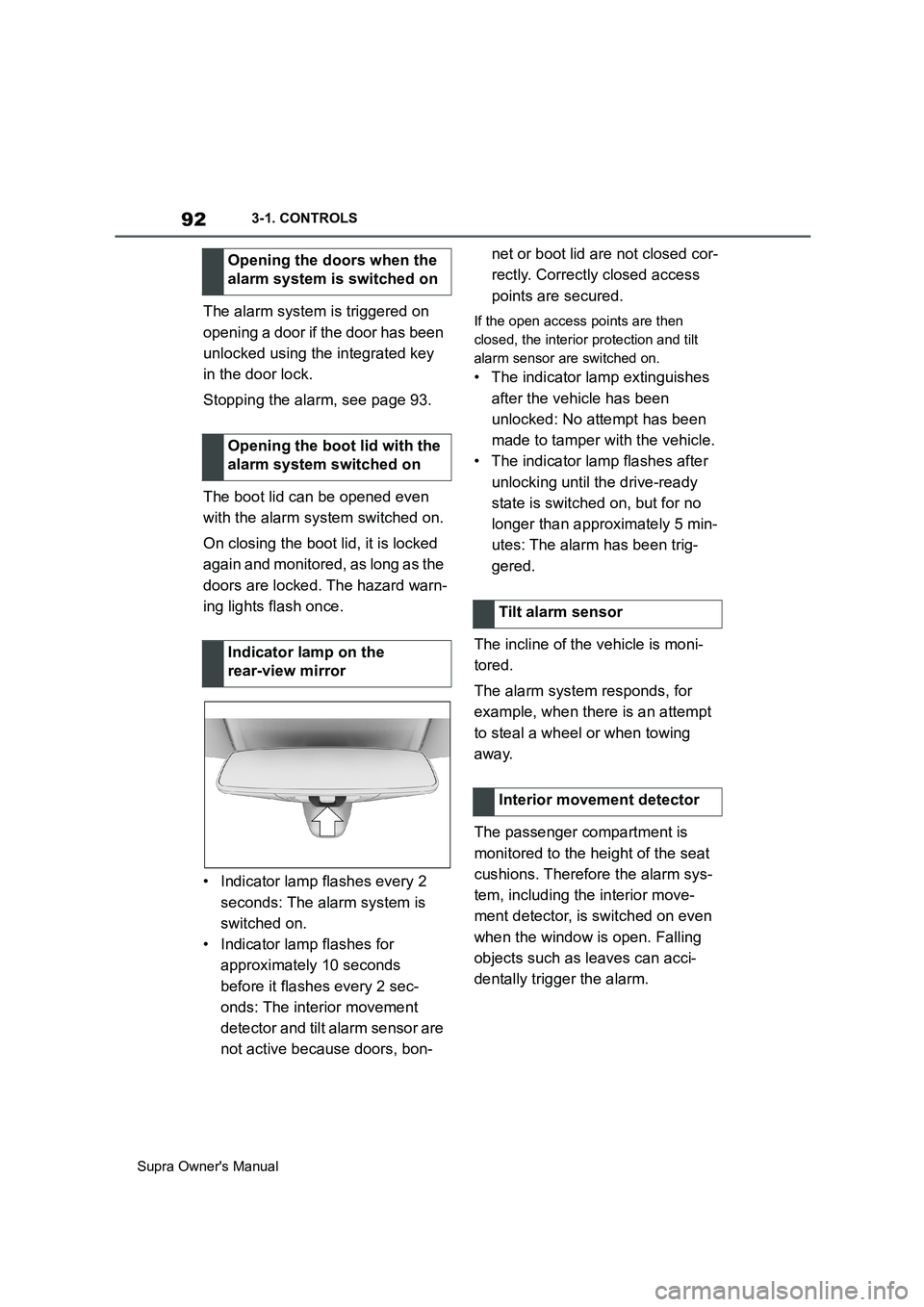
• Indicator lamp flashes every 2
seconds: The alarm system is
switched on.
• Indicator lamp flashes for
approximately 10 seconds
before it flashes every 2 sec-
onds: The interior movement
detector and tilt alarm sensor are
not active because doors, bon-net or boot lid are not closed cor-
rectly. Correctly closed access
points are secured.If the open access points are then
closed, the interior protection and tilt
alarm sensor are switched on.
• The indicator lamp extinguishes
after the vehicle has been
unlocked: No attempt has been
made to tamper with the vehicle.
• The indicator lamp flashes after
unlocking until the drive-ready
state is switched on, but for no
longer than approximately 5 min-
utes: The alarm has been trig-
gered.
The incline of the vehicle is moni-
tored.
The alarm system responds, for
example, when there is an attempt
to steal a wheel or when towing
away.
The passenger compartment is
monitored to the height of the seat
cushions. Therefore the alarm sys-
tem, including the interior move-
ment detector, is switched on even
when the window is open. Falling
objects such as leaves can acci-
dentally trigger the alarm. Opening the doors when the
alarm system is switched on
Opening the boot lid with the
alarm system switched on
Indicator lamp on the
rear-view mirror
Tilt alarm sensor
Interior movement detector
Page 93 of 456
93
3
Supra Owner's Manual3-1. CONTROLS
CONTROLS
The tilt alarm sensor and the inte-
rior movement detector may trigger
an alarm without any unauthorised
activity taking place.
Possible situations for an unwanted
alarm:
• In washing bays or car washes.
• In two-level garages.
• During transport via motorail, car
ferry or trailer.
• When there are pets in the vehi-
cle.
• When the vehicle is locked after
starting to refuel.
The tilt alarm sensor and interior
protection can be switched off for
such situations.
The indicator lamp illuminates for
approximately 2 seconds and then
flashes again.
The tilt alarm sensor and the inte-
rior movement detector are
switched off until the next time the
vehicle is locked.• Unlock the vehicle with the
remote control, if necessary
using the special ID feature of
the remote control, see page 78.
• With Smart Key System: fully
grasp the door handle on either
the driver's door or the front pas-
senger door while carrying the
remote control. Avoiding false alarms
General
Switching off the tilt alarm sensor
and interior movement detector
As soon as the vehicle is
locked, press the button on
the remote control within 10
seconds.
Stopping the alarm
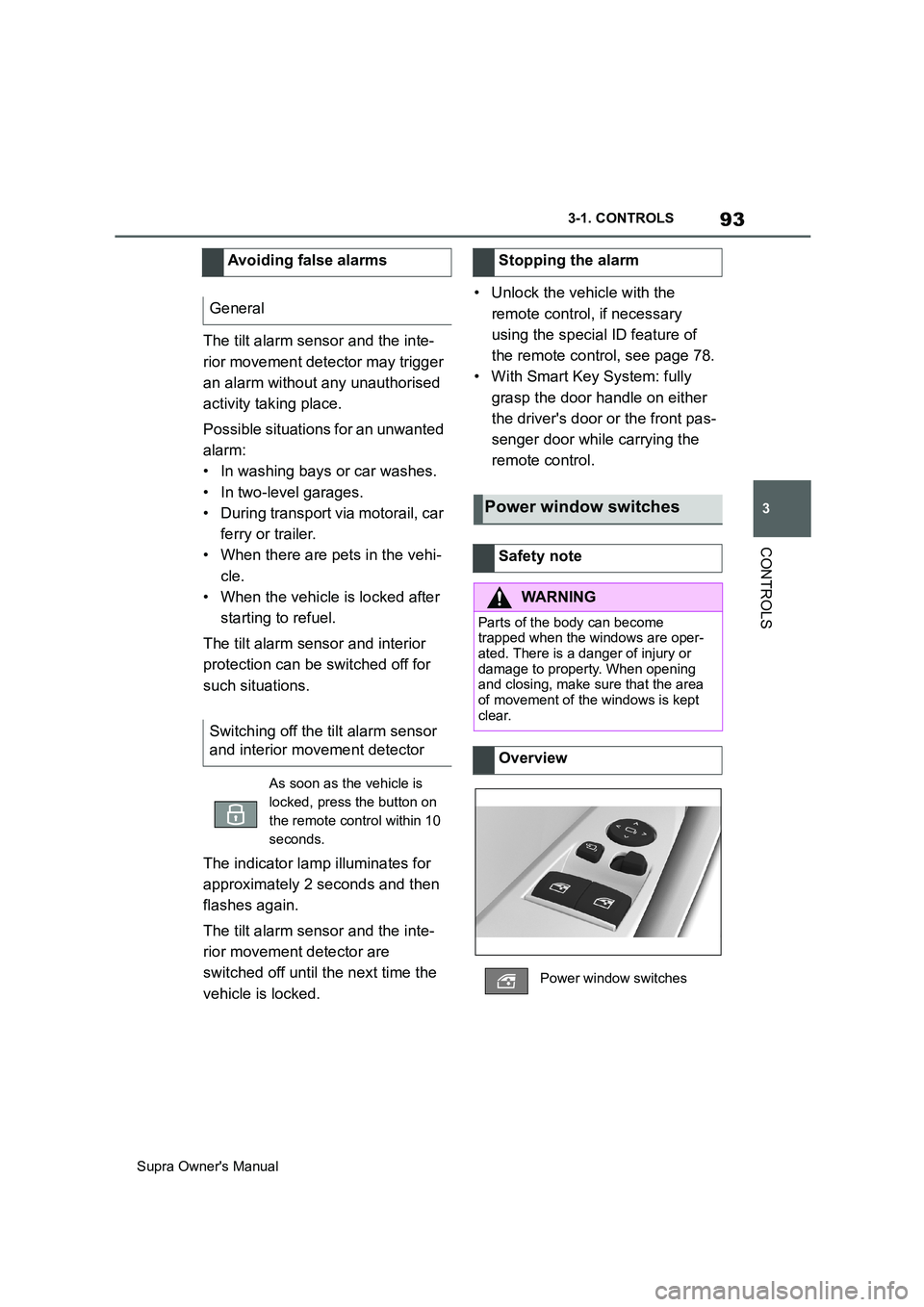
Power window switches
Safety note
WARNING
Parts of the body can become
trapped when the windows are oper-
ated. There is a danger of injury or
damage to property. When opening
and closing, make sure that the area
of movement of the windows is kept
clear.
Overview
Power window switches
Page 110 of 456
110
Supra Owner's Manual3-1. CONTROLS
When using a child restraint system
on the front passenger seat, make
sure that the front and side airbags
on the passenger side are deacti-
vated. Front passenger airbags can
only be deactivated with the key
switch for front passenger airbags,
see page 188.Appropriate child restraint systems
for every age and weight class are
available from any authorized
Toyota retailer or Toyota authorized
repairer, or any reliable repairer.
Please comply with the operating
and safety instructions provided by
the child restraint system manufac-
turer when selecting, attaching and
using child restraint systems.
WARNING
Children less than 150 cm, 5 ft in
height cannot wear the seat belt cor-
rectly without using additional child
restraint systems. The protective
function of the seat belts may be lim-
ited or may even fail completely if the
seat belts are worn incorrectly. If a
seat belt is not worn correctly, addi-
tional injuries can be caused, for
example in the event of an accident or
braking and evasive manoeuvres.
There is a danger of injury or even
death. Children smaller than 150 cm,
5 ft in height must be secured in suita-
ble child restraint systems.
Not for Australia/New Zea-
land: Children on the front
passenger seat
General
Safety note
WARNING
Active front passenger airbags can
injure a child in a child restraint sys-
tem if they are triggered. There is a
danger of injury. Make sure that the
front passenger airbags are deacti-
vated and the PASSENGER AIRBAG
OFF indicator lamp is illuminated.
WARNING
Children less than 150 cm, 5 ft in
height cannot wear the seat belt cor-
rectly without using additional child
restraint systems. The protective
function of the seat belts may be lim-
ited or may even fail completely if the
seat belts are worn incorrectly. If a
seat belt is not worn correctly, addi-
tional injuries can be caused, for
example in the event of an accident or
braking and evasive manoeuvres.
There is a danger of injury or even
death. Children smaller than 150 cm,
5 ft in height must be secured in suita-
ble child restraint systems.
Fitting child restraints
General
Page 111 of 456
111
3
Supra Owner's Manual3-1. CONTROLS
CONTROLS
Please note the following warning
because your vehicle has been
equipped with a front airbag for the
front passenger seat that cannot be
deactivated:Before fitting a child restraint on the
front passenger seat, make sure
that the front and side airbags on
the passenger side are disabled.
Deactivating the front passenger
airbags with key switch, see page
188. Safety notes
WARNING
If child restraint systems and their
attachment systems have been dam-
aged or subjected to stresses in an
accident, their protective function may
be limited or may fail completely. A
child might not be adequately
restrained, for example in the event of
an accident or braking and evasive
manoeuvres. There is a danger of
injury or even death. If child restraint
systems and their attachment sys-
tems have been damaged or sub-
jected to stresses in an accident,
have them checked by any authorized
Toyota retailer or Toyota authorized
repairer, or any reliable repairer and
renewed if necessary.
WARNING
If the seat adjustment or child seat
installation is incorrect, the child
restraint system may have limited sta-
bility or may not be stable at all. There
is a danger of injury or even death.
Make sure the child restraint system
is firmly positioned against the back-
rest. Wherever possible, adapt the
backrest angle of all the relevant seat
backrests and adjust the seats cor-
rectly. Make sure that the seats and
their backrests are correctly engaged
or locked.
For Australia/New Zealand:
Installation of child restraints
It is recommended not to
use any kind of child
restraint system on the
front passenger seat.
WARNING
Do not use a rearward-facing child
restraint on a seat protected by an
airbag in front of it.
Not for Australia/New Zea-
land: On the front passenger
seat
Deactivating airbags
WARNING
Active front passenger airbags can
injure a child in a child restraint sys-
tem if they are triggered. There is a
danger of injury. Make sure that the
front passenger airbags are deacti-
vated and the PASSENGER AIRBAG
OFF indicator lamp is illuminated.
Page 119 of 456
119
3
Supra Owner's Manual3-1. CONTROLS
CONTROLS
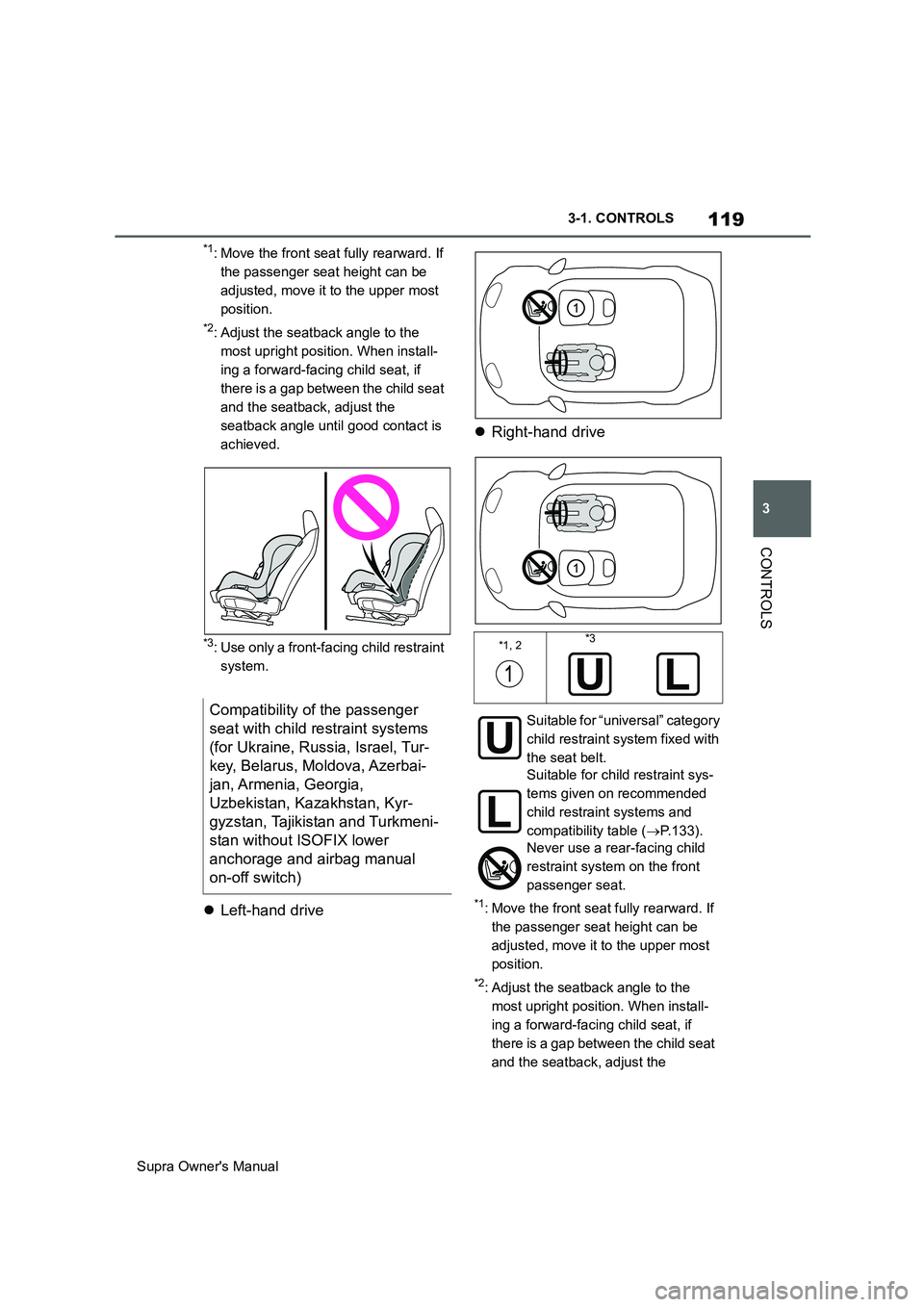
*1: Move the front seat fully rearward. If
the passenger seat height can be
adjusted, move it to the upper most
position.
*2: Adjust the seatback angle to the
most upright position. When install-
ing a forward-facing child seat, if
there is a gap between the child seat
and the seatback, adjust the
seatback angle until good contact is
achieved.
*3: Use only a front-facing child restraint
system.
Left-hand driveRight-hand drive*1: Move the front seat fully rearward. If
the passenger seat height can be
adjusted, move it to the upper most
position.
*2: Adjust the seatback angle to the
most upright position. When install-
ing a forward-facing child seat, if
there is a gap between the child seat
and the seatback, adjust the
Compatibility of the passenger
seat with child restraint systems
(for Ukraine, Russia, Israel, Tur-
key, Belarus, Moldova, Azerbai-
jan, Armenia, Georgia,
Uzbekistan, Kazakhstan, Kyr-
gyzstan, Tajikistan and Turkmeni-
stan without ISOFIX lower
anchorage and airbag manual
on-off switch)
*1, 2*3
Suitable for “universal” category
child restraint system fixed with
the seat belt.
Suitable for child restraint sys-
tems given on recommended
child restraint systems and
compatibility table (P.133).
Never use a rear-facing child
restraint system on the front
passenger seat.