Page 201 of 360
Operating modes
Function button: function
Add stopover : only when you have an active route.
Search nearby : enters in the search menu, but only
for the area around the point select ed on the map.
Demo mode start (only when demo mode is active)
Map display
Fig. 185
Messages and function buttons on
the map displ ay.Function buttons and messages on the
map displ
ay.
T o activ at
e function butt
ons
Page 205 of 360

Operating modes
Function button: function
Volume : To adjust the volume of audible driving
recommendations.
Entertainment f ading (nav
. announcements) : Set the
volume of the active audio source during naviga-
tion announcements.
No navigation announcements during calls : During a
telephone conversation, audio driving r ecommen-
dations will not be giv
en.
Note: My POIs : Audible warning when approaching
a special destination.
Speed limits : Shows the speed limits, depending on
the road, of the country that is being driven through.
Fuel options : To change fuel related settings.
Select preferred petrol station : The brand of the se-
lected service station is giv en priorit
y in special
destination search results.
Fuel warning : The fuel warning is active.
If the fuel level reaches the reserve, an appropri- ate warning is generat ed that enabl
es the service
station search.
Version information : Information about stored naviga-
tion data.
Advanced settings : For making advanced changes to
the navigation settings.
Time display : Indication � during route guidance.
T
ime of arrival : The estimated time of arrival at
the destination is displayed. Function button: function
Running time : The envisaged travelling time to
the destination is displayed.
Status line : View � during route guidance.
Destination : The calculated distance to the
destination is shown.
Next stopo
ver : The calculated distance to the
next stopov er is sho
wn.
Note: National border crossed : Indication of the
speed limits of the country in question when
crossing a border.
Demo mode : When the Demo mode is active and
route guidance is start ed, a virt
ual guide to the en-
tered destination may be started
Page 213 of 360
Operating modes
Instructions and symbols of the
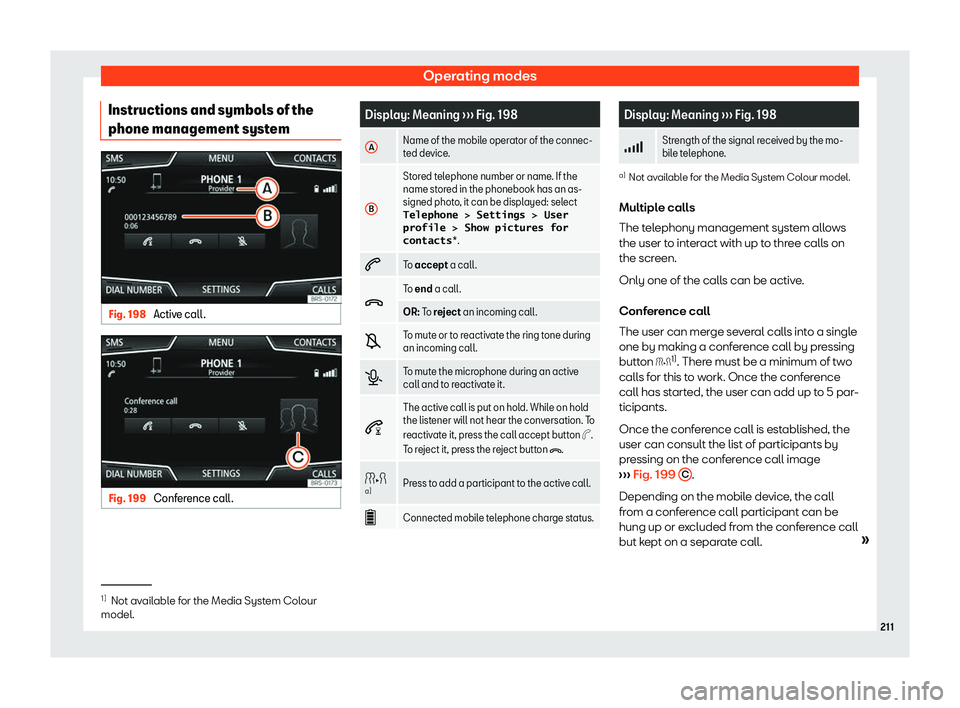
phone management syst emFig. 198
Active call. Fig. 199
Conference call. Display: Meaning
Page 215 of 360
Operating modes
Once the first pairing is made, it may take
some time until the phonebook dat a1)
of the
pair ed mobil e ar
e av
ailable in the infotain-
ment system. Depending on the volume of
data that has to be transferred, the process
may take several minutes. It may be necessa-
ry to confirm the data transmission on the
mobile phone.
The phonebook can also be viewed during a
telephone conversation.
If the name saved in the phonebook has an
assigned photo, it can be displayed on the list
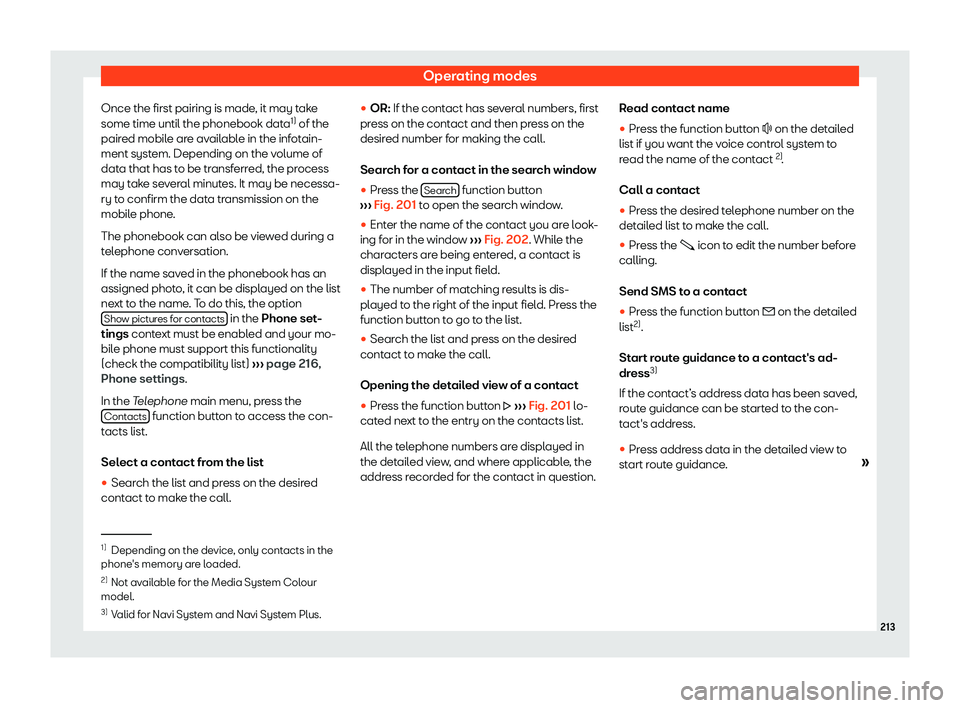
next to the name. To do this, the option Show pictures for contacts in the Phone set
-
tings conte
xt must be enabl
ed and your mo-
bile phone must support this functionality
(check the compatibility list)
Page 226 of 360

Driving
approximately two minutes in neutral be-
fore swit
ching it off
.Note
After the engine is switched off the radiator
f an may run on for up to 10 minut es, e
ven if
the ignition is switched off. It is also possi-
ble that the fan turns itself on once more if
the coolant temperature increases due to
the heat accumulated in the engine com-
partment or due to its prolonged exposure
to solar radiation. Electronic immobilizer
The electronic immobiliser prevents unau-
thorised persons fr
om driving the v
ehicle
.
Inside the k
ey there is a chip that deactivates
the electronic immobiliser automatically
when the key is inserted into the ignition.
The electronic immobiliser will be activated
again automatically as soon as you pull the
key out of the ignition lock. For vehicles with
the “Keyless Access” system, the key has to
be outside the vehicle.
If the following message is shown on the in-
strument panel display: SAFE , the vehicle
cannot be started.
The engine can only be started using a genu-
ine SEAT key with its correct code. Note
A perfect operation of the vehicle is ensur-
ed if genuine SEAT keys are used. Emergency starting function
Fig. 211
On the right of the steering column:
emer gency st art. If no valid key is detected inside the vehicle,
an emer
gency st
art-up will be r
equir
ed. The
relevant message will appear in the dash
panel display. This may happen when, for ex-
ample, the vehicle key battery is very low:
�
Page 237 of 360
Start and driving
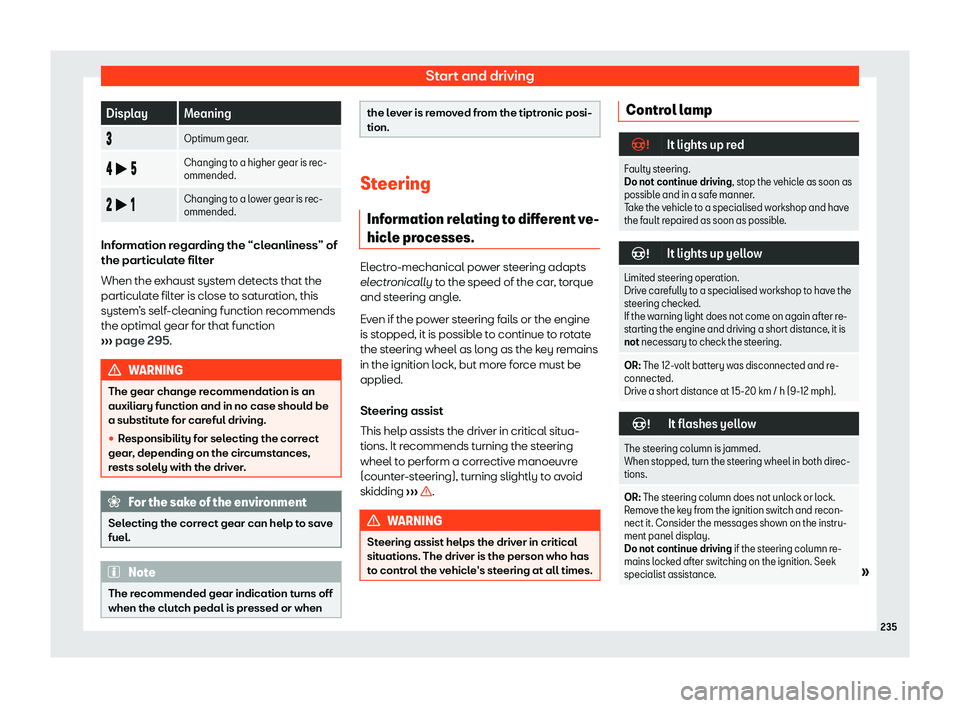
Display Meaning
Optimum gear.
b Changing to a higher gear is rec-
ommended.
b Changing to a lower gear is rec-
ommended.Information regarding the “cleanliness” of
the particulate filt
er
When the e
xhaust system detects that the
particulate filter is close to saturation, this
system
Page 246 of 360
Driving
The speed limiter is not active. The last
speed set is displ ayed in small or dark
-
ened figur es.
The speed limit er is s
witched off. The total
mileage is displayed.
Switching between the speed limiter and
GRA or ACC (while the speed limiter is
connected)
To change between the driving assistance
systems, press button
Page 274 of 360
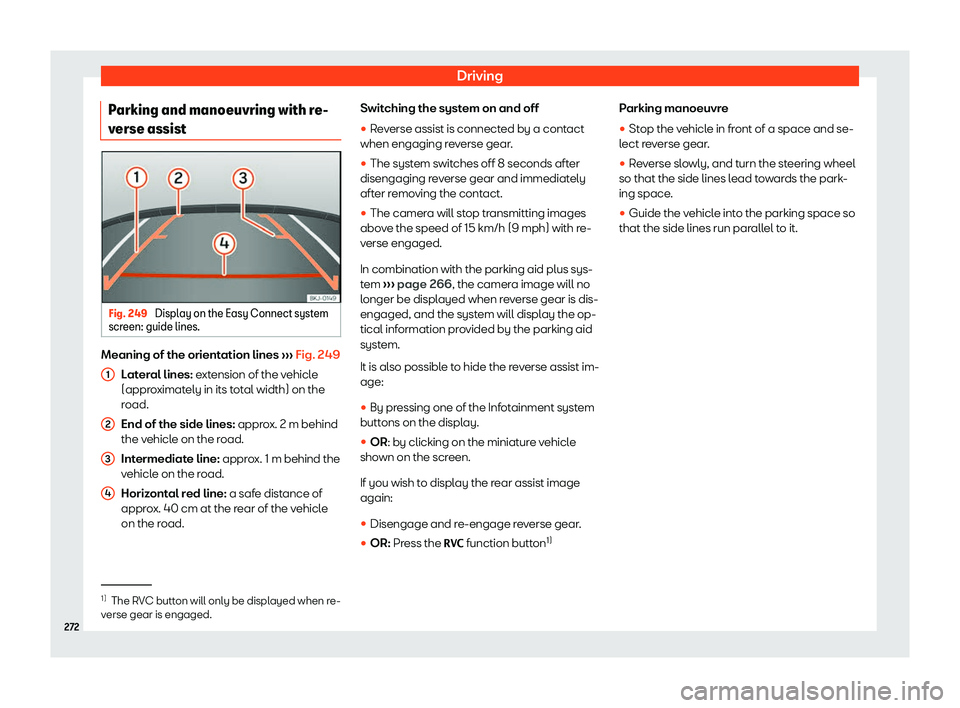
Driving
Parking and manoeuvring with re-
v erse assist Fig. 249
Display on the Easy Connect system
scr een: guide lines. Meaning of the orientation lines