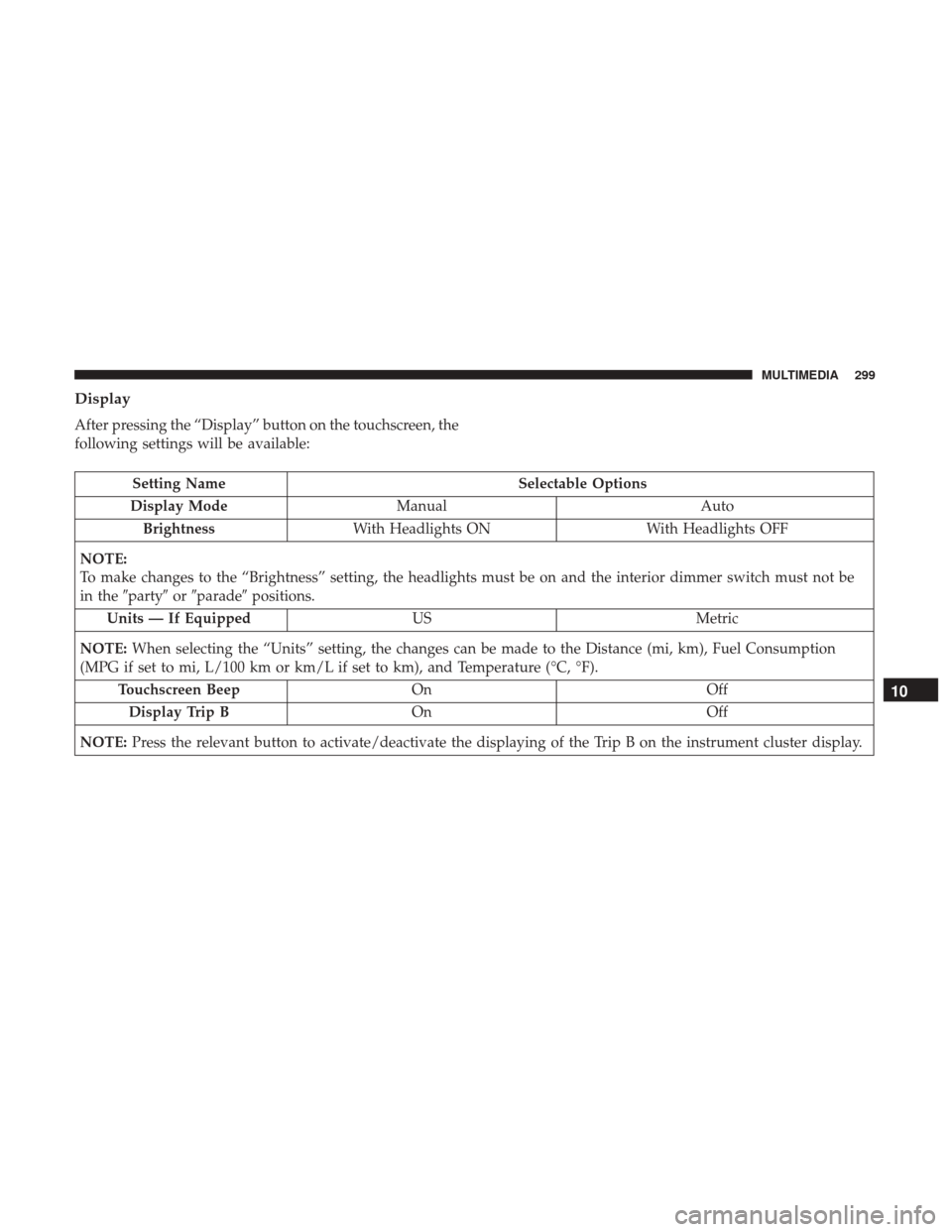
Display
After pressing the “Display” button on the touchscreen, the
following settings will be available:
Setting NameSelectable Options
Display Mode Manual Auto
Brightness With Headlights ON With Headlights OFF
NOTE:
To make changes to the “Brightness” setting, the headlights must be on and the interior dimmer switch must not be
in the �party� or�parade� positions.
Units — If Equipped USMetric
NOTE: When selecting the “Units” setting, the changes can be made to the Distance (mi, km), Fuel Consumption
(MPG if set to mi, L/100 km or km/L if set to km), and Temperature (°C, °F).
Touchscreen Beep On Off
Display Trip B On Off
NOTE: Press the relevant button to activate/deactivate the displaying of the Trip B on the instrument cluster display.
10
MULTIMEDIA 299
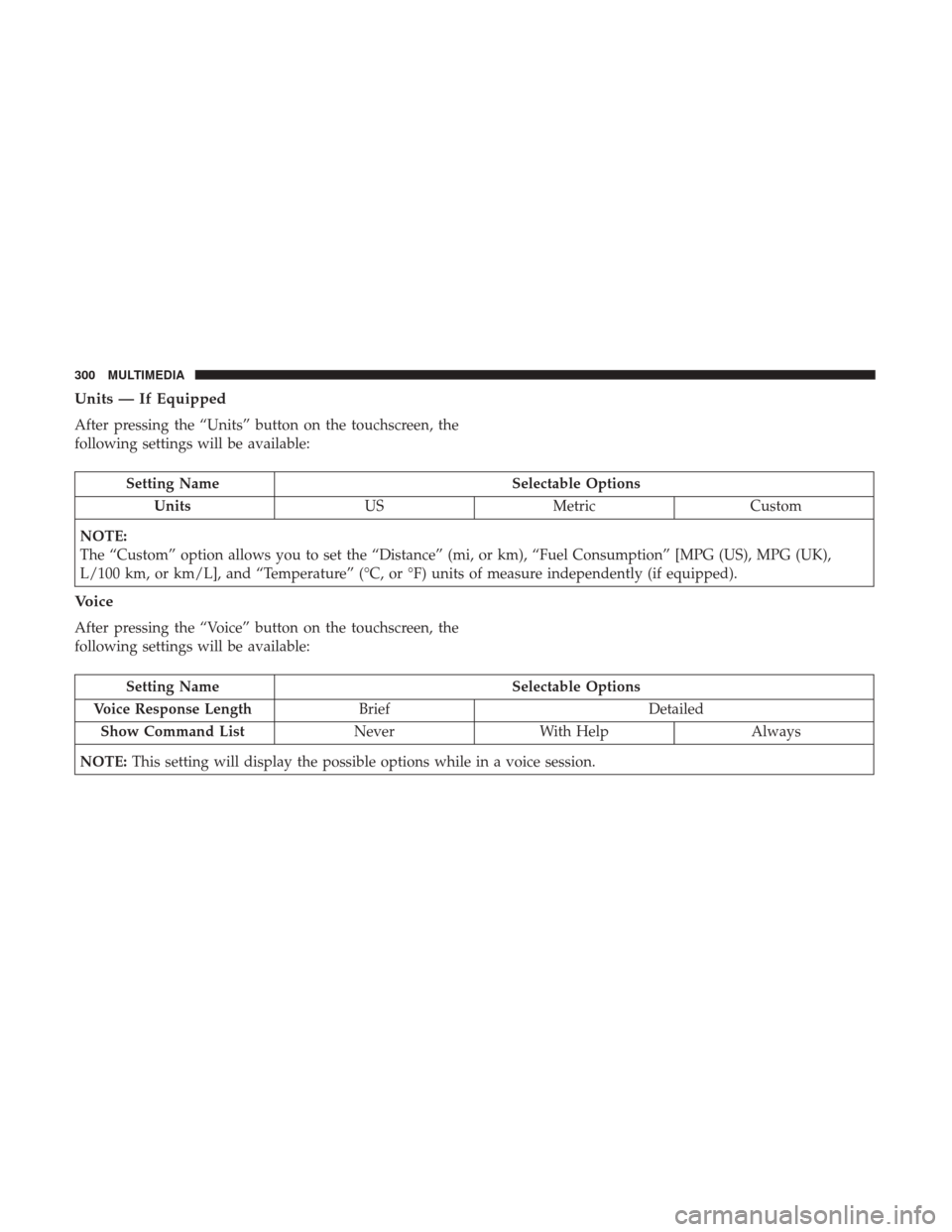
Units — If Equipped
After pressing the “Units” button on the touchscreen, the
following settings will be available:
Setting NameSelectable Options
Units USMetric Custom
NOTE:
The “Custom” option allows you to set the “Distance” (mi, or km), “Fuel Consumption” [MPG (US), MPG (UK),
L/100 km, or km/L], and “Temperature” (°C, or °F) units of measure independently (if equipped).
Voice
After pressing the “Voice” button on the touchscreen, the
following settings will be available:
Setting Name Selectable Options
Voice Response Length Brief Detailed
Show Command List NeverWith Help Always
NOTE: This setting will display the possible options while in a voice session.
300 MULTIMEDIA