Page 28 of 348
key blade, insert the key blade into the rear door exterior
lock cylinder and turn the key counterclockwise to unlock
the rear doors.
Closing/Locking With A Key Fob
Push and release the lock button on the key fob to lock all
doors, including the cargo area (side lateral sliding doors
and rear doors). The turn signal lights will flash to ac-
knowledge the lock signal.
Horn activation settings after an RF lock command can be
adjusted manually. For further information, refer to
“Uconnect Settings” in “Multimedia”.
Locking With The Key Blade In Passenger Vehicle
Push the key blade release button to expose the key blade,
insert the key blade into the driver door exterior lock
cylinder and turn the key clockwise to lock all doors.
Locking With The Key Blade In Cargo Vehicle
Push the key blade release button to expose the key blade,
insert the key blade into the driver door exterior lock
cylinder and turn the key clockwise to lock the front doors.
Push the key blade release button to expose the key blade,
insert the key blade into the rear door exterior lock cylinder
and turn the key clockwise to lock the rear doors.Closing And Locking From Outside
Grab the side door handle and push towards the front of
the vehicle. Once the side door is secured in the full closed
position, use one of the locking methods above to lock the
sliding side doors.
Opening And Closing From The Inside
Opening:
Pull the interior door handle switch to unlock the door,
then pull the handle and slide the door towards the rear of
the vehicle until it can go no further.
Closing:
Pull the interior door handle switch to release the door and
then push it towards the front of the vehicle.
Key Emergency Lock (KEL) Device
The sliding side doors are provided with a device for
locking all the doors using the lock in case of a power fault.
The device can be engaged with the sliding side doors
open as follows:
1. Key Emergency Lock Device not engaged (doors re-
leased)
26 GETTING TO KNOW YOUR VEHICLE
Page 43 of 348
EXTERIOR LIGHTS
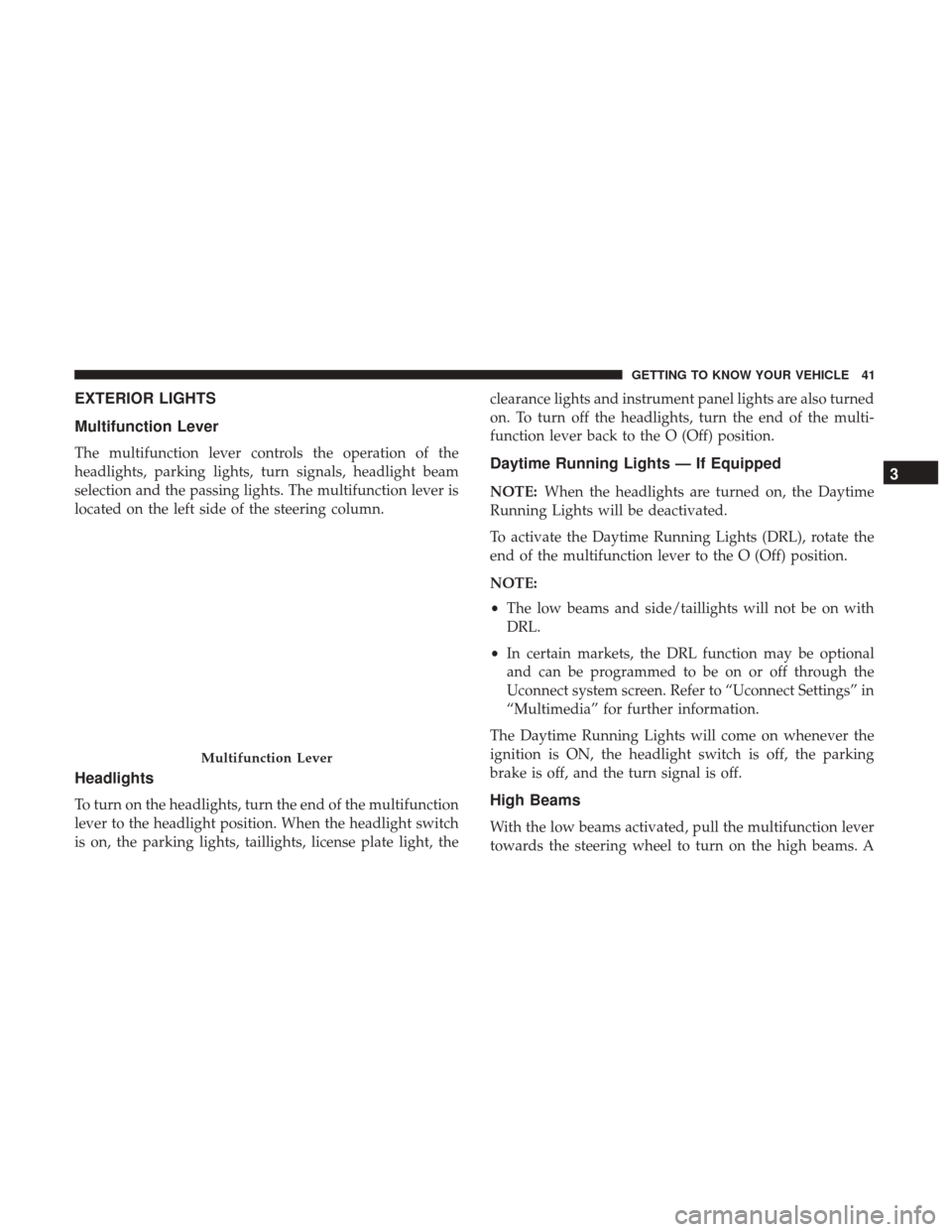
Multifunction Lever
The multifunction lever controls the operation of the
headlights, parking lights, turn signals, headlight beam
selection and the passing lights. The multifunction lever is
located on the left side of the steering column.
Headlights
To turn on the headlights, turn the end of the multifunction
lever to the headlight position. When the headlight switch
is on, the parking lights, taillights, license plate light, theclearance lights and instrument panel lights are also turned
on. To turn off the headlights, turn the end of the multi-
function lever back to the O (Off) position.
Daytime Running Lights — If Equipped
NOTE:
When the headlights are turned on, the Daytime
Running Lights will be deactivated.
To activate the Daytime Running Lights (DRL), rotate the
end of the multifunction lever to the O (Off) position.
NOTE:
• The low beams and side/taillights will not be on with
DRL.
• In certain markets, the DRL function may be optional
and can be programmed to be on or off through the
Uconnect system screen. Refer to “Uconnect Settings” in
“Multimedia” for further information.
The Daytime Running Lights will come on whenever the
ignition is ON, the headlight switch is off, the parking
brake is off, and the turn signal is off.
High Beams
With the low beams activated, pull the multifunction lever
towards the steering wheel to turn on the high beams. A
Multifunction Lever
3
GETTING TO KNOW YOUR VEHICLE 41
Page 44 of 348
high beam symbol will illuminate in the cluster to indicate
the high beams are on. Pull the multifunction lever a
second time to switch the headlights back to low beam.
NOTE:If the vehicle’s ignition is turned OFF, both high
and low beam headlights will also turn off.
Flash-To-Pass
You can signal another vehicle with your headlights by
partially pulling the multifunction lever toward the steer-
ing wheel. This will cause the high beam headlights to turn
on until the lever is released.
Parking Lights
These lights can only be turned on with ignition key in the
STOP position or removed, by moving the end of the
multifunction lever to O (off) position and then to the
headlight position.
The warning light telltale in the instrument panel comes
on. The lights stay on until the next ignition cycle is
performed.
Follow Me Home/Headlight Delay
When this feature is selected, the driver can choose to have
the headlights remain on for a preset period of time after
the engine is turned OFF. Activation
Remove the key or turn the ignition to the STOP (OFF/
LOCK) position, and pull the multifunction lever toward
the steering wheel within two minutes. Each time the lever
is pulled, the activation of the lights will be extended by 30
seconds. The activation of the lights can be extended to a
maximum of 210 seconds.
Deactivation
Pull the multifunction lever toward the steering wheel and
hold it for more than two seconds.
Fog Lights — If Equipped
The fog light switch is located on the center stack of the
instrument panel, just below the climate controls. Push the
switch once to turn the fog lights on. Push the switch a
second time to turn the fog lights off.
NOTE:
If the vehicle’s ignition is turned OFF, the fog lights
will also turn off.
Turn Signals
Move the multifunction lever up or down and the arrows
on each side of the instrument cluster flash to show proper
operation of the front and rear turn signal lights.
42 GETTING TO KNOW YOUR VEHICLE
Page 45 of 348
NOTE:If either light remains on and does not flash, or
there is a very fast flash rate, check for a defective outside
light bulb. If an indicator fails to light when the lever is
moved, it would suggest that the indicator bulb is defec-
tive.
Lane Change Assist
Tap the lever up or down once, without moving beyond
the detent, and the turn signal (right or left) will flash five
times then automatically turn off.
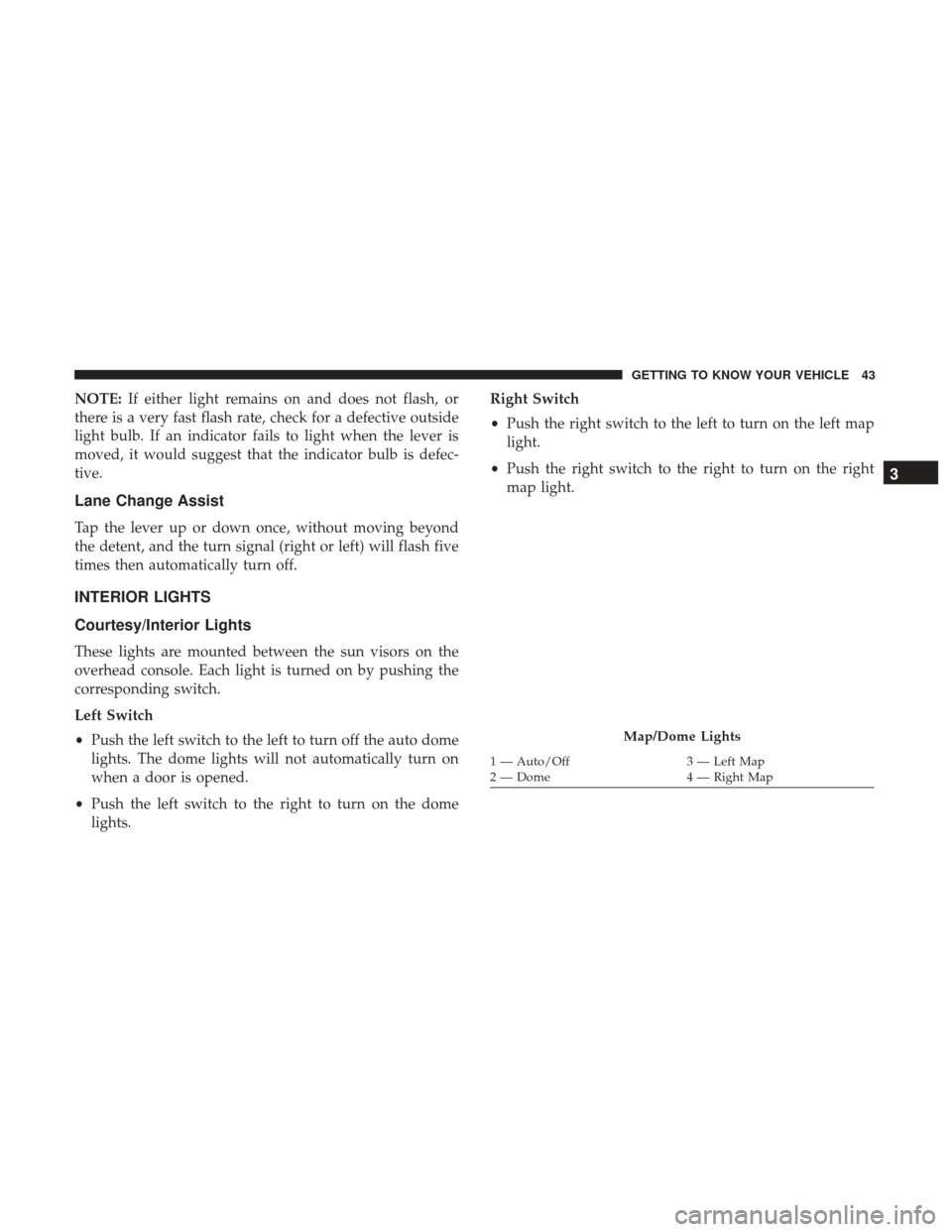
INTERIOR LIGHTS
Courtesy/Interior Lights
These lights are mounted between the sun visors on the
overhead console. Each light is turned on by pushing the
corresponding switch.
Left Switch
• Push the left switch to the left to turn off the auto dome
lights. The dome lights will not automatically turn on
when a door is opened.
• Push the left switch to the right to turn on the dome
lights. Right Switch
•
Push the right switch to the left to turn on the left map
light.
• Push the right switch to the right to turn on the right
map light.
Map/Dome Lights
1 — Auto/Off 3 — Left Map
2 — Dome 4 — Right Map
3
GETTING TO KNOW YOUR VEHICLE 43
Page 46 of 348
Rear Lights
Cargo Vehicle
Lateral Roof Light
This is located on the right side of the load compartment.
Rear Roof Light
This is located on the rear panel of the load compartment.In auto-mode the light comes on automatically when you
open the sliding doors and the rear wing doors and goes
out when you close them.
•
Push the left-hand side of the lens to switch the light off
when the doors are open.
• Push the right hand side of the lens to switch the light on
when the doors are open.
Cargo Vehicle Interior Lamp Locations
1 — Lateral Roof Light
2 — Rear Roof Light
Lateral Roof Light
1—Off
2 — Auto
3—On
44 GETTING TO KNOW YOUR VEHICLE
Page 47 of 348
Passenger Vehicle
The interior lamps are located in the center of the roof,
above the second row seating and in the roof in the center
of the rear load area.
Second Row Seating And Rear Roof Lights Operation
In auto-mode, the light comes on automatically when you
open the sliding doors and the rear wing doors and goes
out when you close them.•
Push the left-hand side of the lens to switch the light off
when the doors are open.
• Push the right-hand side of the lens to switch the light
on when the doors are open.
Passenger Vehicle Interior Lamp Locations
1 — Rear Roof Light
2 — Second Row Seating Light
Interior Light
1—Off
2 — Auto
3—On
3
GETTING TO KNOW YOUR VEHICLE 45
Page 68 of 348

WARNING!(Continued)
•Close the lid when not in use and while driving the
vehicle.
• If this outlet is mishandled, it may cause an electric
shock and failure.
CAUTION!
• Many accessories that can be plugged in draw power
from the vehicle’s battery, even when not in use (i.e.,
cellular phones, etc.). Eventually, if plugged in long
enough, the vehicle’s battery will discharge suffi-
ciently to degrade battery life and/or prevent the
engine from starting.
• Accessories that draw higher power (i.e., coolers,
vacuum cleaners, lights, etc.) will degrade the battery
even more quickly. Only use these intermittently and
with greater caution.
• After the use of high power draw accessories, or long
periods of the vehicle not being started (with acces-
sories still plugged in), the vehicle must be driven a
sufficient length of time to allow the generator to
recharge the vehicle’s battery.
ROOF RACK — IF EQUIPPED
The crossbars and siderails are designed to carry the
weight on vehicles equipped with a luggage rack. The load
must not exceed 150 lbs (68 kg), and should be uniformly
distributed over the luggage rack crossbars.
NOTE: If not equipped with crossbars, your authorized
dealer can order and install Mopar crossbars built specifi-
cally for this roof rack system.
Distribute cargo weight evenly on the roof rack crossbars.
The roof rack does not increase the total load carrying
capacity of the vehicle. Be sure the total load of cargo inside
the vehicle plus that on the external rack does not exceed
the maximum vehicle load capacity.
To move the crossbars, loosen the attachments, located at
the upper edge of each crossbar, approximately eight turns
using the anti-theft wrench provided with the Mopar
crossbars. Then, move the crossbar to the desired position,
keeping the crossbars parallel to the rack frame. Once the
crossbar is in the desired position, retighten the with the
wrench to lock the crossbar into position.
66 GETTING TO KNOW YOUR VEHICLE
Page 71 of 348
GETTING TO KNOW YOUR INSTRUMENT PANEL
CONTENTS
�INSTRUMENT CLUSTER ...................70
▫ Instrument Cluster Descriptions .............71
� INSTRUMENT CLUSTER DISPLAY ............72
� TRIP COMPUTER .........................72
▫ Trip Button ............................72
▫ Trip Functions .........................73
▫ Values Displayed .......................73
� WARNING LIGHTS AND MESSAGES ..........74
▫ Red Warning Lights ......................74 ▫
Yellow Warning Lights ....................78
▫ Green Indicator Lights ....................82
▫ Blue Indicator Lights .....................82
� ONBOARD DIAGNOSTIC SYSTEM — OBD II ....83
▫ Onboard Diagnostic System (OBD II)
Cybersecurity ..........................83
� EMISSIONS INSPECTION AND MAINTENANCE
PROGRAMS ............................844