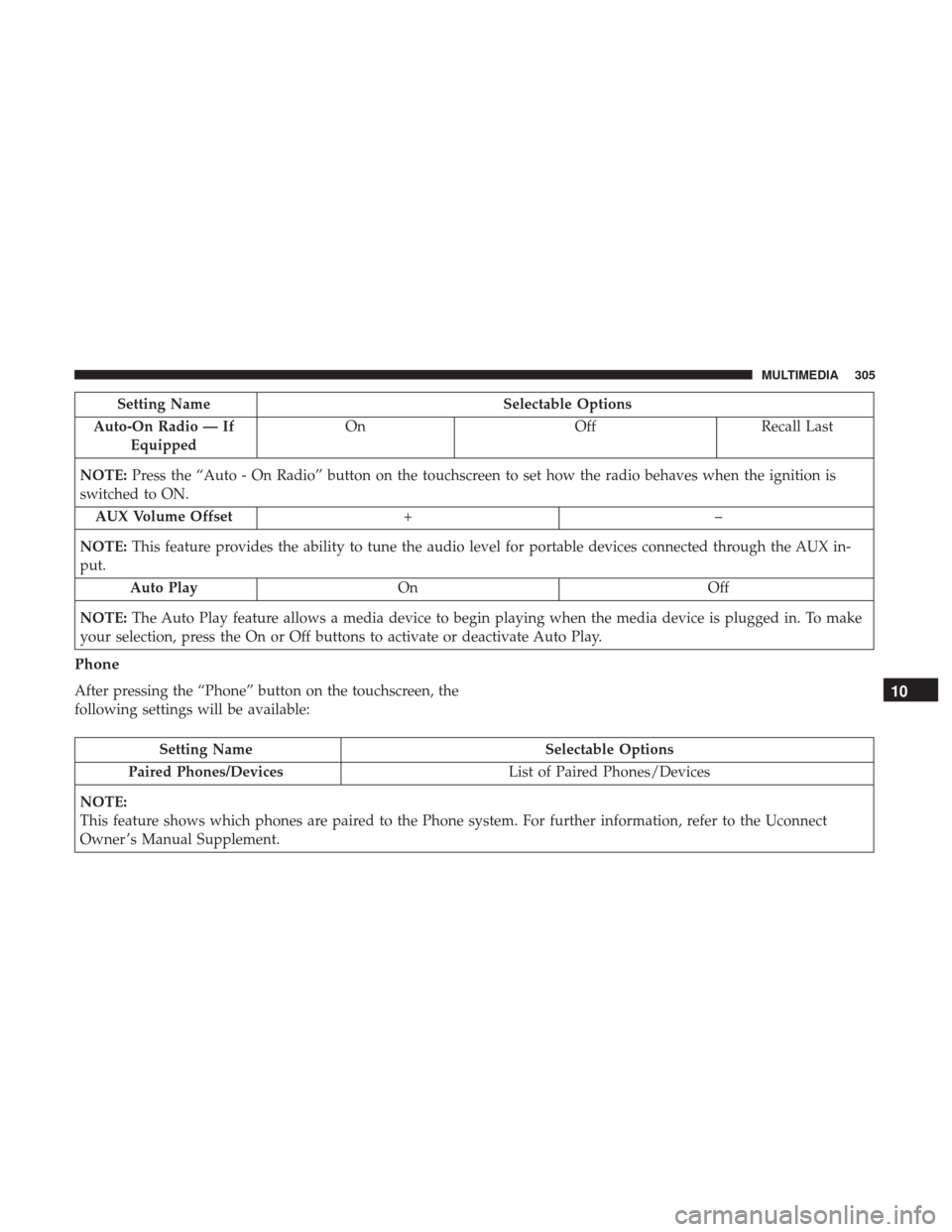
Setting NameSelectable Options
Auto-On Radio — If Equipped On
OffRecall Last
NOTE: Press the “Auto - On Radio” button on the touchscreen to set how the radio behaves when the ignition is
switched to ON.
AUX Volume Offset +–
NOTE: This feature provides the ability to tune the audio level for portable devices connected through the AUX in-
put.
Auto Play On Off
NOTE: The Auto Play feature allows a media device to begin playing when the media device is plugged in. To make
your selection, press the On or Off buttons to activate or deactivate Auto Play.
Phone
After pressing the “Phone” button on the touchscreen, the
following settings will be available:
Setting Name Selectable Options
Paired Phones/Devices List of Paired Phones/Devices
NOTE:
This feature shows which phones are paired to the Phone system. For further information, refer to the Uconnect
Owner ’s Manual Supplement.
10
MULTIMEDIA 305
All you need to control your Uconnect system with your
voice are the buttons on your steering wheel.Basic Voice Commands
The basic Voice Commands below can be given at any
point while using your Uconnect system.
Push the VR button
. After the beep, say:
•“Cancel” to stop a current voice session
• “Help” to hear a list of suggested Voice Commands
• “Repeat” to listen to the system prompts again
Notice the visual cues that inform you of your voice
recognition system’s status. Cues appear on the touch-
screen.
VR And Phone Buttons
1 — Push To MUTE
2 — Push To Begin Using Uconnect Voice Recognition
3 — Push To Initiate Or To Answer A Phone Call, Send Or Receive
A Text
4 — Push To End Call
Uconnect 3/3 NAV VR
312 MULTIMEDIA