2019 Peugeot Partner Fixe
[x] Cancel search: FixePage 44 of 312

42
Locking
With the key
F To lock the vehicle, insert the key in the lock then turn it towards the rear of the vehicle.
Using the remote control
F To lock the vehicle, press this button. If fitted to your vehicle, pressing
and holding this button closes the
windows. The window stops when
you release the control.
Ensure that no person or object prevents
the correct closing of the windows.
Be particularly aware of children when
operating the windows.
If your vehicle is not fitted with an alarm,
the locking/deadlocking is signalled by the
fixed illumination of the direction indicators
for about two seconds.
Depending on your version, the door
mirrors fold at the same time.
With the K eyless Entry and
Starting "on your person"
F To unlock the vehicle, with the remote
control in recognition zone A , press the
tailgate release control.
F
Ra
ise the tailgate.
F
T
o lock the vehicle, with the remote control
in the recognition zone A , press with a
finger or thumb on the markings of one of
the front or rear door handles.With side-hinged doors/tailgate
Ensure that no person or object prevents
the correct closing of the windows.
Be particularly aware of children when
operating the windows.
F
T
o lock the vehicle, with the remote control
in the recognition zone A , press the left-
hand door/tailgate locking control.
If your vehicle is so equipped,
pressing and holding the locking
controls allows the windows to
be closed. If you release the
control, the window stops.
Access
Page 56 of 312

54
If an opening (door, boot or bonnet) is not
closed properly, the vehicle is not locked
but the exterior perimeter monitoring will
be activated after 45 seconds at the same
time as the interior volumetric and anti-tilt
monitoring.Locking the vehicle
with exterior perimeter
monitoring only
Deactivate the interior volumetric and anti-tilt
monitoring to avoid unwanted triggering of the
alarm in certain cases such as:
-
l
eaving a pet in the vehicle,
-
l
eaving a window or sunroof partially open,
-
w
ashing your vehicle,
-
c
hanging a wheel,
-
h
aving your vehicle towed,
-
t
ransport by ship.
Triggering of the alarm
This is indicated by sounding of the siren
and flashing of the direction indicators for
30
seconds.
Depending on the country of sale, certain
monitoring functions remain active until the alarm
has been triggered eleven times consecutively.
When the vehicle is unlocked using the remote
control or the "
K
eyless Entry and Starting"
system, rapid flashing of the red indicator lamp
in the button informs you that the alarm was
triggered during your absence. When the ignition
is switched on, the flashing stops immediately.
Deactivation
F Press the unlocking button on the remote control.
or
F
U
nlock the vehicle with the Keyless Entry
and Starting system.
The monitoring system is deactivated: the
indicator lamp in the button goes off and the
direction indicators flash for about 2
seconds.
When the vehicle automatically locks
itself again (as happens if a door or the
boot is not opened within 30
seconds of
unlocking), the monitoring system is also
reactivated automatically.
Deactivating the interior
volumetric and anti-tilt
monitoring
F Switch off the ignition and within 10 s econds
press the alarm button until its red indicator
lamp is on fixed.
F
G
et out of the vehicle.
F
I
mmediately lock the vehicle using the
remote control or the "Keyless Entry and
Starting" system.
Only the exterior perimeter monitoring is
activated; the red indicator lamp in the button
flashes every second.
To be taken into account, the deactivation
must be carried out every time the ignition
is switched off.
Reactivating the interior
volumetric and anti-tilt monitoring
F Deactivate the perimeter monitoring by unlocking the vehicle with the remote
control or the Keyless Entry and Starting
system.
The indicator lamp in the button goes off.
F
R
eactivate all monitoring by locking the
vehicle with the remote control or the
Keyless Entry and Starting system.
The red indicator lamp in the button once again
flashes every second.
Access
Page 57 of 312

55
Electric windows
1.Left electric window control.
2. Right electric window control.
Manual mode
Automatic mode
Press or pull the control fully, beyond the
resistance point. The window opens or closes
completely when the switch is released.
Pressing the switch again stops the movement
of the window. The electric window functions
are deactivated for approximately 45
seconds
after switching off the ignition.
Safety anti-pinch
Malfunction
When the ignition is switched on, fixed
illumination of the red indicator lamp in the
button indicates a malfunction of the system.
Have it checked by a PEUGEOT dealer or a
qualified workshop.
Automatic activation
(Depending on the country of sale)
The system is activated automatically 2
m
inutes
after the last door or the boot is closed.
F
T
o avoid triggering the alarm on entering
the vehicle, first press the unlocking button
on the remote control or unlock the vehicle
using the "
K
eyless Entry and Starting"
system. Press or pull the control, without going past the
point of resistance. The window stops as soon
as the control is released.
If your vehicle is fitted with the safety anti-pinch
function, when the window rises and meets an
obstacle, it stops and partially lowers.
Reinitialisation
Following reconnection of the battery, the anti-
pinch safety function must be reinitialised.
F
L
ower the window fully, then raise it, it will
rise in steps of a few centimetres each time
the control is pressed.
F
R
epeat the operation until the window is
fully closed.
F
C
ontinue to pull the control upwards for
at least one second after reaching this
position, window closed.
The safety anti-pinch does not operate
while doing this.
Failure of the remote control
To deactivate the monitoring functions:
F u nlock the vehicle using the key (integral to
the remote control) in the driver's door lock,
F
o
pen the door; the alarm is triggered,
F
s
witch on the ignition; the alarm stops; the
indicator lamp in the button goes off.
Locking the vehicle without
activating the alarm
F Lock or deadlock the vehicle using the key (integral to the remote control) in the driver's
door lock. In the event of unwanted opening of the window
on closing, press the control until the window
opens completely. Within 4
seconds, pull the
control until the window closes.
The safety anti-pinch does not operate while
doing this.
2
Access
Page 69 of 312
67
Charging
F First ensure that the charging zone is clear of other articles.
F
P
lace a portable device in the middle of the
charging zone.
The system only supports charging one
portable device at a time.
F
O
nce the portable device is detected, the
charge indicator lamp comes on in green.
F
C
harging of the portable device's battery
then starts.
F
O
nce the portable device's battery is fully
charged, the charge indicator lamp goes off. Do not leave any metal objects (coins,
keys, vehicle remote control, etc.) in
the charging area while a device is
being charged – Risk of overheating or
interrupting the charging process!Checking operation
The state of the charge indicator lamp allows
the operation of the charger to be monitored.
Charge indicator
lampMeaning
Off Engine switched off.
No compatible portable
device detected.
Charging finished.
Fixed, green Compatible portable
device detected.
Charging...
Flashing,
orange Foreign object detected in
the charging zone.
Portable device not well
centred in the charging
zone.
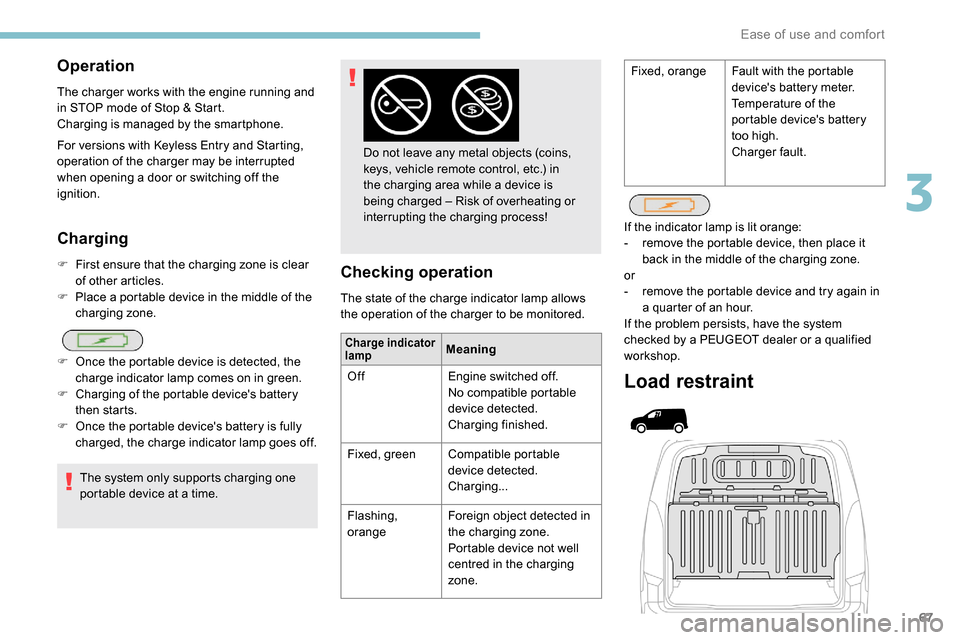
Load restraint
If the indicator lamp is lit orange:
-
r emove the portable device, then place it
back in the middle of the charging zone.
or
-
r
emove the portable device and try again in
a quarter of an hour.
If the problem persists, have the system
checked by a PEUGEOT dealer or a qualified
workshop.
Operation
The charger works with the engine running and
in STOP mode of Stop & Start.
Charging is managed by the smartphone.
For versions with
K
eyless Entry and Starting,
operation of the charger may be interrupted
when opening a door or switching off the
ignition. Fixed, orange
Fault with the portable
device's battery meter.
Temperature of the
portable device's battery
too high.
Charger fault.
3
Ease of use and comfort
Page 97 of 312

95
General safety
recommendations
Labels are affixed in different locations on
your vehicle. They include safety warnings
and vehicle identification information. Do
not remove them: they are an integral part
of your vehicle.
For any work on your vehicle, use a
qualified workshop that has the technical
information, skills and equipment required,
all of which a PEUGEOT dealer is able to
provide.
Depending on country regulations, some
safety equipment may be compulsory:
high visibility safety vests, warning
triangles, breathalysers, spare bulbs,
spare fuses, fire extinguisher, first aid kit,
mud flaps at the rear of the vehicle, etc.We draw your attention to the following
points:
-
T
he fitting of electrical equipment
or accessories not approved by
PEUGEOT may cause excessive
current consumption and faults and
failures with the electrical system of
your vehicle. Contact a PEUGEOT
dealer for information on the range of
recommended accessories.
-
A
s a safety measure, access to
the diagnostic socket, used for the
vehicle's electronic systems, is
reser ved strictly for PEUGEOT dealers
or qualified workshops, equipped
with the special tools required (risk
of malfunctions of the vehicle's
electronic systems that could cause
breakdowns or serious accidents).
The manufacturer cannot be held
responsible if this advice is not
followed.
-
A
ny modification or adaptation not
intended or authorised by PEUGEOT
or carried out without meeting the
technical requirements defined by
the manufacturer will result in the
suspension of the legal and contractual
warranties. Installation of accessory radio
communication transmitters
Before installing a radio communication
transmitter, you must contact a PEUGEOT
dealer for the specifications of compatible
transmitters (frequency, maximum power,
aerial position, specific installation
requirements), in line with the Vehicle
Electromagnetic Compatibility Directive
(2004/104/EC).
5
Safety
Page 100 of 312

98
Definitions
Anti-lock braking system (ABS)
and electronic brake force
distribution (EBFD)
These systems improve the stability and
manoeuvrability of your vehicle when braking
and contribute towards improved control in
corners, in particular on poor or slippery road
surfaces.
The ABS prevents wheel lock in the event of
emergency braking.
The electronic brake force distribution system
manages the braking pressure wheel by wheel.
Emergency braking assistance
(EBA)
In an emergency, this system enables you to
reach the optimum braking pressure more
quickly and therefore reduce the stopping
distance.
It is triggered in relation to the speed at which
the brake pedal is pressed. This is felt by a
reduction in the resistance of the pedal and an
increase in braking efficiency.
Anti-slip regulation (ASR)
This system optimises traction in order to
avoid wheel slip by acting on the brakes of
the driving wheels and on the engine. It also
improves the directional stability of the vehicle
on acceleration.
Dynamic stability control (DSC)
If there is a difference between the path
followed by the vehicle and that required by the
driver, this system monitors each wheel and
automatically acts on the brake of one or more
wheels and on the engine to return the vehicle
to the required path, within the limits of the laws
of physics.
Trailer stability assist (TSA)
This system allows control of the vehicle to be
retained when towing a trailer, so as to avoid
the risk of snaking.
Anti-lock braking system
(ABS) and electronic brake
force distribution (EBFD)
The fixed illumination of this warning
lamp signals that there is a fault with
the ABS.Illumination of this warning lamp,
coupled with the STOP
and ABS
warning lamps, accompanied by
the display of a message and an
audible signal, signals that there is a
fault with the electronic brake force
distribution (EBFD).
Normal operation of the ABS may make
itself felt by slight vibrations of the brake
pedal.
When braking in an emergency, press
very firmly and maintain this pressure.
When changing wheels (tyres and rims),
ensure that these are approved for your
vehicle.
After an impact, have these systems
checked by a PEUGEOT dealer or a
qualified workshop.
The vehicle retains conventional braking. Drive
carefully at moderate speed.
Contact a PEUGEOT dealer or a qualified
workshop as soon as possible.
You must stop as soon as it is safe to do so.
Call a PEUGEOT dealer or a qualified
workshop.
Safety
Page 124 of 312
122
In the event of a battery failure, the
automatic electronic parking brake no
longer works.
As a safety measure with a manual
gearbox, if the parking brake is not
applied, immobilise the vehicle by
engaging a gear.
As a safety measure with an automatic
gearbox, if the parking brake is not
applied, immobilise the vehicle by placing
one of the chocks supplied against one of
the wheels.
Contact a PEUGEOT dealer or a qualified
workshop.
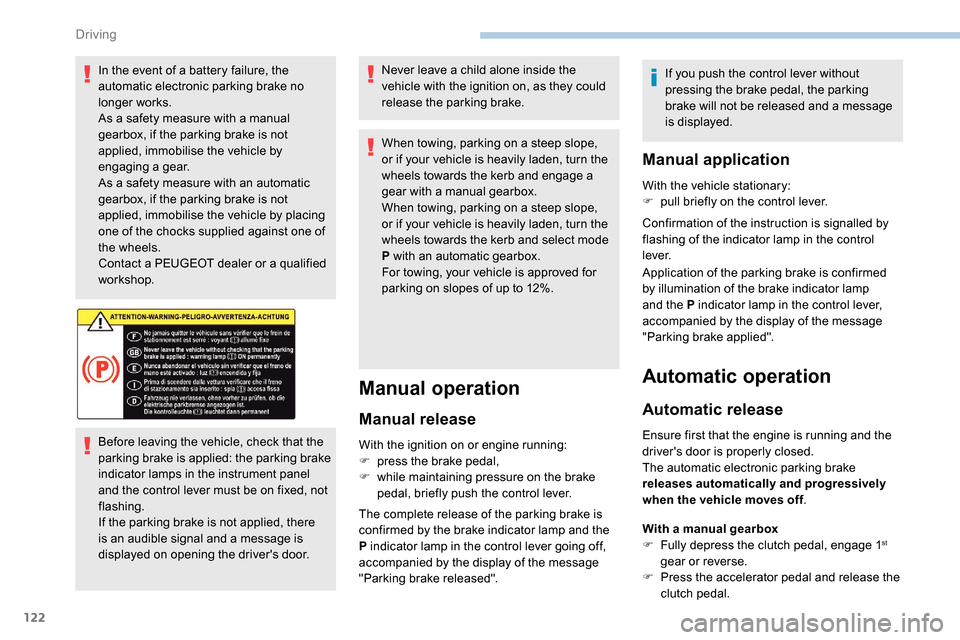
Before leaving the vehicle, check that the
parking brake is applied: the parking brake
indicator lamps in the instrument panel
and the control lever must be on fixed, not
flashing.
If the parking brake is not applied, there
is an audible signal and a message is
displayed on opening the driver's door.Never leave a child alone inside the
vehicle with the ignition on, as they could
release the parking brake.
When towing, parking on a steep slope,
or if your vehicle is heavily laden, turn the
wheels towards the kerb and engage a
gear with a manual gearbox.
When towing, parking on a steep slope,
or if your vehicle is heavily laden, turn the
wheels towards the kerb and select mode
P with an automatic gearbox.
For towing, your vehicle is approved for
parking on slopes of up to 12%.
Manual operation
Manual release
With the ignition on or engine running:
F
p ress the brake pedal,
F
w
hile maintaining pressure on the brake
pedal, briefly push the control lever.
The complete release of the parking brake is
confirmed by the brake indicator lamp and the
P indicator lamp in the control lever going off,
accompanied by the display of the message
"Parking brake released". If you push the control lever without
pressing the brake pedal, the parking
brake will not be released and a message
is displayed.
Manual application
With the vehicle stationary:
F
p ull briefly on the control lever.
Confirmation of the instruction is signalled by
flashing of the indicator lamp in the control
l eve r.
Application of the parking brake is confirmed
by illumination of the brake indicator lamp
and the P indicator lamp in the control lever,
accompanied by the display of the message
"Parking brake applied".
Automatic operation
Automatic release
Ensure first that the engine is running and the
driver's door is properly closed.
The automatic electronic parking brake
releases automatically and progressively
when the vehicle moves off .
With a manual gearbox
F
F
ully depress the clutch pedal, engage 1
st
gear or reverse.
F
P
ress the accelerator pedal and release the
clutch pedal.
Driving
Page 127 of 312

125
Do not leave the vehicle while it is being
held temporarily by hill start assist.
If you need to leave the vehicle with the
engine running, apply the parking brake
manually then ensure that the parking
brake warning lamp lights up fixed on the
instrument panel.
Malfunction
- certain slope conditions are met,
- t he driver’s door is closed.
Uphill , with the vehicle stationary, the vehicle
is held for a short time when you release the
brake pedal.
With a manual gearbox , if you are in first gear
or in neutral.
With an automatic gearbox , if you are in
position D or M . Downhill
, with the vehicle stationary and
reverse gear engaged, the vehicle is held for a
short time when you release the brake pedal.
If a fault in the system occurs, these warning
lamps come on.
Contact a PEUGEOT dealer or a qualified
workshop to have the system checked.5-speed manual gearbox
Engaging reverse gear
Only engage reverse gear when the vehicle
is stationary with the engine at idle.
As a safety precaution and to facilitate
starting of the engine:
-
a
lways select neutral,
-
p
ress the clutch pedal.
F
W
ith the clutch pedal fully down, you must
place the gear lever in neutral.
F
M
ove the gear lever to the right, then pull it
back.
6
Driving