Page 137 of 476

Headlight beam select
�1To select the high beam function, push
the lever forward while the low beams
are on. The high beam lights come on
and the
indicator light illumi-
nates.
�2Pull the lever back to return to the low
beam.
�3Pulling and releasing the lever flashes
the headlight high beams on and off.
The low beams do not need to be on
for this to function.
Battery saver system
If the ignition switch is placed in the OFF
position while the headlight switch is in
the
orposition, the headlights
will turn off af ter a period of time.
NOTE:
The Battery Saver system may be dis-
abled. For additional information, refer
to “Vehicle information display ” in this
section.
CAUTION
Even though the battery saver feature
automatically turns off the headlights
af ter a period of time, you should turn
the headlight switch to the OFF position
when the engine is not running to avoid
discharging the vehicle battery.
LED DAYTIME RUNNING LIGHTS
(DRL) SYSTEM
The LED portion of the headlights auto-
matically illuminate at 100% intensity when
the engine is started and the parking brake
is released. The LED Daytime Running
Lights (DRL) operate with the headlight
switch in the OFF position. When you turn
the headlight switch to the
position
for full illumination, the LED lights switch
from LED DRL to the park function.
If the parking brake is applied before the
engine is started, the LED DRL do not illumi-
nate. The LED DRL illuminate when the
parking brake is released. The LED DRL re-
main on until the ignition is placed in the
OFF position.
It is necessary at dusk to turn the headlight
switch on for interior controls and switches
to illuminate, as those remain off while the
switch is in the OFF position.
WARNING
When the LED DRL system is active, tail
lights on your vehicle are not on. It is
necessary at dusk to turn on your head-
lights. Failure to do so could cause an
accident injuring yourself and others.
LIC3250
Instruments and controls2-41
Page 139 of 476
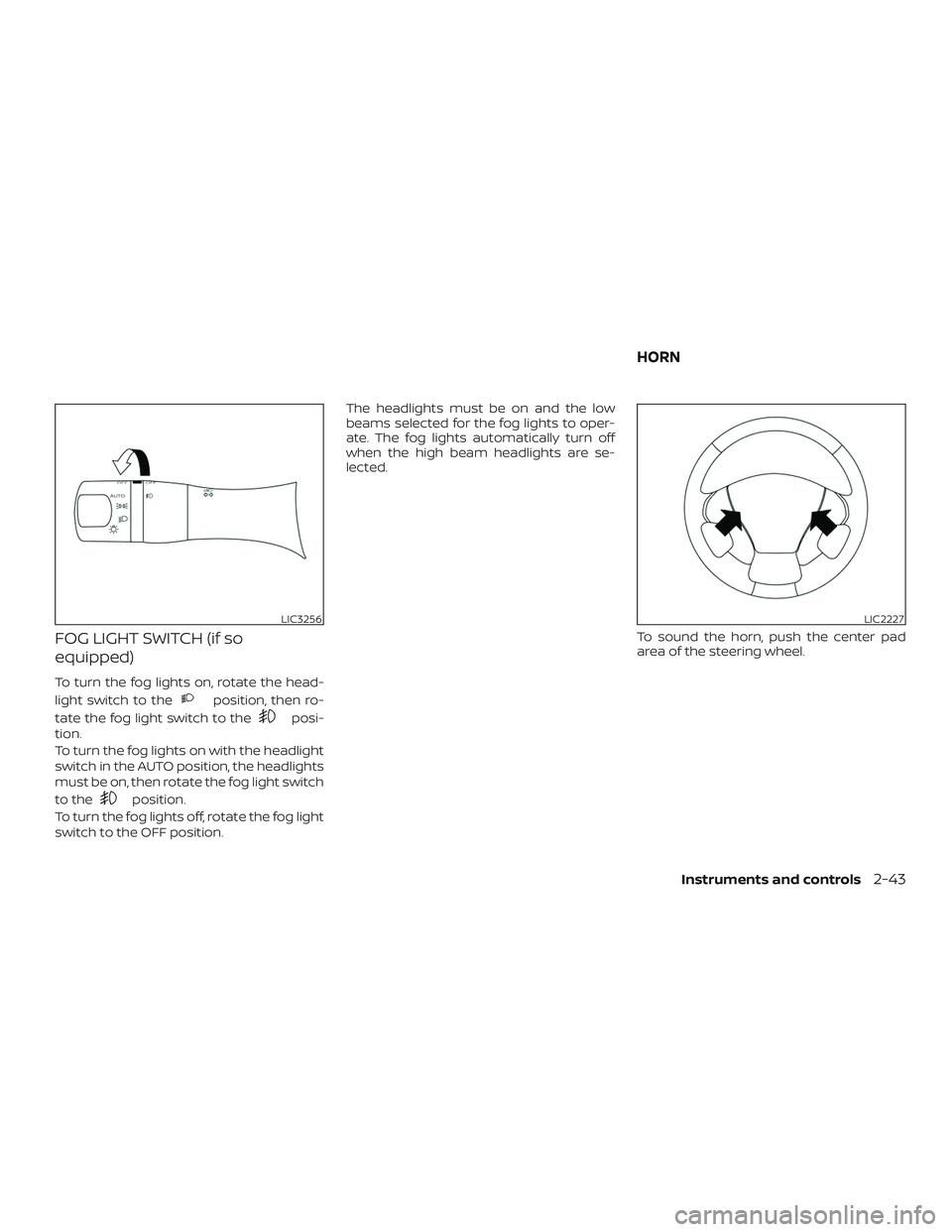
FOG LIGHT SWITCH (if so
equipped)
To turn the fog lights on, rotate the head-
light switch to the
position, then ro-
tate the fog light switch to the
posi-
tion.
To turn the fog lights on with the headlight
switch in the AUTO position, the headlights
must be on, then rotate the fog light switch
to the
position.
To turn the fog lights off, rotate the fog light
switch to the OFF position. The headlights must be on and the low
beams selected for the fog lights to oper-
ate. The fog lights automatically turn off
when the high beam headlights are se-
lected.
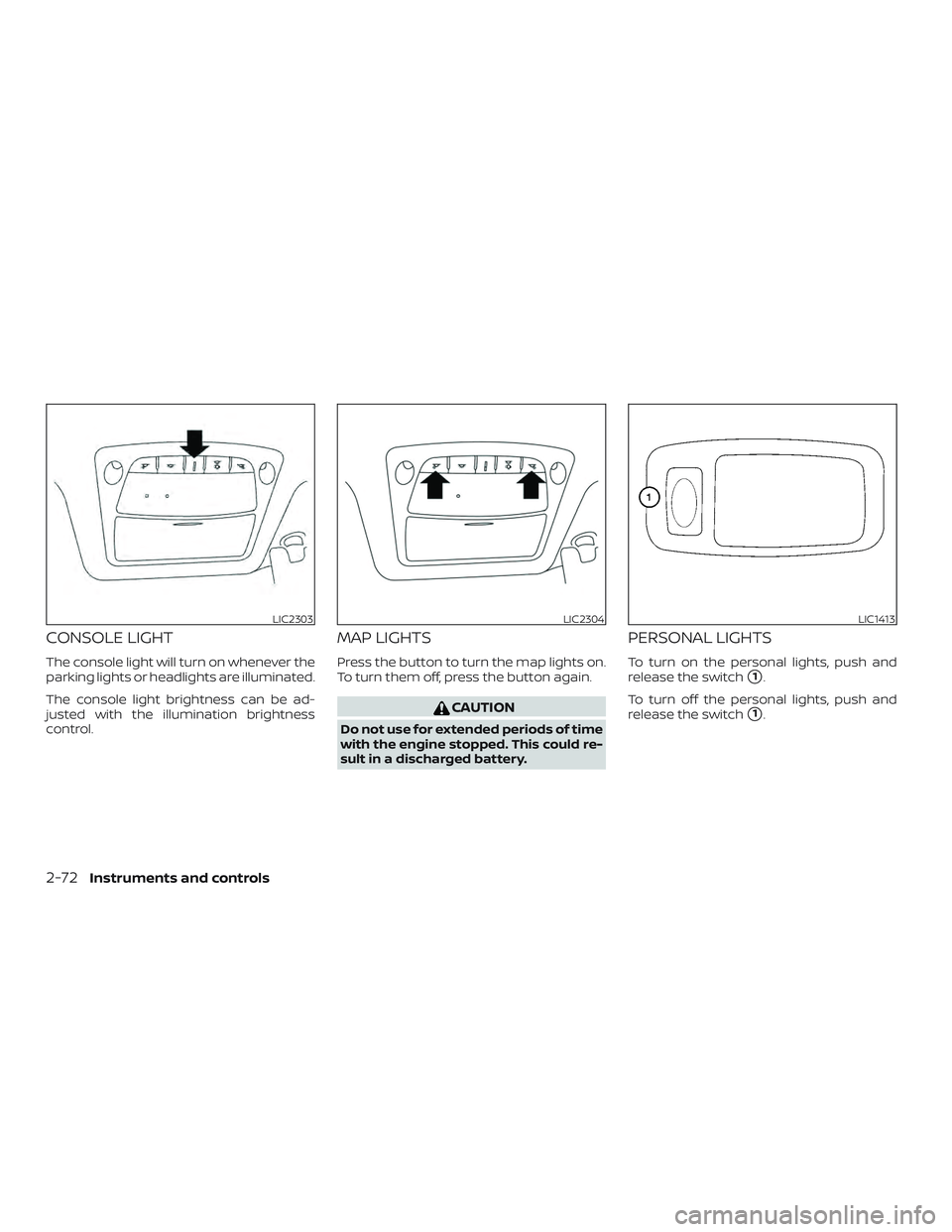
To sound the horn, push the center pad
area of the steering wheel.
LIC3256LIC2227
HORN
Instruments and controls2-43
Page 150 of 476
12V OUTLETS
The power outlets are for powering electri-
cal accessories such as cellular tele-
phones. They are rated at 12 volt, 120W (10A)
maximum.
The instrument panel and center console
power outlets are powered only when the
ignition switch is in the ACC or ON position.
CAUTION
∙ The outlet and plug may be hot duringor immediately af ter use.
∙ Only certain power outlets are de- signed for use with a cigarette lighter
unit. Do not use any other power out-
let for an accessory lighter. It is rec-
ommended that you visit a NISSAN
dealer for additional information.
∙ Do not use with accessories that ex- ceed a 12 volt, 120W (10A) power draw. ∙ Do not use double adapters or more
than one electrical accessory.
∙ Use power outlets with the engine running to avoid discharging the ve-
hicle battery.
∙ Avoid using power outlets when the air conditioner, headlights, or rear
window defroster is on.
∙ Before inserting or disconnecting a plug, be sure the electrical accessory
being used is turned off.
Instrument Panel
LIC3345
Center Console (if so equipped)
LIC3737
Cargo Area (if so equipped)
LIC2236
POWER OUTLETS
2-54Instruments and controls
Page 151 of 476
∙ Push the plug in as far as it will go. Ifgood contact is not made, the plug
may overheat or the internal tem-
perature fuse may open.
∙ When not in use, be sure to close the cap. Do not allow water or any other
liquid to contact the outlet.
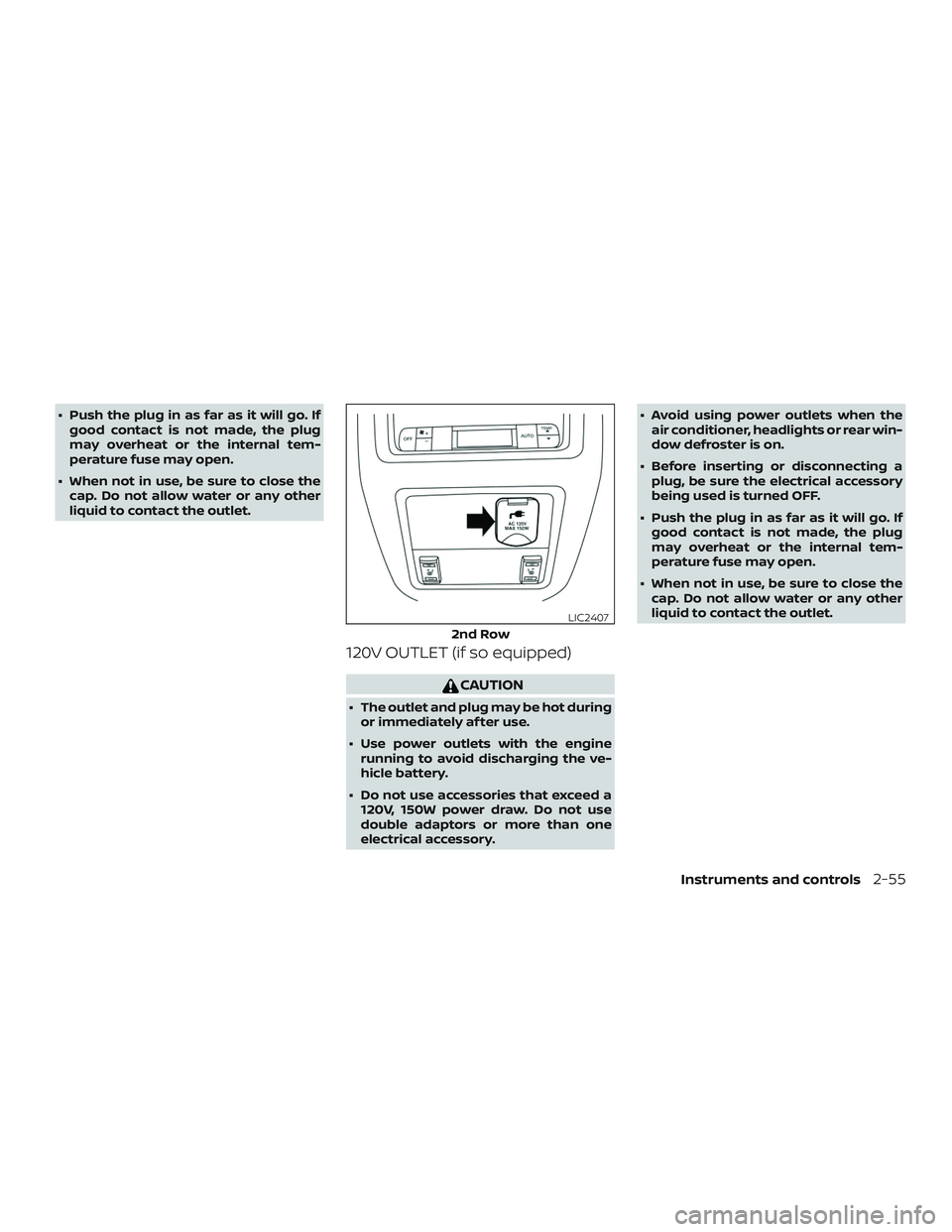
120V OUTLET (if so equipped)
CAUTION
∙ The outlet and plug may be hot duringor immediately af ter use.
∙ Use power outlets with the engine running to avoid discharging the ve-
hicle battery.
∙ Do not use accessories that exceed a 120V, 150W power draw. Do not use
double adaptors or more than one
electrical accessory. ∙ Avoid using power outlets when the
air conditioner, headlights or rear win-
dow defroster is on.
∙ Before inserting or disconnecting a plug, be sure the electrical accessory
being used is turned OFF.
∙ Push the plug in as far as it will go. If good contact is not made, the plug
may overheat or the internal tem-
perature fuse may open.
∙ When not in use, be sure to close the cap. Do not allow water or any other
liquid to contact the outlet.
2nd Row
LIC2407
Instruments and controls2-55
Page 168 of 476
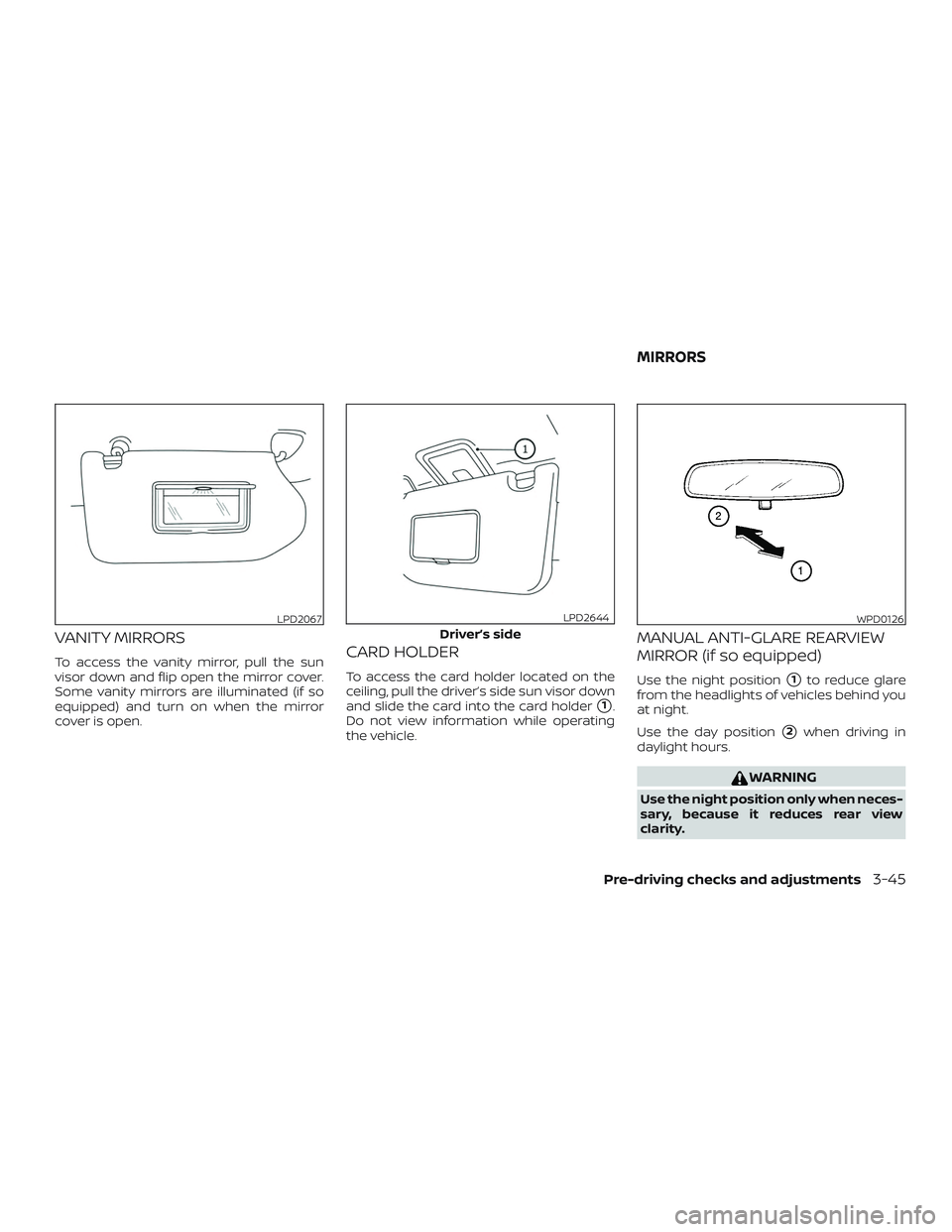
CONSOLE LIGHT
The console light will turn on whenever the
parking lights or headlights are illuminated.
The console light brightness can be ad-
justed with the illumination brightness
control.
MAP LIGHTS
Press the button to turn the map lights on.
To turn them off, press the button again.
CAUTION
Do not use for extended periods of time
with the engine stopped. This could re-
sult in a discharged battery.
PERSONAL LIGHTS
To turn on the personal lights, push and
release the switch
�1.
To turn off the personal lights, push and
release the switch
�1.
LIC2303LIC2304LIC1413
2-72Instruments and controls
Page 191 of 476
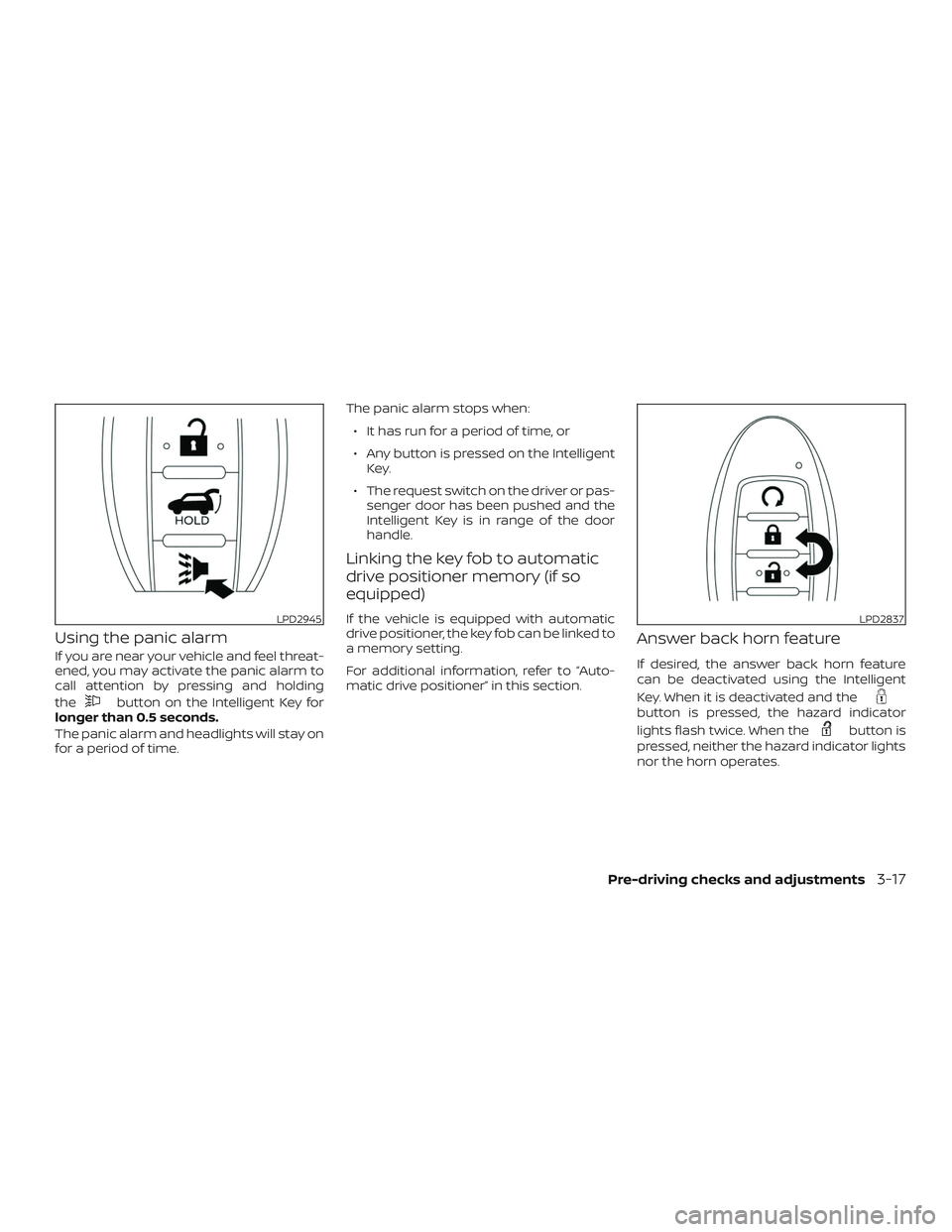
Using the panic alarm
If you are near your vehicle and feel threat-
ened, you may activate the panic alarm to
call attention by pressing and holding
the
button on the Intelligent Key for
longer than 0.5 seconds.
The panic alarm and headlights will stay on
for a period of time. The panic alarm stops when:
∙ It has run for a period of time, or
∙ Any button is pressed on the Intelligent Key.
∙ The request switch on the driver or pas- senger door has been pushed and the
Intelligent Key is in range of the door
handle.
Linking the key fob to automatic
drive positioner memory (if so
equipped)
If the vehicle is equipped with automatic
drive positioner, the key fob can be linked to
a memory setting.
For additional information, refer to “Auto-
matic drive positioner” in this section.
Answer back horn feature
If desired, the answer back horn feature
can be deactivated using the Intelligent
Key. When it is deactivated and the
button is pressed, the hazard indicator
lights flash twice. When the
button is
pressed, neither the hazard indicator lights
nor the horn operates.
LPD2945LPD2837
Pre-driving checks and adjustments3-17
Page 199 of 476

Using the panic alarm
If you are near your vehicle and feel threat-
ened, you may activate the panic alarm to
call attention by pressing and holding
the
button on the Intelligent Key for
longer than 0.5 seconds.
The panic alarm and headlights will stay on
for a period of time.
The panic alarm stops when:
∙ It has run for a period of time, or
∙ Any button is pressed on the Intelligent Key.
Answer back horn feature
If desired, the answer back horn feature
can be deactivated using the Intelligent
Key. When it is deactivated and the
button is pressed, the hazard indicator
lights flash twice. When the
button is
pressed, neither the hazard indicator lights
nor the horn operates. NOTE:
If you change the answer back horn and
light flash feature with the Intelligent
Key, the vehicle information display
screen will show the current mode af ter
the ignition switch has been cycled from
the OFF to the ON position. The vehicle
information display screen can also be
used to change the answer back horn
mode.
To deactivate:
Press and hold the
andbut-
tons for at least 2 seconds. The hazard
indicator lights will flash three times to con-
firm that the answer back horn feature has
been deactivated.
To activate:
Press and hold the
andbut-
tons for at least 2 seconds once more.
The hazard indicator lights will flash once
and the horn will sound once to confirm
that the horn beep feature has been reac-
tivated.
Deactivating the horn beep feature does
not silence the horn if the alarm is trig-
gered.
LPD2945LPD2837
Pre-driving checks and adjustments3-25
Page 219 of 476
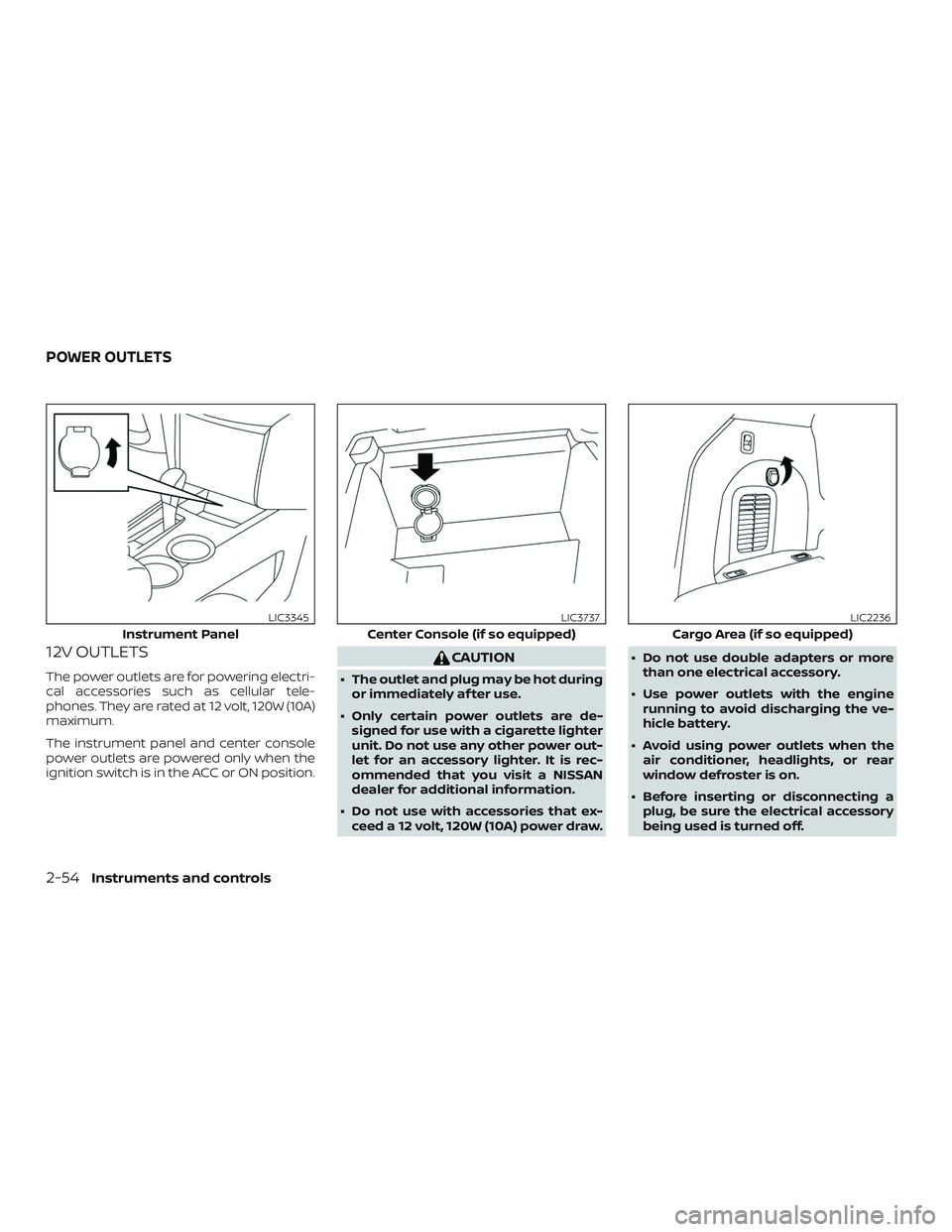
VANITY MIRRORS
To access the vanity mirror, pull the sun
visor down and flip open the mirror cover.
Some vanity mirrors are illuminated (if so
equipped) and turn on when the mirror
cover is open.CARD HOLDER
To access the card holder located on the
ceiling, pull the driver’s side sun visor down
and slide the card into the card holder
�1.
Do not view information while operating
the vehicle.
MANUAL ANTI-GLARE REARVIEW
MIRROR (if so equipped)
Use the night position�1to reduce glare
from the headlights of vehicles behind you
at night.
Use the day position
�2when driving in
daylight hours.
WARNING
Use the night position only when neces-
sary, because it reduces rear view
clarity.
LPD2067
Driver’s side
LPD2644WPD0126
MIRRORS
Pre-driving checks and adjustments3-45