Page 228 of 610

Be sure not to put anything on top of the
photo sensor
�1located on the top of the
instrument panel. The photo sensor con-
trols the autolight; if it is covered, the
photo sensor reacts as if it is dark and
the headlights will illuminate.Headlight beam select
�1To select the low beam, have the lever
in the neutral position as shown and
rotate the switch to the desired posi-
tion. For additional information, refer
to “Headlight switch” in this section.
�2To select the high beam, push the
lever forward while the switch is in the
position. The high beams will
come on and the high beam indicator
(blue)
will illuminate. Pull it back
to return to the low beam.
�3Pulling the lever toward you will flash
the headlight high beam even when
the headlight switch is in the OFF po-
sition.
High Beam Assist (if so equipped)
The High Beam Assist system will operate
when the vehicle is driven at speeds of ap-
proximately 19 mph (30 km/h) and above.
If an oncoming vehicle or leading vehicle
appears in front of your vehicle when the
headlight high beam is on, the headlight
will be switched to the low beam automati-
cally.
Precautions on High Beam Assist:
WARNING
• The High Beam Assist system is a convenience but it is not a substitute
for safe driving operation. The driver
should remain alert at all times,
ensure safe driving practices and
switch the high beams and low
beam manually when necessary.
Instruments and controls2-55
Page 231 of 610
CAUTION
• When you turn on the headlight switch again af ter the lights auto-
matically turn off, the lights will not
turn off automatically. Be sure to
turn the light switch to the OFF posi-
tion when you leave the vehicle for
extended periods of time, otherwise
the battery will be discharged.
• Never leave the light switch on when the power switch is in the OFF, ACC or
ON position for extended periods of
time even if the headlights turn off
automatically.
LED Daytime Running Lights (DRL)
system (if so equipped)
The LED portion of the headlights auto-
matically illuminates at 100% intensity
when the power switch is in the READY to
drive position with the parking brake re-
leased. The LED DRL system operates with
the headlight switch in the OFF position.
Turn headlight switch to the
position
for full illumination when driving at night. If the parking brake is applied before the
power switch is in the READY to drive posi-
tion, the LED DRL system does not operate.
The LED DRL system illuminates once the
parking brake is released. The LED DRL sys-
tem will remain on until the power switch is
pushed to the OFF position.
WARNING
When the LED DRL system is active, tail
lights on your vehicle are not on. It is
necessary at dusk to turn on your
headlights. Failure to do so could
cause an accident injuring yourself
and others.
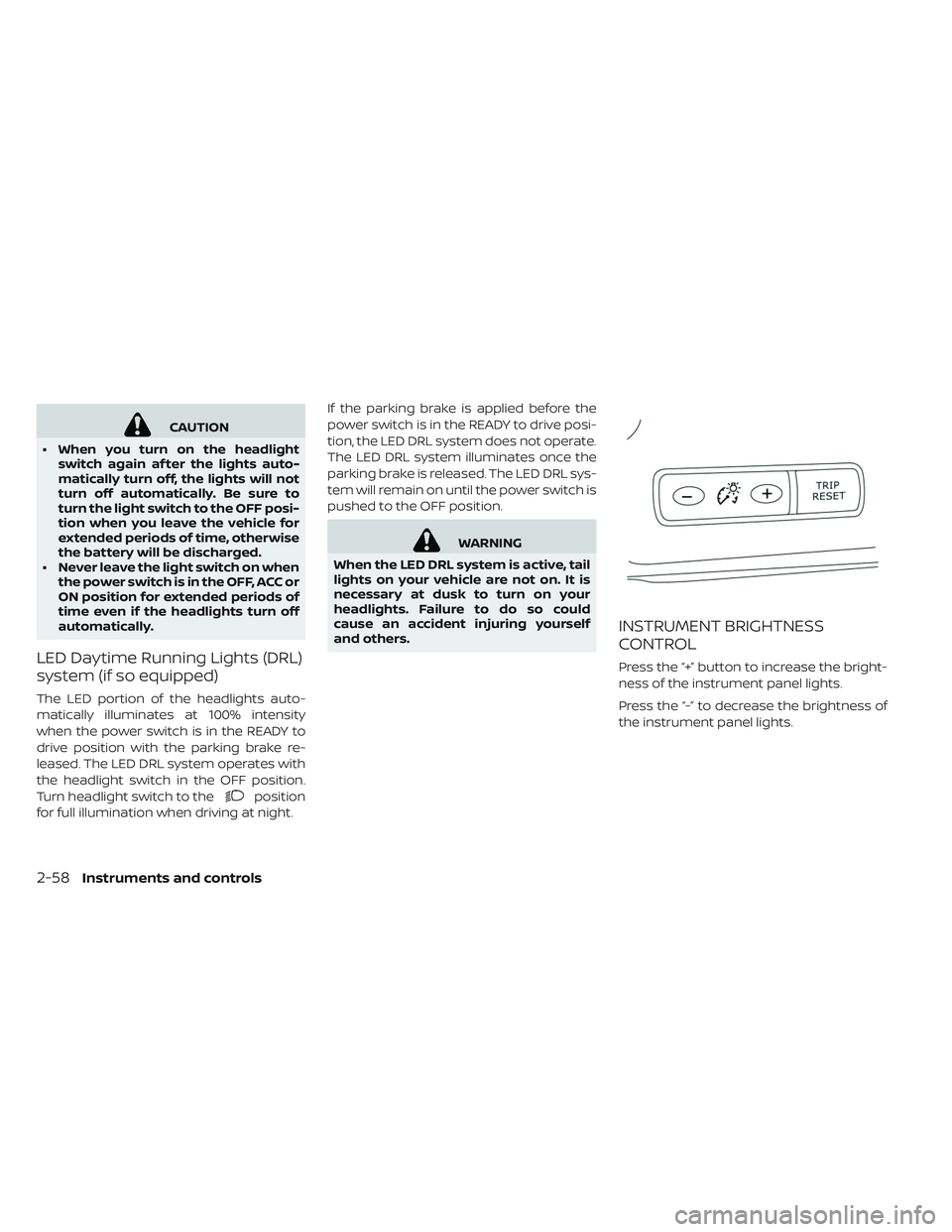
INSTRUMENT BRIGHTNESS
CONTROL
Press the “+” button to increase the bright-
ness of the instrument panel lights.
Press the “-” to decrease the brightness of
the instrument panel lights.
2-58Instruments and controls
Page 239 of 610
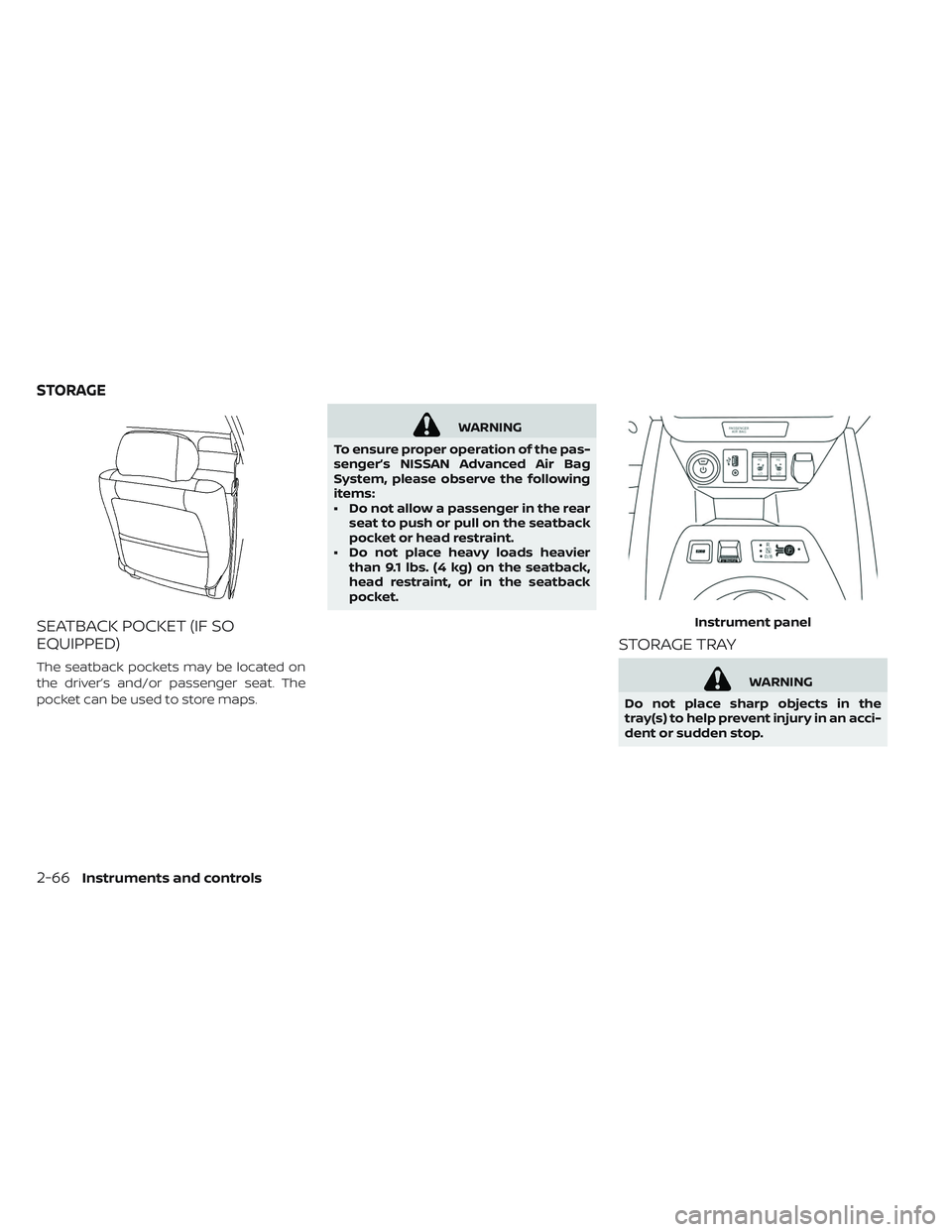
SEATBACK POCKET (IF SO
EQUIPPED)
The seatback pockets may be located on
the driver’s and/or passenger seat. The
pocket can be used to store maps.
WARNING
To ensure proper operation of the pas-
senger’s NISSAN Advanced Air Bag
System, please observe the following
items:
• Do not allow a passenger in the rear seat to push or pull on the seatback
pocket or head restraint.
• Do not place heavy loads heavier than 9.1 lbs. (4 kg) on the seatback,
head restraint, or in the seatback
pocket.
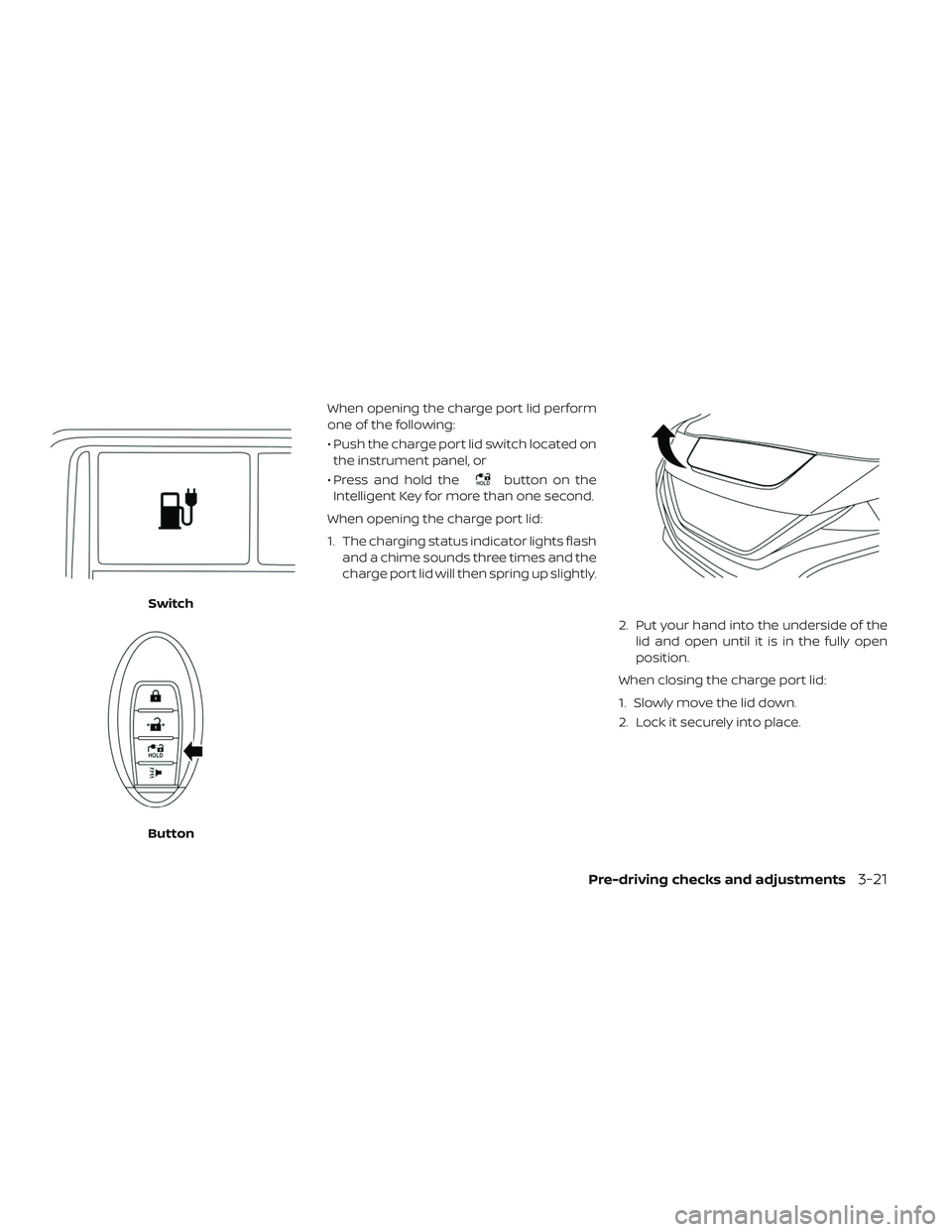
STORAGE TRAY
WARNING
Do not place sharp objects in the
tray(s) to help prevent injury in an acci-
dent or sudden stop. Instrument panel
STORAGE
2-66Instruments and controls
Page 271 of 610
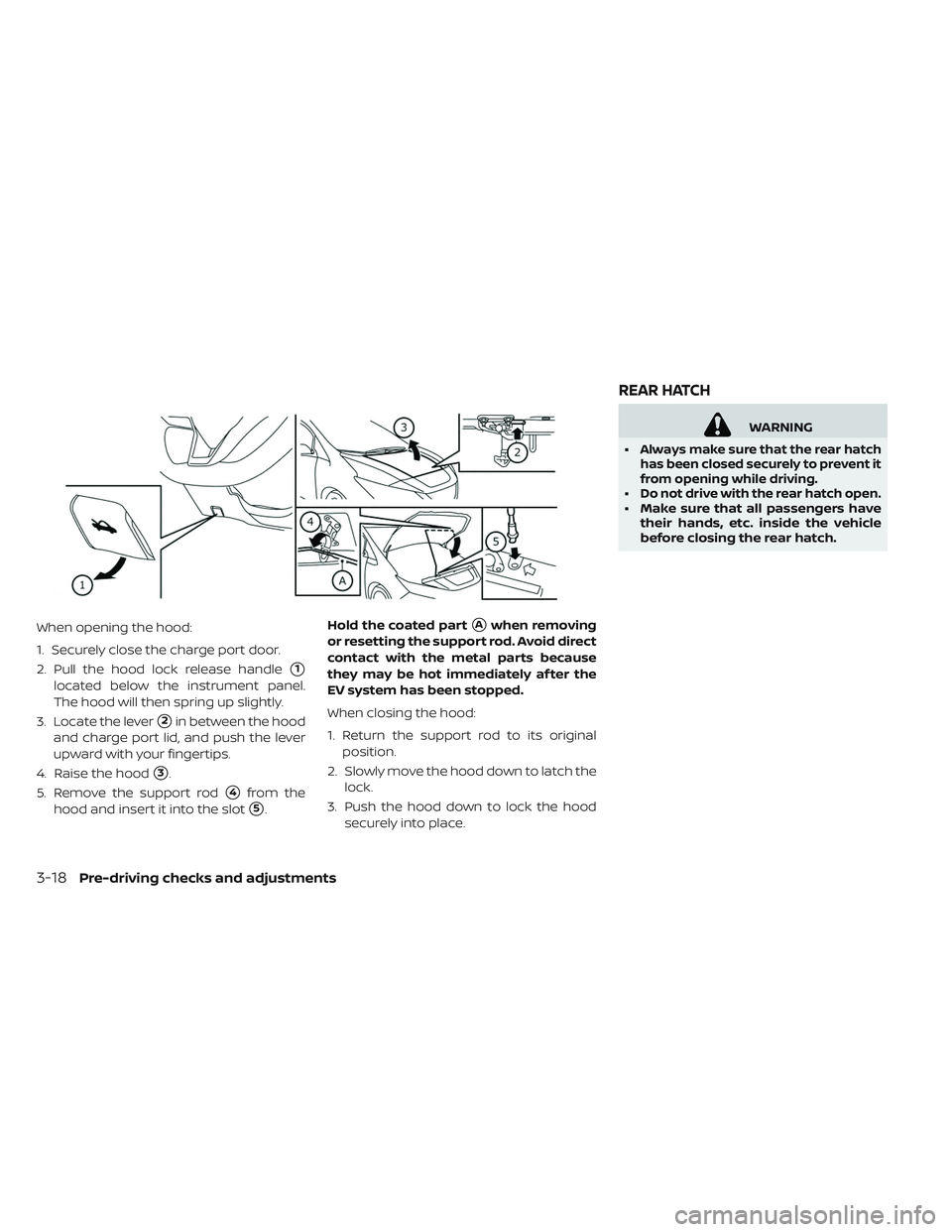
When opening the hood:
1. Securely close the charge port door.
2. Pull the hood lock release handle
�1
located below the instrument panel.
The hood will then spring up slightly.
3. Locate the lever
�2in between the hood
and charge port lid, and push the lever
upward with your fingertips.
4. Raise the hood
�3.
5. Remove the support rod
�4from the
hood and insert it into the slot
�5. Hold the coated part
�Awhen removing
or resetting the support rod. Avoid direct
contact with the metal parts because
they may be hot immediately af ter the
EV system has been stopped.
When closing the hood:
1. Return the support rod to its original position.
2. Slowly move the hood down to latch the lock.
3. Push the hood down to lock the hood securely into place.
WARNING
•
Alwaysmakesurethattherearhatch
has been closed securely to prevent it
from opening while driving.
•Do not drive with the rear hatch open.• Make sure that all passengers have their hands, etc. inside the vehicle
before closing the rear hatch.
REAR HATCH
3-18Pre-driving checks and adjustments
Page 274 of 610
When opening the charge port lid perform
one of the following:
• Push the charge port lid switch located onthe instrument panel, or
• Press and hold the
button on the
Intelligent Key for more than one second.
When opening the charge port lid:
1. The charging status indicator lights flash and a chime sounds three times and the
charge port lid will then spring up slightly.
2. Put your hand into the underside of thelid and open until it is in the fully open
position.
When closing the charge port lid:
1. Slowly move the lid down.
2. Lock it securely into place.
Switch
Button
Pre-driving checks and adjustments3-21
Page 369 of 610

NISSAN INTELLIGENT KEY®
SYSTEM
The Intelligent Key system allows the driver
to start the EV system without taking the
key out of a pocket or purse. The operating
environment and/or conditions may affect
Intelligent Key system operation.
Some indicators and warnings for opera-
tion are displayed on the vehicle informa-
tion display. For additional information, re-
fer to “Vehicle information display” in the
“Instruments and controls” section of this
manual.
CAUTION
• Be sure to carry the Intelligent Key with you when operating the ve-
hicle.
• Never leave the Intelligent Key inside the vehicle when you leave the ve-
hicle.
OPERATING RANGE FOR EV START
FUNCTION
The Intelligent Key function can only be
used for starting the EV system when the
Intelligent Key is within the specified oper-
ating range
�1.
When the Intelligent Key battery is almost
discharged or strong radio waves are pres-
ent near the operating location, the Intelli-
gent Key system’s operating range be-
comes narrower and it may not function
properly. If the Intelligent Key is within the operating
range, it is possible for anyone, even some-
one who does not carry the Intelligent Key,
to push the power switch to start the EV
system.
• The cargo area is not included in the op-
erating range but the Intelligent Key may
function.
• If the Intelligent Key is placed on the in- strument panel or inside the glove box or
door pocket, the Intelligent Key may not
function.
• If the Intelligent Key is placed near a door or window outside the vehicle, the Intelli-
gent Key may not function.
5-10Starting and driving
Page 390 of 610
• Do not place reflective materials, such aswhite paper or a mirror, on the instrument
panel. The reflection of sunlight may ad-
versely affect the camera unit’s capability
of detecting the lane markers.
• Do not strike or damage the areas around the camera unit. Do not touch the camera
lens or remove the screw located on the
camera unit. If the camera unit is dam-
aged due to an accident, it is recom-
mended that you visit a NISSAN certified
LEAF dealer.
WARNING
Failure to follow the warnings and in-
structions for proper use of the I-LI
system could result in serious injury or
death.
• The I-LI system will not steer the ve- hicle or prevent loss of control. It is
the driver’s responsibility to stay
alert, drive safely, keep the vehicle in
the traveling lane, and be in control
of the vehicle at all times. • The I-LI system is primarily intended
for use on well-developed freeways
or highways. It may not detect the
lane markers in certain road,
weather, or driving conditions.
The I-LI system must be turned on with the
ProPILOT Assist switch on the steering
wheel every time the power switch is
placed in the ON position.
The I-LI system will operate when the ve-
hicle is driven at speeds of approximately
37 mph (60 km/h) and above, and only
when the lane markings are clearly visible
on the road.
The I-LI system warns the driver when the
vehicle has lef t the center of the traveling
lane with an indicator in the vehicle infor-
mation display and a steering vibration.
The system helps assist the driver to return
the vehicle to the center of the traveling
lane by applying the brakes to the lef t or
right wheels individually (for a short period
of time).
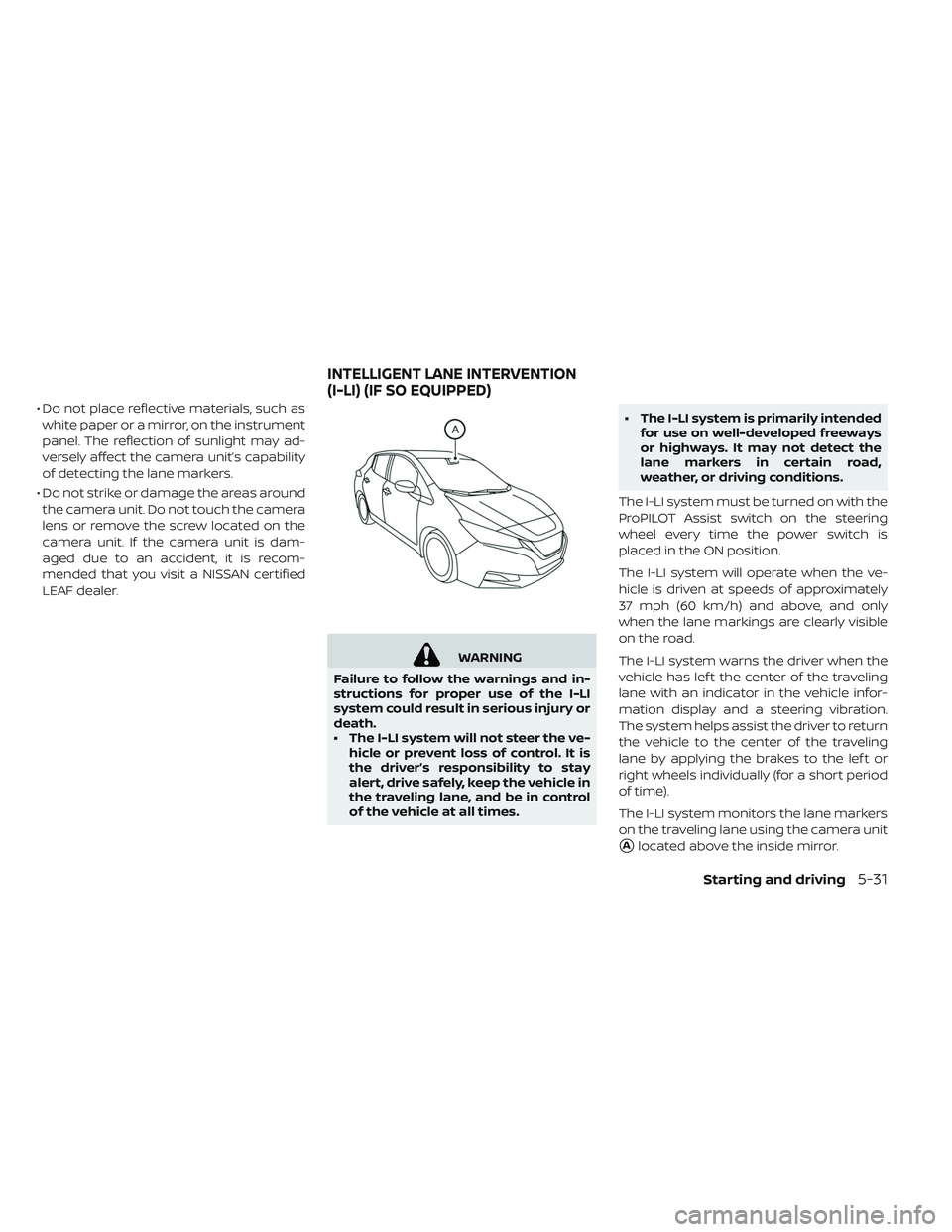
The I-LI system monitors the lane markers
on the traveling lane using the camera unit
�Alocated above the inside mirror.
INTELLIGENT LANE INTERVENTION
(I-LI) (IF SO EQUIPPED)
Starting and driving5-31
Page 395 of 610
SYSTEM MALFUNCTION
If the I-LI system malfunctions, it will cancel
automatically. The I-LI system warning light
(orange) will illuminate in the display.
If the I-LI system warning light (orange) illu-
minates in the display, pull off the road to a
safe location and stop the vehicle. Turn the
EV system off and restart the EV system. If
the I-LI system warning light (orange) con-
tinues to illuminate, have the I-LI system
checked. It is recommended that you visit a
NISSAN certified LEAF dealer for this ser-
vice.
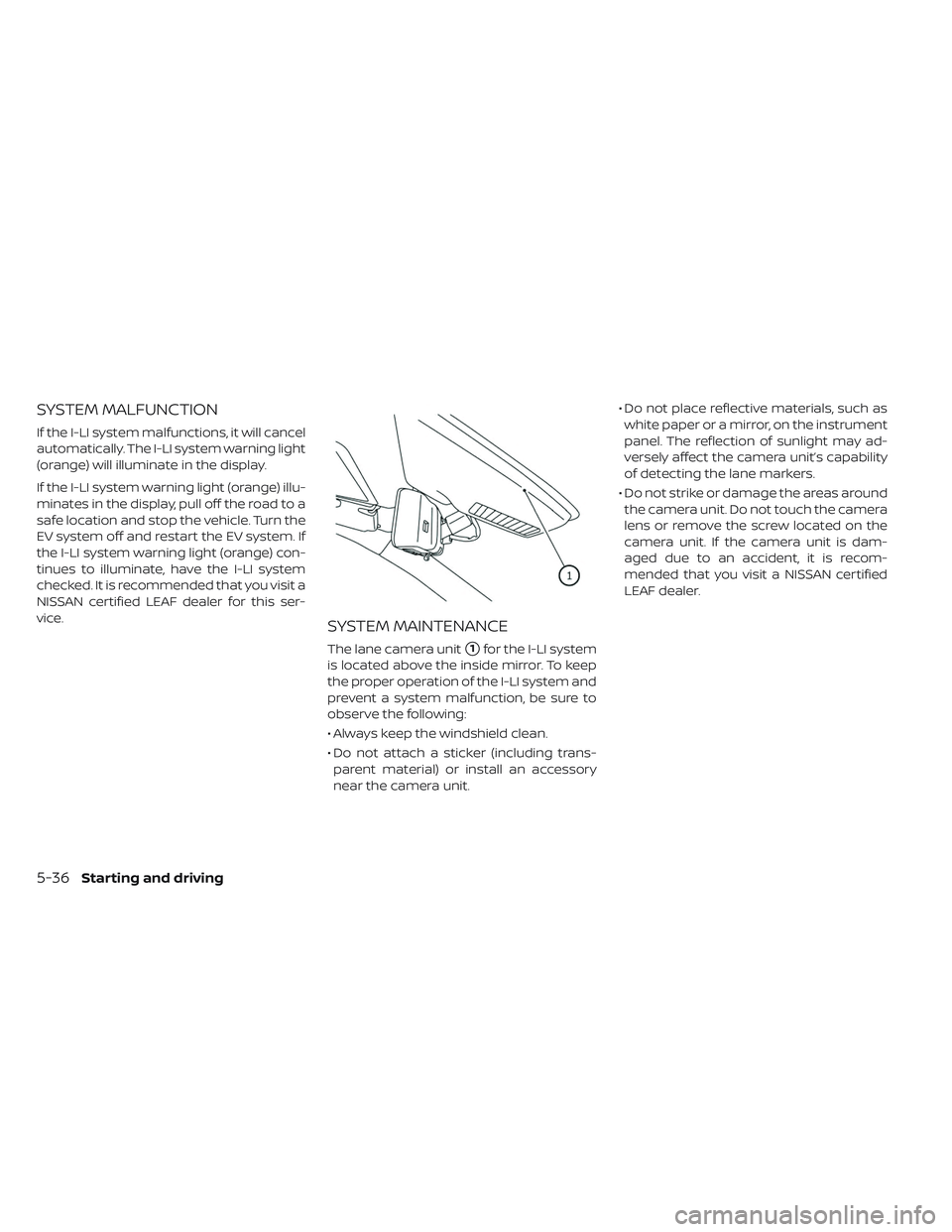
SYSTEM MAINTENANCE
The lane camera unit�1for the I-LI system
is located above the inside mirror. To keep
the proper operation of the I-LI system and
prevent a system malfunction, be sure to
observe the following:
• Always keep the windshield clean.
• Do not attach a sticker (including trans- parent material) or install an accessory
near the camera unit. • Do not place reflective materials, such as
white paper or a mirror, on the instrument
panel. The reflection of sunlight may ad-
versely affect the camera unit’s capability
of detecting the lane markers.
• Do not strike or damage the areas around the camera unit. Do not touch the camera
lens or remove the screw located on the
camera unit. If the camera unit is dam-
aged due to an accident, it is recom-
mended that you visit a NISSAN certified
LEAF dealer.
5-36Starting and driving