Page 291 of 592
– In areas not covered by the naviga-tion system.
– If there are deviations in relation to the navigation, for example due to
changes in the road routing.
– When overtaking buses or trucks with speed stickers.
TURNING THE TRAFFIC SIGN
RECOGNITION (TSR) SYSTEM ON
AND OFF
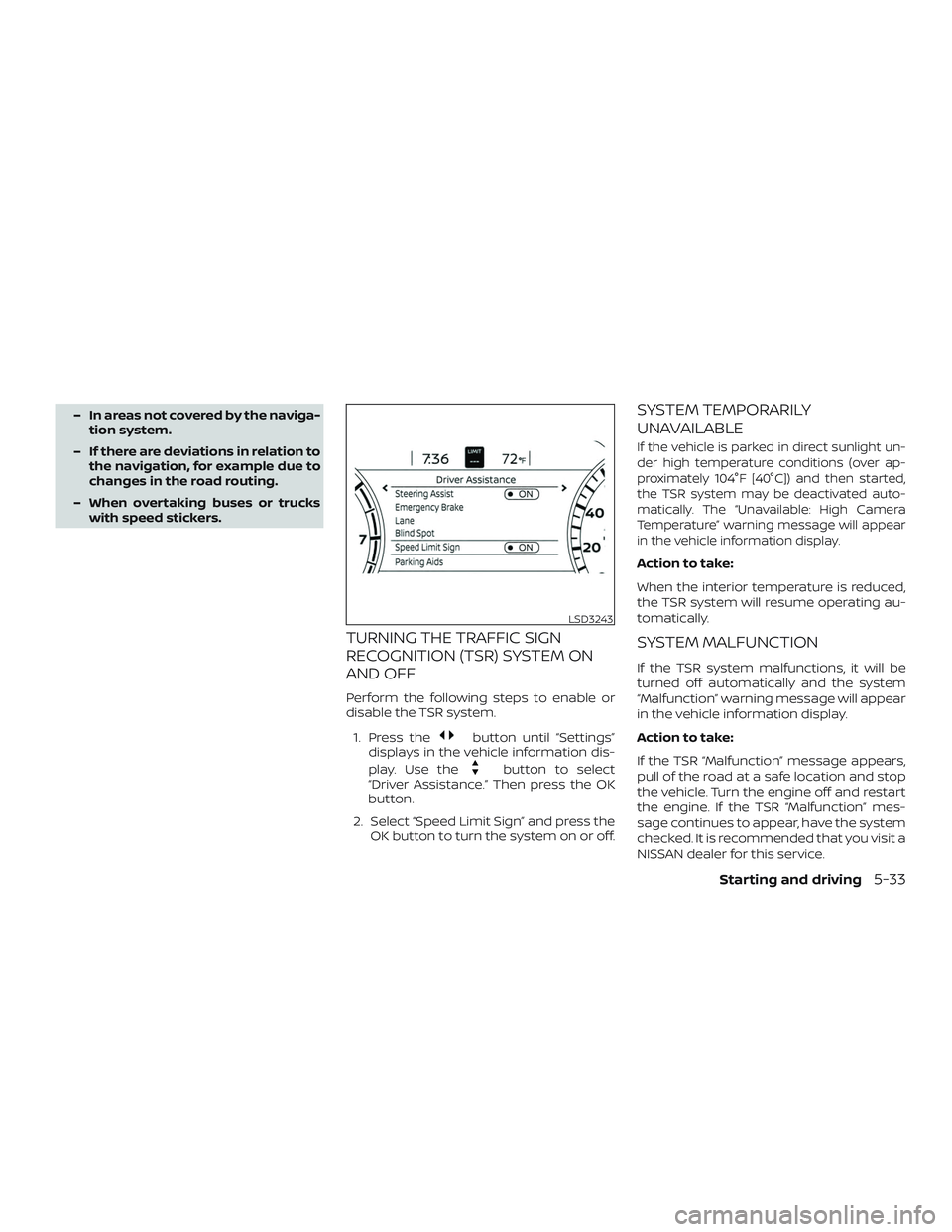
Perform the following steps to enable or
disable the TSR system.
1. Press the
button until “Settings”
displays in the vehicle information dis-
play. Use the
button to select
“Driver Assistance.” Then press the OK
button.
2. Select “Speed Limit Sign” and press the OK button to turn the system on or off.
SYSTEM TEMPORARILY
UNAVAILABLE
If the vehicle is parked in direct sunlight un-
der high temperature conditions (over ap-
proximately 104°F [40°C]) and then started,
the TSR system may be deactivated auto-
matically. The “Unavailable: High Camera
Temperature” warning message will appear
in the vehicle information display.
Action to take:
When the interior temperature is reduced,
the TSR system will resume operating au-
tomatically.
SYSTEM MALFUNCTION
If the TSR system malfunctions, it will be
turned off automatically and the system
“Malfunction” warning message will appear
in the vehicle information display.
Action to take:
If the TSR “Malfunction” message appears,
pull of the road at a safe location and stop
the vehicle. Turn the engine off and restart
the engine. If the TSR “Malfunction” mes-
sage continues to appear, have the system
checked. It is recommended that you visit a
NISSAN dealer for this service.
LSD3243
Starting and driving5-33
Page 306 of 592

HOW TO ENABLE/DISABLE THE
BSW SYSTEM
Perform the following steps to enable or
disable the BSW system.1. Press the
button until “Settings”
displays in the vehicle information dis-
play. Use the
button to select
“Driver Assistance.” Then press the OK
button.
2. Select “Blind Spot” and press the OK button.
3. Select “Blind Spot Warning” and press the OK button to turn the system on or
off.
NOTE:
When enabling/disabling the system,
the system will retain current settings
even if the engine is restarted.
BSW SYSTEM LIMITATIONS
WARNING
Listed below are the system limitations
for the BSW system. Failure to operate
the vehicle in accordance with these
system limitations could result in seri-
ous injury or death.
∙ The BSW system cannot detect all ve- hicles under all conditions.
∙ The radar sensors may not be able to detect and activate BSW when certain
objects are present such as:
– Pedestrian, bicycles, animals.
– Vehicles such as motorcycles, low height vehicles, or high ground
clearance vehicles.
– Oncoming vehicles.
– Vehicles remaining in the detec- tion zone when you accelerate
from a stop.
– A vehicle merging into an adjacent lane at a speed approximately the
same as your vehicle.
– A vehicle approaching rapidly from behind. – A vehicle which your vehicle over-
takes rapidly.
– A vehicle that passes through the detection zone quickly.
– When overtaking several vehicles in a row, the vehicles af ter the first
vehicle may not be detected if they
are traveling close together.
∙ The radar sensors’ detection zone is designed based on a standard lane
width. When driving in a wider lane,
the radar sensors may not detect ve-
hicles in an adjacent lane. When driv-
ing in a narrow lane, the radar sensors
may detect vehicles driving two lanes
away.
∙ The radar sensors are designed to ig- nore most stationary objects; how-
ever, objects such as guardrails, walls,
foliage and parked vehicles may oc-
casionally be detected. This is a nor-
mal operation condition.
∙ The following conditions may reduce the ability of the radar to detect other
vehicles:
– Severe weather
– Road spray
5-48Starting and driving
Page 361 of 592
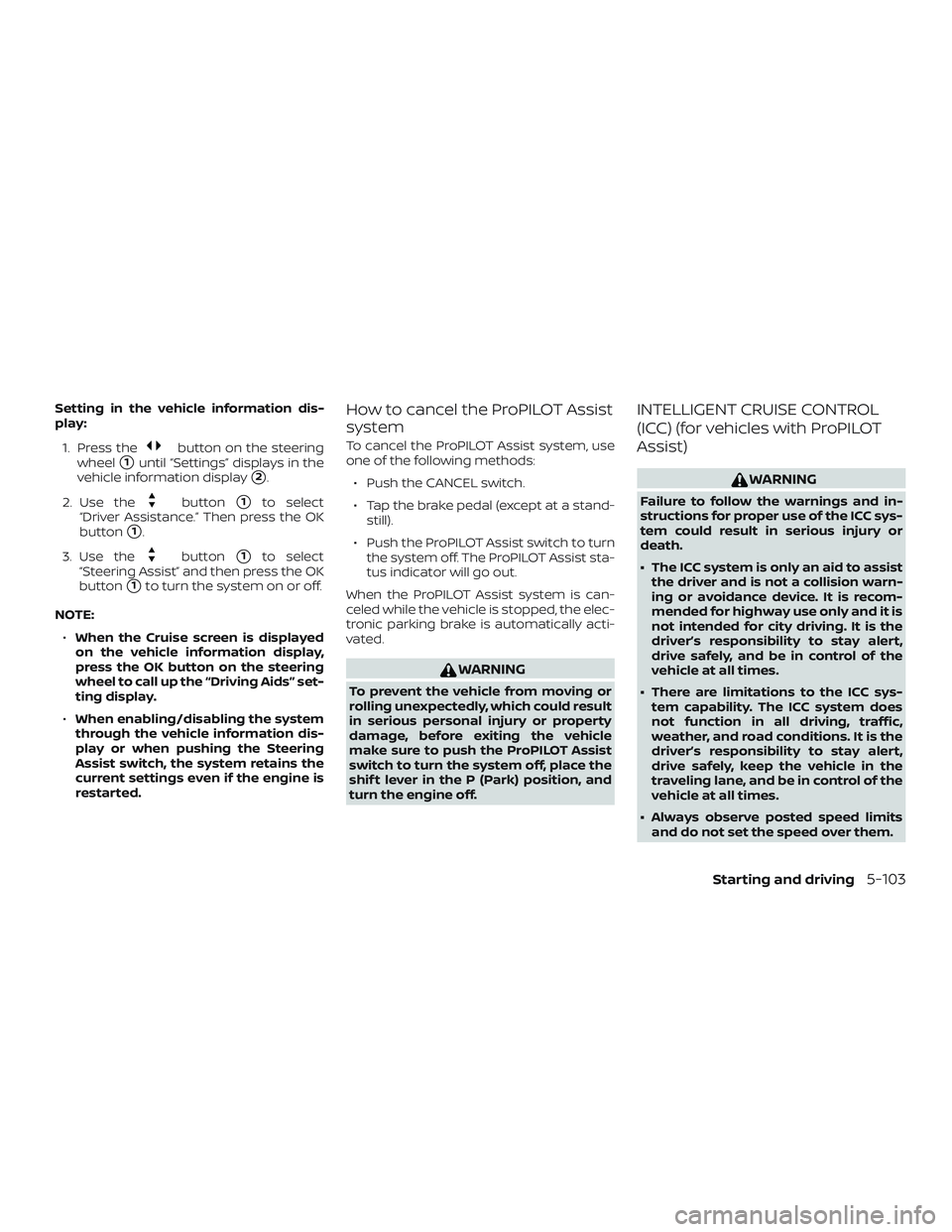
Setting in the vehicle information dis-
play:1. Press the
button on the steering
wheel
�1until “Settings” displays in the
vehicle information display
�2.
2. Use the
button�1to select
“Driver Assistance.” Then press the OK
button
�1.
3. Use the
button�1to select
“Steering Assist” and then press the OK
button
�1to turn the system on or off.
NOTE: ∙ When the Cruise screen is displayed
on the vehicle information display,
press the OK button on the steering
wheel to call up the “Driving Aids” set-
ting display.
∙ When enabling/disabling the system
through the vehicle information dis-
play or when pushing the Steering
Assist switch, the system retains the
current settings even if the engine is
restarted.
How to cancel the ProPILOT Assist
system
To cancel the ProPILOT Assist system, use
one of the following methods:
∙ Push the CANCEL switch.
∙ Tap the brake pedal (except at a stand- still).
∙ Push the ProPILOT Assist switch to turn the system off. The ProPILOT Assist sta-
tus indicator will go out.
When the ProPILOT Assist system is can-
celed while the vehicle is stopped, the elec-
tronic parking brake is automatically acti-
vated.
WARNING
To prevent the vehicle from moving or
rolling unexpectedly, which could result
in serious personal injury or property
damage, before exiting the vehicle
make sure to push the ProPILOT Assist
switch to turn the system off, place the
shif t lever in the P (Park) position, and
turn the engine off.
INTELLIGENT CRUISE CONTROL
(ICC) (for vehicles with ProPILOT
Assist)
WARNING
Failure to follow the warnings and in-
structions for proper use of the ICC sys-
tem could result in serious injury or
death.
∙ The ICC system is only an aid to assist the driver and is not a collision warn-
ing or avoidance device. It is recom-
mended for highway use only and it is
not intended for city driving. It is the
driver’s responsibility to stay alert,
drive safely, and be in control of the
vehicle at all times.
∙ There are limitations to the ICC sys- tem capability. The ICC system does
not function in all driving, traffic,
weather, and road conditions. It is the
driver’s responsibility to stay alert,
drive safely, keep the vehicle in the
traveling lane, and be in control of the
vehicle at all times.
∙ Always observe posted speed limits and do not set the speed over them.
Starting and driving5-103