Page 488 of 697
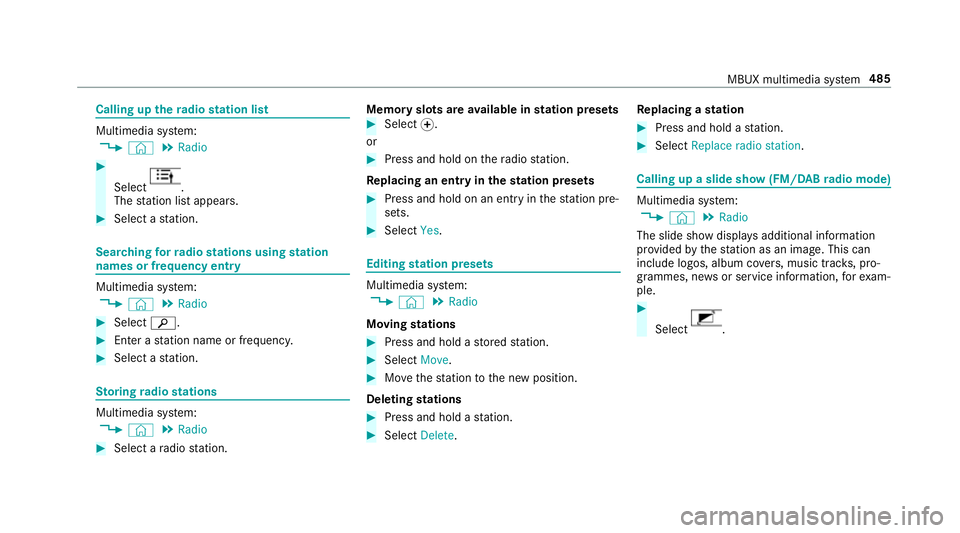
Calling up
thera dio station list Multimedia sy
stem:
4 © 5
Radio #
Select .
The station list appears. #
Select a station. Sear
ching forra dio stations using station
names or frequency entry Multimedia sy
stem:
4 © 5
Radio #
Select è. #
Ente r astation name or frequenc y.#
Select a station. St
oring radio stations Multimedia sy
stem:
4 © 5
Radio #
Select a radio station. Memory slots are
available in station presets #
Select f.
or #
Press and hold on thera dio station.
Re placing an entry in the station presets #
Press and hold on an entry in thest ation pre‐
sets. #
Select Yes. Editing
station presets Multimedia sy
stem:
4 © 5
Radio
Moving stations #
Press and hold a stored station. #
Select Move. #
Movethest ation tothe new position.
Deleting stations #
Press and hold a station. #
Select Delete. Re
placing a station #
Press and hold a station. #
Select Replace radio station . Calling up a slide show (FM/DAB
radio mode) Multimedia sy
stem:
4 © 5
Radio
The slide show displa ysadditional information
pr ov ided bythest ation as an image. This can
include logos, album co vers, music trac ks, pro‐
gr ammes, ne wsor service information, forex am‐
ple. #
Select . MBUX multimedia sy
stem 485
Page 489 of 697
Ac
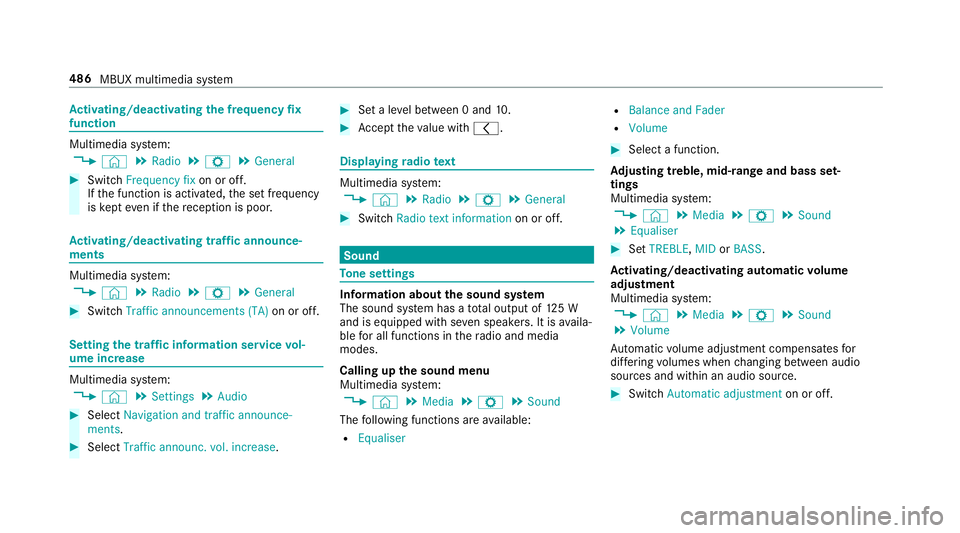
tivating/deactivating the frequency fix
function Multimedia sy
stem:
4 © 5
Radio 5
Z 5
General #
Switch Frequency fix on or off.
If th e function is activated, the set frequency
is ke pt eve n ifthere ception is poo r.Ac
tivating/deactivating traf fic announce‐
ments Multimedia sy
stem:
4 © 5
Radio 5
Z 5
General #
Switch Traffic announcements (TA) on or off.Setting
the traf fic information service vol‐
ume increase Multimedia sy
stem:
4 © 5
Settings 5
Audio #
Select Navigation and traffic announce-
ments. #
Select Traffic announc. vol. increase. #
Set a le vel between 0 and 10. #
Accept theva lue with q. Displaying
radio text Multimedia sy
stem:
4 © 5
Radio 5
Z 5
General #
Switch Radio text information on or off. Sound
To
ne settings Information about
the sound sy stem
The sound sy stem has a total output of 125 W
and is equipped with se ven speakers. It is availa‐
ble for all functions in thera dio and media
modes.
Calling up the sound menu
Multimedia sy stem:
4 © 5
Media 5
Z 5
Sound
The following functions are available:
R Equaliser R
Balance and Fader
R Volume #
Select a function.
Ad justing treble, mid- range and bass set‐
tings
Multimedia sy stem:
4 © 5
Media 5
Z 5
Sound
5 Equaliser #
Set TREBLE, MIDorBASS .
Ac tivating/deactivating automatic volume
adjustment
Multimedia sy stem:
4 © 5
Media 5
Z 5
Sound
5 Volume
Au tomatic volume adjustment compensates for
dif fering volumes when changing between audio
sources and within an audio source. #
Swit chAutomatic adjustment on or off.486
MBUX multimedia sy stem
Page 493 of 697
5
Opens an application via symbols
6 Name of the application, beneath the cur rent
selection or information
7 Quick-access
8 Number of applications and cur rently selec‐
te d display area
9 Calls up the air conditioning menu forthe
driver
A Calls up the air conditioning menu forthe
front passenger Headphones
Headphones
overview (Rear Seat Entertain‐
ment Sy stem) &
WARNING Risk of inju rydue tohigh vol‐
ume of the headphones
Yo ur hearing can be damaged when exposed
to high volumes. #
Make sure that thevo lumes at there ar
displa ysare set toa com fortable vol‐
ume before putting on the headphones. The
following extern al headphones can be con‐
nec tedto each rear display:
R Blue tooth ®
headphones
R Corded headphones via a 3-pin stereo jac k,
3.5 mm
% The headphones are not in the scope of
delivery forth eRe ar Seat En tertainment
Sy stem.
Yo u can obtain headphones from Mercedes-
Benz Accessories or in a speciali stshop (see
th e manufacturer's operating instructions).
% The function of wireless headphones can be
impaired by otherradio-based elect ronic
devices, su chas mobile phones, forex am‐
ple. Connection of corded headphones with a 3-
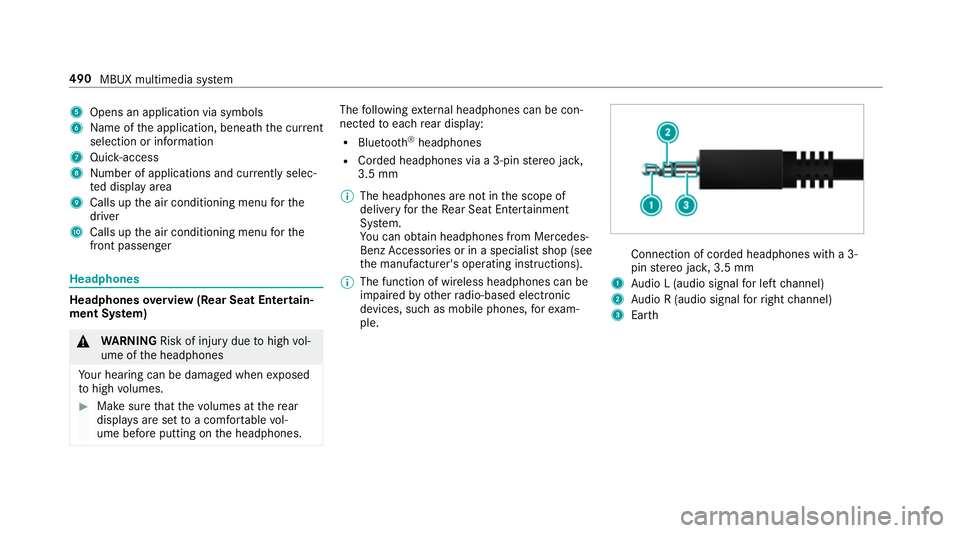
pin
stereo jac k,3.5 mm
1 Audio L (audio signal for left channel)
2 Audio R (audio signal forright channel)
3 Earth 490
MBUX multimedia sy stem
Page 541 of 697
%
The values displa yed in the multifunction dis‐
play may deviate from those of the tyre pres‐
sure gauge as they referto sea le vel.At high
altitudes, the tyre pressure values indicated
by a pressure gauge are higher than those
shown bythe on-board computer. In this
case, do not reduce the tyre pressure.
Make sure toobser vethefo llowing fur ther rela‐
te d subjec t:
R Notes on tyre pressure (/ page 535)
Rest arting the ty repressure moni toring sys‐
tem
Requ irements:
R The recommended tyre pressure is cor rectly
set forth ere spective operating status on
each of thefo ur wheels (/ page 535).
Re start the tyre pressure monitoring sy stem in
th efo llowing situations:
R The tyre pressure has changed.
R The wheels or tyres ha vebeen changed or
newly fitted. On-boa
rdcompu ter:
4 Service 5
Tyres #
Swipe down wards on Touch Control on the
left-hand side of thesteering wheel.
The Use current pressures as new reference
values? message is shown in the multifunc‐
tion displa y. #
Tobegin restart, press Touch Control on the
left-hand side of thesteering wheel.
The Tyre press. monitor restarted message is
shown in the multifunction displa y.
Cur rent wa rning messages are dele ted and
th eye llow h warning lamp goes out.
Af teryo u ha vebeen driving for a few
minutes, the sy stem checks whe ther the cur‐
re nt tyre pressures are wi thin the specified
ra nge. The cur rent tyre pressures are then
accep ted as refere nce values and monitored.
Make sure toobser vethefo llowing fur ther rela‐
te d subjec t:
R Notes on tyre pressure (/ page 535)Ra
dio-equipment appr oval of the ty repres‐
sure moni toring sy stem
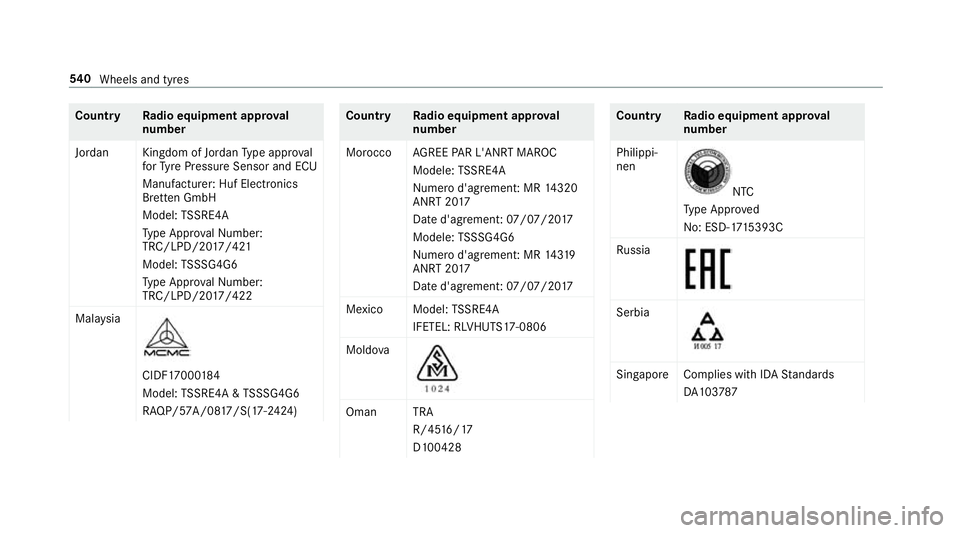
Ra dio equipment appr oval numbers Countr
yRadio equipment appr oval
number
Ar ge ntina see below
Au stra lia 538
Wheels and tyres
Page 542 of 697
Count
ryRadio equipment appr oval
number
Brazil MODELO:
TSSRE4A
AN ATEL: 05 181-17-06643
Es te equipamento opera em
caráter secundário, is toé, não
te m direito à pr oteção contrain‐
te rferência prejudicial, mesmo de
es tações do mesmo tipo e não
pode causar inter ferê ncia a si ste‐
mas operando em caráter pri‐
mário. Countr
yRadio equipment appr oval
number
European
Union Hereb
y,Huf Hülsbe ck& Für st
GmbH & Co. KGdeclares that the
ra dio equipment type TSSRE4A &
TS SSG4G6 is in compliance wi th
Directi ve2014 /53/EU.
The full text of the EU declaration
of confo rmity is available at the
fo llowing internet address:
http:// www.huf-g roup.com/
eudoc
Fr equency band: 433,92 MHz
Maximum Transmission Powe r:
<10 mW
Manufacturer:
Huf Electronics Br ette n GmbH
Ge we rbestr. 40 Countr
yRadio equipment appr oval
number
75 015 Br etten
Germany
Indonesia 52 166/SDPPI/20 17
3533
Israel A.The use of this product does
not need a wireless operation
license.
B. The product does not include
an RF disturbance pr otection,
and should not disturb other
licensed products.
C. It is forbidden toreplace the
antenna or tomake any change
in this product. Wheels and tyres
539
Page 543 of 697
Count
ryRadio equipment appr oval
number
Jordan Kingdom of Jordan Type appr oval
fo rTy re Pressure Sensor and ECU
Manufacturer: Huf Elect ronics
Br ette n GmbH
Model: TSSRE4A
Ty pe Appr oval Numb er:
TRC/LPD/20 17/421
Model: TSSSG4G6
Ty pe Appr oval Numb er:
TRC/LPD/20 17/422
Mal aysia CIDF17000
184
Model: TSSRE4A & TSSSG4G6
RAQP/57A/08 17/S(17-2424) Countr
yRadio equipment appr oval
number
Morocco AGREE PAR L'ANRT MA ROC
Modele: TSSRE4A
Numero d'agrement: MR 14320
ANRT 20 17
Date d'agrement: 07/07/20 17
Modele: TSSSG4G6
Numero d'agrement: MR 14319
ANRT 20 17
Date d'agrement: 07/07/20 17
Mexico Model: TSSRE4A
IFETEL: RLVHUTS17-0806
Moldo va Oman TRA
R/4516/17
D100428 Countr
yRadio equipment appr oval
number
Philippi‐
nen NTC
Ty pe Appr oved
No: ESD-17 15393C
Ru ssia Serbia
Singapor
eComplies with IDA Standards
DA 103787 540
Wheels and tyres
Page 544 of 697
Count
ryRadio equipment appr oval
number
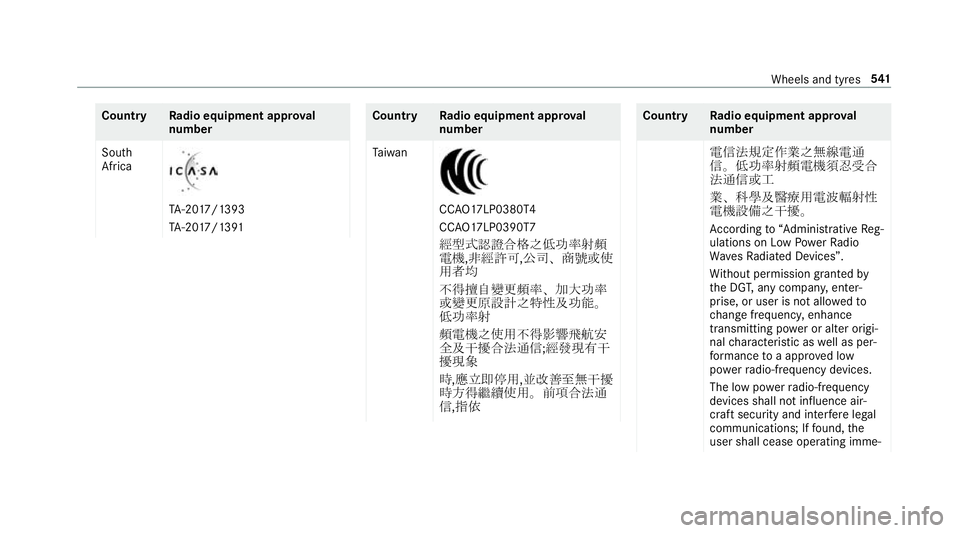
South
Africa TA
-20 17/1393
TA -20 17/1391 Countr
yRadio equipment appr oval
number
Ta iwan CC
AO17LP0380T4
CC AO17LP0390T7
經型式認證合格之低功率射頻
電機,非經許可, 公司、商號或使
用者均
不得擅自變更頻率、加大功率
或變更原設計之特性及功能。
低功率射
頻電機之使用不得影響飛航安
全及干擾合法通信; 經發現有干
擾現象
時,應立即停用, 並改善至無干擾
時方得繼續使用。前項合法通
信,指依 Countr
yRadio equipment appr oval
number
電信法規定作業之無線電通
信。低功率射頻電機須忍受合
法通信或工
業、科學及醫療用電波輻射性
電機設備之干擾。
Ac cording to“Administrative Reg‐
ulations on Low Powe rRa dio
Wa vesRa diated Devices”.
Wi thout permission granted by
th e DG T,any compan y,enter‐
prise, or user is not allo wedto
ch ange frequenc y,enhance
transmitting po wer or alter origi‐
nal characteristic as well as per‐
fo rm ance toa appr oved low
po we rra dio-frequency devices.
The low po werra dio-frequency
devices shall not influence air‐
craft security and inter fere legal
communications; If found, the
user shall cease operating imme‐ Wheels and tyres
541
Page 545 of 697
Count
ryRadio equipment appr oval
number
dia tely until no inter fere nce is
achi eved.
The said legal communications
means radio communications is
operated in compliance with the
Te lecommunications Act.
The low po werra dio-frequency
devices must be susceptible with
th e inter fere nce from le gal com‐
munications or ISM radio wave
ra diated devices.
Thailand This telecommunication equip‐
ment con form sto NTC tech nical
re qu irement.
Ukraine Model:
TSSRE4A & TSSSG4G6
UA .TR .109.0 109-17 Countr
yRadio equipment appr oval
number
United
Arab Emi‐
ra tes
(UAE) TRA
Re
gis tere d No: ER5 7806/17
Dealer No: DA369 76/14
Vi etnam Huf Hülsbe
ck& Für st
GmbH & Co. KG
Model: TSSRE4A
No: C0 112200 717AF04A2 Argentina
CNC ID: H-20027 Wheel
change Note
s on selecting, fitting and replacing
tyres Mercedes
-AMG vehicles: observeth e no tes in
th e Supplement. Otherwise, you may failto rec‐
ognise dangers.
Yo u can ask for information rega rding permit ted
wheel/tyre combinations at a Mercedes-Benz
Service Cent re. 542
Wheels and tyres