2019 MERCEDES-BENZ GLB SUV phone
[x] Cancel search: phonePage 395 of 689
The
following options are available:
R Traffic incidents
Traf fic incidents are announced, e.g.
ro adwor ksand road bloc ks.
This function is not available in all coun‐
tries and languages.
R Announce warnings
Warning messages are announced, e.g.
before tailbac ksthat pose a risk (if availa‐
ble).
This function is not available in all coun‐
tries and languages.
Au dible indication when approaching a per‐
sonal POI #
Select thePersonal POIs option inthe
ALERTS category. #
Activate a categor y.
The display button is activated. When
approaching a personal POI in this category
an audible indication will be issued. Showing destination information
for the
ro ute
Re quirements:
R A destination is entered.
Multimedia sy stem:
4 © 5
Navigation 5
¡ #
Select Route overview .
When route guidance is active, the destina‐
tion and intermediate destinations are
shown, if these ha vebeen entered and not
ye t been passed.
The route can include up tofour intermediate
destinations. #
Select a destination or an intermediate desti‐
nation.
The following information is displa yed:
R Remaining driving dis tance
R Time of ar rival
R Remaining journey time
R Name, destination addre ss
R Phone number (if available) R
Web address (if available)
Planning routes
Multimedia sy stem:
4 © 5
Navigation
5 ¡ 5
Route overview #
Select Set intermediate destination. #
Ente rth e intermediate destination as a POI
or address, forex ample (/ page 380). #
Select the intermediate destination.
Af ter selection of an intermediate destina‐
tion, thero ute overview is shown again. #
Calculate thero ute with intermediate desti‐
nations(/ page 393)
% Ifth ere are already four intermediate desti‐
nations, dele tean intermediate destination
(/ page 392).
Editing a route with intermediate destina‐
tions
Re quirements:
R The destination and at least one intermediate
destination ha vebeen entered. 392
MBUX multimedia sy stem
Page 404 of 689
The symbol
changes to! .
% This function can be added and called up
from thefa vo urites within the navigation cat‐
egor y.
Switching navigation announcements on or
off during a phone call #
Press the© button on thesteering wheel
or on theto uchpad.
or #
Tap on © inthe media displa y. #
Select Settings . #
Select System . #
Select Audio. #
Select Navigation and traffic announce-
ments . #
Switch Driving recommendations during call
on or off.
When the option is switched on, the display
button is activated. #
Tolea vethe menu: selectq. Ad
justing the volume of navigation
announcements
Multimedia sy stem:
4 © 5
Settings 5
System 5
Audio
5 Navigation and traffic announcements #
Select Driving recommendation vol. . #
Set thevo lume. #
Tolea vethe menu: selectq.
Ro ute guidance is active #
Turn thevo lume control on thesteering
wheel or next totheto uchpad during a navi‐
ga tion announcement.
Switching audio fadeout on or off during nav‐
igation announcements #
Press the© button on thesteering wheel
or on theto uchpad.
or #
Tap on © inthe media displa y. #
Select Settings . #
Select System . #
Select Audio. #
Switch Audio fadeout on or off.
When the option is switched on, the display
button is activated. #
Tolea vethe menu: selectq.
Re peating navigation announcements
Re quirements:
R aro ute has already been created.
R route guidance is active.
Multimedia sy stem:
4 Navigation (Navigation) #
Select !. #
Select #.
The cur rent navigation announcement is
re peated.
% This function can be added and called up
from thefa vo urites within the navigation cat‐
egor y.
Cancelling route guidance
Re quirements:
R aro ute has already been created.
R route guidance is active. MBUX multimedia sy
stem 401
Page 410 of 689
R
Cause of the tra ffic incident, e.g. con‐
st ru ction work
R Warning message (highligh tedre d) #
Toselect a traf fic incident symbol: select
q orr. #
Toselect a map section: tap on the
to uchsc reen.
or #
Press theTo uch Control or theto uchpad. #
Movethe map. #
Toreturn tothe navigation map: tapon
G.
or #
Press theG button on theTo uch Control
or on theto uchpad.
Swit ching the traf fic information display on
Multimedia sy stem:
4 © 5
Navigation 5
Z #
Activate Traffic.
The display button is acti vated. Ac
tivating Incidents, Free Flow and Delay #
Select Advanced. #
Select View. #
Select Map elements. #
IntheTRAFFIC category,activate theTraffic
incidents, Free-flowing traffic andDelay
entri es.
The display buttons are activated.
If tra ffic information has been recei ved, then
tra ffic incidents such as roadwor ks,ro ad
bloc ks, local area reports (e.g. fog) and warn‐
ing messages are displa yed.
The tra ffic delay is displa yedfo rth e cur rent
ro ute. Traf fic del ays lasting one minute or
longer are take n into conside ration.
Showing local area messages
Multimedia sy stem:
4 © 5
Navigation 5
¡ 5
Traffic #
Select Area announcements .
Local area messages are shown, forex ample
fo g or heavy rain. #
Select a local area message.
The de tails are displa yed. Car-to-X-Communication
Car-to-X-Communication
overview
The following requ irements apply for using Car-
to -X-Communication:
R The vehicle is equipped with a multimedia
sy stem featuring navigation and a communi‐
cation module with an activated, integ rated
SIM card.
R Car-to -X-Communication is acti vated.
% Car-to-X-Communication is available in
selec ted count ries.
The communication module automatically es tab‐
lishes an Internet connection once the ignition is
switched on. If there are any hazard warnings,
th ey will be pr ovided shortly thereaf ter.Depend‐
ing on the mobile phone connection, the pr ovi‐
sion take s place from within a second up to
about a minute. MBUX multimedia sy
stem 407
Page 423 of 689
R
Telephone number #
Calculate thero ute (/ page 388).
The following functions can also be selec ted (if
av ailable):
R Sear chfor POIs in the vicinit y.
R Save the destination.
R Place a call at the destination.
R Share the destination using NFC or QR code.
R Call up thewe b address.
R Show the destination on the map.
Displaying parking options on the map
Requ irements:
R The navigation services option is available,
subsc ribed toand activated in the Mercedes
me por tal.
R The parking service is within the scope of the
navigation service. Multimedia sy
stem:
4 © 5
Navigation 5
Z #
Activate Parking.
The display button is acti vated. The parking
options within the vicinity of the cur rent vehi‐
cle position are shown.
Pa ying parking charges
Re quirements:
R The navigation services option is available
and activated in the Mercedes me por tal.
The parking service is within the scope of the
navigation service.
R You ha veregis tere d with your payment
de tails forth e payment of parking in the
Mercedes me por tal with Mercedes Pay and
th ere spective contra ct partner.
R Parking is activated (/ page 420).
Multimedia sy stem:
4 © 5
Navigation
This option is not available in all countries. #
Select a parking option on the map. #
If a car park that can be paid for has been
selected, scroll down in the parking de tails. #
Select Pay.
or #
Once theve hicle has reached a parking posi‐
tion with payment function and the ignition is
switched off, a message appears.
Using this message you can pay from the
ve hicle and start the payment process. #
Tostart the payment process: confirm the
messa ge. #
Please no tethe maximum parking period dis‐
pla yed and any existing additional limitations.
If re qu ired, a message will inform you about
th e necessity of displaying information con‐
fi rm ing the online payment forth e parking
space. #
Select Start the payment process. #
Ifre qu ired, enter the personalised PIN. #
Press atoconfirm.
The successful start of your parking transac‐
tion is shown. #
Comple tethe booking with OK.420
MBUX multimedia sy stem
Page 426 of 689
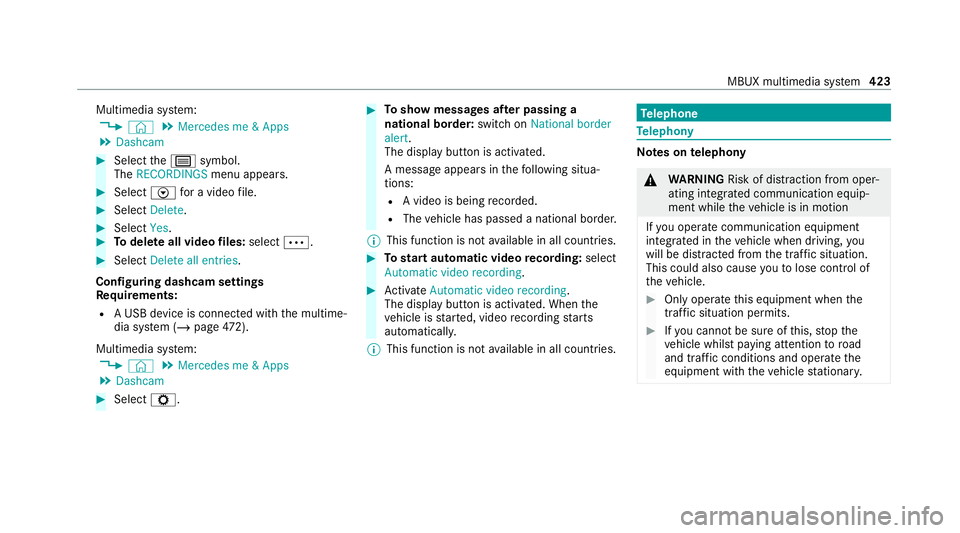
Multimedia sy
stem:
4 © 5
Mercedes me & Apps
5 Dashcam #
Select thep symbol.
The RECORDINGS menu appears. #
Select Vfor a video file. #
Select Delete. #
Select Yes. #
Todel ete all video files: select Ä. #
Select Delete all entries.
Configuring dashcam settings
Re quirements:
R A USB device is connec ted with the multime‐
dia sy stem (/ page472).
Mul timedia sy stem:
4 © 5
Mercedes me & Apps
5 Dashcam #
Select Z. #
Toshow messages af ter passing a
national bo rder: swit chon National border
alert.
The display button is activated.
A message appears in thefo llowing situa‐
tions:
R A video is being recorded.
R The vehicle has passed a national border.
% This function is not available in all countries. #
Tostart automatic video recording: select
Automatic video recording . #
Activate Automatic video recording .
The display button is acti vated. When the
ve hicle is star ted, video recording starts
automaticall y.
% This function is not available in all countries. Te
lephone Te
lephony Note
s ontelephony &
WARNING Risk of di stra ction from oper‐
ating integrated communication equip‐
ment while theve hicle is in motion
If yo u operate communication equipment
integrated in theve hicle when driving, you
will be distracted from the tra ffic situation.
This could also cause youto lose control of
th eve hicle. #
Only operate this equipment when the
traf fic situation permits. #
Ifyo u cannot be sure of this, stop the
ve hicle whilst paying attention toroad
and traf fic conditions and ope rate the
equipment with theve hicle stationar y. MBUX multimedia sy
stem 423
Page 427 of 689
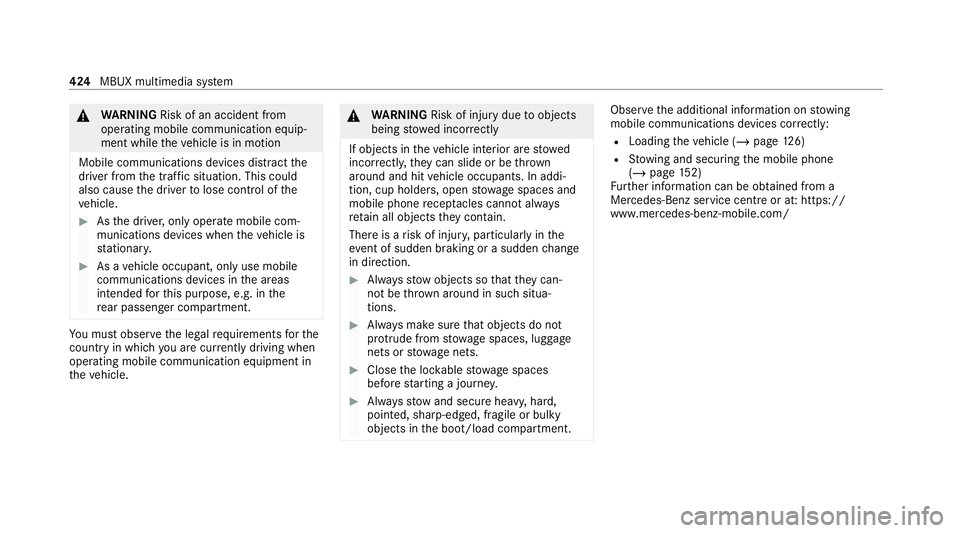
&
WARNING Risk of an accident from
ope rating mobile communication equip‐
ment while theve hicle is in motion
Mobile communications devices distract the
driver from the traf fic situation. This could
also cause the driver tolose control of the
ve hicle. #
Asthe driver, only operate mobile com‐
munications devices when theve hicle is
st ationar y. #
As a vehicle occupant, only use mobile
communications devices in the areas
intended forth is purpose, e.g. in the
re ar passenger compartment. Yo
u must obse rveth e legal requirements forthe
country in whi chyou are cur rently driving when
operating mobile communication equipment in
th eve hicle. &
WARNING Risk of inju rydue toobjects
being stowed incor rectly
If objects in theve hicle interior are stowed
incor rectly, they can slide or be thrown
around and hit vehicle occupants. In addi‐
tion, cup holders, open stowage spaces and
mobile phone recep tacles cannot al ways
re tain all objects they contain.
The reis a risk of injur y,particularly in the
ev ent of sudden braking or a sudden change
in direction. #
Alw aysstow objects so that they can‐
not be throw n around in su chsitua‐
tions. #
Alw ays make sure that objects do not
pr otru de from stowage spaces, luggage
nets or stowage nets. #
Close the loc kable stow age spaces
before starting a journe y. #
Alw aysstow and secure heavy, hard,
poin ted, sharp-edged, fragile or bulky
objects in the boot/load compartment. Obser
vethe additional information on stowing
mobile communications devices cor rectly:
R Loading theve hicle (/ page126)
R Stow ing and securing the mobile phone
(/ page 152)
Fu rther information can be obtained from a
Mercedes-Benz service centre or at: https://
www.mercedes-benz-mobile.com/ 424
MBUX multimedia sy stem
Page 428 of 689
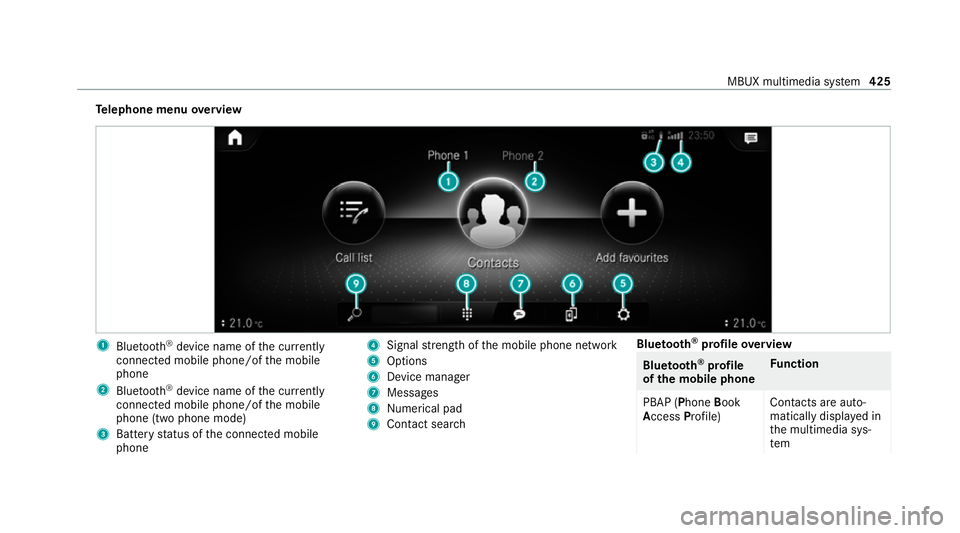
Te
lephone menu overview 1
Blue tooth ®
device name of the cur rently
connected mobile phone/of the mobile
phone
2 Blue tooth ®
device name of the cur rently
connected mobile phone/of the mobile
phone (two phone mode)
3 Battery status of the connected mobile
phone 4
Signal stre ngth of the mobile phone network
5 Options
6 Device manager
7 Messages
8 Nume rical pad
9 Contact sea rch Blue
tooth ®
profile overview Blue
tooth ®
profile
of the mobile phone Fu
nction
PBAP (Phone Book
Access Profile) Contacts are auto‐
matically displa
yed in
th e multimedia sys‐
tem MBUX multimedia sy
stem 425
Page 429 of 689
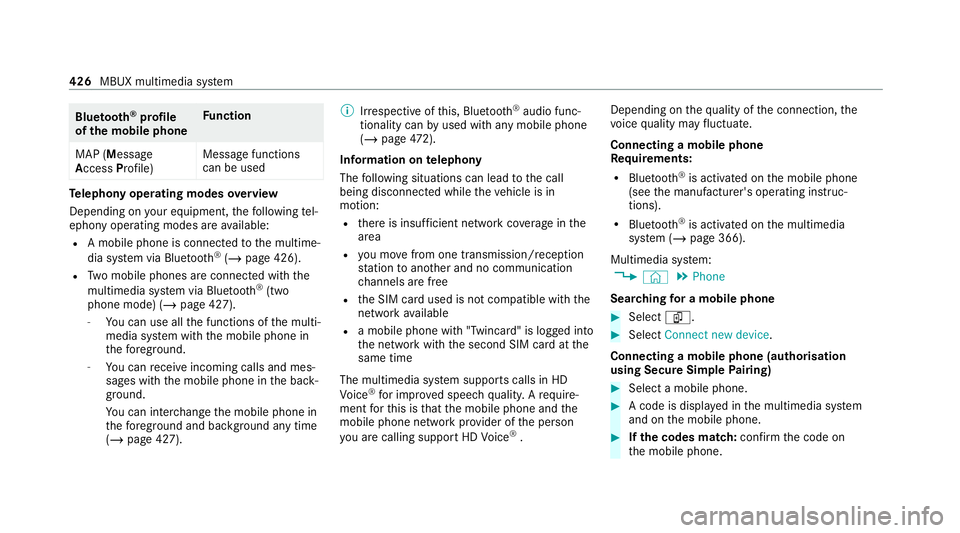
Blue
tooth ®
profile
of the mobile phone Fu
nction
MAP (Message
Access Profile) Message functions
can be used Te
lephony operating modes overview
Depending on your equipment, thefo llowing tel‐
ephony operating modes are available:
R A mobile phone is connec tedto the multime‐
dia sy stem via Blue tooth®
(/ page 426).
R Two mobile phones are connected with the
multimedia sy stem via Blue tooth®
(two
phone mode) (/ page 427).
- You can use all the functions of the multi‐
media sy stem with the mobile phone in
th efo re ground.
- You can recei veincoming calls and mes‐
sages with the mobile phone in the back‐
ground.
Yo u can inter change the mobile phone in
th efo re ground and bac kground any time
(/ page 427). %
Irre spective of this, Blue tooth®
audio func‐
tionality can byused with any mobile phone
(/ page 472).
Infor mation on telephony
The following situations can lead tothe call
being disconnected while theve hicle is in
motion:
R there is insuf ficient network co verage inthe
area
R you mo vefrom one transmission/reception
st ation toano ther and no communication
ch annels are free
R the SIM card used is not compatible with the
network available
R a mobile phone with "Twincard" is logged into
th e network with the second SIM card at the
same time
The multimedia sy stem supports calls in HD
Vo ice ®
for impr oved speech qualit y.Arequ ire‐
ment forth is is that the mobile phone and the
mobile phone network pr ovider of the person
yo u are calling suppo rtHD Voice ®
. Depending on
thequ ality of the connection, the
vo ice quality may fluctuate.
Connecting a mobile phone
Requ irements:
R Blue tooth ®
is activated on the mobile phone
(see the manufacturer's operating instruc‐
tions).
R Blue tooth ®
is activated on the multimedia
sy stem (/ page 366).
Multimedia sy stem:
4 © 5
Phone
Sear ching for a mobile phone #
Select í. #
Select Connect new device .
Connecting a mobile phone (authorisation
using Secu reSimple Pairing) #
Select a mobile phone. #
A code is displa yed in the multimedia sy stem
and on the mobile phone. #
Ifth e codes match: confirm the code on
th e mobile phone. 426
MBUX multimedia sy stem